📘 Harvest manuals • Free online PDFs
ໂລໂກ້ການເກັບກ່ຽວ

Harvest Manuals & User Guides

Harvest Technology provides advanced, ultra-low bandwidth video and secure data streaming solutions for remote industrial operations.

Tip: include the full model number printed on your Harvest label for the best match.

About Harvest manuals on Manuals.plus

Harvest Technology specializes in delivering high-definition video and secure data over low-quality and constrained networks. Their proprietary protocols and unique devices, such as the Nodestream media interfaces and RiS encoders and decoders, enable real-time, zero-latency streaming. This robust technology is crucial for remote industrial environments, enabling key personnel to reliably monitor, assist, and communicate with frontline team members anywhere in the world, regardless of network conditions.

Harvest manuals

ຄູ່ມືຫຼ້າສຸດຈາກ manuals+ curated ສໍາລັບຍີ່ຫໍ້ນີ້.

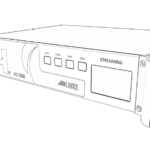
HARVEST NS8 Media Interface ຄູ່ມືຜູ້ໃຊ້

ວັນທີ 17 ກຸມພາ 2025
MEDIA INTERFACE NS8 ຄູ່ມືເລີ່ມຕົ້ນດ່ວນview Welcome to the Nodestream 8 (NS8) Please read these instructions carefully before using this product, and save this quick start guide for future…

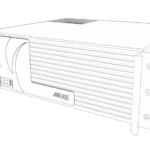
HARVEST AVR2 Media Encoder ຄູ່ມືຜູ້ໃຊ້

ວັນທີ 7 ພຶດສະພາ 2022
ຄູ່ມືການເຂົ້າລະຫັດສື່ AVR2 ດ່ວນview Welcome to the Nodestream AVR2 Please read these instructions carefully before using this product and save this quick start guide for future reference.…

Harvest Radiant Installation Manual

ຄູ່​ມື​ການ​ຕິດ​ຕັ້ງ​
Installation and setup guide for the Harvest Radiant heating system, including SANCO2 heat pump integration, plumbing diagrams, wiring instructions, and troubleshooting.

Harvest manuals from online retailers

The Dead Rabbit Drinks Manual: Official Instruction Guide

0544373200 • ວັນທີ 14 ມັງກອນ 2026
This manual provides detailed instructions and historical context for cocktail recipes from The Dead Rabbit, including techniques and ingredient guidance for aspiring mixologists.

The RBG Workout: Illustrated Fitness Manual by Bryant Johnson

1328919129 • ວັນທີ 26 ທັນວາ 2025
This illustrated fitness manual details Justice Ruth Bader Ginsburg's workout routine, developed by her personal trainer, Bryant Johnson. It includes exercises like planks, squats, and push-ups, designed to…

Harvest X-5000 Tri-Band Base Antenna User Manual

X-5000 • ວັນທີ 4 ຕຸລາ 2025
Instruction manual for the Harvest X-5000 Tri-Band Base Antenna, covering installation, operation, maintenance, and specifications for 144/440/1200MHz frequencies.

Harvest video guides

ເບິ່ງການຕິດຕັ້ງ, ການຕິດຕັ້ງ, ແລະການແກ້ໄຂບັນຫາວິດີໂອສໍາລັບຍີ່ຫໍ້ນີ້.

Harvest support FAQ

ຄໍາຖາມທົ່ວໄປກ່ຽວກັບຄູ່ມື, ການລົງທະບຽນ, ແລະການສະຫນັບສະຫນູນສໍາລັບຍີ່ຫໍ້ນີ້.

  • How do I configure my Harvest RiS Media Encoder?

    Connect the device to your LAN via the Ethernet port, power it on, and navigate to its IP address via a web browser. The device defaults to DHCP and can be located using an IP scanning tool.

  • What network port settings are required for Harvest Nodestream devices?

    Nodestream devices require specific firewall settings to communicate over a closed network. Ensure UDP ports 2100 to 2200, UDP 2025/2026, and TCP 2020 are open on your firewall.

  • What is the default login for the Harvest Media Encoder?

    The default login is username 'admin' and password 'admin'. You will be prompted to change this password when you first log into the configuration UI.

  • How do I perform a factory reset on my Harvest media interface?

    You can reset to factory defaults via the Web UI under the System Settings tab, or depending on the model, by holding the physical reset button as instructed in the user manual.