1. ບົດແນະນຳ
Welcome to the user manual for your new Bigme B7 Pro Android 14 Tablet. This guide provides essential information on setting up, operating, and maintaining your device to ensure optimal performance and user experience. Please read this manual thoroughly before using your tablet.
2. ຜະລິດຕະພັນເກີນview
The Bigme B7 Pro is a 7-inch color E-Paper display tablet designed for reading, productivity, and communication. It features a powerful Dimensity 1080 octa-core processor, ample memory, and 4G global connectivity.
2.1 ລັກສະນະທີ່ສໍາຄັນ
- ປະສິດທິພາບສູງ: Dimensity 1080 octa-core 2.6GHz CPU with 8GB RAM and 256GB internal storage.
- Color E-Paper Display: 7-inch eye-comfort color E-Ink screen.
- ການເຊື່ອມຕໍ່ທົ່ວໂລກ: Supports worldwide 4G calling and data.
- Android 14 Open System: Allows installation of third-party applications.
- Borderless Handwriting: Enhanced note-taking experience with included stylus.
- Smart Call Tools: Call recording with real-time transcription and AI summarization.
- ແບດເຕີຣີທີ່ຍາວນານ: ມາພ້ອມກັບແບັດເຕີຣີ 3000mAh ເພື່ອການໃຊ້ງານທີ່ຍາວນານ.
2.2 ເນື້ອໃນຊຸດ
- Bigme B7 Pro E-Paper Tablet
- ສະໄຕລັດ
- ສາຍສາກ (USB-C)
- ຄູ່ມືເລີ່ມຕົ້ນດ່ວນ
3. ຕັ້ງຄ່າ
3.1 ການສາກໄຟເບື້ອງຕົ້ນ
Before first use, fully charge your Bigme B7 Pro tablet. Connect the provided USB-C cable to the tablet's charging port and the other end to a compatible USB power adapter (not included) or a computer's USB port. The charging indicator will show the charging status.
3.2 ການເປີດ/ປິດ
- ເພື່ອເປີດເຄື່ອງ: Press and hold the Power button until the Bigme logo appears on the screen.
- ປິດເຄື່ອງ: ກົດປຸ່ມເປີດ/ປິດຄ້າງໄວ້ຈົນກວ່າເມນູຕົວເລືອກພະລັງງານຈະປາກົດຂຶ້ນ. ເລືອກ "ປິດເຄື່ອງ" ແລະຢືນຢັນ.
- ເພື່ອເລີ່ມຕົ້ນໃໝ່: ກົດປຸ່ມເປີດປິດຄ້າງໄວ້ຈົນກວ່າເມນູຕົວເລືອກພະລັງງານຈະປາກົດຂຶ້ນ. ເລືອກ "Restart" ແລະຢືນຢັນ.
3.3 SIM Card Installation (for 4G Connectivity)
The Bigme B7 Pro supports 4G global connectivity. To use cellular data and calling features, you need to install a Nano-SIM card.
- ຊອກຫາຖາດຊິມກາດຢູ່ດ້ານຂ້າງຂອງແທັບເລັດ.
- Insert the SIM ejector tool (not included) into the small hole next to the tray and push gently until the tray pops out.
- ວາງນາມບັດ Nano-SIM ຂອງທ່ານໃສ່ຊ່ອງໃສ່ໃນຖາດທີ່ກຳນົດໄວ້ ໂດຍໃຫ້ແຜ່ນຮອງສີທອງຫັນລົງມາ.
- ສຽບຖາດໃສ່ແທັບເລັດຄືນໃໝ່ຢ່າງລະມັດລະວັງຈົນກວ່າມັນຈະກົດໃສ່ບ່ອນ.
3.4 MicroSD Card Installation (for Storage Expansion)
Expand your tablet's storage up to 2TB using a MicroSD card (not included).
- Locate the MicroSD card slot, often combined with the SIM card tray.
- Insert the MicroSD card into the designated slot on the tray with the gold contacts facing down.
- ສຽບຖາດໃສ່ແທັບເລັດຄືນໃໝ່ຢ່າງລະມັດລະວັງຈົນກວ່າມັນຈະກົດໃສ່ບ່ອນ.

Image: The Bigme B7 Pro supports up to 2TB MicroSD card for expanded storage.
4. ຄໍາແນະນໍາການດໍາເນີນງານ
4.1 ການນຳທາງພື້ນຖານ (Android 14)
Your Bigme B7 Pro runs on the Android 14 operating system, offering a familiar and intuitive interface. Use touch gestures to navigate:
- ແຕະ: ເລືອກລາຍການ ຫຼືເປີດແອັບ.
- ປັດ: Scroll through screens, lists, or pages.
- Pinch-to-Zoom: Enlarge or reduce content.
- ຂ່າວຍາວ: ເຂົ້າເຖິງເມນູບໍລິບົດ ຫຼືຍ້າຍໄອຄອນ.

Image: The Bigme B7 Pro runs on an open Android 14 system, allowing for diverse app installations.
4.2 E-reading Experience
The 7-inch color E-Paper display provides a comfortable reading experience, reducing eye strain compared to traditional LCD screens. Use your preferred e-reading applications to access books, documents, and other content.
4.3 Borderless Handwriting with Stylus
The included stylus enables a natural and unrestrained note-taking experience. The borderless handwriting feature allows you to write freely across the screen without being restricted by margins.

Image: The capacitive pen provides a writing experience similar to a traditional pen on the Bigme B7 Pro.

Image: The tablet offers comprehensive note-taking tools including Wiki, Dictionary, and Translation.
4.4 4G Global Connectivity and Smart Call Tools
With 4G connectivity, your tablet functions as a communication device, allowing you to make and receive calls globally. The integrated smart call tools enhance your communication and productivity:
- ການບັນທຶກການໂທ: Record important conversations.
- Real-time Transcription: Convert spoken words into text during calls.
- AI Summarization: Automatically generate summaries of recorded calls.

Image: The Bigme B7 Pro supports global 4G connectivity for seamless communication.
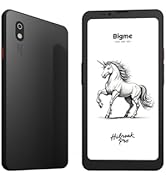
Image: Streamline communication with call recording to text, including live transcription and AI summary.
4.5 App Installation and Productivity
Leverage the open Android 14 system to install a wide range of third-party applications from the Google Play Store or other trusted sources. Enhance your productivity with features such as:
- External Bluetooth Keyboard Support: Connect a Bluetooth keyboard for efficient typing and document creation.
- ກ້ອງຫຼັງ 5MP: Utilize the camera for voice calls, Optical Character Recognition (OCR) text recognition, and document scanning.

Image: Connects to an external Bluetooth keyboard for enhanced office efficiency.

Image: The 5MP rear camera supports voice calls, OCR text recognition, and document scanning.
5. ບໍາລຸງຮັກສາ
- ທໍາຄວາມສະອາດ: ໃຊ້ຜ້າອ່ອນໆທີ່ບໍ່ມີຂົນເພື່ອທຳຄວາມສະອາດໜ້າຈໍ ແລະ ຕົວແທັບເລັດ. ຫຼີກລ່ຽງນ້ຳຢາທຳຄວາມສະອາດທີ່ມີສີຂັດ ຫຼື ຕົວລະລາຍ.
- ການດູແລຫມໍ້ໄຟ: To prolong battery life, avoid extreme temperatures and do not let the battery fully discharge frequently. Charge the device regularly.
- ອັບເດດຊອບແວ: Regularly check for and install system updates to ensure your tablet has the latest features and security enhancements.
- ການຈັດການການເກັບຮັກສາ: ລ້າງບໍ່ຈໍາເປັນເປັນໄລຍະ files ແລະແອັບພລິເຄຊັນຕ່າງໆເພື່ອຮັກສາປະສິດທິພາບທີ່ດີທີ່ສຸດ.
6. ການແກ້ໄຂບັນຫາ
If you encounter issues with your Bigme B7 Pro, refer to the following common solutions:
- ອຸປະກອນບໍ່ເປີດ: Ensure the battery is charged. Connect the tablet to a charger for at least 30 minutes before attempting to power it on again.
- ປະສິດທິພາບຊ້າ: Close unused applications, clear cache, or restart the device. Consider uninstalling rarely used apps or moving large files ກັບບ່ອນເກັບຂໍ້ມູນພາຍນອກ.
- Connectivity Issues (Wi-Fi/4G): Check if Wi-Fi or 4G is enabled in settings. Restart your router for Wi-Fi issues. For 4G, ensure the SIM card is correctly inserted and your plan is active.
- ໜ້າຈໍບໍ່ຕອບສະໜອງ: ປະຕິບັດການຣີສະຕາດແບບບັງຄັບໂດຍການກົດປຸ່ມເປີດປິດຄ້າງໄວ້ປະມານ 10-15 ວິນາທີ.
If problems persist, please contact Bigme customer support for further assistance.
7. ຂໍ້ມູນຈໍາເພາະ
| ຄຸນສົມບັດ | ລາຍລະອຽດ |
|---|---|
| ຊື່ຕົວແບບ | US-B7 Pro |
| ໂຮງງານຜະລິດ | Dimensity 1080 Octa-core 2.6GHz |
| RAM | 8GB |
| ການເກັບຮັກສາພາຍໃນ | 256GB |
| ການເກັບຮັກສາທີ່ຂະຫຍາຍໄດ້ | ສູງສຸດ 2TB ຜ່ານບັດ MicroSD |
| ລະບົບປະຕິບັດການ | Android 14 |
| ຂະໜາດໜ້າຈໍ | 7 ນິ້ວ |
| ປະເພດການສະແດງ | Color E-Paper Display |
| ຄວາມລະອຽດການສະແດງ | 4424 x 5880 ພິກເຊລ |
| ການເຊື່ອມຕໍ່ | 4G ໂທລະສັບມືຖື, Wi-Fi, Bluetooth |
| ຄວາມອາດສາມາດຫມໍ້ໄຟ | 3000mAh |
| ຊີວິດຫມໍ້ໄຟ | Up to 9 Hours (usage dependent) |
| ກ້ອງຫຼັງ | 5MP (supports voice call, OCR, document scanning) |
| ຂະໜາດສິນຄ້າ | 5.46 x 6.17 x 0.23 ນິ້ວ |
| ນ້ໍາຫນັກລາຍການ | 6.2 ອອນ |
| ອົງປະກອບລວມ | E-Paper Tablet, Stylus |

ຮູບພາບ: ລາຍລະອຽດ view of the Dimensity 1080 processor and memory configuration.

Image: The 3000mAh battery combined with low-power E-Ink ensures long-lasting performance.

Image: The ultra-slim profile (5.8mm, 215g) of the Bigme B7 Pro for portability.
8. ການຮັບປະກັນແລະການສະຫນັບສະຫນູນ
For warranty information, technical support, or service inquiries, please refer to the warranty card included with your product or visit the official Bigme website. You can also contact Bigme customer service through the contact details provided on their webເວັບໄຊ.
ຊັບພະຍາກອນອອນໄລນ໌: Visit the Bigme Store on Amazon


