ແນະນຳ
Welcome to the user manual for your Rapoo EV310M Wireless Vertical Mouse. This ergonomic mouse is designed for comfort and efficiency, featuring multi-mode wireless connectivity and adjustable DPI settings. Please read this manual carefully to ensure proper setup and optimal performance.
ເນື້ອໃນຊຸດ
- Rapoo EV310M Wireless Vertical Mouse
- ຕົວຮັບ USB (ເກັບໄວ້ພາຍໃນເມົ້າ)
- ແບດເຕີຣີ້ AA (ຕິດຕັ້ງໄວ້ລ່ວງໜ້າ ຫຼືລວມ)
- ຄູ່ມືເລີ່ມຕົ້ນດ່ວນ (ເອກະສານນີ້)
ສິນຄ້າເກີນview
Familiarize yourself with the components of your Rapoo EV310M mouse.
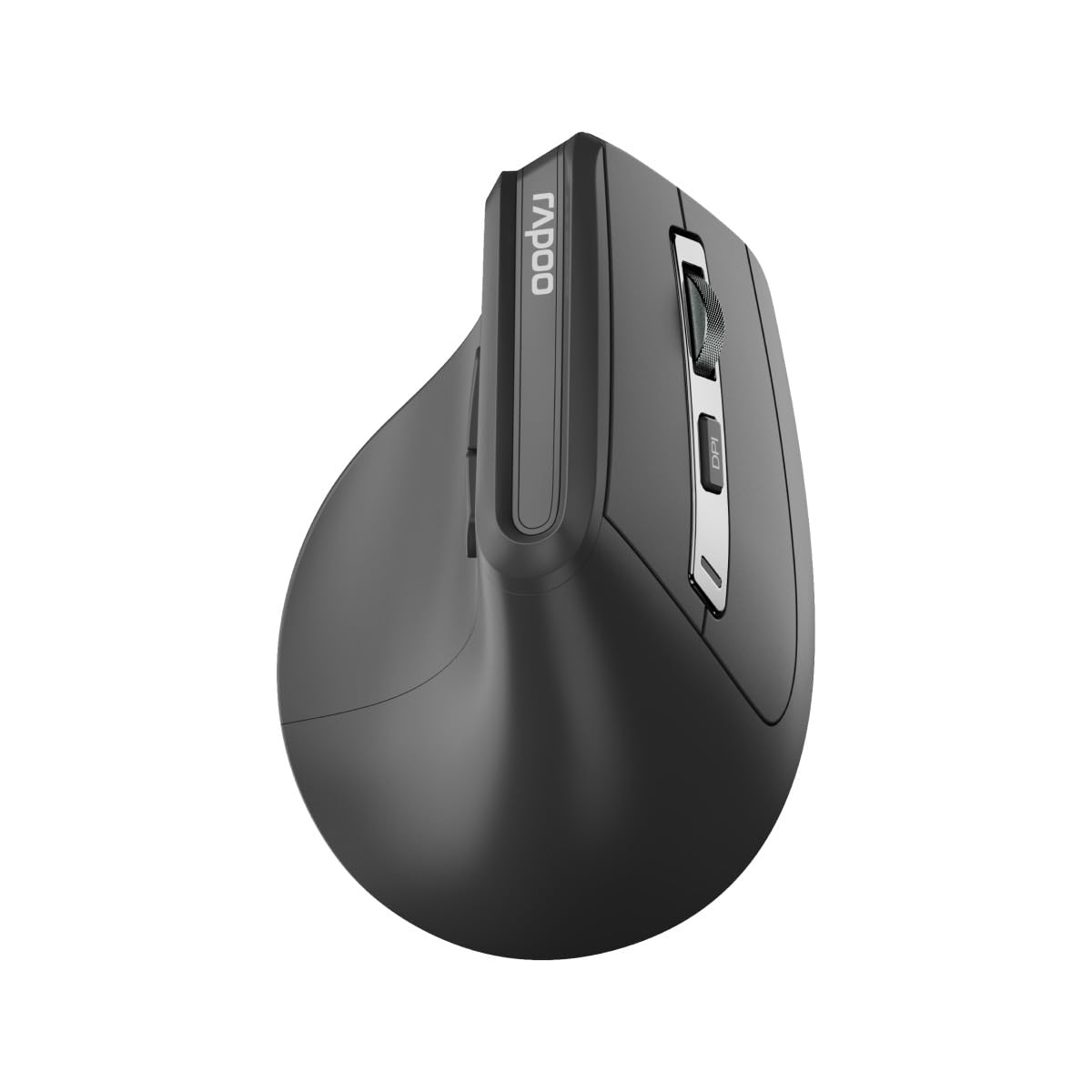
ຮູບພາບ: ເທິງ view of the Rapoo EV310M Wireless Vertical Mouse, highlighting the scroll wheel and DPI button.
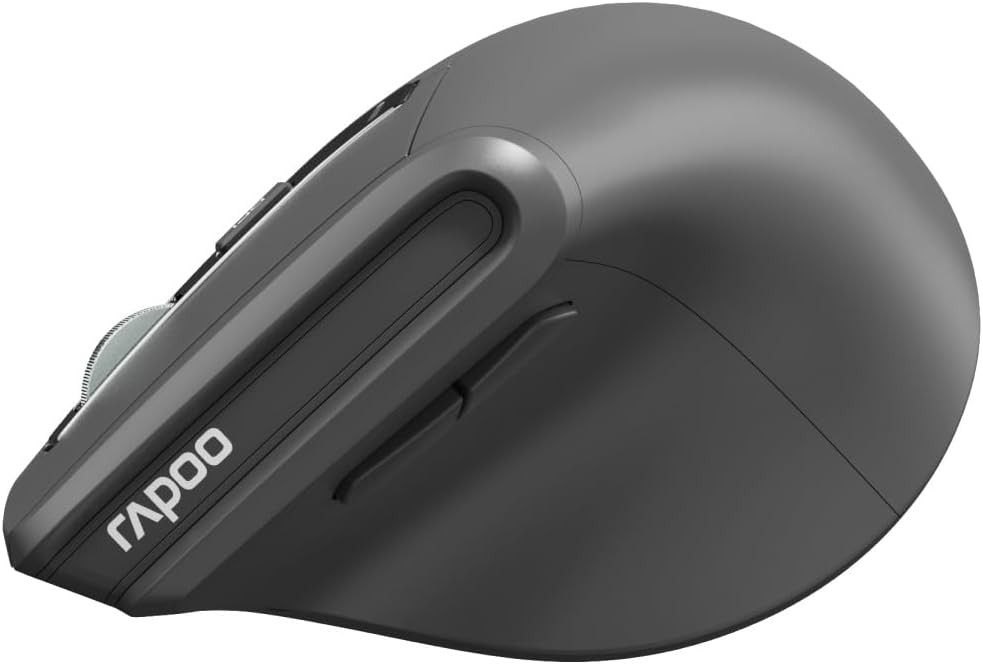
ຮູບພາບ: ຂ້າງ view of the Rapoo EV310M Wireless Vertical Mouse, showing the forward and backward navigation buttons.
ຟັງຊັນປຸ່ມ
- ປຸ່ມກົດຊ້າຍ: ຟັງຊັນຄລິກຊ້າຍມາດຕະຖານ.
- ປຸ່ມກົດຂວາ: ຟັງຊັນຄລິກຂວາມາດຕະຖານ.
- ລໍ້ເລື່ອນ: ເລື່ອນຂຶ້ນ/ລົງ, ຄລິກກາງ.
- ປຸ່ມ DPI: ປັບຄວາມອ່ອນໄຫວຂອງຕົວກະພິບ (DPI).
- ປຸ່ມສົ່ງຕໍ່: ນຳທາງໄປຂ້າງໜ້າ web ຕົວທ່ອງເວັບຫຼື file ນັກສຳຫຼວດ.
- ປຸ່ມກັບຄືນ: ນຳທາງກັບຄືນໃນ web ຕົວທ່ອງເວັບຫຼື file ນັກສຳຫຼວດ.
- Mode Switch Button/Indicator: Switches between 2.4GHz and Bluetooth modes.
ຕັ້ງຄ່າ
1. ການຕິດຕັ້ງຫມໍ້ໄຟ
- ຊອກຫາຊ່ອງໃສ່ຫມໍ້ໄຟຢູ່ດ້ານລຸ່ມຂອງຫນູ.
- ເປີດຝາປິດຊ່ອງໃສ່ຫມໍ້ໄຟ.
- ໃສ່ແບັດ AA ໜ່ວຍໜຶ່ງ, ຮັບປະກັນການຂົ້ວທີ່ຖືກຕ້ອງ (+/-).
- ປິດຝາປິດຊ່ອງໃສ່ຫມໍ້ໄຟ.
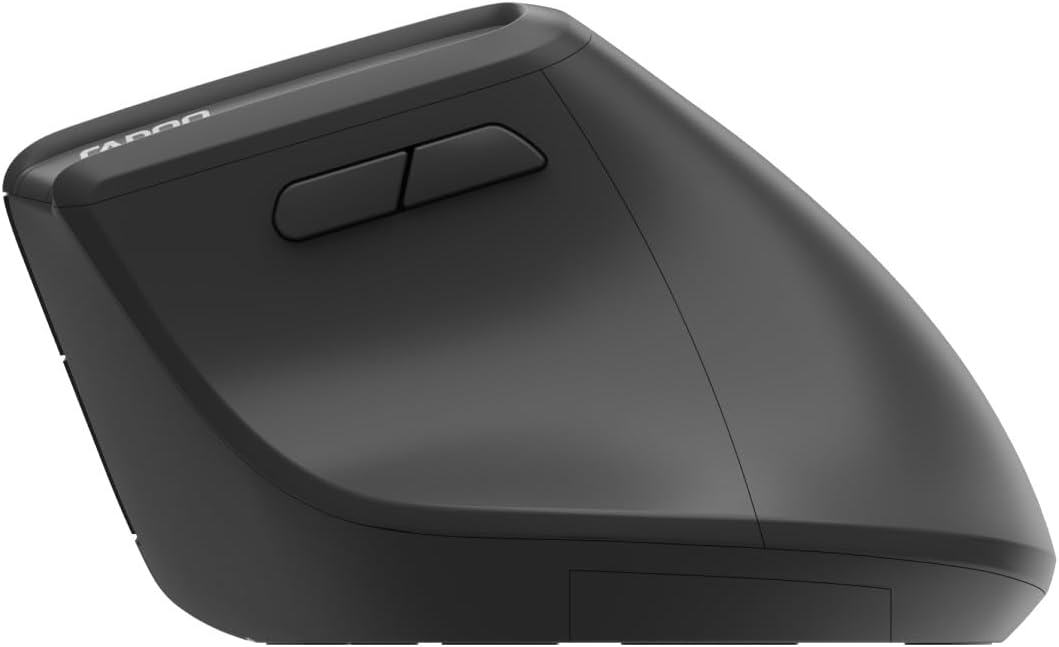
Image: Underside of the mouse, illustrating the battery compartment and the storage slot for the USB receiver.
2. ການເຊື່ອມຕໍ່ຫນູຂອງທ່ານ
The Rapoo EV310M supports multi-mode wireless connection: 2.4 GHz via USB receiver and Bluetooth 3.0/5.0.
2.1. ການເຊື່ອມຕໍ່ໄຮ້ສາຍ 2.4 GHz
- ຖອດຕົວຮັບສັນຍານ USB ອອກຈາກຊ່ອງເກັບຂໍ້ມູນທີ່ຢູ່ດ້ານລຸ່ມຂອງເມົ້າ.
- ສຽບຕົວຮັບ USB ເຂົ້າໄປໃນຜອດ USB ທີ່ມີຢູ່ໃນຄອມພິວເຕີຂອງທ່ານ.
- Turn on the mouse using the power switch (usually on the bottom).
- The mouse should connect automatically. If not, press the mode switch button until the 2.4GHz indicator lights up.
2.2. ການເຊື່ອມຕໍ່ບູທູດ
- ເປີດຫນູ.
- Press the mode switch button to select a Bluetooth channel (e.g., Bluetooth 1 or Bluetooth 2). The indicator light for the selected Bluetooth channel will start blinking slowly.
- Press and hold the mode switch button for 3 seconds until the indicator light blinks rapidly. This indicates the mouse is in pairing mode.
- ໃນຄອມພິວເຕີ ຫຼືອຸປະກອນຂອງທ່ານ, ເປີດການຕັ້ງຄ່າ Bluetooth ແລະຊອກຫາອຸປະກອນໃໝ່.
- Select "RAPOO EV310M" from the list of available devices to pair.
- ເມື່ອຈັບຄູ່ແລ້ວ, ໄຟສັນຍານຈະຢຸດກະພິບ ແລະ ຄົງຄ້າງເປັນເວລາສອງສາມວິນາທີກ່ອນທີ່ຈະດັບລົງ.
ຄໍາແນະນໍາການດໍາເນີນງານ
1. ການປັບ DPI
The DPI (Dots Per Inch) button allows you to adjust the cursor speed and sensitivity.
- ກົດ ປຸ່ມ DPI located on the top of the mouse to cycle through available DPI settings (e.g., 800, 1200, 1600, 2400 DPI).
- Each press will change the sensitivity, allowing you to find your preferred cursor speed.
2. ການປ່ຽນລະຫວ່າງອຸປະກອນທີ່ເຊື່ອມຕໍ່
The EV310M mouse can be paired with up to three devices (one 2.4GHz and two Bluetooth devices).
- ເພື່ອສະຫຼັບລະຫວ່າງອຸປະກອນທີ່ເຊື່ອມຕໍ່, ພຽງແຕ່ກົດປຸ່ມ ປຸ່ມສະຫຼັບໂໝດ ສຸດຫນູ.
- The indicator light will briefly show which channel (2.4G, BT1, BT2) is active.
ບໍາລຸງຮັກສາ
ທໍາຄວາມສະອາດ
ເພື່ອເຮັດຄວາມສະອາດເມົາສ໌ຂອງທ່ານ, ໃຫ້ໃຊ້ຜ້າອ່ອນໆແລະແຫ້ງ. ສຳລັບຝຸ່ນທີ່ຝັງແໜ້ນ, ໃຫ້ເຊັດອອກເລັກນ້ອຍ.ampen ຜ້າດ້ວຍນ້ໍາຫຼືການແກ້ໄຂການທໍາຄວາມສະອາດອ່ອນໆ. ຫຼີກເວັ້ນການນໍາໃຊ້ສານເຄມີທີ່ຮຸນແຮງຫຼືວັດສະດຸຂັດ.
ການປ່ຽນແບັດ
When the mouse performance degrades or the indicator light signals low battery, replace the AA battery following the installation steps in the Setup section.
ການແກ້ໄຂບັນຫາ
ເມົາສ໌ບໍ່ຕອບສະໜອງ
- ກວດສອບຫມໍ້ໄຟ: ກວດໃຫ້ແນ່ໃຈວ່າໄດ້ຕິດຕັ້ງແບັດເຕີຣີຢ່າງຖືກຕ້ອງ ແລະ ມີຄ່າສາກພຽງພໍ. ປ່ຽນແທນຖ້າຈໍາເປັນ.
- ສັບປ່ຽນພະລັງງານ: Verify the mouse is turned on.
- ຕົວຮັບ USB: For 2.4GHz mode, ensure the USB receiver is securely plugged into a working USB port. Try a different port.
- ການເຊື່ອມຕໍ່ບູທູດ: For Bluetooth mode, ensure Bluetooth is enabled on your device and the mouse is correctly paired. Re-pair if needed.
- ໄລຍະທາງ: Ensure the mouse is within the effective operating range of your computer (typically 10 meters).
ການເຄື່ອນໄຫວຕົວກະພິບແມ່ນຜິດພາດ
- ພື້ນຜິວ: ໃຊ້ເມົາສ໌ເທິງພື້ນຜິວທີ່ສະອາດ ແລະ ບໍ່ສະທ້ອນແສງ. ແນະນຳໃຫ້ໃຊ້ແຜ່ນຮອງເມົາສ໌.
- ການຕັ້ງຄ່າ DPI: Adjust the DPI setting to a lower value if the cursor is too fast or jumpy.
- ຄວາມສະອາດຂອງເຊັນເຊີ: Check the optical sensor on the bottom of the mouse for any obstructions or dirt. Clean gently with a soft cloth.
ຂໍ້ມູນຈໍາເພາະ
| ຄຸນສົມບັດ | ລາຍລະອຽດ |
|---|---|
| ຍີ່ຫໍ້ | RAPOO |
| ໝາຍເລກຕົວແບບ | EV310M |
| ເຕັກໂນໂລຊີການເຊື່ອມຕໍ່ | Bluetooth (3.0, 5.0), 2.4 GHz Wireless |
| ຄວາມອ່ອນໄຫວ DPI | ສາມາດປັບໄດ້ 800-2400 DPI |
| ຈໍານວນປຸ່ມ | 6 |
| ທິດທາງມື | ມືຂວາ |
| ແຫຼ່ງພະລັງງານ | ໃຊ້ແບັດເຕີຣີ (1x AA) |
| ຊີວິດຫມໍ້ໄຟ | ເຖິງ 9 ເດືອນ |
| ຄວາມເຂົ້າກັນໄດ້ຂອງລະບົບປະຕິບັດການ | ຄອມພິວເຕີ, ລີນຸກ, ແມັກ |
| ນ້ໍາຫນັກລາຍການ | 100 ກຣາມ |
| ສີ | ດຳ |
ການຮັບປະກັນແລະການສະຫນັບສະຫນູນ
For warranty information or technical support, please refer to the official RAPOO webຫຼື ຕິດຕໍ່ຕົວແທນຈຳໜ່າຍໃນທ້ອງຖິ່ນຂອງທ່ານ. ເກັບໃບຮັບເງິນຊື້ຂອງທ່ານໄວ້ສຳລັບການຮຽກຮ້ອງການຮັບປະກັນ.