1. ບົດແນະນຳ
This manual provides essential information for setting up, operating, and maintaining your DOOGEE Note 56 X PRO Android 16 smartphone. Please read this guide thoroughly to ensure proper usage and to maximize the device's capabilities. Keep this manual for future reference.
2. ສິ່ງທີ່ຢູ່ໃນກ່ອງ
ເມື່ອເປີດກ່ອງ, ໃຫ້ກວດສອບວ່າມີສິນຄ້າທັງໝົດທີ່ລະບຸໄວ້ຂ້າງລຸ່ມນີ້:
- 1x DOOGEE NOTE 56 X PRO Cell Phone
- 1x ສາຍ USB Type-C
- 1x ເຄື່ອງສາກ
- ກະເປົາໂທລະສັບ 1x
- 1x ບັດຮັບປະກັນ
- 1x ຄູ່ມືຜູ້ໃຊ້ (ເອກະສານນີ້)
- ເຂັມຖອດບັດ 1x
- 1x Protective Film (Pre-applied)

Image: Contents of the DOOGEE Note 56 X PRO retail box.
3. ອຸປະກອນເກີນview
Familiarize yourself with the physical components of your DOOGEE Note 56 X PRO smartphone.

ຮູບພາບ: ດ້ານຫນ້າແລະດ້ານຫລັງ view of the DOOGEE Note 56 X PRO.
ຮູບພາບ: Side profile of the DOOGEE Note 56 X PRO, demonstrating its slim design.

ຮູບພາບ: ເທິງແລະລຸ່ມ view of the DOOGEE Note 56 X PRO, indicating port locations.
4. ຕັ້ງຄ່າ
4.1. Installing SIM and TF Cards
- ຊອກຫາຖາດຊິມກາດຢູ່ດ້ານຂ້າງຂອງໂທລະສັບ.
- ສຽບເຂັມຖອດບັດທີ່ໃຫ້ມາໃສ່ໃນຮູນ້ອຍໆຂ້າງຖາດເພື່ອຖອດມັນອອກ.
- Place your Nano-SIM card(s) and/or TF (microSD) card into the tray according to the diagram. The phone supports dual SIM (SIM1 + SIM2) or one SIM card and one TF card for expandable storage up to 2TB.
- ສຽບຖາດໃສ່ໂທລະສັບຄືນໃໝ່ຢ່າງລະມັດລະວັງຈົນກວ່າມັນຈະຖືກລ້າງກັບຕົວອຸປະກອນ.
4.2. ການເປີດ ແລະສາກເບື້ອງຕົ້ນ
- ກົດປຸ່ມເປີດປິດຄ້າງໄວ້ (ຢູ່ດ້ານຂ້າງ) ຈົນກ່ວາໂລໂກ້ DOOGEE ປະກົດຂຶ້ນ.
- ປະຕິບັດຕາມຄໍາແນະນໍາໃນຫນ້າຈໍເພື່ອເຮັດສໍາເລັດການຕັ້ງຄ່າເບື້ອງຕົ້ນ, ລວມທັງການເລືອກພາສາ, ການເຊື່ອມຕໍ່ Wi-Fi, ແລະການຕັ້ງຄ່າບັນຊີ Google.
- To charge the phone, connect the Type-C USB cable to the phone's charging port and the other end to the provided charger. Plug the charger into a power outlet. The phone supports 10W fast charging.
- ເພື່ອອາຍຸການໃຊ້ງານແບັດເຕີຣີທີ່ດີທີ່ສຸດ, ໃຫ້ສາກອຸປະກອນໃຫ້ເຕັມກ່ອນການນຳໃຊ້ຄັ້ງທຳອິດ.
5. ການປະຕິບັດໂທລະສັບຂອງທ່ານ
5.1. ລະບົບປະຕິບັດການ Android 16
The DOOGEE Note 56 X PRO runs on the Android 16 operating system, offering an intuitive user experience with enhanced features:
- ພື້ນທີ່ເກມ: Optimize gaming performance and manage notifications during gameplay.
- ການຮັບຮູ້ຮ່າງກາຍອັດສະລິຍະ: Utilize advanced sensor capabilities for various applications.
- ການຮັບຮູ້ໜ້າຈໍ: Intelligent screen features for improved interaction.
- ການປັບປຸງການສະແດງວິດີໂອ: Optimized visual quality for video playback.
- ຄຳບັນຍາຍສົດ: Real-time captioning for audio content.
- ພື້ນທີ່ສ່ວນຕົວ: Create a secure, isolated environment for sensitive apps and data.
- ໂໝດລະບົບຄູ່: Run two separate system environments for enhanced privacy or work/personal separation.
- Super Clipboard: Advanced clipboard functionality for efficient copy-pasting.
- ໜ້າຈໍແຍກ: Use two applications simultaneously on the same screen for multitasking.

ຮູບພາບ: ຫຼາຍກວ່າview of Android 16 features.
5.2. Calls, Messages, and Internet
- ໂທອອກ: ແຕະທີ່ໄອຄອນໂທລະສັບ, ໃສ່ເບີໂທ ແລະແຕະປຸ່ມໂທ.
- ສົ່ງຂໍ້ຄວາມ: Tap the Messages icon, start a new conversation, enter the recipient and message, then send.
- ການເຊື່ອມຕໍ່ອິນເຕີເນັດ: Connect to Wi-Fi via Settings > Network & internet > Wi-Fi. Ensure mobile data is enabled via Settings > Network & internet > Mobile network for cellular internet access.
5.3. ຟັງຊັນກ້ອງຖ່າຍຮູບ
The phone features a 13MP main camera and an 8MP front camera, enhanced by Google intelligent camera features.
- ຖ່າຍຮູບ: ເປີດແອັບກ້ອງຖ່າຍຮູບ, ກອບຮູບຂອງເຈົ້າ, ແລະແຕະປຸ່ມຊັດເຕີ.
- ການປ່ຽນກ້ອງຖ່າຍຮູບ: Tap the camera switch icon to toggle between the main and front cameras.
- Google Intelligent Camera: Utilize features like homework analysis, view search, and e-commerce search directly from the camera interface.

Image: Camera specifications and capabilities.
5.4. ຄຸນນະສົມບັດຄວາມປອດໄພ
- ປົດລັອກດ້ວຍໜ້າ: Register your face for quick and secure unlocking.
- ການຮັບຮູ້ລາຍນິ້ວມືດ້ານຂ້າງ: Use the side-mounted fingerprint sensor for convenient access.
5.5. NFC and GPS
- NFC (ການສື່ສານໃກ້ກັບສະ ໜາມ): Enable NFC in settings to use features like Google Pay for contactless payments.
- GPS: The phone supports Beidou, Galileo, Glonass, and GPS navigation systems for accurate location services.
5.6. Google Gemini AI Assistant
The integrated Google Gemini AI assistant offers advanced functionalities:
- Gemini Live: Engage in real-time conversations with the AI.
- Unleash Creativity: Generate ideas and creative content.
- Smarter Insights: Gain deeper understanding from information.
- Language Partner: Assist with language learning and translation.

Image: Key connectivity and security features.
6. ບໍາລຸງຮັກສາ
6.1. ການດູແລຫມໍ້ໄຟ
The DOOGEE Note 56 X PRO is equipped with a 6150mAh Silicon-Carbon battery.
- ໃຊ້ພຽງແຕ່ສາຍສາກ ແລະສາຍທີ່ໃຫ້ມາເພື່ອປ້ອງກັນຄວາມເສຍຫາຍ.
- ຫຼີກເວັ້ນການເປີດເຜີຍໂທລະສັບກັບອຸນຫະພູມທີ່ຮຸນແຮງ.
- The phone supports OTG reverse charging, allowing it to act as a power bank for other devices.

ຮູບພາບ: ຄວາມອາດສາມາດຫມໍ້ໄຟແລະການຄາດຄະເນການນໍາໃຊ້.
6.2. ການເຮັດຄວາມສະອາດອຸປະກອນຂອງທ່ານ
ເຊັດໜ້າຈໍ ແລະ ຕົວເຄື່ອງດ້ວຍຜ້າອ່ອນໆທີ່ບໍ່ມີຂົນ. ຫຼີກລ່ຽງການໃຊ້ສານເຄມີທີ່ຮຸນແຮງ ຫຼື ວັດສະດຸທີ່ມີສີຂັດ.
7. ການແກ້ໄຂບັນຫາ
ຖ້າເຈົ້າພົບບັນຫາກັບອຸປະກອນຂອງທ່ານ, ລອງໃຊ້ວິທີແກ້ໄຂທົ່ວໄປຕໍ່ໄປນີ້:
- ໂທລະສັບບໍ່ເປີດ: ໃຫ້ແນ່ໃຈວ່າໄດ້ສາກໄຟແລ້ວ. ເຊື່ອມຕໍ່ສາຍສາກແລ້ວລໍຖ້າສອງສາມນາທີກ່ອນທີ່ຈະພະຍາຍາມເປີດເຄື່ອງອີກຄັ້ງ.
- ແອັບຂັດຂ້ອງ: Close and restart the app. If the issue persists, clear the app's cache or reinstall it.
- ສັນຍານເຄືອຂ່າຍບໍ່ດີ: ກວດເບິ່ງການຕິດຕັ້ງ SIM card ຂອງທ່ານ. ຍ້າຍໄປພື້ນທີ່ທີ່ມີການຄຸ້ມຄອງເຄືອຂ່າຍທີ່ດີກວ່າ.
- ໜ້າຈໍບໍ່ຕອບສະໜອງ: Restart the phone by holding the power button.
- ແບັດເຕີຣີໝົດໄວ: Reduce screen brightness, close unused apps, or disable unnecessary features like GPS or Bluetooth when not in use.
ສຳລັບບັນຫາທີ່ສັບສົນກວ່າ, ໃຫ້ອ້າງອີງເຖິງຊັບພະຍາກອນສະໜັບສະໜູນຢ່າງເປັນທາງການຂອງ DOOGEE ຫຼື ຕິດຕໍ່ບໍລິການລູກຄ້າ.
8. ຂໍ້ມູນຈໍາເພາະ
Key technical specifications for the DOOGEE Note 56 X PRO:
| ຄຸນສົມບັດ | ຂໍ້ມູນຈໍາເພາະ |
|---|---|
| ຊື່ຕົວແບບ | DOOGEE NOTE 56 X PRO |
| ລະບົບປະຕິບັດການ | Android 16 |
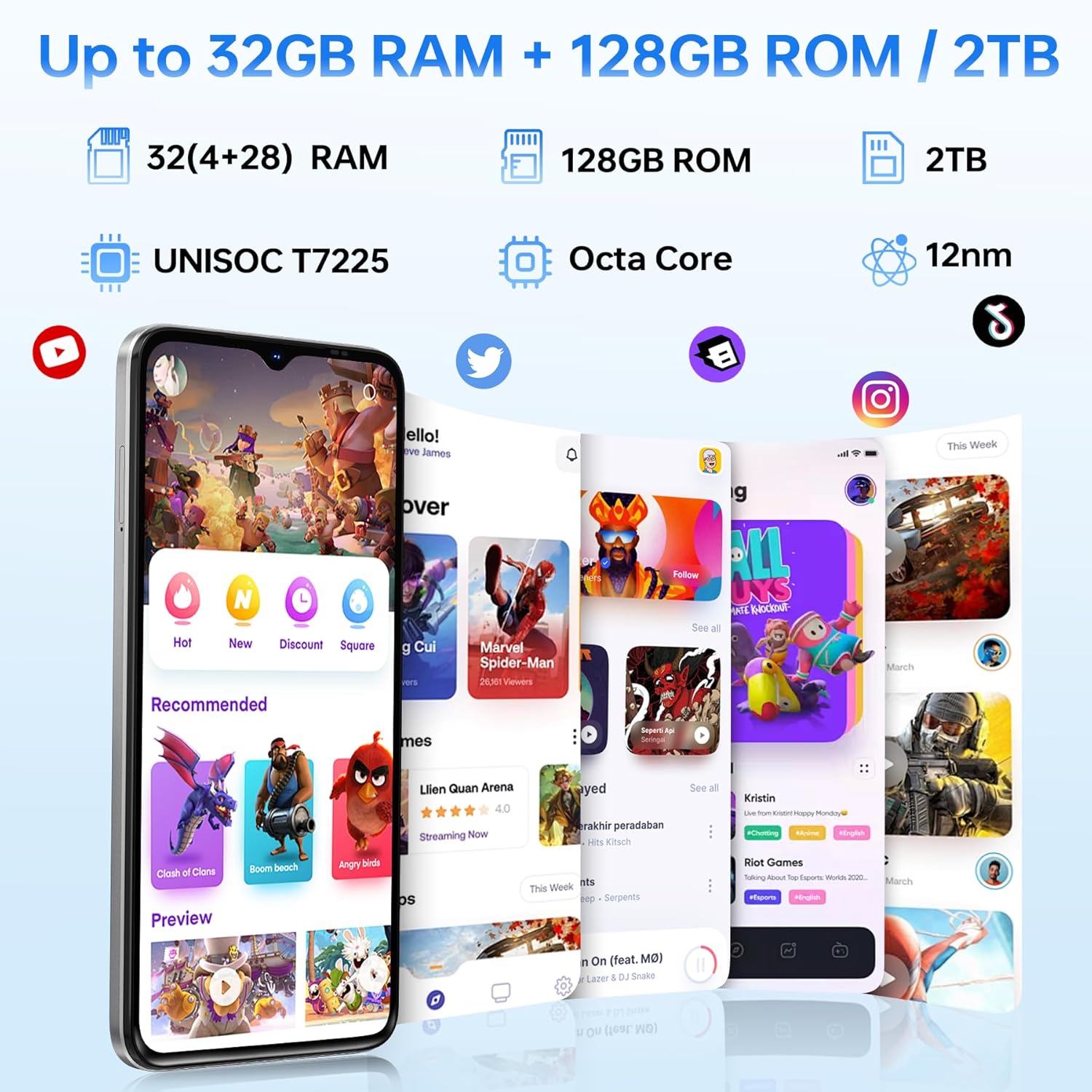
| ໂຮງງານຜະລິດ | Unisoc T7225 Octa-Core Chipset |
| RAM | 32GB (4GB basic + up to 28GB extended) |
| ການເກັບຮັກສາພາຍໃນ | 128GB |
| ການເກັບຮັກສາທີ່ຂະຫຍາຍໄດ້ | ສູງສຸດ 2TB ຜ່ານບັດ TF |
| ຂະໜາດໜ້າຈໍ | 6.56 ນິ້ວ |
| ປະເພດການສະແດງ | HD+ IPS Waterdrop Display |
| ຄວາມລະອຽດ | 720*1612 |
| ອັດຕາການໂຫຼດຂໍ້ມູນຄືນໃໝ່ | 90Hz |
| ກ້ອງຫຼັກ | 13MP |
| ກ້ອງໜ້າ | 8MP |
| ຄວາມອາດສາມາດຫມໍ້ໄຟ | 6150mAh Silicon-Carbon |
| ກຳລັງສາກໄຟ | ການສາກໄວ 10W, OTG Reverse Charging |
| ການເຊື່ອມຕໍ່ | 4G, Bluetooth 5.0, NFC, Wi-Fi 2.4G/5G |
| ການນໍາທາງ | GPS, Glonass, Galileo, Beidou |
| ສຽງ Jack | 3.5 ມມ |
| ຂະໜາດ | 8.45mm Ultra-Slim |
| ນ້ຳໜັກ | 195g |
9. ຜະລິດຕະພັນເກີນview ວິດີໂອ
ເບິ່ງວິດີໂອນີ້ສໍາລັບການເບິ່ງເຫັນview of the DOOGEE Note 56 X PRO's design and key features.
Video: DOOGEE Note 56 X PRO Android 16 Cell Phone Unlocked - Product Overview.
10. ການຮັບປະກັນແລະການສະຫນັບສະຫນູນ
DOOGEE provides a 30-day no-reason return policy for this product. Additionally, long-term technical support and 24-hour online customer service are available. If you have any questions or require assistance with your DOOGEE Note 56 X PRO, please contact the DOOGEE customer service team.


