ແນະນຳ
ຂອບໃຈສໍາລັບການຊື້asing the ROCAM CR1030DAB Solar DAB+/FM Emergency Radio. This portable radio is designed for reliable communication and power in various situations, from daily use to outdoor adventures and emergencies. It features DAB+/FM radio reception, Bluetooth connectivity, multiple charging options including solar and hand crank, a powerful 12000 mAh battery, and integrated lighting functions. Please read this manual thoroughly before use to ensure proper operation and to maximize the product's lifespan.
ຄໍາແນະນໍາຄວາມປອດໄພ
- ຢ່າໃຫ້ອຸປະກອນຖືກອຸນຫະພູມສູງ ຫຼື ແສງແດດໂດຍກົງເປັນເວລາດົນ (ຫຼັງຈາກສາກໄຟແລ້ວ) ຫຼື ຄວາມຊຸ່ມຊື່ນສູງ.
- ຫຼີກລ້ຽງການຫຼຸດລົງຫຼືຖືກວິທະຍຸໄດ້ຮັບຜົນກະທົບທີ່ເຂັ້ມແຂງ.
- ຢ່າຖອດປະກອບ ຫຼື ພະຍາຍາມສ້ອມແປງເຄື່ອງດ້ວຍຕົວທ່ານເອງ. ໃຫ້ຕິດຕໍ່ພະນັກງານທີ່ມີຄຸນວຸດທິເພື່ອສ້ອມແປງທຸກຢ່າງ.
- Keep the device away from water and other liquids, except for its IPX6 water resistance which protects against strong jets of water. Do not submerge.
- Ensure the USB-C port cover is securely closed when not in use, especially in wet conditions.
- When using the hand crank, turn it at a steady, moderate pace. Excessive force or speed can damage the mechanism.
- The SOS alarm is very loud. Avoid activating it unnecessarily or near sensitive ears.
- ຖິ້ມແບດເຕີລີ່ຕາມກົດລະບຽບທ້ອງຖິ່ນ.
ເນື້ອໃນຊຸດ
ກວດສອບວ່າລາຍການທັງຫມົດແມ່ນມີຢູ່ໃນຊຸດ:
- 1 × ROCAM CR1030DAB Radio
- 1 ×ສາຍສາກ USB-C
- 1 × Portable Strap
- 1 × ຄູ່ມືຜູ້ໃຊ້
ສິນຄ້າເກີນview
ຄຸ້ນເຄີຍກັບອົງປະກອບ ແລະການຄວບຄຸມຂອງວິທະຍຸ.

ຮູບພາບ: ດ້ານໜ້າ view of the ROCAM CR1030DAB radio, highlighting its display, control buttons, and extended antenna. The radio is shown in an outdoor setting, emphasizing its portable and robust design.
ອົງປະກອບທີ່ສໍາຄັນ:
- ຈໍສະແດງຜົນສີ 2.4 ນິ້ວ: Shows station information, battery level, time, and menu options.
- ປຸ່ມຄວບຄຸມ: Power, Mode, Menu, Scan, Volume, Navigation (Up/Down/Left/Right/OK), SOS.
- ເສົາອາກາດ Telescopic: For optimal DAB+/FM signal reception.
- ແຜງແສງອາທິດ: ຕັ້ງຢູ່ເທິງສຸດສຳລັບສາກໄຟດ້ວຍແສງຕາເວັນ.
- Hand Crank: On the side for manual power generation.
- ໄຟສາຍ: Integrated LED light on one end.
- ອ່ານ Lamp: Foldable panel with 12 LEDs.
- USB-C Input/Output Port: For charging the radio and charging external devices.
- Jack ຫູຟັງ (3.5mm): ສໍາລັບການຟັງສ່ວນຕົວ.
- ຊ່ອງໃສ່ຫມໍ້ໄຟ: For AAA backup batteries.

ຮູບພາບ: ລາຍລະອຽດ view of the radio's 2.4-inch color display, illustrating its clarity and the information presented, such as station name and signal strength.
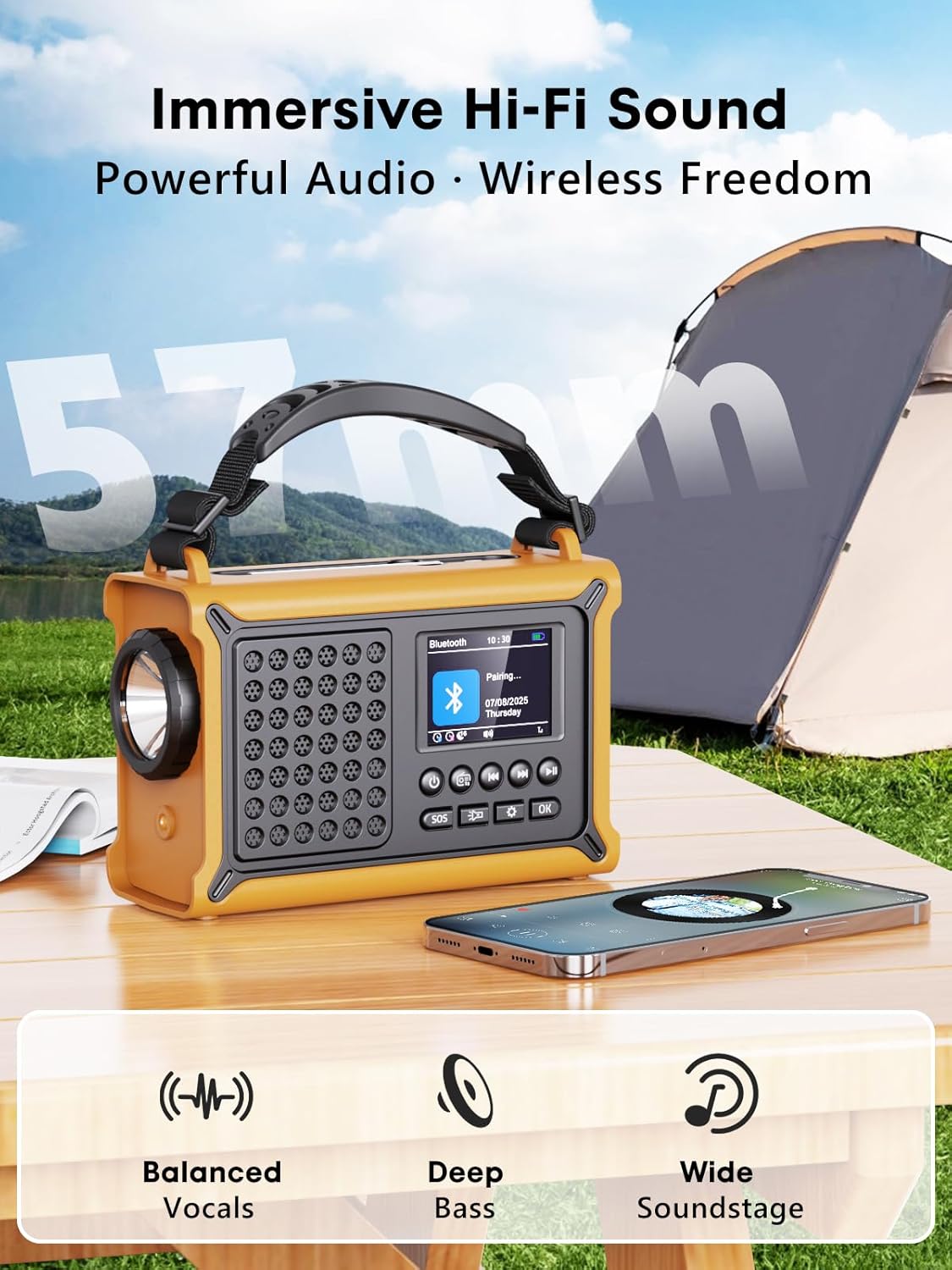
ຮູບພາບ: The radio highlighting its audio capabilities, featuring 57mm speakers designed for clear, powerful sound with balanced vocals and deep bass.

ຮູບພາບ: The radio held in hand, illustrating its ultra-portable design and compact dimensions (17.3 cm length, 12.1 cm height, 7.4 cm width), along with its IPX6 water resistance.
ຕັ້ງຄ່າ
1. ການສາກໄຟເບື້ອງຕົ້ນ
Before first use, it is recommended to fully charge the radio's internal 12000 mAh battery using the supplied USB-C cable. Connect the USB-C cable to the radio's USB-C input port and the other end to a standard USB power adapter (not included) or a computer USB port. The charging indicator on the display will show the charging status. A full charge ensures maximum battery life and optimal performance.
2. Inserting AAA Batteries (Optional Backup)
For an additional power backup, you can insert 3 AAA batteries (not included) into the battery compartment. This provides an alternative power source if the internal rechargeable battery is depleted and other charging methods are unavailable.
3. ເປີດເຄື່ອງ ແລະ ການເລືອກພາສາ
ກົດຄ້າງໄວ້ ພະລັງງານ button to turn on the radio. Upon first power-on, you may be prompted to select your preferred language from the 12 available options. Use the navigation buttons to select and the OK ປຸ່ມເພື່ອຢືນຢັນ.
ຄໍາແນະນໍາການດໍາເນີນງານ
ເປີດ/ປິດ
- ເພື່ອເປີດໃຊ້: ກົດຄ້າງໄວ້ ພະລັງງານ ປຸ່ມ.
- ເພື່ອປິດ: ກົດຄ້າງໄວ້ ພະລັງງານ ປຸ່ມອີກເທື່ອຫນຶ່ງ.
DAB+/FM Radio Operation
- ເລືອກໂໝດ: ກົດ ໂໝດ button to switch between DAB+ and FM radio modes.
- ຂະຫຍາຍເສົາອາກາດ: Fully extend the telescopic antenna for best reception.
- ສະແກນອັດຕະໂນມັດ: ໃນໂໝດ DAB+ ຫຼື FM, ໃຫ້ກົດປຸ່ມ ສະແກນ button to automatically search for available stations. The radio will store up to 40 DAB+ and 40 FM stations.
- ການປັບແຕ່ງ/ການເລືອກສະຖານີດ້ວຍມື: ໃຊ້ ຂຶ້ນ/ລົງ navigation buttons to browse through scanned stations or manually tune frequencies.
- ການຄວບຄຸມລະດັບສຽງ: ໃຊ້ ປະລິມານ +/- ປຸ່ມເພື່ອປັບລະດັບສຽງ.
- presets: ເພື່ອບັນທຶກສະຖານີ, ໃຫ້ປັບຫາສະຖານີທີ່ຕ້ອງການ, ຈາກນັ້ນກົດປຸ່ມຄ້າງໄວ້ OK button. Use navigation buttons to select a preset number and press OK to save. To recall a preset, briefly press the OK button, then use navigation to select the preset.
ການເຊື່ອມຕໍ່ Bluetooth
- ເຂົ້າສູ່ໂໝດ Bluetooth: ກົດ ໂໝດ button until "Bluetooth" appears on the display. The radio will enter pairing mode, indicated by a blinking Bluetooth icon.
- ການຈັບຄູ່: On your smartphone or other Bluetooth device, enable Bluetooth and search for available devices. Select "ROCAM CR1030DAB" from the list.
- ເຊື່ອມຕໍ່: Once paired, the radio will emit a confirmation sound, and the Bluetooth icon will stop blinking. You can now play audio from your device through the radio.
ກຳລັງສາກວິທະຍຸ
The radio offers multiple charging methods for its internal 12000 mAh battery:

ຮູບພາບ: The radio demonstrating its versatile charging capabilities, including the solar panel, USB-C input, hand crank, and the option for AAA batteries.
- ການສາກ USB-C: Connect the supplied USB-C cable to a 5V/2A (or higher) USB power source. This is the fastest charging method.
- ສາກໄຟແສງຕາເວັນ: Place the radio with the solar panel facing direct sunlight. The solar charging indicator will illuminate. This method is ideal for maintaining charge or slow charging in emergencies. The 8500 mm² panel provides 350 mA.
- ການສາກດ້ວຍມື Crank: Rotate the hand crank clockwise or counter-clockwise at a steady pace (approx. 120-150 RPM). Cranking for 1 minute can provide several minutes of radio playback. The hand crank generates 650 mA.
- ໝໍ້ໄຟ AAA: If the internal battery is depleted, the radio can operate using 3 AAA batteries (not included) inserted into the battery compartment.
External Device Charging (Power Bank Function)
The radio can act as a power bank to charge external devices like smartphones. Connect your device's charging cable to the radio's USB-C output port. The radio's 12000 mAh battery provides a 5V/1A output.
ຟັງຊັນແສງ

ຮູບພາບ: A composite image illustrating the radio's versatile lighting options: a powerful 5W flashlight, the SOS red flashing light, and a soft 12-LED reading lamp.
- ໄຟສາຍ: ກົດ ໄຟສາຍ button once to turn on the 5W LED flashlight. Press again to cycle through brightness levels (if available) or turn off.
- ອ່ານ Lamp: Lift the reading lamp panel. Press the ອ່ານ Lamp button (often combined with flashlight button or a separate one) to activate the 12-LED reading lamp. Press again to cycle through brightness levels or turn off.
ຟັງຊັນປຸກ SOS
ໃນກໍລະນີສຸກເສີນ, ໃຫ້ກົດຄ້າງໄວ້ SOS button. The radio will emit a loud 120 dB siren and flash a red light to attract attention. Press the SOS button again to deactivate the alarm.
ບໍາລຸງຮັກສາ
- ທໍາຄວາມສະອາດ: ເຊັດວິທະຍຸດ້ວຍສຽງອ່ອນ, ງamp ຜ້າ. ຢ່າໃຊ້ເຄື່ອງເຮັດຄວາມສະອາດຂັດຫຼືສານລະລາຍ.
- ການເກັບຮັກສາ: When not in use for extended periods, store the radio in a cool, dry place. It is recommended to fully charge the internal battery every 3-6 months to maintain its health.
- ການດູແລຫມໍ້ໄຟ: Avoid completely draining the internal battery frequently. Recharge it as soon as possible when the low battery indicator appears.
ການແກ້ໄຂບັນຫາ
| ບັນຫາ | ສາເຫດທີ່ເປັນໄປໄດ້ | ການແກ້ໄຂ |
|---|---|---|
| ວິທະຍຸບໍ່ເປີດ. | ແບັດເຕີຣີໝົດ. | Charge the radio via USB-C, solar, or hand crank. Ensure AAA batteries are inserted correctly if using them. |
| ການຮັບວິທະຍຸທີ່ບໍ່ດີ. | Antenna not extended, weak signal area, interference. | Fully extend the telescopic antenna. Reposition the radio to a location with better signal. Perform an auto scan again. |
| ອຸປະກອນ Bluetooth ບໍ່ສາມາດເຊື່ອມຕໍ່ໄດ້. | Radio not in pairing mode, device too far, already connected to another device. | Ensure the radio is in Bluetooth pairing mode. Move the device closer to the radio. Disconnect from other Bluetooth devices. |
| ອຸປະກອນພາຍນອກບໍ່ໄດ້ສາກໄຟ. | Radio battery too low, incorrect cable, device not compatible. | Ensure the radio has sufficient charge. Use a compatible USB-C cable. Some devices may draw too much power. |
| Hand crank is stiff or not charging. | Mechanism obstruction, incorrect cranking speed. | Check for any obstructions. Rotate the crank at a steady, moderate pace. Do not force it. |
ຂໍ້ມູນຈໍາເພາະ
| ຕົວແບບ | CR1030DAB |
| ແຖບວິທະຍຸ | DAB+, FM |
| ລຸ້ນ Bluetooth | 5.0 |
| ຄວາມອາດສາມາດຫມໍ້ໄຟ | 12000 mAh (Lithium) |
| ວິທີການສາກໄຟ | USB-C, Solar, Hand Crank, 3x AAA Batteries (backup) |
| ຂະໜາດແຜງແສງອາທິດ | 8500 mm² (350 mA output) |
| Hand Crank Output | 650 mA |
| USB Output | 5V/1A |
| ຈໍສະແດງຜົນ | ຈໍ LCD ສີ 2.4 ນິ້ວ |
| ກຳນົດລ່ວງໜ້າ | 80 (40 DAB +, 40 FM) |
| ການຕໍ່ຕ້ານນ້ໍາ | IPX6 |
| SOS ປຸກ | 120 dB |
| ໄຟສາຍ | ໄຟ LED 5W |
| ອ່ານ Lamp | 12-LED |
| ຂະໜາດ | 12L x 17.2W x 7.3H cm (approx.) |
| ນ້ຳໜັກ | 820 ກຣາມ (ປະມານ) |

ຮູບພາບ: A comparison chart detailing the specifications of the ROCAM CR1030DAB against generic alternatives, emphasizing its advanced features like a larger color display, higher battery capacity, and more efficient charging.
ການຮັບປະກັນແລະການສະຫນັບສະຫນູນ
ROCAM products are designed for reliability and performance. This product comes with a standard manufacturer's warranty. For specific warranty details, please refer to the documentation provided with your purchase or contact ROCAM customer support.
If you encounter any issues or have questions regarding the operation or maintenance of your ROCAM CR1030DAB radio, please contact our customer support team.
- ການຊ່ວຍເຫຼືອລູກຄ້າ: Refer to your product packaging or the ROCAM official webເວັບໄຊສໍາລັບຂໍ້ມູນຕິດຕໍ່.
- ຊັບພະຍາກອນອອນໄລນ໌: Visit the ROCAM webເວັບໄຊສໍາລັບ FAQs, ການລົງທະບຽນຜະລິດຕະພັນ, ແລະອຸປະກອນການສະຫນັບສະຫນູນເພີ່ມເຕີມ.


