ແນະນຳ
This manual provides detailed instructions for the setup, operation, and maintenance of your LIGE EF21-I Smartwatch. Please read this manual thoroughly before using the device to ensure proper function and to maximize its features.
ຂໍ້ມູນຄວາມປອດໄພ
- ຢ່າພະຍາຍາມຖອດຫຼືດັດແປງໂມງ.
- ຮັກສາໂມງໃຫ້ຫ່າງຈາກອຸນຫະພູມທີ່ຮຸນແຮງ ແລະແສງແດດໂດຍກົງ.
- ຫຼີກລ່ຽງການໃຫ້ໂມງຖືກກະທົບ ຫຼື ຕົກທີ່ຮຸນແຮງ.
- Do not use corrosive chemicals to clean the watch.
- This device is not a medical device. Health data is for reference only and should not be used for medical diagnosis or treatment.
- ໃຫ້ແນ່ໃຈວ່າຕິດຕໍ່ພົວພັນການສາກໄຟສະອາດ ແລະແຫ້ງກ່ອນການສາກໄຟ.
ເນື້ອໃນຊຸດ
ກວດສອບວ່າລາຍການທັງຫມົດແມ່ນມີຢູ່ໃນຊຸດຂອງທ່ານ:
- LIGE EF21-I Smartwatch
- ສາຍສາກໄຟ USB Magnetic
- ສາຍໄຟແບບ Type-C
- ຄູ່ມືຜູ້ໃຊ້

Image: The package includes both a USB magnetic charging cable and a Type-C charging cable for versatile power options.
ຄູ່ມືການຕິດຕັ້ງ
1. ການສາກໄຟເບື້ອງຕົ້ນ
Before first use, fully charge your smartwatch. Connect the magnetic charging cable to the charging contacts on the back of the watch and the USB end to a power adapter (not included) or a computer USB port. The watch display will show the charging status.

Image: The smartwatch connected to its magnetic charger, indicating its 800 mAh battery capacity.
2. ການຕິດຕັ້ງແອັບ ແລະ ການຈັບຄູ່
To unlock all features, download and install the "Fit CloudPro" app on your smartphone.
- Scan the QR code in the manual or on the watch (if available) or search for "Fit CloudPro" in your phone's app store (compatible with Android 8.0+ and iOS 12.0+).
- ເປີດ app ແລະສ້າງບັນຊີຫຼືເຂົ້າສູ່ລະບົບ.
- ໃຫ້ແນ່ໃຈວ່າ Bluetooth ຖືກເປີດໃຊ້ຢູ່ໃນໂທລະສັບສະຫຼາດຂອງທ່ານ.
- ໃນແອັບ, ໄປທີ່ພາກສ່ວນອຸປະກອນ ແລະ ເລືອກ "ເພີ່ມອຸປະກອນ" ຫຼື ຕົວເລືອກທີ່ຄ້າຍຄືກັນ.
- Select "EF21-I" from the list of available devices to pair.
- ປະຕິບັດຕາມການເຕືອນໃນຫນ້າຈໍເພື່ອສໍາເລັດຂະບວນການຈັບຄູ່.
ເມື່ອຈັບຄູ່ແລ້ວ, ໂມງຈະ synchronize ເວລາ ແລະຂໍ້ມູນກັບໂທລະສັບຂອງທ່ານ.
ຄໍາແນະນໍາການດໍາເນີນງານ
ການນໍາທາງພື້ນຖານ
- ໜ້າຈໍສຳຜັດ: ປັດຊ້າຍ/ຂວາ, ຂຶ້ນ/ລົງເພື່ອນຳທາງຜ່ານເມນູ ແລະ ຄຸນສົມບັດຕ່າງໆ. ແຕະເພື່ອເລືອກ.
- ປຸ່ມຂ້າງ: Typically, one button acts as a power/back button, while others may be customizable shortcuts. Refer to the on-screen prompts for specific functions.

Image: The 1.43-inch AMOLED display offers brilliant colors and a fluid, efficient user experience.
ຟັງຊັນໂທ Bluetooth
The EF21-I Smartwatch supports Bluetooth calls, allowing you to make and receive calls directly from your wrist.
- ໃຫ້ແນ່ໃຈວ່າໂມງໄດ້ເຊື່ອມຕໍ່ກັບໂທລະສັບສະຫຼາດຂອງທ່ານຜ່ານ Bluetooth ແລ້ວ.
- Access the "Call" or "Phone" function on your watch.
- You can use the dial pad, access your contacts, or view ປະຫວັດການໂທ.
- Advanced noise cancellation ensures clear audio during calls.
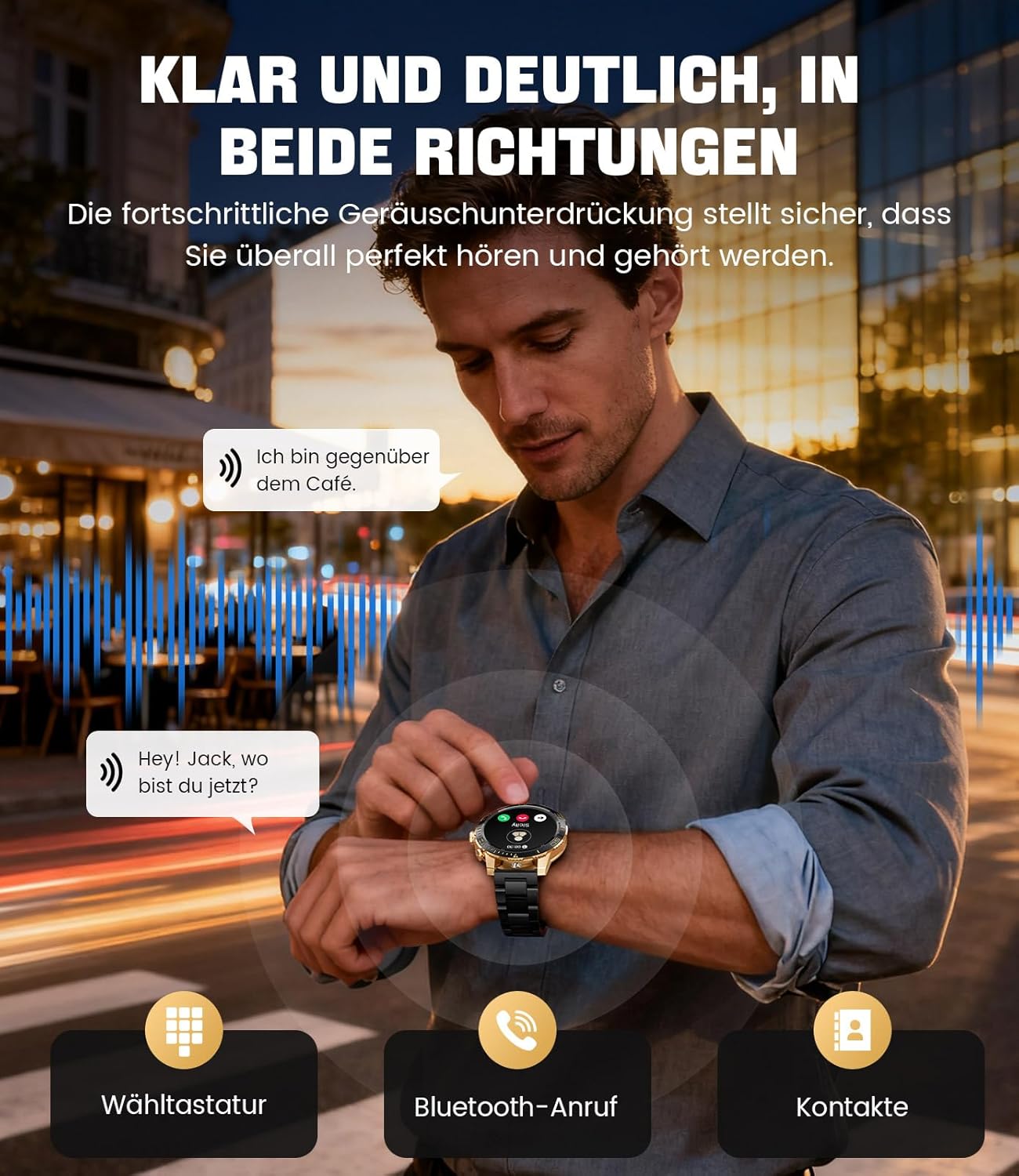
Image: The smartwatch allows clear two-way communication with advanced noise cancellation, featuring a dial pad, Bluetooth call option, and contacts access.
ການແຈ້ງເຕືອນ
Receive real-time notifications from your smartphone apps directly on your watch.
- Enable app notifications in the "Fit CloudPro" app settings.
- The watch will display incoming calls, SMS, and messages from social media apps (e.g., Facebook, Twitter, Instagram, WhatsApp).
- A quick glance at your wrist allows you to stay informed discreetly.

Image: The smartwatch displays real-time notifications from various social media applications, keeping you informed discreetly.
ການຕິດຕາມສຸຂະພາບ
The EF21-I Smartwatch acts as your 24/7 health guardian, providing continuous monitoring of key health metrics.
- ອັດຕາການເຕັ້ນຫົວໃຈ: Monitors your heart rate throughout the day.
- ອົກຊີໃນເລືອດ (SpO2): ວັດແທກລະດັບຄວາມອີ່ມຕົວຂອງອົກຊີໃນເລືອດຂອງທ່ານ.
- ການຕິດຕາມການນອນ: Analyzes your sleep patterns, distinguishing between deep sleep, light sleep, and awake times.
- ການຕິດຕາມຄວາມຄຽດ: Tracks stress levels.
- ເຕືອນປະຈຳຕົວ: ແຈ້ງເຕືອນທ່ານໃຫ້ເຄື່ອນຍ້າຍຫຼັງຈາກໄລຍະເວລາທີ່ບໍ່ມີການເຄື່ອນໄຫວ.
View detailed health data and trends in the "Fit CloudPro" app.
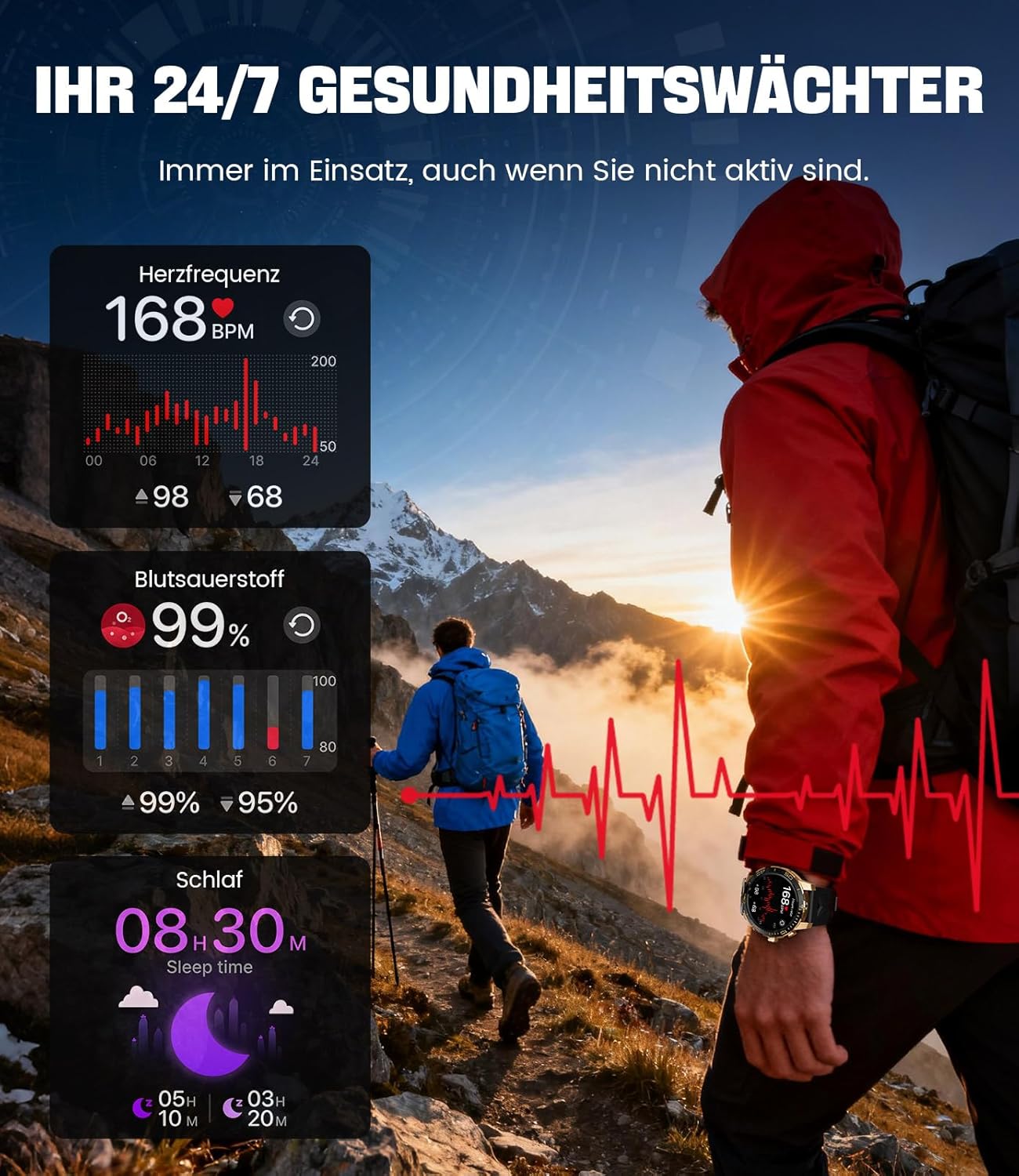
Image: The smartwatch functions as a 24/7 health guardian, monitoring heart rate, blood oxygen, and sleep patterns, even when you are not actively engaged in exercise.
ໂໝດກິລາ
With over 200 sports modes, the watch helps you track your workouts and achieve your fitness goals.
- Select your desired sport mode from the watch menu.
- The watch records data such as heart rate, calories burned, and steps taken.
- Automatic recognition for walking, running, and cycling is supported.
- Review your activity data in the "Fit CloudPro" app for performance analysis.

Image: The smartwatch supports over 200 training modes, tracking heart rate, calories, and steps for various activities.
ໃບ ໜ້າ ເບິ່ງທີ່ສາມາດປັບແຕ່ງໄດ້
Personalize your smartwatch with a variety of watch faces.
- The watch comes with several pre-installed classic watch faces.
- Access over 200 additional designs through the "Fit CloudPro" app.
- You can also upload your own photos to create custom watch faces.
ຄຸນສົມບັດເພີ່ມເຕີມ
- ພະຍາກອນອາກາດ: ຮັບການອັບເດດສະພາບອາກາດຕາມເວລາຈິງ.
- ໂມງປຸກ: ຕັ້ງຄ່າໂມງປຸກໂດຍກົງຈາກຂໍ້ມືຂອງທ່ານ.
- ການຄວບຄຸມກ້ອງຖ່າຍຮູບທາງໄກ: Use your watch to trigger your phone's camera.
- ໄຟສາຍ: Activate a flashlight function on your wrist.
- ຕົວຊອກຫາໂທລະສັບ: Find your misplaced smartphone using the watch.

Image: The smartwatch features a wrist flashlight function, providing illumination for outdoor activities.
ບໍາລຸງຮັກສາ
ທໍາຄວາມສະອາດ
- ເຊັດໜ້າຈໍໂມງ ແລະຕົວເຄື່ອງດ້ວຍຜ້າອ່ອນໆ, ບໍ່ມີສານຂັດ.
- ສໍາລັບ stains stubborn, dampen ຜ້າເລັກນ້ອຍດ້ວຍນ້ໍາ.
- Avoid using harsh chemicals, abrasive materials, or ultrasonic cleaners.
- ໃຫ້ແນ່ໃຈວ່າຈຸດເຊື່ອມຕໍ່ການສາກໄຟສະອາດ ແລະ ບໍ່ມີສິ່ງເສດເຫຼືອ.
ກັນນ້ຳ (IP68)
The LIGE EF21-I Smartwatch is IP68 water-resistant, meaning it can withstand immersion in water up to 1.5 meters for up to 30 minutes. It is suitable for daily use, hand washing, and swimming.
- ຫ້າມໃຊ້ໂມງຢູ່ໃນນ້ຳຮ້ອນ, ຫ້ອງຊາວນາ, ຫຼືຫ້ອງອົບໄອນ້ຳ.
- ຫຼີກເວັ້ນການກົດປຸ່ມພາຍໃຕ້ນ້ໍາ.
- After exposure to water, especially saltwater, dry the watch thoroughly.
ການແກ້ໄຂບັນຫາ
ເບິ່ງບໍ່ໄດ້ເປີດ
- ກວດໃຫ້ແນ່ໃຈວ່າໂມງຖືກສາກເຕັມແລ້ວ. ເຊື່ອມຕໍ່ມັນກັບເຄື່ອງສາກຢ່າງໜ້ອຍ 30 ນາທີ.
- ກົດປຸ່ມເປີດປິດຄ້າງໄວ້ເປັນເວລາຫຼາຍວິນາທີ.
Unable to Pair with App
- ໃຫ້ແນ່ໃຈວ່າ Bluetooth ຖືກເປີດໃຊ້ຢູ່ໃນໂທລະສັບສະຫຼາດຂອງທ່ານ.
- ໃຫ້ແນ່ໃຈວ່າໂມງມີແບັດເຕີຣີພຽງພໍ.
- ຣີສະຕາດທັງສະມາດໂຟນ ແລະໂມງອັດສະລິຍະຂອງທ່ານ.
- Try unpairing and re-pairing the device through the "Fit CloudPro" app.
- ກວດສອບວ່າແອັບມີສິດອະນຸຍາດທີ່ຈຳເປັນໃນໂທລະສັບຂອງທ່ານຫຼືບໍ່.
ຂໍ້ມູນສຸຂະພາບບໍ່ຖືກຕ້ອງ
- ໃຫ້ແນ່ໃຈວ່າໂມງຖືກໃສ່ຢູ່ໃນຂໍ້ມືຂອງທ່ານຢ່າງສະບາຍ, ບໍ່ວ່າງຫຼືແຫນ້ນເກີນໄປ.
- ເຮັດຄວາມສະອາດເຊັນເຊີຢູ່ດ້ານຫຼັງຂອງໂມງ.
- ຫຼີກເວັ້ນການເຄື່ອນໄຫວຫຼາຍເກີນໄປໃນລະຫວ່າງການວັດແທກ.
- Remember that health data is for reference and not for medical use.
ບໍ່ໄດ້ຮັບການແຈ້ງເຕືອນ
- ກວດສອບວ່າໂມງໄດ້ເຊື່ອມຕໍ່ກັບໂທລະສັບຂອງທ່ານຜ່ານ Bluetooth ແລ້ວ.
- Check notification settings in the "Fit CloudPro" app.
- Ensure your phone's notification settings allow the app to send notifications.
- Disable any battery optimization settings for the "Fit CloudPro" app on your phone.
ຂໍ້ມູນຈໍາເພາະ
| ຄຸນສົມບັດ | ລາຍລະອຽດ |
|---|---|
| ຍີ່ຫໍ້ | LIGE |
| ໝາຍເລກຕົວແບບ | EF21-I |
| ຂະຫນາດຈໍສະແດງຜົນ | 1.43 ນິ້ວ |
| ປະເພດການສະແດງ | AMOLED |
| ຄວາມອາດສາມາດຫມໍ້ໄຟ | 800 mAh (Lithium-polymer) |
| ການເຊື່ອມຕໍ່ | Bluetooth |
| ຄວາມເຂົ້າກັນໄດ້ຂອງລະບົບປະຕິບັດການ | Android 8.0+ & iOS 12.0+ |
| ການຈັດອັນດັບຄວາມຕ້ານທານນ້ໍາ | IP68 |
| ຄວາມອາດສາມາດເກັບຮັກສາຫນ່ວຍຄວາມຈໍາ | 256 MB |
| ຄຸນນະສົມບັດພິເສດ | Weather forecast, Sedentary reminder, Alarm clock, Touch screen, Always-on display, Bluetooth calling, Heart rate monitor, SpO2 monitor, Sleep monitor, 200+ sports modes, Phone locator |
| GPS | GPS ຜ່ານໂທລະສັບສະຫຼາດ |

Image: The smartwatch features impact resistance, indicated by a 'Military Grade Drop-Tested' badge.
ການຮັບປະກັນແລະການສະຫນັບສະຫນູນ
ຂໍ້ມູນການຮັບປະກັນ
The product is supported by a 12-month warranty. Please retain your proof of purchase for warranty claims.
ການຊ່ວຍເຫຼືອລູກຄ້າ
For technical assistance, troubleshooting, or warranty inquiries, please contact LIGE customer support. Refer to the contact information provided with your purchase or visit the official LIGE webເວັບໄຊ.


