ແນະນຳ
This manual provides detailed instructions for the proper use, setup, and maintenance of your Trevi EAR 100 AID Wireless Headphones. Please read this manual carefully before using the product to ensure optimal performance and longevity.
ເນື້ອໃນຊຸດ
ກວດສອບວ່າລາຍການທັງຫມົດແມ່ນມີຢູ່ໃນຊຸດ:
- Trevi EAR 100 AID Wireless Headphones (Left and Right Earbuds)
- Charging Case with Touch Display
- ສາຍສາກ USB-C
- 2 Pairs of Ear Tips (various sizes)
- ຄູ່ມືຜູ້ໃຊ້ (ເອກະສານນີ້)
ສິນຄ້າເກີນview
Familiarize yourself with the components of your Trevi EAR 100 AID headphones.
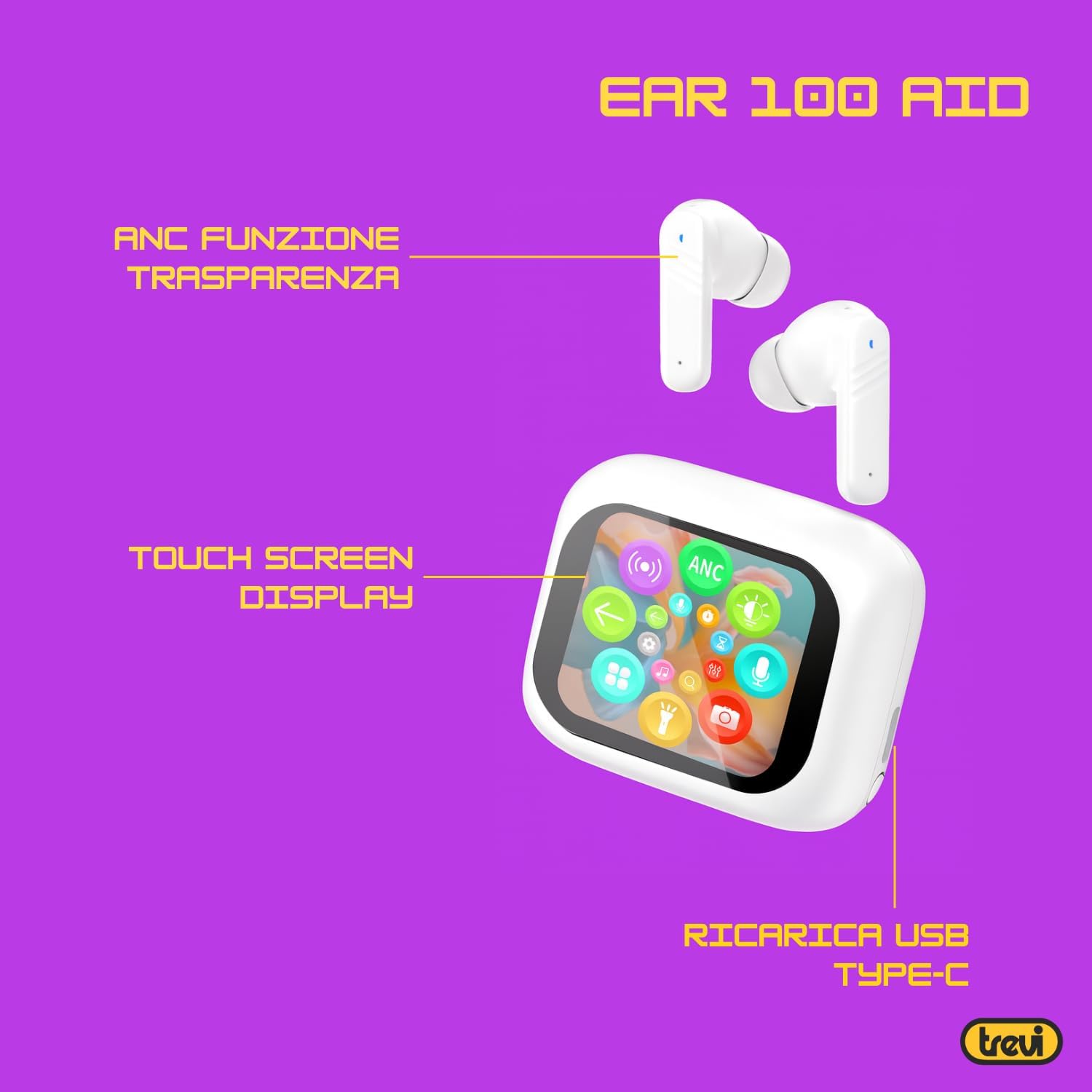
Image: Trevi EAR 100 AID Wireless Headphones and Charging Case. This image shows the earbuds and the charging case from a front-facing perspective.

ຮູບພາບ: ຂ້າງ view of Trevi EAR 100 AID Wireless Headphones and Charging Case. This image provides a profile view of the earbuds and their charging case.
ຮູບພາບ: ກັບຄືນໄປບ່ອນ view of Trevi EAR 100 AID Wireless Headphones and Charging Case. This image displays the rear aspect of the earbuds and their charging case.

ຮູບພາບ: ຫຼາຍກວ່າview of Trevi EAR 100 AID features. This graphic highlights the Active Noise Cancellation (ANC) and Transparency function, the Touch Screen Display on the charging case, and the USB-C charging port.
ຕັ້ງຄ່າ
1. ການສາກຫູຟັງ ແລະ ເຄສ
ກ່ອນນຳໃຊ້ຄັ້ງທຳອິດ, ໃຫ້ສາກຫູຟັງ ແລະ ຊ່ອງສາກໃຫ້ເຕັມ.
- ວາງຫູຟັງໃສ່ຊ່ອງສາກໄຟ.
- ເຊື່ອມຕໍ່ສາຍສາກ USB-C ກັບຜອດສາກໄຟຢູ່ເຄສ ແລະກັບແຫຼ່ງພະລັງງານ.
- ຈໍສະແດງຜົນເທິງກ່ອງສາກໄຟຈະສະແດງສະຖານະການສາກໄຟ.
- A full charge provides up to 5 hours of earbud autonomy, extendable with the charging case.

Image: Smart Charging Case with Rapid Charging. This image shows the open charging case with earbuds inside, emphasizing its quick charging capability via USB Type-C. A QR code for the AI COOL app download is also visible.
2. ການຈັບຄູ່ກັບອຸປະກອນ
- ກວດໃຫ້ແນ່ໃຈວ່າຫູຟັງເອຍບັດຢູ່ໃນກ່ອງສາກ ແລະກໍເປີດຢູ່.
- ໃນອຸປະກອນຂອງທ່ານ (ໂທລະສັບສະຫຼາດ, ແທັບເລັດ, ແລະອື່ນໆ), ເປີດໃຊ້ Bluetooth.
- ຊອກຫາ "Trevi EAR 100 AID" in the list of available Bluetooth devices.
- Select it to pair. A voice prompt will confirm successful connection.
- The headphones use Wireless V5.4 technology for a fast and reliable connection.
3. AI COOL App Installation
For AI simultaneous translation and advanced features, download the AI COOL app.
- Scan the QR code found on the charging case or in the product packaging.
- ອີກທາງເລືອກ, ໄປຢ້ຽມຢາມ https://www.xuanjiai.cn/app/download ເພື່ອດາວໂຫລດແອັບ.
- Follow the on-screen instructions to install and set up the app.
ຄໍາແນະນໍາການດໍາເນີນງານ
1. ໃສ່ຫູຟັງ
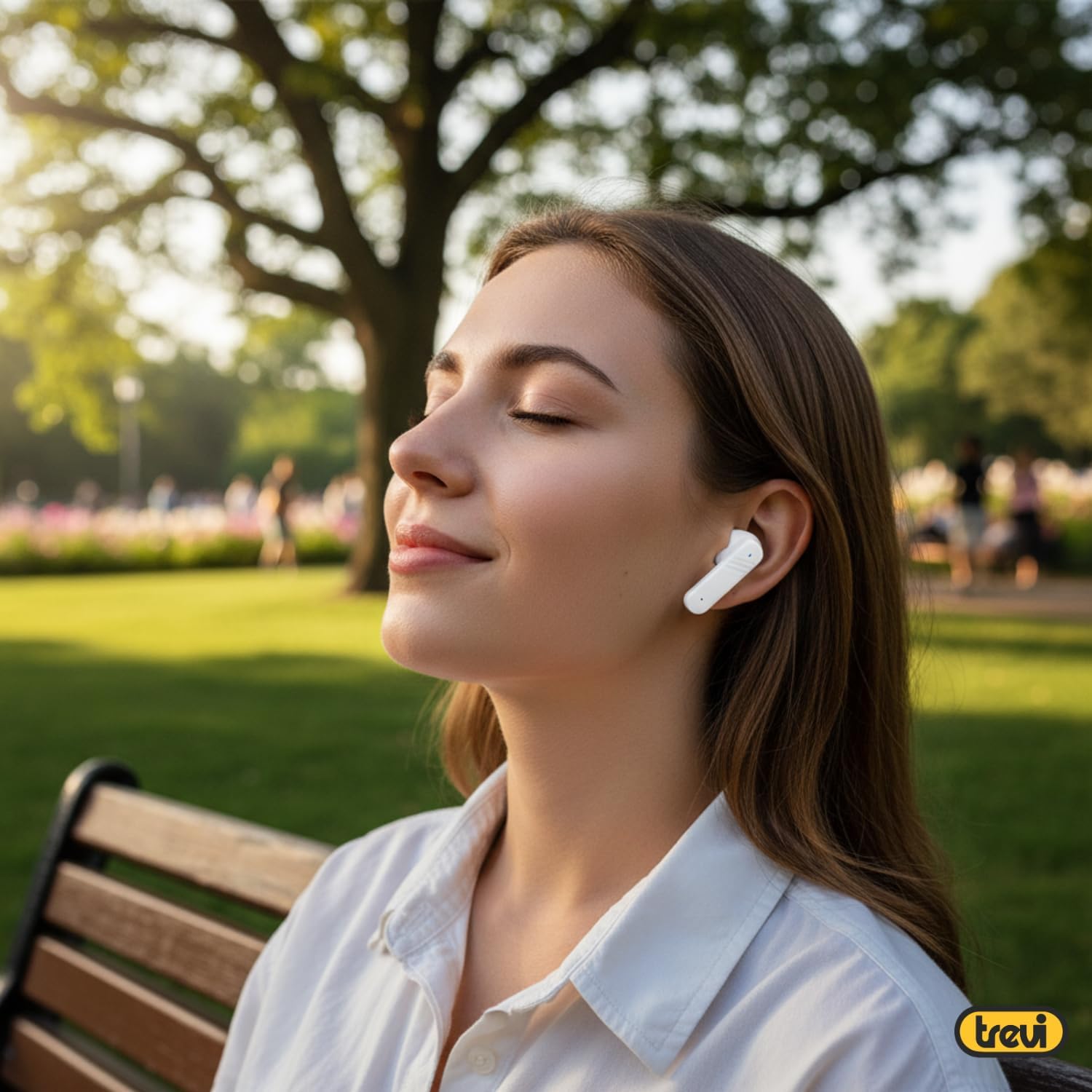
Select the appropriate ear tips for a comfortable and secure fit. Insert the earbuds gently into your ears and adjust them until they feel snug.

Image: A woman wearing Trevi EAR 100 AID earbuds comfortably while relaxing in a park. This illustrates the in-ear fit and comfort of the headphones.
2. Touch Controls on Charging Case Display
The charging case features a touch display for smart controls.
- ການຫຼິ້ນເພງ: Control play, pause, skip tracks directly from the display.
- ການຄຸ້ມຄອງການໂທ: ຕອບ, ສິ້ນສຸດ, ຫຼືປະຕິເສດການໂທ.
- ໂໝດສຽງ: ສະຫຼັບລະຫວ່າງໂໝດ ANC, ຄວາມໂປ່ງໃສ ແລະໂໝດປົກກະຕິ.
- ຕົວສະເີພາບ (EQ): ປັບສຽງ profiles.
- ຊອກຫາຫູຟັງ: Use this function to locate misplaced earbuds.

Image: Trevi EAR 100 AID charging case with color LED touch screen. The screen displays various functions such as call answering, music playback, and other smart controls.

Image: Customizable screen options for the Trevi EAR 100 AID charging case. This image shows four dynamic and one static high-quality display options that can be changed at any time.
3. Active Noise Cancellation (ANC) ແລະ ໂໝດຄວາມໂປ່ງໃສ
The headphones offer two distinct audio modes for different environments:
- Active Noise Cancellation (ANC): Eliminates external noise, providing a quiet listening experience. This mode is ideal for travel or noisy environments, reducing external noise by up to 35 dB with an effectiveness of up to 99.44%.
- ໂໝດຄວາມໂປ່ງໃສ: Allows you to hear your surroundings while still enjoying your audio. This is useful for situations where you need to be aware of your environment, such as walking in a city or listening to announcements.
Switch between these modes using the touch controls on the charging case or through the connected app.

Image: A person using Trevi EAR 100 AID earbuds on an airplane, demonstrating the deep active noise reduction (ANC) feature. The image highlights the intelligent external noise cancellation up to 35 dB.
4. AI Simultaneous Translation
Utilize the AI COOL app for real-time language translation.
- Ensure the AI COOL app is installed and connected to your headphones.
- Open the app and select the desired translation mode (e.g., conversation mode, interpreter mode).
- Speak into your device's microphone or the earbud's microphone, and the translation will be provided in real-time through the earbuds.
- This feature is designed for seamless communication across language barriers during travel, work, or multilingual conversations.
5. Clear Calls with ENC Technology
The headphones feature Environmental Noise Cancellation (ENC) technology for clear voice calls.
- ENC reduces background noise during calls, making your voice clearer to the person on the other end.
- This technology is optimized for crowded environments, ensuring conversations are clear and free from interference.

Image: A man making a phone call using Trevi EAR 100 AID earbuds. This image illustrates the ENC (Environmental Noise Cancellation) technology for clear calls, optimized for crowded environments.
ບໍາລຸງຮັກສາ
- ທໍາຄວາມສະອາດ: ອະນາໄມຫູຟັງຫູຟັງ ແລະກະເປົ໋າສາກໄຟເປັນປະຈຳດ້ວຍຜ້າແພທີ່ອ່ອນ, ແຫ້ງ, ບໍ່ມີສານຂັດ. ຢ່າໃຊ້ເຄື່ອງເຮັດຄວາມສະອາດຂັດຫຼືສານລະລາຍ.
- ເຄັດລັບຫູ: ຖອດ ແລະ ເຮັດຄວາມສະອາດຈຸກຫູດ້ວຍສະບູ່ອ່ອນໆ ແລະ ນ້ຳ, ຈາກນັ້ນເຊັດໃຫ້ແຫ້ງສະນິດກ່ອນຕິດຄືນ.
- ການເກັບຮັກສາ: ເມື່ອບໍ່ໄດ້ໃຊ້, ໃຫ້ເກັບຮັກສາຫູຟັງໃສ່ໃນກະເປົ໋າສາກໄຟເພື່ອປົກປ້ອງພວກມັນຈາກຝຸ່ນ ແລະຄວາມເສຍຫາຍ.
- ການດູແລຫມໍ້ໄຟ: ເພື່ອຮັກສາອາຍຸການໃຊ້ງານຂອງແບັດເຕີຣີ, ໃຫ້ຫຼີກລ່ຽງການສາກແບັດເຕີຣີໃຫ້ໝົດເລື້ອຍໆ. ໃຫ້ສາກອຸປະກອນເປັນປະຈຳ, ເຖິງແມ່ນວ່າຈະບໍ່ໄດ້ໃຊ້ງານເປັນເວລາດົນກໍຕາມ.
ການແກ້ໄຂບັນຫາ
| ບັນຫາ | ການແກ້ໄຂທີ່ເປັນໄປໄດ້ |
|---|---|
| ຫູຟັງບໍ່ເປີດ. | Ensure the charging case and earbuds are fully charged. Place earbuds in the case and close it, then open again. |
| ບໍ່ສາມາດຈັບຄູ່ກັບອຸປະກອນໄດ້. | Make sure Bluetooth is enabled on your device. Ensure earbuds are in pairing mode (usually by opening the case). Forget the device from your Bluetooth list and try pairing again. |
| ບໍ່ມີສຽງ ຫຼືສຽງຕໍ່າ. | Check volume levels on both your device and the headphones. Ensure earbuds are properly seated in your ears. Reconnect the Bluetooth connection. |
| ການແປພາສາ AI ບໍ່ເຮັດວຽກ. | Verify the AI COOL app is installed, updated, and properly connected to the headphones. Check your internet connection for translation services. |
| ບັນຫາການສາກໄຟ. | Check the USB-C cable and power adapter. Ensure the charging contacts on the earbuds and case are clean and free of debris. |
ຂໍ້ມູນຈໍາເພາະ
| ຄຸນສົມບັດ | ລາຍລະອຽດ |
|---|---|
| ຍີ່ຫໍ້ | Trevi |
| ຊື່ຕົວແບບ | EAR 100 AID |
| ສີ | ສີຂາວ |
| ການຈັດວາງຫູ | ຫູ |
| ປັດໄຈແບບຟອມ | ຫູ |
| ການຄວບຄຸມສິ່ງລົບກວນ | ການຍົກເລີກສິ່ງລົບກວນທີ່ໃຊ້ວຽກ (ANC) |
| Jack ຫູຟັງ | No Jack (Wireless) |
| ເຕັກໂນໂລຊີການເຊື່ອມຕໍ່ | ໄຮ້ສາຍ |
| ເຕັກໂນໂລຊີການສື່ສານໄຮ້ສາຍ | Bluetooth V5.4 |
| ອົງປະກອບລວມ | 2 Ear Tips, Cable, User Manual |
| ອາຍຸແບັດເຕີຣີ (ຫູຟັງ) | Up to 5 hours (extendable with charging case) |
| ANC Effectiveness | Up to 35 dB reduction, 99.44% shielding effectiveness |
ການຮັບປະກັນແລະການສະຫນັບສະຫນູນ
For warranty information and technical support, please refer to the official Trevi webເວັບໄຊ ຫຼືຕິດຕໍ່ບໍລິການລູກຄ້າຂອງເຂົາເຈົ້າ. ຮັກສາຫຼັກຖານການຊື້ຂອງທ່ານສໍາລັບການຮ້ອງຂໍການຮັບປະກັນ.
ສໍາລັບການຊ່ວຍເຫຼືອເພີ່ມເຕີມ, ໄປຢ້ຽມຢາມ Trevi Store on Amazon.


