ແນະນຳ
The Apple Watch Ultra 3 is a robust and advanced smartwatch designed for athletes and adventurers, featuring a rugged titanium case, GPS + Cellular connectivity, and comprehensive health and fitness tracking capabilities. This manual provides essential information for its proper use and maintenance.
1. ຕັ້ງຄ່າ
1.1 ສິ່ງທີ່ຢູ່ໃນກ່ອງ

Image: Contents of the Apple Watch Ultra 3 packaging, including the watch, Milanese Loop band, and USB-C Magnetic Fast Charging Cable.
- Apple Watch Ultra 3 GPS + Cellular 49mm (Natural Titanium Case)
- Natural Titanium Milanese Loop Band
- ສາຍສາກໄຟໄວແບບແມ່ເຫຼັກສຳລັບ Apple Watch ເປັນ USB-C (1 ແມັດ)
1.2 ຄວາມເຂົ້າກັນໄດ້
The Apple Watch Ultra 3 requires an iPhone Xs or later, including iPhone SE (2nd generation or later), running iOS 18 or later.
1.3 Initial Pairing and Activation
- ສາກໂມງຂອງເຈົ້າ: Connect the Magnetic Fast Charger to the back of your Apple Watch Ultra 3 and plug the USB-C end into a power adapter. Ensure the watch has sufficient charge before proceeding.
- ເປີດ: ກົດປຸ່ມດ້ານຂ້າງຄ້າງໄວ້ຈົນກ່ວາໂລໂກ້ Apple ປາກົດ.
- ຈັບຄູ່ກັບ iPhone: Bring your iPhone close to your Apple Watch. A pairing animation will appear on your iPhone. Tap "Continue" and follow the on-screen instructions to pair your watch.
- Set Up Cellular (Optional): During setup, you will have the option to activate cellular service for your Apple Watch Ultra 3. This allows you to make calls, send messages, and use data without your iPhone nearby.
- ປັບແຕ່ງການຕັ້ງຄ່າ: Personalize your watch faces, app layout, and notification preferences.
1.4 ການສາກໄຟ
Use the included Apple Watch Magnetic Fast Charger to USB‑C Cable. The watch supports fast-charging, allowing it to charge from 4% to 100% in less than 90 minutes.
2. ປະຕິບັດການ Apple Watch Ultra 3 ຂອງທ່ານ
2.1 ການສະແດງຜົນ ແລະການໂຕ້ຕອບ
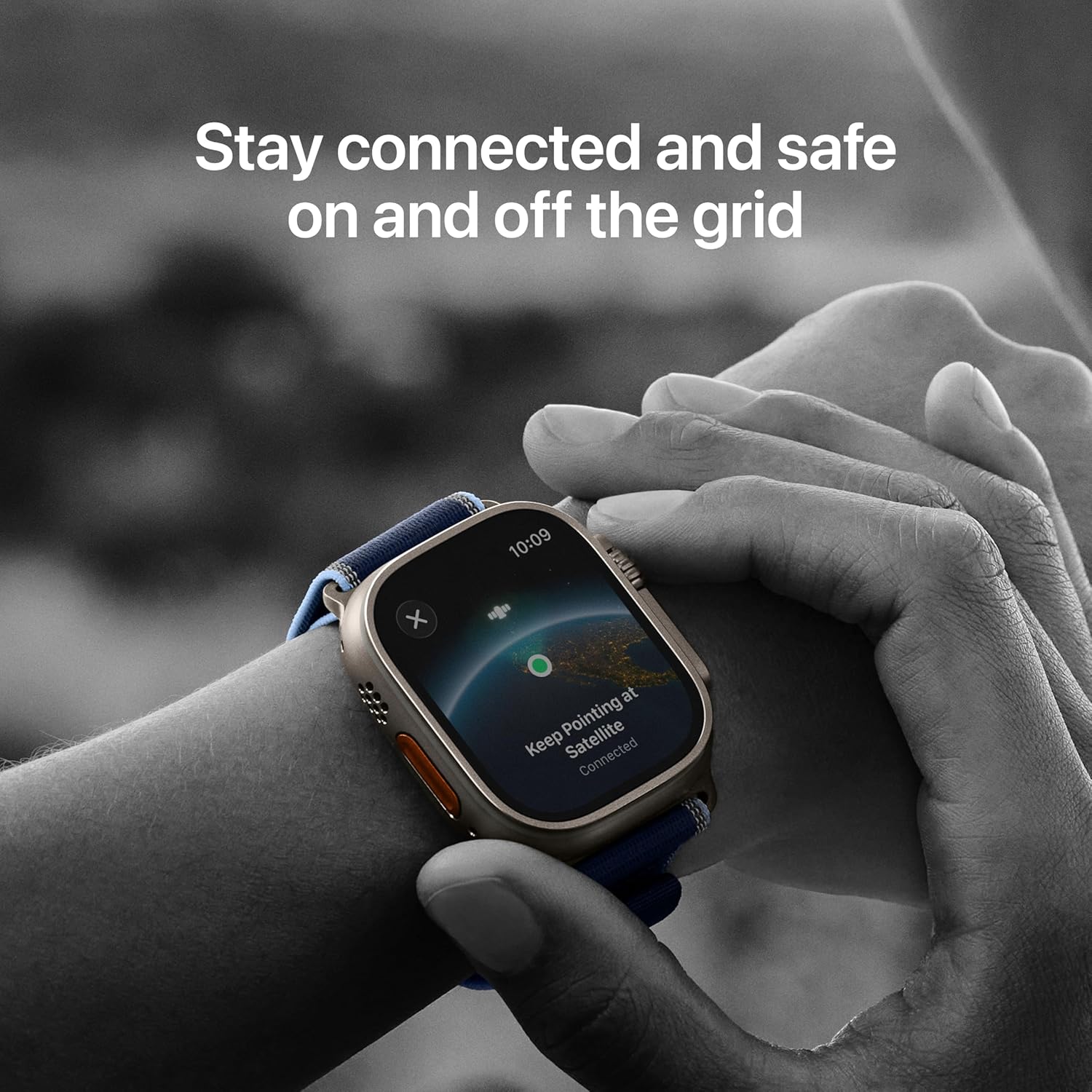
Image: Key features of the Apple Watch Ultra 3, including multi-day battery life, Emergency SOS via satellite, durable sapphire crystal display, and the customizable Action button.
- ໜ້າຈໍ Retina ທີ່ເປີດຢູ່ຕະຫຼອດເວລາ: The display remains visible at all times, with up to 3000 nits peak brightness for clear visibility in various conditions.
- ໂໝດກາງຄືນ: Available for specific Apple Watch Ultra faces (Modular Ultra, Wayfinder, Orienteering) to optimize visibility in low-light environments.
- ທ່າທາງສໍາຜັດ: Navigate the watch using taps, swipes, and pinches.
- Double Tap and Wrist Flick: Utilize these gestures for quick interactions without touching the screen.
2.2 Hardware Controls
- ເຮືອນຍອດດິຈິຕອນ: Rotate to scroll, zoom, or adjust values. Press to return to the watch face or access the App View. Press and hold for Siri.
- ປຸ່ມຂ້າງ: Press to access the Dock, make emergency calls (press and hold), or use Apple Pay (double-press).
- ປຸ່ມການກະທຳທີ່ສາມາດປັບແຕ່ງໄດ້: This orange button can be configured for various functions, such as starting a workout, marking a Compass Waypoint, or turning on the flashlight. Customize its function in the Watch app on your iPhone.
2.3 ການເຊື່ອມຕໍ່ ແລະ ການສື່ສານ
- ມືຖື: With an active cellular plan, make and receive calls, send messages, and stream audio directly from your watch without your iPhone.
- GPS: Precision dual-frequency GPS (GPS, GNSS, Galileo, BeiDou) provides accurate location tracking for workouts and navigation.
- Wi-Fi & Bluetooth: Connects to Wi-Fi 4 (802.11n) and Bluetooth 5.3 for seamless integration with your iPhone and accessories.
- Satellite Communications: For emergency situations without cellular or Wi-Fi, the built-in satellite communications allow you to text emergency services.
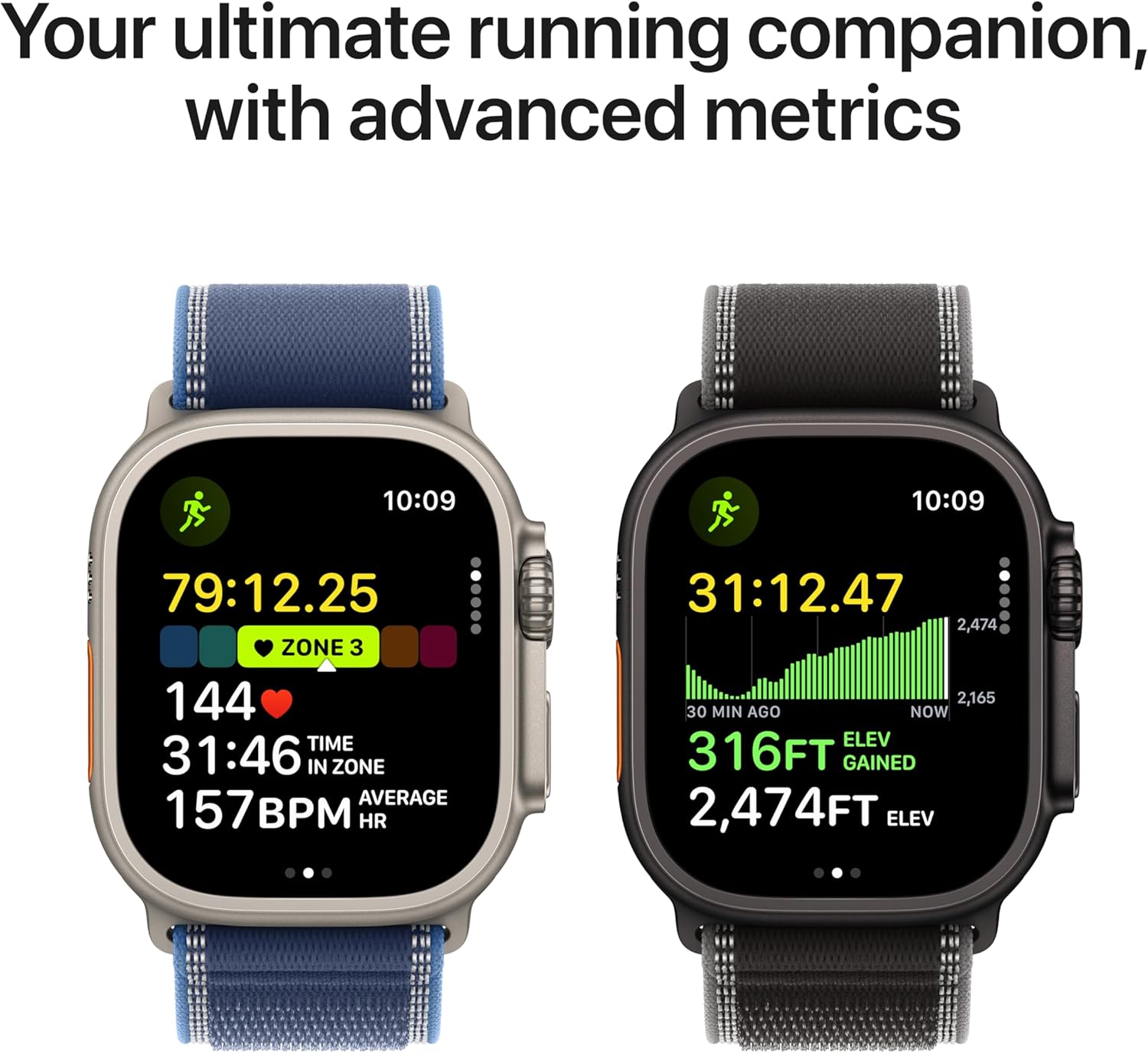
Image: Apple Watch Ultra 3 screen showing instructions to "Keep Pointing at Satellite" for emergency communication.
2.4 Health and Wellness Tracking
- ອັດຕາການເຕັ້ນຫົວໃຈ: Third-generation optical heart sensor and Electrical heart sensor for ECG app. Receive high and low heart rate notifications and irregular rhythm notifications.
- ອົກຊີໃນເລືອດ: Measure your blood oxygen levels using the Blood Oxygen app.
- ເຊັນເຊີອຸນຫະພູມ: Provides temperature sensing for advanced health insights, including retrospective ovulation estimates for cycle tracking.
- ການຕິດຕາມການນອນ: ຕິດຕາມກວດກາການນອນtages and receive sleep scores.
- ແອັບ Vitals: Track your daily health status and receive notifications for potential hypertension or sleep apnea.
- Medications App: Manage and track your medication schedule.
2.5 Workouts and Activity
Image: Apple Watch Ultra 3 displaying advanced running metrics, including heart rate, time in zone, elevation gained, and average pace.
- ການຕິດຕາມກິລາຫຼາຍປະເພດ: Supports a wide range of activities including running, hiking, cycling, swimming, skiing, snowboarding, and more.
- Advanced Metrics: Access features like Pacer, Heart Rate Zones, Custom Workouts, running power, and training load.
- ກິລານ້ໍາ: Water resistant to 100m, suitable for swimming, diving (recreational scuba to 40m), and high-speed water sports.
- ເຄື່ອງວັດແທກຄວາມເລິກ: Integrated depth gauge and water temperature sensor for underwater activities.
2.6 ຄຸນສົມບັດຄວາມປອດໄພ
- SOS ສຸກເສີນ: Quickly call emergency services.
- International Emergency Calling: Works in many countries and regions.
- Siren: Activate a loud siren to attract attention in emergencies.
- ການກວດຫາການຂັດຂ້ອງ: ກວດຫາອຸບັດຕິເຫດທາງລົດທີ່ຮ້າຍແຮງໂດຍອັດຕະໂນມັດ ແລະ ສາມາດເຊື່ອມຕໍ່ທ່ານກັບການບໍລິການສຸກເສີນໄດ້.
- ການກວດຫາການຫຼຸດລົງ: Detects hard falls and can initiate an emergency call if you are unresponsive.
3. ບໍາລຸງຮັກສາ
3.1 Cleaning Your Apple Watch Ultra 3
- Watch Case: Wipe the titanium case with a soft, lint-free cloth. If necessary, dampໃນຜ້າດ້ວຍນ້ ຳ ຈືດ.
- ຈໍສະແດງຜົນ: Clean the sapphire crystal display with a soft, lint-free cloth. Avoid abrasive materials.
- ແຖບ: Clean bands according to their material. For Milanese Loop, wipe with a soft, damp cloth. Ensure bands are dry before reattaching.
- ຫຼັງຈາກຕາກແດດໃນນໍ້າ: After swimming or exposure to water, rinse the watch with fresh water and dry it thoroughly with a soft cloth.
3.2 ການເພີ່ມປະສິດທິພາບຂອງຊີວິດຫມໍ້ໄຟ
- ໂໝດພະລັງງານຕໍ່າ: Enable Low Power Mode to extend battery life up to 72 hours. This mode disables or limits certain features.
- ຈັດການການແຈ້ງເຕືອນ: Reduce the number of notifications to conserve power.
- ໂຫຼດແອັບພື້ນຫຼັງຄືນໃໝ່: Limit background app refresh for apps you don't need constantly updated.
- ຄວາມສະຫວ່າງຂອງຈໍສະແດງຜົນ: Adjust display brightness to a comfortable level.
3.3 Band Installation and Removal
To install or remove a band, press the band release button on the back of the watch and slide the band horizontally. Ensure the band clicks securely into place. If you experience difficulty, ensure the band is correctly aligned and the release button is fully depressed. Avoid forcing the band, as this can cause damage.
4. ການແກ້ໄຂບັນຫາ
4.1 ບັນຫາທົ່ວໄປ ແລະການແກ້ໄຂ
| ສະບັບ | ການແກ້ໄຂ |
|---|---|
| Watch not pairing with iPhone | Ensure both devices are charged, Bluetooth is enabled on iPhone, and the Watch app is open. Restart both devices. |
| ແບັດເຕີຣີໝົດໄວ | Enable Low Power Mode. Review background app refresh settings and notification frequency. Check for apps consuming excessive power. |
| ສະແດງບໍ່ຕອບສະໜອງ | Force restart the watch by holding the Digital Crown and Side button simultaneously until the Apple logo appears. |
| ໂທລະສັບມືຖືບໍ່ເຮັດວຽກ | Verify your cellular plan is active for your Apple Watch. Check signal strength. Restart the watch. |
| Inaccurate health/fitness data | Ensure the watch is worn snugly on your wrist. Clean the back of the watch to ensure sensor contact. Calibrate your watch for improved accuracy. |
5. ຂໍ້ມູນຈໍາເພາະ
| ຄຸນສົມບັດ | ລາຍລະອຽດ |
|---|---|
| ໝາຍເລກຕົວແບບ | MEWY4LW/A |
| ຂະໜາດ (H x W x D) | 49mm x 44mm x 14.4mm |
| ນ້ຳໜັກກໍລະນີ | 61.4g |
| ວັດສະດຸກໍລະນີ | ຊັ້ນ ມ5 |
| ຈໍສະແດງຜົນ | Always-On Retina display, LTPO3 OLED, Flat sapphire crystal, Up to 3000 nits peak brightness |
| ຊິບ | S10 with 64-bit dual-core processor, 4-core Apple Neural Engine |
| ຄວາມອາດສາມາດເກັບຮັກສາ | 64 GB |
| ລະບົບປະຕິບັດການ | watchOS |
| ອາຍຸແບັດເຕີຣີ (ໃຊ້ປົກກະຕິ) | ສູງສຸດ 42 ຊົ່ວໂມງ |
| ອາຍຸການໃຊ້ງານຂອງແບັດເຕີຣີ (ໂໝດພະລັງງານຕ່ຳ) | ສູງສຸດ 72 ຊົ່ວໂມງ |
| ການຕໍ່ຕ້ານນ້ໍາ | 100m (ISO standard 22810:2010), EN13319 recreational scuba diving to 40m |
| ທົນທານຕໍ່ຝຸ່ນ | IP6X (IEC 60529) |
| ການເຊື່ອມຕໍ່ | LTE and UMTS, Wi-Fi 4 (802.11n), Bluetooth 5.3, Precision dual-frequency GPS |
| ເຊັນເຊີ | Electrical heart sensor, Optical heart sensor (3rd gen), Blood oxygen sensor, Temperature sensor, Depth gauge, Water temperature sensor, Compass, Always-on altimeter, High-g accelerometer, Gyroscope, Ambient light sensor |
| ຄວາມເຂົ້າກັນໄດ້ | iPhone Xs ຫຼືໃໝ່ກວ່າກັບ iOS 18 ຫຼືໃໝ່ກວ່າ |
6. ຂໍ້ມູນການຮັບປະກັນ
Your Apple Watch Ultra 3 is covered by a one-year limited warranty from Apple against defects in materials and workmanship. This warranty is in addition to rights provided by consumer law. For full details regarding warranty coverage, terms, and conditions, please refer to the official Apple warranty documentation included with your product or visit the official Apple Support webເວັບໄຊ. ຫຼັກຖານການຊື້ອາດຈະຕ້ອງການສໍາລັບການຮ້ອງຂໍການຮັບປະກັນ.
7. ສະຫນັບສະຫນູນ
ສໍາລັບການຊ່ວຍເຫຼືອເພີ່ມເຕີມ, ການຊ່ວຍເຫຼືອດ້ານວິຊາການ, ຫຼືການບໍລິການ, ກະລຸນາໄປຢ້ຽມຢາມຢ່າງເປັນທາງການ Apple Support webເວັບໄຊ ຫຼືຕິດຕໍ່ບໍລິການລູກຄ້າຂອງ Apple.
- ສະຫນັບສະຫນູນອອນໄລນ໌: support.apple.com/watch
- ເວທີຊຸມຊົນ: Access user forums for tips and solutions.
- ຜູ້ໃຫ້ບໍລິການທີ່ໄດ້ຮັບອະນຸຍາດ: ຊອກຫາສູນບໍລິການທີ່ໄດ້ຮັບອະນຸຍາດສໍາລັບການສ້ອມແປງ.


