1. ບົດແນະນຳ
This manual provides essential information for the proper use and maintenance of your HOTWAV R9 Ultra 5G Rugged Tablet. Please read it thoroughly before operating the device to ensure optimal performance and longevity. The HOTWAV R9 Ultra is designed for durability and high performance, featuring 5G connectivity, a large display, and robust construction.
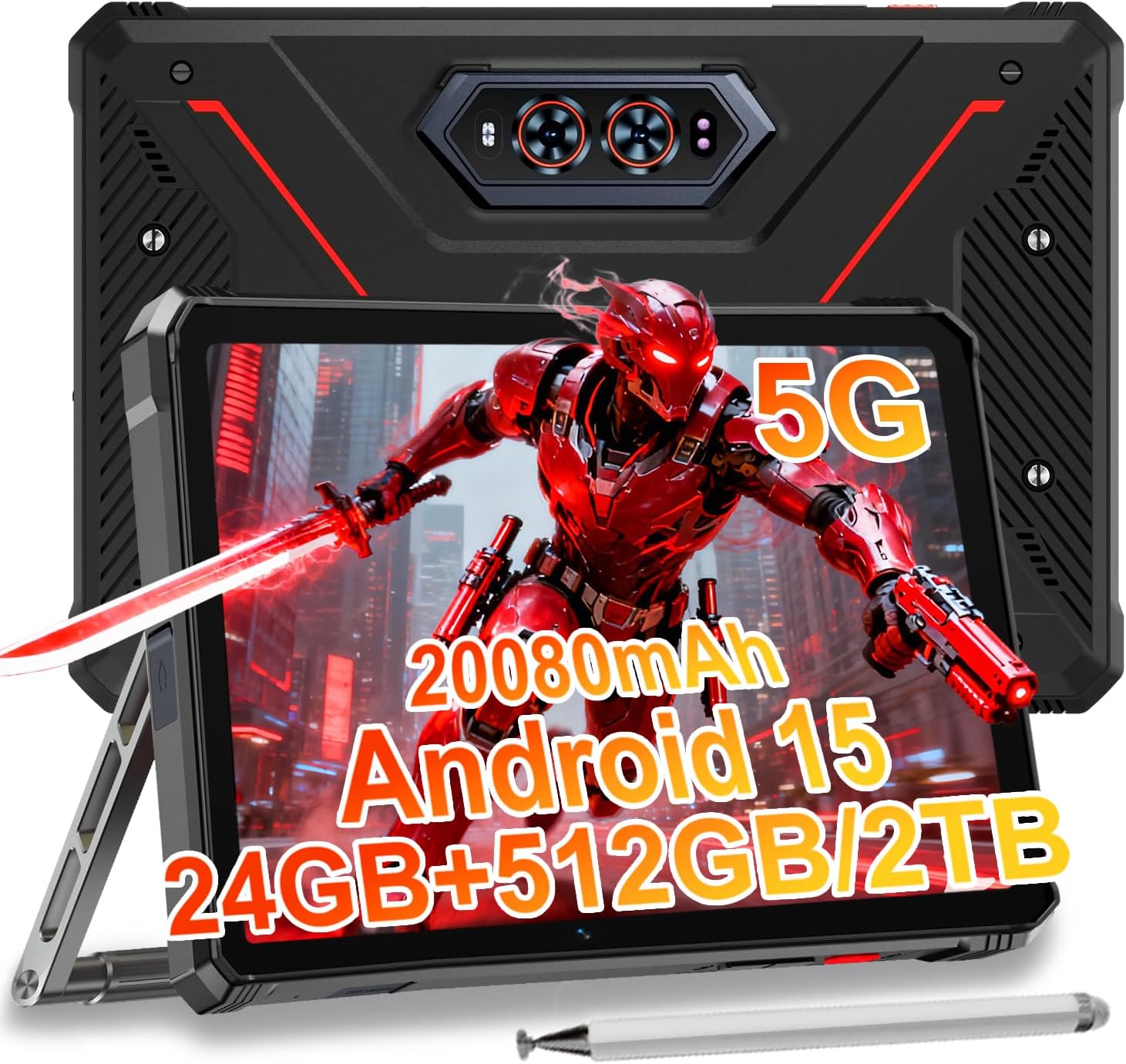
Image 1.1: The HOTWAV R9 Ultra 5G Rugged Tablet with its included stylus and stand.
2. ສິ່ງທີ່ຢູ່ໃນກ່ອງ
ກວດສອບວ່າລາຍການທັງຫມົດແມ່ນມີຢູ່ໃນການ unboxing:
- 1 x R9 Ultra Tablet
- 1 x ຄູ່ມືການສອນ
- 1 x Tablet Protective Film (pre-installed or separate)
- 1 x Tablet Charger Accessory
- 1 x Tablet Stand + Strap + Electronic Pen
3. ອຸປະກອນເກີນview
ເຮັດຄວາມຄຸ້ນເຄີຍກັບອົງປະກອບທາງກາຍະພາບຂອງແທັບເລັດຂອງທ່ານ.
3.1 ອົງປະກອບທາງກາຍະພາບ
- ຈໍສະແດງຜົນ: 11-inch FHD+ 2K screen.
- ກ້ອງໜ້າ: 16MP ສໍາລັບການໂທວິດີໂອແລະ selfies.
- ກ້ອງຫຼັງ: 64MP main camera, 20MP night vision camera.
- ພອດ: USB-C charging/data port, Dual SIM/MicroSD card slot.
- ປຸ່ມ: ປຸ່ມເປີດ/ປິດ, ປຸ່ມເພີ່ມສຽງຂຶ້ນ/ລົງ.
- ລໍາໂພງ: ລໍາໂພງສະເຕີລິໂອປະສົມປະສານ.
- Campແສງສະຫວ່າງ: Integrated high-performance light on the rear.

ຮູບພາບ 3.1: ດ້ານຫລັງ view of the tablet highlighting the camera system and integrated campໃນແສງສະຫວ່າງ.
4. ຕັ້ງຄ່າ
4.1 SIM Card ແລະການຕິດຕັ້ງ MicroSD
- Locate the SIM/MicroSD card slot on the side of the tablet.
- ໃຊ້ເຄື່ອງມືຖອດຊິມທີ່ສະໜອງໃຫ້ເພື່ອເປີດຖາດ.
- Carefully place your Nano-SIM cards (up to two) and/or a MicroSD card (up to 2TB) into the tray, ensuring correct orientation.
- ໃສ່ຖາດກັບຄືນເຂົ້າໄປໃນແທັບເລັດຈົນກວ່າມັນຈະຄລິກເຂົ້າທີ່.
Important Notice Before Purchase: HOTWAV rugged tablets are not compatible with AT&T, Cricket, or Verizon networks. They fully support T-Mobile, Mint, Boost, and Google Fi. Verify your carrier compatibility to ensure seamless connectivity.
4.2 Initial Power On and Android 15 Setup
- Press and hold the Power button until the HOTWAV logo appears.
- ປະຕິບັດຕາມຄຳແນະນຳໃນໜ້າຈໍເພື່ອເຮັດສຳເລັດການຕັ້ງຄ່າເບື້ອງຕົ້ນ, ລວມທັງການເລືອກພາສາ, ການເຊື່ອມຕໍ່ Wi-Fi, ການເຂົ້າສູ່ລະບົບບັນຊີ Google ແລະ ການຕັ້ງຄ່າຄວາມປອດໄພ.
- The tablet runs on Android 15, offering enhanced features and security.

ຮູບພາບ 4.1: ຫຼາຍກວ່າview of the Android 15 operating system interface.
5. ປະຕິບັດການແທັບເລັດ
5.1 ການນໍາທາງພື້ນຖານ
- ທ່າທາງສໍາຜັດ: ໃຊ້ການແຕະ, ຮູດ, ແລະປັກໝຸດເພື່ອໂຕ້ຕອບກັບໜ້າຈໍ.
- ໜ້າຈໍຫຼັກ: Access apps and widgets.
- ການແຈ້ງເຕືອນ: ປັດລົງຈາກເທິງສຸດຂອງໜ້າຈໍໄປທີ່ view ການແຈ້ງເຕືອນ ແລະການຕັ້ງຄ່າດ່ວນ.
5.2 ການເຊື່ອມຕໍ່
- ເຄືອຂ່າຍ 5G: Insert a compatible 5G SIM card for high-speed mobile data.
- Wi-Fi 5: ເຊື່ອມຕໍ່ຫາເຄືອຂ່າຍໄຮ້ສາຍເພື່ອເຂົ້າເຖິງອິນເຕີເນັດ.
- Bluetooth 5.0: ຈັບຄູ່ກັບອຸປະກອນ Bluetooth ເຊັ່ນ: ຫູຟັງ ຫຼື ລຳໂພງ.
- GPS: Utilize multi-system navigation (Beidou, GPS, Galileo, Glonass) and a geomagnetic sensor for accurate positioning.

Image 5.1: The tablet's GPS functionality in use for navigation.
5.3 ການໃຊ້ກ້ອງຖ່າຍຮູບ
The tablet features a versatile camera system:
- ກ້ອງຫຼັກ 64MP: ສໍາລັບຮູບພາບທີ່ມີຄວາມລະອຽດສູງ.
- ກ້ອງຖ່າຍພາບກາງຄືນ 20MP: For clear images in low-light conditions.
- ກ້ອງໜ້າ 16MP: For video calls and self-portraits.
Camera modes include Night Mode, Pro Mode, Panorama Mode, and Underwater Mode for diverse shooting scenarios.

Image 5.2: Demonstrating the tablet's underwater and night vision camera capabilities.
5.4 ການຄຸ້ມຄອງຫມໍ້ໄຟ
The tablet is equipped with a 20080mAh battery for extended use.
- ການສາກໄຟ: Use the included 20W fast charger for efficient power replenishment.
- OTG Reverse Charging: The tablet can act as a power bank to charge other devices.

Image 5.3: Visual representation of the 20080mAh battery and 20W fast charging.
5.5 Stylus Usage
The included stylus allows for precise interaction with the screen, ideal for drawing, note-taking, or navigating with gloves on.

Image 5.4: The stylus pen, designed for precise input.
5.6 ລັກສະນະພິເສດ
- Campແສງສະຫວ່າງ: Activate the rear camping light for illumination in dark environments.
- Gemini AI: Utilize Gemini AI for advanced reasoning, creative solutions, and deeper conversations.
- ຮູບແບບຖົງມື: The display supports operation while wearing gloves.
- Face ID: Unlock your tablet using facial recognition.
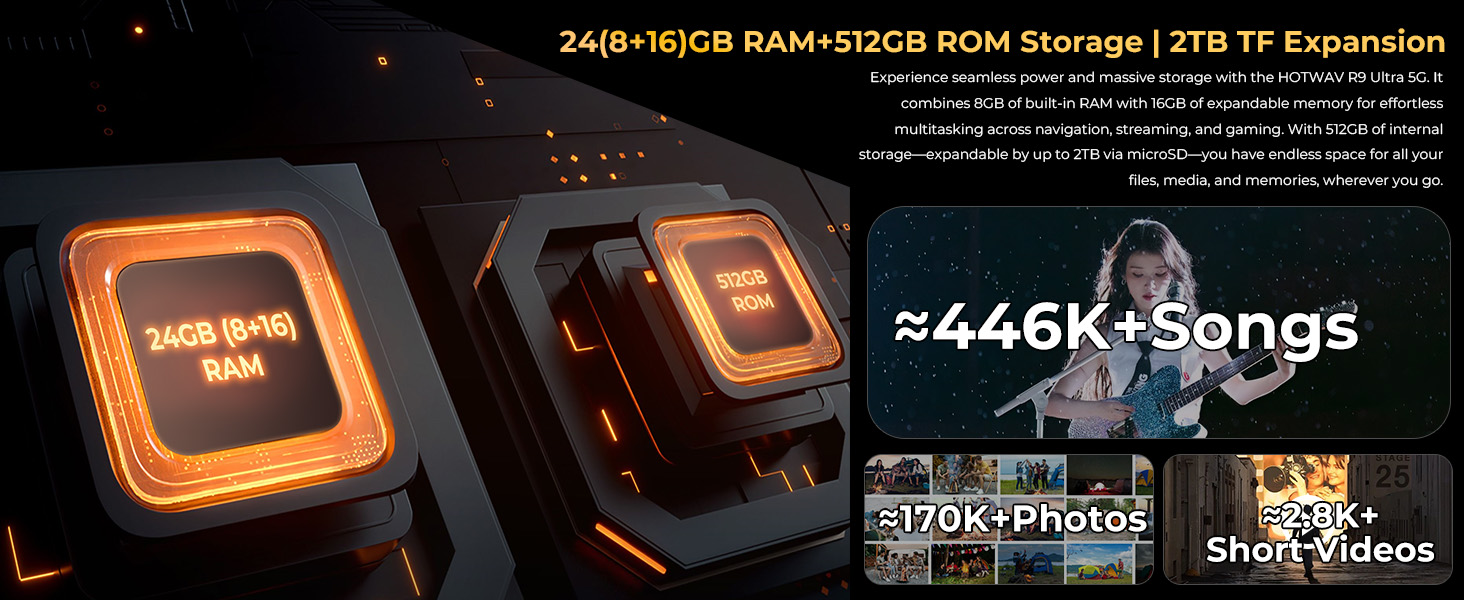
Image 5.5: The tablet's integrated camping light providing illumination.
5.7 ຄຸນສົມບັດຄວາມທົນທານ
The HOTWAV R9 Ultra is built to withstand challenging conditions:
- IP68 & IP69K Rated: Fully dust-tight and protected against high-pressure, high-temperature water jets.
- MIL-STD-810H ໄດ້ຮັບການຢັ້ງຢືນ: Meets military standards for shock and drop resistance.
- Corning Gorilla Glass 3: ໃຫ້ການປົກປ້ອງໜ້າຈໍທີ່ດີກວ່າຈາກຮອຍຂີດຂ່ວນ ແລະ ຜົນກະທົບ.

Image 5.6: The tablet's robust design, highlighting its resistance to drops, water, and dust.
6. ບໍາລຸງຮັກສາ
6.1 ການທໍາຄວາມສະອາດ
To clean your tablet, use a soft, lint-free cloth. For stubborn dirt, slightly dampen ຜ້າທີ່ມີນ້ໍາ. ຫຼີກເວັ້ນການນໍາໃຊ້ສານເຄມີທີ່ຮຸນແຮງຫຼືວັດສະດຸຂັດ.
6.2 ການປັບປຸງຊອບແວ
Regularly check for and install software updates to ensure your tablet has the latest features, security patches, and performance improvements. Navigate to ການຕັ້ງຄ່າ > ລະບົບ > ການປັບປຸງລະບົບ ເພື່ອກວດສອບການອັບເດດທີ່ມີຢູ່.
6.3 ການຄຸ້ມຄອງການເກັບຮັກສາ
ແຕ່ລະໄລຍະview ການເກັບຮັກສາແທັບເລັດຂອງທ່ານ. ລຶບທີ່ບໍ່ຈໍາເປັນ files, ຖອນການຕິດຕັ້ງແອັບຯທີ່ບໍ່ໄດ້ໃຊ້, ແລະໂອນສື່ມວນຊົນຂະຫນາດໃຫຍ່ files to external storage or cloud services to maintain optimal performance. The tablet supports up to 2TB of expandable storage via MicroSD.
7. ການແກ້ໄຂບັນຫາ
ຖ້າຫາກທ່ານພົບບັນຫາກັບຢາເມັດຂອງທ່ານ, ເບິ່ງວິທີແກ້ໄຂທົ່ວໄປດັ່ງຕໍ່ໄປນີ້:
- ແທັບເລັດບໍ່ເປີດເຄື່ອງ: ໃຫ້ແນ່ໃຈວ່າໄດ້ສາກໄຟແລ້ວ. ເຊື່ອມຕໍ່ແທັບເລັດກັບເຄື່ອງສາກຂອງມັນ ແລະລໍຖ້າສອງສາມນາທີກ່ອນທີ່ຈະພະຍາຍາມເປີດມັນອີກຄັ້ງ.
- ປະສິດທິພາບຊ້າ: Close unused applications, clear cache, or restart the tablet. Check for available software updates.
- ບັນຫາການເຊື່ອມຕໍ່ (Wi-Fi/5G): Toggle Wi-Fi or mobile data off and on. Restart your router for Wi-Fi issues. Verify SIM card installation and carrier compatibility for 5G issues.
- ໜ້າຈໍບໍ່ຕອບສະໜອງ: ປະຕິບັດການຣີສະຕາດແບບບັງຄັບໂດຍການກົດປຸ່ມເປີດປິດຄ້າງໄວ້ປະມານ 10-15 ວິນາທີ.
- ແອັບຂັດຂ້ອງ: ລ້າງແຄດຂອງແອັບຯ ແລະຂໍ້ມູນໃນ ການຕັ້ງຄ່າ > ແອັບ, or reinstall the app.
ສໍາລັບບັນຫາທີ່ຍັງຄົງຄ້າງ, ຕິດຕໍ່ຝ່າຍຊ່ວຍເຫຼືອລູກຄ້າ.
8. ຂໍ້ມູນຈໍາເພາະ
| ຄຸນສົມບັດ | ຂໍ້ມູນຈໍາເພາະ |
|---|---|
| ຍີ່ຫໍ້ | HOTWAV |
| ຊື່ຕົວແບບ | R9 Ultra |
| ລະບົບປະຕິບັດການ | Android 15 |
| ຂະໜາດໜ້າຈໍ | 11 ນິ້ວ |
| ຄວາມລະອຽດໜ້າຈໍ | 1200 x 1920 Pixels (2K FHD+) |
| ຍີ່ຫໍ້ເຄື່ອງປະມວນຜົນ | Unisoc |
| Graphics Coprocessor | Mali-G57 MC2 |
| RAM | 24GB (8GB ທາງກາຍະພາບ + 16GB virtual) |
| ການເກັບຮັກສາພາຍໃນ | 512GB |
| ການເກັບຮັກສາທີ່ຂະຫຍາຍໄດ້ | ສູງສຸດ 2TB ຜ່ານ MicroSD |
| ຫລັງ Webຄວາມລະອຽດກ້ອງ | 64 MP (Main) + 20 MP (Nightvision) |
| ດ້ານໜ້າ Webຄວາມລະອຽດກ້ອງ | 16 MP |
| ຄວາມອາດສາມາດຫມໍ້ໄຟ | 20080mAh |
| ກຳລັງສາກໄຟ | ການສາກໄວ 20W, OTG Reverse Charging |
| ການຈັດອັນດັບຄວາມທົນທານ | IP68, IP69K, MIL-STD-810H |
| ການເຊື່ອມຕໍ່ | 5G, Wi-Fi 5, Bluetooth 5.0, GPS (Beidou, Galileo, Glonass) |
| ນ້ໍາຫນັກລາຍການ | 2.64 ປອນ |
| ຂະໜາດສິນຄ້າ | 10.6 x 7.1 x 0.7 ນິ້ວ |
9. ການຮັບປະກັນແລະການສະຫນັບສະຫນູນ
9.1 ຂໍ້ມູນການຮັບປະກັນ
The HOTWAV R9 Ultra comes with a comprehensive 2-year hardware warranty. This warranty covers manufacturing defects and ensures the reliability of your device. Please retain your proof of purchase for warranty claims.
9.2 ສະຫນັບສະຫນູນລູກຄ້າ
For technical assistance, troubleshooting, or warranty inquiries, please contact HOTWAV customer support. Support options typically include:
- ຊ່ວຍເຫຼືອອອນໄລນ໌ 24/7
- ສະຫນັບສະຫນູນດ້ານວິຊາການຕະຫຼອດຊີວິດ
Refer to the official HOTWAV webເວັບໄຊ ຫຼືເອກະສານການຊື້ຂອງເຈົ້າສຳລັບລາຍລະອຽດການຕິດຕໍ່ສະເພາະ.

Image 9.1: Representation of HOTWAV's customer support services.


