1. ບົດແນະນຳ
This manual provides detailed instructions for the installation, operation, and maintenance of your CP PLUS CP-E21Q 2MP Smart Wi-Fi CCTV Camera. This indoor camera offers Full HD 1080p resolution, 360° pan and tilt functionality, advanced smart detection features, and secure cloud recording, designed to enhance your home security.
ຄຸນນະສົມບັດທີ່ສໍາຄັນ:
- ຄວາມລະອຽດ 2MP ເຕັມ HD: Provides clear 1080p video with H.265 compression for efficient storage.
- ໝຸນໄດ້ 360° ແລະ ອຽງໄດ້ 71°: Ensures comprehensive area coverage without blind spots.
- 15M IR Night Vision: Delivers clear video monitoring in low-light or dark conditions.
- Smart Detection Suite: Includes motion detection, human body detection, sound detection, motion tracking, and a built-in siren for instant alerts.
- ສຽງສອງທາງ: Enables communication through the camera via the View & Talk feature.
- ການບັນທຶກຄລາວ: Offers secure and accessible video storage.
- CTC Cyber Secure Tech: Ensures advanced data privacy and security.
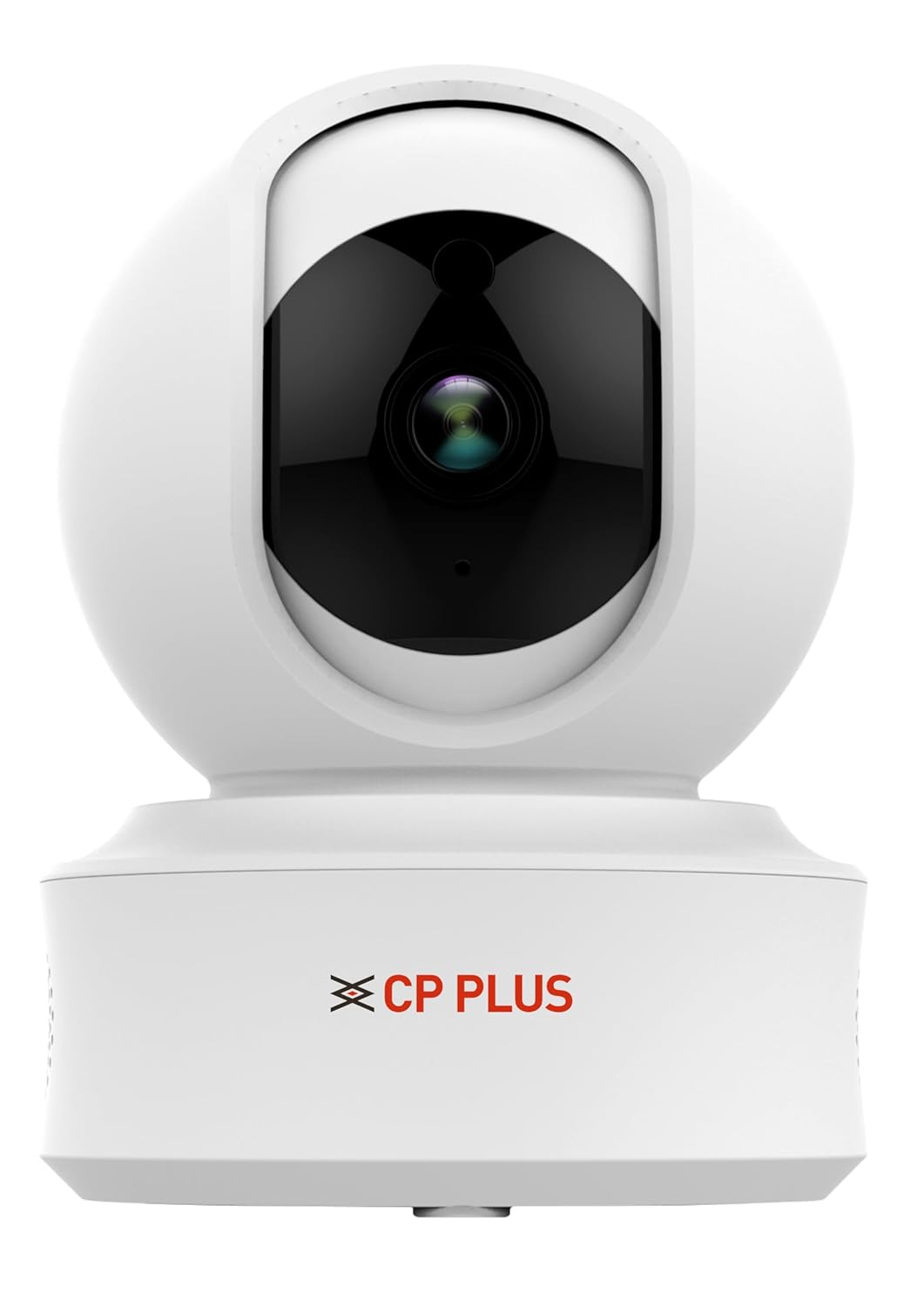
Figure 1: CP PLUS CP-E21Q Smart Wi-Fi CCTV Camera
2. ເນື້ອໃນຊຸດ
ກວດສອບວ່າລາຍການທັງຫມົດທີ່ລະບຸໄວ້ຂ້າງລຸ່ມນີ້ແມ່ນລວມຢູ່ໃນຊຸດຂອງທ່ານ:
- CP PLUS CP-E21Q Camera
- Power Adapter
- ສາຍສາກ
- ຢືນ
- ການຕິດຕັ້ງ Screw
3. ການຕິດຕັ້ງແລະການຕິດຕັ້ງ
3.1 ການຕິດຕັ້ງທາງດ້ານຮ່າງກາຍ
The CP-E21Q camera is designed for indoor use and can be placed on a tabletop or mounted on a ceiling using the provided stand and mounting screws.
- ເລືອກສະຖານທີ່: Select an indoor location that provides the desired viewing angle ແລະຢູ່ໃນຂອບເຂດຂອງເຄືອຂ່າຍ Wi-Fi ຂອງທ່ານ.
- ການຈັດວາງເທິງໂຕະ: ພຽງແຕ່ວາງກ້ອງຖ່າຍຮູບໄວ້ເທິງພື້ນຜິວທີ່ຮາບພຽງ ແລະ ໝັ້ນຄົງ.
- ການຕິດຕັ້ງເພດານ:
- ແນບຂາຕັ້ງກັບກ້ອງຖ່າຍຮູບ.
- Mark the screw positions on the ceiling using the stand as a template.
- Drill pilot holes and insert the mounting screws to secure the stand to the ceiling.
- Ensure the camera is securely fastened and oriented correctly.

ຮູບ 2: ດ້ານຫນ້າ view ຂອງກ້ອງຖ່າຍຮູບ
3.2 ການເຊື່ອມຕໍ່ພະລັງງານ
Connect the camera to a power source using the provided power adapter and charging cable.
- Insert the small end of the charging cable into the power port on the camera.
- ສຽບອະແດບເຕີໄຟເຂົ້າໄປໃນປລັກໄຟຟ້າມາດຕະຖານ.
- ກ້ອງຈະເປີດເຄື່ອງ, ແລະໄຟຊີ້ບອກຈະສະແດງສະຖານະຂອງມັນ.

ຮູບ 3: ກັບຄືນໄປບ່ອນ view of the camera showing power port
3.3 ການເຊື່ອມຕໍ່ເຄືອຂ່າຍ (Wi-Fi)
To connect your camera to your home Wi-Fi network, you will need the CP PLUS mobile application.
- ດາວໂຫລດ App ໄດ້: ຊອກຫາ the official CP PLUS app on your smartphone's app store (iOS or Android) and install it.
- ສ້າງບັນຊີ: ເປີດ app ແລະປະຕິບັດຕາມຄໍາແນະນໍາໃນຫນ້າຈໍເພື່ອສ້າງບັນຊີຜູ້ໃຊ້ໃຫມ່ຫຼືເຂົ້າສູ່ລະບົບຖ້າຫາກວ່າທ່ານມີແລ້ວ.
- ເພີ່ມອຸປະກອນ: Tap the '+' icon or 'Add Device' option in the app.
- Select Camera Type: Choose the appropriate camera model (CP-E21Q) or scan the QR code on the camera if available.
- ປະຕິບັດຕາມຄໍາແນະນໍາໃນແອັບ: The app will guide you through connecting the camera to your Wi-Fi network. This typically involves entering your Wi-Fi password and allowing the camera to scan a QR code displayed on your phone screen.
- ການຢືນຢັນ: Once connected, the camera's indicator light will change, and the app will confirm successful pairing.
3.4 ການຕິດຕັ້ງກາດ MicroSD (ທາງເລືອກ)
For local video storage, you can install a MicroSD card (up to 256GB).
- Locate the MicroSD card slot on the camera (refer to the camera's physical design for exact placement, often under the lens or on the side).
- ຄ່ອຍໆໃສ່ກາດ MicroSD ເຂົ້າໄປໃນຊ່ອງຈົນກວ່າມັນຈະຄລິກເຂົ້າທີ່.
- Format the MicroSD card through the camera settings in the mobile app for optimal performance.
4. ປະຕິບັດການກ້ອງຖ່າຍຮູບ
Access and control your CP-E21Q camera using the CP PLUS mobile application.
4.1 ດໍາລົງຊີວິດ View ແລະການຄວບຄຸມ Pan/Tilt
ເປີດ app ແລະເລືອກກ້ອງຖ່າຍຮູບຂອງທ່ານທີ່ຈະ view the live feed. Use the on-screen controls to remotely pan (rotate horizontally 360°) and tilt (rotate vertically 71°) the camera lens to monitor different areas.

Figure 4: Camera demonstrating pan and tilt capabilities

ຮູບທີ 5: ຕົວຢ່າງample of 360° view ການຄຸ້ມຄອງ
4.2 Two-Way Audio (View & Talk)
ກ້ອງຖ່າຍຮູບມີໄມໂຄຣໂຟນ ແລະ ລຳໂພງໃນຕົວ. ແຕະທີ່ໄອຄອນໄມໂຄຣໂຟນໃນແອັບເພື່ອເວົ້າຜ່ານກ້ອງຖ່າຍຮູບ ແລະ ຟັງສຽງຈາກສະຖານທີ່ຂອງກ້ອງຖ່າຍຮູບ.

Figure 6: Two-Way Communication via the app
4.3 Smart Detection Suite
Configure various detection settings in the app to receive alerts for specific events:
- ກວດຈັບການເຄື່ອນໄຫວ: ກວດຈັບການເຄື່ອນໄຫວທົ່ວໄປພາຍໃນຂອບເຂດຂອງກ້ອງຖ່າຍຮູບ view.
- ການກວດຈັບຮ່າງກາຍຂອງມະນຸດ: Specifically identifies human shapes, reducing false alarms.
- ການຊອກຄົ້ນຫາສຽງ: Triggers alerts based on detected sounds.
- ການຕິດຕາມ Motion: The camera automatically follows detected movement.
- ໄຊເຣນໃນຕົວ: Can be activated manually or automatically upon detection to deter intruders.
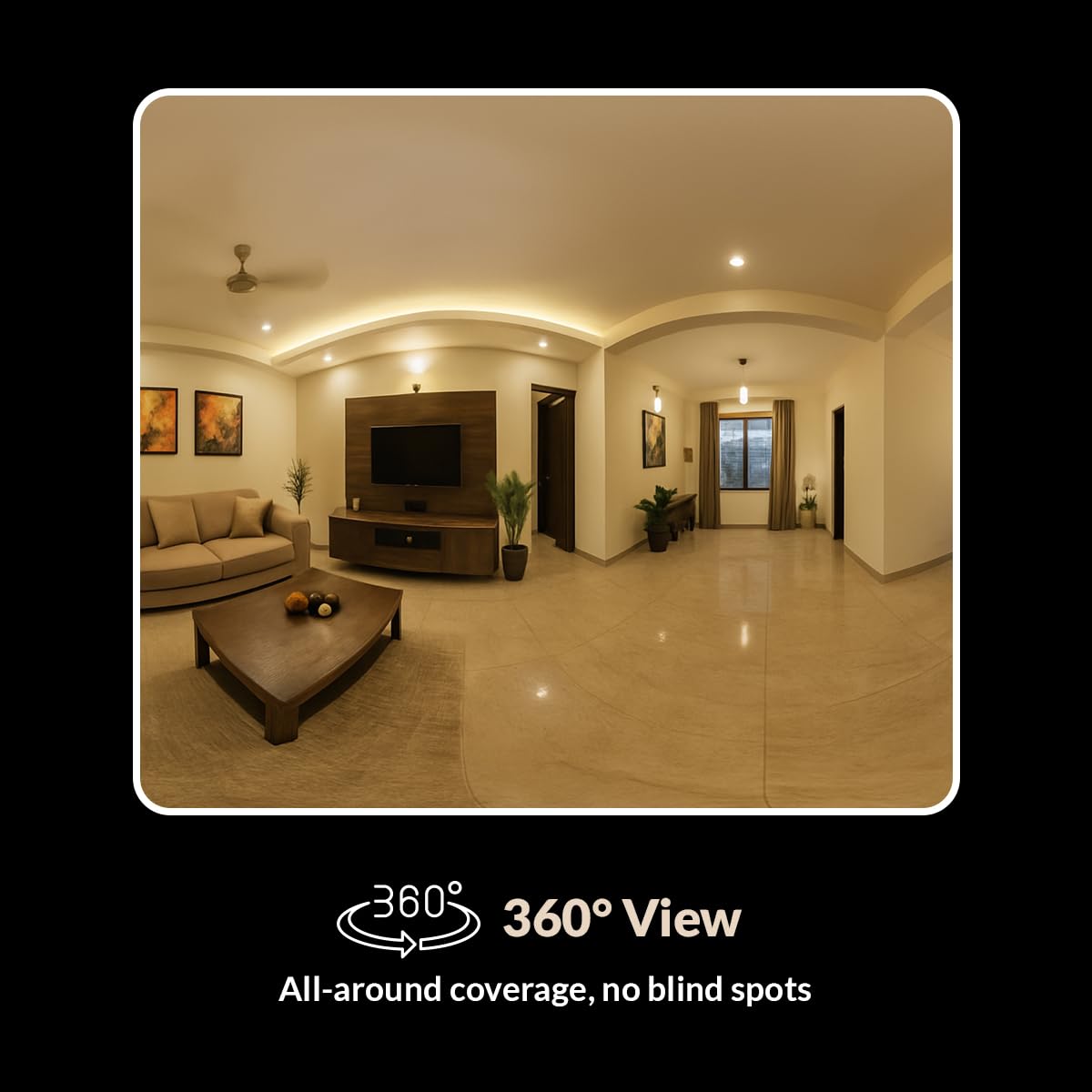
Figure 7: Smart Detection Suite capabilities
4.4 ວິໄສທັດກາງຄືນ
The camera automatically switches to infrared (IR) night vision in low-light conditions, providing clear black-and-white video up to 15 meters.
4.5 Cloud Recording and Local Storage
Recordings can be stored in two ways:
- ການບັນທຶກຄລາວ: Subscribe to CP PLUS cloud services for secure, remote access to your video history.
- ການເກັບຮັກສາທ້ອງຖິ່ນ: Videos are saved to an installed MicroSD card (up to 256GB). Manage recordings and playback through the app.

Figure 8: Cloud Recording for secure access
4.6 ໂໝດຄວາມເປັນສ່ວນຕົວ
Activate Privacy Mode via the app to temporarily disable video recording and live viewing when privacy is desired.
5. ບໍາລຸງຮັກສາ
5.1 ການທໍາຄວາມສະອາດ
To maintain optimal performance, periodically clean the camera lens and exterior.
- ໃຫ້ແນ່ໃຈວ່າກ້ອງຖ່າຍຮູບຖືກປິດແລ້ວກ່ອນທຳຄວາມສະອາດ.
- ໃຊ້ຜ້າປຽກແຫ້ງເພື່ອເຊັດຕົວກ້ອງ.
- ສໍາລັບເລນ, ໃຊ້ຜ້າເຮັດຄວາມສະອາດເລນແລະການແກ້ໄຂການເຮັດຄວາມສະອາດເລນພິເສດເພື່ອຫຼີກເວັ້ນການຂັດ.
- ຢ່າໃຊ້ສານເຄມີທີ່ຮຸນແຮງຫຼືນໍ້າຢາ ທຳ ຄວາມສະອາດທີ່ຫຍາບຄາຍ.
5.2 ການອັບເດດເຟີມແວ
Regularly check the CP PLUS app for available firmware updates. Updates often include performance improvements, new features, and security enhancements. Follow the in-app instructions to perform firmware updates.
6. ການແກ້ໄຂບັນຫາ
If you encounter issues with your CP-E21Q camera, refer to the following common problems and solutions:
| ບັນຫາ | ການແກ້ໄຂທີ່ເປັນໄປໄດ້ |
|---|---|
| ກ້ອງຖ່າຍຮູບບໍ່ໄດ້ເຊື່ອມຕໍ່ກັບ Wi-Fi |
|
| ຄຸນນະພາບວິດີໂອບໍ່ດີ ຫຼື ຮູບພາບມົວ |
|
| Motion detection alerts are inconsistent |
|
| Two-way audio issues (echo, low volume) |
|
| Camera frequently goes offline or glitches during live view |
|
7. ຂໍ້ມູນຈໍາເພາະ
| ຄຸນສົມບັດ | ລາຍລະອຽດ |
|---|---|
| ຊື່ຕົວແບບ | CP-E21Q (Ezykam) |
| ຄວາມລະອຽດການຖ່າຍວິດີໂອ | 1080p (Full HD) |
| ເຕັກໂນໂລຊີການເຊື່ອມຕໍ່ | ໄຮ້ສາຍ (Wi-Fi) |
| ອະນຸສັນຍາການເຊື່ອມຕໍ່ | Wi-Fi (2.4GHz) |
| ຄຸນນະສົມບັດພິເສດ | 2 Way Audio, HD Resolution, Motion Sensor, Night Vision, Pan & Tilt |
| ການນຳໃຊ້ພາຍໃນ/ນອກ | ພາຍໃນ |
| ແຫຼ່ງພະລັງງານ | ໄຟຟ້າສາຍ |
| ປະເພດການຕິດຕັ້ງ | ພູຕັ້ງໂຕະ |
| ຂະໜາດສິນຄ້າ (LxWxH) | 7.7 x 7.7 x 10.7 cm |
| ນ້ໍາຫນັກລາຍການ | 176 g |
| ຮອງຮັບ MicroSD Card | ສູງສຸດ 256GB |
8. ການຮັບປະກັນແລະການສະຫນັບສະຫນູນ
Your CP PLUS CP-E21Q camera is manufactured by AIL DIXON Technologies and imported by Aditya Infotech Ltd. For specific warranty terms and conditions, please refer to the warranty card included with your product or visit the official CP PLUS webເວັບໄຊ.
For technical assistance, troubleshooting beyond this manual, or warranty claims, please contact CP PLUS customer support. Contact details can typically be found on the product packaging, the official CP PLUS webເວັບໄຊທ໌, ຫຼືພາຍໃນແອັບພລິເຄຊັນມືຖື.


