ແນະນຳ
This manual provides essential information for the NIMO 15.6-inch Light Gaming Laptop N15A. It covers setup, operation, maintenance, troubleshooting, and product specifications. Please read this manual thoroughly before using your new laptop to ensure proper function and longevity.

Image: NIMO 15.6-inch Light Gaming Laptop N15A, showcasing ຈໍສະແດງຜົນ ແລະ ແປ້ນພິມເຕັມຮູບແບບ.
ເນື້ອໃນຊຸດ
Verify that all items listed below are present in your product packaging. If any items are missing or damaged, please contact NIMO customer support.
- 1 x NIMO N15A Laptop
- 1 x ເຄື່ອງສາກໄຟໄວ Type-C 100W PD
- 1 x ຄູ່ມືຜູ້ໃຊ້
- Windows 11 Home Operating System (pre-installed)
ສິນຄ້າເກີນview
The NIMO N15A laptop is designed for balanced performance, featuring an AMD Ryzen 7 Pro 6850U processor, 32GB LPDDR5 RAM, and a 1TB PCIe 4.0 SSD. It includes a 15.6-inch Full HD IPS display, a backlit keyboard, and an integrated fingerprint reader for secure access.
ຄຸນນະສົມບັດທີ່ສໍາຄັນ:
- ໜ່ວຍປະມວນຜົນ: AMD Ryzen 7 Pro 6850U with 8 Cores and 16 Threads, up to 4.7GHz.
- ຮູບພາບ: GPU AMD Radeon 680M ປະສົມປະສານ.
- ໜ່ວຍຄວາມຈຳ: 32GB LPDDR5 RAM for efficient multitasking.
- ການເກັບຮັກສາ: 1TB PCIe 4.0 SSD for fast boot times and data access.
- ຈໍສະແດງຜົນ: 15.6-inch Full HD (1920x1080) IPS Anti-Glare Display.
- ການສາກໄຟ: 100W USB-C Power Delivery fast charging.
- ຄວາມປອດໄພ: Integrated fingerprint reader for secure login.
- ແປ້ນພິມ: Backlit keyboard for use in various lighting conditions.

Image: Visual representation of the AMD Ryzen 7 Pro 6850U processor's core and thread count, and turbo boost speed.
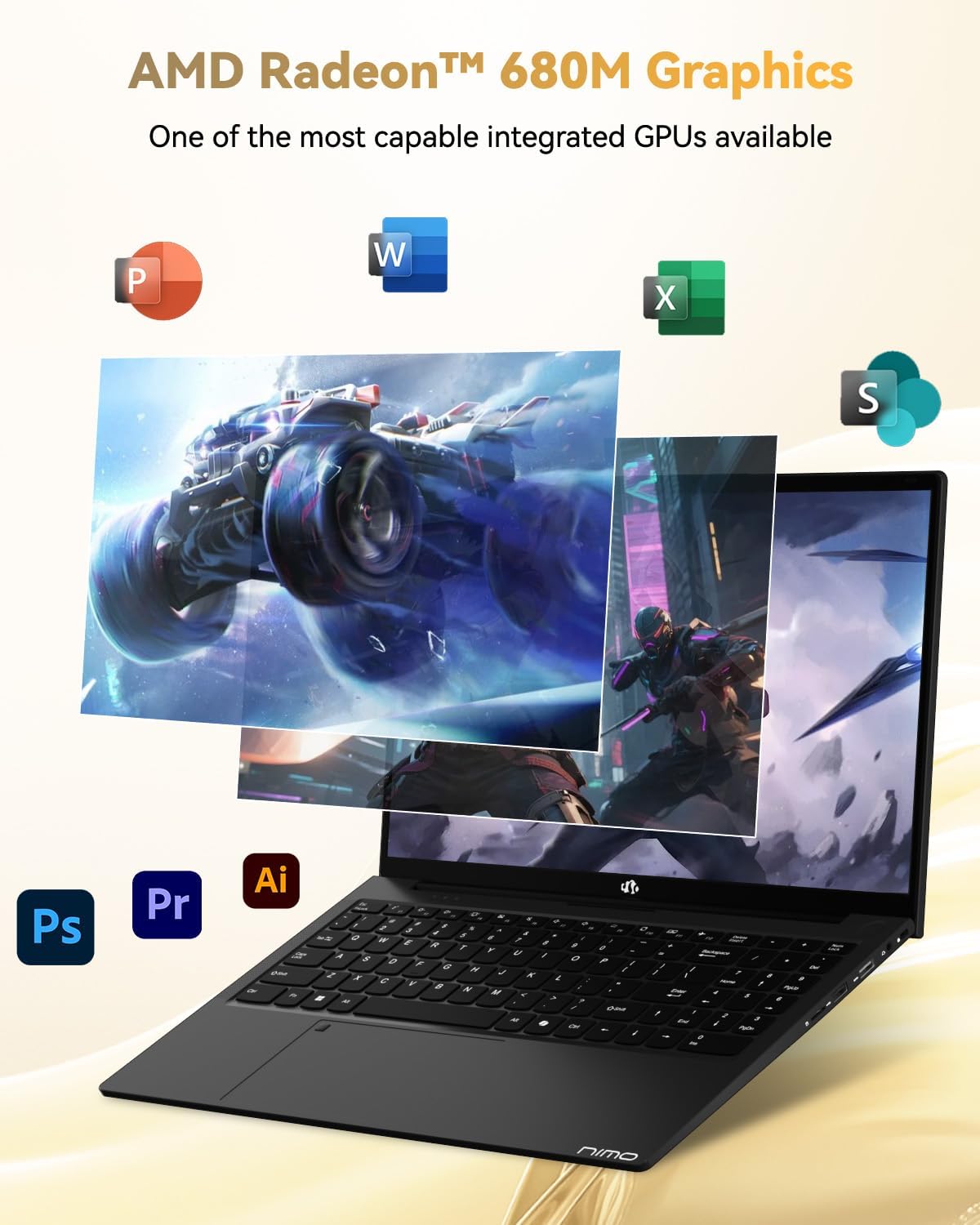
Image: Illustration highlighting the capabilities of the AMD Radeon 680M integrated graphics for various applications.

Image: Diagram showing the 32GB LPDDR5 RAM and 1TB PCIe 4.0 SSD for seamless multitasking and ample ການເກັບຮັກສາ.
Image: The NIMO N15A laptop displaying a vibrant image on its 15.6-inch Full HD IPS screen.
ພອດ ແລະການເຊື່ອມຕໍ່:

Image: Diagram illustrating the various ports on the NIMO N15A laptop, including USB, HDMI, and Type-C.
- ຕົວອ່ານ Micro SD
- ພອດ USB 2.0
- USB 3.2 Ports (multiple)
- Jack ຫູຟັງ
- Kensington Lock Slot
- Type-C (Multifunction) Ports (supporting charging and data transfer)
- ພອດ HDMI
ຕັ້ງຄ່າ
1. Initial Charging and Power On:
- Connect the provided 100W Type-C PD Fast Charger to the laptop's Type-C charging port and a power outlet.
- Allow the laptop to charge for at least 30 minutes before initial use, or until the charging indicator shows sufficient battery.
- ກົດປຸ່ມເປີດປິດທີ່ຕັ້ງຢູ່ເທິງແປ້ນພິມເພື່ອເປີດແລັບທັອບ.

Image: Illustration of the NIMO N15A laptop being charged with the 100W Type-C PD Fast Charger.
2. Windows 11 Initial Setup:
ປະຕິບັດຕາມຄຳແນະນຳໃນໜ້າຈໍເພື່ອເຮັດສຳເລັດຂະບວນການຕິດຕັ້ງ Windows 11. ໂດຍປົກກະຕິແລ້ວນີ້ປະກອບມີ:
- ການເລືອກພາກພື້ນ ແລະຮູບແບບແປ້ນພິມຂອງທ່ານ.
- ກຳລັງເຊື່ອມຕໍ່ກັບເຄືອຂ່າຍ Wi-Fi.
- ເຂົ້າສູ່ລະບົບດ້ວຍບັນຊີ Microsoft ຫຼືສ້າງບັນຊີທ້ອງຖິ່ນ.
- ຕັ້ງຄ່າ PIN ຫຼືລະຫັດຜ່ານ.
- ກຳລັງຕັ້ງຄ່າຄວາມເປັນສ່ວນຕົວ.
ຄໍາແນະນໍາການດໍາເນີນງານ
ການຄຸ້ມຄອງພະລັງງານ:
- ເປີດ: ກົດປຸ່ມເປີດປິດ.
- ຮູບແບບການນອນ: ປິດຝາ ຫຼືກົດປຸ່ມເປີດປິດຊົ່ວຄາວ.
- ປິດລົງ: ຄລິກປຸ່ມ Start, ຈາກນັ້ນກົດປຸ່ມ Power, ຈາກນັ້ນກົດປຸ່ມ Shut down.
- ຣີສະຕາດ: ຄລິກປຸ່ມ Start, ຈາກນັ້ນກົດປຸ່ມ Power, ຈາກນັ້ນກົດປຸ່ມ Restart.
ແປ້ນພິມ ແລະ Touchpad:

ຮູບພາບ: ໃກ້ຊິດ view of the NIMO N15A laptop's backlit keyboard and the integrated fingerprint reader on the touchpad.
- ແປ້ນພິມ Backlit: Use the dedicated function key (usually Fn + Fx) to toggle the keyboard backlight on/off and adjust brightness levels.
- ເຄື່ອງອ່ານລາຍນິ້ວມື: The fingerprint reader is integrated into the touchpad. During Windows setup, you can configure your fingerprint for secure, quick login.
- Precision Touchpad: ສະຫນັບສະຫນູນ gestures multi-touch ສໍາລັບການນໍາທາງ. ເບິ່ງການຕັ້ງຄ່າ Windows ສໍາລັບການປັບແຕ່ງ.
ເຊື່ອມຕໍ່ອຸປະກອນຕໍ່ພ່ວງ:
Utilize the various ports to connect external devices such as monitors, printers, external storage, and audio devices.
- ອຸປະກອນ USB: Plug USB devices into the available USB 2.0 or USB 3.2 ports.
- ການສະແດງພາຍນອກ: Connect an external monitor or TV using the HDMI port or a compatible Type-C adapter.
- ສຽງ: Use the 3.5mm headphone jack for headphones or external speakers.
ຄວາມເປັນສ່ວນຕົວຂອງກ້ອງຖ່າຍຮູບ:

Image: Illustration of the NIMO N15A laptop's built-in privacy camera switch, allowing users to easily disable the webກ້ອງ
The NIMO N15A laptop features a built-in privacy camera switch. This allows you to physically disable the 2.0MP webcam when not in use, ensuring your privacy.
ບໍາລຸງຮັກສາ
ທໍາຄວາມສະອາດ Laptop ໄດ້:
- ປິດຄອມພິວເຕີແລັບທັອບ ແລະຕັດສາຍສາກກ່ອນທຳຄວາມສະອາດ.
- ໃຊ້ຜ້າແພທີ່ອ່ອນໆ ທີ່ບໍ່ມີເສັ້ນດ່າງ dampສໍາເລັດດ້ວຍນ້ໍາຫຼືເຄື່ອງເຮັດຄວາມສະອາດຫນ້າຈໍສໍາລັບຈໍສະແດງຜົນ.
- ສໍາລັບແປ້ນພິມ ແລະຕົວເຄື່ອງ, ໃຫ້ໃຊ້ຜ້າອ່ອນໆ. ຫຼີກເວັ້ນການສານເຄມີທີ່ຮຸນແຮງຫຼືວັດສະດຸຂັດ.
- ໃຊ້ອາກາດບີບອັດເພື່ອລ້າງຂີ້ຝຸ່ນອອກຈາກກະແຈແປ້ນພິມ ແລະຊ່ອງລະບາຍອາກາດ.
ການດູແລຫມໍ້ໄຟ:
- ຫຼີກລ້ຽງການປະຈຸຫມໍ້ໄຟຢ່າງເຕັມທີ່ເລື້ອຍໆ.
- ເກັບຮັກສາຄອມພິວເຕີໂນດບຸກໄວ້ໃນບ່ອນທີ່ເຢັນແລະແຫ້ງ ຖ້າບໍ່ໄດ້ໃຊ້ເປັນເວລາດົນ ໂດຍໃຫ້ແບັດເຕີຣີສາກໄວ້ປະມານ 50-70%.
- Use only the original NIMO 100W Type-C PD Fast Charger.
ອັບເດດຊອບແວ:
- ກວດສອບ ແລະຕິດຕັ້ງການອັບເດດ Windows ເປັນປະຈຳເພື່ອຮັບປະກັນຄວາມໝັ້ນຄົງ ແລະຄວາມປອດໄພຂອງລະບົບ.
- Keep device drivers updated, especially for graphics and chipset, by checking the NIMO support webເວັບໄຊທ໌ ຫຼື Windows Update.
ການແກ້ໄຂບັນຫາ
| ບັນຫາ | ການແກ້ໄຂທີ່ເປັນໄປໄດ້ |
|---|---|
| ແລັບທັອບບໍ່ເປີດ. | Ensure the charger is properly connected and the power outlet is functional. Allow the battery to charge for at least 30 minutes. If the issue persists, contact support. |
| ຈໍສະແດງຜົນຫວ່າງເປົ່າ ຫຼື flickering. | Try connecting an external monitor to check if the issue is with the laptop's display. Adjust display brightness. Restart the laptop. |
| ການປະຕິບັດຊ້າ. | Close unnecessary applications. Check for background processes consuming high resources. Ensure sufficient free storage space. Run a system scan for malware. |
| ໄຟຫຼັງແປ້ນພິມບໍ່ເຮັດວຽກ. | Press the dedicated function key combination (e.g., Fn + Fx) to toggle or adjust the backlight. Check keyboard settings in Windows. |
| Fingerprint reader not responding. | Ensure your finger is clean and dry. Re-register your fingerprint in Windows settings. Restart the laptop. |
For issues not listed here or if solutions do not resolve the problem, please refer to the Warranty and Support section for assistance.
ຂໍ້ມູນຈໍາເພາະ
| ຄຸນສົມບັດ | ລາຍລະອຽດ |
|---|---|
| ຍີ່ຫໍ້ | ນິໂມ |
| ຊື່ຕົວແບບ | NIMO N15AL (N15A) |
| ຂະໜາດໜ້າຈໍ | 15.6 ນິ້ວ |
| ຄວາມລະອຽດໜ້າຈໍ | - ຄວາມລະອຽດ 1920 x 1080 ພິກເຊວ (Full HD) |
| ໂຮງງານຜະລິດ | AMD Ryzen 7 Pro 6850U (8 Cores, up to 4.7 GHz) |
| RAM | 32 GB LPDDR5 (6400 MHz) |
| ຮາດດິດ | 1024 GB SSD (PCIe 4.0, Solid State) |
| Graphics Coprocessor | AMD Radeon 680M (ປະສົມປະສານ) |
| ລະບົບປະຕິບັດການ | Windows 11 |
| ປະເພດໄຮ້ສາຍ | 802.11a/b/g/n/ac |
| ພອດ USB 2.0 | 1 |
| USB 3.0/3.2 Ports | 4 |
| ອາຍຸຫມໍ້ໄຟສະເລ່ຍ | 9 ຊົ່ວໂມງ |
| ນ້ໍາຫນັກລາຍການ | 3.75 ປອນ |
| ຂະໜາດສິນຄ້າ | 14.07 x 8.98 x 0.76 ນິ້ວ |
| ສີ | ດຳ |
| ຫລັງ Webຄວາມລະອຽດກ້ອງ | 2 MP |
| ຄຸນນະສົມບັດພິເສດ | ແປ້ນພິມ Backlit, ເຄື່ອງອ່ານລາຍນິ້ວມື, ສຽງ HD, ປຸ່ມກົດຕົວເລກ |
ການຮັບປະກັນແລະການສະຫນັບສະຫນູນ
NIMO provides comprehensive support for your laptop.
- ການຮັບປະກັນ: Your NIMO N15A laptop comes with a 2-year manufacturer's warranty.
- ນະໂຍບາຍການສົ່ງຄືນ: A 90-day hassle-free return policy is offered from the date of purchase.
- ການຊ່ວຍເຫຼືອລູກຄ້າ: For technical assistance, warranty claims, or product-related inquiries, please contact NIMO customer support.
Contact information for support is typically available on the official NIMO website or through the product's packaging.
ຂໍ້ມູນຄວາມປອດໄພ
ສຳຄັນ: Read and follow these safety guidelines to prevent damage to your device or personal injury.
- ໃຊ້ສະເພາະເຄື່ອງສາກໄຟຕົ້ນສະບັບເທົ່ານັ້ນ ແລະ ກວດກາສາຍໄຟເປັນປະຈຳເພື່ອໃຫ້ແນ່ໃຈວ່າສາຍໄຟບໍ່ເສຍຫາຍ.
- ຈັບຄອມພິວເຕີໂນດບຸກດ້ວຍຖານຂອງມັນ ແລະ ພິຈາລະນາໃຊ້ກະເປົ໋າປ້ອງກັນ. ຫຼີກລ່ຽງການວາງວັດຖຸໜັກໃສ່ມັນ.
- Place the laptop on a hard, flat surface to ensure proper ventilation and prevent overheating. Keep it away from extreme temperatures and moisture.
- Do not overcharge the battery. Discontinue use if the battery shows signs of swelling or damage.
- Set strong passwords, keep software updated, use antivirus software, and regularly back up your data.
- ໃນກໍລະນີທີ່ມີນ້ຳຮົ່ວໄຫຼ, ໃຫ້ຖອດປລັກໄຟຄອມພິວເຕີໂນດບຸກທັນທີ ແລະ ປ່ອຍໃຫ້ມັນແຫ້ງສະນິດກ່ອນທີ່ຈະພະຍາຍາມເປີດມັນ.
- For any issues, consult qualified professionals. Do not attempt to disassemble or repair the device yourself.
ການປະຕິເສດທາງກົດໝາຍ
This NIMO laptop is provided "as is," without express or implied warranties, except for any applicable manufacturer's limited warranty. Implied warranties of merchantability or fitness for a specific purpose are disclaimed. NIMO is not liable for damages resulting from misuse (e.g., non-approved chargers, unauthorized repairs), physical damage, or failure to adhere to safety guidelines, including data loss or business interruption. Users are responsible for regularly backing up their data. This disclaimer does not exclude liability for manufacturing defects or violations of mandatory local laws. By using this laptop, you accept these terms, which are governed by the laws of the applicable jurisdiction.


