1. ບົດແນະນຳ
This manual provides essential information for setting up, operating, maintaining, and troubleshooting your NIMO N158 15.6-inch laptop. Please read this manual thoroughly before using your device to ensure optimal performance and longevity.
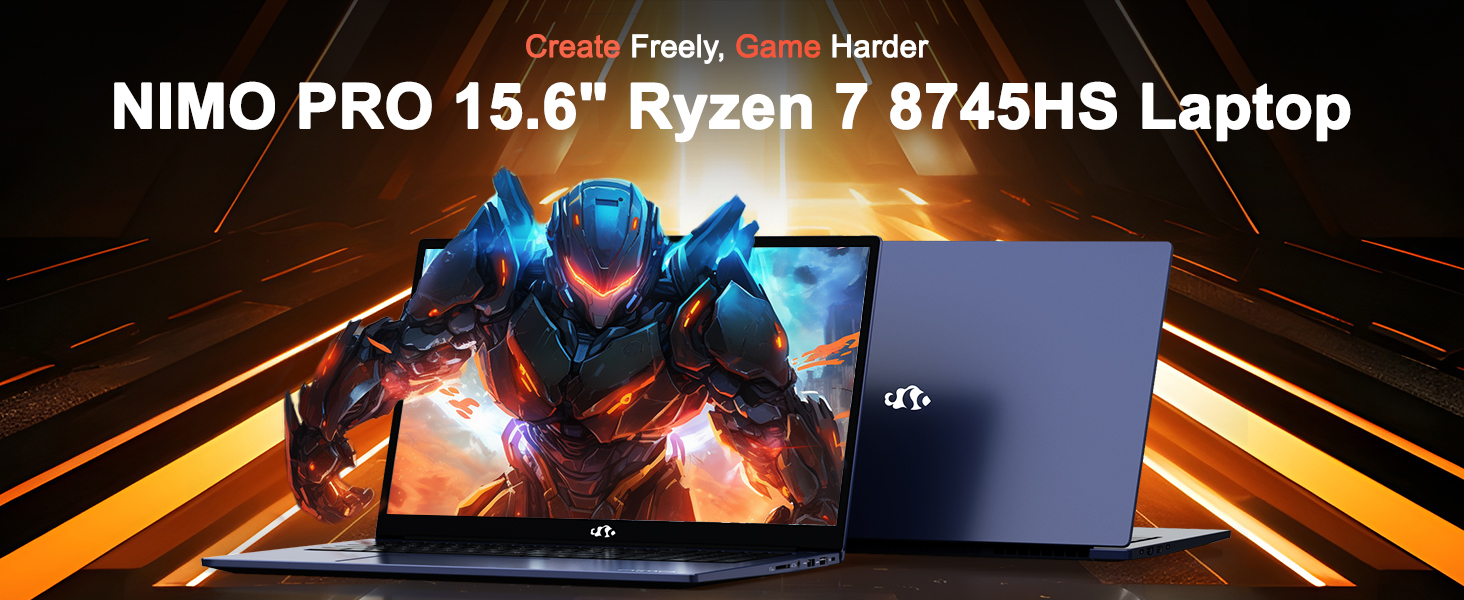
Image: The NIMO N158 15.6-inch laptop, showcasing ການອອກແບບແລະລັກສະນະທີ່ສໍາຄັນຂອງມັນ.
2. ຜະລິດຕະພັນເກີນview
The NIMO N158 is a high-performance laptop designed for productivity and entertainment. It features an AMD Ryzen 7 8745HS processor, 64GB DDR5 RAM, and a 1TB PCIe 4.0 SSD.
2.1 ອົງປະກອບຫຼັກ
- ໜ່ວຍປະມວນຜົນ: AMD Ryzen 7 8745HS (8 Cores, 16 Threads, up to 4.9GHz)
- ຮູບພາບ: AMD Radeon 780M Integrated Graphics
- ໜ່ວຍຄວາມຈຳ: 64GB DDR5 RAM (4800 MHz)
- ການເກັບຮັກສາ: SSD PCIe 4.0 ຂະໜາດ 1TB
- ຈໍສະແດງຜົນ: ໜ້າຈໍ 15.6 ນິ້ວ Full HD (1920x1080) IPS ຕ້ານແສງສະທ້ອນ
- ລະບົບປະຕິບັດການ: ໜ້າຫຼັກ Windows 11
- ແບັດເຕີຣີ: 75Wh Lithium Polymer
2.2 ພອດແລະການໂຕ້ຕອບ
The NIMO N158 laptop offers a variety of ports for connectivity:

Image: Diagram illustrating the various ports and interfaces on the NIMO N158 laptop.
- 1 x USB 2.0 ພອດ
- 3 x USB 3.0 ພອດ
- 1 x USB 4.0 Type-C Port (with 100W PD fast charging support)
- 1 x ພອດ HDMI
- 1 x ຊ່ອງສຽບຫູຟັງ
- 1 x SD Card Reader
- 1 x Kensington Lock Slot
3. ຕັ້ງຄ່າ
3.1 ການເປີດ ແລະສາກເບື້ອງຕົ້ນ
- Unpack the laptop and the included 100W Type-C PD Fast Charger.
- Connect the charger to the USB Type-C port on the laptop and to a power outlet. The Charger LED will illuminate.
- ອະນຸຍາດໃຫ້ແລັບທັອບສາກໄຟຢ່າງໜ້ອຍ 30 ນາທີກ່ອນການໃຊ້ງານໃນເບື້ອງຕົ້ນ, ຫຼືຈົນກວ່າຕົວຊີ້ບອກແບັດເຕີຣີສະແດງໃຫ້ເຫັນການສາກພຽງພໍ.
- ກົດປຸ່ມເປີດປິດເພື່ອເປີດແລັບທັອບ.

Image: The NIMO N158 laptop connected to its 100W Type-C fast charger, illustrating the charging process.
3.2 ການຕິດຕັ້ງລະບົບປະຕິບັດການ
Upon first boot, you will be guided through the Windows 11 Home setup process. Follow the on-screen instructions to configure your language, region, network connection, and user account.
3.3 ການຕິດຕັ້ງເຄື່ອງອ່ານລາຍນິ້ວມື
For enhanced security, set up the integrated fingerprint reader during the Windows 11 setup or later via Windows Settings > Accounts > Sign-in options. This allows for quick and secure login.
4. ຄໍາແນະນໍາການດໍາເນີນງານ
4.1 ແປ້ນພິມ ແລະ ແຜ່ນສໍາຜັດ
- ແປ້ນພິມ Backlit: The keyboard features backlighting for comfortable typing in low-light conditions. Use the designated function key (Fn + F key combination, typically) to adjust brightness or toggle the backlight.
- ປຸ່ມກົດຕົວເລກ: ປຸ່ມກົດຕົວເລກສະເພາະແມ່ນລວມເຂົ້າສໍາລັບການປ້ອນຂໍ້ມູນທີ່ມີປະສິດທິພາບ.
- Precision Gesture Touchpad: ແຜງສຳຜັດຮອງຮັບທ່າທາງຫຼາຍສຳຜັດສຳລັບການນຳທາງ. ໃຫ້ອ້າງອີງເຖິງການຕັ້ງຄ່າ Windows ສຳລັບການປັບແຕ່ງທ່າທາງແຜງສຳຜັດ.

Image: A user interacting with the NIMO N158 laptop, highlighting the backlit keyboard and fingerprint reader on the touchpad.
4.2 ຈໍສະແດງຜົນ
The 15.6-inch Full HD IPS anti-glare display provides clear and vibrant visuals. Adjust display settings (resolution, brightness, color) through Windows Display Settings.

Image: The NIMO N158 laptop displaying a vibrant image on its 15.6-inch Full HD IPS screen, emphasizing visual quality.
4.3 Webກ້ອງ
The laptop includes a 2MP webcam. For privacy, a physical webcam shield or switch is integrated. Ensure the webcam is open when in use and closed when not needed.

Image: A visual representation of the NIMO N158 laptop's privacy-focused camera, showing the open and closed states of the webcam switch.
4.4 ປະສິດທິພາບ ແລະການເຮັດວຽກຫຼາຍວຽກ
The AMD Ryzen 7 8745HS processor and 64GB DDR5 RAM provide robust performance for demanding tasks, content creation, and gaming. The 1TB PCIe 4.0 SSD ensures fast boot times and application loading.

Image: A close-up of the AMD Ryzen 7 8745HS processor chip, highlighting its core specifications.
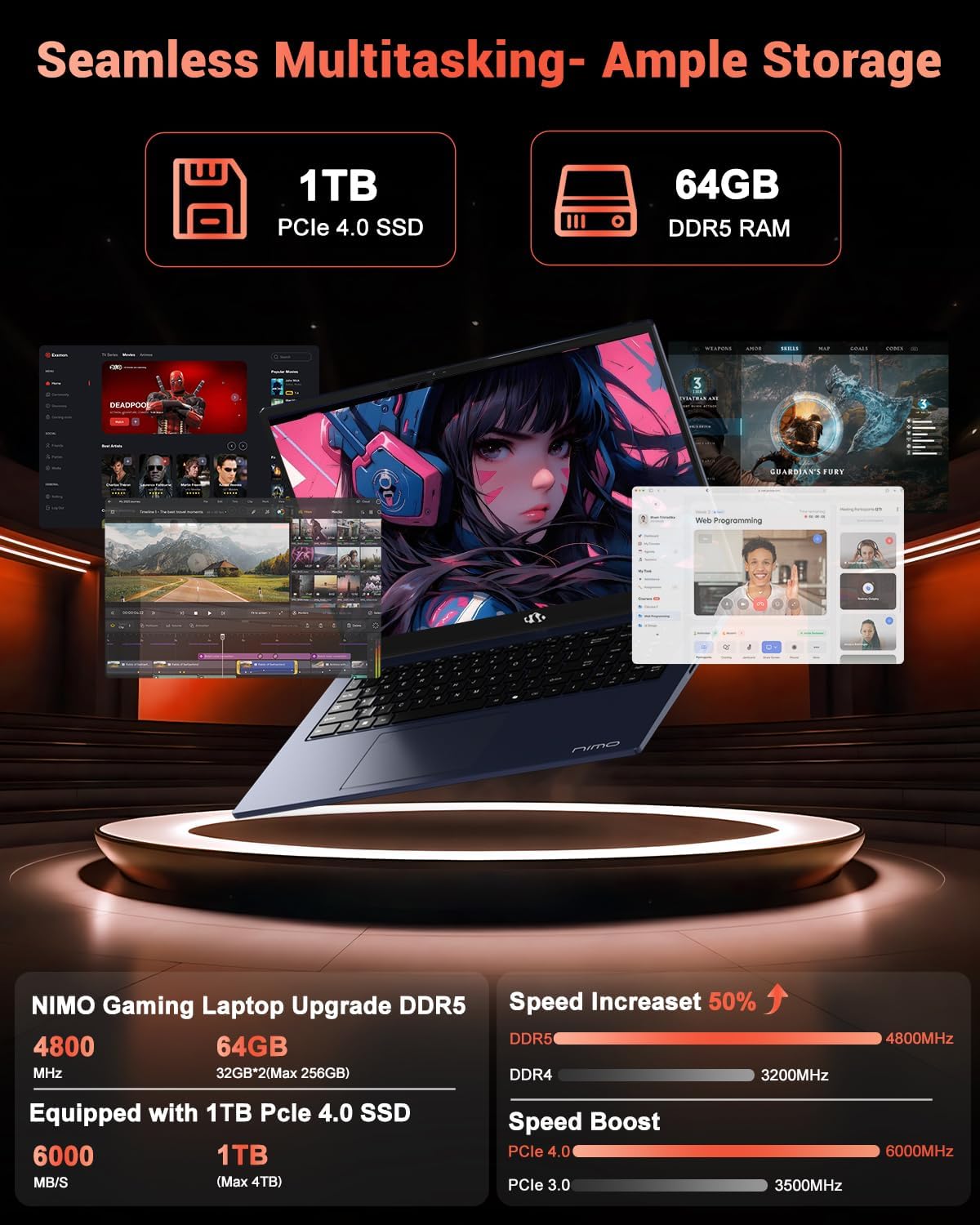
Image: The NIMO N158 laptop displaying multiple applications open, demonstrating its multitasking capabilities with 64GB RAM and 1TB SSD.
5. ບໍາລຸງຮັກສາ
5.1 ການເບິ່ງແຍງທົ່ວໄປ
- ຮັກສາຄອມພິວເຕີໂນດບຸກໃຫ້ສະອາດໂດຍການເຊັດພື້ນຜິວຕ່າງໆດ້ວຍຜ້າອ່ອນແລະແຫ້ງ.
- ຫຼີກລ່ຽງການເອົາຄອມພິວເຕີໂນດບຸກໄປໄວ້ໃນອຸນຫະພູມທີ່ສູງເກີນໄປ, ແສງແດດໂດຍກົງ, ຫຼື ຄວາມຊຸ່ມ.
- ຢ່າວາງວັດຖຸໜັກໄວ້ເທິງຄອມພິວເຕີໂນດບຸກ.
- ຮັບປະກັນການລະບາຍອາກາດທີ່ເຫມາະສົມໂດຍການບໍ່ຕັນຊ່ອງລະບາຍອາກາດ.
5.2 ການຍົກລະດັບ
The NIMO N158 features an upgradable design, allowing for expansion of memory (RAM) and storage (SSD). Consult a qualified technician or refer to official NIMO support resources before attempting any internal upgrades to avoid voiding your warranty.
6. ການແກ້ໄຂບັນຫາ
If you encounter issues with your NIMO N158 laptop, consider the following basic troubleshooting steps:
- ບໍ່ມີພະລັງງານ: Ensure the charger is securely connected and the power outlet is functional. Try a different outlet.
- ສະແດງບັນຫາ: Check external display connections if using one. Adjust screen brightness. Restart the laptop.
- ປະສິດທິພາບຊ້າ: ປິດແອັບພລິເຄຊັນທີ່ບໍ່ຈໍາເປັນ. ກວດເບິ່ງການອັບເດດພື້ນຫຼັງ. ຮັບປະກັນພື້ນທີ່ຈັດເກັບຂໍ້ມູນຫວ່າງພຽງພໍ.
- ບັນຫາການເຊື່ອມຕໍ່: Restart your Wi-Fi router. Reconnect to the Wi-Fi network. Update network drivers.
- ລະບົບຄ້າງ: ກົດປຸ່ມເປີດປິດຄ້າງໄວ້ 10-15 ວິນາທີເພື່ອບັງຄັບໃຫ້ປິດເຄື່ອງ, ຈາກນັ້ນຣີສະຕາດ.
For persistent issues, refer to the NIMO support webເວັບໄຊ ຫຼືຕິດຕໍ່ບໍລິການລູກຄ້າ.
7. ຂໍ້ມູນຈໍາເພາະ
| ຄຸນສົມບັດ | ຂໍ້ມູນຈໍາເພາະ |
|---|---|
| ຍີ່ຫໍ້ | ນິໂມ |
| ຊື່ຕົວແບບ | NIMO N158B |
| ຂະໜາດໜ້າຈໍ | 15.6 ນິ້ວ |
| ຄວາມລະອຽດໜ້າຈໍ | 1920 x 1080 ພິກເຊວ (FHD IPS) |
| ໂຮງງານຜະລິດ | AMD Ryzen 7 8745HS (ສູງສຸດ 4.9 GHz) |
| RAM | 64 GB DDR5 (4800 MHz) |
| ຮາດດິດ | 1024 GB SSD (PCIe 4.0) |
| Graphics Coprocessor | AMD Radeon 780M |
| ລະບົບປະຕິບັດການ | ໜ້າຫຼັກ Windows 11 |
| ປະເພດໄຮ້ສາຍ | 802.11a/b/g/n/ac (Wi-Fi 6E) |
| ພອດ USB 2.0 | 1 |
| ພອດ USB 3.0 | 3 |
| ພອດ USB 4.0 Type-C | 1 |
| ອາຍຸຫມໍ້ໄຟສະເລ່ຍ | 15.5 ຊົ່ວໂມງ |
| ນ້ໍາຫນັກລາຍການ | 3.8 ປອນ |
| ຂະໜາດສິນຄ້າ | 14.07 x 8.98 x 0.76 ນິ້ວ |
| ຄຸນນະສົມບັດພິເສດ | ແປ້ນພິມ Backlit, ເຄື່ອງອ່ານລາຍນິ້ວມື, ສຽງ HD, ປຸ່ມກົດຕົວເລກ |
8. ການຮັບປະກັນແລະການສະຫນັບສະຫນູນ
NIMO is committed to providing excellent customer service and product support.
8.1 ຂໍ້ມູນການຮັບປະກັນ
ແລັບທັອບ NIMO N158 ຂອງທ່ານມາພ້ອມກັບ ຮັບປະກັນ 2 ປີ ຈາກວັນທີ່ຊື້. ການຮັບປະກັນນີ້ກວມເອົາຄວາມບົກຜ່ອງດ້ານການຜະລິດແລະຄວາມຜິດປົກກະຕິຂອງຮາດແວພາຍໃຕ້ການນໍາໃຊ້ປົກກະຕິ. ກະລຸນາຮັກສາຫຼັກຖານການຊື້ຂອງທ່ານສໍາລັບການຮຽກຮ້ອງການຮັບປະກັນ.

Image: A technician performing maintenance on a laptop, representing the 2-year support provided by NIMO.
8.2 ນະໂຍບາຍການກັບຄືນ
NIMO offers a ນະໂຍບາຍການສົ່ງຄືນພາຍໃນ 90 ມື້ໂດຍບໍ່ມີບັນຫາຫຍຸ້ງຍາກ. If you are not satisfied with your purchase, you may return the product within 90 days from the date of purchase. Please refer to the official NIMO return policy for detailed terms and conditions.

Image: A delivery person handing a package to a customer, illustrating the 90-day return policy.
8.3 ສະຫນັບສະຫນູນລູກຄ້າ
Our dedicated support team is available to assist you with any questions or issues. You can reach us via:
- ອີເມວ: service@nimopc.com
- ອອນລາຍ: ເຂົ້າເບິ່ງ NIMO ຢ່າງເປັນທາງການ webເວັບໄຊທ໌ສໍາລັບ FAQs ແລະຊັບພະຍາກອນສະຫນັບສະຫນູນ.
We strive to provide quick solutions and a worry-free experience.

Image: Customer service representatives wearing headsets, representing professional customer assistance.


