1. ບົດແນະນຳ
The Baseus Inspire XP1 Adaptive Noise Cancelling Earbuds are designed to provide a high-fidelity audio experience with advanced noise cancellation capabilities. Featuring Sound by Bose technology and Dolby Spatial Audio, these earbuds offer immersive sound and clear communication. This manual provides instructions for setup, operation, and maintenance to ensure optimal performance.
2. ເນື້ອໃນຊຸດ
ກວດສອບວ່າລາຍການທັງຫມົດແມ່ນມີຢູ່ໃນຊຸດຂອງທ່ານ:
- Baseus Inspire XP1 Noise Cancelling Wireless Earbuds
- ກ່ອງສາກ
- Eartips (S/M/L sizes)
- ສາຍສາກ USB-C
- ຄູ່ມືຜູ້ໃຊ້

Image: Package contents of the Baseus Inspire XP1 earbuds.
3. ຜະລິດຕະພັນເກີນview
The Baseus Inspire XP1 earbuds feature a contoured in-ear fit with umbrella-shaped liquid silicone tips for comfort and noise isolation. They are equipped with a 6-mic sound sensor array for clear calls and touch-sensitive surfaces for control.

Image: Baseus Inspire XP1 Earbuds.
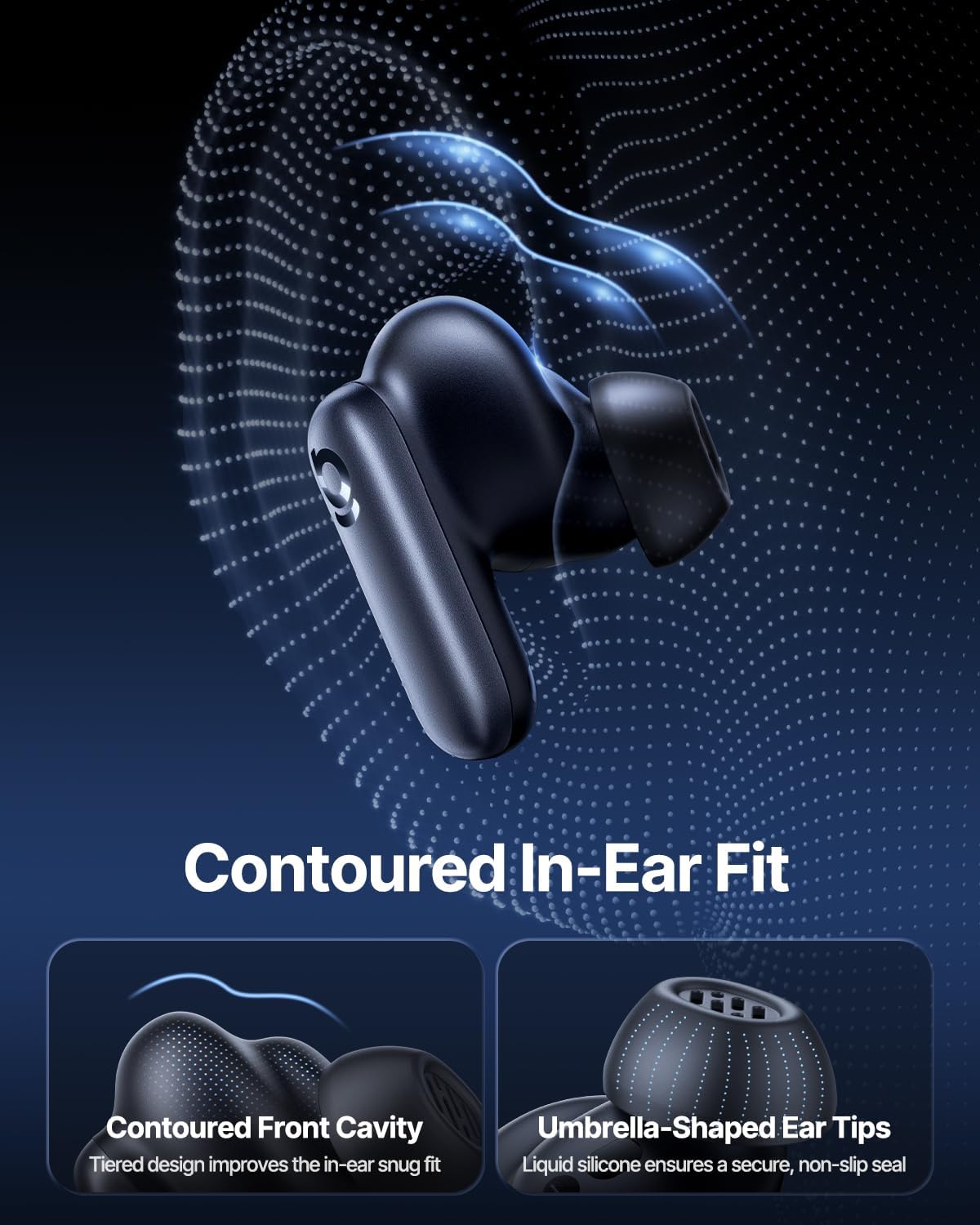
Image: Contoured In-Ear Fit and Umbrella-Shaped Ear Tips.
4. ຕັ້ງຄ່າ
4.1 ການຈັບຄູ່ເບື້ອງຕົ້ນ
- ສາກຫູຟັງ: Place both earbuds into the charging case and close the lid. Connect the USB-C charging cable to the case and a power source. The indicator light on the case will show charging status.
- ເປີດໃຊ້ໂໝດການຈັບຄູ່: Open the charging case. The earbuds will automatically enter pairing mode, indicated by a flashing light on the earbuds or case.
- ເຊື່ອມຕໍ່ຜ່ານ Bluetooth: ໃນອຸປະກອນຂອງທ່ານ (ໂທລະສັບສະຫຼາດ, ແທັບເລັດ, ແລັບທັອບ), ໄປທີ່ການຕັ້ງຄ່າ Bluetooth ແລະເປີດໃຊ້ Bluetooth. ຊອກຫາ "Baseus Inspire XP1" in the list of available devices and select it to connect.
- ການຢືນຢັນ: Once connected, a voice prompt will confirm successful pairing, and the indicator light will turn solid or off.
4.2 ການຕິດຕັ້ງແອັບ Baseus
For full functionality, including Dolby Audio, custom EQ settings, and adaptive tuning, download the official Baseus App from your device's app store (iOS App Store or Google Play Store). The app allows for personalized control of your listening experience.
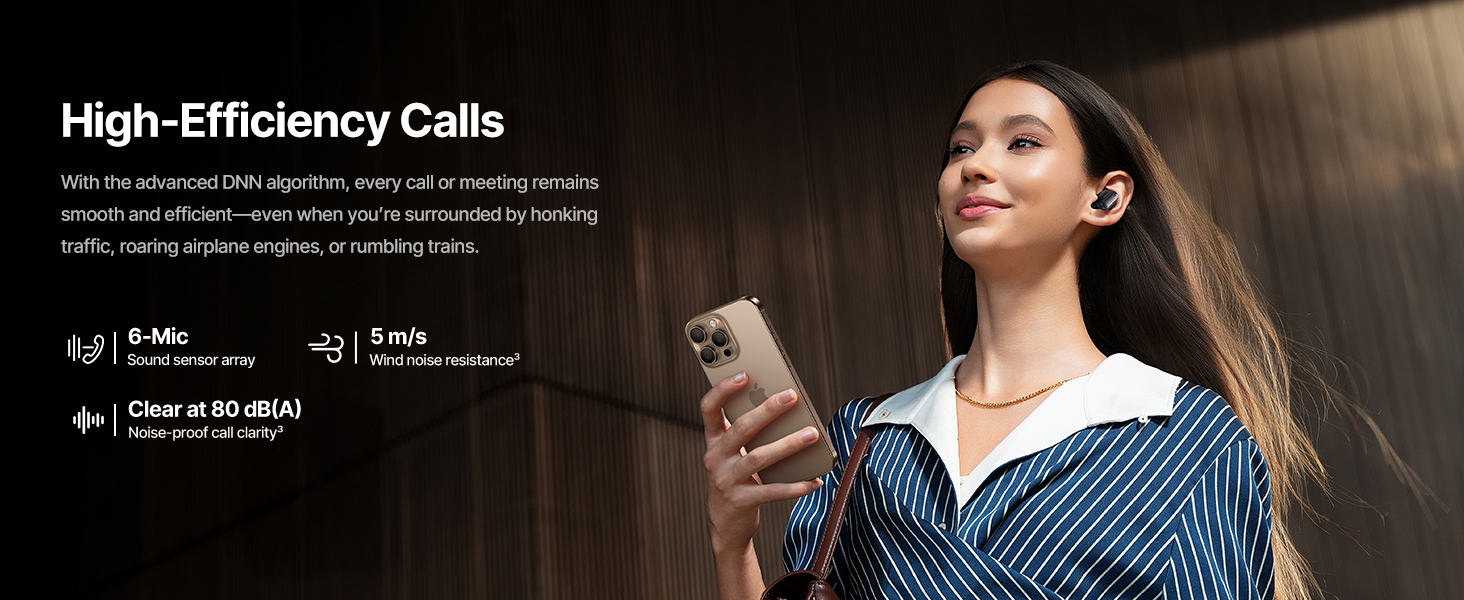
Image: Smart App Control interface.
5. ຄໍາແນະນໍາການດໍາເນີນງານ
5.1 ເປີດ/ປິດ
- ເປີດ: ເປີດກ່ອງສາກ, ແລະຫູຟັງເອຍບັດຈະເປີດອັດຕະໂນມັດ ແລະພະຍາຍາມເຊື່ອມຕໍ່ຫາອຸປະກອນທີ່ຈັບຄູ່ສຸດທ້າຍ.
- ປິດພະລັງງານ: ວາງຫູຟັງເອຍບັດໃສ່ໃນກ່ອງສາກ ແລະປິດຝາປິດ. ພວກເຂົາຈະປິດອັດຕະໂນມັດ ແລະເລີ່ມສາກໄຟ.
5.2 ແຕະການຄວບຄຸມ
The earbuds feature touch-sensitive surfaces for various functions:
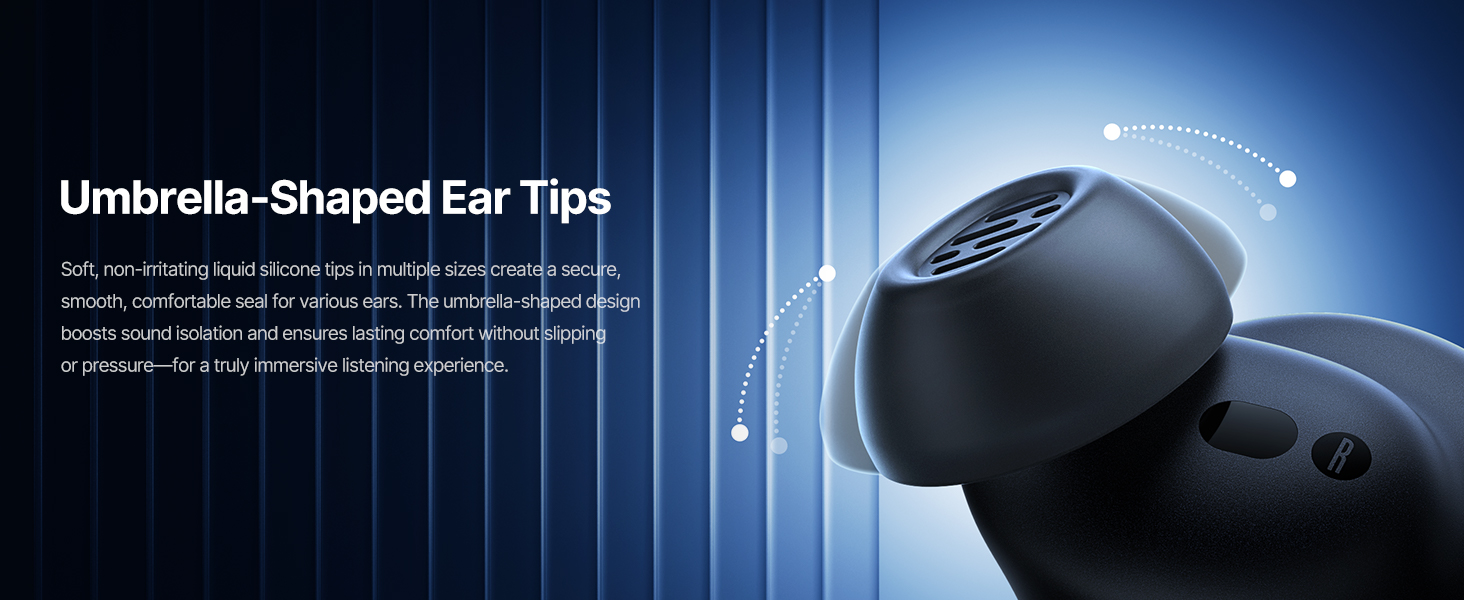
Image: Touch Control Guide.
- ຫຼິ້ນ/ຢຸດດົນຕີ: ແຕະສອງເທື່ອໃສ່ຫູຟັງຫູຟັງ.
- ຮັບ/ສາຍໂທ: ແຕະສອງເທື່ອໃສ່ຫູຟັງຫູຟັງ.
- ປະຕິເສດການໂທ: ແຕະໃສ່ຫູຟັງອັນໃດອັນໜຶ່ງຄ້າງໄວ້ 1.5 ວິນາທີ.
- Switch ANC/Transparency Mode: ແຕະໃສ່ຫູຟັງອັນໃດອັນໜຶ່ງຄ້າງໄວ້ 1.5 ວິນາທີ.
- ກະຕຸ້ນຜູ້ຊ່ວຍສຽງ: ແຕະສາມເທື່ອໃສ່ຫູຟັງຫູຟັງ.
5.3 Adaptive Noise Cancellation (ANC) and Transparency Mode
The Inspire XP1 earbuds feature Premium Adaptive ANC, which dynamically adjusts noise reduction up to -50 dB based on your environment. Transparency Mode allows you to hear your surroundings without removing the earbuds.

Image: Premium Adaptive ANC in use.
Switch between ANC and Transparency Mode by tapping and holding the touch surface for 1.5 seconds, or manage settings via the Baseus App.
5.4 High-Efficiency Clear Calls
Equipped with a 6-mic sound sensor array and AI algorithms, the earbuds provide clear calls by reducing wind noise and environmental distractions up to 80 dB(A).
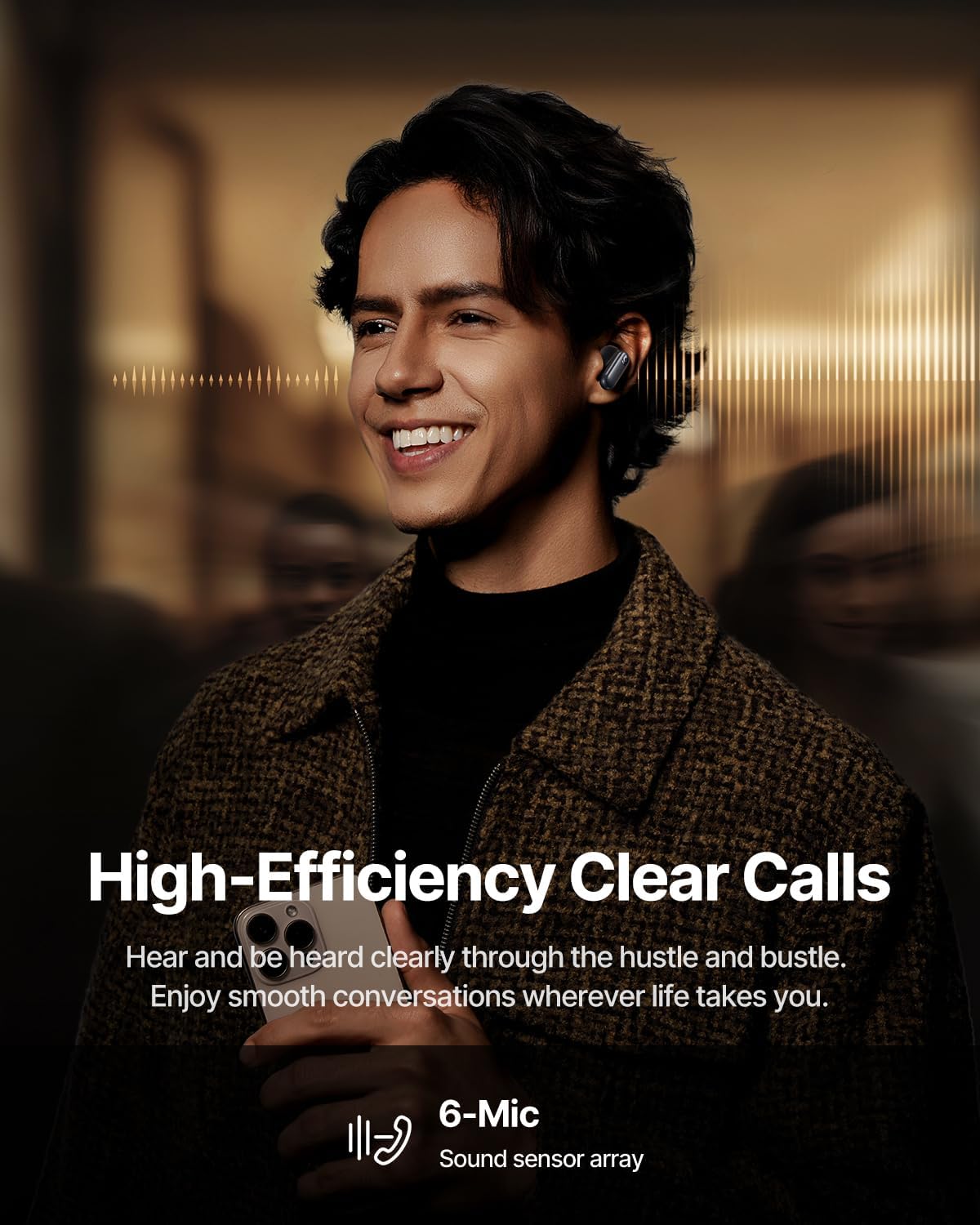
Image: High-Efficiency Clear Calls.
5.5 ການສາກໄຟ ແລະ ອາຍຸການໃຊ້ງານຂອງແບັດເຕີຣີ
The earbuds offer extended playtime with the charging case:
- ANC ປິດ: Up to 8 hours per charge, and up to 45 hours with the charging case.
- ANC ເປີດ: Up to 6 hours per charge, and up to 35 hours with the charging case.
- ສາກດ່ວນ: 10 minutes of charging provides approximately 2.5 hours of playback.

Image: Day-and-Night Playtime.
5.6 Instant Multipoint Connection
Utilize Baseus Smart-Connect and Bluetooth 6.1 for seamless switching between two paired devices, such as a phone and a laptop, enabling uninterrupted calls and multitasking.
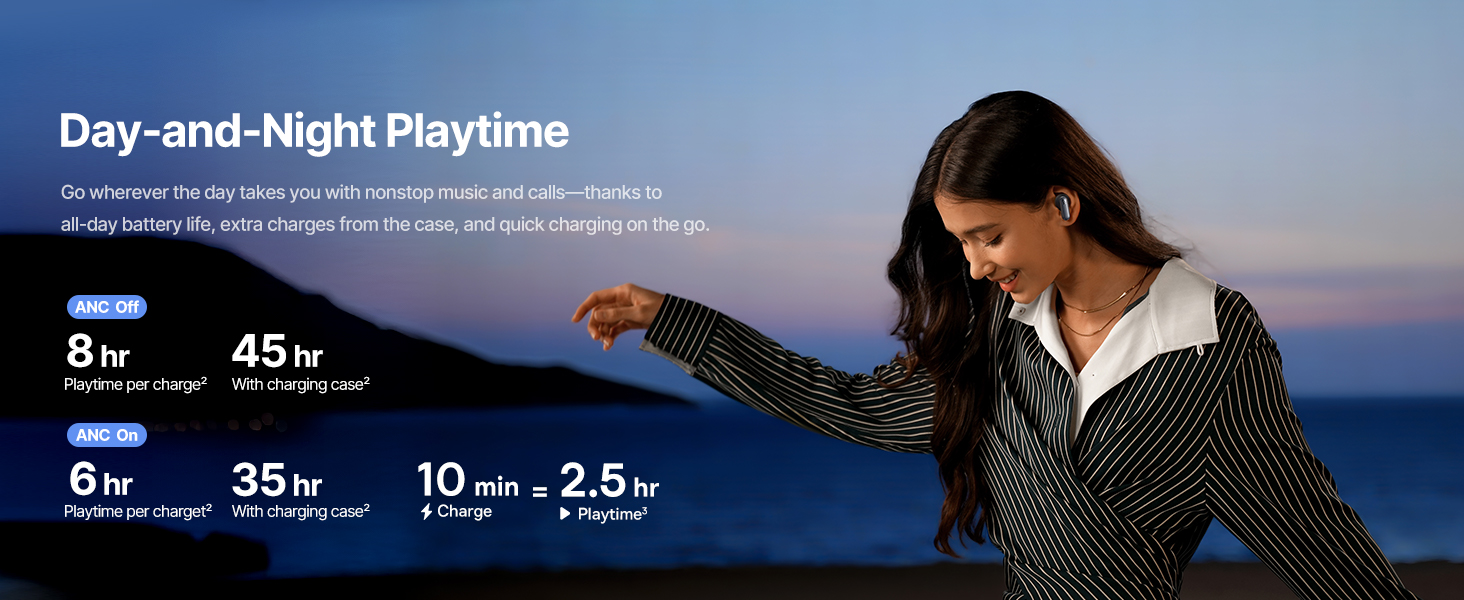
Image: Instant Multipoint Connection.
6. ບໍາລຸງຮັກສາ
- ທໍາຄວາມສະອາດ: ອະນາໄມຫູຟັງຫູຟັງ ແລະກະເປົ໋າສາກໄຟເປັນປະຈຳດ້ວຍຜ້າແພທີ່ອ່ອນ, ແຫ້ງ, ບໍ່ມີສານຂັດ. ຢ່າໃຊ້ວັດສະດຸຂັດຫຼືສານເຄມີທີ່ຮຸນແຮງ.
- Eartips: Remove and clean the silicone eartips with mild soap and water if necessary. Ensure they are completely dry before reattaching.
- ຜອດສາກໄຟ: ຮັກສາຊ່ອງສຽບ USB-C ບໍ່ໃຫ້ມີຂີ້ຝຸ່ນ ແລະສິ່ງເສດເຫຼືອ.
- ການເກັບຮັກສາ: When not in use, store the earbuds in their charging case to protect them and maintain battery life. Avoid extreme temperatures.
7. ການແກ້ໄຂບັນຫາ
7.1 ຫູຟັງບໍ່ຈັບຄູ່
- ກວດໃຫ້ແນ່ໃຈວ່າໄດ້ສາກຫູຟັງເອຍບັດ ແລະ ຝາກ່ອງສາກເປີດຢູ່.
- ປິດ ແລະເປີດ Bluetooth ຂອງອຸປະກອນຂອງທ່ານ.
- ລືມອຸປະກອນໃນການຕັ້ງຄ່າ Bluetooth ຂອງທ່ານແລະພະຍາຍາມຈັບຄູ່ຄືນໃໝ່.
- Try resetting the earbuds (refer to the Baseus App or Baseus support for specific reset instructions).
7.2 ບໍ່ມີສຽງຫຼືສຽງຕ່ໍາ
- ກວດເບິ່ງລະດັບສຽງຢູ່ທັງອຸປະກອນຂອງທ່ານ ແລະຫູຟັງເອຍບັດ.
- ໃຫ້ແນ່ໃຈວ່າຫູຟັງເອຍບັດຢູ່ໃນຫູຂອງທ່ານຢ່າງຖືກຕ້ອງ.
- ກວດສອບວ່າຫູຟັງເອຍບັດໄດ້ເຊື່ອມຕໍ່ກັບຜົນຜະລິດສຽງທີ່ຖືກຕ້ອງໃນອຸປະກອນຂອງທ່ານແລ້ວ.
- ອະນາໄມສິ່ງເສດເຫຼືອໃດໆຈາກລຳໂພງຫູຟັງ.
7.3 ບັນຫາການສາກໄຟ
- ໃຫ້ແນ່ໃຈວ່າສາຍສາກໄດ້ເຊື່ອມຕໍ່ຢ່າງປອດໄພກັບທັງກໍລະນີ ແລະແຫຼ່ງພະລັງງານ.
- ລອງໃຊ້ສາຍ USB-C ແລະອະແດັບເຕີໄຟອື່ນ.
- ເຮັດຄວາມສະອາດລາຍຊື່ຜູ້ຕິດຕໍ່ການສາກໄຟຢູ່ທັງຫູຟັງຫູຟັງ ແລະ ພາຍໃນກ່ອງ.
8. ຂໍ້ມູນຈໍາເພາະ
ຮູບພາບ: ຂໍ້ມູນຈໍາເພາະຂອງຜະລິດຕະພັນ.
| ຊື່ຕົວແບບ | Baseus Inspire XP1 |
| ເຕັກໂນໂລຊີການເຊື່ອມຕໍ່ | Bluetooth 6.1, Wireless |
| ເຕັກໂນໂລຊີການສື່ສານໄຮ້ສາຍ | Bluetooth 6.1 |
| ການຄວບຄຸມສິ່ງລົບກວນ | Adaptive Noise Cancellation, Environmental Noise Cancellation |
| ຂະໜາດໄດເວີສຽງ | 10 ມິນລິແມັດ |
| ຊ່ວງຄວາມຖີ່ | 20 Hz - 20,000 Hz |
| ອາຍຸແບັດເຕີຣີ (ANC ປິດ) | 8 ຊົ່ວໂມງ (ຫູຟັງ), 45 ຊົ່ວໂມງ (ພ້ອມກ່ອງສາກໄຟ) |
| ພອດສາກໄຟ | USB-C |
| ວິທີການຄວບຄຸມ | ແອັບ, ແຕະ |
| ວັດສະດຸ | ຊິລິໂຄນ |
| ນ້ໍາຫນັກລາຍການ | 7.8 ອອນ |
9. ການຮັບປະກັນແລະການສະຫນັບສະຫນູນ
Baseus products are covered by a limited warranty. For detailed warranty information, product support, or to contact customer service, please visit the official Baseus webເວັບໄຊ ຫຼືອ້າງອີງໃສ່ບັດຮັບປະກັນລວມຢູ່ໃນຊຸດຂອງທ່ານ.
ນອກນັ້ນທ່ານຍັງສາມາດໄປຢ້ຽມຢາມໄດ້ ຮ້ານ Baseus ໃນ Amazon ສໍາລັບຊັບພະຍາກອນເພີ່ມເຕີມແລະຂໍ້ມູນຜະລິດຕະພັນ.


