ແນະນຳ
Thank you for choosing the Vandlion V11B Digital Voice Recorder. This manual provides detailed instructions on how to set up, operate, and maintain your device. Please read it carefully to ensure optimal performance and longevity of your recorder.

Image: The Vandlion V11B Digital Voice Recorder, a compact device shown held in a hand, highlighting its portable design.
ແມ່ນຫຍັງຢູ່ໃນກ່ອງ
ກວດສອບວ່າລາຍການທັງຫມົດແມ່ນມີຢູ່ໃນຊຸດ:
- 1 x Digital voice recorder
- ສາຍຂໍ້ມູນ 1 x USB-C
- 1 x ຫູຟັງ
- 1 x ຄູ່ມືຜູ້ໃຊ້ (ເອກະສານນີ້)

Image: A visual representation of the package contents, including the digital voice recorder, USB-C cable, headphones, lanyard, and user manual.
ອຸປະກອນເກີນview
Familiarize yourself with the physical components of your Vandlion V11B recorder.

ຮູບພາບ: A ລາຍລະອຽດ view of the Vandlion V11B digital voice recorder, showing its display, control buttons (REC, SAVE, POWER, RESET), and integrated carabiner clip.

Image: The Vandlion V11B digital voice recorder shown attached to a backpack and a belt loop, illustrating its compact size and ease of carrying.
ຄຸນນະສົມບັດທີ່ສໍາຄັນປະກອບມີ:
- ຈໍສະແດງຜົນ: Shows recording status, time, battery level, and file ຂໍ້ມູນ.
- REC/SAVE Switch: Slide up to start recording, slide down to save.
- ປຸ່ມພະລັງງານ: ກົດຄ້າງໄວ້ເພື່ອເປີດ/ປິດ.
- ປຸ່ມຣີເຊັດ: Small pinhole button for factory reset if needed.
- ຜອດ USB-C: ສໍາລັບການສາກໄຟແລະການໂອນຂໍ້ມູນ.
- ຫູຟັງ Jack: 3.5mm port for audio playback.
- ຄລິບປະສົມປະສານ: ສໍາລັບການພົກພາງ່າຍ.
ຕັ້ງຄ່າ
1. ການສາກອຸປະກອນ
Before first use, fully charge the recorder. Connect the supplied USB-C cable to the device's USB-C port and the other end to a computer or a USB power adapter (not included).
- ການສາກໄຟເຕັມໃຊ້ເວລາປະມານ 1.5 ຊົ່ວໂມງ.
- A fully charged device provides up to 20 ຊົ່ວໂມງ of continuous recording.
- ຈໍສະແດງຜົນຈະສະແດງສະຖານະການສາກໄຟ.

Image: The Vandlion V11B digital voice recorder connected to a laptop via its USB-C port for charging and data transfer.
2. ເປີດ / ປິດພະລັງງານ
- ເພື່ອເປີດເຄື່ອງ: ກົດຄ້າງໄວ້ ພະລັງງານ ກົດປຸ່ມຈົນກ່ວາຫນ້າຈໍ illuminates.
- ເພື່ອປິດເຄື່ອງ: ກົດຄ້າງໄວ້ ພະລັງງານ ກົດປຸ່ມຈົນກ່ວາຫນ້າຈໍປິດ.
ຄໍາແນະນໍາການດໍາເນີນງານ
1. One-Button Recording
The device features a simple slide switch for quick recording.
- To start recording: Slide the REC/SAVE switch upwards to the "REC" position. The device will begin recording immediately.
- To save recording: Slide the REC/SAVE switch downwards to the "SAVE" position. The current recording will be saved, and the device will stop recording.

Image: An illustration demonstrating the one-button recording function, showing a finger sliding the REC/SAVE switch to initiate recording.
2. AI Noise Reduction
The Vandlion V11B incorporates an advanced AI chip to enhance audio clarity by reducing background noise.
- This feature automatically identifies and minimizes distracting sounds, focusing on human speech.
- It is active during recording to provide high-fidelity voice capture.

Image: A graphic illustrating how AI noise reduction works, showing various types of noise (wind, static, hum) being filtered out to produce clear sound.
3. Voice Activated Recording (VOR)
The Voice Activated Recording function allows the device to record only when sound is detected, conserving memory and battery life.
- To enable VOR: Access the device's menu by long pressing the ຫຼິ້ນ/ຢຸດ/ຢືນຢັນ button when not recording, then navigate to the VOR settings. Set VOR to "ON".
- Once enabled, slide the REC/SAVE button to "REC". The recorder will start recording when sound above a set threshold (e.g., >65dB) is detected and pause when sound falls below the threshold (e.g., <65dB).
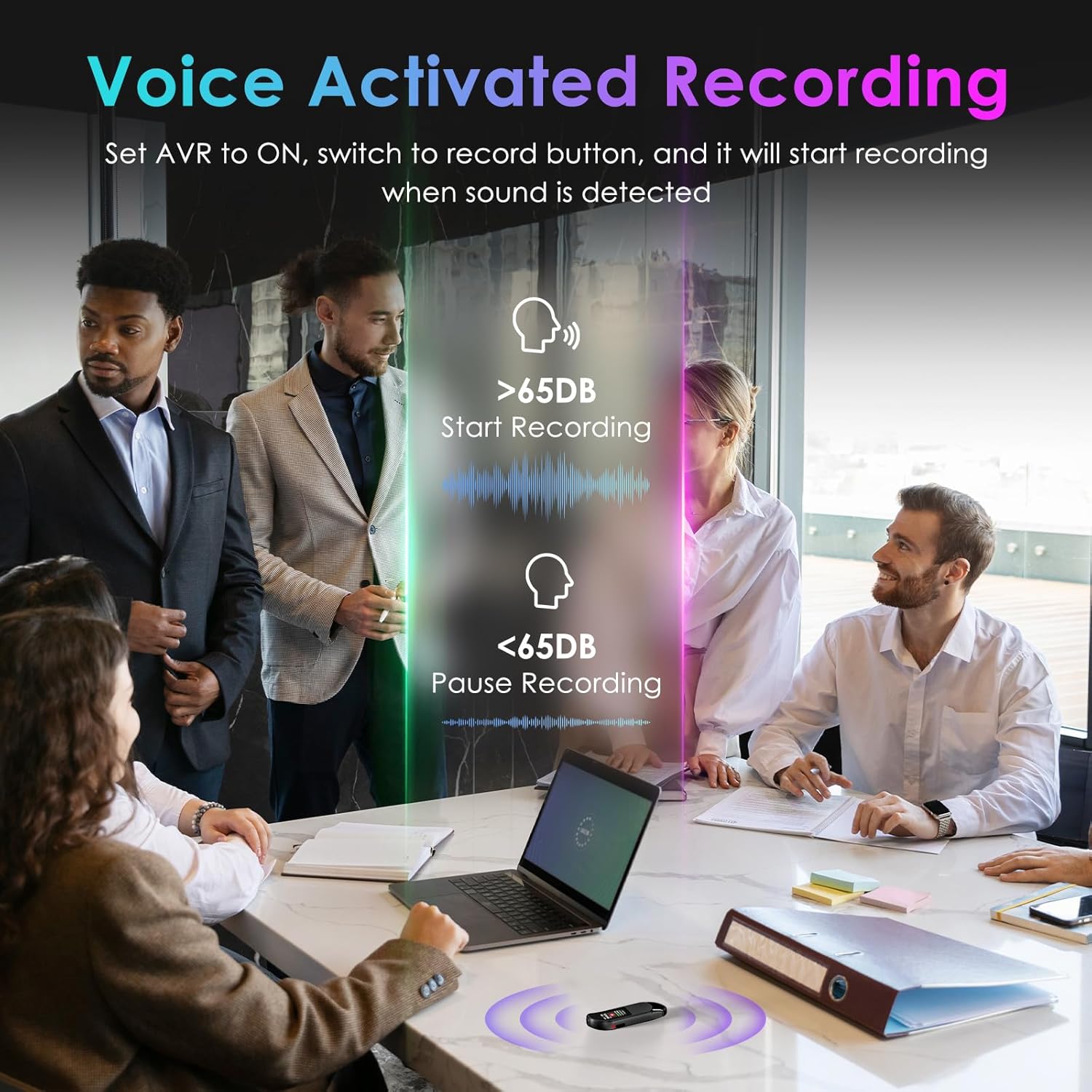
Image: A visual demonstrating voice-activated recording in a meeting, showing the device starting to record when sound is above 65dB and pausing when below.
4. ການຫວນຄືນ
You can listen to your recordings directly from the device using headphones or by transferring files to a computer or Android phone.
- ການໃຊ້ຫູຟັງ: Connect the included headphones to the 3.5mm jack. Use the control buttons (Vol+, Vol-, Previous, Next, Play/Pause/Confirm) on the headphone cable to navigate and play recordings.
- Connecting to Computer/Phone: ໂອນ files as described in the "File Management" section below.

Image: A diagram showing various playback methods: using wired headphones, connecting to a computer, and connecting to an Android phone. The image also illustrates the control buttons on the headphone cable for navigation.
5. ການປົກປ້ອງລະຫັດຜ່ານ
To protect your recordings, you can set a 4-digit password.
- To set a password: Access the device's menu (long press the ຫຼິ້ນ/ຢຸດ/ຢືນຢັນ button when not recording) and navigate to the "Password" settings. Follow the on-screen prompts to set your 4-digit code.
- Once enabled, the password will be required to access the device's files.

Image: A visual representation of the password protection feature, showing the device screen prompting for a 4-digit password.
6. File ການຄຸ້ມຄອງ ແລະ ການໂອນຍ້າຍ
Recordings are saved with timestamps for easy organization. You can transfer files to a computer (Windows/Mac) or an Android phone.
- Connect the device to your computer or Android phone using the supplied USB-C cable.
- The device will appear as a removable storage drive.
- You can then drag and drop recording files (MP3 or WAV format) to your desired location.
- ໝາຍເຫດ: This device is not compatible with iPhones for direct file ການໂອນຍ້າຍ.

Image: The Vandlion V11B connected to a laptop via USB-C, demonstrating file transfer and showing example filenames with timestamps.
ບໍາລຸງຮັກສາ
- ຮັກສາອຸປະກອນໃຫ້ແຫ້ງ ແລະຢູ່ຫ່າງຈາກອຸນຫະພູມສູງສຸດ.
- ເຊັດອຸປະກອນດ້ວຍຜ້າອ່ອນໆແລະແຫ້ງ. ຢ່າໃຊ້ນໍ້າຢາລ້າງ.
- ຫຼີກລ້ຽງການວາງອຸປະກອນລົງ ຫຼືຖືກຜົນກະທົບທີ່ຮຸນແຮງ.
- Regularly back up your recordings to prevent data loss.
- If the device becomes unresponsive, use a small pin to press the ຣີເຊັດ ປຸ່ມ.
ການແກ້ໄຂບັນຫາ
| ບັນຫາ | ສາເຫດທີ່ເປັນໄປໄດ້ | ການແກ້ໄຂ |
|---|---|---|
| ອຸປະກອນບໍ່ເປີດ. | ແບັດເຕີຣີຕໍ່າ. | ສາກອຸປະກອນຢ່າງໜ້ອຍ 1.5 ຊົ່ວໂມງ. |
| ບໍ່ສາມາດບັນທຶກໄດ້. | Memory full; device frozen. | ໂອນ files to a computer to free up space. Press the RESET button. |
| ຄຸນະພາບສຽງບໍ່ດີ. | ໄມໂຄຣໂຟນຖືກກີດຂວາງ; ມີສຽງລົບກວນຫຼາຍ. | Ensure microphone is clear. Use AI Noise Reduction in appropriate environments. |
| ບໍ່ສາມາດໂອນຍ້າຍໄດ້ files to iPhone. | Device is not compatible with iPhone for direct transfer. | ໂອນ files to a computer (Windows/Mac) or Android phone instead. |
| ລືມລະຫັດຜ່ານ. | ລະຫັດຜ່ານເສຍ. | Contact customer support for assistance. A factory reset might be required, which will erase all data. |
ຂໍ້ມູນຈໍາເພາະ
| ຄຸນສົມບັດ | ລາຍລະອຽດ |
|---|---|
| ໝາຍເລກຕົວແບບ | V11B |
| ຄວາມອາດສາມາດເກັບຮັກສາຫນ່ວຍຄວາມຈໍາ | 64 GB (ບັນທຶກໄດ້ດົນເຖິງ 900 ຊົ່ວໂມງ) |
| ຮູບແບບການບັນທຶກ | ສຽງ MP3, WAV |
| ຄຸນະພາບສຽງ | 1536Kbps Crystal Audio |
| ການຫຼຸດຜ່ອນສິ່ງລົບກວນ | AI Noise Cancellation |
| ອາຍຸແບັດເຕີຣີ (ການບັນທຶກ) | ສູງສຸດ 20 ຊົ່ວໂມງ |
| ເວລາສາກໄຟ | ປະມານ. 1.5 ຊົ່ວໂມງ |
| ອຸປະກອນທີ່ເຂົ້າກັນໄດ້ | Personal Computer (Windows/Mac), Smartphone (Android) |
| ການໂຕ້ຕອບຮາດແວ | USB ປະເພດ C |
| ຕົວປະກອບແບບຟອມໄມໂຄຣໂຟນ | ໃນຕົວ |
| Jack ຫູຟັງ | 3.5 ມິນລີແມັດ |
| ຂະໜາດສິນຄ້າ | 0.39"D x 0.86"W x 2.99"H (10mm x 22mm x 76mm) |
| ນ້ໍາຫນັກລາຍການ | 1.41 ອອນສ໌ (40 ກຣາມ) |
| ເບິ່ງເຫັນເສັ້ນຂວາງຂອງໜ້າຈໍ | 1" / 3 ຊມ |
ການຮັບປະກັນແລະການສະຫນັບສະຫນູນ
Vandlion products are built for performance and durability. For warranty information or technical support, please refer to the contact details provided with your purchase or visit the official Vandlion webເວັບໄຊ.
For common issues, please consult the Troubleshooting section of this manual.
ຜູ້ຜະລິດ: Vandlion
ຫມາຍເຫດທີ່ສໍາຄັນ
- Always ensure the device is fully charged before important recording sessions.
- Regularly transfer and back up your recordings to avoid data loss.
- The device does not have a built-in speaker; headphones or external playback devices are required to listen to recordings.


