1. ບົດແນະນຳ
Thank you for choosing the HTC TWS12 True Wireless Earbuds. These earbuds are designed to provide a high-quality audio experience with advanced features such as Bluetooth 5.3 connectivity, environmental noise cancellation, and intelligent touch controls. This manual will guide you through the setup, operation, and maintenance of your new earbuds.
ຄຸນນະສົມບັດທີ່ສໍາຄັນ:
- Bluetooth 5.3: Ensures stable connection and faster pairing.
- ການຄວບຄຸມການສໍາພັດອັດສະລິຍະ: Manage music, calls, and volume directly from the earbuds.
- ການຍົກເລີກສິ່ງລົບກວນສິ່ງແວດລ້ອມ (ENC): Reduces background noise for clearer calls.
- ໂໝດເກມການຕອບສະໜອງຕໍ່າ: 45ms low latency for an optimized gaming experience.
- ຂະຫຍາຍເວລາຫຼິ້ນ: ເຖິງ 6 ຊົ່ວໂມງຕໍ່ການສາກຄັ້ງດຽວ, 26 ຊົ່ວໂມງກັບກ່ອງສາກ.
- ການອອກແບບກັນນ້ໍາ: ສະຫນອງການປ້ອງກັນຈາກການ splashes ແລະເຫື່ອ.
2. ສິ່ງທີ່ຢູ່ໃນກ່ອງ
ກະລຸນາກວດສອບເນື້ອໃນຂອງຊຸດຂອງທ່ານເພື່ອໃຫ້ແນ່ໃຈວ່າລາຍການທັງຫມົດມີຢູ່:
- 2 x HTC TWS12 Earbuds
- 1 x ກ່ອງສາກ
- ສາຍໄຟສາກແບັດ USB-C 1 x
- 2 Pairs x Rubber Eartips (S/L, M pre-installed)
- 1 x ຄູ່ມືຜູ້ໃຊ້ (ເອກະສານນີ້)

Image: HTC TWS12 True Wireless Earbuds, charging case, and included accessories.
3. ຕັ້ງຄ່າ
3.1 ການສາກຫູຟັງ ແລະ ເຄສ
ກ່ອນທີ່ຈະໃຊ້ຄັ້ງທຳອິດ, ໃຫ້ສາກຫູຟັງຫູຟັງ ແລະ ກ່ອງສາກໃຫ້ເຕັມ.
- ເຊື່ອມຕໍ່ສາຍສາກ USB-C ກັບຜອດສາກໄຟຢູ່ກະສຽນ ແລະແຫຼ່ງພະລັງງານ.
- ຈໍສະແດງຜົນດິຈິຕອນ LED ຢູ່ເທິງກ່ອງສາກໄຟຈະສະແດງເປີເຊັນຂອງແບັດເຕີຣີtage of the case and individual earbud charging status.
- ວາງຫູຟັງໃສ່ກະເປົ໋າສາກໄຟ. ພວກເຂົາຈະເລີ່ມສາກໄຟໂດຍອັດຕະໂນມັດ.

Image: The charging case features an LED display indicating the battery level of the case and the charging status of each earbud (L and R).

Image: Diagram illustrating the battery life: 6.5 hours listening time per earbud (40mAh) and the charging case (400mAh) provides 3 full recharges for a total of 26 hours playtime.
3.2 ການຈັບຄູ່ Bluetooth
The HTC TWS12 earbuds utilize Bluetooth 5.3 for a stable and quick connection.
- ເປີດກ່ອງສາກໄຟ. ຫູຟັງເອຍບັດຈະເຂົ້າສູ່ໂໝດຈັບຄູ່ໂດຍອັດຕະໂນມັດ.
- ໃນອຸປະກອນຂອງທ່ານ (ໂທລະສັບສະຫຼາດ, ແທັບເລັດ, ແລັບທັອບ), ເປີດໃຊ້ Bluetooth.
- ຊອກຫາ "HTC TWS12" ໃນລາຍຊື່ອຸປະກອນ Bluetooth ທີ່ມີຢູ່.
- Select "HTC TWS12" to connect. Once connected, you will hear a confirmation tone.
3.3 ການໃສ່ຫູຟັງ
ເພື່ອຄຸນນະພາບສຽງທີ່ດີທີ່ສຸດ ແລະຄວາມສະດວກສະບາຍ, ກະລຸນາເລືອກຂະໜາດປາຍຫູທີ່ຖືກຕ້ອງ ແລະຮັບປະກັນຄວາມເໝາະສົມ.
- The earbuds come with Small (S), Medium (M), and Large (L) eartips. Try different sizes to find the best fit for your ears.
- ສຽບຫູຟັງໃສ່ຊ່ອງຫູຂອງທ່ານຄ່ອຍໆ ແລະບິດເລັກນ້ອຍເພື່ອຮັກສາຄວາມປອດໄພ.

Image: Illustration of the ergonomic design of the earbuds and the three available eartip sizes (S, M, L) for a comfortable and secure fit.
4. ຄໍາແນະນໍາການດໍາເນີນງານ
4.1 ການຄວບຄຸມແບບສຳຜັດອັດສະລິຍະ
The HTC TWS12 earbuds feature intuitive touch controls on each earbud:

Image: Diagram showing the various touch control functions on the earbud, including Volume +/-, Play Previous/Next, Voice Assistant, Play/Pause, Answer Call, End Call, Decline Call, and Game Mode.
- ຫຼິ້ນ/ຢຸດ: ແຕະໃສ່ຫູຟັງຫູຟັງໜຶ່ງຄັ້ງ.
- ເພງຕໍ່ໄປ: ແຕະໃສ່ຫູຟັງເບື້ອງຂວາສາມເທື່ອ.
- ເພງກ່ອນໜ້າ: ແຕະໃສ່ຫູຟັງຊ້າຍສາມເທື່ອ.
- ປະລິມານຂຶ້ນ: ແຕະໃສ່ຫູຟັງຊ້າຍສອງເທື່ອ.
- ປະລິມານລົງ: ແຕະໃສ່ຫູຟັງເບື້ອງຂວາສອງເທື່ອ.
- ຮັບສາຍ: ແຕະໃສ່ຫູຟັງຫູຟັງໜຶ່ງຄັ້ງ.
- ສິ້ນສຸດການໂທ: ແຕະຫູຟັງຂ້າງໃດກໍໄດ້ສອງເທື່ອ.
- ປະຕິເສດສາຍ: ກົດຫູຟັງອັນໃດອັນໜຶ່ງຄ້າງໄວ້ 2 ວິນາທີ.
- ກະຕຸ້ນຜູ້ຊ່ວຍສຽງ: ກົດຫູຟັງຫູຟັງທັງສອງຂ້າງຄ້າງໄວ້ 2 ວິນາທີ (ເມື່ອບໍ່ໄດ້ຢູ່ໃນສາຍ).
4.2 ໂໝດເກມ (ຄວາມໜ່ວງຊ້າຕ່ຳ)
Activate Game Mode for a reduced audio delay, ideal for gaming.
- Activate/Deactivate Game Mode: ແຕະຫູຟັງຂ້າງໃດກໍໄດ້ສາມເທື່ອ.
- When Game Mode is active, the earbuds' blue indicator light will remain on.
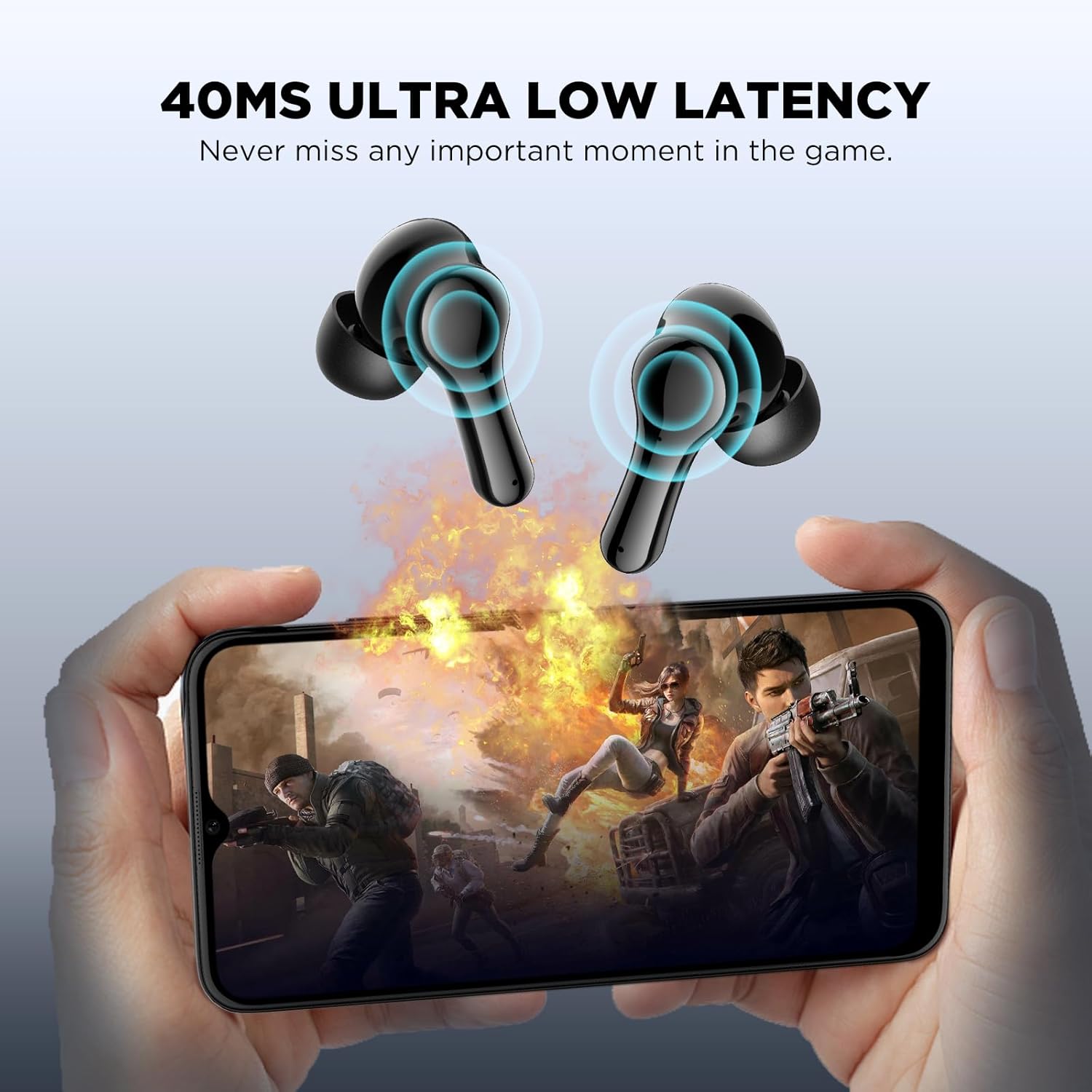
Image: Visual representation of the 45ms ultra-low latency feature, enhancing the gaming experience by minimizing audio delay.
4.3 ການຍົກເລີກສິ່ງລົບກວນສິ່ງແວດລ້ອມ (ENC)
The earbuds feature a single microphone Environmental Noise Cancellation system. This technology collects ambient noise and generates a reverse wave to cancel out background sounds, such as human voices and wind noise, improving call clarity by suppressing up to 90% of environmental noise.
5. ບໍາລຸງຮັກສາ
To ensure the longevity and optimal performance of your HTC TWS12 earbuds, follow these maintenance guidelines:
- ທໍາຄວາມສະອາດ: ອະນາໄມຫູຟັງຫູຟັງ ແລະກະເປົ໋າສາກໄຟເປັນປະຈຳດ້ວຍຜ້າແພທີ່ອ່ອນ, ແຫ້ງ, ບໍ່ມີສານຂັດ. ຫຼີກເວັ້ນການນໍາໃຊ້ວັດສະດຸຂັດຫຼືສານເຄມີທີ່ຮຸນແຮງ.
- Eartips: ຖອດ ແລະ ທຳຄວາມສະອາດຈຸກຫູຟັງເປັນໄລຍະໆດ້ວຍນ້ຳ ແລະ ສະບູ່ອ່ອນໆ. ຮັບປະກັນວ່າພວກມັນແຫ້ງໝົດກ່ອນຕິດຄືນ.
- ຄວາມຕ້ານທານນ້ໍາ: The earbuds are waterproof. While they can withstand splashes and sweat, avoid submerging them in water for extended periods. Ensure the charging port is dry before charging.
- ການເກັບຮັກສາ: ເມື່ອບໍ່ໄດ້ໃຊ້, ໃຫ້ເກັບຫູຟັງເອຍບັດໃສ່ໃນກະເປົ໋າສາກໄຟເພື່ອປົກປ້ອງພວກມັນ ແລະ ສືບຕໍ່ສາກໄຟ.
- ອຸນຫະພູມ: Avoid exposing the earbuds to extreme temperatures (hot or cold) or direct sunlight.
Video: This video demonstrates the unboxing, wearing, and water resistance of the HTC TWS12 earbuds, showcasing their durability and fit.
6. ການແກ້ໄຂບັນຫາ
If you encounter any issues with your HTC TWS12 earbuds, please refer to the following common solutions:
- ຫູຟັງບໍ່ຈັບຄູ່: Ensure both earbuds are in the charging case, then open the lid to activate pairing mode. Turn off and on your device's Bluetooth, then try searching again.
- ຫູຟັງຫູຟັງອັນດຽວທີ່ເຮັດວຽກ: ວາງຫູຟັງຫູຟັງທັງສອງໃສ່ໃນກ່ອງສາກ, ປິດຝາປິດ, ລໍຖ້າສອງສາມວິນາທີ, ຈາກນັ້ນເປີດມັນອີກຄັ້ງ. ນີ້ມັກຈະຕັ້ງການເຊື່ອມຕໍ່ຄືນໃຫມ່.
- ບໍ່ມີສຽງ: Check the volume level on your connected device and on the earbuds. Ensure the earbuds are properly paired and selected as the audio output device.
- ບັນຫາການສາກໄຟ: ກວດສອບວ່າສາຍ USB-C ໄດ້ເຊື່ອມຕໍ່ກັບທັງເຄສ ແລະ ແຫຼ່ງພະລັງງານຢ່າງແໜ້ນໜາແລ້ວ. ກວດສອບໃຫ້ແນ່ໃຈວ່າຈຸດສຳຜັດການສາກໄຟຢູ່ຫູຟັງ ແລະ ພາຍໃນເຄສສະອາດ ແລະ ບໍ່ມີສິ່ງເສດເຫຼືອ.
- ຄຸນະພາບສຽງບໍ່ດີ: Ensure the eartips provide a good seal in your ear. Try different eartip sizes. Move closer to your connected device to avoid interference.
7. ຂໍ້ມູນຈໍາເພາະ
| ຄຸນສົມບັດ | ຂໍ້ມູນຈໍາເພາະ |
|---|---|
| ຊື່ຕົວແບບ | TWS12 |
| ເຕັກໂນໂລຊີການເຊື່ອມຕໍ່ | ໄຮ້ສາຍ (Bluetooth 5.3) |
| ຊ່ວງ Bluetooth | 10 ແມັດ |
| ອາຍຸແບັດເຕີຣີ (ຫູຟັງ) | 6 ຊົ່ວໂມງ |
| ເວລາຫຼິ້ນທັງໝົດ (ພ້ອມກໍລະນີ) | 26 ຊົ່ວໂມງ |
| ວິທີການຄວບຄຸມ | ແຕະ |
| ການຄວບຄຸມສິ່ງລົບກວນ | ການຍົກເລີກສິ່ງລົບກວນສິ່ງແວດລ້ອມ (ENC) |
| ການຕອບສະໜອງຕໍ່າ | 45ms (ໂໝດເກມ) |
| ລະດັບຄວາມຕ້ານທານນ້ໍາ | ກັນນ້ຳ |
| ອຸປະກອນທີ່ເຂົ້າກັນໄດ້ | ໂທລະສັບສະຫຼາດ, ແທັບເລັດ, ແລັບທັອບ |
| ນ້ໍາຫນັກລາຍການ | 2.89 ອອນ |
| UPC | 734257573863 |
8. ການຮັບປະກັນແລະການສະຫນັບສະຫນູນ
Your HTC TWS12 True Wireless Earbuds come with a standard warranty. Additionally, you are eligible for a 90-day Warranty Extension. For any product-related inquiries, technical assistance, or warranty claims, please utilize our ສະຫນັບສະຫນູນການສົນທະນາສົດ 7*24.
ສໍາລັບຂໍ້ມູນເພີ່ມເຕີມແລະສະຫນັບສະຫນູນ, ກະລຸນາໄປຢ້ຽມຢາມຢ່າງເປັນທາງການ ຮ້ານ HTC ໃນ Amazon.


