ແນະນຳ
Thank you for choosing the ATK VXE Dragonfly R1 Pro Max Wireless Gaming Mouse. This manual provides essential information for setting up, operating, and maintaining your new gaming mouse to ensure optimal performance and longevity. Please read this manual thoroughly before using the product.
ສິນຄ້າເກີນview
The ATK VXE Dragonfly R1 Pro Max is an ultra-lightweight wireless gaming mouse designed for high performance. It features a precision sensor, adjustable polling rates, and versatile connectivity options.

ຮູບທີ 1: ທາງເທິງ view of the ATK VXE Dragonfly R1 Pro Max Wireless Gaming Mouse.
ຄຸນນະສົມບັດທີ່ສໍາຄັນ
- ການອອກແບບ Ultra Lightweight: Weighing approximately 54g, the R1 Pro Max ensures fatigue-free and swift gaming control.
- Precision PAW3395 Sensor: Equipped with the PixArt PAW3395 sensor, offering up to 26,000 DPI for precise tracking.
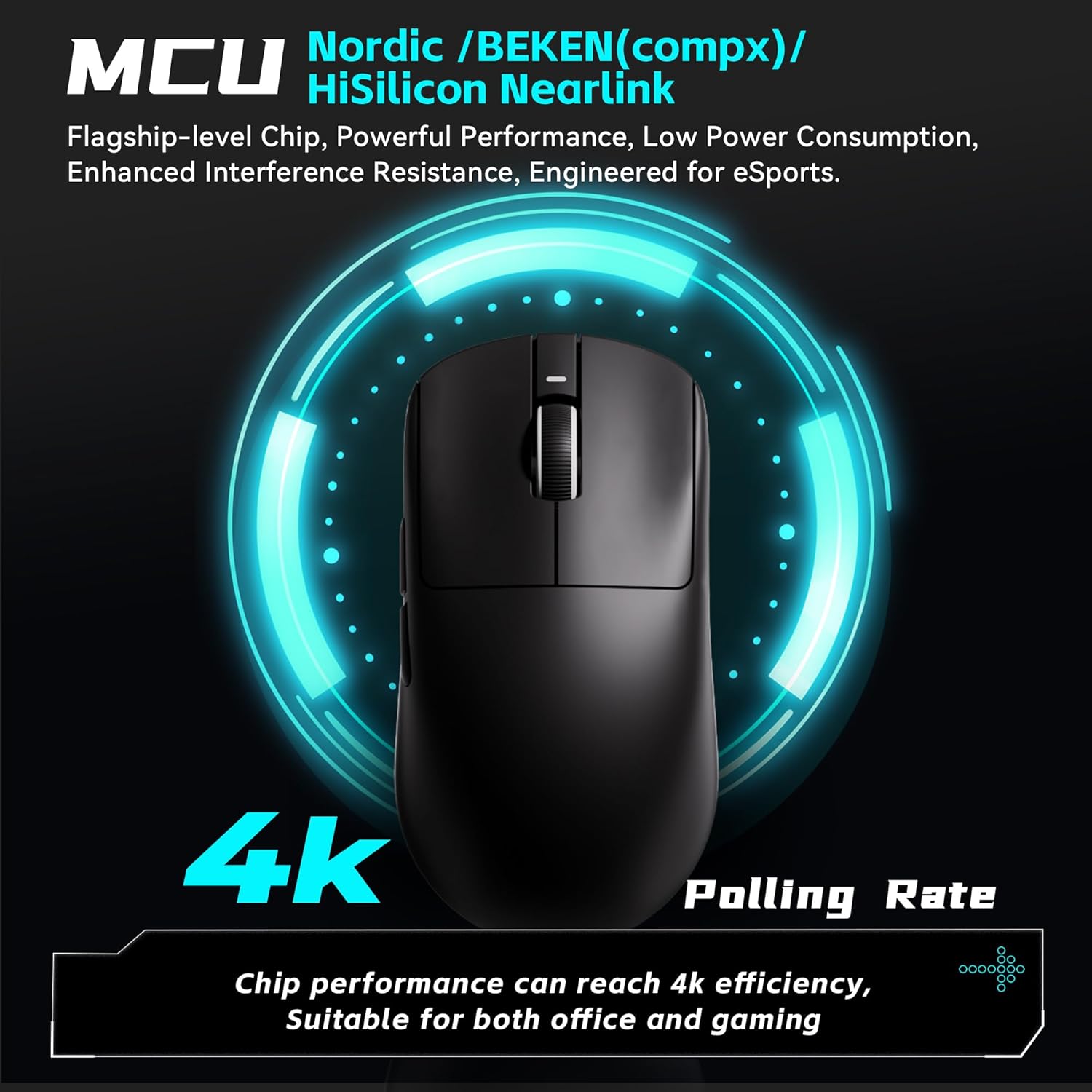
- Adjustable Polling Rate: Supports 125–4,000Hz polling rate. A separate 4K receiver is required for 4K polling.
- SmartSpeed X Wireless Technology: Provides low-latency 2.4 GHz wireless connectivity. Also supports wired USB-C connection for stable performance.
- ຊີວິດຫມໍ້ໄຟຍາວ: Offers approximately 150 hours of continuous operating battery life at 1000Hz polling rate.
- Kailh White Blade Switches: Features Kailh White Blade microswitches with a 100 million click lifespan for a balanced and comfortable feel.
ຮູບທີ 2: ລະເບີດ view showing internal components like the PAW3395 sensor and Kailh switches.

Figure 3: Illustration highlighting the 4K Polling Rate capability of the mouse.

Figure 4: Close-up of the mouse surface, detailing the smooth ice-feeling coating for enhanced glide.
ຕັ້ງຄ່າ
Unboxing ແລະການກວດກາເບື້ອງຕົ້ນ
Upon receiving your ATK VXE Dragonfly R1 Pro Max, carefully unbox the mouse and its accessories. Ensure all components are present: the mouse, USB-C charging/data cable, and the 2.4 GHz wireless receiver.
Video 1: Official unboxing video for the ATK R1 Gaming Mouse, demonstrating initial setup and contents.
ການເຊື່ອມຕໍ່ຫນູຂອງທ່ານ
The R1 Pro Max supports 2.4 GHz wireless and wired USB-C connections.
- 2.4 GHz Wireless Connection:
- Locate the 2.4 GHz USB receiver stored in the compartment on the underside of the mouse.
- ສຽບຕົວຮັບ USB ເຂົ້າໄປໃນຜອດ USB ທີ່ມີຢູ່ໃນຄອມພິວເຕີຂອງທ່ານ.
- Turn on the mouse using the switch on the bottom. The mouse should automatically connect.
- ການເຊື່ອມຕໍ່ USB-C ແບບມີສາຍ:
- ເຊື່ອມຕໍ່ສາຍ USB-C ທີ່ໃຫ້ມາເຂົ້າກັບພອດດ້ານໜ້າຂອງເມົ້າ.
- ເຊື່ອມຕໍ່ສົ້ນອື່ນຂອງສາຍກັບພອດ USB ທີ່ມີຢູ່ໃນຄອມພິວເຕີຂອງທ່ານ.
- ເມົ້າຈະເຮັດວຽກໃນໂໝດມີສາຍ ແລະ ສາກໄຟພ້ອມໆກັນ.

Figure 5: Diagram illustrating the Tri-Mode connectivity options: Bluetooth, 2.4GHz, and Wired USB-C.
Software Installation (ATK Hub)
For advanced customization of DPI, polling rate, button macros, and other parameters, download and install the ATK Hub software from the official ATK website. The software supports Windows 10 and above systems.
ປະຕິບັດການຫນູຂອງທ່ານ
ຟັງຊັນປຸ່ມ
- Left Click (Button 1): ຟັງຊັນການຄລິກຫຼັກມາດຕະຖານ.
- Right Click (Button 2): ຟັງຊັນການຄລິກຂັ້ນສອງມາດຕະຖານ.
- Scroll Wheel (Button 3): Scrolls up/down. Pressing it acts as a middle click.
- Side Buttons (Buttons 4 & 5): Typically configured as forward/back in web browsers and customizable in games via ATK Hub.
- DPI Button (Underside): ໝຸນວຽນຜ່ານລະດັບ DPI ທີ່ຕັ້ງໄວ້ລ່ວງໜ້າ.
Adjusting DPI and Polling Rate
The DPI button on the underside of the mouse allows for quick cycling through various DPI settings. For fine-tuning DPI, adjusting polling rate (125-4000Hz), and customizing other performance settings, use the ATK Hub software.
ຊີວິດຫມໍ້ໄຟແລະການສາກໄຟ
The R1 Pro Max offers up to 150 hours of battery life at 1000Hz polling. When the battery is low, an indicator light on the mouse will illuminate. Connect the mouse using the provided USB-C cable to charge. You can continue to use the mouse in wired mode while it charges.
ບໍາລຸງຮັກສາ
ທໍາຄວາມສະອາດ
ເພື່ອຮັກສາປະສິດທິພາບທີ່ດີທີ່ສຸດ, ເຮັດຄວາມສະອາດຫນູຂອງທ່ານເປັນປົກກະຕິ. ໃຊ້ຜ້າປຽກອ່ອນໆເຊັດພື້ນຜິວ. ສໍາລັບຝຸ່ນ stubborn, a ເລັກນ້ອຍ damp cloth can be used, ensuring no moisture enters the mouse's internal components. Avoid harsh chemicals or abrasive materials.
Grip Tape Application
The mouse may come with optional grip tape for enhanced handling and customization. To apply, ensure the mouse surface is clean and dry. Carefully peel the backing from the grip tape and align it with the desired areas on the mouse, pressing firmly to secure.
ການແກ້ໄຂບັນຫາ
- ເມົ້າບໍ່ຕອບສະໜອງ: Check if the mouse is powered on. Ensure the USB receiver is securely plugged into your computer or the USB-C cable is properly connected. Try a different USB port.
- ການຊັກຊ້າ ຫຼື ການຕັດການເຊື່ອມຕໍ່ໃນໂໝດໄຮ້ສາຍ: Ensure the mouse is within range of the USB receiver. Minimize interference from other wireless devices. Update mouse firmware via ATK Hub.
- DPI ບໍ່ປ່ຽນແປງ: Press the DPI button on the underside of the mouse. If using ATK Hub, ensure settings are applied and the software is up to date.
- ແບັດເຕີຣີບໍ່ສາກໄຟ: Verify the USB-C cable is correctly connected to both the mouse and a power source/computer. Try a different USB port or cable.
ຂໍ້ມູນຈໍາເພາະ
| ຄຸນສົມບັດ | ຂໍ້ມູນຈໍາເພາະ |
|---|---|
| ຂະໜາດສິນຄ້າ | 4.72 x 2.51 x 0.1 ນິ້ວ |
| ນ້ໍາຫນັກລາຍການ | 1.9 ອອນສ໌ (ປະມານ 54g) |
| ໝາຍເລກຕົວແບບ | ATK R1 Series |
| ໝໍ້ໄຟ | 1 ຫມໍ້ໄຟທີ່ບໍ່ແມ່ນມາດຕະຖານ (ລວມ) |
| ເຕັກໂນໂລຊີການເຊື່ອມຕໍ່ | 2.4G Wireless, USB-C Wired |
| ຄຸນນະສົມບັດພິເສດ | Lightweight, Programmable Buttons, Rechargeable |
| ເຕັກໂນໂລຍີກວດຈັບການເຄື່ອນໄຫວ | Optical (ເຊັນເຊີ PAW3395) |
| ຊ່ວງ DPI | ເຖິງ 26,000 DPI |
| ອັດຕາການລົງຄະແນນສຽງ | 125-4,000Hz (4K requires separate receiver) |
| Battery Life (1000Hz) | ~150 hours (R1 Pro Max) |
Figure 6: Detailed specifications for the VXE Dragonfly R1 Series, including the R1 Pro Max.
ການຮັບປະກັນແລະການສະຫນັບສະຫນູນ
Your ATK VXE Dragonfly R1 Pro Max Wireless Gaming Mouse comes with a 1-year limited hardware warranty. For warranty claims, technical support, or further assistance, please visit the official ATK webເວັບໄຊ ຫຼືຕິດຕໍ່ບໍລິການລູກຄ້າຂອງເຂົາເຈົ້າ. ຮັກສາຫຼັກຖານການຊື້ຂອງທ່ານສໍາລັບການຮັບປະກັນຄວາມຖືກຕ້ອງ.


