ແນະນຳ
ຂອບໃຈສໍາລັບການຊື້asing the Redragon M995 LIT Wireless Gaming Mouse. This manual provides essential information for the proper setup, operation, and maintenance of your device. Please read it thoroughly before use to ensure optimal performance and longevity.
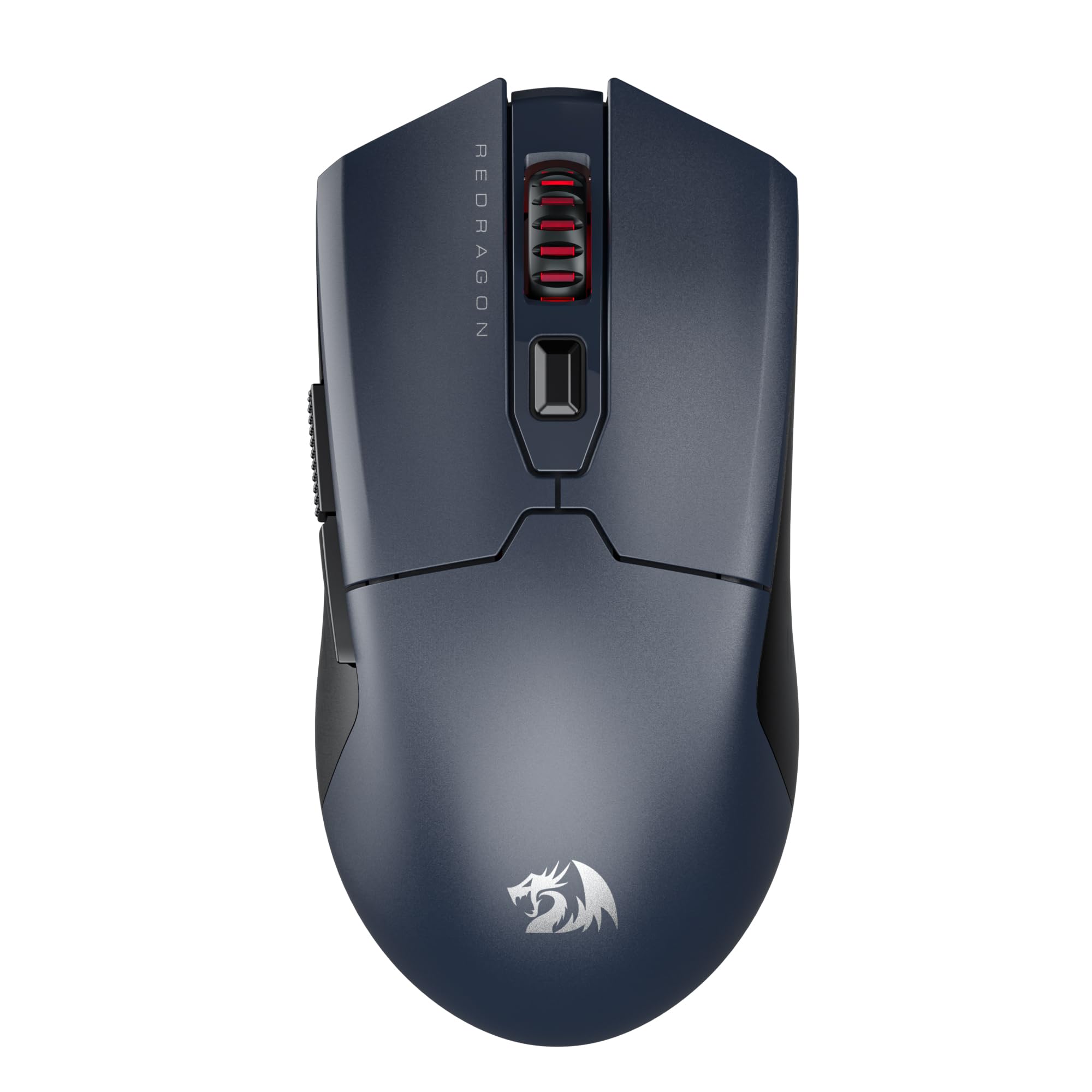
Image: The Redragon M995 LIT Wireless Gaming Mouse, showcasing ການອອກແບບ ergonomic ແລະລັກສະນະທີ່ສໍາຄັນຂອງມັນ.
ຕັ້ງຄ່າ
ເນື້ອໃນຊຸດ
- Redragon M995 LIT Wireless Gaming Mouse
- ເຄື່ອງຮັບ USB 2.4GHz
- ສາຍສາກ USB-C
- ຄູ່ມືຜູ້ໃຊ້
ໂໝດການເຊື່ອມຕໍ່
The M995 LIT mouse supports three connection modes: 2.4GHz Wireless, Bluetooth (BT), and Wired (USB-C).
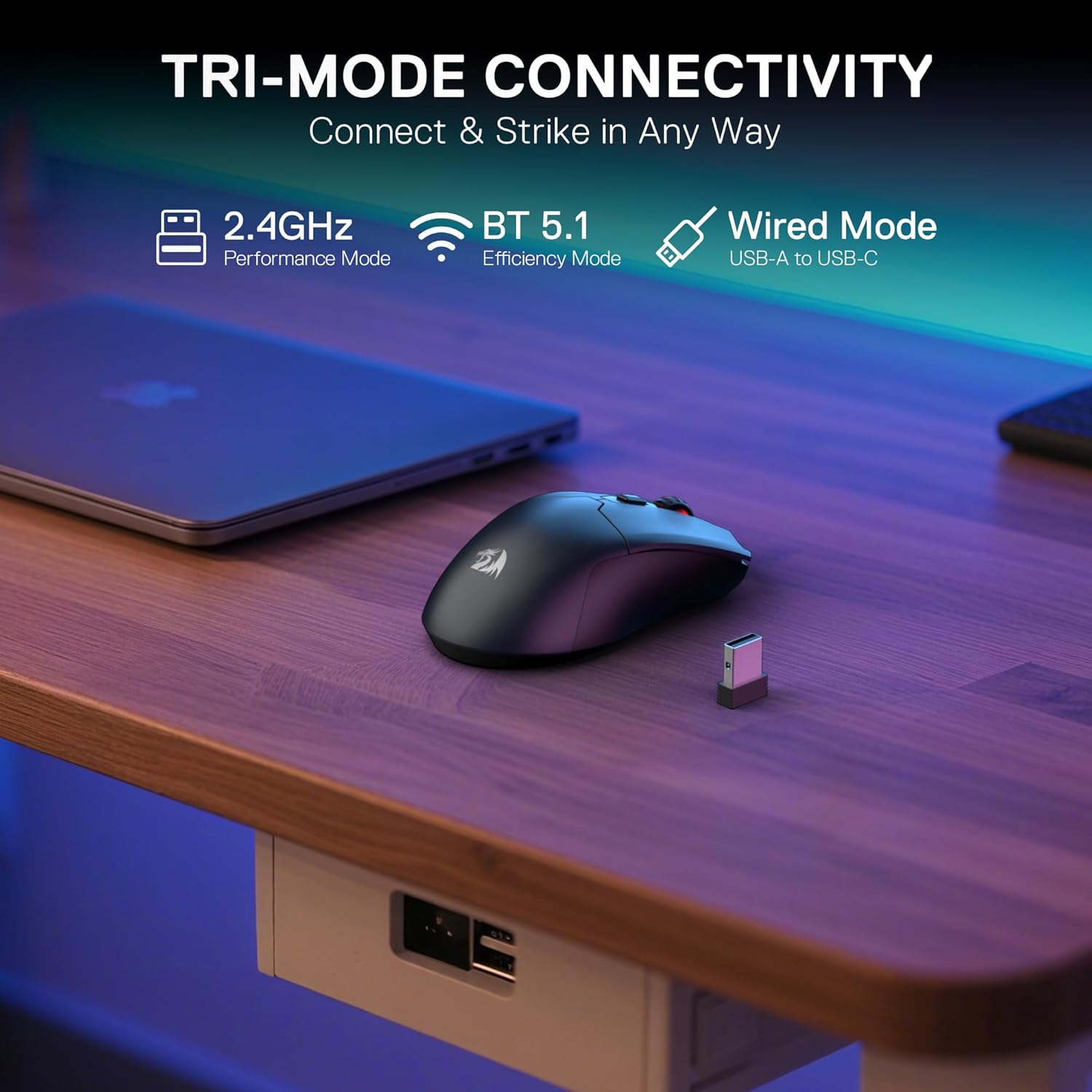
Image: Illustration of the mouse's tri-mode connectivity options: 2.4GHz, Bluetooth, and Wired via USB-C.
ການເຊື່ອມຕໍ່ໄຮ້ສາຍ 2.4GHz
- ຊອກຫາຕົວຮັບສັນຍານ USB 2.4GHz. ໂດຍປົກກະຕິແລ້ວມັນຈະຖືກເກັບໄວ້ໃນຊ່ອງທີ່ຢູ່ດ້ານລຸ່ມຂອງເມົ້າ.
- ສຽບຕົວຮັບ USB ເຂົ້າໄປໃນຜອດ USB ທີ່ມີຢູ່ໃນຄອມພິວເຕີຂອງທ່ານ.
- Turn on the mouse using the switch on the bottom. Select the 2.4G mode.
- The mouse should automatically connect. If not, press the pairing button on the underside of the mouse.
ການເຊື່ອມຕໍ່ Bluetooth
- Turn on the mouse using the switch on the bottom. Select the BT mode.
- ໃນຄອມພິວເຕີ ຫຼືອຸປະກອນຂອງທ່ານ, ໄປທີ່ການຕັ້ງຄ່າ Bluetooth ແລະຊອກຫາອຸປະກອນໃໝ່.
- Select "Redragon M995 LIT" from the list of available devices to pair.
ການເຊື່ອມຕໍ່ສາຍໄຟ
- ເຊື່ອມຕໍ່ປາຍສາຍສາກໄຟ USB-C ເຂົ້າກັບເມົ້າ.
- ເຊື່ອມຕໍ່ປາຍສາຍສາກໄຟ USB-A ເຂົ້າກັບພອດ USB ທີ່ມີຢູ່ໃນຄອມພິວເຕີຂອງທ່ານ.
- ເມົ້າຈະເຮັດໜ້າທີ່ເປັນເມົ້າທີ່ມີສາຍ ແລະ ສາກໄຟພ້ອມໆກັນ.
ການຕິດຕັ້ງຊອບແວ
To unlock the full customization potential of your M995 LIT mouse, including DPI settings, macro programming, and lighting effects, download the Redragon Pro driver software from the official Redragon webເວັບໄຊ. ປະຕິບັດຕາມຄໍາແນະນໍາໃນຫນ້າຈໍສໍາລັບການຕິດຕັ້ງ.
ຄໍາແນະນໍາການດໍາເນີນງານ
ການປັບ DPI
The mouse features 5 on-board DPI levels (400/800/1600/2400/4000) which can be cycled through using the dedicated DPI button, usually located behind the scroll wheel. These levels are indicated by different LED colors.

Image: Visual representation of the 5 adjustable DPI levels and their corresponding LED colors.
For advanced customization, including setting DPI up to 10000 and defining custom DPI steps, use the Redragon Pro driver software.

Image: Screenshot of the Redragon Pro driver software interface, showing DPI settings and customization options.
ປຸ່ມທີ່ຕັ້ງໂປຣແກຣມໄດ້
The M995 LIT mouse is equipped with 6 programmable buttons. These buttons can be assigned custom functions, macros, or keybinds using the Redragon Pro driver software.

Image: Diagram highlighting the 6 customizable buttons on the Redragon M995 LIT mouse.
To program buttons:
- Open the Redragon Pro driver software.
- Navigate to the "Key Settings" or "Button Settings" section.
- Select the button you wish to customize.
- Choose a predefined function or create a new macro.
- Save your changes to apply them to the mouse.
ການຄຸ້ມຄອງຫມໍ້ໄຟ
The mouse features a built-in 400mAh battery. To conserve power, the mouse will automatically enter sleep mode if not used for 3 minutes. Move the mouse or click any button to wake it up.

Image: Visual of the mouse highlighting its 400mAh battery capacity and estimated 44 hours of usage in BT mode.
ບໍາລຸງຮັກສາ
ທໍາຄວາມສະອາດ
- Regularly clean the mouse surface with a soft, dry cloth.
- ໃຊ້ຜ້າຝ້າຍເບົາໆ ງampened with isopropyl alcohol to clean the optical sensor and mouse feet.
- Avoid using harsh chemicals or abrasive materials, as these can damage the mouse.
ການດູແລຫມໍ້ໄຟ
- ສາກເມົ້າໂດຍໃຊ້ສາຍ USB-C ທີ່ໃຫ້ມາ.
- ຫຼີກເວັ້ນການປົດສາກແບັດເຕີຣີໃຫ້ເຕັມທີ່ເລື້ອຍໆເພື່ອຍືດອາຍຸຂອງມັນ.
- ເກັບຮັກສາຫນູໄວ້ໃນບ່ອນທີ່ເຢັນ, ແຫ້ງ, ເມື່ອບໍ່ໄດ້ໃຊ້ເປັນເວລາດົນ.
ການແກ້ໄຂບັນຫາ
ເມົາສ໌ບໍ່ຕອບສະໜອງ
- ກວດສອບພະລັງງານ: Ensure the mouse is turned on and has sufficient battery charge.
- ການເຊື່ອມຕໍ່ສາຍ: If using wireless, try connecting the mouse directly with the USB-C cable to rule out wireless interference or battery issues.
- ພອດ USB: Try plugging the USB receiver or cable into a different USB port on your computer.
ບັນຫາການເຊື່ອມຕໍ່ໄຮ້ສາຍ
- 2.4GHz Pairing: Ensure the mouse is in 2.4G mode and the USB receiver is properly connected. Press the pairing button on the mouse if necessary.
- ການຈັບຄູ່ Bluetooth: Ensure the mouse is in BT mode and your device's Bluetooth is enabled. Re-pair the mouse if it's not connecting.
- ແຊກແຊງ: Move the mouse closer to the receiver/device and away from other wireless devices (e.g., Wi-Fi routers, other wireless peripherals) that might cause interference.
DPI or Button Customization Not Working
- ການຕິດຕັ້ງຊອບແວ: Verify that the Redragon Pro driver software is correctly installed.
- ອັບເດດຊອບແວ: Check for any available software or firmware updates for your mouse.
- ນຳໃຊ້ການຕັ້ງຄ່າ: Ensure you have clicked "Apply" or "Save" within the software after making changes.
ຂໍ້ມູນຈໍາເພາະ
| ຄຸນສົມບັດ | ລາຍລະອຽດ |
|---|---|
| ຕົວແບບ | M995 LIT |
| ເຕັກໂນໂລຊີການເຊື່ອມຕໍ່ | BT, 2.4G, USB-C |
| ເຕັກໂນໂລຍີກວດຈັບການເຄື່ອນໄຫວ | Optical (SG8925 sensor) |
| DPI ສູງສຸດ | 10000 (ປັບໄດ້) |
| ປຸ່ມທີ່ຕັ້ງໂປຣແກຣມໄດ້ | 6 |
| ອັດຕາການລົງຄະແນນສຽງ | ເຖິງ 1000Hz |
| ຄວາມອາດສາມາດຫມໍ້ໄຟ | 400mAh |
| ນ້ໍາຫນັກລາຍການ | 7 ອອນ |
| ຂະໜາດ | 6.18 x 3.46 x 1.93 ນິ້ວ |
| ຄຸນນະສົມບັດພິເສດ | Lightweight, Auto-sleep mode |
ການຮັບປະກັນແລະການສະຫນັບສະຫນູນ
ໂດຍປົກກະຕິແລ້ວຜະລິດຕະພັນ Redragon ມາພ້ອມກັບການຮັບປະກັນຂອງຜູ້ຜະລິດ. ກະລຸນາອ້າງອີງບັດຮັບປະກັນທີ່ມາພ້ອມກັບຜະລິດຕະພັນຂອງທ່ານ ຫຼື ເຂົ້າເບິ່ງເວັບໄຊທ໌ທາງການຂອງ Redragon. webສະຖານທີ່ສໍາລັບຂໍ້ມູນການຮັບປະກັນລາຍລະອຽດແລະຂໍ້ກໍານົດ.
ສໍາລັບການສະຫນັບສະຫນູນດ້ານວິຊາການ, ການຊ່ວຍເຫຼືອການແກ້ໄຂບັນຫາ, ຫຼືການສອບຖາມກ່ຽວກັບຜະລິດຕະພັນ, ກະລຸນາຕິດຕໍ່ຫາບໍລິການລູກຄ້າ Redragon ໂດຍຜ່ານທາງການຂອງເຂົາເຈົ້າ webເວັບໄຊ: www.redragonzone.com


