ແນະນຳ
This manual provides essential information for the safe and efficient operation of your Twotrees TTC6050 CNC Router Machine. Please read all instructions carefully before use and retain this manual for future reference.
The TTC6050 is a versatile desktop engraving machine designed for precision work on various materials. Key features include:
- 500W Spindle and Multi-Material Compatibility: Equipped with a 500W high-performance spindle, upgradeable to 800W/2000W/3000W. Spindle speeds range from 8000-30000 RPM. The ER11 chuck supports 0.5-6mm tools, allowing engraving and cutting of solid wood, acrylic, carbon fiber, aluminum, copper, and stainless steel.
- High-Precision Structure & Professional Drive System: Features a high-rigidity aluminum alloy main frame with C7-grade ball screws and linear guide transmission systems. X/Y-axis positioning accuracy is 0.01mm, Z-axis precision is 0.0025mm, and overall engraving accuracy is ±0.05mm. Maximum engraving speed is 5000mm/min.
- Intelligent GRBL Control & User-Friendly Operation: Utilizes an open-source GRBL control system, supporting both CNC engraving and laser modules without flashing. A 3.5-inch resistive touchscreen provides intuitive control for motion, speed, tool setting, and mode switching, with support for eight languages. Compatible with Artcam and Fusion360, handling .nc and .Gcode file ຮູບແບບ.
- Comprehensive Safety Certifications & Expandable Features: Holds CE/ROHS/FCC safety certifications. Built-in infrared sensors and microswitch limiters enhance operational safety. The controller offers interfaces for external accessories like a fourth axis, laser head, and air pump. Features built-in Wi-Fi 2.4G and TF card offline operation.
- Large Working Area & Ready-to-Use Packaging: Offers a spacious 600x500x100mm (23.6”x19.6”x3.9”) effective working area. The package includes the machine body, a 500W spindle, multiple engraving tools, clamping plate, and PP test engraving material for quick setup.
ຂໍ້ມູນຄວາມປອດໄພ
ປະຕິບັດຕາມຄວາມລະມັດລະວັງດ້ານຄວາມປອດໄພຕໍ່ໄປນີ້ສະເໝີ:
- Wear appropriate personal protective equipment (PPE), including safety glasses, during operation.
- Ensure the work area is well-ventilated and clear of obstructions.
- ຮັກສາມືແລະເຄື່ອງນຸ່ງທີ່ວ່າງໄວ້ຫ່າງຈາກພາກສ່ວນທີ່ເຄື່ອນຍ້າຍ.
- ຫ້າມໃຊ້ເຄື່ອງຈັກໂດຍບໍ່ມີການຕິດຕັ້ງ.
- ຕັດການເຊື່ອມຕໍ່ໄຟຟ້າກ່ອນທີ່ຈະດໍາເນີນການບໍາລຸງຮັກສາຫຼືການປັບ.
- ເຮັດຄວາມຄຸ້ນເຄີຍກັບຂັ້ນຕອນການຢຸດສຸກເສີນ.
ການຕິດຕັ້ງແລະການປະກອບ
The TTC6050 CNC Router Machine requires assembly. Follow the steps below carefully. Refer to the assembly tutorial video for visual guidance.
Assembly Tutorial Video
Detailed assembly tutorial for the Twotrees TTC6050 CNC Router Machine. This video guides you through unpacking, floor assembly, table assembly, X-axis assembly, spindle assembly, and connection of components.
Unpacking ແລະການກໍານົດອົງປະກອບ
ຖອດຊິ້ນສ່ວນທັງໝົດອອກຢ່າງລະມັດລະວັງ ແລະຢັ້ງຢືນຕໍ່ກັບລາຍການບັນຈຸ. ໃຫ້ແນ່ໃຈວ່າທຸກພາກສ່ວນແມ່ນປະຈຸບັນແລະບໍ່ເສຍຫາຍ.

Image showing the main components of the Twotrees TTC6050 CNC Router Machine, including the frame, motors, and accessories.
ສະພາແຫ່ງຊັ້ນ
- Place the main base frame on a stable surface.
- Attach the side rails to the main base using the provided Cup Head M5X20 Screws. Ensure they are securely fastened.
- Route the motor cables and secure them with cable ties as shown in the video.
- Install the machine M4X3 screws and adjust the knobs for the lead screw.

ໃກ້ຊິດ view of the linear rail and ball screw mechanism, highlighting the precision drive system of the TTC6050.
ການປະຊຸມໂຕະ
- Position the table support bars onto the floor assembly.
- Secure the table support bars using Cup Head M5X15 Screws.
- Attach the side density boards using Cup Head M5X12 Screws and Cup Head M5X20 Screws.
- Place the middle density boards and secure them with Countersunk head M4X8 Screws.
- Install the limit switches on the side rails using Self-tapping M3X10 Screws.

An illustration detailing the spacious 600x500x100mm carving area of the TTC6050 CNC machine.
X-axis Assembly
- Attach the X-axis motor to the X-axis beam using Cup Head M4X12 Screws.
- Mount the X-axis assembly onto the main frame, securing it with Cup Head M5X18 Screws.
- Install the cable chain, ensuring cables are neatly routed and secured with Cup Head M3X5 Screws.
- Attach the red acrylic side panels using Round head M3X6 Screws.
Spindle Assembly
- Mount the spindle holder onto the Z-axis carriage using Cup Head M5X55 Screws.
- Insert the 500W spindle into the holder and tighten the screws to secure it.
ພາກສ່ວນເຊື່ອມຕໍ່
- Connect the X-axis motor cable to the control box.
- Connect the limit switch cables to the corresponding ports on the control box.
- Connect the spindle power cable to the control box.
- Ensure all connections are firm and correctly oriented.

The 3.5-inch resistive touchscreen control panel, offering intuitive operation for motion, speed, and tool settings.
ຄໍາແນະນໍາການດໍາເນີນງານ
ການຕິດຕັ້ງແລະການຕັ້ງຄ່າຊອບແວ
- Install compatible CNC control software (e.g., Artcam, Fusion360) on your computer.
- Connect the CNC machine to your computer via USB or Wi-Fi.
- Configure the software settings according to the machine's specifications (e.g., working area, steps per mm). Refer to the software's documentation for detailed setup.
Material Preparation and Loading
- Select appropriate material for your project (wood, acrylic, metal, etc.).
- ຢ່າງປອດໄພ clamp the material to the work table using the provided clamps. Ensure the material is flat and stable to prevent movement during operation.
- Choose the correct engraving or cutting tool for your material and project. Insert the tool into the spindle's ER11 chuck and tighten it firmly.
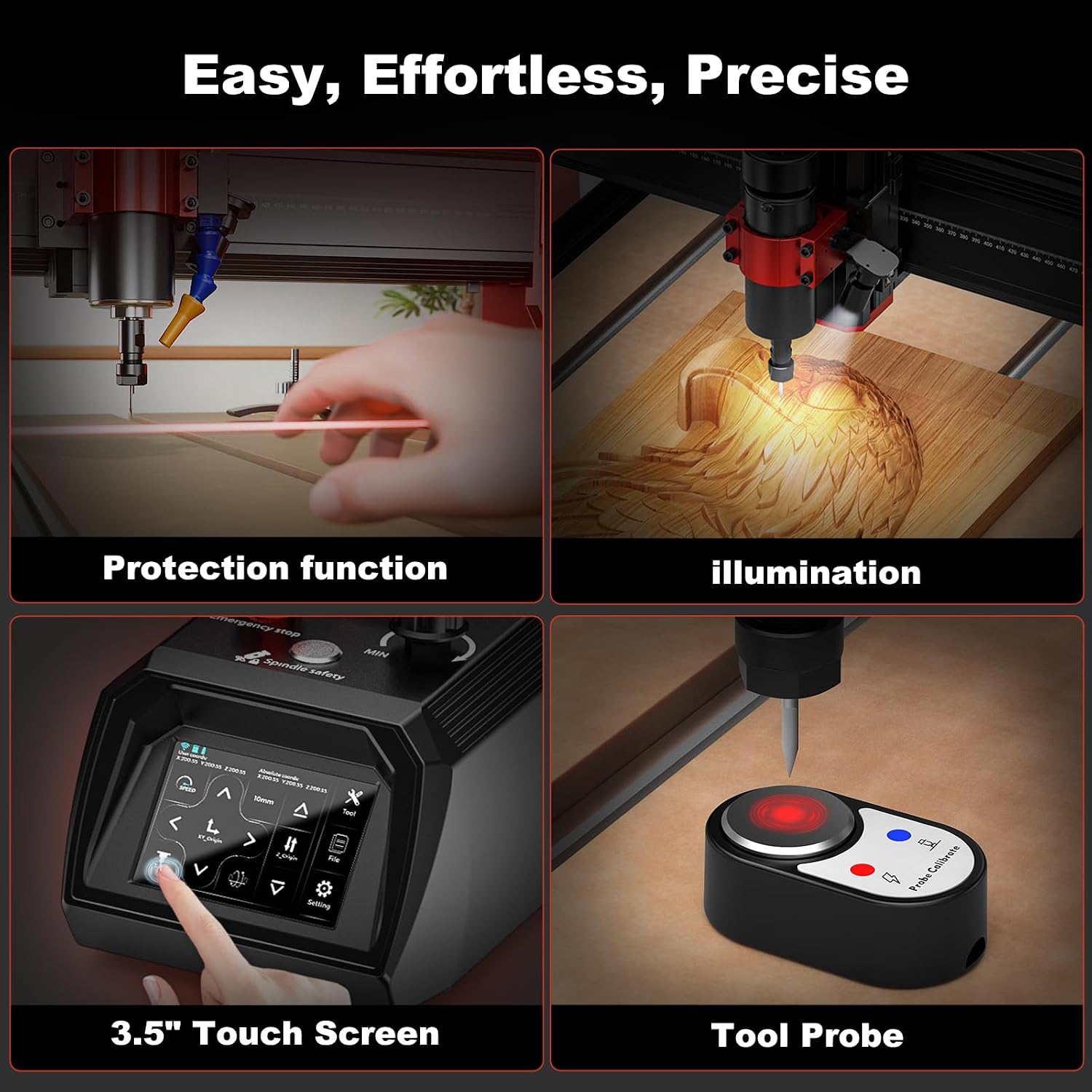
Visual representation of the machine's user-friendly features, including the touch screen interface and tool probe for precise setup.
Starting an Engraving/Cutting Job
- Power on the CNC machine.
- Use the touchscreen or software to home the machine (set origin).
- Load your .nc or .Gcode file into the control software or via TF card for offline operation.
- Set the Z-axis zero point using the tool probe or manual adjustment.
- Verify all settings and safety measures.
- Start the job. Monitor the machine closely during operation.
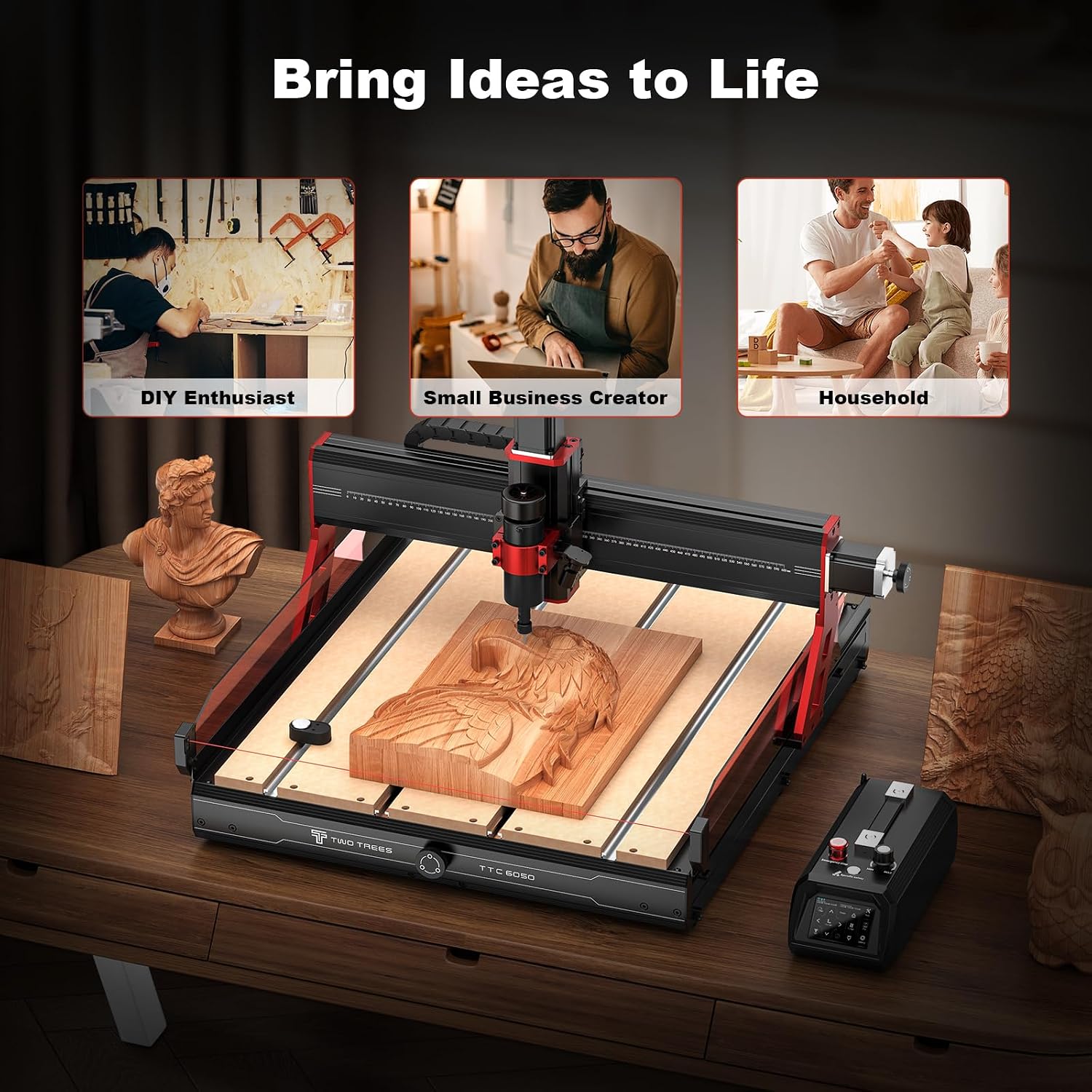
The TTC6050 in action, demonstrating its versatility for various users and creative projects.
ບໍາລຸງຮັກສາ
Regular maintenance ensures optimal performance and extends the lifespan of your TTC6050 CNC Router Machine.
- ທໍາຄວາມສະອາດ: After each use, clean the work area, rails, and lead screws to remove dust and debris. Use a soft brush or compressed air.
- ການລະບາຍສີ: Periodically lubricate the linear rails and ball screws with appropriate grease or oil to ensure smooth movement.
- ການກວດກາເຄື່ອງມື: Regularly inspect engraving/cutting tools for wear or damage. Replace dull or broken tools to maintain cut quality and prevent machine strain.
- ການຄຸ້ມຄອງສາຍໄຟ: Check all cables for wear or damage. Ensure they are securely routed and not pinched.
- ການອັບເດດເຟີມແວ: Check the Twotrees official website for any available firmware updates for your control system.
ການແກ້ໄຂບັນຫາ
This section addresses common issues you might encounter with your TTC6050 CNC Router Machine.
| ບັນຫາ | ສາເຫດທີ່ເປັນໄປໄດ້ | ການແກ້ໄຂ |
|---|---|---|
| ເຄື່ອງບໍ່ເປີດ | Power cable disconnected, power switch off, faulty power supply. | Check power connections, ensure switch is on, test power supply. |
| Motors not moving | Loose motor cables, software connection issue, emergency stop engaged. | Verify motor cable connections, check software communication, disengage emergency stop. |
| Inaccurate engraving/cutting | Loose material, dull tool, incorrect software settings (steps per mm), loose belts/couplings. | Secure material, replace tool, recalibrate software settings, check and tighten belts/couplings. |
| Spindle not rotating | Spindle power cable disconnected, spindle faulty. | Check spindle power connection, contact support if spindle is faulty. |
If you encounter issues not listed here or if the suggested solutions do not resolve the problem, please contact Twotrees customer support.
ຂໍ້ມູນຈໍາເພາະ
| ຄຸນສົມບັດ | ລາຍລະອຽດ |
|---|---|
| ຍີ່ຫໍ້ | Twotrees |
| ໝາຍເລກຕົວແບບ | TTC6050 |
| ວັດສະດຸ | Aluminum, ABS, C7 ball screw, linear guide |
| ແຫຼ່ງພະລັງງານ | AC |
| ຂະໜາດສິນຄ້າ | 30.3"W x 20.87"H |
| ສະບັບtage | 24 ໂວນ |
| ນ້ໍາຫນັກລາຍການ | 39.92 ກິໂລ (87.8 ປອນ) |
| ຄວາມໄວການຫມຸນສູງສຸດ | 5000 RPM (Spindle: 8000-30000 RPM) |
| ປະເພດພື້ນຖານ | ໂດດລົງ |
| ສີ | ສີດໍາແລະສີແດງ |
| Effective Working Area (Size) | 600x500x100mm (23.6"x19.6"x3.9") |
| ອົງປະກອບລວມ | Machine components, machine accessories, 500W spindle motor, engraving tools, clamping plate, PP test engraving material. |
| ລະບົບຄວບຄຸມ | GRBL (Open-source) |
| ການເຊື່ອມຕໍ່ | USB, Wi-Fi 2.4G, TF card offline operation |
| ຄຸນນະສົມບັດຄວາມປອດໄພ | Infrared sensors, microswitch limiters |
ການຮັບປະກັນແລະການສະຫນັບສະຫນູນ
The Twotrees TTC6050 CNC Router Machine comes with a 1 ປີຮັບປະກັນຜູ້ຜະລິດ ຕາມສະເພາະຂອງຜະລິດຕະພັນ.
For technical support, warranty claims, or any questions regarding your machine, please contact the Twotrees-US Official Store directly through their Amazon store page or the contact information provided in your product packaging.
ທ່ານສາມາດໄປຢ້ຽມຢາມໄດ້ Twotrees Store on Amazon ສໍາລັບຂໍ້ມູນເພີ່ມເຕີມແລະຊັບພະຍາກອນສະຫນັບສະຫນູນ.


