1. ບົດແນະນຳ
This manual provides essential instructions for the safe and effective use of your Sony Alpha a7 II ILCE-7M2/B Full-Frame Mirrorless Camera. Please read this manual thoroughly before operating the camera and retain it for future reference. The Sony Alpha a7 II is designed for high-quality photography and videography, featuring a 24.3MP full-frame sensor, 5-axis in-body image stabilization, and a fast hybrid autofocus system.
2. ຜະລິດຕະພັນເກີນview
The Sony Alpha a7 II is a full-frame mirrorless camera body equipped with advanced features for capturing detailed images and smooth videos. Key features include:
- 24.3MP Full-Frame Exmor CMOS Sensor: Delivers high resolution and excellent low-light performance.
- 5-Axis SteadyShot INSIDE Image Stabilization: Compensates for camera shake across five axes, enhancing sharpness for both stills and video, even with non-stabilized lenses.
- Fast Hybrid Autofocus System: Combines 117 phase-detection and 25 contrast-detection points for quick and accurate subject tracking.
- Full HD 1080p Video Recording: Supports up to 60 fps with XAVC S compression and S-Log2 gamma for professional-grade video.
- BIONZ X Image Processor: Ensures rapid processing and high image quality.
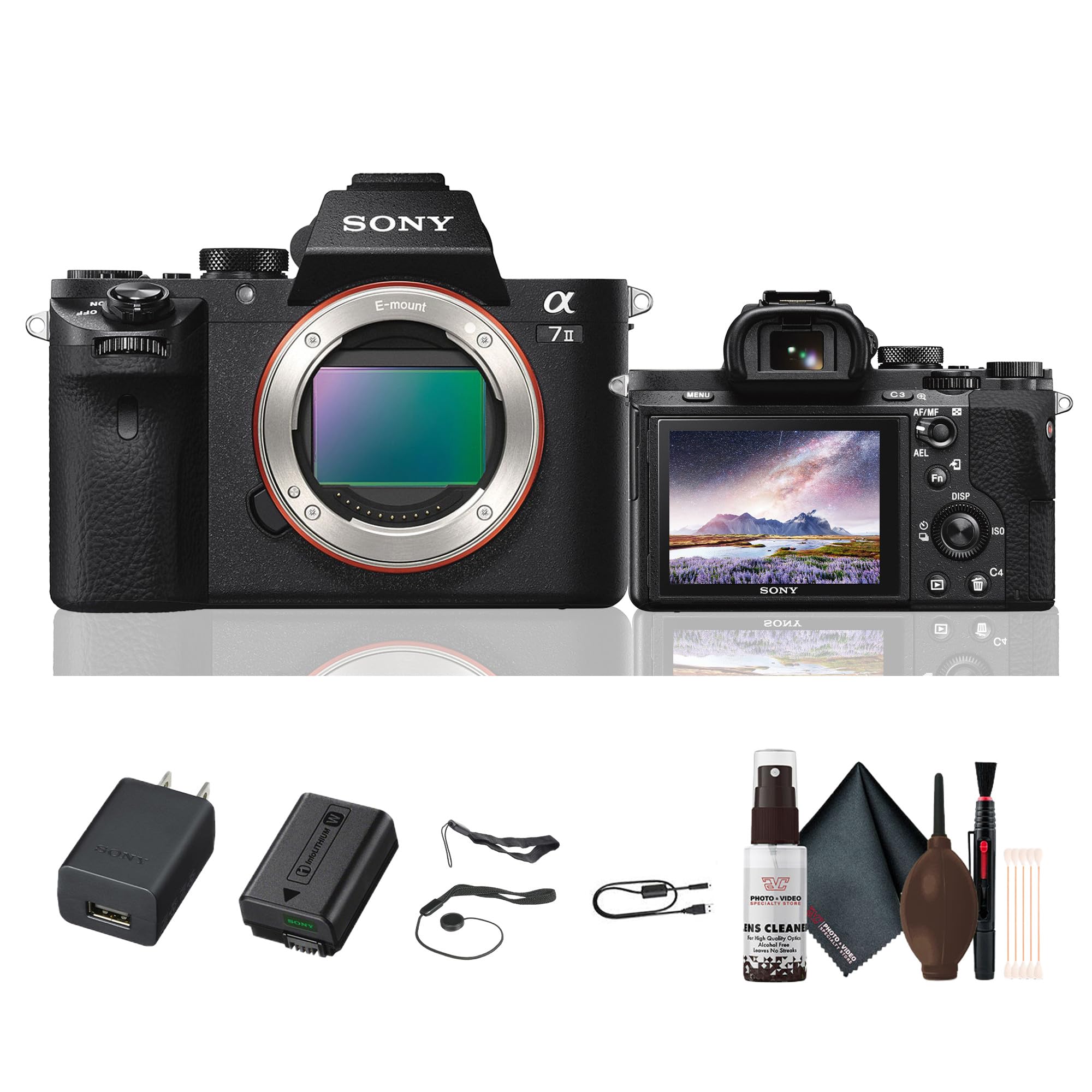
ຮູບ 2.1: ດ້ານຫລັງ view of the Sony Alpha a7 II camera with the LCD screen closed, showing the electronic viewfinder, control dials, and buttons.
3. ຕັ້ງຄ່າ
3.1. ການຫຸ້ມຫໍ່ແລະການກວດກາເບື້ອງຕົ້ນ
ເອົາສ່ວນປະກອບທັງໝົດອອກຈາກການຫຸ້ມຫໍ່ຢ່າງລະມັດລະວັງ. ກວດສອບວ່າລາຍການທັງໝົດທີ່ລະບຸໄວ້ຂ້າງລຸ່ມນີ້ມີຢູ່ແລ້ວ. ຖ້າມີລາຍການໃດຂາດຫາຍໄປ ຫຼື ເສຍຫາຍ, ໃຫ້ຕິດຕໍ່ຮ້ານຄ້າປີກຂອງທ່ານ.
ລາຍການລວມ:
- Sony Alpha a7 II Mirrorless Digital Camera Body
- ຊຸດແບັດເຕີຣີທີ່ສາມາດສາກໄດ້
- ອະແດບເຕີ AC
- ສາຍ USB
- ສາຍບ່າ
- ຫມວກຮ່າງກາຍ
- ອຸປະກອນເສີມເກີບ Cap
- ຈອກແກ້ວຕາ
3.2. ການຕິດເລນ
- ຖອດຝາປິດຕົວອອກຈາກກ້ອງ ແລະຝາປິດກ້ອງຫຼັງອອກຈາກເລນ.
- ວາງເຄື່ອງໝາຍດັດຊະນີສີຂາວຢູ່ກ້ອງເລນດ້ວຍເຄື່ອງໝາຍດັດຊະນີສີຂາວຢູ່ໃນຕົວກ້ອງ.
- ຕິດເລນໂດຍການຫັນມັນຕາມເຂັມໂມງຈົນກວ່າມັນຈະກົດເຂົ້າບ່ອນ.
Note: The a7 II uses Sony E-mount lenses. A-mount lenses can be used with an optional adapter.
3.3. ການໃສ່ແບັດເຕີລີ ແລະ ກາດໜ່ວຍຄວາມຈຳ
- ເປີດຝາປິດແບັດເຕີລີ/ແຜ່ນຄວາມຈຳທີ່ຢູ່ດ້ານລຸ່ມຂອງກ້ອງ.
- Insert the fully charged battery pack with the arrow pointing towards the camera, pushing it in until it locks.
- Insert a compatible memory card (SD card, Memory Stick PRO Duo) into the memory card slot with the notched corner facing the correct direction, pushing until it clicks.
- ປິດຝາປິດແບັດເຕີລີ/ແຜ່ນຄວາມຈຳຢ່າງປອດໄພ.
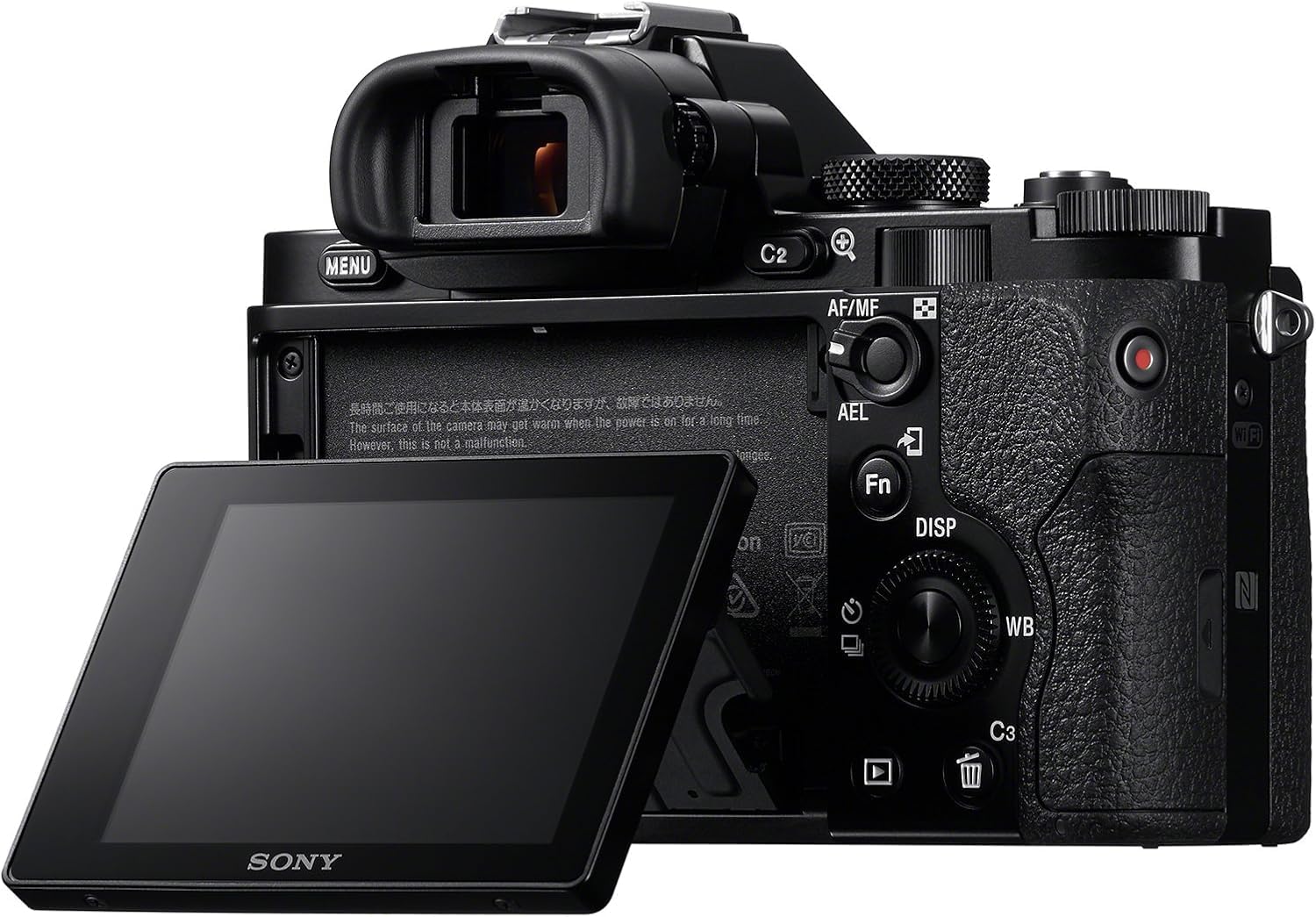
ຮູບ 3.1: ດ້ານຫລັງ view of the Sony Alpha a7 II camera with the LCD screen tilted outwards, showing the battery/memory card compartment.
3.4. ການສາກແບັດເຕີຣີ
Connect the camera to the AC adaptor using the supplied USB cable. The charging indicator lamp will light up during charging and turn off when charging is complete. A full charge typically takes approximately 150 minutes.
4. ປະຕິບັດການກ້ອງຖ່າຍຮູບ
4.1. ເປີດ/ປິດ
ເພື່ອເປີດ ຫຼືປິດກ້ອງ, ໃຫ້ເລື່ອນປຸ່ມເປີດ/ປິດທີ່ຢູ່ອ້ອມປຸ່ມຊັດເຕີ.
4.2. ໂໝດການຖ່າຍຮູບພື້ນຖານ
Rotate the Mode Dial (located on the top plate) to select your desired shooting mode:
- ອັດຕະໂນມັດ: ກ້ອງຖ່າຍຮູບຈະປັບການຕັ້ງຄ່າອັດຕະໂນມັດເພື່ອໃຫ້ໄດ້ຜົນທີ່ດີທີ່ສຸດ.
- Program Auto (P): ກ້ອງຖ່າຍຮູບກໍານົດຮູຮັບແສງ ແລະຄວາມໄວຊັດເຕີ, ແຕ່ທ່ານສາມາດປັບການຕັ້ງຄ່າອື່ນໄດ້.
- ບູລິມະສິດ Aperture (A): ທ່ານຕັ້ງຮູຮັບແສງ, ກ້ອງຖ່າຍຮູບກໍານົດຄວາມໄວຊັດເຕີ.
- ບູລິມະສິດ Shutter (S): ເຈົ້າຕັ້ງຄວາມໄວຊັດເຕີ, ກ້ອງຖ່າຍຮູບຕັ້ງຮູຮັບແສງ.
- ຄູ່ມື (M): ທ່ານຄວບຄຸມທັງຮູຮັບແສງ ແລະຄວາມໄວຊັດເຕີ.
- ຮູບເງົາ: ສໍາລັບການບັນທຶກວິດີໂອ.
- ການເລືອກສາກ: Pre-set modes for specific scenes (e.g., Landscape, Portrait, Sports).
4.3. ສຸມໃສ່
The a7 II features a Fast Hybrid Autofocus system. To focus, half-press the shutter button. The camera will automatically detect and focus on your subject. You can also manually select focus points or use manual focus (MF) by setting the focus mode switch on your lens or in the camera menu.
4.4. ສະຖຽນລະພາບຮູບພາບ
The camera's 5-axis SteadyShot INSIDE image stabilization system is active by default. This system helps reduce blur caused by camera shake, especially useful in low light or when using longer focal lengths. The system works with both native E-mount lenses and adapted lenses.
4.5. ການບັນທຶກວິດີໂອ
To record video, set the Mode Dial to the Movie mode. Press the dedicated MOVIE button (usually located on the side or rear of the camera grip) to start and stop recording. The camera records Full HD 1080p video at various frame rates up to 60 fps.
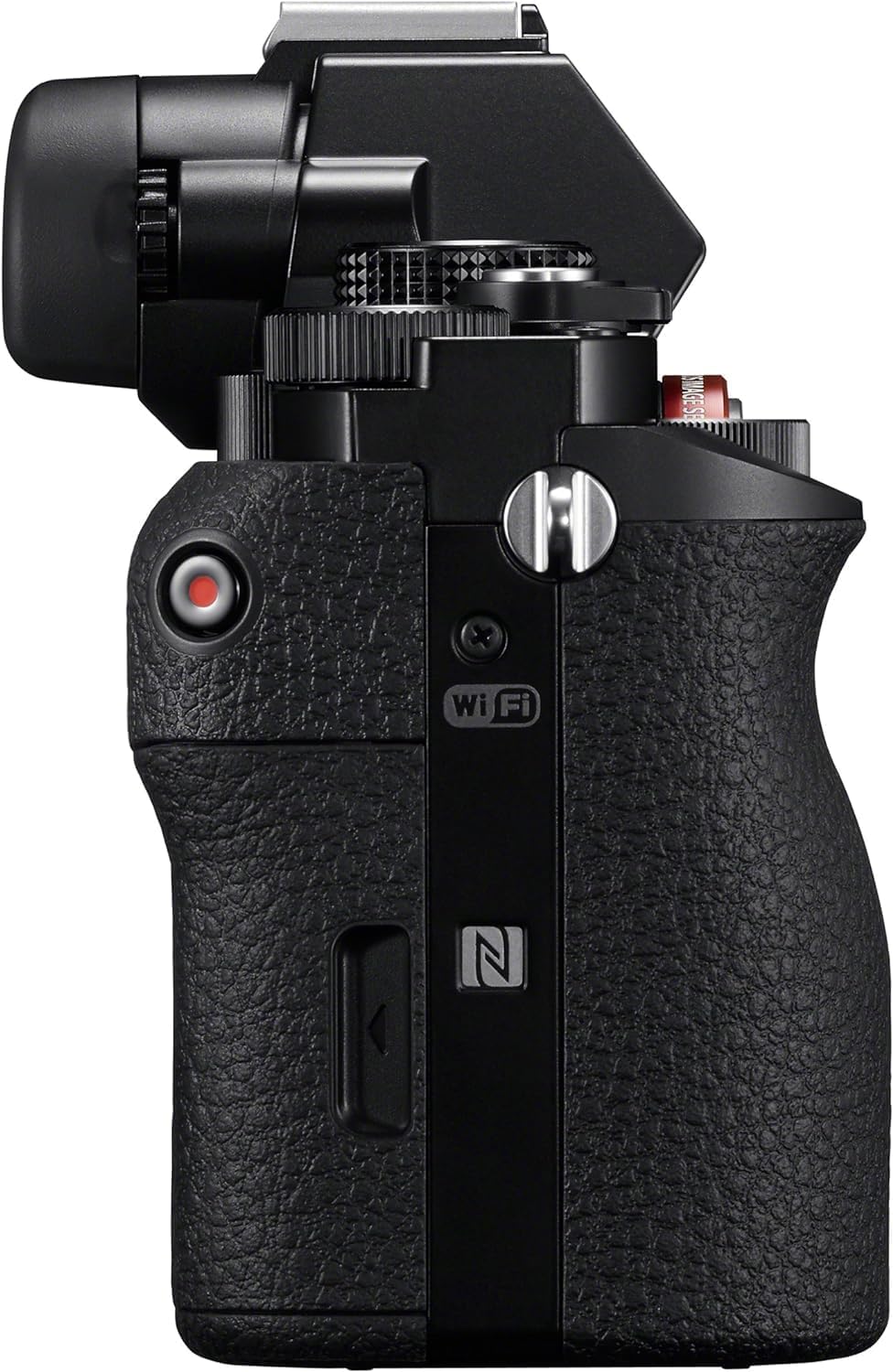
ຮູບ 4.1: ຂ້າງ view of the Sony Alpha a7 II camera, highlighting the grip and movie record button.
4.6. ການເຊື່ອມຕໍ່
The camera supports HDMI and USB connectivity. Use the HDMI output to view photos and videos on a compatible display. The USB port can be used for charging, data transfer to a computer, or connecting to other compatible devices.
5. ບໍາລຸງຮັກສາ
5.1. ການເຮັດຄວາມສະອາດກ້ອງຖ່າຍຮູບ
- ຮ່າງກາຍກ້ອງຖ່າຍຮູບ: ເຊັດດ້ວຍຜ້າອ່ອນໆ, ແຫ້ງ. ສໍາລັບຝຸ່ນທີ່ແຂງ, ໃຊ້ຜ້າບາງໆ dampສິ້ນສຸດລົງດ້ວຍນ້ໍາ. ຫຼີກເວັ້ນການສານເຄມີທີ່ຮຸນແຮງ.
- ເລນ: Use a lens brush or blower to remove dust. For smudges, use a lens cleaning solution and a microfiber cloth specifically designed for optics.
- ເຊັນເຊີ: Sensor cleaning should only be performed by authorized service personnel or experienced users with appropriate tools to avoid damage.
- ຈໍ LCD: ເຊັດຄ່ອຍໆດ້ວຍຜ້າອ່ອນໆ, ແຫ້ງ.
5.2. ການດູແລຫມໍ້ໄຟ
- Always use genuine Sony battery packs.
- ສາກແບັດເຕີຣີໃຫ້ເຕັມກ່ອນການນຳໃຊ້ຄັ້ງທຳອິດ ແລະ ຫຼັງຈາກບໍ່ໄດ້ໃຊ້ງານເປັນເວລາດົນ.
- ເກັບຮັກສາຫມໍ້ໄຟໃນບ່ອນທີ່ເຢັນ, ແຫ້ງ. ຢ່າປ່ອຍໃຫ້ອຸນຫະພູມທີ່ຮຸນແຮງ.
5.3. ການເກັບຮັກສາ
When storing the camera for an extended period, remove the battery and memory card. Store the camera in a dry, well-ventilated area, preferably with a desiccant to prevent mold and mildew.
6. ການແກ້ໄຂບັນຫາ
ຖ້າທ່ານພົບບັນຫາກັບກ້ອງຖ່າຍຮູບຂອງທ່ານ, ໃຫ້ອ້າງອີງເຖິງຂັ້ນຕອນການແກ້ໄຂບັນຫາທົ່ວໄປຕໍ່ໄປນີ້:
- ກ້ອງຖ່າຍຮູບບໍ່ເປີດ:
- ກວດໃຫ້ແນ່ໃຈວ່າໄດ້ສາກແບັດເຕີຣີເຕັມ ແລະໃສ່ຢ່າງຖືກຕ້ອງ.
- ລອງໃຊ້ແບັດເຕີຣີຊະນິດອື່ນທີ່ສາກເຕັມແລ້ວ ຖ້າມີ.
- ບໍ່ສາມາດຖ່າຍຮູບໄດ້:
- ກວດສອບວ່າບັດຄວາມຈຳຖືກໃສ່ແລ້ວ ແລະ ມີພື້ນທີ່ຫວ່າງພຽງພໍຫຼືບໍ່.
- ໃຫ້ແນ່ໃຈວ່າຝາປິດເລນຖືກຖອດອອກແລ້ວ.
- Verify the camera is not in a mode that prevents shooting (e.g., playback mode).
- ຮູບພາບແມ່ນມົວ:
- Check focus settings (Autofocus vs. Manual Focus).
- Ensure shutter speed is fast enough for the shooting conditions to prevent motion blur.
- Verify image stabilization is active if shooting handheld in low light.
- Clean the lens if smudges are present.
- ແບັດເຕີຣີໝົດໄວ:
- ຫຼຸດຄວາມສະຫວ່າງ LCD.
- Turn off Wi-Fi/NFC when not in use.
- ຈຳກັດການຖ່າຍຮູບຕໍ່ເນື່ອງ ຫຼື ການບັນທຶກວິດີໂອ.
- Ensure the battery is not old or damaged.
For more detailed troubleshooting, consult the comprehensive online manual available on the Sony support webເວັບໄຊ.
7. ຂໍ້ມູນຈໍາເພາະ
| ໝາຍເລກຕົວແບບ | ILCE-7M2/B |
| ປະເພດເຊັນເຊີ | Full Frame (35mm) Exmor CMOS |
| ການແກ້ໄຂປະສິດທິພາບ | 24.3 MP |
| ສະຖຽນລະພາບຮູບພາບ | 5-axis Sensor-shift (SteadyShot INSIDE) |
| ລະບົບໂຟກັສອັດຕະໂນມັດ | Fast Hybrid AF (117 phase-detection, 25 contrast-detection points) |
| ຄວາມລະອຽດວິດີໂອ | Full HD 1080p (up to 60 fps) |
| ຮູບແບບວິດີໂອ | XAVC S, AVCHD, MP4 |
| ຮູບແບບຮູບພາບ | JPEG, RAW |
| ການຕິດຕັ້ງທີ່ເຂົ້າກັນໄດ້ | Sony E-mount |
| ປະເພດການສະແດງ | ໜ້າຈໍ LCD ຂະໜາດ 3.0 ນິ້ວທີ່ສາມາດປັບໄດ້ (1,228,800 ຈຸດ) |
| Viewຜູ້ຊອກຫາ | 0.5-inch XGA OLED Electronic Viewfinder (2,359,296 dots) |
| ການເຊື່ອມຕໍ່ | HDMI (Type A), USB 2.0, Wi-Fi, NFC |
| ປະເພດຫມໍ້ໄຟ | NP-FW50 Lithium-Ion Rechargeable Battery |
| ຂະໜາດ (ກວ້າງ x ສູງ x ຍາວ) | Approx. 126.9 x 95.7 x 59.7 mm (5 x 3 7/8 x 2 3/8 inches) |
| Weight (with battery and memory card) | ປະມານ. 599 g (1 lb 5.2 oz) |
8. ການຮັບປະກັນແລະການສະຫນັບສະຫນູນ
8.1. ຂໍ້ມູນການຮັບປະກັນ
Your Sony Alpha a7 II camera is covered by a manufacturer's limited warranty. Please refer to the warranty card included in your product packaging for specific terms and conditions, including warranty period and coverage details. Retain your proof of purchase for warranty claims.
8.2. ການຊ່ວຍເຫຼືອລູກຄ້າ
For technical assistance, service, or additional product information, please visit the official Sony support website or contact Sony customer service in your region. Online resources often include FAQs, driver downloads, and comprehensive digital manuals.
ສະຫນັບສະຫນູນ Sony Webເວັບໄຊ: www.sony.com/electronics/support


