1. ບົດແນະນຳ
Thank you for choosing the AVMATRIX SD1242-4K HDMI Splitter. This device is designed to distribute a single HDMI 2.0 input signal to four HDMI 2.0 outputs, supporting resolutions up to 4K@60Hz with RGB 4:4:4 color space. It features EDID management and dual power supply options (USB-C and DC) for versatile use in various professional and home environments.
2. ຂໍ້ມູນຄວາມປອດໄພ
- ໃຫ້ແນ່ໃຈວ່າອຸປະກອນຖືກວາງໄວ້ໃນພື້ນທີ່ທີ່ມີລະບາຍອາກາດໄດ້ດີເພື່ອປ້ອງກັນຄວາມຮ້ອນເກີນໄປ.
- ຢ່າໃຫ້ອຸປະກອນຖືກຄວາມຊຸ່ມຊື່ນ, ຝົນ ຫຼື ອຸນຫະພູມສູງເກີນໄປ.
- ໃຊ້ພຽງແຕ່ອະແດັບເຕີໄຟທີ່ສະໜອງໃຫ້ ຫຼືແຫຼ່ງພະລັງງານທີ່ເຂົ້າກັນໄດ້.
- Avoid disassembling the unit; refer all servicing to qualified personnel.
- ຮັກສາອຸປະກອນໃຫ້ຫ່າງຈາກສະຫນາມແມ່ເຫຼັກທີ່ເຂັ້ມແຂງ.
3. ເນື້ອໃນຊຸດ
ກະລຸນາກວດເບິ່ງຊຸດສຳລັບລາຍການຕໍ່ໄປນີ້:
- AVMATRIX SD1242-4K HDMI Splitter Unit
- Power Adapter
- ສາຍ USB Type-C
- ຄູ່ມືຜູ້ໃຊ້ (ເອກະສານນີ້)
4. ຜະລິດຕະພັນເກີນview
The AVMATRIX SD1242-4K is a compact and robust HDMI splitter designed for high-quality video distribution. It features one HDMI input and four HDMI outputs, allowing a single source to be displayed on up to four screens simultaneously.
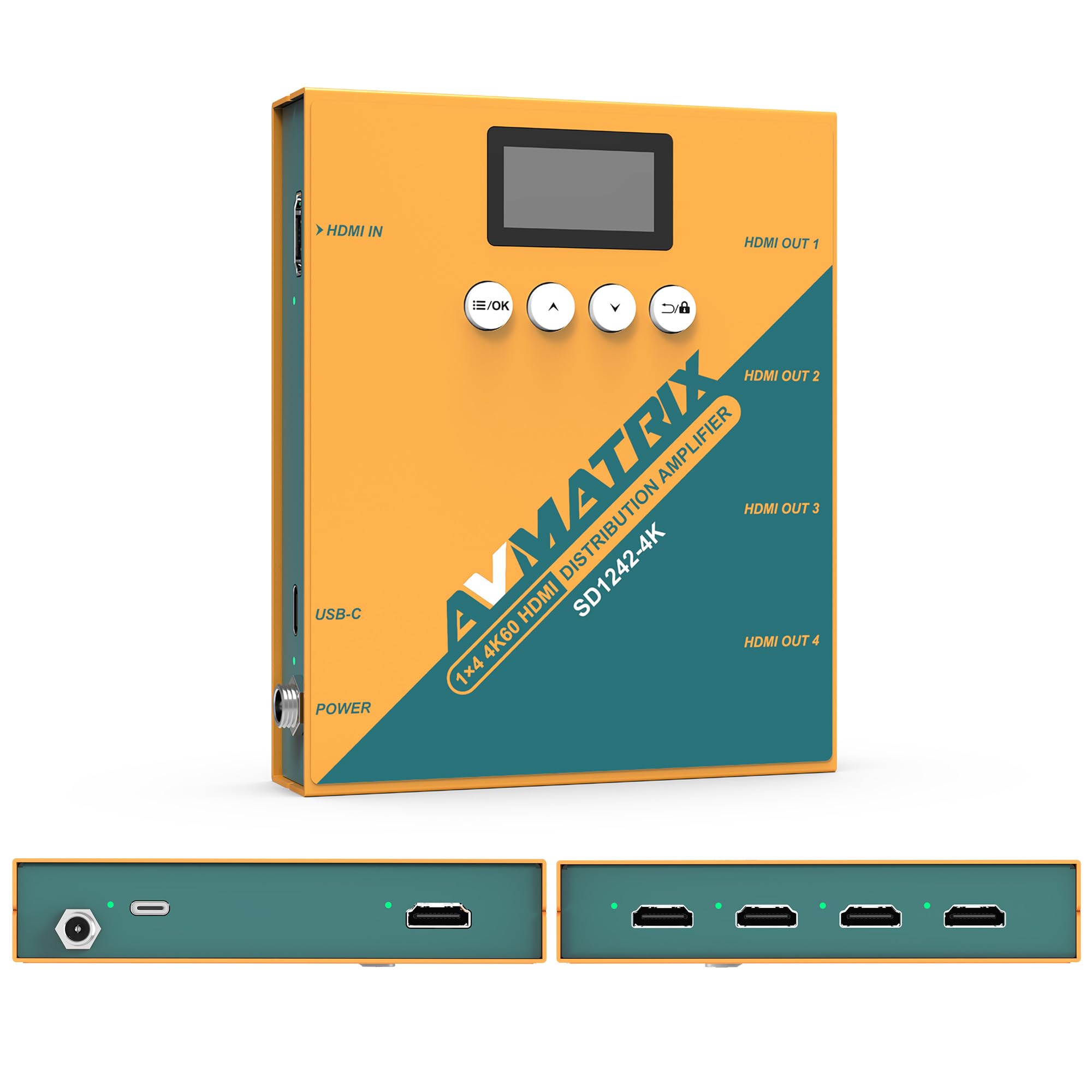
ຮູບ 1: ດ້ານຫນ້າແລະຫລັງ view of the AVMATRIX SD1242-4K HDMI Splitter, showing HDMI input, four HDMI outputs, USB-C, and DC power ports.

Figure 2: The AVMATRIX SD1242-4K HDMI Splitter highlighting its HDMI 2.0 inputs/outputs and support for up to 4K@60Hz resolution for ultra-high-definition picture quality.
4.1 ຄຸນສົມບັດ
- 1 HDMI 2.0 input to 4 HDMI 2.0 outputs.
- Supports resolutions up to 4K@60Hz (RGB 4:4:4).
- EDID management with Auto, Standard, Customize, and EDID Copy modes.
- Dual power supply: USB Type-C and DC 12V.
- Built-in OLED display for real-time status.
- Control via front panel buttons or PC software.
5. ຕັ້ງຄ່າ
Follow these steps to set up your AVMATRIX SD1242-4K HDMI Splitter:
- ເຊື່ອມຕໍ່ແຫຼ່ງ HDMI: Connect your HDMI source device (e.g., PS4, Blu-ray player, computer) to the HDMI IN port on the splitter using a high-quality HDMI 2.0 cable.
- ເຊື່ອມຕໍ່ຈໍສະແດງຜົນ HDMI: Connect up to four HDMI display devices (e.g., HDTVs, monitors, projectors) to the HDMI OUT 1-4 ports on the splitter using high-quality HDMI 2.0 cables.
- ເຊື່ອມຕໍ່ພະລັງງານ: Connect the provided power adapter to the DC 12V port on the splitter, or connect a USB Type-C cable to the USB-C port and a compatible USB power source. The device supports both power options.
- ເປີດ: Ensure all devices (source, splitter, displays) are powered on. The splitter's OLED display will show its status.
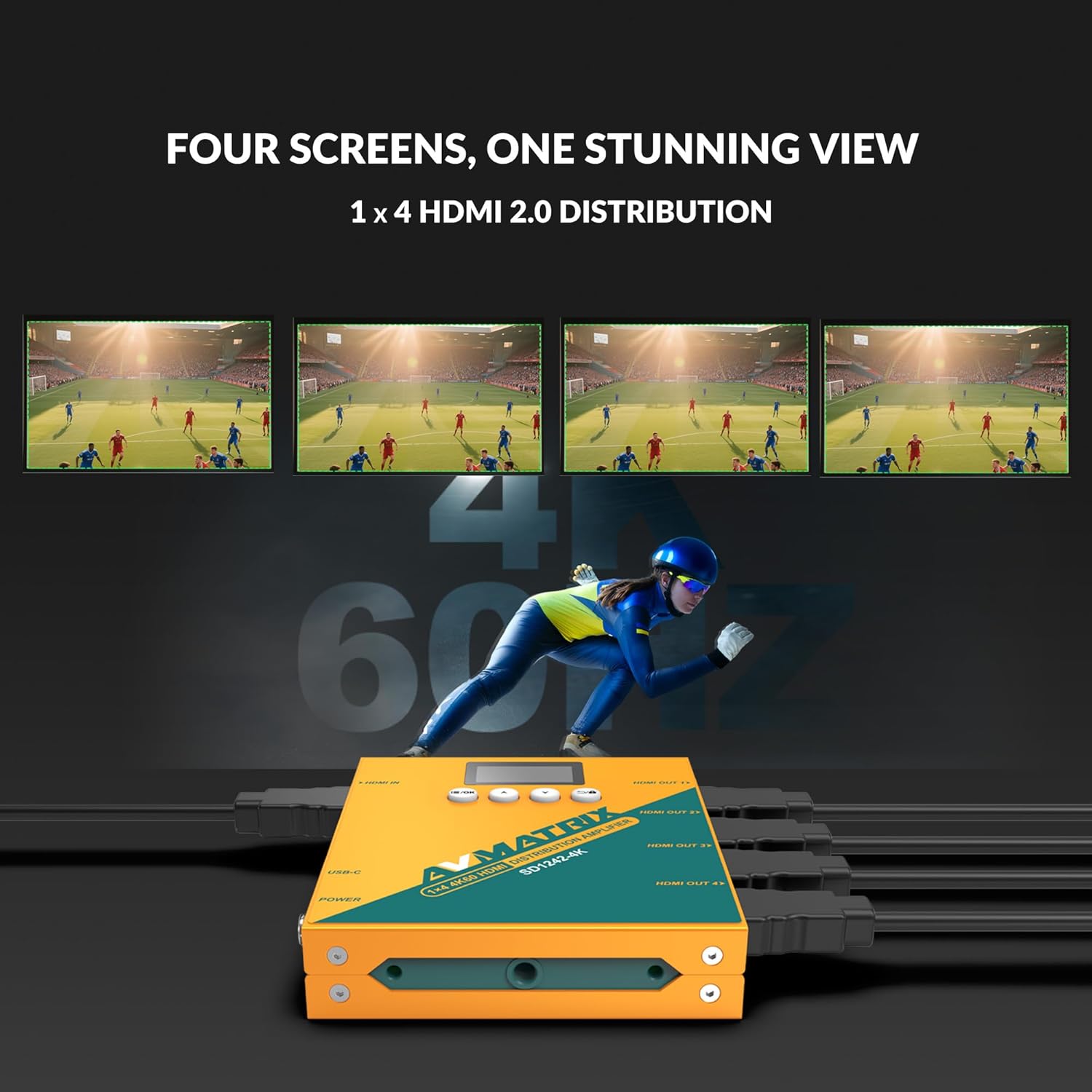
Figure 3: Illustration of the AVMATRIX SD1242-4K HDMI Splitter distributing a single video source to four separate display screens, demonstrating its 1x4 distribution capability.
6. ຄໍາແນະນໍາການດໍາເນີນງານ
6.1 ການຄຸ້ມຄອງ EDID
The SD1242-4K features EDID management to ensure optimal compatibility and performance between your source and display devices. You can configure EDID settings using the front panel buttons or the PC control software.

Figure 4: Comparison of a display without EDID management (left, showing potential compatibility issues) and with EDID management (right, showing seamless communication and optimal display).
There are four EDID modes available:
- ອັດຕະໂນມັດ: The splitter automatically detects and selects the best EDID settings based on the connected displays.
- ມາດຕະຖານ: Uses a default, common EDID setting for broad compatibility.
- ປັບແຕ່ງ: Allows users to upload a custom EDID file via PC software.
- ສຳເນົາ EDID: Copies the EDID from a specific output display (e.g., Output 1) to be used for all outputs.
6.2 ຕົວເລືອກການຄວບຄຸມ
The device can be controlled via its front panel buttons or through dedicated PC software.

Figure 5: Demonstrates the two primary control methods for the AVMATRIX SD1242-4K: direct interaction with the front panel buttons and comprehensive control via PC software interface.
- ປຸ່ມດ້ານໜ້າ: Use the buttons located on the front panel to navigate menus on the OLED display and adjust basic settings, including EDID modes.
- ການຄວບຄຸມຊອບແວຄອມພິວເຕີ: Connect the splitter to a computer via its USB port. Install the AVMATRIX control software to access advanced settings, customize EDID, and monitor device status.
6.3 ທາງເລືອກການສະຫນອງພະລັງງານ
The SD1242-4K offers flexible power options for convenience.

Figure 6: Illustrates the dual power supply capabilities of the AVMATRIX SD1242-4K, showing both the traditional DC power input and the modern USB Type-C power input.
- DC Power Supply: Use the included 12V DC power adapter for stable and continuous power.
- USB Type-C Power Supply: For portability or when a DC outlet is unavailable, power the device using a standard USB Type-C cable connected to a compatible USB power source (e.g., power bank, computer USB port).
7. ບໍາລຸງຮັກສາ
- ທໍາຄວາມສະອາດ: ໃຊ້ຜ້າອ່ອນແລະແຫ້ງເພື່ອທຳຄວາມສະອາດດ້ານນອກຂອງອຸປະກອນ. ຢ່າໃຊ້ນ້ຳຢາທຳຄວາມສະອາດທີ່ເປັນຂອງແຫຼວ ຫຼື ນ້ຳຢາສີດ.
- ການເກັບຮັກສາ: ເມື່ອບໍ່ໄດ້ໃຊ້ເປັນເວລາດົນ, ໃຫ້ເກັບຮັກສາອຸປະກອນໄວ້ໃນບ່ອນທີ່ເຢັນ, ແຫ້ງແລ້ງຫ່າງຈາກແສງແດດໂດຍກົງ.
- ການອັບເດດເຟີມແວ: Check the AVMATRIX official webເວັບໄຊ້ເປັນໄລຍະໆ ສຳລັບການອັບເດດເຟີມແວຣ໌ ເພື່ອຮັບປະກັນປະສິດທິພາບ ແລະ ຄວາມເຂົ້າກັນໄດ້ທີ່ດີທີ່ສຸດ.
8. ການແກ້ໄຂບັນຫາ
If you encounter issues with your AVMATRIX SD1242-4K, refer to the following common problems and solutions:
| ບັນຫາ | ສາເຫດທີ່ເປັນໄປໄດ້ | ການແກ້ໄຂ |
|---|---|---|
| ບໍ່ມີຜົນຜະລິດວິດີໂອໃນຈໍສະແດງຜົນ. | Loose HDMI cables, incorrect EDID setting, power issue. | Check all HDMI cable connections. Ensure the splitter is powered on. Try different EDID modes (Auto or Standard). Test with a different HDMI source or display. |
| Video flickering or unstable image. | Poor quality HDMI cables, signal interference, EDID mismatch. | Use certified high-speed HDMI 2.0 cables. Ensure cables are not excessively long. Adjust EDID settings. Reduce cable length if possible. |
| Displays show different resolutions. | EDID setting not optimized for all displays. | Use EDID Copy mode from the lowest resolution display or a custom EDID that all displays can support. |
| ອຸປະກອນບໍ່ໄດ້ເປີດເຄື່ອງ. | Power adapter not connected, faulty power source. | Verify power adapter is securely connected to both the splitter and a working power outlet. Try the USB-C power option if DC fails, or vice-versa. |
9. ຂໍ້ມູນຈໍາເພາະ
| ຄຸນສົມບັດ | ລາຍລະອຽດ |
|---|---|
| ຕົວແບບ | SD1242-4K |
| ວິດີໂອປ້ອນຂໍ້ມູນ | 1x ປະເພດ HDMI A |
| ຜົນຜະລິດວິດີໂອ | 4x ປະເພດ HDMI A |
| ມາດຕະຖານ HDMI | HDMI 2.0 |
| ຄວາມລະອຽດສູງສຸດ | 4096x2160p 60/59.94/50/30/29.97/25/24/23.98 |
| Color Space & Precision | RGB 4:4:4 8 bit, YUV 4:2:2 8 bit, YUV 4:4:4 8 bit |
| ການສະຫນອງພະລັງງານ | DC 12V / USB-C |
| ການບໍລິໂພກພະລັງງານ | 6W |
| ສະບັບtage Range (USB) | USB 5V-5.5V |
| ສະບັບtage Range (DC) | DC 5.5V-24V |
| ຂະໜາດ (LWD) | 125.5 x 104 x 24.5 ມມ |
| ນ້ຳໜັກສຸດທິ | 471g |
| ອຸນຫະພູມປະຕິບັດການ | -20°C ~ 60°C |
| ອຸນຫະພູມການເກັບຮັກສາ | -30°C ~ 70°C |
10. ຂໍ້ມູນການຮັບປະກັນ
AVMATRIX products are covered by a limited warranty against defects in materials and workmanship. The warranty period typically begins from the date of purchase. Please retain your proof of purchase for warranty claims. For specific warranty terms and conditions, refer to the warranty card included with your product or visit the official AVMATRIX webເວັບໄຊ.
This warranty does not cover damage caused by improper installation, accident, misuse, abuse, natural disaster, or unauthorized modification of the product.
11. ການຊ່ວຍເຫຼືອລູກຄ້າ
If you require further assistance or have questions not covered in this manual, please contact AVMATRIX customer support:
- Webເວັບໄຊ: www.avmatrix.net (for product information, drivers, and firmware updates)
- ອີເມວ: ອ້າງເຖິງເຈົ້າໜ້າທີ່ webເວັບໄຊທ໌ສຳລັບທີ່ຢູ່ອີເມວສະໜັບສະໜູນສະເພາະ.
- ໂທລະສັບ: ອ້າງເຖິງເຈົ້າໜ້າທີ່ webສະຖານທີ່ສໍາລັບເບີໂທລະສັບຕິດຕໍ່ພາກພື້ນ.
When contacting support, please have your product model (SD1242-4K) and a detailed description of your issue ready.