ແນະນຳ
Thank you for choosing the SGIN S15 N5100 15.6-inch Laptop. This manual provides essential information for setting up, operating, maintaining, and troubleshooting your new device. Please read it carefully to ensure optimal performance and longevity of your laptop.
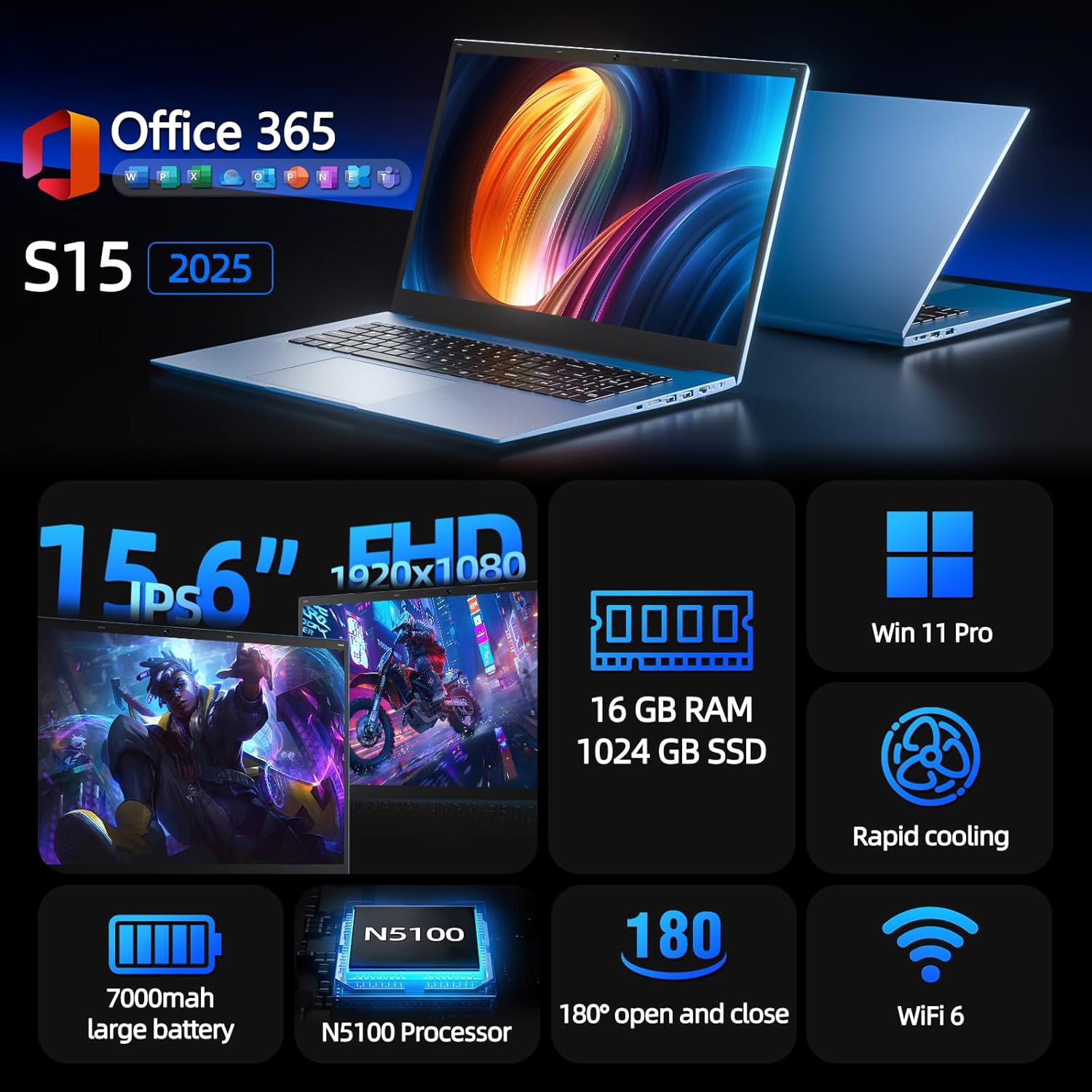
Figure 1: SGIN S15 N5100 Laptop Overview
1. ຕັ້ງຄ່າ
1.1 Unboxing ແລະ Initial Inspection
Carefully remove all components from the packaging. Verify that all items listed in the "What's in the Box" section are present and undamaged. If any items are missing or damaged, contact customer support immediately.
- SGIN S15 N5100 Laptop
- ອະແດັບເຕີພະລັງງານ/ເຄື່ອງສາກ
- ຄູ່ມືຜູ້ໃຊ້ (ເອກະສານນີ້)
ວິດີໂອທີ 1: Unboxing ແລະເບື້ອງຕົ້ນview of the SGIN S15 Laptop.
1.2 ການເຊື່ອມຕໍ່ອະແດບເຕີໄຟຟ້າ
Connect the power adapter to the DC-in port on the side of the laptop. Plug the other end into a power outlet. The battery indicator light will illuminate, indicating that the laptop is charging.

Figure 2: Laptop ports, including the DC-in port for charging.
1.3 ເປີດເຄື່ອງທຳອິດ ແລະ ຕັ້ງຄ່າ Windows
Press the power button to turn on the laptop. Follow the on-screen instructions to complete the Windows 11 Pro setup. This includes selecting your region, language, connecting to a Wi-Fi network, and creating a user account. The laptop comes pre-installed with a 1-year Office 365 subscription, which can be activated during or after the initial setup.
2. ຄໍາແນະນໍາການດໍາເນີນງານ
2.1 ຄຸນສົມບັດການສະແດງ
The SGIN S15 features a 15.6-inch Full HD IPS (1920x1080) Anti-Glare Display. The 180° viewing angle allows for flexible screen positioning, ideal for sharing content or adjusting to your preferred working posture.

Figure 3: High-resolution IPS display with 180° hinge.
2.2 ການເກັບຮັກສາ ແລະປະສິດທິພາບ
Equipped with 16GB DDR4 RAM and a 1024GB SSD, the laptop offers fast boot-up times and smooth multitasking. The Intel Celeron N5100 processor (4 cores, 4 threads, up to 2.8GHz) provides efficient performance for daily tasks, business applications, and student work.

Figure 4: Internal storage and memory configuration.

Figure 5: Celeron N5100 processor details.
2.3 ການເຊື່ອມຕໍ່
The laptop supports WiFi 6 for strong wireless signals and fast connections, and Bluetooth 5.2 for connecting peripherals. It includes various ports for external devices:
- ພອດ HDMI
- ຜອດ Type-C
- 3.5mm TRRS audio jack
- Memory card slot (TF card up to 1TB)
- USB 3.2 ports (2 ports)

Figure 6: WiFi 6 connectivity for enhanced network performance.
3. ບໍາລຸງຮັກສາ
3.1 ການດູແລຫມໍ້ໄຟ
The laptop is equipped with a 7000mAh battery, providing up to 8 hours of continuous use. To prolong battery life:
- ຫຼີກລ້ຽງການປະຈຸຫມໍ້ໄຟຢ່າງເຕັມທີ່ເລື້ອຍໆ.
- ຢ່າເຮັດໃຫ້ແລັບທັອບມີອຸນຫະພູມສູງເກີນໄປ.
- ເກັບຮັກສາຄອມພິວເຕີໂນດບຸກໄວ້ໂດຍສາກໄຟບາງສ່ວນ (ປະມານ 50%) ຖ້າບໍ່ໄດ້ໃຊ້ເປັນເວລາດົນ.

Figure 7: Laptop battery for extended use.
3.2 ການເຮັດຄວາມສະອາດແລັບທັອບ
ໃຊ້ຜ້າແພທີ່ອ່ອນນຸ່ມ, ບໍ່ມີສານດ່າງເພື່ອເຮັດຄວາມສະອາດໜ້າຈໍ ແລະ ພາຍນອກ. ສໍາລັບ smudges stubborn, ເລັກນ້ອຍ dampen the cloth with water or a screen-safe cleaner. Avoid harsh chemicals or abrasive materials. Ensure the laptop is powered off and unplugged before cleaning.
3.3 ລະບົບເຮັດຄວາມເຢັນ
The laptop features dual cooling fans for efficient heat dissipation. Ensure that the vents are not obstructed to maintain optimal airflow and prevent overheating. Avoid using the laptop on soft surfaces like beds or couches that can block the vents.
4. ການແກ້ໄຂບັນຫາ
4.1 ບັນຫາພະລັງງານ
- ແລັບທັອບບໍ່ເປີດ: Ensure the power adapter is securely connected and the outlet is functional. Check if the battery has sufficient charge.
- ແບັດເຕີຣີບໍ່ສາກໄຟ: Verify the power adapter is correctly plugged into both the laptop and the wall outlet. Try a different outlet if available.
4.2 ບັນຫາການສະແດງ
- ໜ້າ ຈໍຫວ່າງເປົ່າ: Connect an external monitor via HDMI to check if the issue is with the laptop's display or graphics output. Ensure the laptop is powered on and not in sleep mode.
- ໜ້າຈໍກະພິບ: Update your display drivers. Adjust the screen refresh rate in Windows display settings.
4.3 ບັນຫາການເຊື່ອມຕໍ່
- Wi-Fi ບໍ່ເຊື່ອມຕໍ່: ໃຫ້ແນ່ໃຈວ່າ Wi-Fi ຖືກເປີດໃຊ້ໃນການຕັ້ງຄ່າ Windows. ຣີສະຕາດເຣົາເຕີ ແລະແລັບທັອບຂອງເຈົ້າ. ກວດເບິ່ງໄດເວີ Wi-Fi ທີ່ອັບເດດແລ້ວ.
- ອຸປະກອນ Bluetooth ບໍ່ໄດ້ຈັບຄູ່: ໃຫ້ແນ່ໃຈວ່າ Bluetooth ຖືກເປີດໃຊ້ງານທັງໃນຄອມພິວເຕີໂນດບຸກ ແລະ ອຸປະກອນ. ວາງອຸປະກອນໄວ້ໃກ້ກັນໃນລະຫວ່າງການຈັບຄູ່.
4.4 ບັນຫາການປະຕິບັດ
- ແລັບທັອບຊ້າ: ປິດແອັບພລິເຄຊັນທີ່ບໍ່ຈຳເປັນ. ກວດສອບ Task Manager ວ່າມີການໃຊ້ CPU/RAM ສູງຫຼືບໍ່. ຮັບປະກັນໃຫ້ມີພື້ນທີ່ຫວ່າງພຽງພໍໃນ SSD. ດຳເນີນການລ້າງແຜ່ນດິດ.
- ຄວາມຮ້ອນເກີນ: Ensure cooling vents are clear. Use the laptop on a hard, flat surface. Consider reducing heavy workload if persistent.
5. ຂໍ້ມູນຈໍາເພາະ
| ຄຸນສົມບັດ | ລາຍລະອຽດ |
|---|---|
| ຊື່ຕົວແບບ | S15 |
| ໝາຍເລກຕົວແບບ | N5100 |
| ຂະຫນາດຈໍສະແດງຜົນ | 15.6 ນິ້ວ |
| ຄວາມລະອຽດໜ້າຈໍ | 1920 x 1080 pixels (FHD IPS Anti-Glare) |
| ໂຮງງານຜະລິດ | Intel Celeron N5100 (4 Cores, 4 Threads, up to 2.8GHz) |
| RAM | 16 GB DDR4 |
| ການເກັບຮັກສາ | 1024 GB SSD (Expandable with TF card up to 1TB) |
| ລະບົບປະຕິບັດການ | Windows 11 Pro |
| ແບັດເຕີຣີ | 7000mAh (up to 8 hours) |
| ການເຊື່ອມຕໍ່ໄຮ້ສາຍ | WiFi 6, Bluetooth 5.2 |
| ທ່າເຮືອ | HDMI, Type-C, 3.5mm TRRS Jack, Memory Card Slot, 2x USB 3.2 |
| ຂະໜາດ (LxWxH) | 14.56 x 9.4 x 0.86 ນິ້ວ |
| ນ້ໍາຫນັກລາຍການ | 4.4 ປອນ |
6. ການຮັບປະກັນແລະການສະ ໜັບ ສະ ໜູນ
6.1 ການຮັບປະກັນຜະລິດຕະພັນ
Your SGIN S15 N5100 laptop comes with a 1-year repair service warranty ຈາກວັນທີ່ຊື້. ການຮັບປະກັນນີ້ກວມເອົາຄວາມບົກຜ່ອງດ້ານການຜະລິດແລະຄວາມຜິດປົກກະຕິຂອງຮາດແວພາຍໃຕ້ການນໍາໃຊ້ປົກກະຕິ. ກະລຸນາຮັກສາຫຼັກຖານການຊື້ຂອງທ່ານສໍາລັບການຮຽກຮ້ອງການຮັບປະກັນ.
6.2 ນະໂຍບາຍການກັບຄືນ
A ນະໂຍບາຍການກັບຄືນ 30 ມື້ is offered for this product. Please refer to your retailer's specific return guidelines for detailed information.
6.3 ສະຫນັບສະຫນູນລູກຄ້າ
For any technical assistance, troubleshooting, or warranty inquiries, please contact SGIN customer support. We offer 24/7 customer instant help to address your concerns promptly.
ຂໍ້ມູນການຕິດຕໍ່ (ເຊັ່ນ: webເວັບໄຊທ໌, ອີເມວ, ເບີໂທລະສັບ) ໂດຍປົກກະຕິແລ້ວຈະຖືກສະໜອງໃຫ້ຢູ່ທີ່ນີ້ໂດຍຜູ້ຜະລິດ.


