1. ບົດແນະນຳ
The Ulefone Armor 34 is a robust 5G rugged smartphone designed for demanding environments. It features a large battery, advanced camera system, powerful processor, and a durable construction to withstand harsh conditions. This manual provides essential information to help you get the most out of your device.
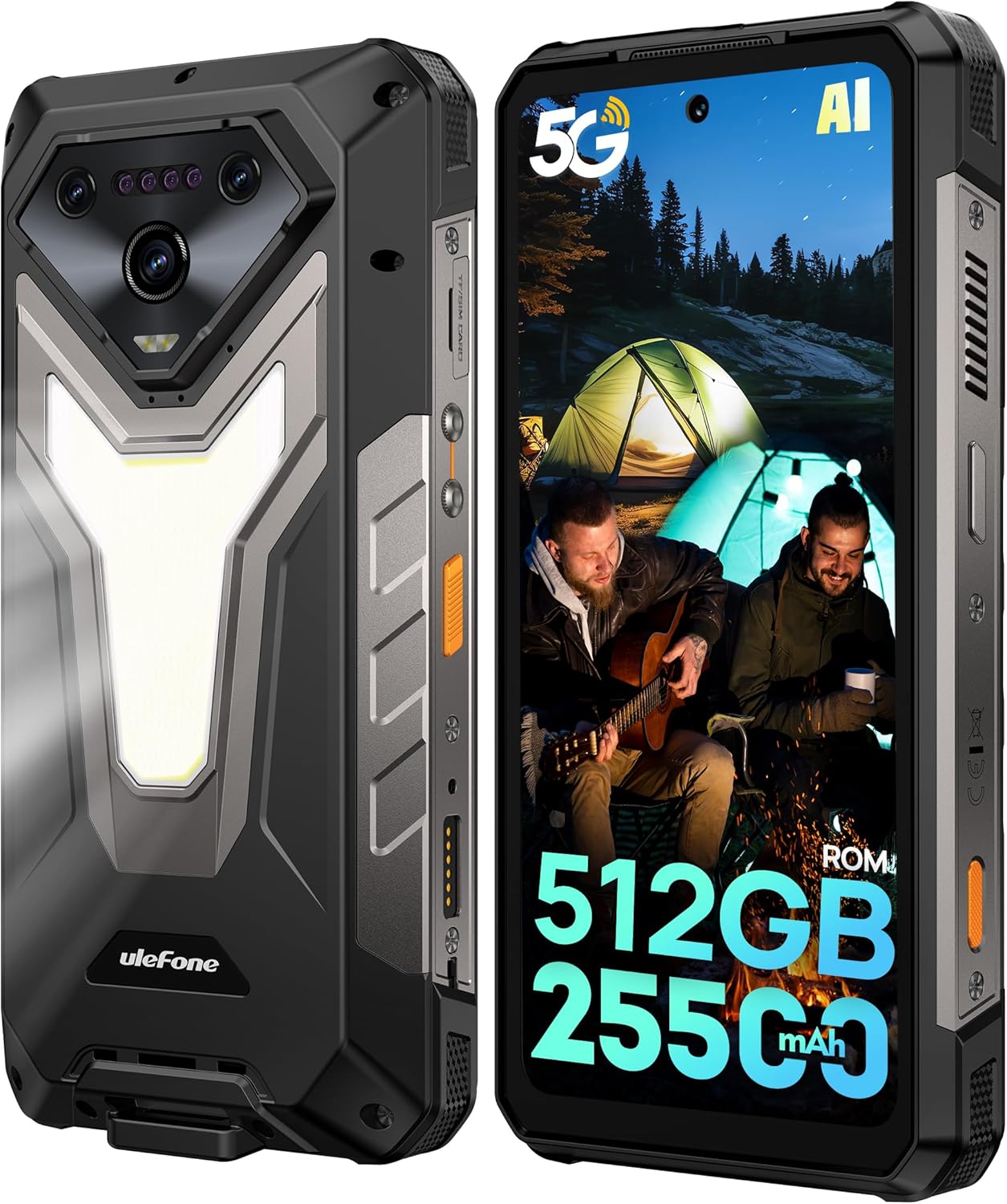
ຮູບພາບ: ດ້ານຫນ້າແລະດ້ານຫລັງ view of the Ulefone Armor 34 5G Rugged Phone, highlighting its robust design and rear LED light panel.
2. ສິ່ງທີ່ຢູ່ໃນກ່ອງ
Upon unboxing your Ulefone Armor 34, please verify that all the following items are included:
- Ulefone Armor 34 5G Rugged Phone
- 66W Power Charger
- ສາຍຂໍ້ມູນ USB-C
- ຄູ່ມືຜູ້ໃຊ້ຫຼາຍພາສາ
- Charging Instruction Card
- Safety Prompt Card
- ບັດຮັບປະກັນ
- ແວ່ນປ້ອງກັນໜ້າຈໍແກ້ວ
- ສາຍສາກ
- SIM Needle
Video: Ulefone Armor 34 Pro Unboxing. This video demonstrates the contents of the retail package and the initial unboxing experience.
3. ຕັ້ງຄ່າ
3.1 ການໃສ່ SIM/SD Card
- ຊອກຫາຖາດຊິມກາດຢູ່ດ້ານຂ້າງຂອງໂທລະສັບ.
- ສຽບເຂັມ SIM ທີ່ໃຫ້ມາເຂົ້າໄປໃນຮູນ້ອຍໆຂ້າງຖາດເພື່ອຖອດມັນອອກ.
- Place your Nano-SIM card(s) and/or microSD card into the tray according to the diagram.
- ສຽບຖາດໃສ່ໂທລະສັບຄືນໃໝ່ຢ່າງລະມັດລະວັງ, ຮັບປະກັນວ່າມັນຖືກລ້າງດ້ວຍຕົວອຸປະກອນ.
3.2 ການເປີດ/ປິດ
- To power on: Press and hold the Power button until the Ulefone logo appears.
- ເພື່ອປິດເຄື່ອງ: ກົດປຸ່ມເປີດປິດຄ້າງໄວ້, ຈາກນັ້ນເລືອກ "ປິດເຄື່ອງ" ຈາກຕົວເລືອກ.
3.3 ການຕິດຕັ້ງເບື້ອງຕົ້ນ
ປະຕິບັດຕາມຄຳແນະນຳໃນໜ້າຈໍເພື່ອເຮັດສຳເລັດການຕັ້ງຄ່າເບື້ອງຕົ້ນ, ລວມທັງການເລືອກພາສາ, ການເຊື່ອມຕໍ່ Wi-Fi, ການເຂົ້າສູ່ລະບົບບັນຊີ Google ແລະ ການຕັ້ງຄ່າຄວາມປອດໄພ.
4. ຄໍາແນະນໍາການດໍາເນີນງານ
4.1 ຈໍສະແດງຜົນ
The Armor 34 features a 6.95-inch FHD+ display with a 120Hz refresh rate, protected by Corning Gorilla Glass 5. Adjust brightness and display settings via the Settings menu.

Image: The Ulefone Armor 34 displaying vibrant content on its 6.95-inch FHD+ 120Hz screen.
ລະບົບກ້ອງ 4.2
The phone is equipped with a versatile camera setup:
- ກ້ອງຫຼັງ: 50MP Primary Sensor, 50MP Ultra-wide Sensor (117.3° FOV), 64MP Night Vision Camera with 4 IR LEDs.
- ກ້ອງໜ້າ: 32MP ສໍາລັບ selfies ແລະການໂທວິດີໂອ.
Access various camera modes like Night Vision, Photo, Video, and more through the camera application.

ຮູບພາບ: ລາຍລະອຽດ view of the Ulefone Armor 34's triple rear camera module, including the 64MP Night Vision camera with IR LEDs, and examples of photos taken with the device.
4.3 ແບັດເຕີຣີແລະການສາກໄຟ
The Armor 34 features a massive 25500mAh battery, supporting up to 10 days of standby time. It supports 66W fast charging for quick power-ups and 10W reverse charging, allowing the phone to act as a power bank for other devices.

Image: Visual representation of the Ulefone Armor 34's 25500mAh battery capacity, 66W fast charging, and 10W reverse charging capabilities, showing it charging a drone.
4.4 ລັກສະນະຄວາມທົນທານ
The Armor 34 is built to endure. It is certified with IP68/IP69K ratings for water and dust resistance, and MIL-STD-810H for drop resistance, ensuring durability in challenging environments.
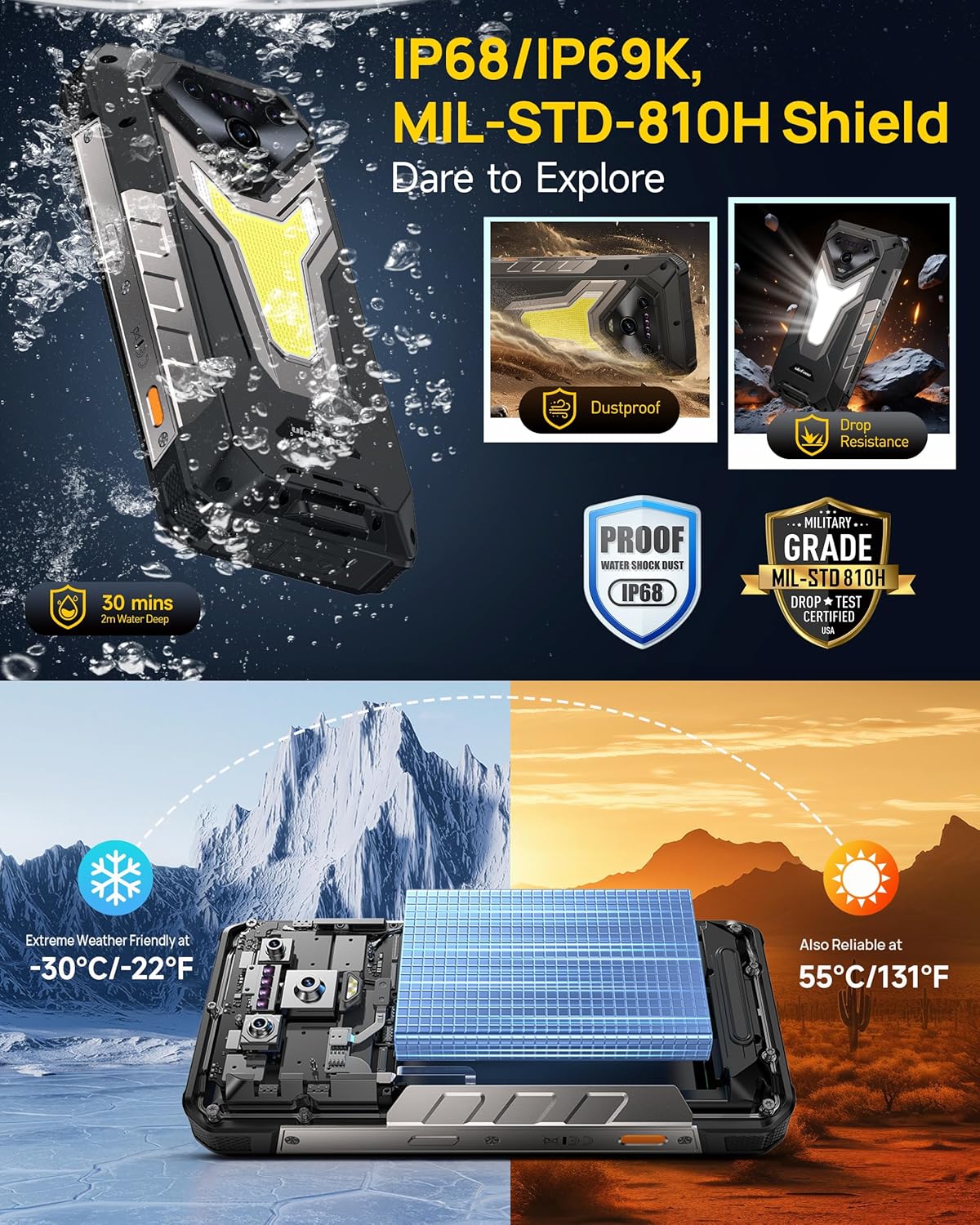
Image: The Ulefone Armor 34 submerged in water and being dropped, illustrating its IP68/IP69K and MIL-STD-810H certifications for water, dust, and drop resistance.
4.5 Versatile LED and Warning Lights
The device includes an 1100 Lumens camping light for illumination and red and blue warning lights for emergencies. These can be activated and controlled via the phone's interface.
Video: Ulefone Armor 34 Pro Versatile LED Light & Warning Light. This video demonstrates the functionality of the phone's integrated camping light and emergency warning lights.
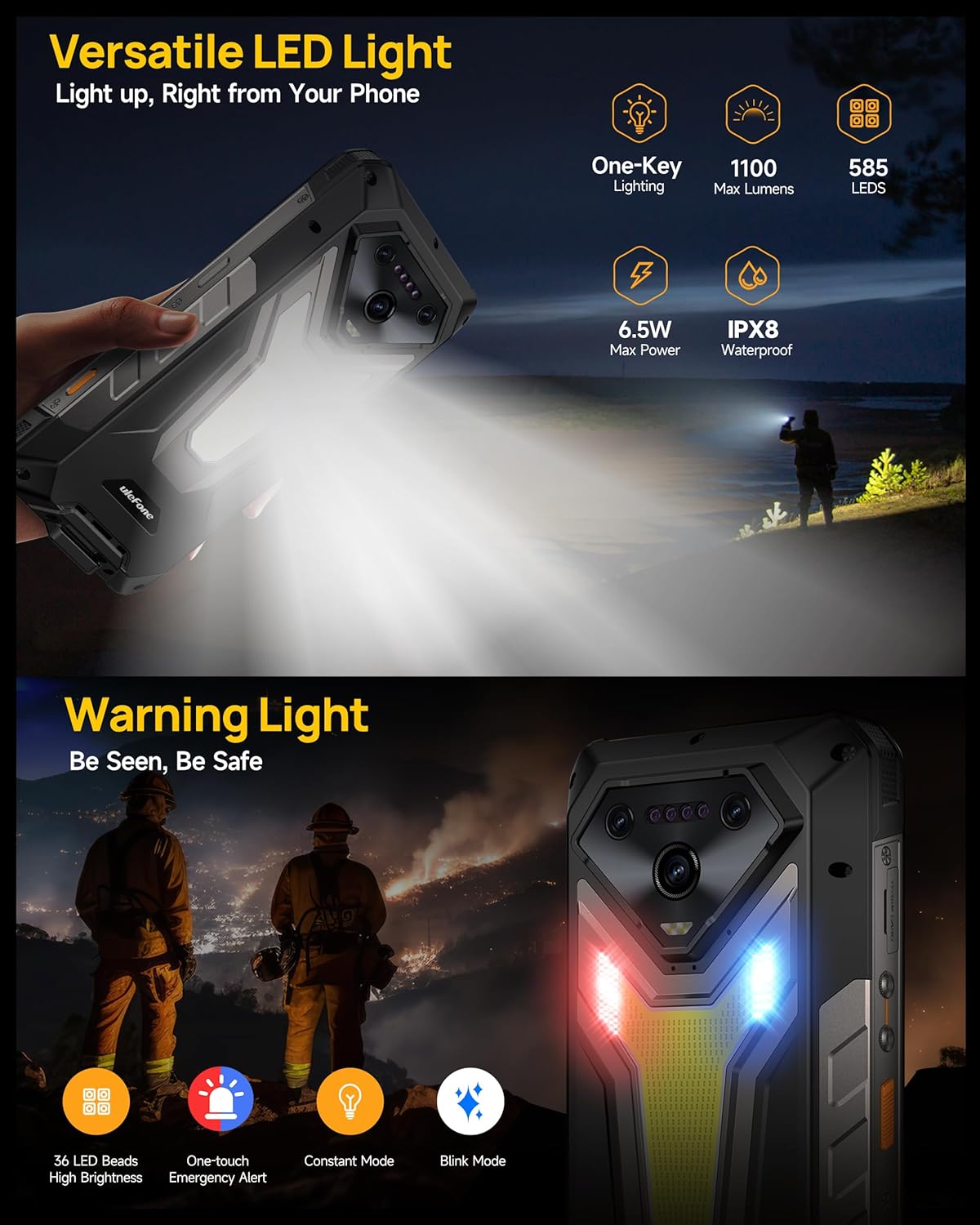
Image: The Ulefone Armor 34 showcasing its powerful 1100 Lumens camping light and the red and blue warning lights in action.
4.6 uSmart Expansion Connector
The uSmart Expansion Connector allows for integration with various external accessories, such as endoscopes and microscopes, enhancing the phone's utility for specialized tasks. These accessories are sold separately.
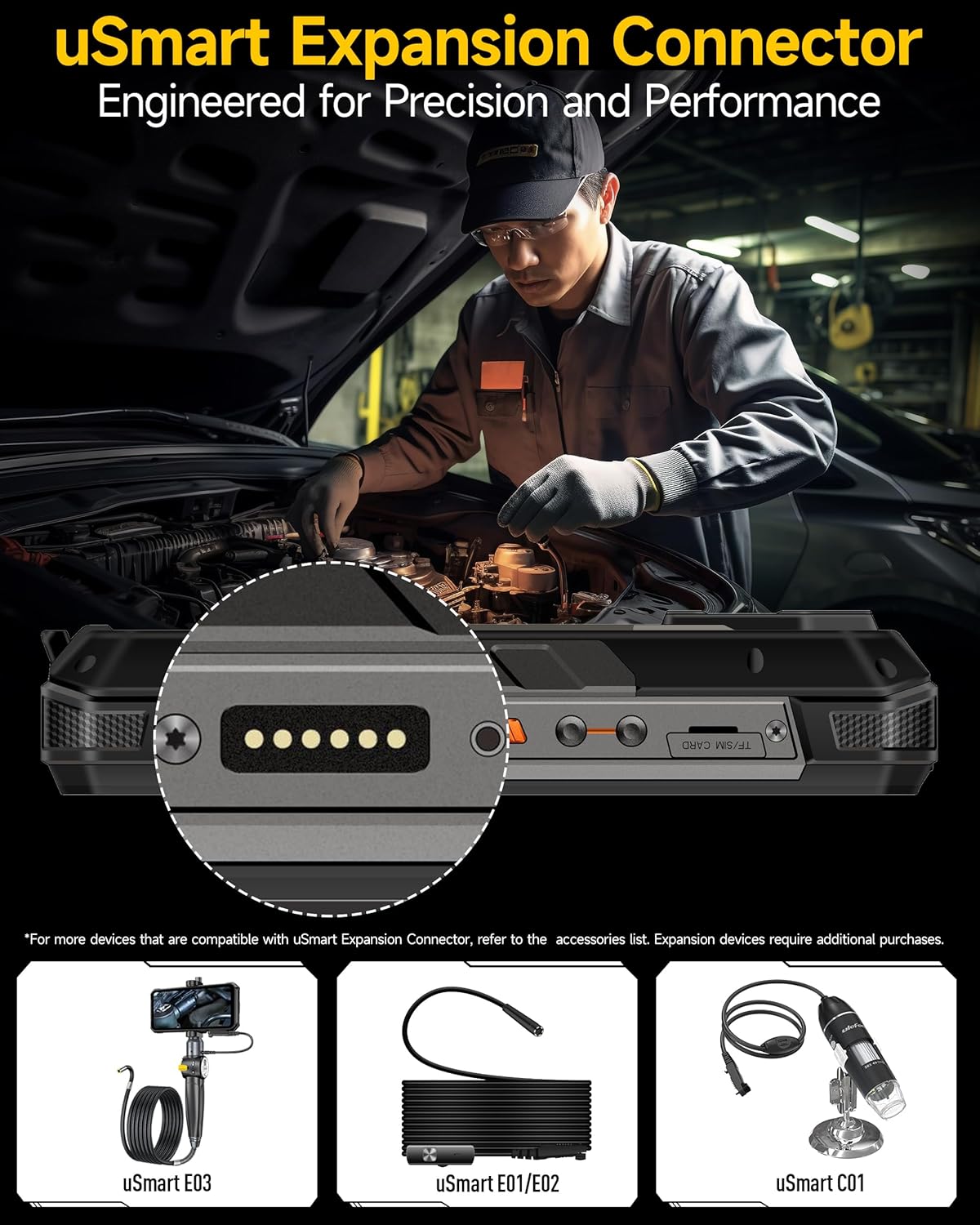
Image: A close-up of the Ulefone Armor 34's uSmart Expansion Connector, demonstrating its use with an external endoscope accessory.
Video: Ulefone Armor 34 Pro Accessory Ecosystem Showcase. This video highlights various accessories compatible with the uSmart Expansion Connector, such as the Molle Holster, Endoscope, and Microscope.
4.7 ຄຸນສົມບັດ AI
Powered by the MediaTek Dimensity 7300 and MediaTek NPU 655, the Armor 34 offers enhanced AI performance, including AI Chat with Google Gemini and an AI Pet feature for interactive experiences.
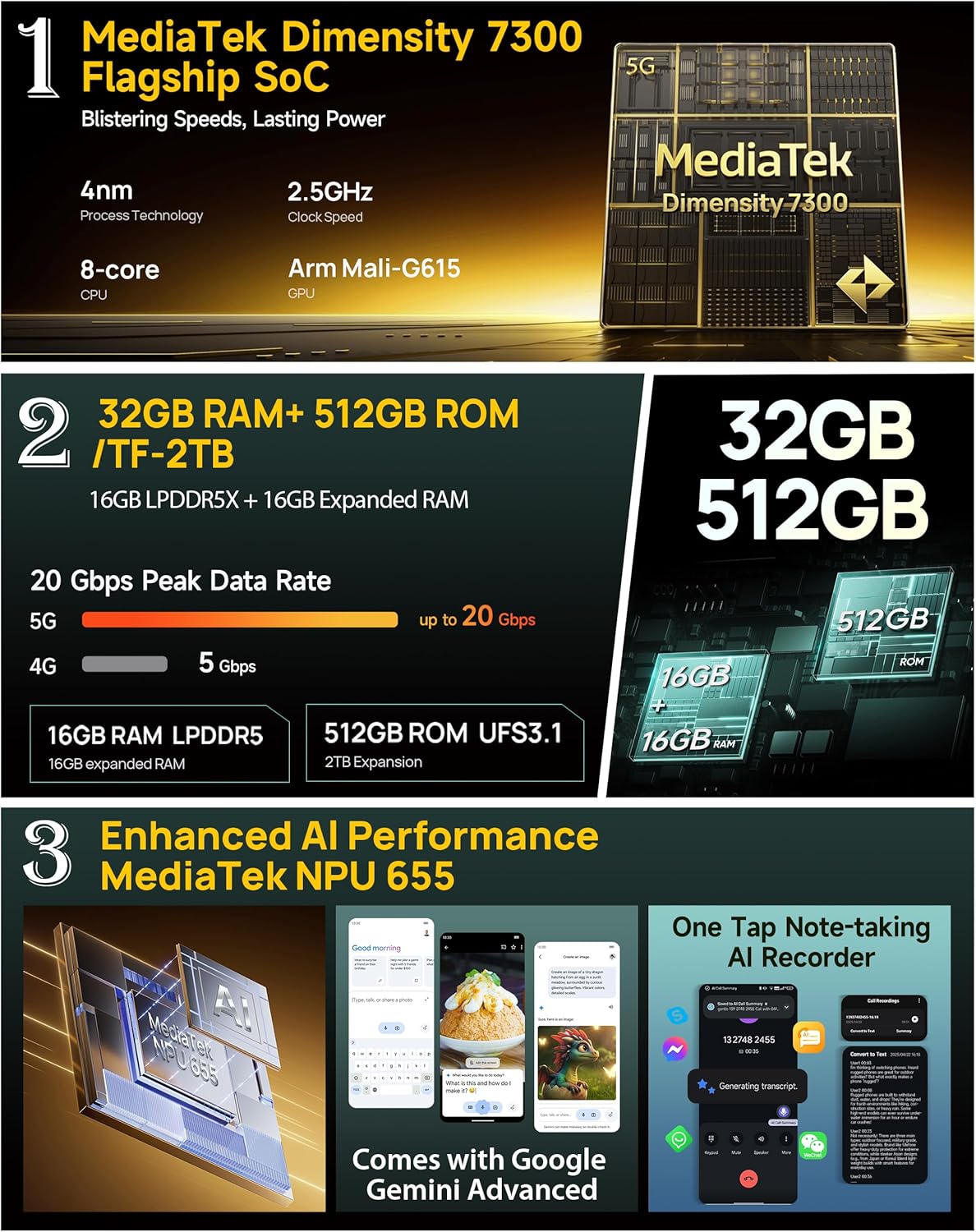
Image: Infographic detailing the MediaTek Dimensity 7300 processor, 32GB RAM, 512GB ROM, and enhanced AI performance with MediaTek NPU 655, including Google Gemini Advanced integration.
5. ຂໍ້ມູນຈໍາເພາະ
| ຄຸນສົມບັດ | ຂໍ້ມູນຈໍາເພາະ |
|---|---|
| ຍີ່ຫໍ້ | Ulefone |
| ຊື່ຕົວແບບ | ເກາະ 34 |
| ລະບົບປະຕິບັດການ | Android 15 |
| RAM ຂະຫນາດທີ່ຕິດຕັ້ງ | 32 GB (16GB + 16GB adjustable) |
| ຄວາມອາດສາມາດເກັບຮັກສາຫນ່ວຍຄວາມຈໍາ | 512 GB (ຂະຫຍາຍໄດ້ສູງສຸດ 2TB) |
| ຄວາມໄວ CPU | 2.5 GHz (MediaTek Dimensity 7300) |
| ຂະໜາດໜ້າຈໍ | 6.95 ນິ້ວ |
| ຄວາມລະອຽດ | 4K |
| ອັດຕາການໂຫຼດຂໍ້ມູນຄືນໃໝ່ | 120 Hz |
| ຜູ້ໃຫ້ບໍລິການໄຮ້ສາຍ | ປົດລັອກແລ້ວ |
| ຄວາມອາດສາມາດຫມໍ້ໄຟ | 25500mAh |
| ກຳລັງສາກໄຟ | ການສາກໄວ 66W, ການສາກແບບປີ້ນກັບ 10W |
| ກ້ອງຫຼັງ | 64MP Night Vision + 50MP Primary + 50MP Ultra-wide |
| ກ້ອງໜ້າ | 32MP |
| ຄວາມທົນທານ | IP68/IP69K, MIL-STD-810H ໄດ້ຮັບການຢັ້ງຢືນ |
| ການເຊື່ອມຕໍ່ | Global 5G Network, Dual SIM Dual Standby, Wi-Fi 6E |
| ຄຸນສົມບັດອື່ນໆ | 1100LM LED & Warning Light, uSmart Expansion Connector, Widevine L1, IR Blaster, Fingerprint Unlock, NFC, Headset-Free FM Radio, Custom Key, Outdoor Toolbox, 3-Card Slot, GPS + GLONASS + Beidou + Galileo, Gloves Mode |
6. ບໍາລຸງຮັກສາ
- ທໍາຄວາມສະອາດ: ໃຊ້ອ່ອນ, ງamp ຜ້າເຊັດໂທລະສັບ. ຫຼີກເວັ້ນການສານເຄມີທີ່ຮຸນແຮງຫຼືວັດສະດຸຂັດ.
- ຄວາມຕ້ານທານນ້ໍາ: Ensure all port covers are securely closed before exposing the phone to water. After exposure to water, dry the phone thoroughly before charging or opening any ports.
- ອຸນຫະພູມ: ຫຼີກລ້ຽງການເປີດໂທລະສັບກັບອຸນຫະພູມທີ່ຮ້າຍແຮງ (ຮ້ອນຫຼາຍຫຼືເຢັນຫຼາຍ) ເປັນເວລາຕໍ່ໄປ.
- ອັບເດດຊອບແວ: ກວດສອບ ແລະຕິດຕັ້ງການອັບເດດຊອບແວເປັນປະຈຳເພື່ອຮັບປະກັນປະສິດທິພາບ ແລະຄວາມປອດໄພທີ່ດີທີ່ສຸດ.
7. ການແກ້ໄຂບັນຫາ
7.1 ໂທລະສັບບໍ່ເປີດ
- ໃຫ້ແນ່ໃຈວ່າໄດ້ສາກໄຟແລ້ວ. ເຊື່ອມຕໍ່ໂທລະສັບກັບສາຍສາກຢ່າງໜ້ອຍ 10 ນາທີ.
- ກົດປຸ່ມເປີດປິດຄ້າງໄວ້ 10-15 ວິນາທີເພື່ອບັງຄັບໃຫ້ຣີສະຕາດ.
7.2 ສັນຍານເຄືອຂ່າຍບໍ່ດີ
- ກວດເບິ່ງວ່າຊິມກາດຂອງທ່ານໃສ່ຢ່າງຖືກຕ້ອງຫຼືບໍ່.
- ໃຫ້ແນ່ໃຈວ່າທ່ານຢູ່ໃນພື້ນທີ່ທີ່ມີການຄຸ້ມຄອງເຄືອຂ່າຍ.
- ຣີສະຕາດໂທລະສັບ.
7.3 ແອັບຂັດຂ້ອງ/ການແຊ່ແຂງ
- Clear the cache and data of the problematic app in Settings > Apps.
- ຖອນການຕິດຕັ້ງ ແລະຕິດຕັ້ງແອັບຯຄືນໃໝ່.
- ໃຫ້ແນ່ໃຈວ່າຊອບແວໂທລະສັບຂອງທ່ານທັນສະໄໝແລ້ວ.
7.4 Water Damage (Despite Ratings)
While the phone is highly water-resistant, extreme conditions or improper sealing can lead to issues. If water enters the device, power it off immediately, dry it thoroughly, and seek professional assistance.
8. ການຮັບປະກັນແລະການສະຫນັບສະຫນູນ
The Ulefone Armor 34 comes with a 12-month manufacturer warranty service in the US. For any product-related inquiries, technical support, or warranty claims, please contact Ulefone customer service through their official webເວັບໄຊ ຫຼືຮ້ານຄ້າປີກບ່ອນທີ່ທ່ານຊື້ອຸປະກອນ.
Please refer to the included Warranty Card for detailed terms and conditions.


