1. ບົດແນະນຳ
Thank you for choosing the HTC N15 Wireless Clip-On Earbuds. These open-ear earphones are designed to provide audio while allowing you to remain aware of your surroundings. This manual provides detailed instructions for setup, operation, and maintenance to ensure optimal performance and longevity of your device.

Image 1.1: HTC N15 Wireless Clip-On Earbuds and Charging Case.
2. ເນື້ອໃນຊຸດ
ກະລຸນາກວດເບິ່ງເນື້ອໃນຂອງແພັກເກດເມື່ອ unboxing. ຖ້າລາຍການໃດຂາດຫາຍໄປ ຫຼືເສຍຫາຍ, ໃຫ້ຕິດຕໍ່ຝ່າຍຊ່ວຍເຫຼືອລູກຄ້າ.
- 1 Pair HTC N15 Clip-On Earbuds
- 1 ຄະດີສາກໄຟ
- 1 ສາຍສາກ USB-C
- 1 ຄູ່ມືຜູ້ໃຊ້ (ເອກະສານນີ້)
Video 2.1: Unboxing the HTC N15 Wireless Clip-On Earbuds, showing the earbuds, charging case, and USB-C cable.
3. ຜະລິດຕະພັນເກີນview
3.1 ຄຸນສົມບັດຂອງຫູຟັງ
- ການອອກແບບເປີດຫູ: ອະນຸຍາດໃຫ້ຮັບຮູ້ສິ່ງອ້ອມຂ້າງ.
- Clip-On Fit: Secure and comfortable for various activities.
- ການຄວບຄຸມການສໍາພັດ: Intuitive control for audio and calls.
- ໄມໂຄຣໂຟນໃນຕົວ: For clear communication.
- ນ້ຳໜັກເບົາ: ຫູຟັງແຕ່ລະໜ່ວຍມີນ້ຳໜັກປະມານ 4.7 ກຣາມ.
- 13mm Driver: For enhanced sound quality.
3.2 ຄຸນສົມບັດຂອງກໍລະນີສາກໄຟ
- ພອດສາກໄຟ USB-C: ສໍາລັບການສາກໄຟສະດວກ.
- ຕົວຊີ້ວັດຫມໍ້ໄຟ: LEDs show charging status and battery level.

ຮູບພາບ 3.1: ຫຼາຍກວ່າview of HTC N15 earbuds and charging case, highlighting battery life and Type-C charging port.
4. ຕັ້ງຄ່າ
4.1 ການສາກຫູຟັງ ແລະ ເຄສ
ກ່ອນທີ່ຈະໃຊ້ຄັ້ງທຳອິດ, ໃຫ້ສາກຫູຟັງຫູຟັງ ແລະ ຊ່ອງສາກໃຫ້ເຕັມ.
- ວາງຫູຟັງໃສ່ຊ່ອງສາກໄຟ.
- ເຊື່ອມຕໍ່ສາຍສາກ USB-C ກັບຜອດສາກໄຟຢູ່ເຄສ ແລະກັບແຫຼ່ງພະລັງງານ.
- The LED indicators on the case will illuminate to show charging status. A full charge for the case takes approximately 1.5 hours.
- The earbuds provide up to 8 hours of playback on a single charge, and the charging case extends total playtime to 22 hours.

Image 4.1: Visual representation of charging times and battery life for the HTC N15 earbuds and case.
4.2 ການຈັບຄູ່ກັບອຸປະກອນ
The HTC N15 earbuds use Bluetooth 6.0 for fast and stable connections.
- ກວດໃຫ້ແນ່ໃຈວ່າໄດ້ສາກຫູຟັງຫູຟັງ ແລະຢູ່ພາຍໃນກ່ອງສາກ.
- ເປີດກ່ອງສາກໄຟ. ຫູຟັງເອຍບັດຈະເຂົ້າສູ່ໂໝດຈັບຄູ່ໂດຍອັດຕະໂນມັດ, ໂດຍຊີ້ບອກດ້ວຍໄຟ LED ກະພິບ.
- ໃນອຸປະກອນຂອງທ່ານ (ໂທລະສັບສະຫຼາດ, ແທັບເລັດ, ແລັບທັອບ), ໄປທີ່ການຕັ້ງຄ່າ Bluetooth ແລະເປີດ Bluetooth.
- ຊອກຫາ ອຸປະກອນທີ່ມີຢູ່ ແລະ ເລືອກ "HTC NE15" ຈາກລາຍການ.
- ເມື່ອເຊື່ອມຕໍ່ແລ້ວ, ໄຟ LED ຂອງຫູຟັງຈະຢຸດກະພິບ, ແລະ ທ່ານຈະໄດ້ຍິນສຽງຢືນຢັນ.
ຫູຟັງເອຍບັດຈະເຊື່ອມຕໍ່ໃໝ່ໂດຍອັດຕະໂນມັດກັບອຸປະກອນທີ່ຈັບຄູ່ສຸດທ້າຍເມື່ອຖອດອອກຈາກເຄສ, ຖ້າ Bluetooth ຖືກເປີດໃຊ້ໃນອຸປະກອນ.

Image 4.2: The HTC N15 earbuds offer flexible connectivity with various devices including notebooks, TVs, desktops, watches, phones, and iPads.
5. ຄໍາແນະນໍາກ່ຽວກັບການໃສ່
ເພື່ອສຽງ ແລະ ຄວາມສະດວກສະບາຍທີ່ດີທີ່ສຸດ, ໃຫ້ຮັບປະກັນວ່າຫູຟັງຖືກໃສ່ຢ່າງຖືກຕ້ອງ.
- ລະບຸຫູຟັງຊ້າຍ (L) ແລະຂວາ (R).
- Confirm the direction of the earbud, ensuring the clip is oriented to hook over the top of your ear.
- Gently clip the earbud onto the thinnest part of your ear, sliding it down until it feels secure.
- Adjust the earbud tip to align with your ear canal for the best sound experience and comfort.

Image 5.1: Step-by-step guide on how to properly wear the HTC N15 Clip-On Earbuds for a secure and comfortable fit.

Image 5.2: Illustration of the ergonomic open-ear clip design and wearing tips for optimal sound alignment.
6. ຄໍາແນະນໍາການດໍາເນີນງານ
The HTC N15 earbuds feature smart touch controls for easy management of audio and calls.

Image 6.1: Diagram illustrating the touch control functions for the HTC N15 earbuds.
6.1 ການຄວບຄຸມດົນຕີ
- ຫຼິ້ນ/ຢຸດ: ຄລິກສອງເທື່ອໃສ່ຫູຟັງຂ້າງໃດກໍໄດ້.
- ເພງຕໍ່ໄປ: Triple-click the Right (R) earbud.
- ເພງກ່ອນໜ້າ: Triple-click the Left (L) earbud.
- ປະລິມານຂຶ້ນ: Click the Right (R) earbud.
- ປະລິມານລົງ: Click the Left (L) earbud.
6.2 ການຄວບຄຸມການໂທ
- ຮັບ/ສາຍໂທ: Click either earbud.
- ປະຕິເສດການໂທ: ກົດຫູຟັງອັນໃດອັນໜຶ່ງຄ້າງໄວ້ 2 ວິນາທີ.
6.3 ຜູ້ຊ່ວຍສຽງ & ໂໝດເກມ
- ກະຕຸ້ນຜູ້ຊ່ວຍສຽງ: ກົດຫູຟັງຂ້າງຊ້າຍ (L) ຄ້າງໄວ້ 2 ວິນາທີ.
- ໂໝດເກມ: Hold the Right (R) earbud for 2 seconds to activate low-latency mode.

Image 6.2: The HTC N15 earbuds feature a low-latency Game Mode, reducing audio delay to 40ms for an improved gaming experience.
7. ບໍາລຸງຮັກສາ
7.1 ການທໍາຄວາມສະອາດ
- ອະນາໄມຫູຟັງຫູຟັງ ແລະກະເປົ໋າສາກໄຟເປັນປະຈຳດ້ວຍຜ້າແພທີ່ອ່ອນ, ແຫ້ງ, ບໍ່ມີສານຂັດ.
- ຢ່າໃຊ້ເຄື່ອງເຮັດຄວາມສະອາດຂັດ, ເຫຼົ້າ, ຫຼືສານລະລາຍສານເຄມີ.
- ກວດໃຫ້ແນ່ໃຈວ່າລາຍຊື່ຜູ້ຕິດຕໍ່ທີ່ສາກໄຟຢູ່ທັງຫູຟັງເອຍບັດ ແລະເຄສແມ່ນສະອາດ ແລະແຫ້ງ.
7.2 ການເກັບຮັກສາ
- ເກັບຮັກສາຫູຟັງເອຍບັດໃສ່ໃນກະເປົ໋າສາກໄຟຂອງເຂົາເຈົ້າເມື່ອບໍ່ໄດ້ໃຊ້ເພື່ອປົກປ້ອງພວກມັນ ແລະ ສືບຕໍ່ສາກໄຟ.
- ຫຼີກເວັ້ນການເກັບຮັກສາໄວ້ໃນອຸນຫະພູມທີ່ຮຸນແຮງຫຼືຄວາມຊຸ່ມຊື່ນສູງ.
7.3 ການຕໍ່ຕ້ານນ້ໍາແລະຝຸ່ນ
The HTC N15 earbuds are rated IP45 for water and dust resistance. This means they are protected against dust ingress and low-pressure water jets from any direction. They are suitable for workouts and light rain but should not be submerged in water.
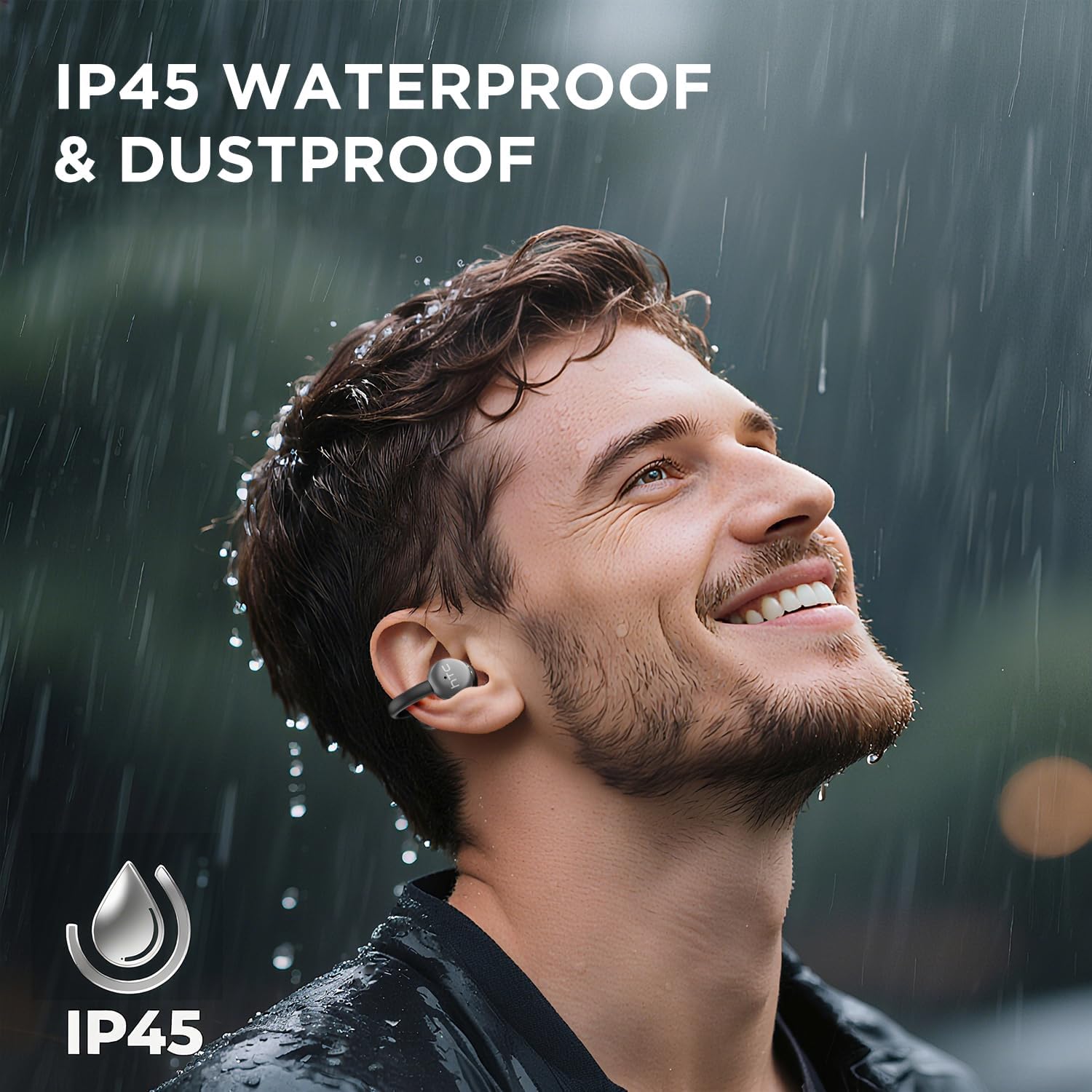
Image 7.1: The HTC N15 earbuds are IP45 rated, offering protection against dust and water splashes, making them suitable for outdoor activities.
8. ການແກ້ໄຂບັນຫາ
| ບັນຫາ | ສາເຫດທີ່ເປັນໄປໄດ້ | ການແກ້ໄຂ |
|---|---|---|
| ຫູຟັງບໍ່ຈັບຄູ່ | Low battery; Bluetooth off on device; Earbuds not in pairing mode; Interference. | Charge earbuds and case. Ensure Bluetooth is enabled on your device. Place earbuds in case, close, then open to re-enter pairing mode. Move closer to your device. |
| ບໍ່ມີສຽງຫຼືຄຸນະພາບສຽງບໍ່ດີ | Volume too low; Earbuds not properly seated; Device not connected; Dirty earbuds. | Increase device volume. Adjust earbuds for a proper fit. Reconnect earbuds to your device. Clean earbuds as per maintenance section. |
| ຫູຟັງບໍ່ສາກ | Charging cable not connected properly; Dirty charging contacts; Faulty cable/adapter. | Ensure USB-C cable is securely connected. Clean charging contacts. Try a different USB-C cable or power adapter. |
| ແຕະຄວບຄຸມບໍ່ຕອບສະໜອງ | Earbuds not active; Moisture on touch surface; Software glitch. | Ensure earbuds are active and connected. Wipe touch surface dry. Place earbuds back in case, close, then reopen to reset. |
9. ຂໍ້ມູນຈໍາເພາະ
| ຄຸນສົມບັດ | ຂໍ້ມູນຈໍາເພາະ |
|---|---|
| ຊື່ຕົວແບບ | HTC NE15 |
| ລຸ້ນ Bluetooth | 6.0 |
| ເຕັກໂນໂລຊີການເຊື່ອມຕໍ່ | ໄຮ້ສາຍ (Bluetooth) |
| ປະເພດຫູຟັງ | Clip-On, Open-Ear |
| ຂະໜາດຄົນຂັບ | 13ມມ |
| ວິທີການຄວບຄຸມ | ແຕະ |
| ໄມໂຄຣໂຟນ | ໃນຕົວ |
| ເວລາຫຼິ້ນທີ່ສາກໄຟຄັ້ງດຽວ | ສູງສຸດ 8 ຊົ່ວໂມງ |
| ເວລາຫຼິ້ນທັງໝົດ (ພ້ອມກໍລະນີ) | ສູງສຸດ 22 ຊົ່ວໂມງ |
| Case Fast Charging | ປະມານ. 1.5 ຊົ່ວໂມງ |
| ພອດສາກໄຟ | USB-C |
| ການຕໍ່ຕ້ານນ້ໍາ | IP45 (ກັນນ້ໍາແລະຝຸ່ນ) |
| ນ້ ຳ ໜັກ ຕຸ້ມຫູ | ປະມານ 4.7 ກຣາມ (ແຕ່ລະອັນ) |
| ອຸປະກອນທີ່ເຂົ້າກັນໄດ້ | Smartphones, Tablets, Bluetooth-enabled Devices (iOS, Android) |
| UPC | 768649989642 |
10. ການຮັບປະກັນແລະການສະຫນັບສະຫນູນ
HTC provides customer support for its products. If you encounter any issues or have questions not covered in this manual, please contact our support team.
- ການຊ່ວຍເຫຼືອລູກຄ້າ: ມີການຊ່ວຍເຫຼືອສົນທະນາສົດ 7*24 ຊົ່ວໂມງ. ກະລຸນາອ້າງອີງໃສ່ການຫຸ້ມຫໍ່ຜະລິດຕະພັນ ຫຼື HTC ຢ່າງເປັນທາງການ webເວັບໄຊທ for ສໍາລັບລາຍລະອຽດການຕິດຕໍ່.
- ຂໍ້ມູນການຮັບປະກັນ: Please retain your proof of purchase for warranty claims. Specific warranty terms and conditions may vary by region. Refer to the warranty card included in your package or the official HTC webເວັບໄຊສໍາລັບຂໍ້ມູນລະອຽດ.


