ແນະນຳ
Thank you for choosing the pTron Studio Evo Wireless Over-Ear Headphones. This manual provides essential information for setting up, operating, and maintaining your headphones to ensure optimal performance and longevity. Please read these instructions carefully before use.

ຮູບພາບ: ຫຼາຍກວ່າview of pTron Studio Evo features including sound quality, battery life, driver size, controls, charging, and connectivity modes.
ຕັ້ງຄ່າ
1. Unboxing ແລະອົງປະກອບ
ເອົາລາຍການທັງຫມົດອອກຈາກການຫຸ້ມຫໍ່ຢ່າງລະມັດລະວັງ. ກ່ອງຄວນປະກອບດ້ວຍ:
- pTron Studio Evo Wireless Over-Ear Headphones
- ສາຍສາກໄຟ USB Type-C
- 3.5mm Audio Cable (Aux-in)
- ຄູ່ມືຜູ້ໃຊ້ (ເອກະສານນີ້)
2. ການສາກຫູຟັງ
Before first use, fully charge your headphones. Connect the provided USB Type-C cable to the charging port on the headphones and the other end to a compatible USB power source (e.g., wall adapter, computer USB port).
- ເວລາສາກໄຟ: ປະມານ 2 ຊົ່ວໂມງສຳລັບການສາກເຕັມ.
- ຊີວິດຫມໍ້ໄຟ: ເວລາຫຼິ້ນໄດ້ເຖິງ 70 ຊົ່ວໂມງຕໍ່ການສາກໄຟເຕັມໜຶ່ງຄັ້ງ.
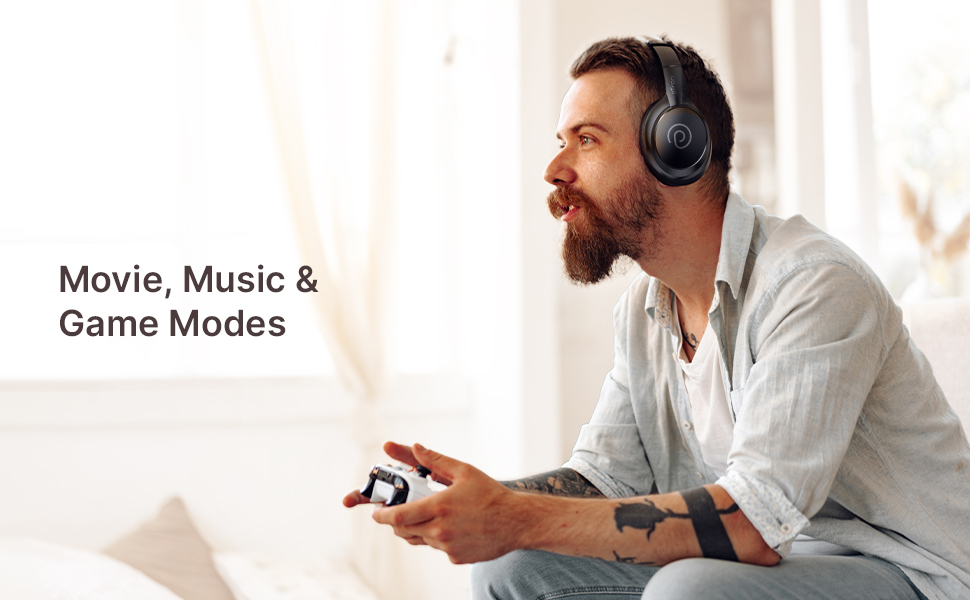
Image: pTron Studio Evo headphones highlighting 70 hours of playtime and Type-C fast charging.
3. ເປີດ / ປິດພະລັງງານ
- ເພື່ອເປີດເຄື່ອງ: ກົດປຸ່ມເປີດປິດຄ້າງໄວ້ປະມານ 3 ວິນາທີຈົນກວ່າໄຟ LED ຈະສະຫວ່າງຂຶ້ນ.
- ປິດເຄື່ອງ: ກົດປຸ່ມເປີດປິດຄ້າງໄວ້ປະມານ 3 ວິນາທີຈົນກວ່າຕົວຊີ້ LED ຈະປິດ.
4. ການຈັບຄູ່ Bluetooth
The pTron Studio Evo headphones utilize Bluetooth 5.3 for stable wireless connectivity.
- ກວດໃຫ້ແນ່ໃຈວ່າປິດຫູຟັງແລ້ວ.
- ກົດປຸ່ມເປີດປິດຄ້າງໄວ້ 5-7 ວິນາທີ ຈົນກວ່າໄຟ LED ຈະກະພິບສີແດງ ແລະສີຟ້າສະລັບກັນ, ສະແດງເຖິງໂໝດການຈັບຄູ່.
- ໃນອຸປະກອນຂອງທ່ານ (ໂທລະສັບສະຫຼາດ, ແລັບທັອບ, ແລະອື່ນໆ), ເປີດໃຊ້ Bluetooth ແລະຄົ້ນຫາອຸປະກອນທີ່ມີຢູ່.
- Select "pTron Studio Evo" from the list of found devices.
- ເມື່ອເຊື່ອມຕໍ່ແລ້ວ, ຕົວຊີ້ວັດ LED ຈະປ່ຽນເປັນສີຟ້າແຂງ ຫຼືກະພິບສີຟ້າຊ້າໆ.
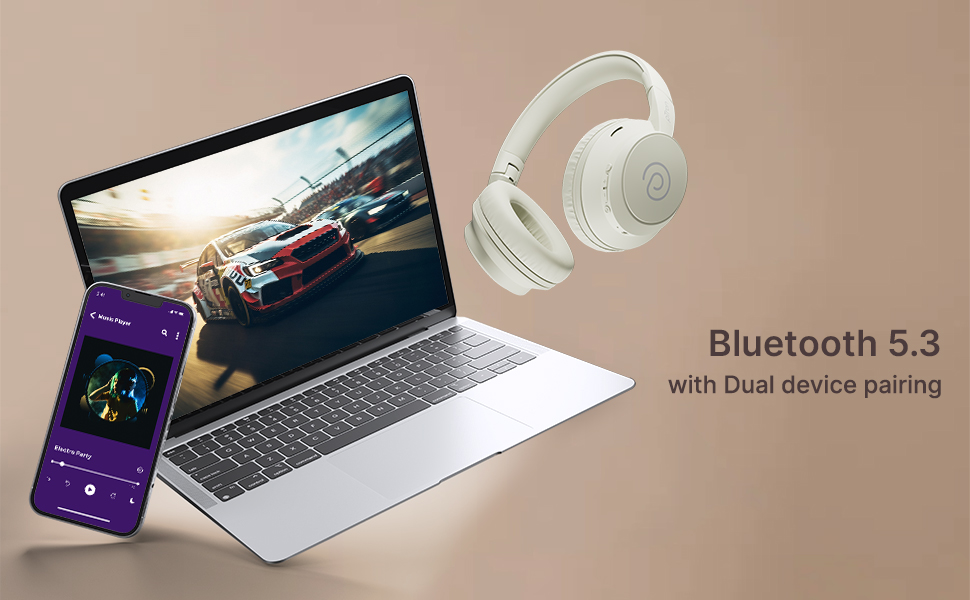
ການຈັບຄູ່ອຸປະກອນຄູ່: These headphones support connecting to two devices simultaneously. After pairing with the first device, disable Bluetooth on that device, then pair with the second device. Re-enable Bluetooth on the first device, and the headphones should connect to both. You can then switch audio playback between the two devices.

Image: Headphones connected to both a phone and a laptop, demonstrating Bluetooth 5.3 dual device pairing.
5. Wired Connection (Aux-in)
For a wired connection, use the provided 3.5mm audio cable. Plug one end into the headphone's 3.5mm jack and the other end into your audio source's auxiliary output. The headphones will automatically switch to wired mode when the cable is connected.
ຄໍາແນະນໍາການດໍາເນີນງານ
1. ຄວບຄຸມຫຼາຍກວ່າview
The headphones feature integrated buttons for easy control of music, calls, and modes.
ຮູບພາບ: ລາຍລະອຽດ view of the integrated control buttons on the pTron Studio Evo headphones.
- ປຸ່ມເປີດປິດ: ກົດຄ້າງໄວ້ເພື່ອເປີດ/ປິດ. ກົດສັ້ນເພື່ອຫຼິ້ນ/ຢຸດເພງ ຫຼື ຮັບສາຍ/ວາງສາຍ.
- ປະລິມານຂຶ້ນ (+): ກົດສັ້ນເພື່ອເພີ່ມລະດັບສຽງ. ກົດຄ້າງໄວ້ສຳລັບເພງຕໍ່ໄປ.
- ປະລິມານລົງ (-): ກົດສັ້ນເພື່ອຫຼຸດລະດັບສຽງ. ກົດຄ້າງໄວ້ສຳລັບເພງກ່ອນໜ້າ.
- ປຸ່ມ EQ: Short press to cycle through EQ modes (Bass, Movie, Pop, Vocal).
2. ໂໝດ EQ
The pTron Studio Evo headphones offer multiple low-latency EQ modes optimized for different audio experiences:
- ໂໝດເກມ: Reduces audio latency for a more synchronized gaming experience.
- ຮູບເງົາຮູບເງົາ: Enhances dialogue clarity and cinematic sound effects.
- ໂໝດດົນຕີ: ສະຫນອງສຽງທີ່ສົມດູນfile ສຳລັບການຟັງເພງທົ່ວໄປ.
- ໂໝດເບດ: Boosts low frequencies for a deeper bass response.
- ໂໝດປ໊ອບ: Optimized for pop music genres.
- ໂໝດສຽງ: Enhances vocal clarity, ideal for podcasts or audiobooks.
Press the EQ button to switch between these modes.
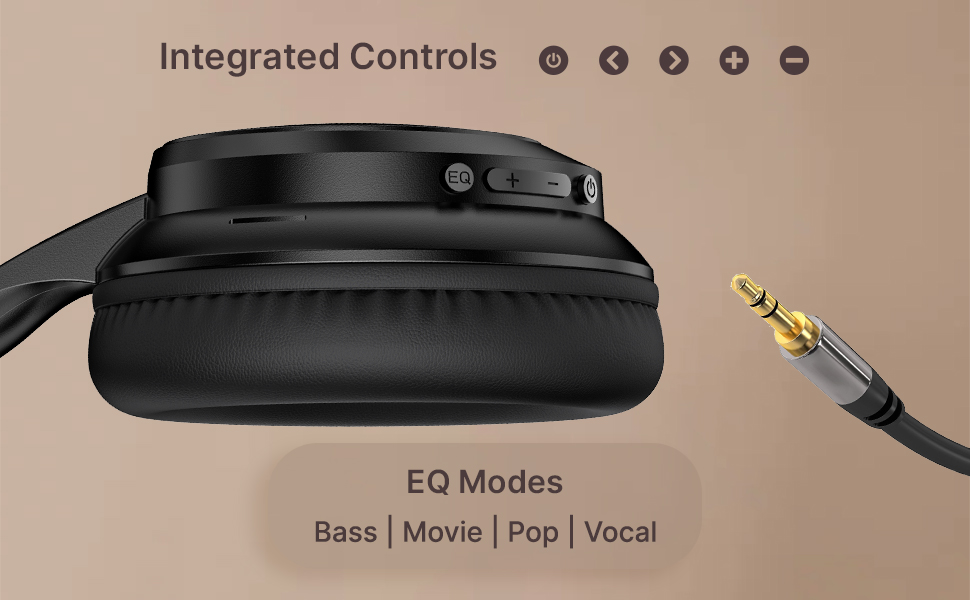
Image: User engaging in gaming with headphones, demonstrating low-latency sync for game mode.
3. ເຮັດ ແລະ ຮັບສາຍ
The headphones include a built-in HD microphone for hands-free calls.
- ຮັບ/ສາຍໂທ: ກົດປຸ່ມເປີດປິດສັ້ນ.
- ປະຕິເສດການໂທ: ກົດປຸ່ມເປີດປິດຄ້າງໄວ້ 2 ວິນາທີ.
4. ຜູ້ຊ່ວຍສຽງ
Access your device's voice assistant (e.g., Siri, Google Assistant) by double-pressing the Power button.
5. ໃສ່ຫູຟັງ
The pTron Studio Evo headphones feature an ergonomic design with soft earcups and an adjustable head beam for comfortable all-day listening. Adjust the head beam to position the earcups exactly over your ears for the best fit and sound isolation.
ບໍາລຸງຮັກສາ
1. ທໍາຄວາມສະອາດ
Regularly clean your headphones to maintain hygiene and performance.
- ໃຊ້ຜ້າອ່ອນແລະແຫ້ງເພື່ອເຊັດຫູຟັງ ແລະ ສາຍພັນຫົວ.
- ຢ່າໃຊ້ເຄື່ອງເຮັດຄວາມສະອາດຂັດຫຼືສານລະລາຍ.
- ຫຼີກເວັ້ນການໄດ້ຮັບຄວາມຊຸ່ມເຂົ້າໄປໃນຊ່ອງສຽບສາຍສາກໄຟຫຼືຊ່ອງສຽບສຽງ.
2. Water Resistance
The headphones are IPX5 water-resistant, meaning they can withstand splashes and sweat. Do not submerge them in water or expose them to heavy rain.
3. ການເກັບຮັກສາ
The foldable design allows for easy storage. Fold the headphones when not in use to protect them from damage and save space. Store them in a cool, dry place away from direct sunlight and extreme temperatures.
ການແກ້ໄຂບັນຫາ
- ບໍ່ມີພະລັງງານ: ກວດໃຫ້ແນ່ໃຈວ່າຫູຟັງຖືກສາກເຕັມແລ້ວ. ເຊື່ອມຕໍ່ຫາແຫຼ່ງພະລັງງານແລ້ວລອງໃໝ່ອີກຄັ້ງ.
- ບໍ່ສາມາດຈັບຄູ່ໄດ້: Make sure Bluetooth is enabled on your device and the headphones are in pairing mode (flashing red and blue LED). Try restarting both devices.
- ບໍ່ມີສຽງ: Check the volume levels on both the headphones and your connected device. Ensure the correct audio output is selected on your device. If using a wired connection, ensure the 3.5mm cable is fully inserted.
- ຄຸນະພາບສຽງບໍ່ດີ: Ensure the headphones are within the Bluetooth range (up to 10 meters) of your device. Avoid obstacles that may interfere with the signal. Try switching EQ modes.
- ໄມໂຄຣໂຟນບໍ່ເຮັດວຽກ: Ensure the headphones are properly connected and selected as the input device on your call application.
ຂໍ້ມູນຈໍາເພາະ
| ຄຸນສົມບັດ | ຂໍ້ມູນຈໍາເພາະ |
|---|---|
| ຊື່ຕົວແບບ | ສະຕູດິໂອ |
| ເຕັກໂນໂລຊີການເຊື່ອມຕໍ່ | ໄຮ້ສາຍ (Bluetooth) |
| ເຕັກໂນໂລຊີການສື່ສານໄຮ້ສາຍ | Bluetooth 5.3 |
| ຊ່ວງ Bluetooth | 10 ແມັດ |
| ຂະໜາດໄດເວີສຽງ | ຂະ ໜາດ 40 ມີລີແມັດ |
| ຊີວິດຫມໍ້ໄຟ | 70 ຊົ່ວໂມງ |
| ເວລາສາກໄຟ | 2 ຊົ່ວໂມງ |
| Jack ຫູຟັງ | Jack ຂະ ໜາດ 3.5 ມມ |
| ລະດັບຄວາມຕ້ານທານນ້ໍາ | ກັນນໍ້າ IPX5 |
| ວິທີການຄວບຄຸມ | Push Button, Voice |
| ການຄວບຄຸມສິ່ງລົບກວນ | ການແຍກສຽງ |
| ວັດສະດຸ | Acrylonitrile Butadiene Styrene (ABS) |
| ນ້ໍາຫນັກລາຍການ | 157 ກຣາມ |
| ຂະໜາດສິນຄ້າ | 19.2 x 15.8 x 7.9 cm |
ການຮັບປະກັນແລະການສະຫນັບສະຫນູນ
1. ການຮັບປະກັນຂອງຜູ້ຜະລິດ
The pTron Studio Evo headphones come with a ການຮັບປະກັນຜູ້ຜະລິດ 1 ປີ from the date of purchase. This warranty covers manufacturing defects only. Please retain your proof of purchase for warranty claims.
2. ການຊ່ວຍເຫຼືອລູກຄ້າ
For any queries, technical assistance, or warranty claims, please contact pTron customer support:
- ອີເມວ: support@ptron.in
- ໂທລະສັບ: 040-67138888


