1. ບົດແນະນຳ
The Rii RK805 is a versatile 75% gasket-mounted mechanical keyboard designed for gaming and office use. It features tri-mode connectivity (Bluetooth, 2.4G wireless, and USB Type-C), a smart TFT display screen with a multi-function knob, full RGB backlighting, and hot-swappable switches. This manual provides detailed instructions for setup, operation, and maintenance to ensure optimal performance.
2. ເນື້ອໃນຊຸດ
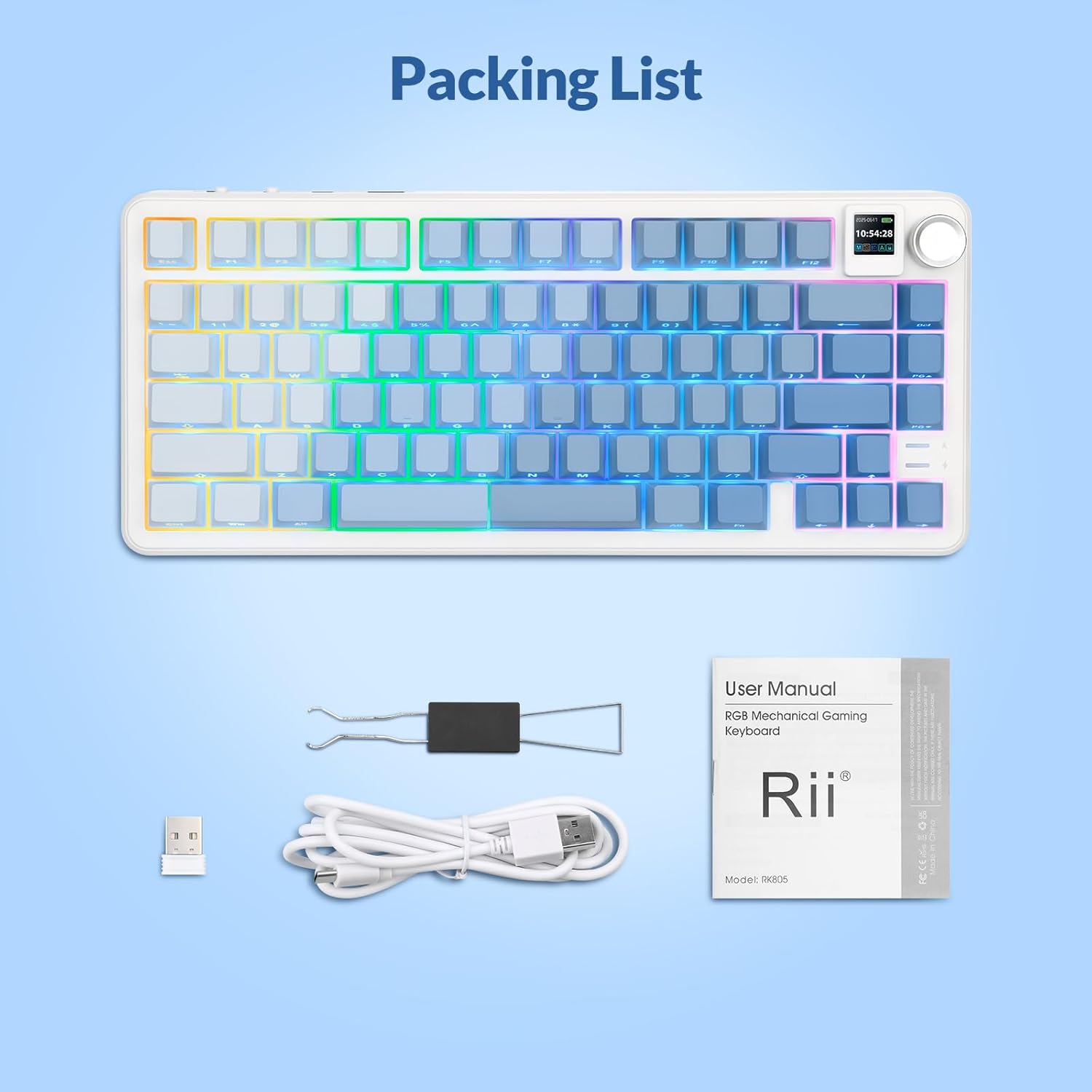
Please verify that all items are present in your Rii RK805 package:
- Rii RK805 Wireless Mechanical Keyboard
- USB Type-C to USB-A Charging Cable (1.8 meters)
- ຕົວຮັບສັນຍານໄຮ້ສາຍ 2.4G (ດອງເກິລ USB)
- Keycap/Switch Puller
- Extra Switches (pre-lubricated linear switches)
- ຄູ່ມືຜູ້ໃຊ້
3. ຕັ້ງຄ່າ
3.1. ການເຊື່ອມຕໍ່ແບບສາມໂໝດ
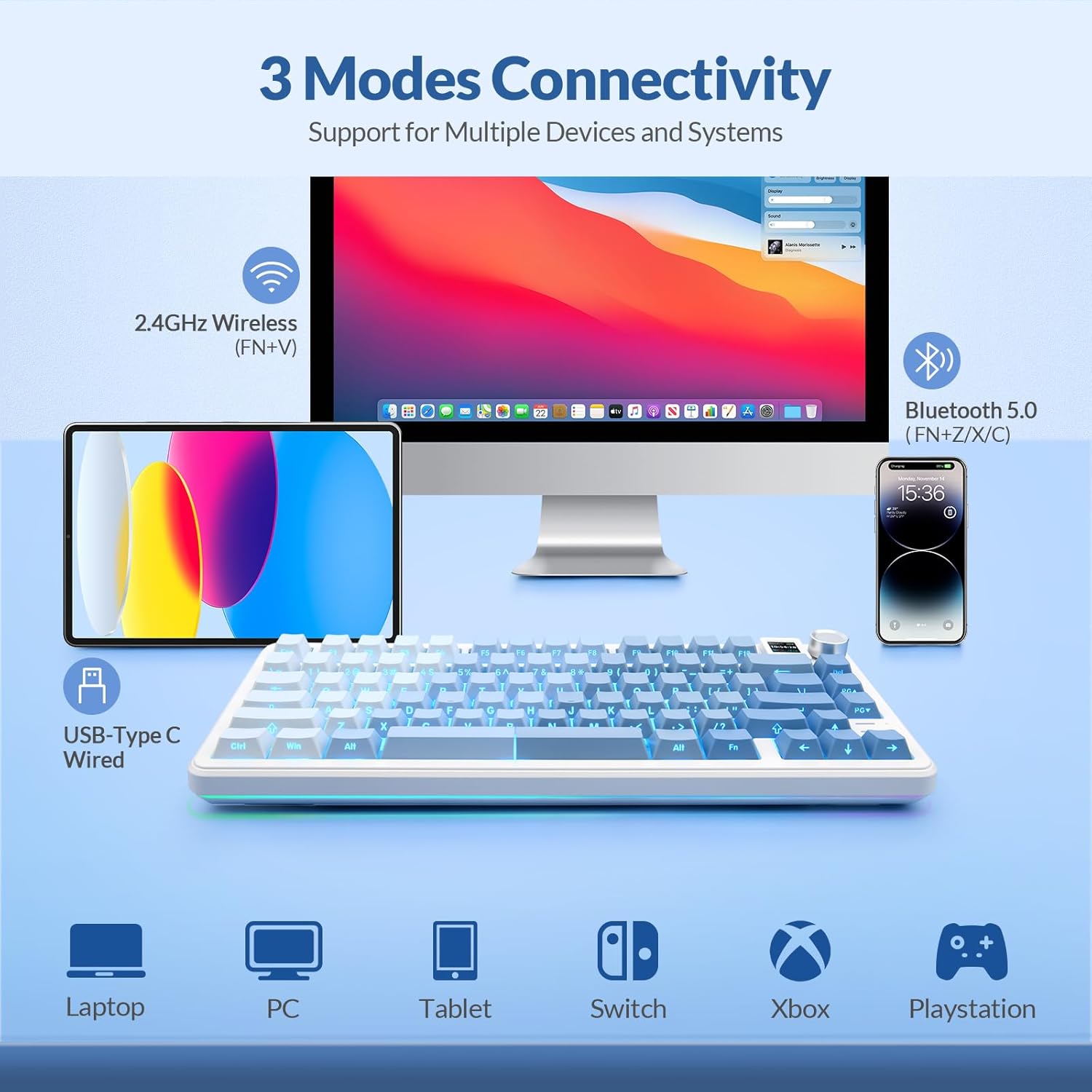
The Rii RK805 supports three connection modes: Bluetooth, 2.4G wireless, and USB Type-C wired. This allows for multi-device compatibility with computers, tablets, and smartphones.
3.1.1. ການເຊື່ອມຕໍ່ໄຮ້ສາຍ 2.4G
- Locate the 2.4G wireless receiver (USB dongle) from the package.
- ສຽບເຄື່ອງຮັບສັນຍານ 2.4G ເຂົ້າກັບພອດ USB ທີ່ມີຢູ່ໃນຄອມພິວເຕີ ຫຼື ອຸປະກອນຂອງທ່ານ.
- On the keyboard, switch the mode selector to 2.4G. The keyboard will automatically connect.
3.1.2. ການເຊື່ອມຕໍ່ບູທູດ
- On the keyboard, switch the mode selector to Bluetooth (BT).
- Press and hold the Fn + Z/X/C keys to enter pairing mode for BT1, BT2, or BT3 respectively. The indicator light will flash.
- On your device, search for
ເອກະສານທີ່ກ່ຽວຂ້ອງ - RK805

Rii RK100 Colorful LED Backlit Multimedia Keyboard Gaming - ຜະລິດຕະພັນເກີນview
ສຳຫຼວດ Rii RK100, ແປ້ນພິມຫຼາຍສີສັນ LED backlit ເກມມັນຕິມີເດຍ. ເອກະສານນີ້ລາຍລະອຽດສະເພາະຂອງຕົນ, ຄວາມຕ້ອງການຂອງລະບົບ, ການໂຕ້ຕອບ, ການຄວບຄຸມ LED backlight, ແລະຫນ້າທີ່ສໍາຄັນ multimedia. ລວມມີເນື້ອໃນຂອງແພັກເກດ ແລະຂໍ້ມູນການຕິດຕໍ່ສຳລັບ Delton.
Rii i8 Plus Mini Keyboard: ຄຸນສົມບັດ, ການຈັດວາງ ແລະ ຄູ່ມືການນຳໃຊ້
ຄູ່ມືທີ່ສົມບູນແບບກ່ຽວກັບ Rii i8 Plus Mini Keyboard, ລາຍລະອຽດກ່ຽວກັບຟັງຊັນມັນຕິມີເດຍ, gestures touchpad, ປຸ່ມພິເສດ, ແລະຮູບແບບເຕັມ QWERTY ສໍາລັບການນໍາໃຊ້ທີ່ດີທີ່ສຸດ.
Rii i8+ Mini Wireless Keyboard Touchpad Combo: ການຕິດຕັ້ງ ແລະ ຄູ່ມືຜູ້ໃຊ້
ໄດ້ຮັບຄໍາແນະນໍາລາຍລະອຽດ ແລະຂໍ້ສະເພາະສໍາລັບ Rii i8+ Mini Wireless Keyboard Touchpad Combo. ຄູ່ມືນີ້ກວມເອົາການຕິດຕັ້ງ, ຄວາມຕ້ອງການຂອງລະບົບ, ຄຸນສົມບັດເຊັ່ນ: ການນອນອັດຕະໂນມັດ, ແຜ່ນສໍາຜັດຫຼາຍນິ້ວມື, ໄຟ LED backlit, ແລະການແກ້ໄຂບັນຫາສໍາລັບການເຊື່ອມຕໍ່ seamless ກັບ PCs, smart TVs, ແລະອື່ນໆ.
Rii RK909 ຄູ່ມືຜູ້ໃຊ້ແປ້ນພິມໄຮ້ສາຍ
ຄູ່ມືການໃຊ້ສໍາລັບ Rii RK909 Wireless Keyboard, ລາຍລະອຽດລັກສະນະຂອງຕົນ, ສະເພາະ, ທາງເລືອກການເຊື່ອມຕໍ່ (wired, 2.4G, Bluetooth 5.0), ຟັງຊັນມັນຕິມີເດຍ, ການຄວບຄຸມ backlight LED ແລະການຕັ້ງຄ່າຮູບແບບລະບົບ Mac. ລວມມີຂໍ້ມູນການປະຕິບັດຕາມ FCC.
Rii RT518S Dual Mode Multimedia Keyboard ຄູ່ມືຜູ້ໃຊ້
ຄູ່ມືການໃຊ້ສໍາລັບ Rii RT518S Dual Mode Multimedia Keyboard, ລາຍລະອຽດຄຸນນະສົມບັດ, ສະເພາະ, ການຕັ້ງຄ່າ, ການດໍາເນີນງານ, ແລະການແກ້ໄຂບັນຫາສໍາລັບການນໍາໃຊ້ກັບ Smart TVs, PCs, Tablet, ແລະອຸປະກອນມືຖື.
Rii RT721 Wireless ແລະ Bluetooth Dual Mode Keyboard ຄູ່ມືຜູ້ໃຊ້
ຄູ່ມືການນໍາໃຊ້ທີ່ສົມບູນແບບສໍາລັບ Rii RT721, ເປັນ 2.4G Wireless ແລະ Bluetooth Dual Mode Multimedia Keyboard ກັບ Touchpad. ລວມມີການຕັ້ງຄ່າ, ຄຸນສົມບັດ, ການແກ້ໄຂບັນຫາ ແລະຂໍ້ມູນສະເພາະ.