1. ບົດແນະນຳ
Thank you for choosing the DigiLand R11 10.1 Inch Android 15 Computer Tablet. This manual provides essential information for setting up, operating, and maintaining your device. Please read it thoroughly to ensure optimal performance and longevity of your tablet.
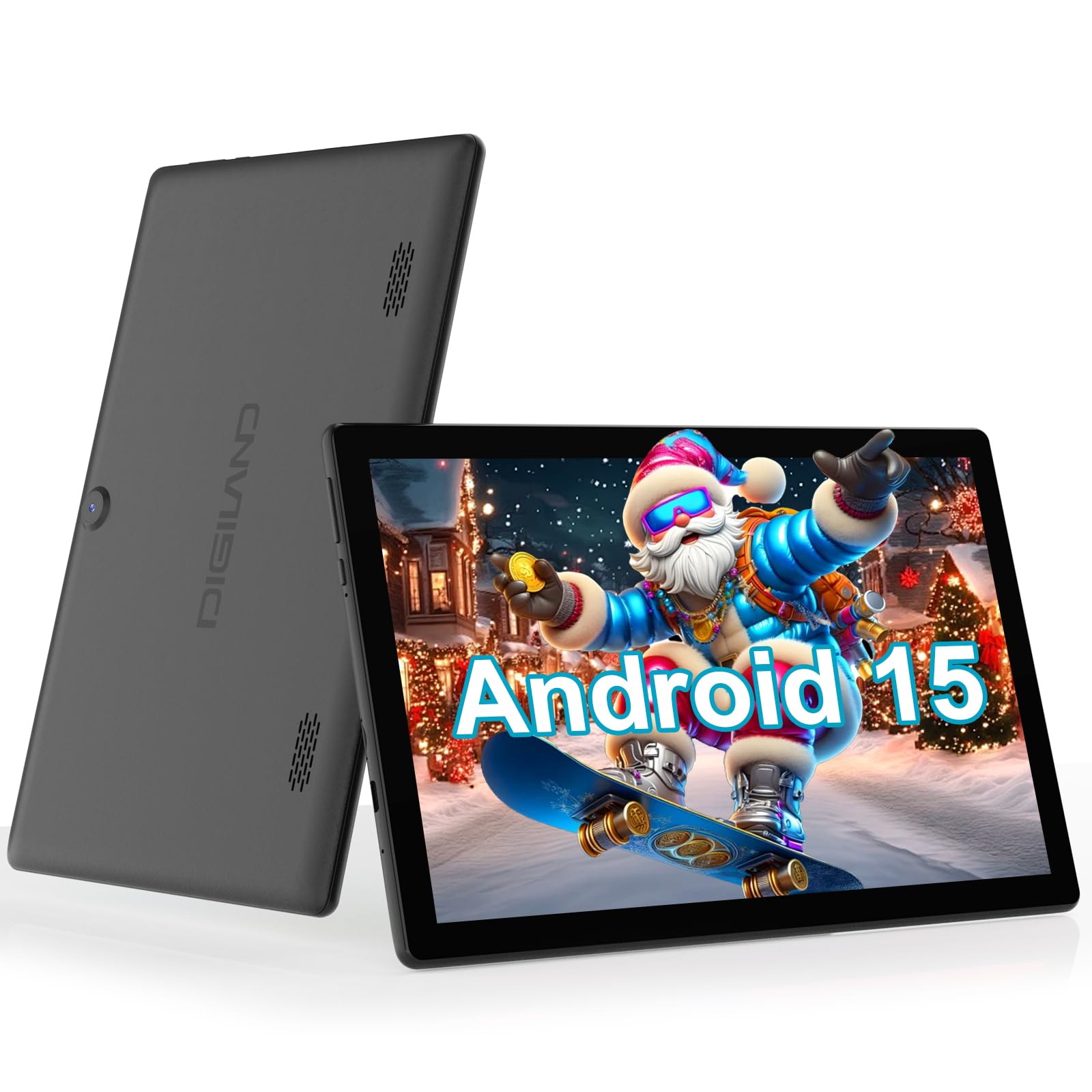
Figure 1: DigiLand R11 10.1 Inch Android 15 Tablet
2. ສິ່ງທີ່ຢູ່ໃນກ່ອງ
Upon unboxing your DigiLand R11 tablet, please verify that all the following items are included:
- DigiLand R11 10.1 Inch Android 15 Tablet
- ຜູ້ດັດແປງພະລັງງານ 1.18W
- ສາຍ USB-C
- ຄູ່ມືຜູ້ໃຊ້ (ເອກະສານນີ້)
- ບັດຫຼັງການຂາຍ

ຮູບທີ 2: ເນື້ອໃນກ່ອງ
3. ອຸປະກອນເກີນview
Familiarize yourself with the physical components and features of your DigiLand R11 tablet.

Figure 3: Tablet Features Overview (Android 15, Bluetooth 5.0, 6000mAh Battery, 2.4/5GHz WiFi, Dual Cameras)
ພອດ ແລະປຸ່ມຕ່າງໆ
- ປຸ່ມເປີດປິດ: Located on the side, used to turn the tablet on/off or put it to sleep.
- ປຸ່ມລະດັບສຽງ: ປັບລະດັບສຽງອອກ.
- ຜອດ USB-C: ສໍາລັບການສາກໄຟແລະການໂອນຂໍ້ມູນ.
- ຊ່ອງໃສ່ກາດຫນ່ວຍຄວາມຈໍາ: For expandable storage (supports up to 256GB).
- Jack ຫູຟັງ: ສໍາລັບການເຊື່ອມຕໍ່ຫູຟັງແບບມີສາຍ.
- ກ້ອງໜ້າ: ສໍາລັບການໂທວິດີໂອ ແລະເຊວຟີ.
- ກ້ອງຫຼັງ: ສໍາລັບການຖ່າຍຮູບແລະວິດີໂອ.
- ລຳ ໂພງຄູ່: ສໍາລັບຜົນຜະລິດສຽງ.
4. ຕັ້ງຄ່າ
4.1 ຄ່າບໍລິການເບື້ອງຕົ້ນ
Before first use, fully charge your tablet using the provided USB-C cable and power adapter. The battery indicator on the screen will show charging status.

ຮູບທີ 4: ການສາກໄຟແທັບເລັດ
4.2 ເປີດ/ປິດ
- ເພື່ອເປີດເຄື່ອງ: ກົດປຸ່ມເປີດປິດຄ້າງໄວ້ຈົນກ່ວາ ໜ້າ ຈໍຈະແຈ້ງຂຶ້ນ.
- ປິດເຄື່ອງ: ກົດປຸ່ມເປີດປິດຄ້າງໄວ້, ຈາກນັ້ນເລືອກ 'ປິດເຄື່ອງ' ຈາກຕົວເລືອກໃນໜ້າຈໍ.
- ນອນ/ຕື່ນ: ກົດປຸ່ມເປີດປິດສັ້ນ Br.
4.3 ຕົວຊ່ວຍສ້າງການຕິດຕັ້ງເບື້ອງຕົ້ນ
ປະຕິບັດຕາມຄໍາແນະນໍາໃນຫນ້າຈໍເພື່ອເຮັດສໍາເລັດການຕັ້ງຄ່າເບື້ອງຕົ້ນ, ເຊິ່ງປະກອບມີ:
- ການເລືອກພາສາຂອງທ່ານ.
- ກຳລັງເຊື່ອມຕໍ່ກັບເຄືອຂ່າຍ Wi-Fi.
- Signing in with your Google account (or creating a new one).
- Setting up screen lock and other security features.
5. ຄໍາແນະນໍາການດໍາເນີນງານ
5.1 ການນຳທາງການໂຕ້ຕອບ Android 15
Your tablet runs on Android 15 GO, offering an intuitive user experience. Key navigation elements include:
- ໜ້າຈໍຫຼັກ: ສູນກາງສູນກາງສໍາລັບແອັບຯ ແລະວິດເຈັດຂອງທ່ານ.
- App Drawer: ປັດຂຶ້ນຈາກໜ້າຈໍຫຼັກເພື່ອເຂົ້າເຖິງແອັບພລິເຄຊັນທີ່ຕິດຕັ້ງທັງໝົດ.
- ກະດານແຈ້ງການ: ປັດລົງຈາກເທິງສຸດຂອງໜ້າຈໍໄປທີ່ view ການແຈ້ງເຕືອນ ແລະການຕັ້ງຄ່າດ່ວນ.
- ແຖບນໍາທາງ: Located at the bottom of the screen, typically includes Back, Home, and Recent Apps buttons.
5.2 ການເຊື່ອມຕໍ່ Wi-Fi
- ໄປທີ່ ການຕັ້ງຄ່າ.
- ແຕະ ເຄືອຂ່າຍ ແລະອິນເຕີເນັດ.
- ເປີດ Wi-Fi.
- ເລືອກເຄືອຂ່າຍທີ່ຕ້ອງການຂອງທ່ານແລະໃສ່ລະຫັດຜ່ານຖ້າຖືກຖາມ.
5.3 Using Bluetooth 5.0
- ໄປທີ່ ການຕັ້ງຄ່າ.
- ແຕະ ອຸປະກອນທີ່ເຊື່ອມຕໍ່.
- ເປີດ Bluetooth.
- ເລືອກ ຈັບຄູ່ອຸປະກອນໃ່ and choose your device from the list.
5.4 ການດໍາເນີນງານກ້ອງຖ່າຍຮູບ
To open the camera app, tap the Camera icon on your home screen or app drawer. You can switch between front and rear cameras, take photos, and record videos.

Figure 5: Tablet Usage Scenarios
6. ຂໍ້ມູນຈໍາເພາະ
| ຄຸນສົມບັດ | ຂໍ້ມູນຈໍາເພາະ |
|---|---|
| ລະບົບປະຕິບັດການ | Android 15 GO |
| ຈໍສະແດງຜົນ | 10.1" IPS, 800 x 1280 pixels |
| ໂຮງງານຜະລິດ | Single-core ARM Cortex-A73 and quad-core ARM Cortex-A53, up to 1.75 GHz |
| RAM | 6GB |
| ການເກັບຮັກສາພາຍໃນ | 32GB (expandable up to 256GB via microSD) |
| ຄວາມອາດສາມາດຫມໍ້ໄຟ | 6000mAh (up to 6.5 hours usage) |
| ການເຊື່ອມຕໍ່ | Wi-Fi (2.4GHz & 5GHz), Bluetooth 5.0, USB OTG |
| ກ້ອງຖ່າຍຮູບ | Dual cameras (front and rear) |
| ລໍາໂພງ | ລຳໂພງຄູ່ |
| ນ້ຳໜັກ | 481.5g (1.32 ປອນ) |
| ຂະໜາດ | 10.17 x 6.41 x 0.31 ນິ້ວ |

Figure 6: Vivid Display
7. ບໍາລຸງຮັກສາ
To keep your tablet in optimal condition, follow these maintenance guidelines:
- ທໍາຄວາມສະອາດ: ໃຊ້ຜ້າທີ່ອ່ອນໆ, ບໍ່ມີສານດ່າງເພື່ອເຮັດຄວາມສະອາດຫນ້າຈໍແລະຮ່າງກາຍ. ຫຼີກລ້ຽງການເຮັດຄວາມສະອາດຂັດຫຼືສານລະລາຍ.
- ອັບເດດຊອບແວ: Regularly check for and install system updates to ensure security and performance improvements. Go to ການຕັ້ງຄ່າ > ລະບົບ > ການປັບປຸງລະບົບ.
- ການດູແລຫມໍ້ໄຟ: Avoid extreme temperatures. Do not let the battery fully drain frequently. Use only the provided charger.
- ການຈັດການການເກັບຮັກສາ: ລ້າງບໍ່ຈໍາເປັນເປັນໄລຍະ files ແລະແອັບຯເພື່ອສ້າງພື້ນທີ່ຫວ່າງ ແລະຮັກສາປະສິດທິພາບ.
8. ການແກ້ໄຂບັນຫາ
ຖ້າທ່ານພົບບັນຫາກັບແທັບເລັດຂອງທ່ານ, ໃຫ້ອ້າງອີງເຖິງຂັ້ນຕອນການແກ້ໄຂບັນຫາທົ່ວໄປຕໍ່ໄປນີ້:
- ແທັບເລັດບໍ່ເປີດ: ໃຫ້ແນ່ໃຈວ່າໄດ້ສາກໄຟແລ້ວ. ເຊື່ອມຕໍ່ສາຍສາກແລ້ວລໍຖ້າສອງສາມນາທີກ່ອນທີ່ຈະພະຍາຍາມເປີດເຄື່ອງອີກຄັ້ງ.
- ໜ້າຈໍບໍ່ຕອບສະໜອງ: Restart the tablet by holding the Power button for about 10-15 seconds until it reboots.
- ບັນຫາການເຊື່ອມຕໍ່ Wi-Fi: ລອງເປີດເຣົາເຕີ Wi-Fi ຂອງທ່ານຄືນໃໝ່. ໃນແທັບເລັດ, ລືມເຄືອຂ່າຍ ແລະ ເຊື່ອມຕໍ່ຄືນໃໝ່.
- ແອັບຂັດຂ້ອງ: Clear the cache for the problematic app (Settings > Apps > [App Name] > Storage > Clear cache). If the issue persists, uninstall and reinstall the app.
- ປະສິດທິພາບຊ້າ: Close unused apps, clear cache, and ensure sufficient free storage space. Consider a factory reset as a last resort (backup your data first).
9. ການຮັບປະກັນແລະການສະຫນັບສະຫນູນ
Your DigiLand R11 tablet comes with a ນະໂຍບາຍຮັບປະກັນ 1 ປີ. For any questions regarding product usage, technical support, or warranty claims, please contact our customer service team.
9.1 ສະຫນັບສະຫນູນລູກຄ້າ
Our dedicated customer service team is available 24/7 to assist you. Please refer to the contact information provided on your After-sales Card or visit the official DigiLand webເວັບໄຊສໍາລັບລາຍລະອຽດສະຫນັບສະຫນູນ.
ວິດີໂອ 1: ຫຼາຍກວ່າview of the DigiLand 10.1 inch tablet, demonstrating its features and functionality.


