1. ຜະລິດຕະພັນເກີນview
The VILTROX AF 15mm F1.7 E is a compact and lightweight autofocus prime lens designed for Sony E-mount APS-C cameras. It offers an ultra-wide perspective with a bright maximum aperture, making it suitable for various photographic and videographic applications, including landscapes, vlogging, and low-light shooting.
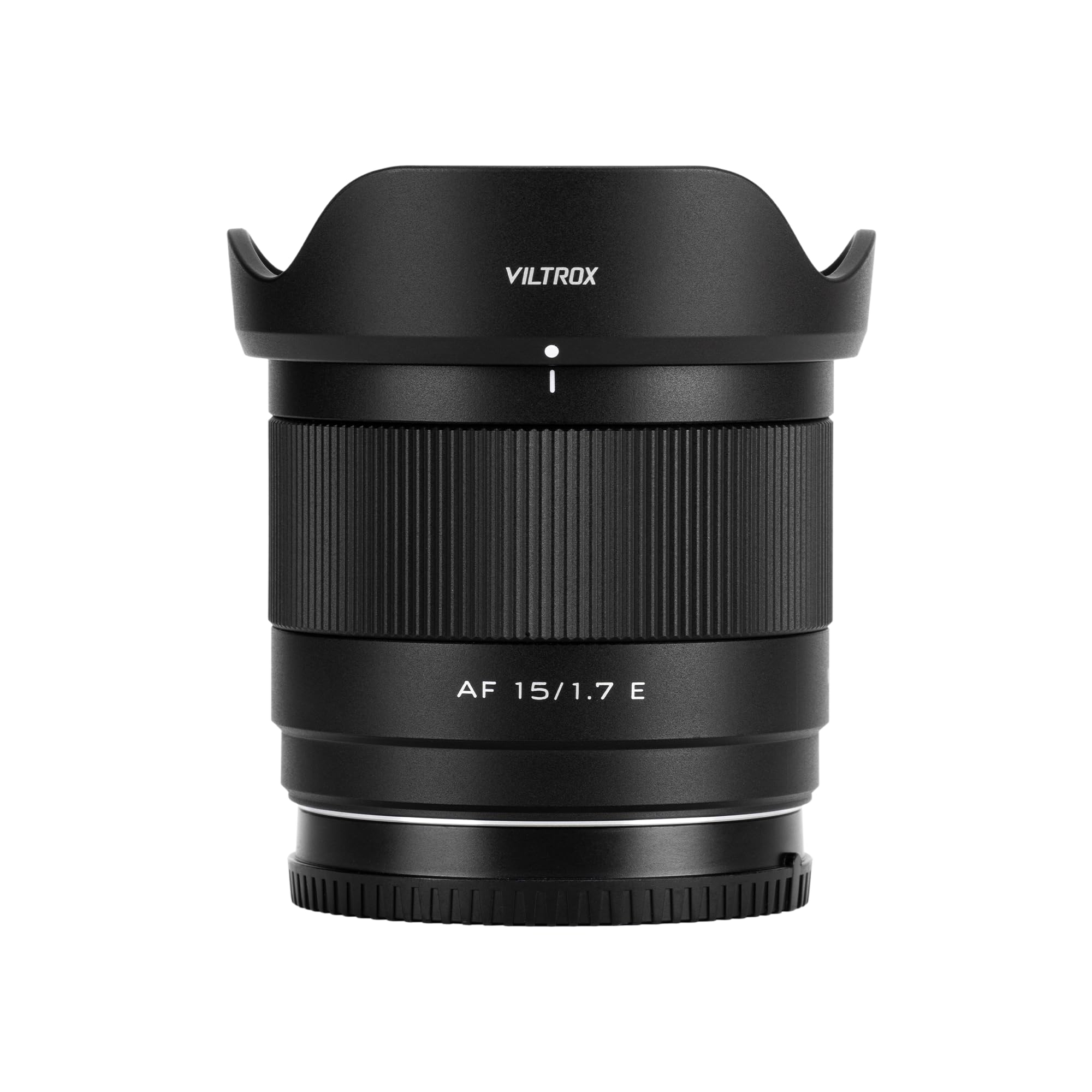
Figure 1: VILTROX AF 15mm F1.7 E Lens
ຄຸນນະສົມບັດທີ່ສໍາຄັນ:
- ຮູຮັບແສງ f/1.7 ສົດໃສ: Enables excellent low-light performance and produces a pleasing ພື້ນຫຼັງມົວ (bokeh).
- Ultra-Wide Focal Length: A 15mm focal length (approximately 22.5mm full-frame equivalent) provides an 84.9° field of view, ideal for capturing expansive scenes.
- ການອອກແບບ Optical ຂັ້ນສູງ: Composed of 12 elements in 10 groups, including 3 High Refractive (HR), 3 Extra-low Dispersion (ED), and 2 Aspherical (ASPH) elements to minimize aberrations and ensure high image quality.
- ກະທັດຮັດ ແລະ ນ້ຳໜັກເບົາ: Weighing only 180g, this lens is highly portable and comfortable for extended use.
- ຄວາມສາມາດໃນການສຸມໃສ່ການປິດ: A minimum focusing distance of 0.23 meters (23cm) allows for detailed close-up shots.
- Fast Autofocus: Equipped with an STM motor for quick, accurate, and smooth autofocus, beneficial for both photography and video recording.
- Integrated USB-C Port: Allows for convenient firmware updates to maintain optimal performance.
2. ສິ່ງທີ່ຢູ່ໃນກ່ອງ
ກວດສອບວ່າລາຍການທັງຫມົດແມ່ນມີຢູ່ໃນຊຸດຂອງທ່ານ:
- VILTROX AF 15mm F1.7 E Lens
- Lens Hood (Lotus-shaped)
- Lensາແວ່ນ ໜ້າ
- ກ້ອງຫລັງເລນ
- ຖົງໃສ່ເລນ
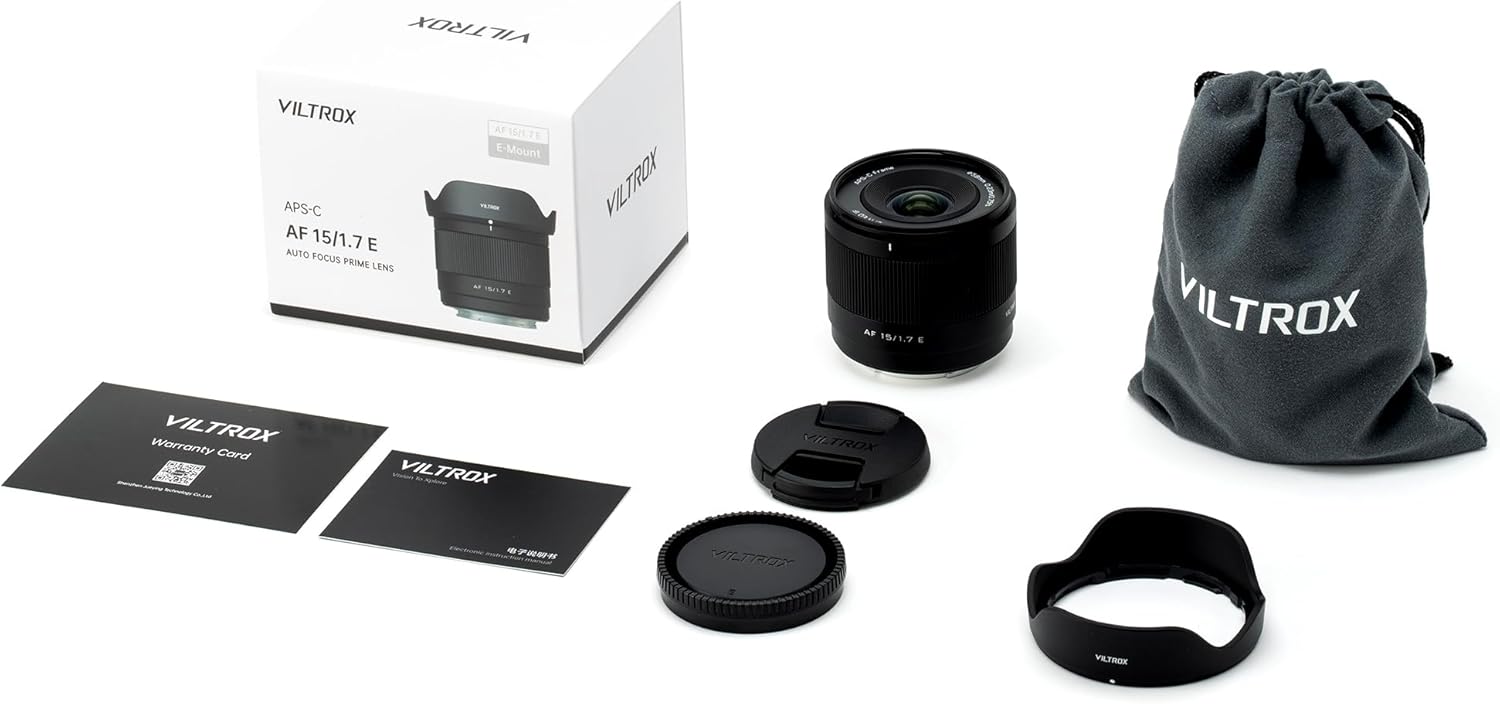
ຮູບທີ 2: ເນື້ອໃນຊຸດ
Lens Components:

ຮູບ 3: ດ້ານຫນ້າ View ຂອງ Lens

ຮູບ 4: ດ້ານຫລັງ View of the Lens (E-Mount)
3. ຕັ້ງຄ່າ
ການຕິດຕັ້ງ Lens:
- ກວດໃຫ້ແນ່ໃຈວ່າກ້ອງຂອງເຈົ້າປິດຢູ່.
- Remove the rear lens cap from the VILTROX 15mm F1.7 E lens and the body cap from your Sony E-mount camera.
- ວາງເຄື່ອງໝາຍດັດຊະນີສີຂາວຢູ່ກ້ອງເລນດ້ວຍເຄື່ອງໝາຍດັດຊະນີສີຂາວທີ່ສອດຄ້ອງກັນຢູ່ກ້ອງເລນຂອງກ້ອງຂອງທ່ານ.
- Gently insert the lens into the camera's mount and rotate it clockwise until it clicks into place. Do not force the lens.
- Attach the lotus-shaped lens hood by aligning its mark with the mark on the front of the lens and twisting until it locks.

Figure 5: Lens Mounted on Camera
ການຖອດເລນ:
- ກວດໃຫ້ແນ່ໃຈວ່າກ້ອງຂອງເຈົ້າປິດຢູ່.
- ກົດປຸ່ມປ່ອຍເລນຢູ່ໃນຕົວກ້ອງຖ່າຍຮູບຂອງທ່ານຄ້າງໄວ້.
- ໝຸນເລນຕາມເຂັມໂມງຈົນກວ່າມັນຈະແຍກອອກຈາກຕົວກ້ອງ.
- Immediately attach the rear lens cap to the lens and the body cap to the camera to protect the sensor and lens elements.
4. ການເຮັດວຽກຂອງເລນ
Autofocus (AF) Operation:
The VILTROX AF 15mm F1.7 E lens features a fast and quiet STM autofocus motor. To use autofocus, ensure your camera's focus mode is set to AF. The lens will automatically adjust focus based on your camera's settings (e.g., single-shot AF, continuous AF, wide-area AF).
Video 1: Demonstrating the VILTROX AF 15mm F1.7 E lens for vlogging, highlighting its wide angle and portability.
Manual Focus (MF) Operation:
To use manual focus, set your camera's focus mode to MF. Rotate the focus ring on the lens barrel to adjust focus. Your camera's focus peaking and magnification features can assist in achieving precise manual focus.
ການຄວບຄຸມ Aperture:
The lens features a bright f/1.7 maximum aperture. Aperture can be controlled via your camera's settings, allowing you to adjust depth of field and light intake. The wide aperture is particularly useful for creating shallow depth of field effects (bokeh) and shooting in low-light conditions.
Video 2: Focal length comparison demonstrating the wide perspective of the 15mm lens on an APS-C sensor.
Sample Images:

Figure 6: Wide-angle landscape exampເລ.

ຮູບທີ 7: ຕົວຢ່າງample of shallow depth of field (bokeh).
ວິດີໂອທີ 3: ການສະແດງasing close-up photography with the VILTROX AF 15mm F1.7 E lens, including subjects like pets.
5. ບໍາລຸງຮັກສາ
ທໍາຄວາມສະອາດ Lens:
- ໃຊ້ແປງເປົ່າເພື່ອເອົາຂີ້ຝຸ່ນອອກຈາກຫນ້າເລນ.
- For smudges or fingerprints, use a clean microfiber cloth specifically designed for optics, along with a lens cleaning solution. Apply solution to the cloth, not directly to the lens.
- Avoid touching the lens elements with bare hands.
ການເກັບຮັກສາ:
- ແນບຝາແວ່ນດ້ານໜ້າ ແລະ ຫລັງທຸກຄັ້ງເມື່ອບໍ່ໄດ້ໃຊ້ເລນ.
- ເກັບຮັກສາເລນໄວ້ໃນບ່ອນທີ່ເຢັນ, ແຫ້ງ, ຫ່າງຈາກແສງແດດໂດຍກົງແລະອຸນຫະພູມທີ່ຮຸນແຮງ.
- ຖ້າເກັບຮັກສາໄວ້ເປັນເວລາດົນ, ຄວນພິຈາລະນາໃຊ້ເຄື່ອງດູດຄວາມຊຸ່ມຊື້ນຫຼືເຄື່ອງດູດຝຸ່ນເພື່ອປ້ອງກັນການຂະຫຍາຍຕົວຂອງ mold.
ການອັບເດດເຟີມແວ:
The lens features a USB-C port for firmware updates. Visit the official VILTROX website for the latest firmware and instructions on how to update your lens. Regular updates can improve performance and compatibility.
6. ການແກ້ໄຂບັນຫາ
ບັນຫາໂຟກັສອັດຕະໂນມັດ:
- ເລນບໍ່ໄດ້ໂຟກັສ: Ensure the lens is securely mounted and the camera's focus mode is set to AF. Check for sufficient light in the scene.
- Slow or inaccurate autofocus: Update the lens firmware via the USB-C port. Clean the lens contacts on both the lens and camera body.
ຄວາມກັງວົນກ່ຽວກັບຄຸນນະພາບຮູບພາບ:
- Soft images: Ensure proper focus. Check camera settings (shutter speed, ISO) to avoid motion blur or noise.
- Dust spots: Clean the front and rear elements of the lens. If spots persist, check your camera's sensor for dust.
Lens ບໍ່ໄດ້ຮັບຮູ້ໂດຍກ້ອງຖ່າຍຮູບ:
- ເອົາອອກແລະຕິດເລນຄືນ, ໃຫ້ແນ່ໃຈວ່າມັນຄລິກໃສ່ສະຖານທີ່.
- Clean the electronic contacts on both the lens and camera body with a clean, dry cloth.
- ໃຫ້ແນ່ໃຈວ່າເຟີມແວຂອງກ້ອງຖ່າຍຮູບຂອງທ່ານທັນສະໄໝແລ້ວ.
7. ຂໍ້ມູນຈໍາເພາະ
| ຄຸນສົມບັດ | ລາຍລະອຽດ |
|---|---|
| ຍີ່ຫໍ້ | VILTROX |
| ໝາຍເລກຕົວແບບ | AF 15mm F1.7 E lens for Sony |
| ຄວາມຍາວໂຟກັສ | 15mm (22.5mm ທຽບເທົ່າກັບ APS-C) |
| ຮູຮັບແສງສູງສຸດ | f/1.7 |
| ປະເພດເລນ | Wide Angle Prime Lens |
| ການຕິດຕັ້ງທີ່ເຂົ້າກັນໄດ້ | Sony E-Mount |
| ການອອກແບບ Optical | 12 ອົງປະກອບໃນ 10 ກຸ່ມ |
| ໄລຍະການໂຟກັສຕໍ່າສຸດ | 0.23m (0.75ft) |
| ຂະໜາດຕົວກອງ | 58ມມ |
| ຂະໜາດສິນຄ້າ | 2.22 x 2.56 x 2.56 ນິ້ວ |
| ນ້ໍາຫນັກລາຍການ | 14.1 ອອນສ໌ (ປະມານ 400g) |
| ຜູ້ຜະລິດ | Shenzhen Jueying ເຕັກໂນໂລຊີຈໍາກັດ. |

Figure 8: Optical Diagram

Figure 9: MTF Chart
8. ການຮັບປະກັນແລະການສະຫນັບສະຫນູນ
VILTROX products typically come with a limited manufacturer's warranty. Please refer to the warranty card included in your product packaging or visit the official VILTROX website for detailed warranty terms and conditions. For technical support, service, or inquiries, contact VILTROX customer service through their official channels.


