1. Getting Started: Unboxing and Components
This section details the contents of your TABWEE T80 package and provides an overview of the tablet's physical features.
1.1 ເນື້ອໃນຊຸດ
ກວດສອບວ່າລາຍການທັງຫມົດທີ່ລະບຸໄວ້ຂ້າງລຸ່ມນີ້ແມ່ນມີຢູ່ໃນຊຸດຂອງທ່ານ:
- TABWEE T80 Android Tablet
- ແປ້ນພິມ Bluetooth
- ເມົາສ໌ໄຮ້ສາຍ
- ປາກກາສະໄຕລັດ
- ກໍລະນີປ້ອງກັນ
- ຕົວປ້ອງກັນໜ້າຈໍ (ນຳໃຊ້ກ່ອນ ຫຼື ແຍກ)
- ແທັບເລັດຢືນ
- Charger and USB-C Cable

1.2 ຜະລິດຕະພັນເກີນview
Familiarize yourself with the tablet's buttons, ports, and camera locations.
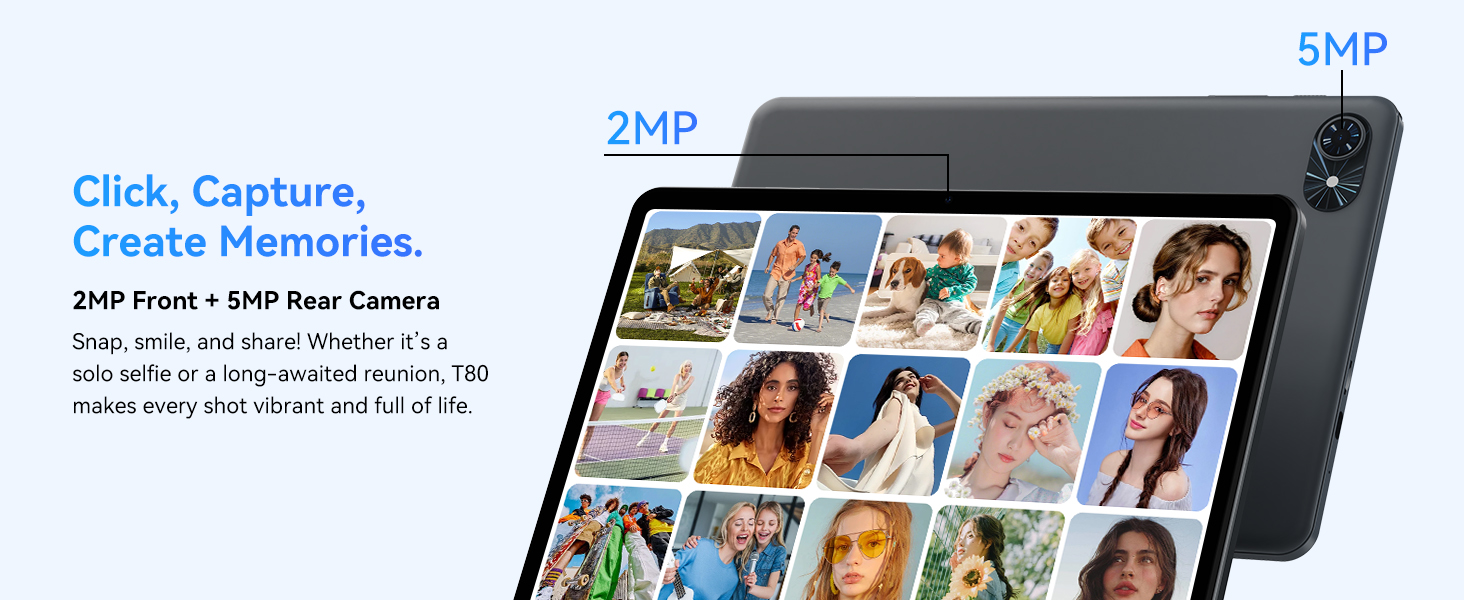
- ກ້ອງໜ້າ: Located at the top center when held in landscape orientation. (2MP)
- ກ້ອງຫຼັງ: Located on the back panel, typically in the upper left corner. (5MP)
- ປຸ່ມເປີດປິດ: Used to turn the tablet on/off or wake/sleep the screen.
- ປຸ່ມລະດັບສຽງ: ປັບລະດັບສຽງອອກ.
- ຜອດ USB-C: ສໍາລັບການສາກໄຟແລະການໂອນຂໍ້ມູນ.
- ຊ່ອງສຽບກາດ MicroSD: ສໍາລັບການຂະຫຍາຍການເກັບຮັກສາເຖິງ 2TB.
- ລໍາໂພງ: ລໍາໂພງຄູ່ສໍາລັບການອອກສຽງ.
2. ຄໍາແນະນໍາການຕິດຕັ້ງ
Follow these steps to set up your TABWEE T80 tablet for first-time use.
2.1 ການເປີດເຄື່ອງເບື້ອງຕົ້ນ ແລະການຕັ້ງຄ່າພື້ນຖານ
- ສາກໄຟແທັບເລັດ: Connect the provided USB-C cable and charger to the tablet and a power outlet. Allow the tablet to charge for at least 30 minutes before first use.
- ເປີດ: Press and hold the Power button until the TABWEE logo appears on the screen.
- ພາສາ ແລະພາກພື້ນ: ປະຕິບັດຕາມການເຕືອນໃນຫນ້າຈໍເພື່ອເລືອກພາສາແລະພາກພື້ນທີ່ທ່ານຕ້ອງການ.
- ເຊື່ອມຕໍ່ກັບ Wi-Fi: Select your Wi-Fi network from the list and enter the password. A stable internet connection is required for initial setup and updates.
- ບັນຊີ Google: ເຂົ້າສູ່ລະບົບດ້ວຍບັນຊີ Google ຂອງທ່ານ ຫຼື ສ້າງບັນຊີໃໝ່. ນີ້ແມ່ນສິ່ງຈຳເປັນເພື່ອດາວໂຫຼດແອັບຈາກ Google Play Store.
- ວັນທີ ແລະເວລາ: Confirm the date and time settings.
- ຄວາມປອດໄພ: ຕັ້ງຄ່າການລັອກໜ້າຈໍ (PIN, ຮູບແບບ ຫຼືລະຫັດຜ່ານ) ເພື່ອຄວາມປອດໄພ.
2.2 ການເຊື່ອມຕໍ່ອຸປະກອນເສີມ
The TABWEE T80 comes with several accessories to enhance its functionality.
- Bluetooth Keyboard and Mouse:
- ກວດໃຫ້ແນ່ໃຈວ່າແປ້ນພິມ ແລະເມົາສ໌ຖືກສາກ ແລະເປີດເຄື່ອງແລ້ວ.
- ໃນແທັບເລັດຂອງທ່ານ, ໄປທີ່ ການຕັ້ງຄ່າ > ອຸປະກອນທີ່ເຊື່ອມຕໍ່ > Bluetooth.
- Enable Bluetooth and scan for new devices.
- Select the keyboard and mouse from the list to pair them. Follow any on-screen prompts.
- ປາກກາສະໄຕລັດ: The stylus pen can be used directly on the screen for navigation, drawing, or writing. No pairing is typically required for basic capacitive styluses.
- Protective Case and Stand: Attach the protective case to the tablet. The case often includes a foldable stand for hands-free viewing.
3. ຄໍາແນະນໍາການດໍາເນີນງານ
This section covers the daily operation of your TABWEE T80 tablet.
3.1 Basic Navigation and Android 15 Features
- ໜ້າຈໍຫຼັກ: Swipe left or right to access different home screens. Tap and hold an empty space to customize widgets, wallpaper, and settings.
- ການແຈ້ງເຕືອນ ແລະການຕັ້ງຄ່າດ່ວນ: ປັດລົງຈາກເທິງສຸດຂອງໜ້າຈໍໄປທີ່ view ການແຈ້ງເຕືອນ ແລະ ເຂົ້າເຖິງການຕັ້ງຄ່າດ່ວນ ເຊັ່ນ: Wi-Fi, Bluetooth ແລະ ຄວາມສະຫວ່າງ.
- App Drawer: ປັດຂຶ້ນຈາກລຸ່ມສຸດຂອງໜ້າຈໍເພື່ອເຂົ້າເຖິງທຸກແອັບພລິເຄຊັນທີ່ຕິດຕັ້ງແລ້ວ.
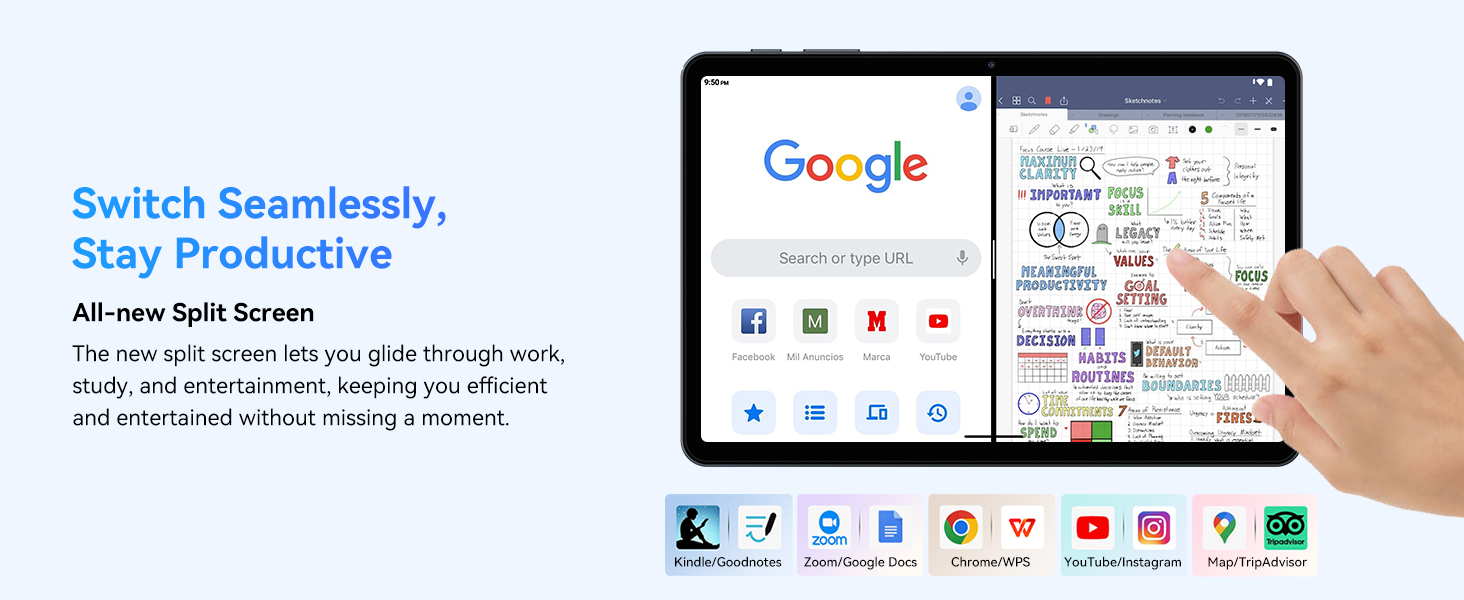
- Multitasking (Split Screen): Android 15 supports enhanced split-screen functionality. To use, open an app, then swipe up from the bottom, hold, and drag another app icon to either side of the screen.
- Gemini AI 2.0: Your tablet integrates Gemini AI 2.0 for enhanced task management, smart chats, text-to-image generation, voice-enabled Q&A, and real-time conversations. Access AI features through compatible apps or dedicated AI interfaces.
- ຄວາມເປັນສ່ວນຕົວ ແລະຄວາມປອດໄພ: Android 15 offers improved privacy controls. Review and adjust app permissions in ການຕັ້ງຄ່າ > ຄວາມເປັນສ່ວນຕົວ.
3.2 ການເຊື່ອມຕໍ່
- Wi-Fi: Supports 802.11a/b/g/n/ac for fast 5G Wi-Fi connectivity. Manage Wi-Fi connections in ການຕັ້ງຄ່າ > ເຄືອຂ່າຍ ແລະອິນເຕີເນັດ > Wi-Fi.
- Bluetooth 5.0: For connecting wireless headphones, speakers, keyboards, and mice. Manage Bluetooth devices in ການຕັ້ງຄ່າ > ອຸປະກອນທີ່ເຊື່ອມຕໍ່ > Bluetooth.
- GPS: The tablet includes GPS functionality for location services and navigation apps.
- OTG (On-The-Go): Supports OTG, allowing you to connect USB devices like flash drives or external hard drives using an appropriate adapter.
3.3 ການໃຊ້ກ້ອງຖ່າຍຮູບ
The TABWEE T80 features a 2MP front camera and a 5MP rear camera.
- ເປີດແອັບກ້ອງຖ່າຍຮູບຈາກໜ້າຈໍຫຼັກ ຫຼືແຖບລິ້ນຊັກແອັບຂອງທ່ານ.
- ແຕະປຸ່ມຊັດເຕີເພື່ອຖ່າຍຮູບ.
- ສະຫຼັບລະຫວ່າງກ້ອງໜ້າ ແລະກ້ອງຫຼັງໂດຍໃຊ້ໄອຄອນສະຫຼັບກ້ອງຖ່າຍຮູບ.
- Explore different modes such as video recording or panorama if available.

3.4 ການເກັບຮັກສາ ແລະປະສິດທິພາບ
- RAM: The tablet comes with 6GB of physical RAM, expandable virtually to 18GB for smooth multitasking. Adjust RAM settings in ການຕັ້ງຄ່າ ຖ້າຕ້ອງການ.
- ການເກັບຮັກສາພາຍໃນ: 128GB ROM is provided for apps and files.
- ການເກັບຮັກສາທີ່ຂະຫຍາຍໄດ້: A MicroSD card slot allows for storage expansion up to 2TB. Insert a compatible MicroSD card into the designated slot.
- ໜ່ວຍປະມວນຜົນ: Powered by a Quad-Core Unisoc T310 processor (1x A75 2.0GHz, 3x A55 1.8GHz) and GE8300 GPU for efficient performance.
3.5 ແບັດເຕີຣີແລະການສາກໄຟ
- ຄວາມອາດສາມາດຫມໍ້ໄຟ: Equipped with a 6000mAh battery, providing over 10 hours of typical usage.
- ການສາກໄຟ: Use the provided 10W fast charger and USB-C cable. Connect the cable to the tablet's USB-C port and the charger to a power outlet.
- ການເພີ່ມປະສິດທິພາບຫມໍ້ໄຟ: Android 15 includes AI Super Power Saving Algorithms to extend battery life. Monitor battery usage in ການຕັ້ງຄ່າ > ແບັດເຕີຣີ.

3.6 Display and Entertainment
- ຈໍສະແດງຜົນ: 10-inch IPS display with a resolution of 1280 x 800 pixels.
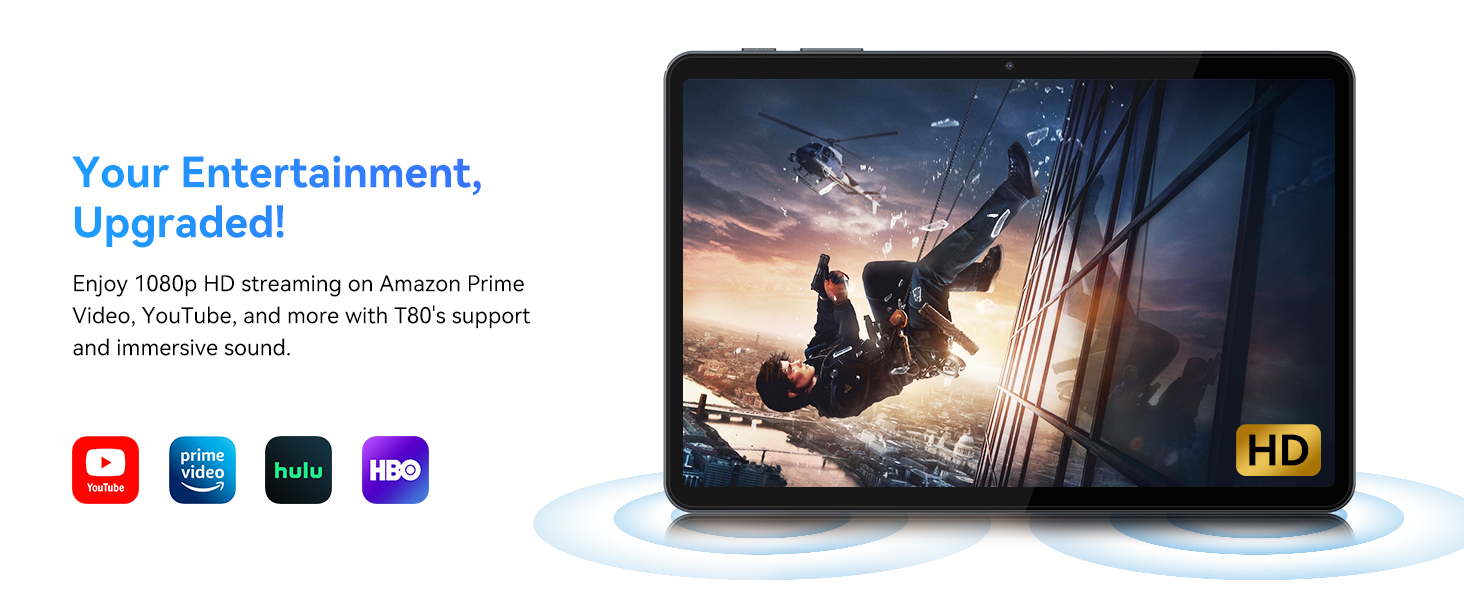
- ການເປີດຕົວວີດີໂອ: Supports 1080P video playback for streaming services like Amazon Prime Video, YouTube, Hulu, and HBO.
- ສຽງ: Dual speakers provide clear audio for media consumption.
4. ບໍາລຸງຮັກສາ
Proper maintenance ensures the longevity and optimal performance of your tablet.
4.1 ການດູແລຫມໍ້ໄຟ
- ຫຼີກເວັ້ນອຸນຫະພູມທີ່ຮຸນແຮງ, ຍ້ອນວ່າພວກມັນສາມາດເຮັດໃຫ້ອາຍຸຫມໍ້ໄຟຫຼຸດລົງ.
- ຢ່າປ່ອຍໃຫ້ແບັດເຕີຣີໝົດເລື້ອຍໆ. ໃຫ້ສາກໄຟກ່ອນທີ່ມັນຈະຮອດ 0%.
- ໃຊ້ພຽງແຕ່ສາຍສາກ ແລະສາຍທີ່ໃຫ້ມາເພື່ອປ້ອງກັນຄວາມເສຍຫາຍ.
4.2 ການທໍາຄວາມສະອາດ
- ໃຊ້ຜ້າແພທີ່ອ່ອນໆ, ບໍ່ມີສານດ່າງເພື່ອເຮັດຄວາມສະອາດໜ້າຈໍ ແລະຕົວເຄື່ອງຂອງແທັບເລັດ.
- ສໍາລັບ smudges stubborn, ເລັກນ້ອຍ dampໃສ່ຜ້າດ້ວຍນ້ໍາຫຼືການແກ້ໄຂເຮັດຄວາມສະອາດຫນ້າຈໍ. ຫຼີກເວັ້ນການສານເຄມີທີ່ຮຸນແຮງ.
- ໃຫ້ແນ່ໃຈວ່າພອດທັງໝົດບໍ່ມີຝຸ່ນ ແລະ ສິ່ງເສດເຫຼືອ.
4.3 ການປັບປຸງຊອບແວ
- Regularly check for and install system updates. These updates often include performance improvements, security patches, and new features.
- ໄປທີ່ ການຕັ້ງຄ່າ > ລະບົບ > ການປັບປຸງລະບົບ ເພື່ອກວດສອບການອັບເດດທີ່ມີຢູ່.
5. ການແກ້ໄຂບັນຫາ
This section addresses common issues you might encounter with your TABWEE T80 tablet.
5.1 ແທັບເລັດບໍ່ເປີດ
- Ensure the tablet is sufficiently charged. Connect it to the charger and wait a few minutes before attempting to power it on again.
- ລອງກົດປຸ່ມເປີດປິດຄ້າງໄວ້ປະມານ 10-15 ວິນາທີເພື່ອບັງຄັບໃຫ້ເປີດຄືນໃໝ່.
5.2 ບັນຫາການເຊື່ອມຕໍ່ Wi-Fi
- Toggle Wi-Fi off and on in Quick Settings.
- ຣີສະຕາດເຣົາເຕີ Wi-Fi ຂອງທ່ານ.
- ລືມເຄືອຂ່າຍໃນ ການຕັ້ງຄ່າ > ເຄືອຂ່າຍ ແລະອິນເຕີເນັດ > Wi-Fi ແລະເຊື່ອມຕໍ່ຄືນໃໝ່.
5.3 ການປະຕິບັດຊ້າ
- ປິດແອັບພລິເຄຊັນພື້ນຫຼັງທີ່ບໍ່ຈໍາເປັນ.
- Clear cache for frequently used apps in ການຕັ້ງຄ່າ > ແອັບ > [ຊື່ແອັບ] > ບ່ອນເກັບຂໍ້ມູນ ແລະແຄດ > ລຶບແຄດ.
- Ensure you have sufficient free storage space. Delete old files or move them to expandable storage.
- ຣີສະຕາດແທັບເລັດເປັນໄລຍະ.
5.4 ອຸປະກອນເສີມບໍ່ເຊື່ອມຕໍ່
- For Bluetooth accessories, ensure they are charged, powered on, and in pairing mode.
- Verify Bluetooth is enabled on the tablet and try re-pairing the device.
- Check the battery level of the accessories.
6. ຂໍ້ມູນຈໍາເພາະ
Detailed technical specifications for the TABWEE T80 Android 15 Tablet.
| ຄຸນສົມບັດ | ຂໍ້ມູນຈໍາເພາະ |
|---|---|
| ຊື່ຕົວແບບ | T80(6+128) |
| ລະບົບປະຕິບັດການ | Android 15 |
| ຂະໜາດໜ້າຈໍ | 10 ນິ້ວ |
| ຄວາມລະອຽດໜ້າຈໍສູງສຸດ | 1280 x 800 ພິກເຊລ |
| ໂຮງງານຜະລິດ | Unisoc T310 Quad-Core (1x A75 2.0GHz, 3x A55 1.8GHz) |
| RAM | 18GB (6GB ທາງກາຍະພາບ + 12GB virtual) |
| ຂະໜາດຄວາມຈຳ Flash (ROM) | 128 GB |
| ການເກັບຮັກສາທີ່ຂະຫຍາຍໄດ້ | ສູງສຸດ 2TB ຜ່ານບັດ MicroSD |
| ປະເພດໄຮ້ສາຍ | 802.11a, 802.11ac, 802.11b, 802.11g, 802.11n (5G WiFi) |
| Bluetooth | Bluetooth 5.0 |
| ຄວາມອາດສາມາດຫມໍ້ໄຟ | 6000mAh |
| ອາຍຸຫມໍ້ໄຟສະເລ່ຍ | 480 Hours (Standby) / 10+ Hours (Usage) |
| ກ້ອງໜ້າ | 2MP |
| ກ້ອງຫຼັງ | 5MP |
| ນ້ໍາຫນັກລາຍການ | 1.1 ປອນ |
| ຂະໜາດສິນຄ້າ | 9.5 x 6.3 x 0.3 ນິ້ວ |
| ສີ | ສີຂີ້ເຖົ່າເງິນ |
7. ການຮັບປະກັນແລະການສະຫນັບສະຫນູນ
Information regarding your product warranty and how to obtain customer support.
7.1 ການຮັບປະກັນຜະລິດຕະພັນ
The TABWEE T80 tablet comes with a ຮັບປະກັນ 2 ປີ, covering manufacturing defects and ensuring product reliability. This warranty provides peace of mind and support for your device.
7.2 ສະຫນັບສະຫນູນລູກຄ້າ
For any technical assistance, inquiries, or warranty claims, please contact TABWEE customer support:
- ອີເມວ: serviceplus.linda@gmail.com
- ໂທລະສັບ (ສະຫະລັດ): +1 (717) 896-6060
- ໂທລະສັບ (ອັງກິດ): +44 7700 156388
- Phone (CA): +1 (587) 841-0500
- ໂທລະສັບ (DE): +49 157 3598 0115
TABWEE offers 24/7 customer support and lifetime technical assistance to ensure you have the best experience with your product.