1. ບົດແນະນຳ
This manual provides essential instructions for the safe and effective use of your ARRIS 12V Battery Pack 20000mAh. This battery pack is designed to power ARRIS 7.4V and 12V heated jackets and vests. Please read this manual thoroughly before operating the device and retain it for future reference.
2. ຜະລິດຕະພັນເກີນview
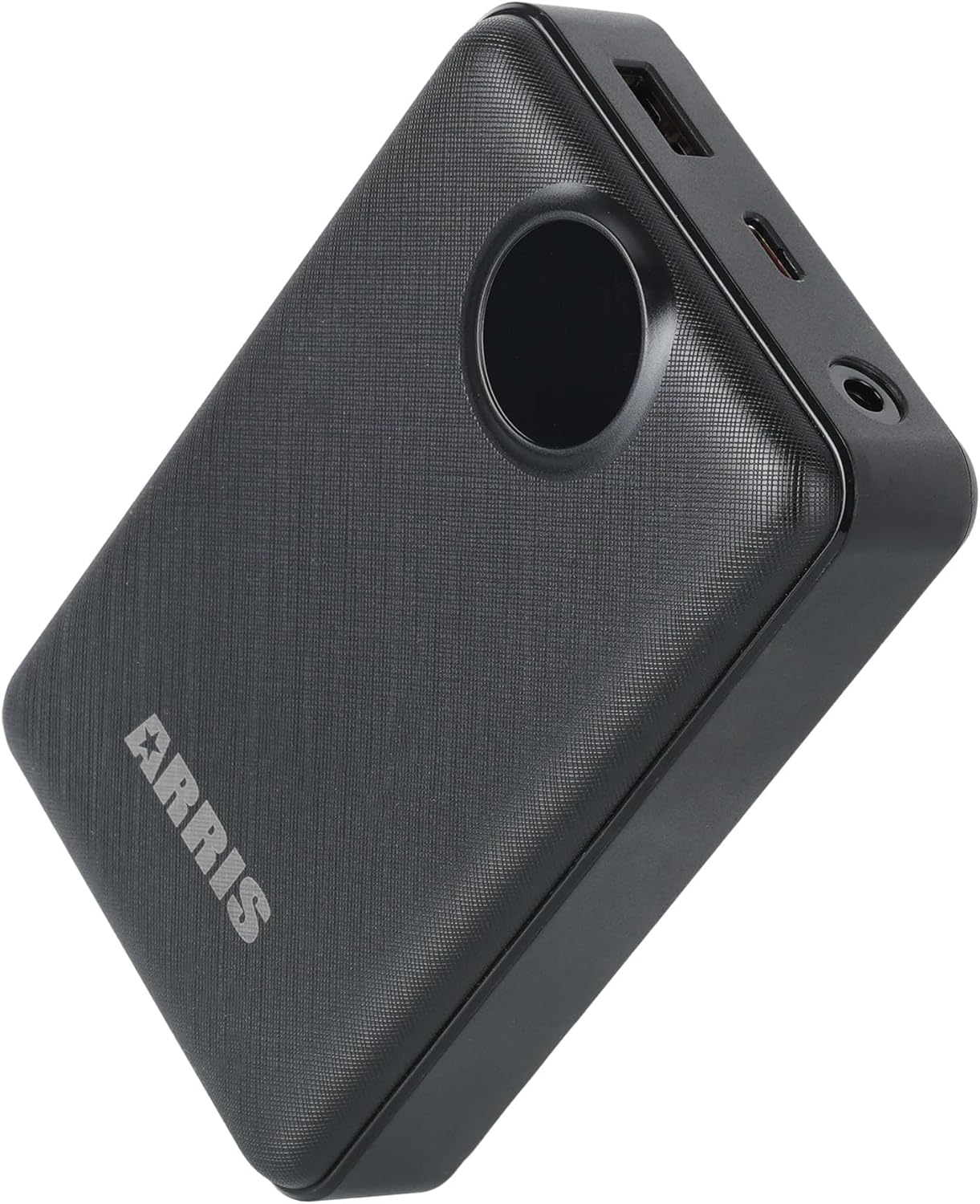
The ARRIS 12V Battery Pack 20000mAh is a high-capacity power source featuring a digital display and multiple output options. It is specifically engineered for compatibility with ARRIS heated apparel.

ຮູບທີ 1: ທາງເທິງ view of the ARRIS 12V Battery Pack.
ຮູບທີ 2: ມຸມ view showing the battery pack's ports.
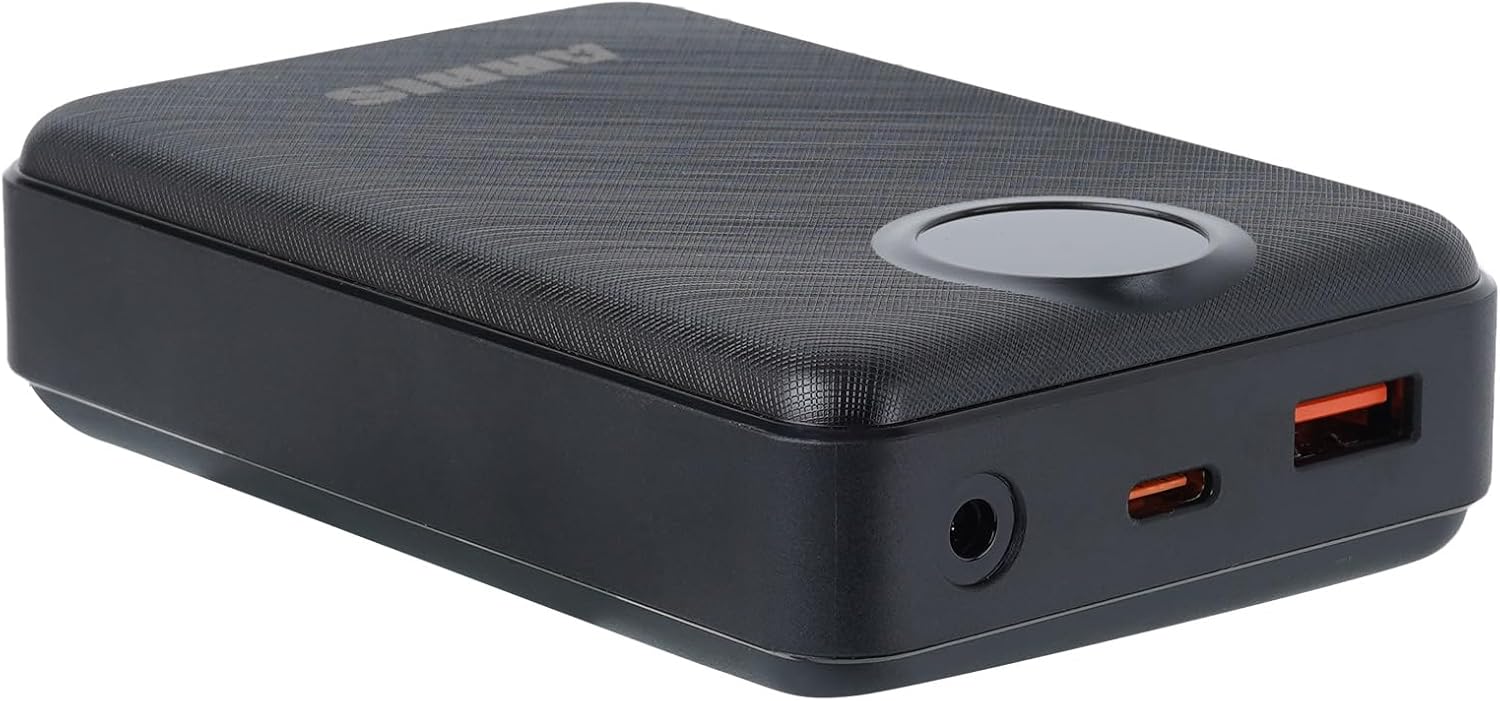
ຮູບທີ 3: ລາຍລະອຽດ view of the battery pack's connection ports.

Figure 4: Feature diagram of the ARRIS 12V Battery Pack, showing its capabilities and internal layout.
3. ຕັ້ງຄ່າ
3.1 ການສາກໄຟເບື້ອງຕົ້ນ
- Before first use, fully charge the battery pack.
- Connect a compatible adapter (not included) to the battery pack's charging port. For a suitable adapter, search ASIN B07K458GB2.
- The digital display will indicate the charging status. A full charge typically takes approximately 4 hours with a 20W quick charge adapter.
3.2 Connecting to Heated Garments
- ໃຫ້ແນ່ໃຈວ່າແບັດເຕີຣີຖືກສາກໄຟຢ່າງພຽງພໍ.
- Locate the power cable inside your ARRIS heated jacket or vest.
- Connect the garment's power cable to the appropriate output port on the battery pack (e.g., DC output for 7.4V/12V garments).
4. ຄໍາແນະນໍາການດໍາເນີນງານ
4.1 ການເປີດ/ປິດ
- To power on the battery pack, press and hold the power button for a few seconds until the digital display illuminates.
- ເພື່ອປິດເຄື່ອງ, ໃຫ້ກົດປຸ່ມເປີດປິດຄ້າງໄວ້ອີກຄັ້ງຈົນກ່ວາຈໍສະແດງຜົນປິດ.
4.2 ຈໍດິຈິຕອນ
The integrated digital display shows the remaining battery charge level, allowing you to monitor power status at a glance.
4.3 ໂຫມດຜົນຜະລິດ
The battery pack supports 12V, 7.4V, and 5V output, making it versatile for various ARRIS heated garments and other compatible devices.
5. ບໍາລຸງຮັກສາ
5.1 ຂໍ້ແນະນຳການສາກໄຟ
- Always use a compatible charger to prevent damage to the battery.
- ຫຼີກລ່ຽງການສາກໄຟເກີນ ຫຼື ການລະບາຍແບັດເຕີຣີໃຫ້ໝົດໄປ ເພື່ອຍືດອາຍຸການໃຊ້ງານຂອງມັນ.
- ສາກແບັດໃນພື້ນທີ່ລະບາຍອາກາດໄດ້ດີ, ຫ່າງຈາກວັດສະດຸທີ່ຕິດໄຟໄດ້.
5.2 ການເກັບຮັກສາ
- ເກັບຮັກສາແບັດເຕີຣີໄວ້ໃນບ່ອນທີ່ເຢັນແລະແຫ້ງເມື່ອບໍ່ໄດ້ໃຊ້ງານ.
- ສຳລັບການເກັບຮັກສາໃນໄລຍະຍາວ, ໃຫ້ສາກແບັດເຕີຣີໃຫ້ເຕັມທີ່ປະມານ 50-70%.
- Avoid storing in extreme temperatures (hot or cold).
5.3 ການທໍາຄວາມສະອາດ
Wipe the exterior of the battery pack with a soft, dry cloth. Do not use liquid cleaners or immerse the device in water.
6. ການແກ້ໄຂບັນຫາ
- ແບັດເຕີຣີບໍ່ໄດ້ສາກ:
Ensure the charging cable and adapter are securely connected and functioning correctly. Verify the adapter meets the required specifications. If the issue persists, try a different compatible adapter. - ອຸປະກອນບໍ່ເປີດ:
Check if the battery pack is sufficiently charged. Press and hold the power button for the recommended duration. If the battery is fully charged and still not powering on, contact customer support. - Heated Garment Not Heating:
Confirm the battery pack is powered on and fully charged. Ensure the connection between the battery pack and the garment is secure. Check the garment's internal wiring for any visible damage. - ຈໍສະແດງຜົນດິຈິຕອນບໍ່ເຮັດວຽກ:
If the display is unresponsive, try charging the battery pack. If the issue continues, the unit may require service.
7. ຂໍ້ມູນຈໍາເພາະ
| ຄຸນສົມບັດ | ລາຍລະອຽດ |
|---|---|
| ໝາຍເລກຕົວແບບ | 1090193 |
| ຄວາມອາດສາມາດຫມໍ້ໄຟ | 20000 ລ້ານamp ຊົ່ວໂມງ |
| ອົງປະກອບຂອງຈຸລັງຫມໍ້ໄຟ | ລີໂທມໂພລີເມີ |
| ຜົນໄດ້ຮັບ Voltage | ුຳເั 12V, 7.4V |
| ຄຸນນະສົມບັດພິເສດ | ຈໍສະແດງຜົນດິຈິຕອນ |
| ຂະໜາດສິນຄ້າ | 4 x 1 x 2 ນິ້ວ |
| ນ້ໍາຫນັກລາຍການ | 11.7 ອອນ |
| ການນໍາໃຊ້ທີ່ແນະນໍາ | ARRIS Heated Jackets, Heated Vests |
8. ການຮັບປະກັນແລະການສະຫນັບສະຫນູນ
8.1 ຂໍ້ມູນການຮັບປະກັນ
Specific warranty details may vary. Please refer to your purchase documentation or the official ARRIS website for the most current warranty policy applicable to your product.
8.2 ສະຫນັບສະຫນູນລູກຄ້າ
For technical assistance, troubleshooting not covered in this manual, or warranty claims, please contact ARRIS customer support. You can often find contact information on the official ARRIS webເວັບໄຊທ໌ຫຼືຜ່ານຮ້ານຂາຍຍ່ອຍຂອງທ່ານ.
ຢ້ຽມຢາມ ARRIS Store on Amazon ສໍາລັບຂໍ້ມູນເພີ່ມເຕີມຜະລິດຕະພັນແລະຊັບພະຍາກອນສະຫນັບສະຫນູນ.


