1. ບົດແນະນຳ
This manual provides essential information for setting up, operating, and maintaining your NIMO 15.6-inch FHD Laptop Nimo N155. Please read this manual thoroughly before using your device to ensure proper function and longevity.

Figure 1: NIMO 15.6-inch FHD Laptop Nimo N155 Overview
The NIMO N155 laptop is equipped with an AMD Ryzen 7 6800H processor, 32GB DDR5 RAM, and a 1TB PCIe 4.0 SSD, designed for efficient performance in various computing tasks. It features a 15.6-inch Full HD IPS anti-glare display, a backlit keyboard, and an integrated fingerprint sensor for enhanced security and user experience.
2. ສິ່ງທີ່ຢູ່ໃນກ່ອງ
ກວດສອບວ່າລາຍການທັງຫມົດແມ່ນມີຢູ່ໃນຊຸດ:
- 1 x Nimo N155 Laptop
- 1 x ເຄື່ອງສາກໄຟໄວ Type-C 100W PD
- 1 x ຄູ່ມືຜູ້ໃຊ້ (ເອກະສານນີ້)
- Windows 11 Home Operating System (pre-installed)
3. ການຕິດຕັ້ງເບື້ອງຕົ້ນ
3.1. Charging the Laptop
Before first use, connect the laptop to the power adapter and charge it fully. The Type-C 100W PD Fast Charger provides rapid charging capabilities.
- Connect the Type-C charger to a power outlet.
- Plug the Type-C connector into one of the Type-C ports on your laptop.
- The charge LED indicator will illuminate, indicating that the laptop is charging.

Figure 2: Connecting the Type-C 100W PD Fast Charger
3.2. ເປີດເຄື່ອງ
Press the power button located on the keyboard to turn on the laptop. Follow the on-screen instructions to complete the initial Windows 11 setup, including language selection, network connection, and user account creation.
4. ອຸປະກອນ ແລະ ພອດຂອງຄອມພິວເຕີໂນດບຸກ
Familiarize yourself with the various components and ports of your NIMO N155 laptop.

Figure 3: Laptop Ports and Connectors
4.1. ພອດຊ້າຍ
- ພອດ USB 2.0: ສໍາລັບການເຊື່ອມຕໍ່ອຸປະກອນ USB ເກົ່າ.
- ພອດ USB 3.0: ສໍາລັບການເຊື່ອມຕໍ່ອຸປະກອນ USB ຄວາມໄວສູງ.
- ຊ່ອງໃສ່ Micro SD Card: For reading and writing to Micro SD cards.
- ຫູຟັງ Jack: ສໍາລັບການເຊື່ອມຕໍ່ຫູຟັງຫຼືລໍາໂພງພາຍນອກ.
- Kensington Lock Slot: ສຳລັບການຮັກສາຄວາມປອດໄພຂອງຄອມພິວເຕີໂນດບຸກຂອງທ່ານດ້ວຍກະແຈລັອກທີ່ເຂົ້າກັນໄດ້.
4.2. ພອດດ້ານຂວາ
- ສາກໄຟ LED: ຊີ້ບອກສະຖານະການສາກໄຟ.
- Type-C (PD/Charging) Port: Primarily for power delivery and charging.
- Type-C (Multifunction) Port: ສະຫນັບສະຫນູນການໂອນຂໍ້ມູນແລະການສະແດງຜົນອອກ.
- ຜອດ USB 3.0 (x2): ສໍາລັບການເຊື່ອມຕໍ່ອຸປະກອນ USB ຄວາມໄວສູງ.
- HDMI Port: ສໍາລັບການເຊື່ອມຕໍ່ກັບຈໍສະແດງຜົນພາຍນອກຫຼືໂປເຈັກເຕີ.
4.3. ອົງປະກອບພາຍໃນ
- ໜ່ວຍປະມວນຜົນ: AMD Ryzen 7 6800H (8 Cores, 16 Threads, up to 4.7 GHz).
- ຮູບພາບ: GPU AMD Radeon 680M ປະສົມປະສານ.
- RAM: 32GB DDR5 (upgradeable).
- ການເກັບຮັກສາ: 1TB PCIe 4.0 SSD (upgradeable).
- ຈໍສະແດງຜົນ: 15.6-inch FHD (1920x1080) IPS Anti-Glare Display.
- Webກ້ອງ: 2.0 MP with privacy shield.
- ໄຮ້ສາຍ: 802.11a/b/g/n/ac (Wi-Fi 5) and Bluetooth 5.2.

Figure 4: AMD Ryzen 7 6800H Processor Details

Figure 5: High-Speed RAM and PCIe SSD
5. ການປະຕິບັດ Laptop ຂອງທ່ານ
5.1. ຈໍສະແດງຜົນ
The 15.6-inch Full HD IPS display offers a resolution of 1920x1080 pixels. Adjust brightness and display settings through Windows settings (Right-click on desktop > Display settings).
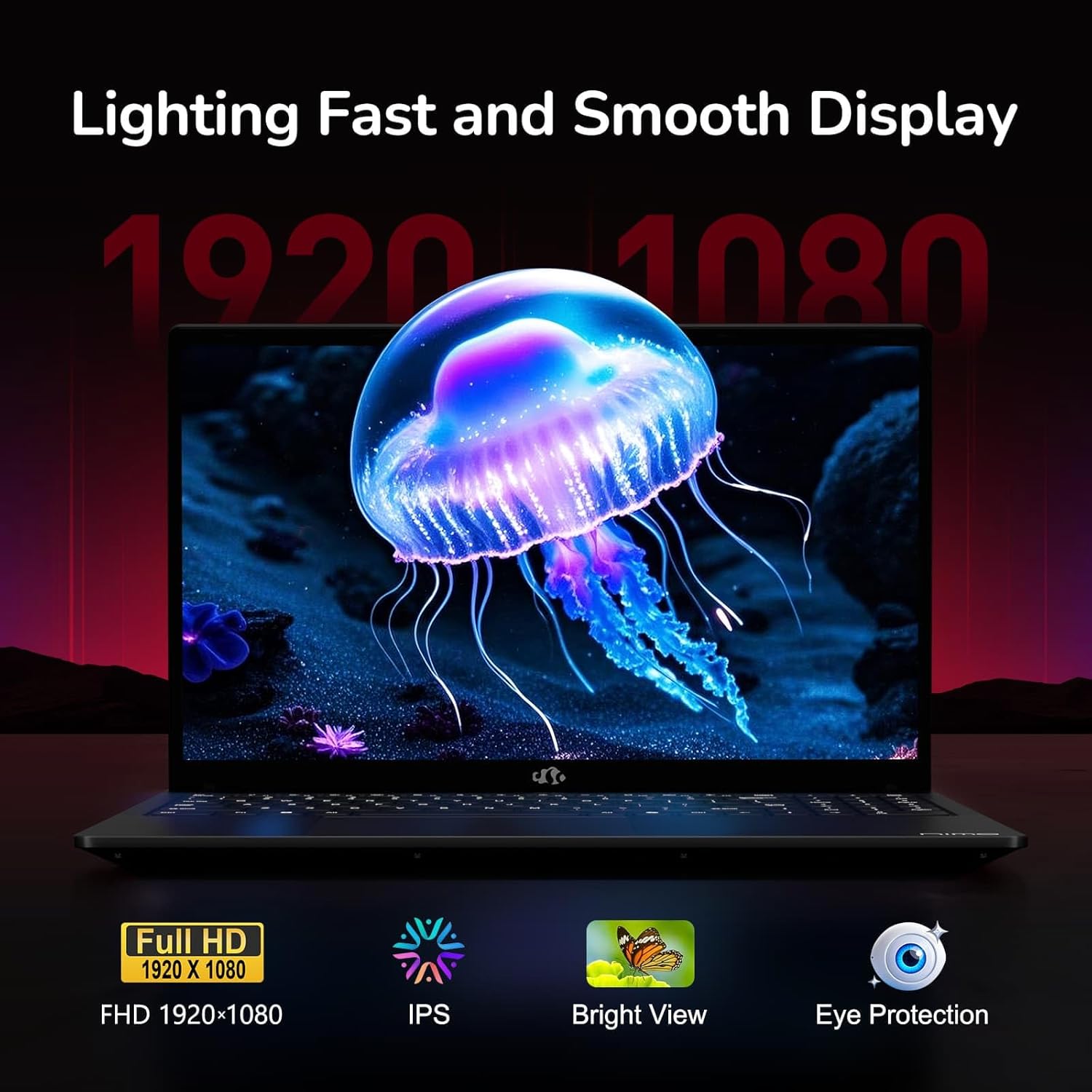
Figure 6: Laptop Display Features
5.2. ແປ້ນພິມ ແລະ Touchpad
The laptop features a backlit keyboard and a responsive touchpad with multi-touch gesture support. The integrated fingerprint sensor is located on the touchpad for secure login.
- ແປ້ນພິມ Backlit: ກົດ Fn + Fx (where Fx is the backlight key, typically F3 or F4) to adjust keyboard backlight brightness.
- ເຊັນເຊີນີ້ວມື: Enroll your fingerprints via Windows Settings > Accounts > Sign-in options for quick and secure access.
- Webຝາປິດປ້ອງກັນຄວາມເປັນສ່ວນຕົວຂອງກ້ອງ: Slide the physical cover over the webcam for privacy when not in use.

Figure 7: Keyboard and Input Features

Figure 8: Seamless Security Integration (Fingerprint and Webcam Shield)
5.3. ການຄຸ້ມຄອງພະລັງງານ
The laptop is equipped with a 4700mAh (53.58Wh) Lithium Polymer battery. Battery life can vary based on usage. To optimize battery life, adjust power settings in Windows and close unnecessary applications.

ຮູບທີ 9: ຂໍ້ມູນຈໍາເພາະຂອງຫມໍ້ໄຟ
6. ການບໍາລຸງຮັກສາແລະການດູແລ
6.1. ທໍາຄວາມສະອາດ
- ໃຊ້ຜ້າແພທີ່ອ່ອນນຸ່ມ, ບໍ່ມີສານດ່າງເພື່ອເຮັດຄວາມສະອາດໜ້າຈໍ ແລະ ພາຍນອກ.
- ສໍາລັບຮອຍແຂງ, ງampໃສ່ຜ້າດ້ວຍນ້ໍາຫຼືເຄື່ອງເຮັດຄວາມສະອາດຫນ້າຈໍ. ຫຼີກເວັ້ນການສານເຄມີທີ່ຮຸນແຮງ.
- ກວດໃຫ້ແນ່ໃຈວ່າຄອມພິວເຕີປິດ ແລະຖອດປລັກອອກກ່ອນທຳຄວາມສະອາດ.
6.2. ການເກັບຮັກສາແລະການຈັດການ
- ເກັບຮັກສາຄອມພິວເຕີໂນດບຸກໄວ້ໃນບ່ອນທີ່ເຢັນ, ແຫ້ງ, ຫ່າງຈາກແສງແດດໂດຍກົງ ແລະ ອຸນຫະພູມທີ່ຮຸນແຮງ.
- ຫຼີກເວັ້ນການວາງວັດຖຸໜັກໃສ່ແລັບທັອບ.
- Do not expose the laptop to liquids.
6.3. ການຍົກລະດັບ
The NIMO N155 laptop supports detachable RAM and SSD, allowing for user upgrades. Refer to the official NIMO support website or contact customer service for detailed upgrade instructions to avoid voiding your warranty.
7. ການແກ້ໄຂບັນຫາ
This section addresses common issues you might encounter with your NIMO N155 laptop.
| ບັນຫາ | ການແກ້ໄຂທີ່ເປັນໄປໄດ້ |
|---|---|
| ແລັບທັອບບໍ່ເປີດ. | Ensure the charger is properly connected and the battery has sufficient charge. Try a different power outlet. |
| ໜ້າ ຈໍບໍ່ຫວ່າງ. | Check if the laptop is powered on. Adjust screen brightness. Connect to an external monitor to check if the issue is with the laptop's display. |
| ບັນຫາການເຊື່ອມຕໍ່ Wi-Fi. | ໃຫ້ແນ່ໃຈວ່າ Wi-Fi ຖືກເປີດໃຊ້ໃນການຕັ້ງຄ່າ Windows. ຣີສະຕາດເຣົາເຕີ ແລະແລັບທັອບຂອງເຈົ້າ. ອັບເດດໄດເວີ Wi-Fi. |
| ໄຟຫຼັງແປ້ນພິມບໍ່ເຮັດວຽກ. | Press the Fn key combined with the appropriate function key (e.g., F3 or F4) to toggle or adjust the backlight. |
| Fingerprint sensor not responding. | Ensure your finger is clean and dry. Re-enroll your fingerprints in Windows settings. Update fingerprint sensor drivers. |
If you encounter issues not listed here or require further assistance, please contact NIMO customer support.
8. ຂໍ້ກໍານົດດ້ານວິຊາການ
| ຄຸນສົມບັດ | ຂໍ້ມູນຈໍາເພາະ |
|---|---|
| ຊື່ຕົວແບບ | Nimo N155 |
| ຈໍສະແດງຜົນ | 15.6-inch FHD (1920x1080) IPS Anti-Glare |
| ໂຮງງານຜະລິດ | AMD Ryzen 7 6800H (8 ຄໍ, 16 ຫົວຂໍ້, ສູງສຸດ 4.7 GHz) |
| ຮູບພາບ | ປະສົມປະສານ AMD Radeon 680M |
| RAM | 32GB DDR5 4800 MHz (Dual-channel, upgradeable) |
| ການເກັບຮັກສາ | 1TB PCIe 4.0 SSD (upgradeable) |
| ລະບົບປະຕິບັດການ | ໜ້າຫຼັກ Windows 11 |
| ການເຊື່ອມຕໍ່ໄຮ້ສາຍ | Wi-Fi 5 (802.11a/b/g/n/ac), Bluetooth 5.2 |
| ທ່າເຮືອ | 1x USB 2.0, 3x USB 3.0, 2x Type-C (1x PD, 1x Multifunction), 1x HDMI, 1x Micro SD, 1x Headphone Jack, 1x Kensington Lock |
| Webກ້ອງ | 2.0 MP (with privacy shield) |
| ແບັດເຕີຣີ | 4700mAh / 53.58Wh Lithium Polymer |
| Power Adapter | Type-C 100W PD Fast Charger |
| ຂະໜາດ (LxWxH) | 14.07 x 8.98 x 0.76 ນິ້ວ (357.4 x 228 x 19.2 ມມ) |
| ນ້ຳໜັກ | 3.8 ປອນ (1.7 ກິໂລ) |
| ຄຸນນະສົມບັດພິເສດ | ແປ້ນພິມ Backlit, ເຄື່ອງອ່ານລາຍນິ້ວມື, ສຽງ HD, ປຸ່ມກົດຕົວເລກ |
9. ການຮັບປະກັນແລະການສະຫນັບສະຫນູນ
9.1. ການຮັບປະກັນຂອງຜູ້ຜະລິດ
ແລັບທັອບ NIMO N155 ຂອງທ່ານມາພ້ອມກັບ ການຮັບປະກັນຂອງຜູ້ຜະລິດ 2 ປີ. ການຮັບປະກັນນີ້ກວມເອົາຂໍ້ບົກພ່ອງຂອງວັດສະດຸແລະການເຮັດວຽກພາຍໃຕ້ການນໍາໃຊ້ປົກກະຕິ. ກະລຸນາຮັກສາຫຼັກຖານການຊື້ຂອງທ່ານສໍາລັບການຮຽກຮ້ອງການຮັບປະກັນ.
9.2. ນະໂຍບາຍການສົ່ງຄືນ
NIMO offers a ນະໂຍບາຍການສົ່ງຄືນພາຍໃນ 90 ມື້ໂດຍບໍ່ມີບັນຫາຫຍຸ້ງຍາກ from the date of purchase. For details on eligibility and the return process, please refer to your purchase documentation or contact customer support.
9.3. ການຊ່ວຍເຫຼືອລູກຄ້າ
For technical assistance, warranty claims, or any other inquiries, please visit the official NIMO support website or contact their customer service team. Contact information can typically be found on the NIMO brand store page or included documentation.
NIMO Brand Store: Visit NIMO Store on Amazon


