ແນະນຳ
This manual provides essential information for setting up, operating, maintaining, and troubleshooting your HP 15.6 inch HD Laptop. Please read this guide thoroughly before using your device to ensure optimal performance and longevity.
ຕັ້ງຄ່າ
Unpacking the Laptop
ເອົາສ່ວນປະກອບທັງຫມົດອອກຈາກການຫຸ້ມຫໍ່ຢ່າງລະມັດລະວັງ. ໃຫ້ແນ່ໃຈວ່າມີລາຍການຕໍ່ໄປນີ້:
- HP 15.6 inch HD Laptop
- ອະແດບເຕີໄຟຟ້າ AC ແລະສາຍໄຟ
- ຄູ່ມືເລີ່ມຕົ້ນດ່ວນ (ຖ້າລວມ)
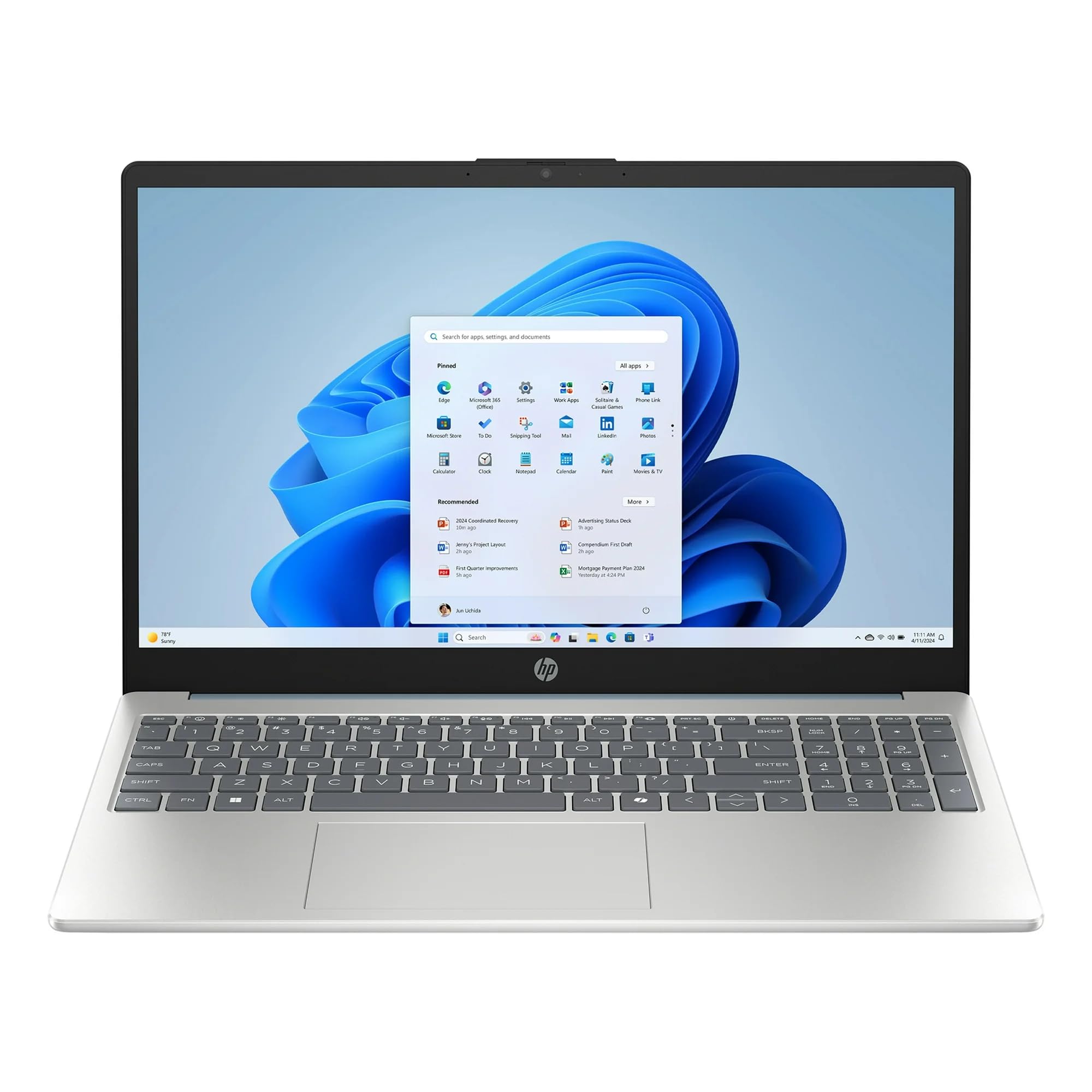
Image: The HP 15.6 inch HD Laptop, showcasing its display and keyboard layout. This is the main unit.
ກຳລັງເຊື່ອມຕໍ່
- ເຊື່ອມຕໍ່ອະແດບເຕີໄຟ AC ກັບຕົວເຊື່ອມຕໍ່ໄຟຢູ່ດ້ານຂ້າງຂອງແລັບທັອບ.
- ສຽບສາຍໄຟໃສ່ປລັກສຽບໃສ່ຝາ.
- ອະນຸຍາດໃຫ້ຫມໍ້ໄຟສາກຢ່າງໜ້ອຍ 30 ນາທີກ່ອນການໃຊ້ງານໃນເບື້ອງຕົ້ນ, ຫຼືຈົນກວ່າຕົວຊີ້ບອກແບັດເຕີຣີສະແດງໃຫ້ເຫັນການສາກເຕັມ.
Initial Boot-up and Windows 11 Setup
ກົດປຸ່ມເປີດປິດເພື່ອເປີດຄອມພິວເຕີໂນດບຸກ. ປະຕິບັດຕາມຄຳແນະນຳໃນໜ້າຈໍເພື່ອເຮັດສຳເລັດຂະບວນການຕິດຕັ້ງ Windows 11 Home. ນີ້ລວມທັງການເລືອກພາກພື້ນ, ພາສາ, ການເຊື່ອມຕໍ່ກັບເຄືອຂ່າຍ Wi-Fi ແລະ ການສ້າງບັນຊີຜູ້ໃຊ້.
ໃຊ້ງານແລັບທັອບ
ແປ້ນພິມ ແລະ Touchpad
The laptop features a full-size keyboard and a multi-touch touchpad. Refer to the ທາງລັດແປ້ນພິມ section for common key combinations.
ການເຊື່ອມຕໍ່ອຸປະກອນຕໍ່ພ່ວງ
ໃຊ້ພອດທີ່ມີຢູ່ເພື່ອເຊື່ອມຕໍ່ອຸປະກອນພາຍນອກ:
- ພອດ USB: For mice, keyboards, external storage, etc.
- HDMI Port: For connecting to external monitors or TVs (if available).
- Jack ສຽງ: ສໍາລັບຫູຟັງຫຼືລໍາໂພງພາຍນອກ.
ການເຊື່ອມຕໍ່ໄຮ້ສາຍ
The laptop supports 802.11ac Wi-Fi and Bluetooth for wireless connections. Access network settings via the Windows 11 taskbar to connect to Wi-Fi networks or pair Bluetooth devices.
ບໍາລຸງຮັກສາ
ອະນາໄມແລັບທັອບ
- ໃຊ້ຜ້າແພທີ່ອ່ອນໆ ທີ່ບໍ່ມີເສັ້ນດ່າງ dampສໍາເລັດດ້ວຍນ້ໍາຫຼືເຄື່ອງເຮັດຄວາມສະອາດຫນ້າຈໍເພື່ອເຮັດຄວາມສະອາດຈໍສະແດງຜົນ.
- ສໍາລັບແປ້ນພິມ ແລະຕົວເຄື່ອງ, ໃຫ້ໃຊ້ຜ້າອ່ອນ, ແຫ້ງ. ຫຼີກເວັ້ນການສານເຄມີທີ່ຮຸນແຮງ.
ການດູແລຫມໍ້ໄຟ
To prolong battery life, avoid extreme temperatures and allow the battery to discharge partially before recharging. Do not leave the laptop plugged in constantly for extended periods if not in use.
ອັບເດດຊອບແວ
Regularly check for and install Windows updates and HP driver updates to ensure system stability and security. Go to ການຕັ້ງຄ່າ > Windows Update ເພື່ອຈັດການການອັບເດດ.
ການແກ້ໄຂບັນຫາ
| ບັນຫາ | ການແກ້ໄຂທີ່ເປັນໄປໄດ້ |
|---|---|
| ແລັບທັອບບໍ່ເປີດ. | ໃຫ້ແນ່ໃຈວ່າອະແດັບເຕີ AC ເຊື່ອມຕໍ່ຢ່າງປອດໄພ ແລະປລັກສຽບໄຟເຮັດວຽກໄດ້. ລອງຮ້ານອື່ນ. |
| ບັນຫາການເຊື່ອມຕໍ່ Wi-Fi. | ກວດສອບວ່າ Wi-Fi ຖືກເປີດໃຊ້ງານຢູ່ໃນການຕັ້ງຄ່າ Windows ແລ້ວຫຼືບໍ່. ເປີດເຣົາເຕີ ແລະ ແລັບທັອບຂອງທ່ານຄືນໃໝ່. ອັບເດດໄດຣເວີ Wi-Fi. |
| ການປະຕິບັດຊ້າ. | Close unnecessary applications. Check for background processes. Ensure sufficient free storage space on the 512GB SSD. Run a disk cleanup. |
| ແບັດເຕີຣີບໍ່ໄດ້ສາກ. | Verify the power adapter and cable are not damaged. Ensure the connection port is clean. |
ຂໍ້ມູນຈໍາເພາະ
| ຄຸນສົມບັດ | ລາຍລະອຽດ |
|---|---|
| ຊື່ຕົວແບບ | HP |
| ຂະໜາດໜ້າຈໍ | 15.6 ນິ້ວ (HD Display) |
| ໂຮງງານຜະລິດ | AMD Ryzen 5 (3.6 GHz) |
| RAM | 8GB DDR4 SDRAM |
| ການເກັບຮັກສາ | 512GB SSD (PCIE x 2) |
| ຮູບພາບ | Integrated Intel UHD Graphics |
| ລະບົບປະຕິບັດການ | ໜ້າຫຼັກ Windows 11 |
| ການເຊື່ອມຕໍ່ໄຮ້ສາຍ | 802.11ac Wi-Fi, Bluetooth |
| ຂະໜາດ (LxWxH) | 12.76 x 8.86 x 0.71 ນິ້ວ |
| ນ້ຳໜັກ | 6 ປອນ |
| ສີ | Willow Green |
ໝາຍ ເຫດ: ຂໍ້ມູນສະເພາະແມ່ນມີການປ່ຽນແປງໂດຍບໍ່ຕ້ອງແຈ້ງ.
ຂໍ້ມູນການຮັບປະກັນ
This HP laptop typically comes with a standard manufacturer's warranty. Please refer to the warranty card included with your product or visit the official HP support website for detailed terms and conditions, including warranty duration and coverage specifics. Keep your proof of purchase for warranty claims.
ສະຫນັບສະຫນູນ
ສໍາລັບການຊ່ວຍເຫຼືອດ້ານວິຊາການ, ການດາວໂຫຼດໄດເວີ, ຫຼືການຊ່ວຍເຫຼືອເພີ່ມເຕີມ, ກະລຸນາເຂົ້າໄປທີ່ການຊ່ວຍເຫຼືອຂອງ HP ຢ່າງເປັນທາງການ webເວັບໄຊ:
- ສະຫນັບສະຫນູນ HP Webເວັບໄຊ: support.hp.com
- ເອກະສານອອນໄລນ໌: Additional manuals and guides may be available online.
When contacting support, have your laptop's serial number and model number ready. These can usually be found on a sticker on the bottom of the laptop or in the system information within Windows.