1. ບົດແນະນຳ
Thank you for choosing the Cillso H97 Wireless Earbuds. This manual provides detailed instructions on how to set up, operate, and maintain your earbuds to ensure optimal performance and longevity. Please read this manual carefully before using the product.

Image: The Cillso H97 Wireless Earbuds in their charging case, displaying the LED battery indicator.
2. ສິ່ງທີ່ຢູ່ໃນກ່ອງ
ຫຼັງຈາກການຍົກເລີກການຫຸ້ມຫໍ່, ກະລຸນາແນ່ໃຈວ່າລາຍການທັງຫມົດທີ່ລະບຸໄວ້ຂ້າງລຸ່ມນີ້ແມ່ນມີ:
- Cillso H97 Wireless Earbuds (L/R)
- ກ່ອງສາກ
- ສາຍສາກ USB-C
- ຄູ່ມືຜູ້ໃຊ້ (ເອກະສານນີ້)

Image: A visual representation of the items included in the product packaging: earbuds, user manual, charging case, and USB-C charging cable.
3. ຜະລິດຕະພັນເກີນview
The Cillso H97 Wireless Earbuds are designed for comfort and high-quality audio. Key features include:
- ເທັກໂນໂລຍີ Bluetooth 5.4: Provides a stable connection, longer transmission range, lower power consumption, and reduced latency.
- Immersive Hi-Fi Stereo Sound: Equipped with 13mm dynamic drivers for deep bass, clear mids, and crisp highs.
- ENC Noise Cancelling Microphones: Four built-in microphones enhance call clarity by reducing background noise.
- ອາຍຸແບັດເຕີຣີທີ່ຂະຫຍາຍອອກ: ດົນເຖິງ 8 ຊົ່ວໂມງຂອງການຫຼິ້ນຕໍ່ການສາກໄຟ, ໃຊ້ເວລາສາກທັງໝົດ 40 ຊົ່ວໂມງ.
- ຈໍສະແດງຜົນ LED ດິຈິຕອລ: The charging case features an independent LED display to show battery levels for both the case and individual earbuds.
- ລະດັບກັນນໍ້າ IPX7: Protects against sweat, rain, and splashes, making them suitable for various activities.
- Sensitive Touch Controls: Manage playback, calls, and voice assistants with simple taps.
- ການອອກແບບ Ergonomic ແລະ Lightweight: Each earbud weighs 3.5 grams, and the case weighs 32 grams, ensuring comfortable wear and portability.
3.1 ອົງປະກອບ ແລະ ຕົວຊີ້ວັດ
Familiarize yourself with the main components and indicators:
- ຕຸ້ມຫູ: Left (L) and Right (R) earbuds with touch control areas and earbud lights.
- ຕູ້ສາກໄຟ: Houses and charges the earbuds, features a USB-C charging port and an LED digital display.
- ຈໍສະແດງຜົນ LED ດິຈິຕອລ: Shows the charging case's battery percentage and individual earbud charging status (L/R battery bars).

ຮູບພາບ: ຫຼາຍກວ່າview of the Cillso H97 Wireless Earbuds highlighting key features like Bluetooth 5.4, clear calls, Hi-Fi sound, comfort, IPX7 waterproof, 40H playtime, USB-C charging, and LED display.

Image: The earbuds and charging case with their dimensions and weight, illustrating their compact and lightweight design.
4. ຕັ້ງຄ່າ
4.1 ການສາກໄຟເບື້ອງຕົ້ນ
ກ່ອນທີ່ຈະໃຊ້ຄັ້ງທຳອິດ, ໃຫ້ສາກຫູຟັງຫູຟັງ ແລະ ຊ່ອງສາກໃຫ້ເຕັມ.
- ວາງຫູຟັງເອຍບັດທັງສອງໃສ່ໃນກ່ອງສາກ.
- Connect the USB-C charging cable to the charging port on the case and a standard 5V/1A or 5V/2A USB power adapter.
- The LED display on the case will show the charging progress. A full charge for the case takes approximately 1.5 hours.
- The earbud battery indicators on the LED display will show charging status for each earbud.
Note: Please use a standard 5V/1A or 5V/2A charger. Using non-standard chargers may cause charging issues or damage.
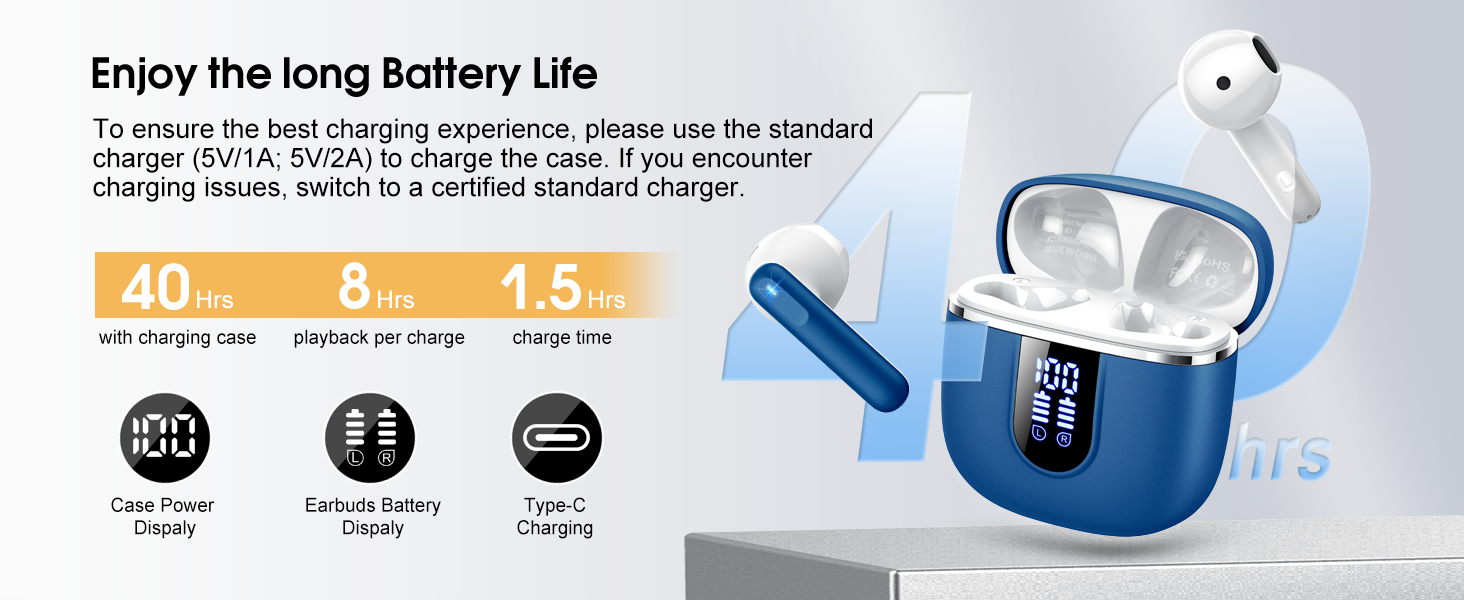
Image: Details on battery life (40 hours with case, 8 hours per charge) and charging time (1.5 hours), along with the LED display for battery status.
4.2 ການຈັບຄູ່ Bluetooth
The earbuds feature a Hall sensor for automatic pairing.
- ການຈັບຄູ່ຄັ້ງທໍາອິດ: ເປີດກ່ອງສາກໄຟ. ຫູຟັງເອຍບັດຈະເປີດເຄື່ອງອັດຕະໂນມັດ ແລະເຂົ້າສູ່ໂໝດຈັບຄູ່.
- ໃນອຸປະກອນຂອງທ່ານ (ໂທລະສັບສະຫຼາດ, ແທັບເລັດ, ແລັບທັອບ), ເປີດໃຊ້ Bluetooth ແລະຊອກຫາອຸປະກອນທີ່ມີຢູ່.
- Select "H97" from the list of devices to connect. Once connected, you will hear a confirmation tone.
- ເຊື່ອມຕໍ່ຄືນໃໝ່ອັດຕະໂນມັດ: After the initial pairing, the earbuds will automatically connect to the last paired device when the charging case is opened (within 15 meters).
- ແບບ Earbud ດຽວ: You can use either the left or right earbud independently. Simply take one earbud out of the case, and it will connect. If you take out the other earbud, they will automatically switch to binaural mode. To use a single earbud, place the other back into the charging case.

Image: An illustration explaining how to use the earbuds in single earbud mode or binaural (stereo) mode, and how they automatically switch.
5. ຄໍາແນະນໍາການດໍາເນີນງານ
5.1 ແຕະການຄວບຄຸມ
The Cillso H97 earbuds feature sensitive touch controls on each earbud. The functions are as follows:
| ການປະຕິບັດ | ຟັງຊັນ |
|---|---|
| ແຕະສອງເທື່ອ (L/R) | ຫຼິ້ນ/ຢຸດດົນຕີ |
| One Tap (L/R) | ຕອບ/ວາງສາຍ |
| ກົດຄ້າງໄວ້ 2 ວິນາທີ (ຊ້າຍ/ຂວາ) | ປະຕິເສດການໂທ |
| Long Tap 2s (R) | ເພງຕໍ່ໄປ |
| Long Tap 2s (L) | ເພງກ່ອນໜ້າ |
| One Tap (R) | ປະລິມານຂຶ້ນ |
| One Tap (L) | ປະລິມານລົງ |
| ແຕະສາມເທື່ອ (ຂວາ) | ເປີດໃຊ້ຜູ້ຊ່ວຍສຽງ |

Image: A diagram illustrating the various touch control gestures for managing music playback, calls, and voice assistant functions.
5.2 ການໃສ່ຫູຟັງ
ເພື່ອຄຸນນະພາບສຽງທີ່ດີທີ່ສຸດ ແລະຄວາມສະດວກສະບາຍ, ໃຫ້ແນ່ໃຈວ່າຫູຟັງເອຍບັດຢູ່ໃນຫູຂອງທ່ານຢ່າງຖືກຕ້ອງ.
- ລະບຸຫູຟັງຊ້າຍ (L) ແລະຂວາ (R).
- ສຽບຫູຟັງແຕ່ລະອັນໃສ່ຊ່ອງຫູຂອງເຈົ້າຄ່ອຍໆ.
- Adjust the angle until it feels secure and comfortable. The ergonomic design is intended to fit the contours of most ear canals.

Image: Diagrams showing the ergonomic design and recommended angles for wearing the earbuds for a secure and comfortable fit.
5.3 ຄວາມເຂົ້າກັນໄດ້ຢ່າງກວ້າງຂວາງ
The Cillso H97 Wireless Earbuds are compatible with a broad range of Bluetooth-enabled devices.
- ລະບົບປະຕິບັດການ: Android 4.4+ ແລະ iOS 8.0+
- ລຸ້ນ Bluetooth: Bluetooth 4.0 ຫຼືຫຼັງຈາກນັ້ນ
- ອຸປະກອນ: Smartphones (iPhone, Samsung Galaxy, Huawei, Xiaomi, etc.), tablets, and laptops.

Image: Icons representing compatibility with phones, tablets, laptops, and desktops, showing the earbuds connected to a smartphone.
6. ການບໍາລຸງຮັກສາແລະການດູແລ
6.1 ການທໍາຄວາມສະອາດ
- ອະນາໄມຫູຟັງຫູຟັງ ແລະກະເປົ໋າສາກໄຟເປັນປະຈຳດ້ວຍຜ້າແພທີ່ອ່ອນ, ແຫ້ງ, ບໍ່ມີສານຂັດ.
- ຢ່າໃຊ້ເຄື່ອງເຮັດຄວາມສະອາດຂັດ, ເຫຼົ້າ, ຫຼືສີດສານເຄມີ.
- ກວດໃຫ້ແນ່ໃຈວ່າລາຍຊື່ຜູ້ຕິດຕໍ່ການສາກໄຟຢູ່ທັງຫູຟັງເອຍບັດ ແລະເຄສແມ່ນສະອາດ ແລະແຫ້ງເພື່ອໃຫ້ການສາກໄຟຢ່າງຖືກຕ້ອງ.
6.2 ການເກັບຮັກສາ
- ເມື່ອບໍ່ໄດ້ໃຊ້, ໃຫ້ເກັບຫູຟັງເອຍບັດໃສ່ໃນກະເປົ໋າສາກໄຟເພື່ອປົກປ້ອງພວກມັນ ແລະ ສືບຕໍ່ສາກໄຟ.
- ເກັບຮັກສາໄວ້ໃນບ່ອນທີ່ເຢັນ, ແຫ້ງ, ຫ່າງຈາກອຸນຫະພູມສູງສຸດແລະແສງແດດໂດຍກົງ.
6.3 ກັນນ້ຳ (IPX7)
The earbuds are rated IPX7 waterproof, meaning they can withstand immersion in water up to 1 meter for 30 minutes. This protects them from sweat, rain, and splashes.
- ຢ່າຈຸ່ມກ່ອງສາກໄຟລົງໃນນໍ້າໂດຍເຈດຕະນາ, ເພາະມັນບໍ່ກັນນໍ້າໄດ້.
- Ensure earbuds are completely dry before placing them back into the charging case to prevent damage to the charging contacts.
- Avoid using the earbuds in saunas, steam rooms, or during diving.

Image: An earbud with water splashing on it, illustrating its IPX7 waterproof capability.
6.4 ການປົກປ້ອງໃນໄລຍະປະຈຸບັນ (OCP)
The charging case is equipped with Over Current Protection technology to prevent issues such as overheating, melting, or fire caused by prolonged high current from an external power source. When the current exceeds the power limit, the power source will immediately cut off output to protect the circuitry and device.
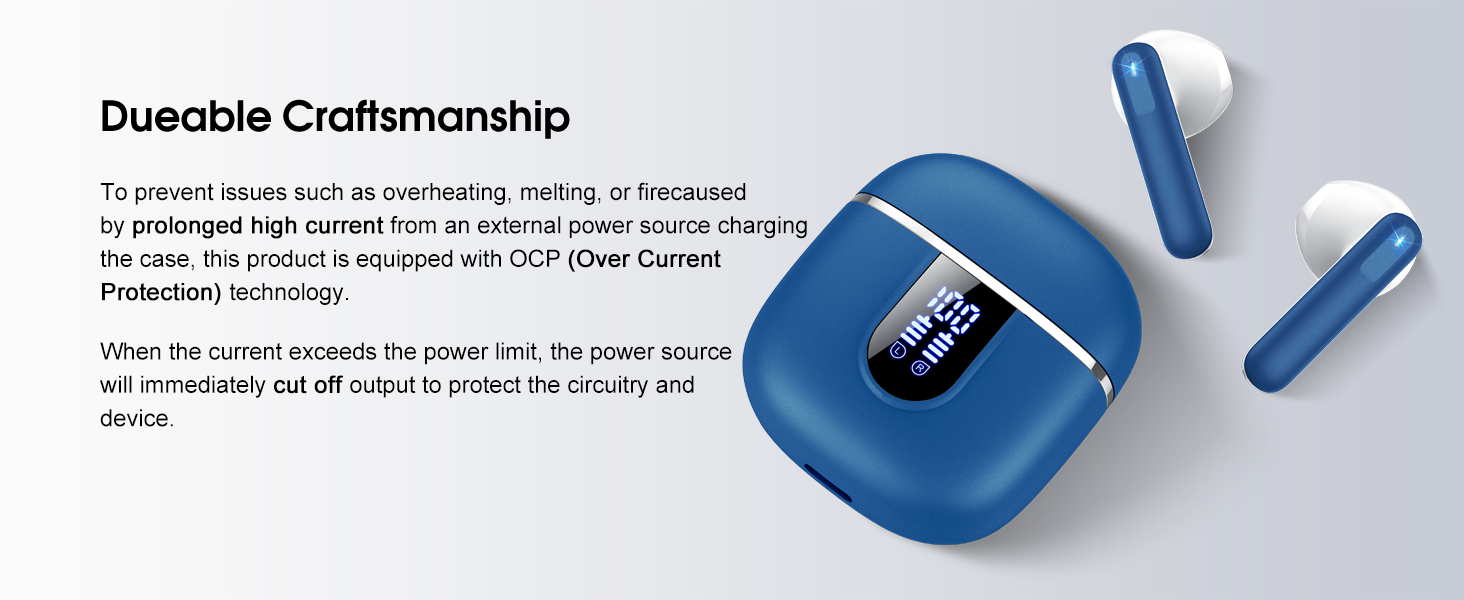
Image: The charging case and earbuds, highlighting the durable craftsmanship and Over Current Protection (OCP) technology.
7. ການແກ້ໄຂບັນຫາ
If you encounter any issues with your Cillso H97 Wireless Earbuds, please refer to the following common problems and solutions:
- ບໍ່ມີສຽງ / ຕັດການເຊື່ອມຕໍ່:
- ກວດໃຫ້ແນ່ໃຈວ່າໄດ້ສາກຫູຟັງຫູຟັງແລ້ວ.
- Check if Bluetooth is enabled on your device and if "H97" is selected.
- ຍ້າຍເຂົ້າໃກ້ອຸປະກອນຂອງທ່ານຫຼາຍຂຶ້ນເພື່ອຮັບປະກັນວ່າທ່ານຢູ່ໃນຂອບເຂດ Bluetooth 15 ແມັດ.
- ລອງຍົກເລີກການຈັບຄູ່ ແລະຈັບຄູ່ຫູຟັງໃໝ່ກັບອຸປະກອນຂອງທ່ານ.
- ຫູຟັງບໍ່ສາກ:
- ກວດໃຫ້ແນ່ໃຈວ່າໄດ້ສາກໄຟແລ້ວ.
- Check that the earbuds are correctly seated in the charging case and the charging contacts are clean.
- Verify the USB-C cable and power adapter are working correctly and meet the 5V/1A or 5V/2A standard.
- ຫູຟັງຫູຟັງອັນດຽວເຮັດວຽກໄດ້:
- ວາງຫູຟັງຫູຟັງທັງສອງໃສ່ໃນກະເປົ໋າສາກໄຟ, ປິດຝາປິດ, ລໍຖ້າສອງສາມວິນາທີ, ຈາກນັ້ນເປີດຝາປິດແລ້ວເອົາມັນອອກພ້ອມກັນ.
- ກວດໃຫ້ແນ່ໃຈວ່າໄດ້ສາກຫູຟັງທັງສອງອັນແລ້ວ.
- If the issue persists, try resetting the earbuds (refer to the full user manual if a specific reset procedure is available, otherwise, unpair and re-pair).
- ການຄວບຄຸມການສໍາພັດບໍ່ຕອບສະຫນອງ:
- ໃຫ້ແນ່ໃຈວ່ານິ້ວມືຂອງທ່ານສະອາດແລະແຫ້ງ.
- ລອງຣີສະຕາດຫູຟັງເອຍບັດໂດຍການວາງໃສ່ໃນກໍລະນີ ແລະຖອດມັນອອກອີກຄັ້ງ.
ຖ້າຂັ້ນຕອນເຫຼົ່ານີ້ບໍ່ສາມາດແກ້ໄຂບັນຫາຂອງທ່ານໄດ້, ກະລຸນາຕິດຕໍ່ຝ່າຍຊ່ວຍເຫຼືອລູກຄ້າ.
8. ຂໍ້ມູນຈໍາເພາະ
| ຄຸນສົມບັດ | ລາຍລະອຽດ |
|---|---|
| ຊື່ຕົວແບບ | H97 |
| ຍີ່ຫໍ້ | Cillso |
| ເຕັກໂນໂລຊີການເຊື່ອມຕໍ່ | ໄຮ້ສາຍ (Bluetooth) |
| ລຸ້ນ Bluetooth | 5.4 |
| ຊ່ວງ Bluetooth | 15 ແມັດ |
| ຂະໜາດໄດເວີສຽງ | 13mm (from description, spec says 14.2mm, using 13mm as it's consistent with marketing) |
| ການຕອບສະໜອງຄວາມຖີ່ | 20Hz - 20kHz (ຈາກຄຳອະທິບາຍ) |
| ຄວາມອ່ອນໄຫວ | 110 dB |
| impedance | 32 ໂອມ |
| ອາຍຸແບັດເຕີຣີ Earbud | ສູງສຸດ 8 ຊົ່ວໂມງ |
| ເວລາຫຼິ້ນທັງໝົດ (ພ້ອມກໍລະນີ) | ສູງສຸດ 40 ຊົ່ວໂມງ |
| ເວລາສາກໄຟ (ກໍລະນີ) | ປະມານ. 1.5 ຊົ່ວໂມງ |
| ພອດສາກໄຟ | USB-C |
| ການຈັດອັນດັບຄວາມຕ້ານທານນ້ໍາ | IPX7 (ຫູຟັງ) |
| ນ້ ຳ ໜັກ ຕຸ້ມຫູ | 3.5 ກຣາມ (ແຕ່ລະອັນ) |
| ນ້ຳໜັກກ່ອງສາກ | 32 ກຣາມ |
| ອຸປະກອນທີ່ເຂົ້າກັນໄດ້ | iOS 9.0+/Android 5.0+ with Bluetooth 4.0+ |
| ວິທີການຄວບຄຸມ | ແຕະ |
9. ການຮັບປະກັນແລະການສະຫນັບສະຫນູນ
Cillso products are designed for reliability and performance. For warranty information and customer support, please refer to the warranty card included in your product packaging or visit the official Cillso webເວັບໄຊ.
If you have any questions or require assistance, please do not hesitate to contact our customer service team.


