1. ບົດແນະນຳ
This manual provides detailed instructions for the setup, operation, and maintenance of your ELEPHAS K350 Smart Projector. Please read this manual thoroughly before using the product to ensure proper function and longevity. Keep this manual for future reference.
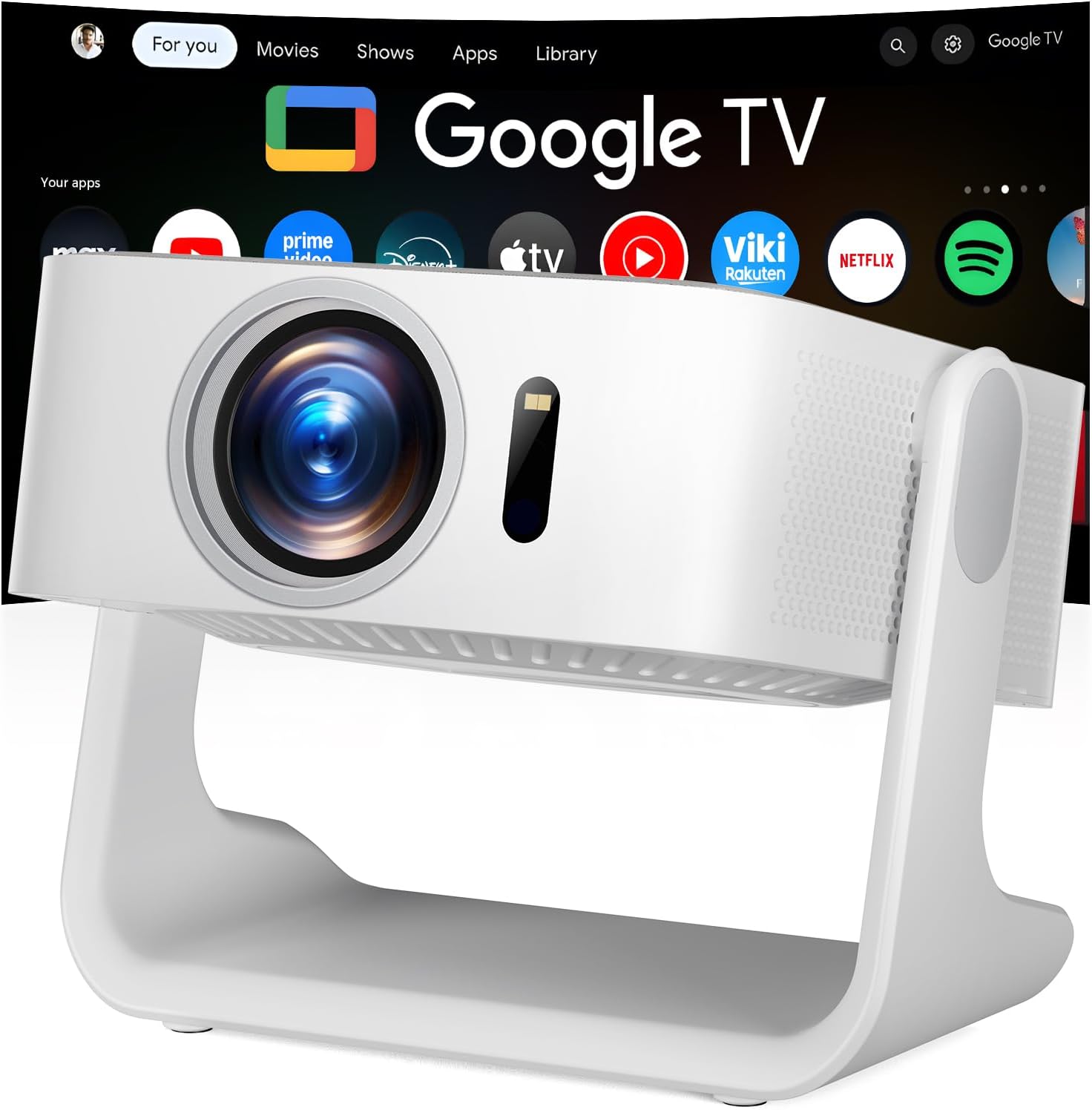
Image 1.1: The ELEPHAS K350 Smart Projector, a compact device with a lens visible on the front, projecting the Google TV interface onto a screen. The projector is white and sits on a stable base.
2. ເນື້ອໃນຊຸດ
ກວດສອບວ່າລາຍການທັງຫມົດແມ່ນມີຢູ່ໃນຊຸດ:
- ELEPHAS K350 Smart Projector
- ການຄວບຄຸມໄລຍະໄກ
- Power Adapter
- ສາຍ HDMI
- ຄູ່ມືຜູ້ໃຊ້ (ເອກະສານນີ້)
3. ຜະລິດຕະພັນເກີນview
ເຮັດຄວາມຄຸ້ນເຄີຍກັບອົງປະກອບ ແລະພອດຂອງໂປເຈັກເຕີ.
3.1 ດ້ານໜ້າ ແລະ ດ້ານຂ້າງ View
ຮູບພາບ 3.1: ດ້ານຫນ້າ view of the ELEPHAS K350 Smart Projector, highlighting the projection lens and sensor for auto-focus/keystone correction.
3.2 ແຜງດ້ານຫລັງ ແລະການເຊື່ອມຕໍ່
The rear panel typically includes power input, HDMI port, USB port, and audio output. Refer to the physical device for exact port locations.

Image 3.2: The ELEPHAS K350 Smart Projector connected to power, with its remote control and various streaming app logos (Netflix, Prime Video, YouTube, HBO Max, Hulu) displayed, indicating its smart capabilities.
4. ຕັ້ງຄ່າ
4.1 ການເປີດເຄື່ອງເບື້ອງຕົ້ນ
- ເຊື່ອມຕໍ່ອະແດບເຕີໄຟຟ້າເຂົ້າກັບຊ່ອງສຽບໄຟຂອງໂປເຈັກເຕີ ແລະ ຈາກນັ້ນເຂົ້າກັບປລັກໄຟ.
- ກົດປຸ່ມເປີດປິດຢູ່ໂປເຈັກເຕີ ຫຼືຣີໂໝດຄວບຄຸມເພື່ອເປີດອຸປະກອນ.
- Follow the on-screen instructions for initial language and region settings.
4.2 ການເຊື່ອມຕໍ່ເຄືອຂ່າຍ (Wi-Fi 6)
The projector supports Wi-Fi 6 for fast and stable internet connectivity.
- Navigate to the "Settings" menu on the Google TV interface.
- ເລືອກ "ເຄືອຂ່າຍ ແລະ ອິນເຕີເນັດ".
- ເລືອກເຄືອຂ່າຍ Wi-Fi ຂອງທ່ານຈາກບັນຊີລາຍຊື່ແລະໃສ່ລະຫັດຜ່ານ.
- ຢືນຢັນການເຊື່ອມຕໍ່.

Image 4.1: Illustration of the projector's dual-band Wi-Fi 6 capability, showing a user gaming with the projector, emphasizing fast and stable connections for online content.
4.3 Bluetooth Pairing (Bluetooth 5.4)
Connect external audio devices or use the projector as a Bluetooth speaker.
- Go to "Settings" and select "Remotes & Accessories".
- Enable Bluetooth on the projector and your desired device (e.g., speaker, headphones).
- ເລືອກອຸປະກອນຂອງທ່ານຈາກລາຍຊື່ເພື່ອຈັບຄູ່.

Image 4.2: Depiction of the projector's two-way Bluetooth 5.4 connectivity, showing it paired with external speakers for enhanced audio and a tablet for screen mirroring, illustrating versatile audio and display options.
4.4 Physical Placement and 270° Rotatable Stand
The integrated 270° rotatable stand allows flexible projection angles.
- ວາງໂປເຈັກເຕີຢູ່ເທິງພື້ນຜິວທີ່ຫມັ້ນຄົງ.
- Adjust the stand to direct the projection onto a wall, screen, or ceiling.
- Ensure no objects obstruct the projection path.
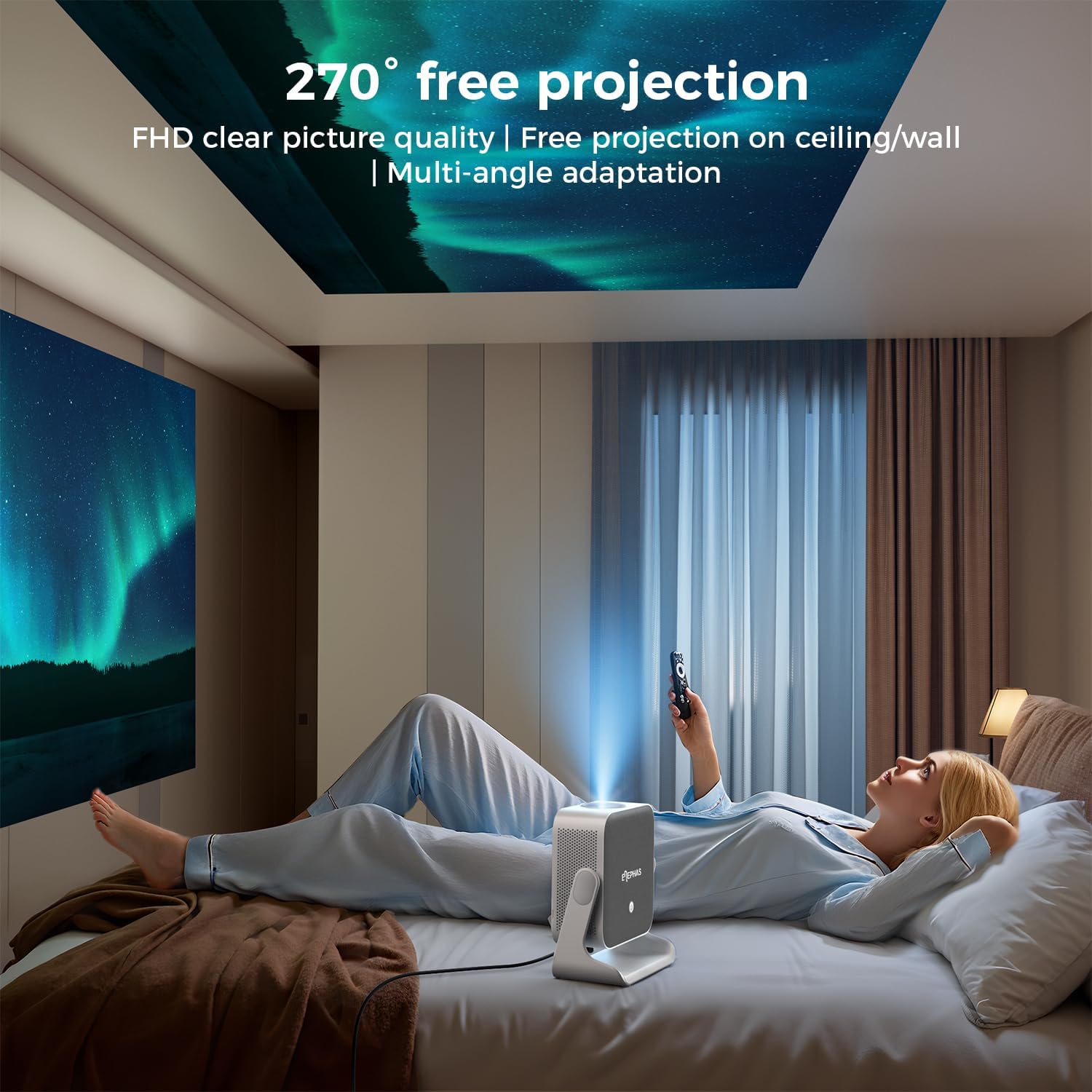
Image 4.3: A user lying in bed, watching content projected onto the ceiling by the ELEPHAS K350 Smart Projector, demonstrating its 270° rotatable stand for flexible viewມຸມ.
4.5 Auto Focus, Auto Keystone, and Auto Obstacle Avoidance
The projector features advanced automatic adjustments for optimal image quality.
- ຈຸດສຸມອັດຕະໂນມັດ: The projector automatically adjusts the image clarity using TOF technology. This occurs within milliseconds upon startup or movement.
- ການແກ້ໄຂ Keystone ອັດຕະໂນມັດ: The image will automatically adjust to a rectangular shape, even if the projector is placed at an angle (up to ±30° vertical/horizontal).
- ການຫຼີກລ້ຽງອຸປະສັກອັດຕະໂນມັດ: The projector detects and adjusts the projection area to avoid obstacles on the surface.
- ຊູມ: The projection size can be adjusted up to 70% via settings if needed.

Image 4.4: A diagram illustrating the projector's AI intelligent algorithm for image correction, showing how TOF auto focus, auto obstacle avoidance, and auto keystone correction work to provide a clear, properly framed image.
5. ຄໍາແນະນໍາການດໍາເນີນງານ
5.1 ການໂຕ້ຕອບ Google TV
The ELEPHAS K350 features an integrated Google TV system, providing access to a wide range of streaming services and applications.
- Use the remote control's navigation buttons to browse the Google TV home screen.
- Access pre-installed apps like Netflix, Prime Video, YouTube, Hulu, and Disney+.
- Download additional applications from the Google Play Store.

Image 5.1: The Google TV interface displayed on a projection screen, with examples of voice commands for the Google Assistant, such as "Open YouTube" or "Play Netflix," demonstrating effortless smart control.
5.2 Google Voice Assistant
Utilize the built-in Google Voice Assistant for hands-free control.
- Press the dedicated voice button on the remote control.
- Speak your command clearly, such as "Open Netflix," "Adjust volume," or "ຊອກຫາ action movies."
- The projector will respond to your voice commands.
5.3 External Device Connection (HDMI)
Connect gaming consoles, Blu-ray players, or other devices via the HDMI port.
- Ensure both the projector and the external device are powered off.
- Connect one end of the HDMI cable (included) to the external device and the other end to the HDMI port on the projector.
- ເປີດໃຊ້ທັງສອງອຸປະກອນ.
- Select the HDMI input source from the projector's input menu.
5.4 Screen Mirroring (Google Cast)
Cast content from your Android or iOS devices using Google Cast.
- ໃຫ້ແນ່ໃຈວ່າອຸປະກອນມືຖື ແລະ ໂປເຈັກເຕີຂອງທ່ານເຊື່ອມຕໍ່ກັບເຄືອຂ່າຍ Wi-Fi ດຽວກັນ.
- On your mobile device, open a compatible app (e.g., YouTube, Netflix) or use the screen mirroring function.
- Select the Cast icon and choose your ELEPHAS K350 projector from the list of available devices.
6. ບໍາລຸງຮັກສາ
ການບໍາລຸງຮັກສາເປັນປົກກະຕິຮັບປະກັນປະສິດທິພາບທີ່ດີທີ່ສຸດແລະຍືດອາຍຸຂອງໂປເຈັກເຕີຂອງທ່ານ.
- ການອະນາໄມເລນ: ໃຊ້ຜ້າແພທີ່ອ່ອນນຸ່ມ, ບໍ່ມີສານດ່າງທີ່ອອກແບບມາສະເພາະສຳລັບແວ່ນຕາເພື່ອເຊັດເລນໂປເຈັກເຕີ້ຄ່ອຍໆ. ຫຼີກລ້ຽງການວັດສະດຸຂັດຫຼືສານເຄມີທີ່ຮ້າຍແຮງ.
- ການກຳຈັດຂີ້ຝຸ່ນ: Periodically clean the projector's exterior with a soft, dry cloth. Ensure ventilation openings are free from dust accumulation to prevent overheating. Do not spray cleaning liquids directly onto the projector.
- ການເກັບຮັກສາ: ເມື່ອບໍ່ໄດ້ໃຊ້ເປັນເວລາດົນ, ໃຫ້ເກັບຮັກສາໂປເຈັກເຕີໄວ້ໃນບ່ອນເຢັນ, ແຫ້ງແລ້ງ, ຫ່າງຈາກແສງແດດໂດຍກົງ ແລະ ອຸນຫະພູມສູງສຸດ.
- ອັບເດດຊອບແວ: Ensure the projector's software is up-to-date through the Google TV settings to benefit from the latest features and performance improvements.
7. ການແກ້ໄຂບັນຫາ
ພາກສ່ວນນີ້ແກ້ໄຂບັນຫາທົ່ວໄປທີ່ທ່ານອາດຈະພົບ.
| ບັນຫາ | ສາເຫດທີ່ເປັນໄປໄດ້ | ການແກ້ໄຂ |
|---|---|---|
| ບໍ່ມີພະລັງງານ | ສາຍໄຟບໍ່ໄດ້ເຊື່ອມຕໍ່; ບັນຫາປລັກສຽບໄຟ | ໃຫ້ແນ່ໃຈວ່າສາຍໄຟເຊື່ອມຕໍ່ຢ່າງປອດໄພ. ທົດສອບຮູສຽບກັບອຸປະກອນອື່ນ. |
| ບໍ່ມີຮູບທີ່ຄາດໄວ້ | Lens cap on; Incorrect input source; Device not powered on | Remove lens cap. Select the correct input source (e.g., HDMI). Ensure connected device is powered on. |
| ຮູບພາບມົວ | ບໍ່ຊັດເຈນ; ໂປຣເຈັກເຕີຖືກຍ້າຍ | The projector has auto-focus. If manual adjustment is needed, check settings. Ensure the projector is stable. |
| ຮູບພາບບິດເບືອນ (ບໍ່ແມ່ນສີ່ຫລ່ຽມ) | Incorrect keystone settings; Projector angle too extreme | The projector has auto-keystone correction. If issues persist, check manual keystone settings in the menu. Reposition the projector if the angle is too severe. |
| ບໍ່ມີສຽງ | Volume too low; Muted; Incorrect audio output selected; Bluetooth not paired | Increase volume. Check if muted. Ensure internal speakers are selected or Bluetooth device is correctly paired. |
| ບັນຫາການເຊື່ອມຕໍ່ Wi-Fi | Incorrect password; Router issues; Out of range | Verify Wi-Fi password. Restart router. Move projector closer to router. |
8. ຂໍ້ມູນຈໍາເພາະ
| ຄຸນສົມບັດ | ລາຍລະອຽດ |
|---|---|
| ຍີ່ຫໍ້ | ELEPHAS |
| ໝາຍເລກຕົວແບບ | K350 |
| ຄວາມລະອຽດການສະແດງ | 1920 x 1080 (Full HD) |
| ເຕັກໂນໂລຊີການເຊື່ອມຕໍ່ | Wi-Fi 6, Bluetooth 5.4, HDMI |
| ຄຸນນະສົມບັດພິເສດ | Auto Focus, Auto Keystone, Auto Obstacle Avoidance, Built-In Speaker, Built-In Wi-Fi, Google TV, Google Voice Assistant, 270° Rotatable Stand |
| ສຽງ | Built-in 10W Hi-Fi speakers (Dolby Audio support) |
| ນ້ໍາຫນັກລາຍການ | 4.51 ປອນ |
| ຂະໜາດແພັກເກັດ | 11.02 x 10.12 x 7.09 ນິ້ວ |
| ການນໍາໃຊ້ທີ່ແນະນໍາ | Home Cinema, Gaming, Outdoor Movie Nights, Presentations |
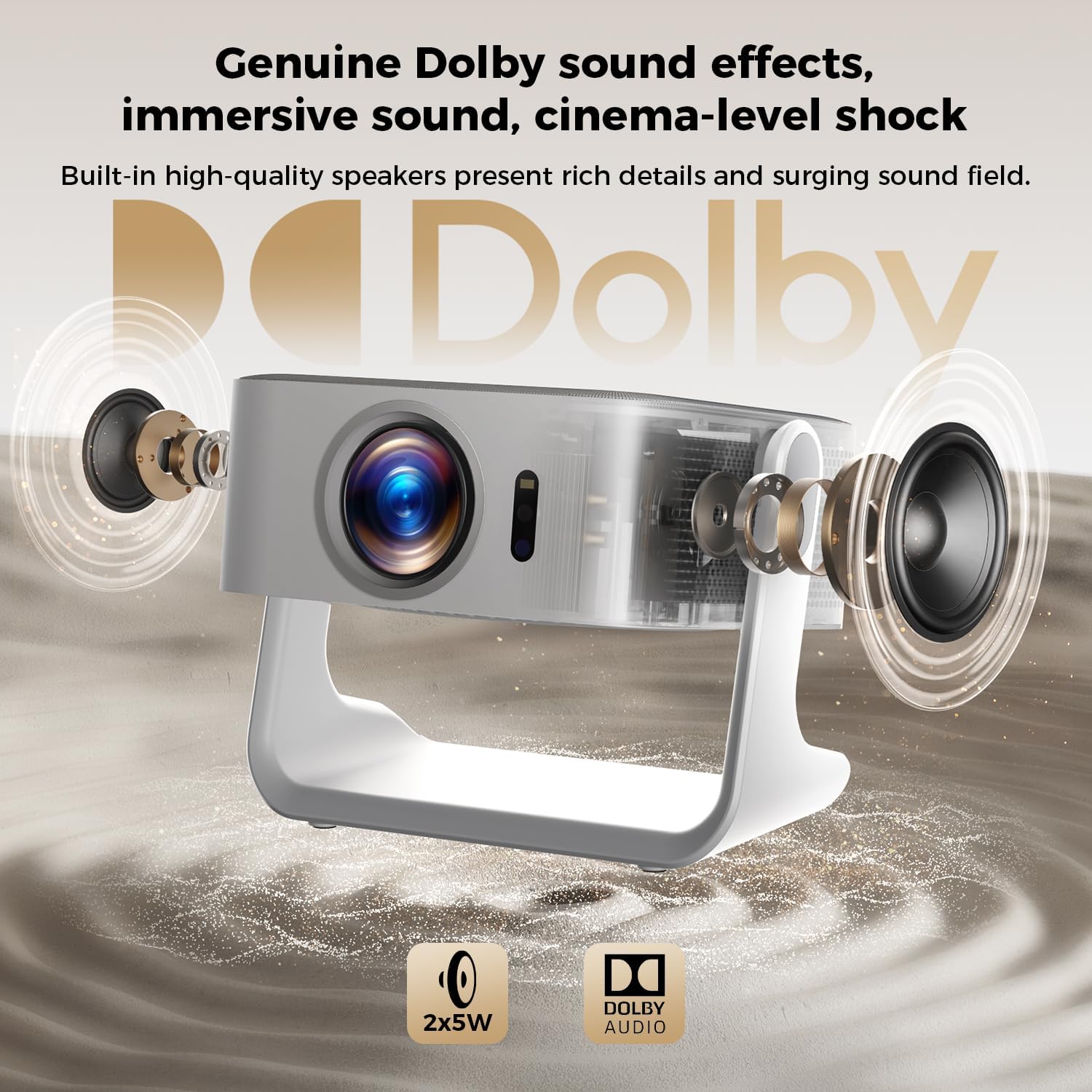
ຮູບພາບ 8.1: ມີການລະເບີດ view of the ELEPHAS K350 Smart Projector, highlighting its internal 2x5W speakers and Dolby Audio support, indicating immersive sound capabilities.
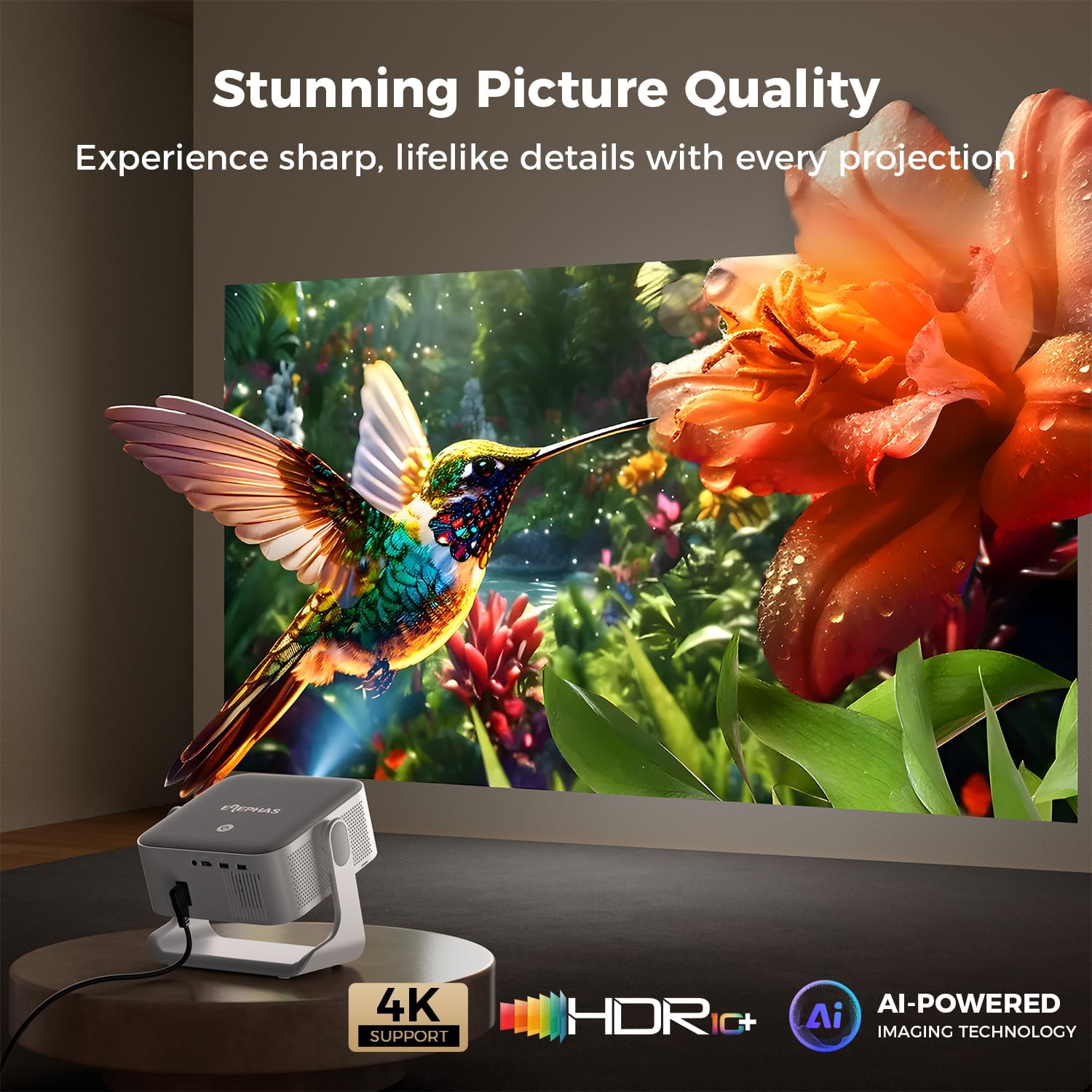
Image 8.2: The ELEPHAS K350 Smart Projector projecting a vibrant, detailed image of a hummingbird and flower, emphasizing its stunning picture quality with 4K support, HDR, and AI-powered imaging technology.
9. ການຮັບປະກັນແລະການສະຫນັບສະຫນູນ
The ELEPHAS K350 Smart Projector is backed by a 2-year service guarantee.
For any product-related issues, technical assistance, or warranty claims, please contact ELEPHAS customer support through the official channels provided at the point of purchase or on the ELEPHAS brand webເວັບໄຊ.
ກະລຸນາເກັບຫຼັກຖານການຊື້ຂອງທ່ານໄວ້ເພື່ອກວດສອບການຮັບປະກັນ.


