ແນະນຳ
Thank you for choosing the GOBOULT Crown Smart Watch. This manual provides essential information for the proper setup, operation, and maintenance of your device. Please read it thoroughly to ensure optimal performance and longevity of your smartwatch.
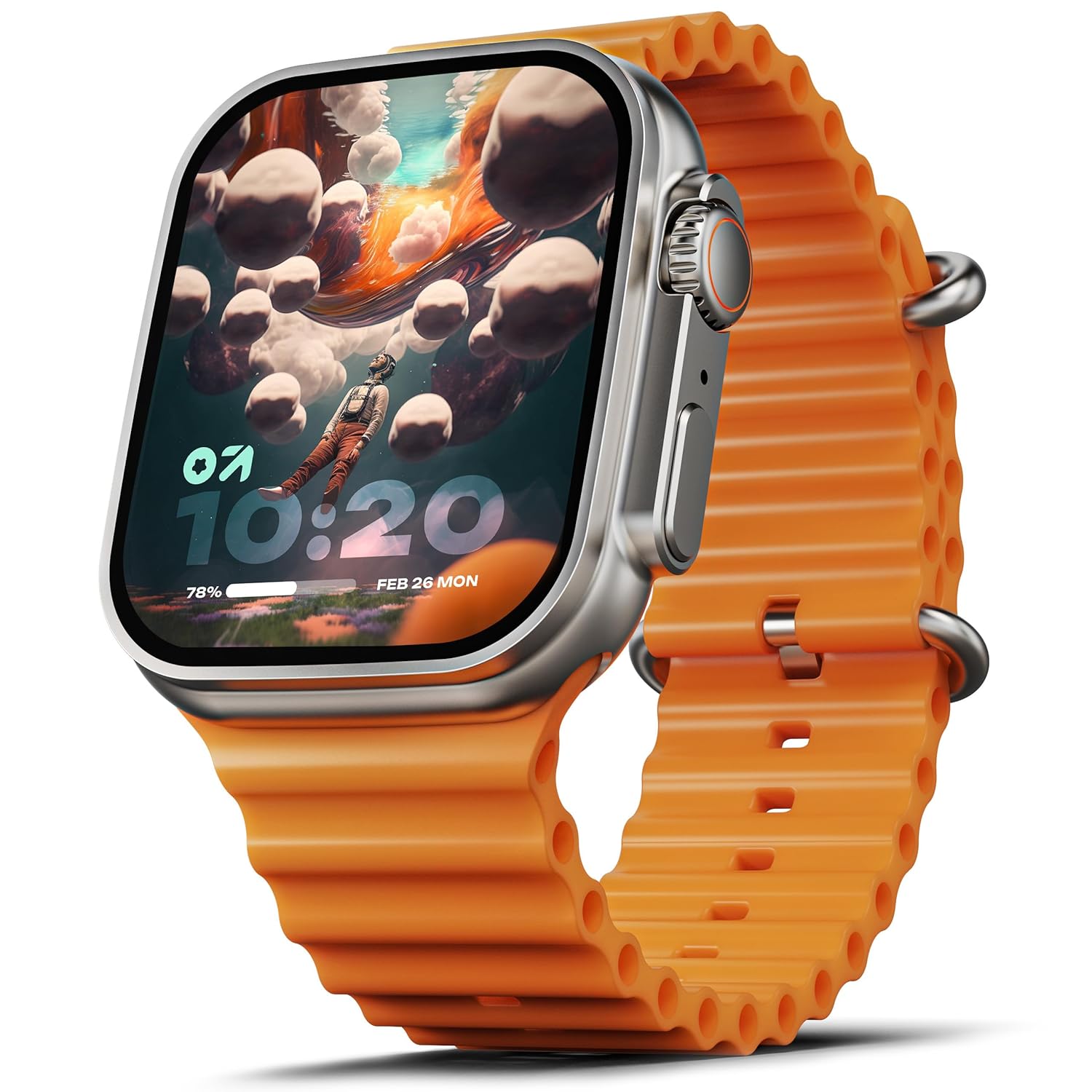
Image: The GOBOULT Crown Smart Watch, featuring a large display and an orange silicone strap.
ແມ່ນຫຍັງຢູ່ໃນກ່ອງ
ເມື່ອ unboxing, ກະລຸນາກວດສອບວ່າລາຍການຕໍ່ໄປນີ້ລວມທັງຫມົດ:
- GOBOULT Crown Smart Watch
- ສາຍສາກ
- ຄູ່ມືຜູ້ໃຊ້
- ບັດຮັບປະກັນ
ການເລີ່ມຕົ້ນ
1. ກຳລັງສາກ Smart Watch
Before initial use, fully charge your GOBOULT Crown Smart Watch. Connect the provided charging cable to the charging port on the back of the watch and to a standard USB power adapter. The watch display will indicate charging status.
2. ເປີດ / ປິດພະລັງງານ
To power on, press and hold the side button until the GOBOULT logo appears. To power off, navigate to the settings menu on the watch, select 'Power Off', and confirm.
3. ການຈັບຄູ່ກັບໂທລະສັບສະຫຼາດຂອງທ່ານ
- Download the official GOBOULT companion app from your smartphone's app store (available for Android and iOS).
- ໃຫ້ແນ່ໃຈວ່າ Bluetooth ຖືກເປີດໃຊ້ຢູ່ໃນໂທລະສັບສະຫຼາດຂອງທ່ານ.
- Open the GOBOULT app and follow the on-screen instructions to search for and pair with your Crown Smart Watch.
- ຢືນຢັນຄຳຮ້ອງຂໍການຈັບຄູ່ຢູ່ໃນໂທລະສັບ ແລະໂມງຂອງທ່ານ.
ຄໍາແນະນໍາການດໍາເນີນງານ
ການສະແດງແລະການນໍາທາງ

Image: Close-up of the smartwatch display, highlighting its 1.95-inch size and 900 Nits brightness for clear visibility.
- ໜ້າຈໍ HD 1.95 ນິ້ວ: The large, high-definition screen provides clear visuals and responsive touch interaction.
- ຄວາມສະຫວ່າງ 900 Nits: Ensures excellent visibility even in bright outdoor conditions.
- Working Rotating Crown: Use the functional rotating crown on the side of the watch to scroll through menus, zoom in/out, and switch watch faces.
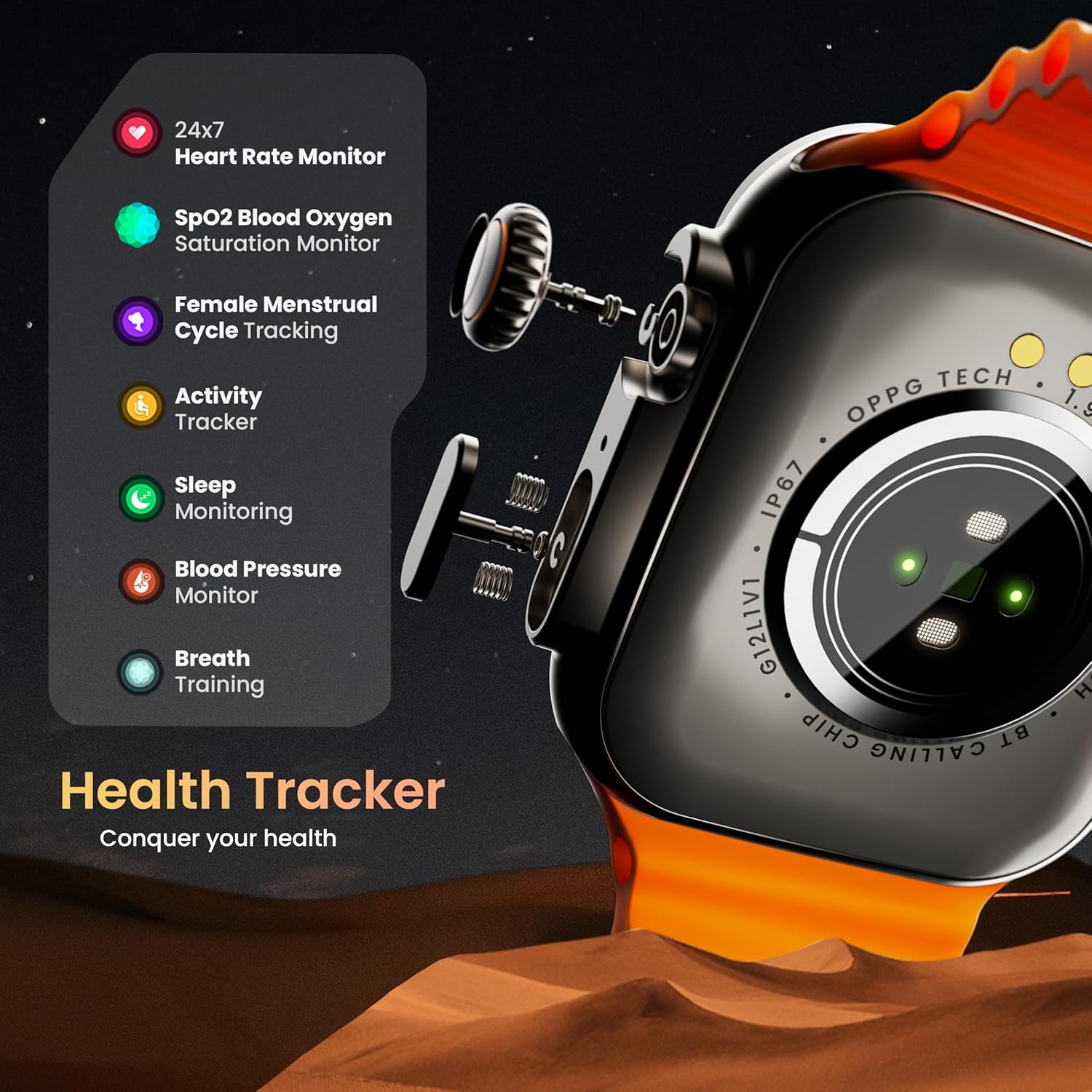
ຮູບພາບ: ລະເບີດ view illustrating the internal mechanism of the working rotating crown, used for navigation and control.
ການໂທຜ່ານ Bluetooth

Image: The smartwatch screen showing an incoming call, alongside diagrams explaining Bluetooth 5.2 calling features like call answer/reject, dial pad, and contact sync.
The GOBOULT Crown Smart Watch supports Bluetooth Calling 5.2, allowing you to make and receive calls directly from your wrist. It features a built-in speaker and microphone for clear communication.
- ຮັບ/ປະຕິເສດສາຍ: Tap the green icon to answer or the red icon to reject an incoming call.
- ແຜ່ນປັດ: Access the dial pad on the watch to make outgoing calls.
- ຊິ້ງລາຍຊື່ຜູ້ຕິດຕໍ່: Sync your phone's contacts to the watch via the companion app.
ການຕິດຕາມສຸຂະພາບ
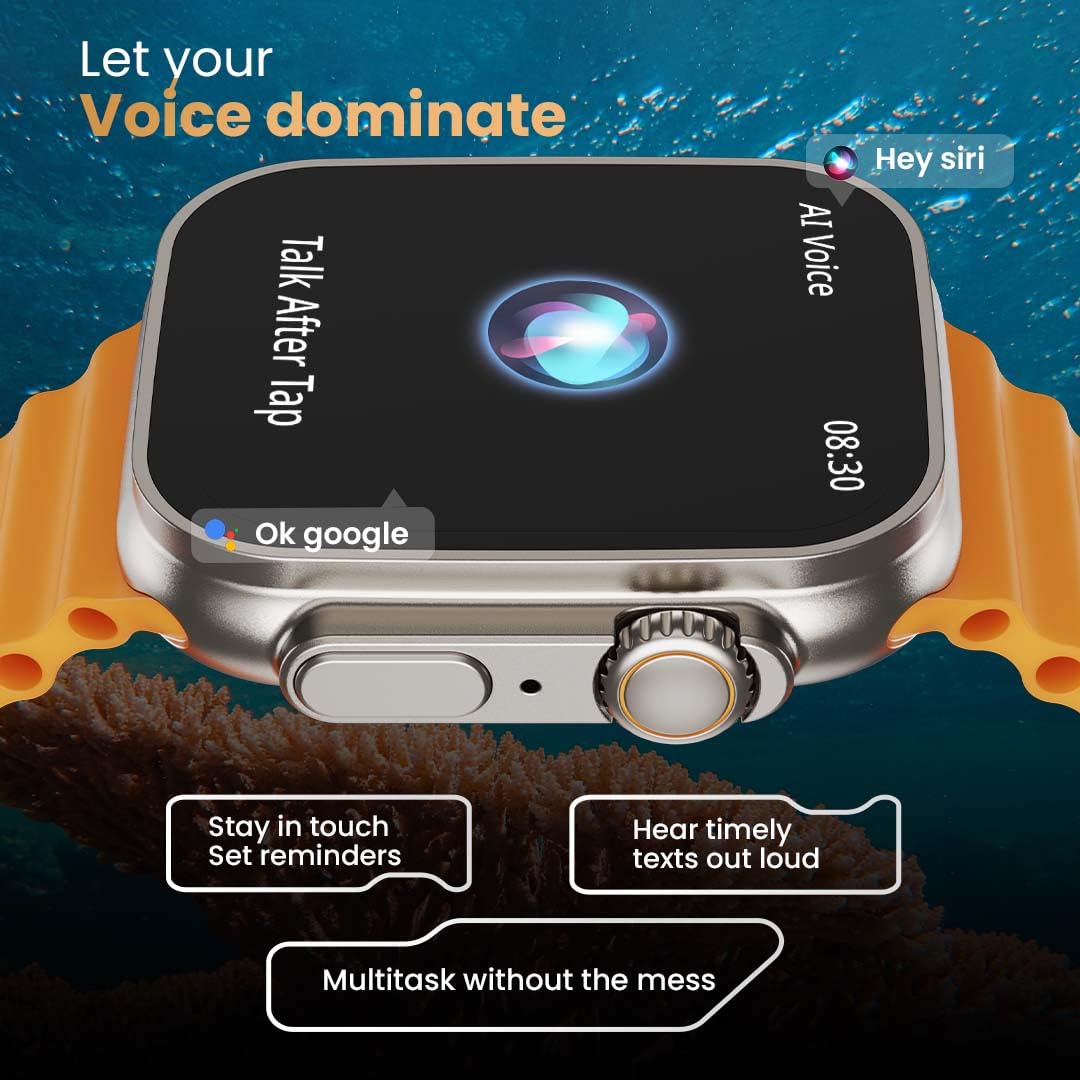
Image: The rear of the smartwatch showing its health sensors, accompanied by a list of health metrics it tracks, including heart rate, SpO2, and sleep.
The watch is equipped with an advanced health suite to help you monitor your well-being:
- ເຄື່ອງຕິດຕາມອັດຕາການເຕັ້ນຂອງຫົວໃຈ 24/7: ຕິດຕາມອັດຕາການເຕັ້ນຫົວໃຈຂອງທ່ານຢ່າງຕໍ່ເນື່ອງຕະຫຼອດມື້.
- ເຄື່ອງກວດຄວາມອີ່ມຕົວຂອງອົກຊີໃນເລືອດ SpO2: ວັດແທກລະດັບອົກຊີເຈນໃນເລືອດຂອງທ່ານ.
- ການຕິດຕາມການນອນ: ວິເຄາະຮູບແບບການນອນ ແລະຄຸນນະພາບຂອງທ່ານ.
- ຕົວຕິດຕາມການເຄື່ອນໄຫວ: ບັນທຶກຂັ້ນຕອນ, ໄລຍະທາງ ແລະແຄລໍຣີທີ່ເຜົາຜານ.
- ການຕິດຕາມຮອບວຽນປະຈຳເດືອນຂອງຜູ້ຍິງ: ໃຫ້ຂໍ້ມູນເຊີງເລິກ ແລະ ການຄາດຄະເນສຳລັບຮອບວຽນປະຈຳເດືອນ.
- ການຝຶກອົບຮົມລົມຫາຍໃຈ: ການຝຶກຫາຍໃຈແບບມີການແນະນຳເພື່ອການຜ່ອນຄາຍ.
ໂໝດກິລາ
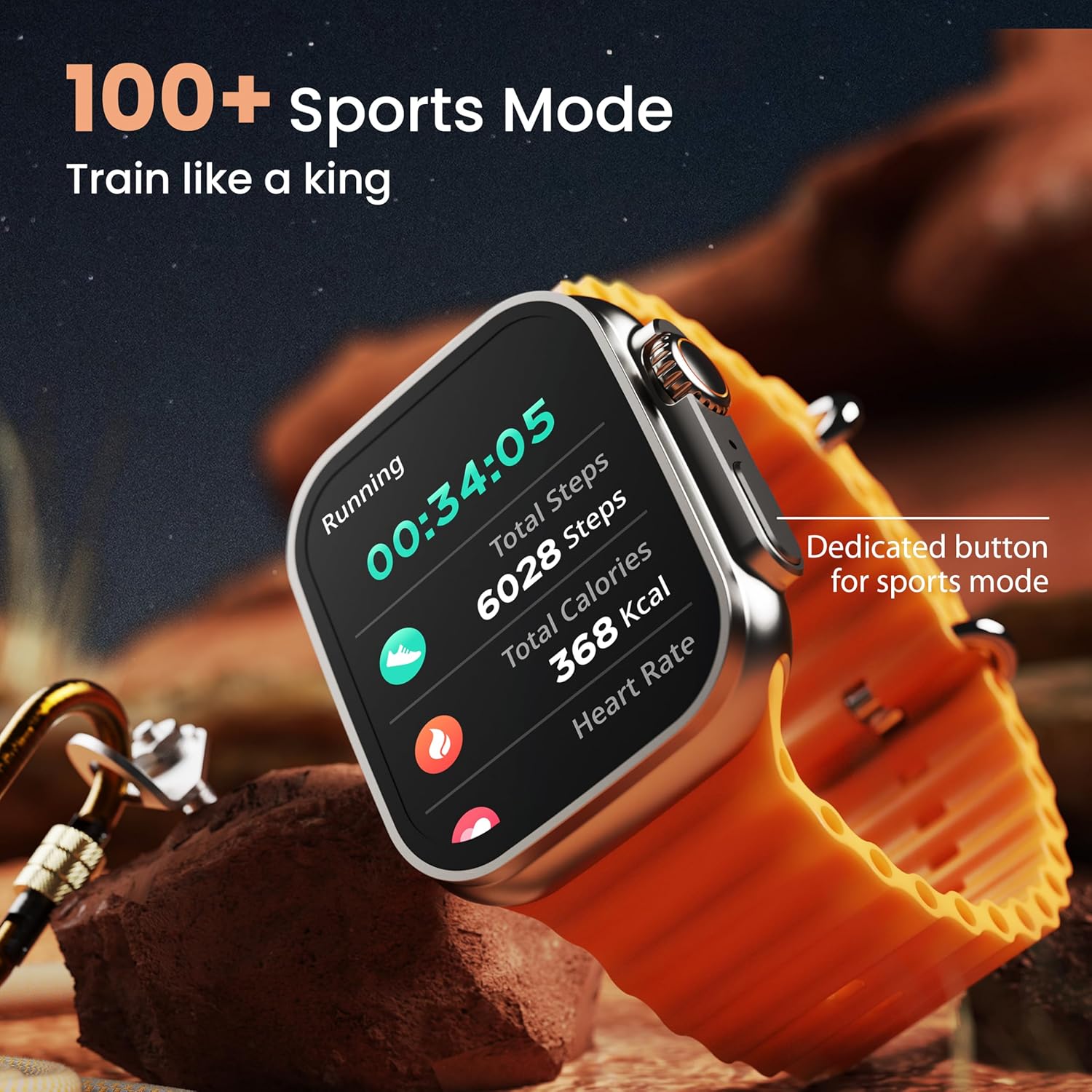
Image: The smartwatch screen showing a 'Running' sports mode with real-time metrics like duration, total steps, calories, and heart rate. A dedicated button for sports mode is also visible.
With over 120 sports modes, the GOBOULT Crown Smart Watch can track a wide range of physical activities. Select your desired sport from the watch menu to record real-time metrics, performance insights, and track your progress.
ການປັບແຕ່ງ

ຮູບພາບ: A collage showcasing various watch faces, including custom and animated options, along with different UI styles available for personalization on the smartwatch.
ປັບແຕ່ງປະສົບການໂມງອັດສະລິຍະຂອງທ່ານໃຫ້ເປັນສ່ວນຕົວ:
- 100+ Cloud-Based Watch Faces: Choose from a wide selection of watch faces available through the companion app.
- ຕົວເລືອກການປັບແຕ່ງ: Customize your screen with widgets, backgrounds, and layouts to match your style.
- 8 UI Styles: Select from different user interface styles for menu navigation.
ຟັງຊັນເພີ່ມເຕີມ
- AI Voice Assistant: Interact with your watch using voice commands (e.g., "Hey Siri" or "Ok Google") for tasks like setting reminders or hearing texts aloud.
- ຊອກຫາໂທລະສັບຂອງຂ້ອຍ: If your paired phone is misplaced, use this feature on your watch to make it ring/vibrate.
- ເກມຂະໜາດນ້ອຍ: Enjoy pre-installed mini-games directly on your watch.
- ການແຈ້ງເຕືອນ ແລະການແຈ້ງເຕືອນ: Receive SMS, WhatsApp, social media, and mail notifications. Set goal achievement reminders.
- ເຄື່ອງຄິດໄລ່: ຟັງຊັນເຄື່ອງຄິດເລກພື້ນຖານແມ່ນມີຢູ່ໃນໂມງ.
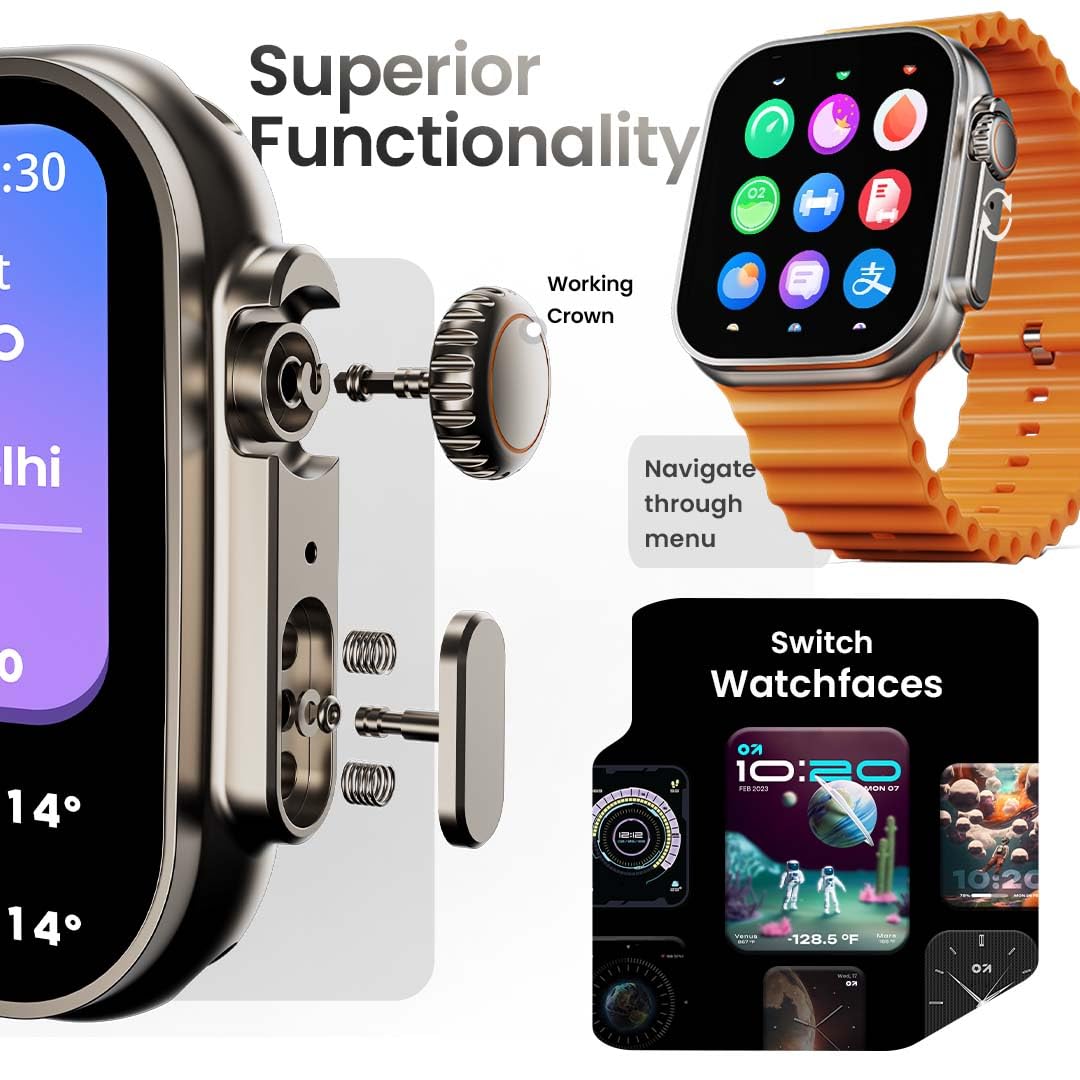
Image: The smartwatch screen showing the AI Voice Assistant interface, indicating support for voice commands like "Hey Siri" and "Ok Google".
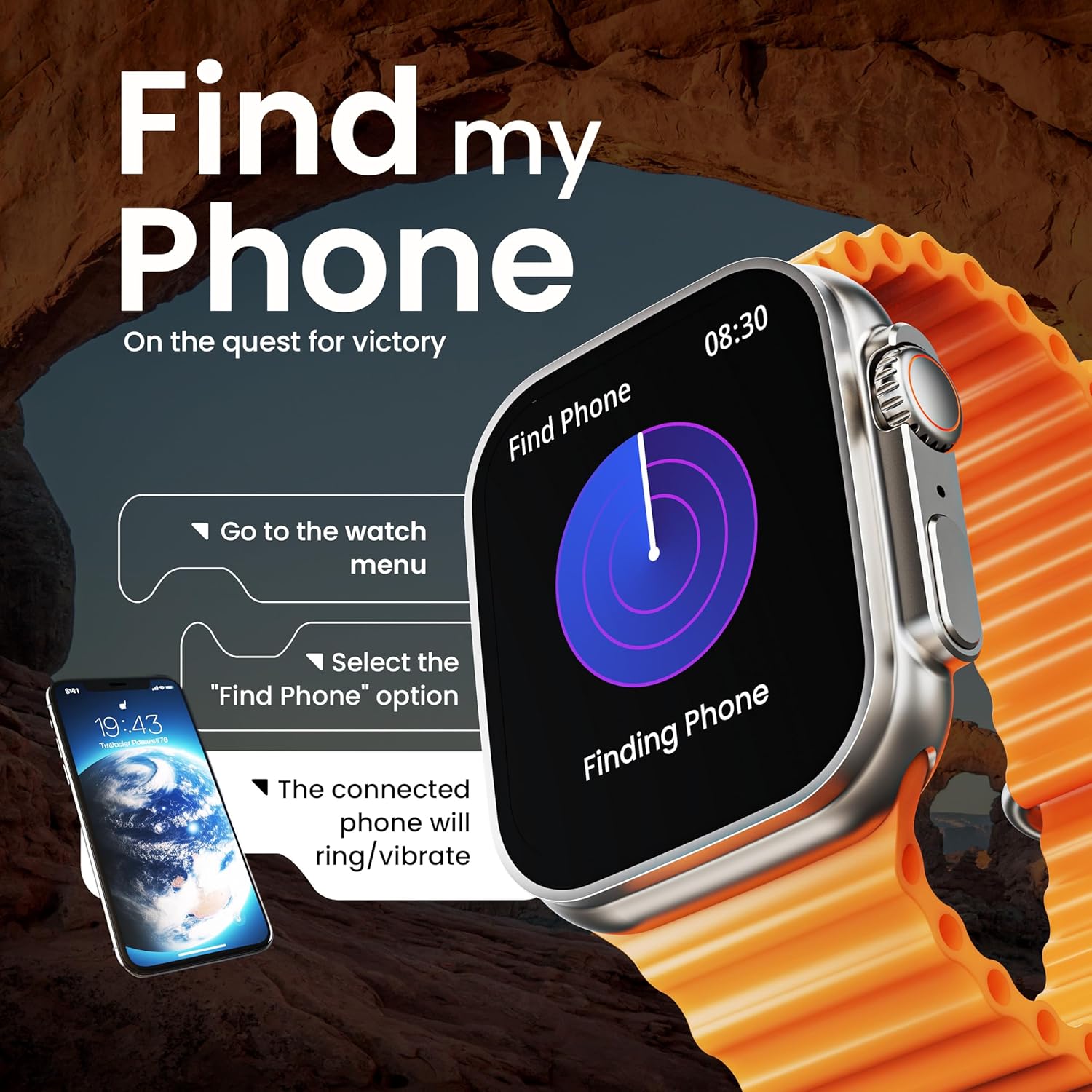
Image: The smartwatch screen illustrating the 'Find Phone' feature, with instructions on how to activate it to locate a connected smartphone.
ຮູບພາບ: ໜ້າຈໍສະແດງໂມງອັດສະລິຍະasing a selection of mini-games available on the device, such as 'Young Bird', 'Hamster', and 'Battleships'.

Image: The smartwatch screen showing a calculator interface, along with a pop-up notification and a list of reliable and robust features like sync notifications and reminders.
ບໍາລຸງຮັກສາ
ທໍາຄວາມສະອາດ
Regularly clean your smartwatch and strap to prevent skin irritation and maintain device hygiene. Use a soft, lint-free cloth. If necessary, slightly dampen ຜ້າທີ່ມີນ້ໍາ. ຫຼີກເວັ້ນການສານເຄມີທີ່ຮຸນແຮງຫຼືວັດສະດຸຂັດ.
ການຕໍ່ຕ້ານນ້ໍາ
The GOBOULT Crown Smart Watch is IP67 water resistant. This means it is protected against dust and can withstand immersion in water up to 1 meter for up to 30 minutes. It is suitable for daily use and light splashes but not recommended for swimming, showering, or diving.
ການດູແລສາຍແອວ
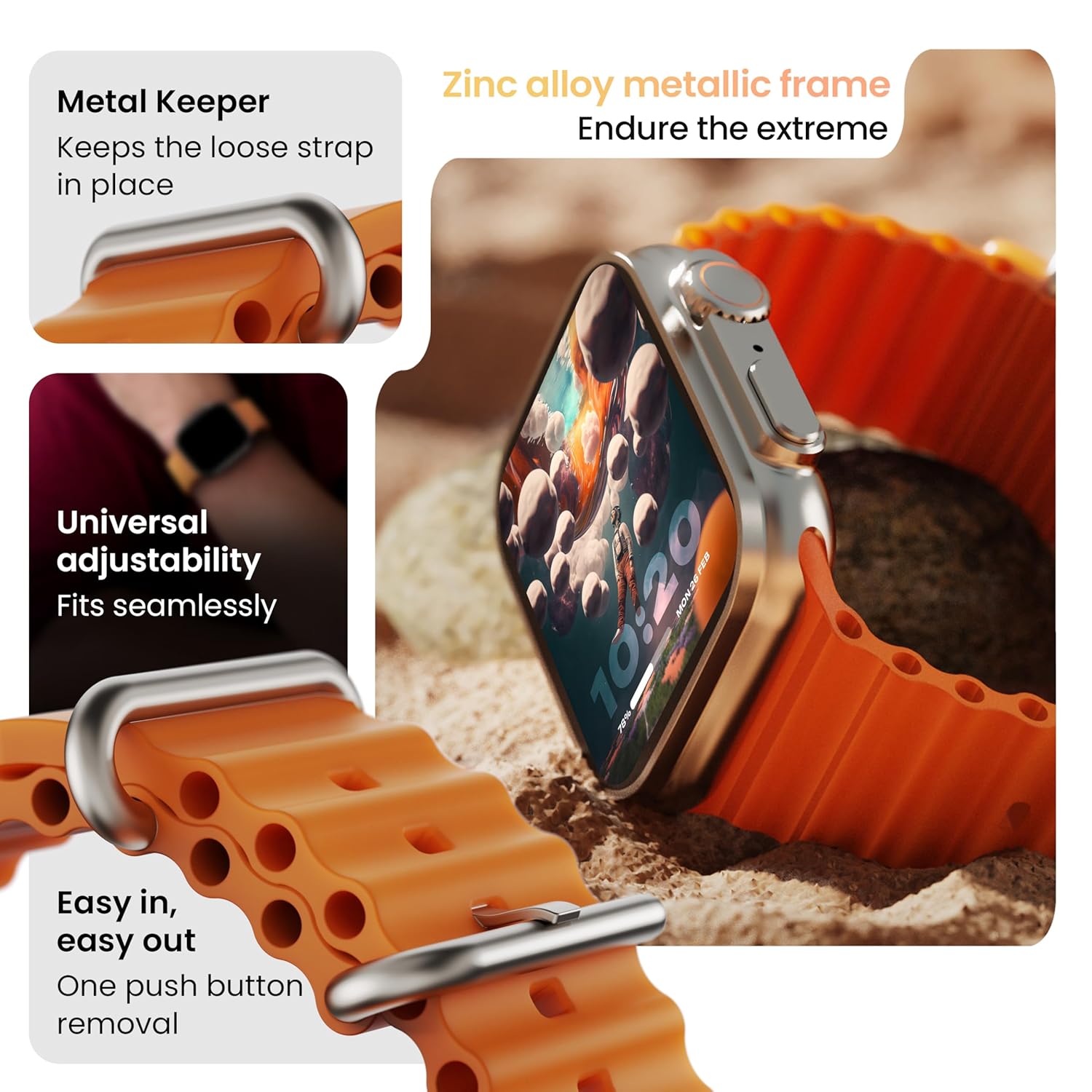
ຮູບພາບ: ລາຍລະອຽດ view of the smartwatch strap, highlighting features such as the metal keeper for securing the loose end, universal adjustability for a seamless fit, and a push-button mechanism for easy removal.
The skin-friendly silicone strap is designed for comfort. Ensure it is not too tight or too loose for accurate health tracking. Clean the strap regularly, especially after workouts, to remove sweat and dirt.
ການແກ້ໄຂບັນຫາ
ເບິ່ງບໍ່ໄດ້ເປີດ
- ກວດໃຫ້ແນ່ໃຈວ່າໂມງຖືກສາກເຕັມແລ້ວ. ເຊື່ອມຕໍ່ມັນກັບເຄື່ອງສາກຢ່າງໜ້ອຍ 30 ນາທີ.
- ກົດປຸ່ມດ້ານຂ້າງຄ້າງໄວ້ເປັນເວລາ 10-15 ວິນາທີເພື່ອພະຍາຍາມຣີສະຕາດແບບບັງຄັບ.
ບັນຫາການຈັບຄູ່
- ໃຫ້ແນ່ໃຈວ່າ Bluetooth ເປີດຢູ່ໃນໂທລະສັບ ແລະໂມງຂອງທ່ານ.
- Ensure the watch is within the Bluetooth range (approximately 10 meters).
- ຣີສະຕາດທັງໂທລະສັບ ແລະໂມງຂອງເຈົ້າ.
- Clear the Bluetooth cache on your phone or forget the device and try pairing again.
ຂໍ້ມູນສຸຂະພາບບໍ່ຖືກຕ້ອງ
- ໃຫ້ແນ່ໃຈວ່າໂມງຖືກໃສ່ຢູ່ໃນຂໍ້ມືຂອງເຈົ້າຢ່າງສະບາຍ, ແຕ່ບໍ່ແຫນ້ນເກີນໄປ.
- ເຮັດຄວາມສະອາດເຊັນເຊີຢູ່ດ້ານຫຼັງຂອງໂມງ.
- Avoid excessive movement during measurements for better accuracy.
ການແຈ້ງເຕືອນບໍ່ປາກົດ
- ກວດສອບວ່າໂມງໄດ້ເຊື່ອມຕໍ່ກັບໂທລະສັບຂອງທ່ານຢ່າງຖືກຕ້ອງຜ່ານທາງ Bluetooth ແລ້ວຫຼືບໍ່.
- Verify notification permissions for the GOBOULT app in your phone's settings.
- Ensure 'Do Not Disturb' mode is not active on either your phone or watch.
ຂໍ້ມູນຈໍາເພາະ
| ຄຸນສົມບັດ | ລາຍລະອຽດ |
|---|---|
| ຍີ່ຫໍ້ | GOBOLT |
| ຕົວແບບ | Crown Smart Watch |
| ຂະຫນາດຈໍສະແດງຜົນ | 1.95 ນິ້ວ |
| ຄວາມສະຫວ່າງຂອງຈໍສະແດງຜົນ | 900 ນິດ |
| ການເຊື່ອມຕໍ່ | Bluetooth 5.2 |
| ລະບົບປະຕິບັດການ | Android Wear 1.0, iOS compatible |
| ອາຍຸແບັດເຕີຣີ (ສະເລ່ຍ) | 7 ມື້ |
| ເວລາສາກແບັດເຕີຣີ | 150 ນາທີ |
| ຄວາມອາດສາມາດຫມໍ້ໄຟ | 300 ລ້ານamp ຊົ່ວໂມງ |
| ການຕໍ່ຕ້ານນ້ໍາ | IP67 |
| ນ້ໍາຫນັກລາຍການ | 40 g |
| ອົງປະກອບລວມ | Smartwatch, Charging Cable, User Manual, Warranty Card |
ການຮັບປະກັນແລະການສະຫນັບສະຫນູນ
Your GOBOULT Crown Smart Watch comes with a Warranty Card included in the box. Please refer to this card for detailed information regarding warranty coverage and terms. For technical support or further assistance, please contact GOBOULT customer service through the contact information provided on the warranty card or the official GOBOULT webເວັບໄຊ.


