1. ບົດແນະນຳ
This manual provides essential information for setting up, operating, maintaining, and troubleshooting your new VIBOX III-445 PC Gamer. Please read this guide thoroughly before using your computer to ensure optimal performance and longevity.
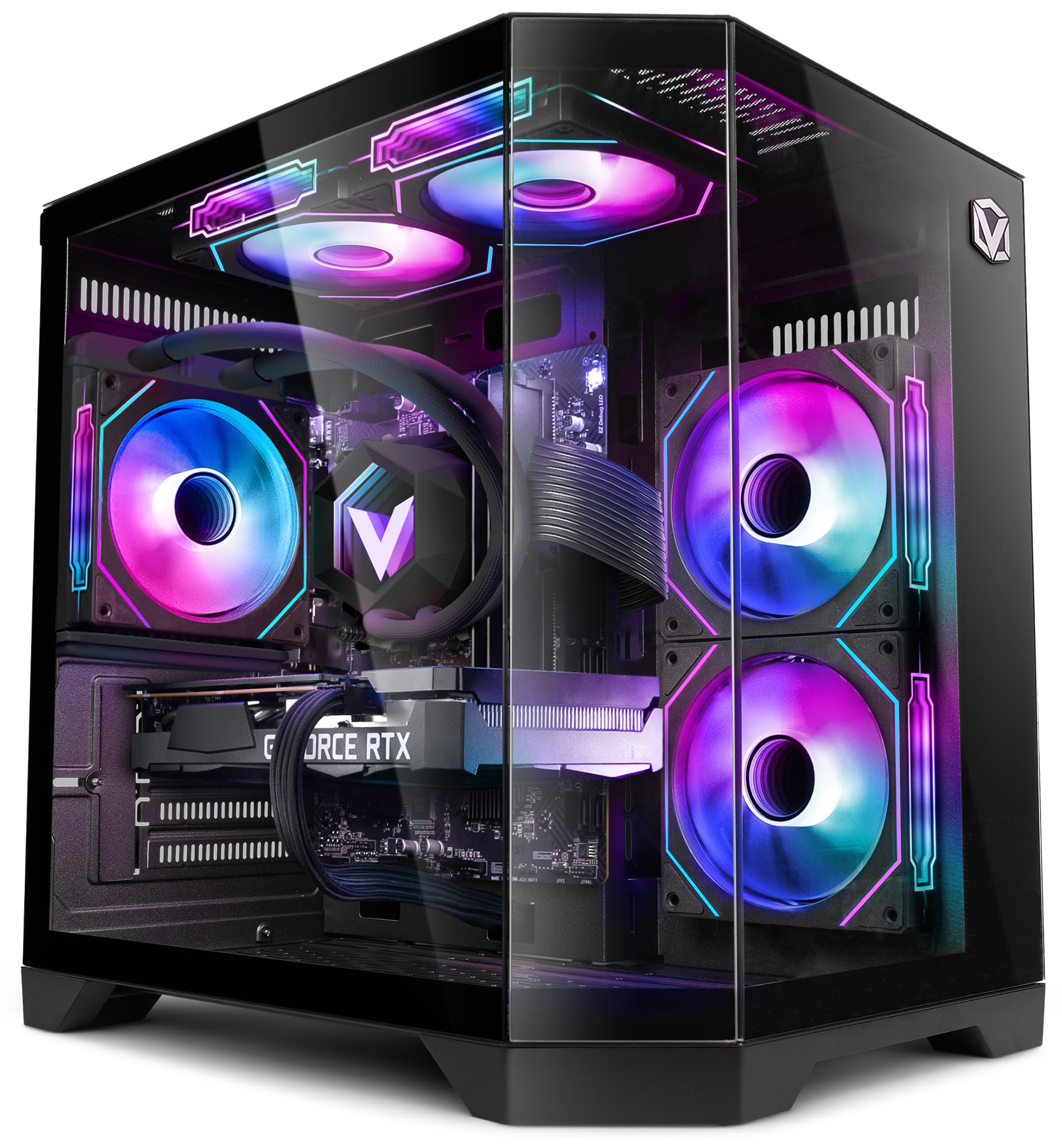
Figure 1: VIBOX III-445 PC Gamer, showcasing its internal components and RGB lighting.
2. ຕັ້ງຄ່າ
2.1. Unboxing ແລະການກວດກາເບື້ອງຕົ້ນ
- ເອົາຄອມພິວເຕີອອກຈາກການຫຸ້ມຫໍ່ຢ່າງລະມັດລະວັງ.
- Inspect the computer for any visible damage that may have occurred during shipping.
- Remove any internal packaging materials, such as foam inserts, designed to protect components during transit.
- Ensure all accessories (power cable, Wi-Fi adapter, documentation) are present.
2.2. ເຊື່ອມຕໍ່ອຸປະກອນເສີມ
Connect your monitor, keyboard, mouse, and other peripherals to the appropriate ports on the back and front of the PC. Refer to the image below for front panel connectivity.

Figure 2: Front panel connectivity. Includes power button, USB 2.0 ports, USB 3.0 ports, headphone jack, reset button, and RGB lighting control button.
- ຈໍພາບ: Connect your monitor to the graphics card (Nvidia RTX 5060) using an HDMI or DisplayPort cable.
- ແປ້ນພິມແລະຫນູ: Connect to any available USB ports.
- ພະລັງງານ: Connect the power cable to the PC and a wall outlet.
- ເຄືອຂ່າຍ: Use the included Wi-Fi adapter for wireless internet or connect an Ethernet cable to the LAN port for a wired connection.
2.3. First Boot ແລະ Windows 11 Setup
- ກົດປຸ່ມເປີດປິດຢູ່ດ້ານໜ້າຂອງຄອມພິວເຕີ.
- Follow the on-screen instructions to complete the Windows 11 setup process. This typically involves selecting your region, language, creating a user account, and connecting to a network.
- Ensure all drivers are installed and updated after the initial setup. You can check for updates via Windows Update and the Nvidia website for graphics drivers.
3. ການປະຕິບັດ PC ຂອງທ່ານ
3.1. Windows 11 Home
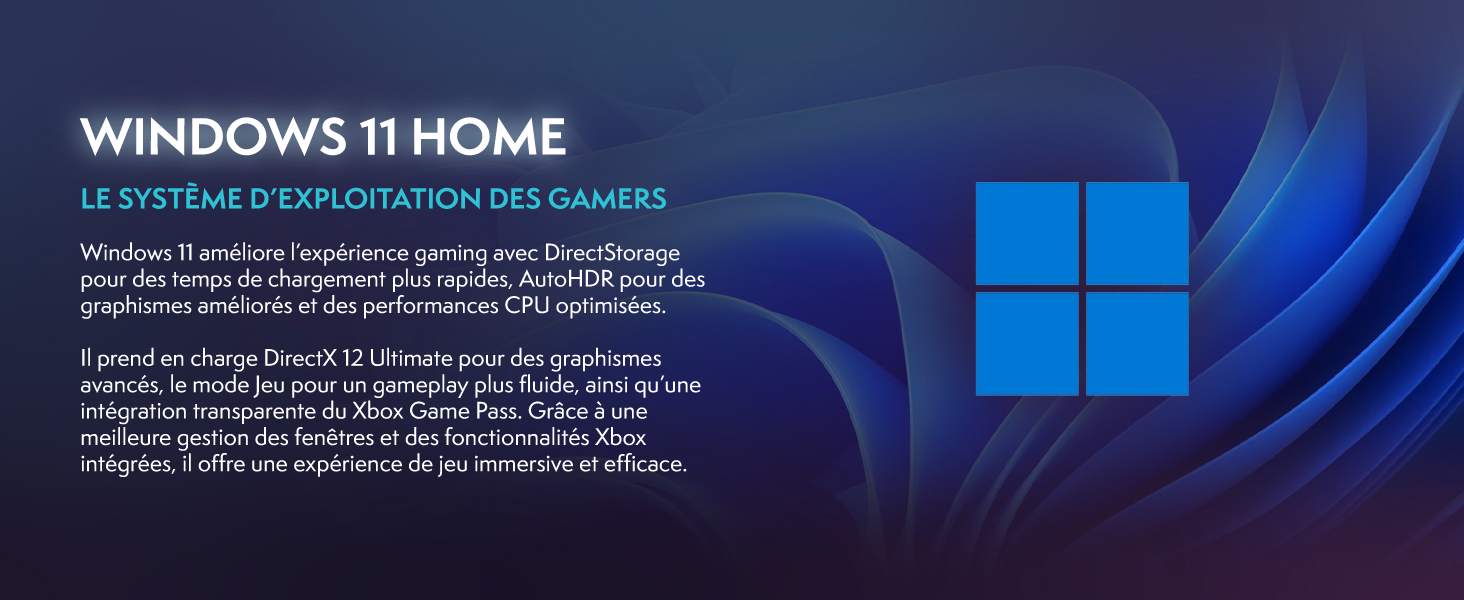
Your VIBOX III-445 PC comes pre-installed with Windows 11 Home, optimized for gaming and productivity.

Figure 3: Windows 11 Home operating system.
- Faster Loading Times: ໃຊ້ປະໂຫຍດຈາກ DirectStorage ສຳລັບການໂຫຼດເກມໄດ້ໄວຂຶ້ນ.
- ຮູບພາບທີ່ປັບປຸງໃຫ້ດີຂຶ້ນ: AutoHDR improves visual quality in supported games.
- ການເຊື່ອມໂຍງ Xbox Game Pass: ເຂົ້າເຖິງຫໍສະໝຸດເກມໄດ້ຢ່າງລຽບງ່າຍ.
- ປະສິດທິພາບ CPU ທີ່ດີທີ່ສຸດ: Windows 11 is designed to leverage modern CPU architectures efficiently.
3.2. ສ່ວນປະກອບຫຼັກ
The VIBOX III-445 is equipped with powerful components for a smooth computing experience.
ຮູບ 4: ເກີນview of the VIBOX III-445's core components.
- ໜ່ວຍປະມວນຜົນ: Intel Core i7-12700KF (12 Cores, up to 5.0 GHz) for high-performance gaming, streaming, and content creation.
- ບັດກາຟິກ: Nvidia GeForce RTX 5060 (8GB GDDR7) for advanced graphics and gaming.
- RAM: 16GB DDR4 3200MHz Dual Channel for smooth multitasking.
- ການເກັບຮັກສາ: 500GB SSD for fast boot times and application loading.
3.3. ລະບົບເຮັດຄວາມເຢັນ
The PC features an advanced cooling system to maintain optimal temperatures.

Figure 5: VIBOX AIO 120MM liquid cooler for stable processor temperatures.

Figure 6: Reversed airflow design for optimized air circulation and reduced heat accumulation.

Figure 7: Hex RGB Infinity 120mm fans for customizable lighting and enhanced airflow.
- VIBOX AIO 120MM: Provides compact and efficient liquid cooling for the CPU.
- Reversed Airflow: Optimizes air circulation to reduce heat buildup.
- Hex RGB Infinity 120MM Fans: High-performance fans with customizable RGB lighting.
4. ບໍາລຸງຮັກສາ
4.1. ທໍາຄວາມສະອາດທົ່ວໄປ
- ພາຍນອກ: ໃຊ້ອ່ອນ, ງamp cloth to clean the exterior of the case. Avoid abrasive cleaners.
- ການກຳຈັດຂີ້ຝຸ່ນ: Periodically use compressed air to clean dust from fans, vents, and internal components. Ensure the PC is powered off and unplugged before cleaning.
- ການກັ່ນຕອງ: If your case has removable dust filters, clean them regularly to maintain optimal airflow.
4.2. ການປັບປຸງຊອບແວ
- ອັບເດດ Windows: ກວດສອບ ແລະຕິດຕັ້ງການອັບເດດ Windows ເປັນປະຈຳເພື່ອຮັບປະກັນຄວາມໝັ້ນຄົງ ແລະຄວາມປອດໄພຂອງລະບົບ. ໄປທີ່ Settings > Windows Update.
- ອັບເດດໄດເວີ: Keep your graphics card drivers updated by downloading the latest versions from the Nvidia website. Other component drivers can be updated via Windows Update or the motherboard manufacturer's webເວັບໄຊ.
4.3. System Backups
- ສຳຮອງຂໍ້ມູນທີ່ສຳຄັນໄປໃສ່ໄດຣຟ໌ພາຍນອກ ຫຼືບ່ອນເກັບຂໍ້ມູນຄລາວເປັນປະຈຳເພື່ອປ້ອງກັນການສູນເສຍຂໍ້ມູນ.
5. ການແກ້ໄຂບັນຫາ
ພາກນີ້ແກ້ໄຂບັນຫາທົ່ວໄປທີ່ທ່ານອາດຈະພົບ. ສຳລັບບັນຫາທີ່ສັບສົນກວ່າ, ໃຫ້ຕິດຕໍ່ຝ່າຍຊ່ວຍເຫຼືອດ້ານເຕັກນິກ.
5.1. ບໍ່ມີພະລັງງານ
- ໃຫ້ແນ່ໃຈວ່າສາຍໄຟຖືກເຊື່ອມຕໍ່ຢ່າງປອດໄພກັບທັງ PC ແລະເຕົ້າສຽບໄຟ.
- Check if the power supply unit (PSU) switch on the back of the PC is in the 'ON' position.
- ທົດສອບຮູສຽບຝາກັບອຸປະກອນອື່ນເພື່ອຢືນຢັນວ່າມັນມີພະລັງງານ.
5.2. ບໍ່ມີການສະແດງຜົນຢູ່ເທິງຈໍພາບ
- Verify that the monitor is powered on and connected to the graphics card (Nvidia RTX 5060) ports, not the motherboard's video outputs.
- Check the monitor's input source setting (HDMI, DisplayPort).
- Ensure the graphics card is properly seated in its slot.
5.3. Poor Performance or Freezing
- ປິດແອັບພລິເຄຊັນພື້ນຫຼັງທີ່ບໍ່ຈໍາເປັນ.
- Ensure all drivers, especially graphics drivers, are up to date.
- Check system temperatures using monitoring software to rule out overheating.
- ດໍາເນີນການເຮັດຄວາມສະອາດແຜ່ນດິດ ແລະ ການຈັດລຽງຂໍ້ມູນ (ສໍາລັບ HDD, ບໍ່ຈໍາເປັນສໍາລັບ SSD).
5.4. ບັນຫາການເຊື່ອມຕໍ່ Wi-Fi
- Ensure the Wi-Fi adapter is securely plugged into a USB port.
- Check Wi-Fi settings in Windows to ensure it's enabled and connected to the correct network.
- ຣີສະຕາດເຣົາເຕີ ແລະໂມເດັມຂອງທ່ານ.
- Consider using a wired Ethernet connection if Wi-Fi signal is consistently weak or unstable.
6. ຂໍ້ມູນຈໍາເພາະ
| ຄຸນສົມບັດ | ລາຍລະອຽດ |
|---|---|
| ຍີ່ຫໍ້ | ວິບັອກສ໌ |
| ໝາຍເລກຕົວແບບ | III-445 |
| ຊຸດ | VTX-8 |
| ສີ | VTX-8 ສີດຳ |
| ລະບົບປະຕິບັດການ | ໜ້າຫຼັກ Windows 11 |
| ຍີ່ຫໍ້ເຄື່ອງປະມວນຜົນ | Intel |
| ປະເພດໂປເຊດເຊີ | Core i7-12700KF |
| ຄວາມໄວປະມວນຜົນ | 3.6 GHz (ເພີ່ມໄດ້ສູງສຸດ 5.0 GHz) |
| ຈໍານວນ Cores | 12 |
| Max Memory ຮອງຮັບ | 128 GB |
| ເທັກໂນໂລຢີຮາດດິດ | SSD |
| ການໂຕ້ຕອບຮາດດິດ | SSD |
| ຄວາມອາດສາມາດເກັບຮັກສາ | 500 GB |
| ຍີ່ຫໍ້ຊິບເຊັດກາຟິກ | NVIDIA |
| ລາຍລະອຽດບັດກາຟິກ | ອຸທິດຕົນ |
| GPU | NVIDIA GeForce RTX 5060 |
| ແຣມກາດກຣາບຟິກ | 8 GB |
| ປະເພດກາຟິກ RAM | GDDR6 |
| ເຕົ້າຮັບໂຮງງານຜະລິດ | LGA 1700 |
| ປະເພດການເຊື່ອມຕໍ່ | Wi-Fi |
| ການໂຕ້ຕອບຮາດແວ | HDMI, USB |
| ຈໍານວນພອດ HDMI | 1 |
| ຈຳນວນຂອງ USB 2.0 Ports | 3 |
| ຈຳນວນຂອງ USB 3.0 Ports | 3 |
| ປະເພດຕົວເຊື່ອມຕໍ່ | ອີເທີເນັດ, HDMI, USB, Wi-Fi |
| ອຸປະກອນທີ່ເຂົ້າກັນໄດ້ | Headphones, Keyboard, Printer, Monitor, Mouse |
| ຂະໜາດລາຍການ (L x W x H) | 35 x 28 x 38 ຊັງຕີແມັດ |
| ການນໍາໃຊ້ຜະລິດຕະພັນສະເພາະ | Gaming, Photo Editing, Video Editing |
| ປະເພດ PC | ຫໍຄອມພິວເຕີ |
7. ການຮັບປະກັນ
Your VIBOX III-445 PC Gamer comes with a manufacturer's warranty:
- ຊິ້ນສ່ວນ: 2 ປີ
- ແຮງງານ: ຕະຫຼອດຊີວິດ
Please retain your proof of purchase for warranty claims. For detailed terms and conditions, refer to the warranty documentation included with your product or visit the VIBOX official webເວັບໄຊ.
8. ສະຫນັບສະຫນູນ
If you encounter issues not covered in this manual or require further assistance, please contact VIBOX customer support. Have your model number (III-445) and purchase details ready when contacting support.
For additional resources, visit the official VIBOX webເວັບໄຊ: