ສິນຄ້າເກີນview
The Anweller P7BF is a versatile smart padlock offering multiple unlocking methods for enhanced security and convenience. It features fingerprint recognition, passcode entry, and mobile app control.
ຄຸນນະສົມບັດທີ່ສໍາຄັນ
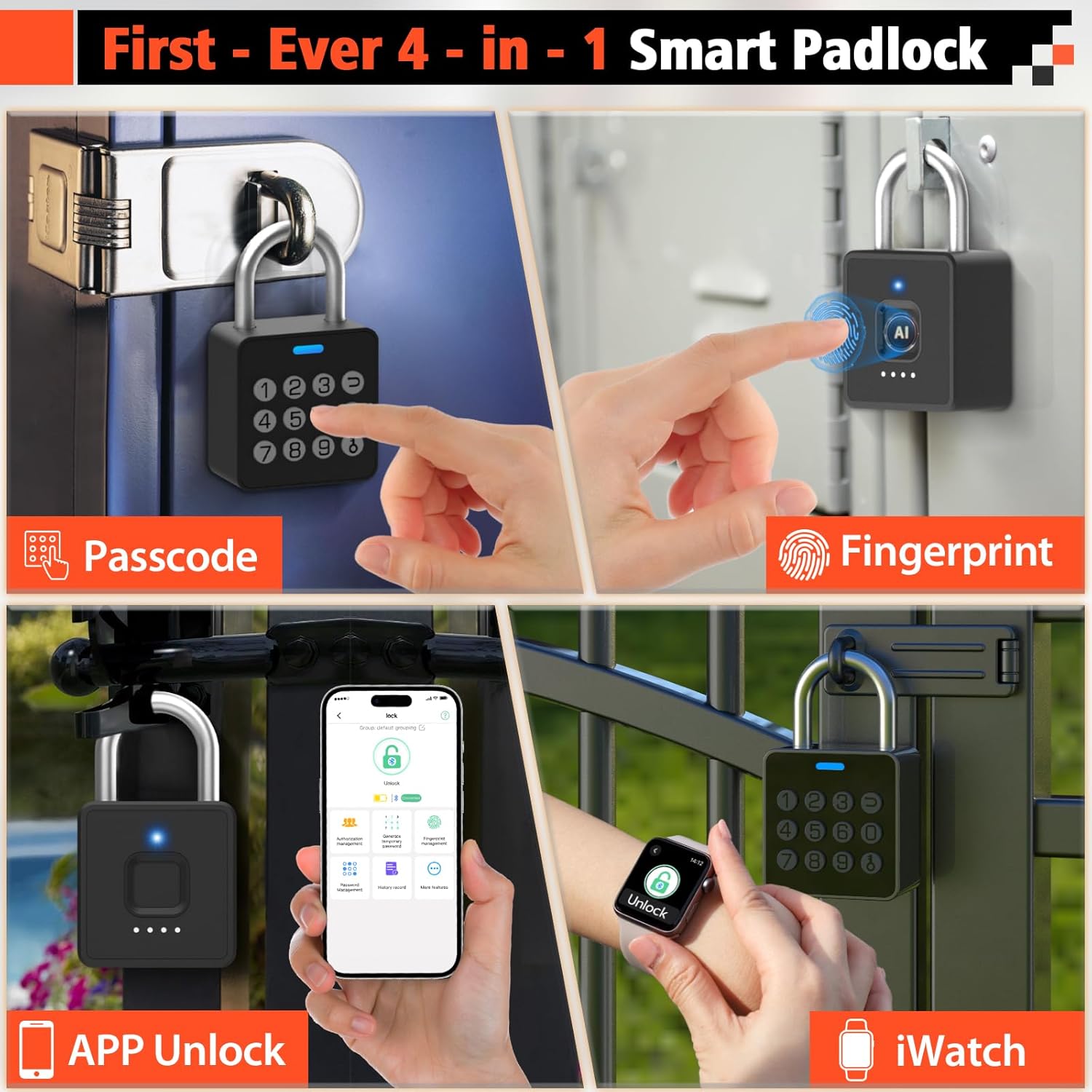
- 4-in-1 Unlocking: Fingerprint, Passcode, Mobile App, and iWatch.
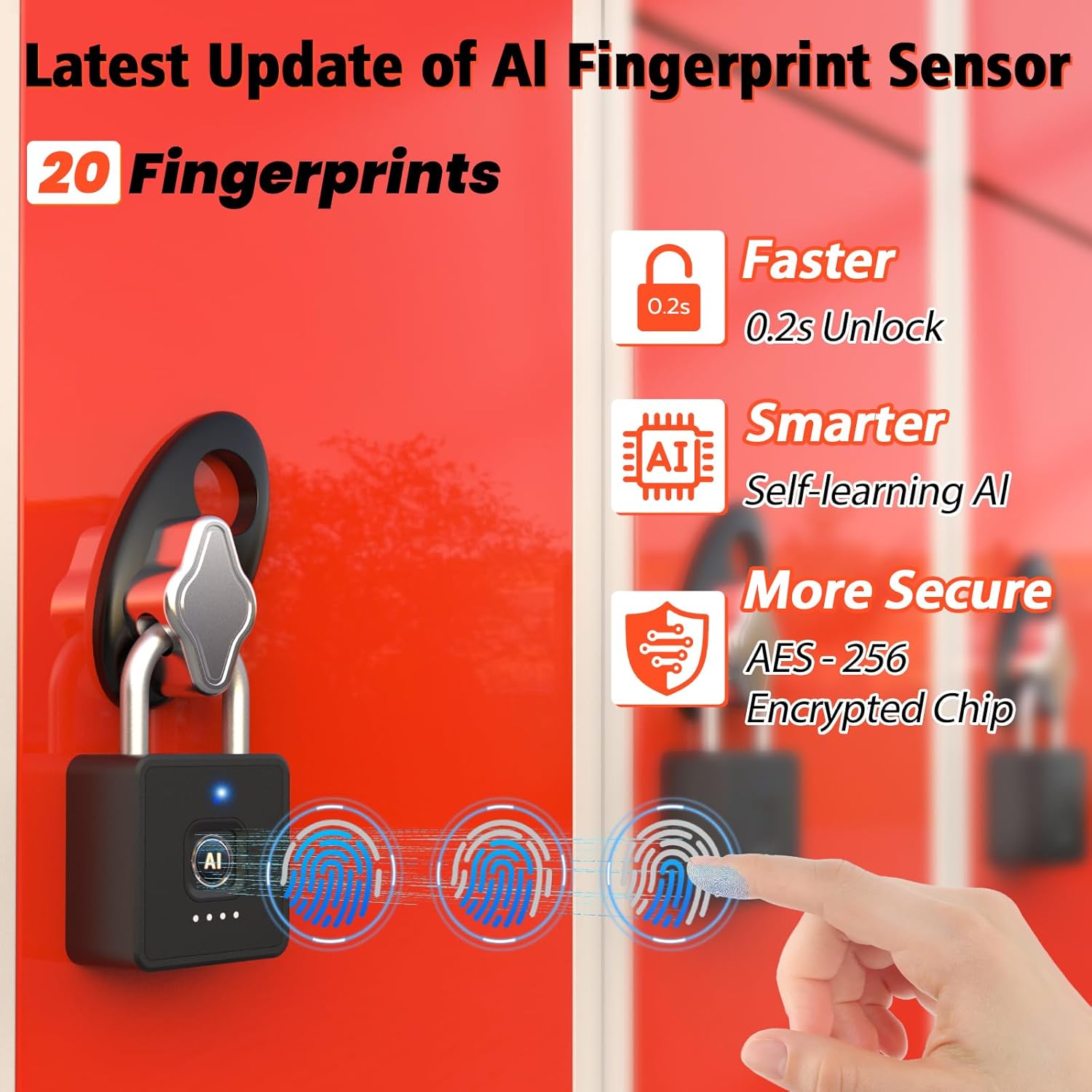
- ການຮັບຮູ້ລາຍນິ້ວມືໄວ: Unlocks in 0.2 seconds. Supports up to 20 fingerprints.
- Multi-function Passwords: Permanent, Guest (scheduled), and One-time codes.
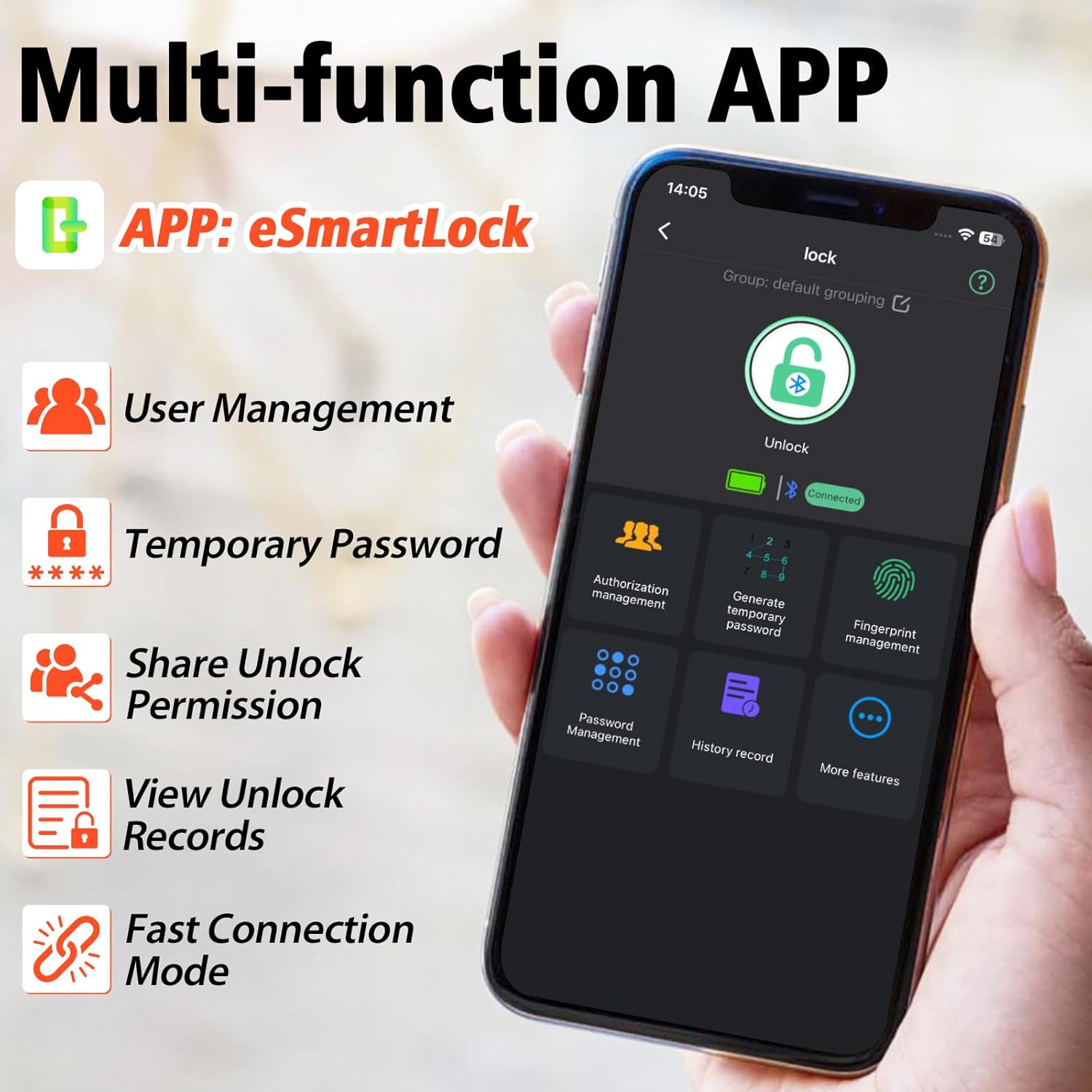
- ການຄວບຄຸມ Smart App: Bluetooth connectivity for user management, password generation, and unlock records.
- ການອອກແບບທົນທານ: IP65 waterproof and dustproof, withstands temperatures from -4°F to 113°F.
- ຊີວິດຫມໍ້ໄຟຍາວ: Up to 180 days standby time, Type-C charging.

ມີຫຍັງແດ່
- Anweller Smart Padlock
- ສາຍໄຟແບບ Type-C
- ຄູ່ມືຜູ້ໃຊ້
ຄູ່ມືການຕິດຕັ້ງ
ການສາກໄຟເບື້ອງຕົ້ນ
Before first use, fully charge the padlock using the provided Type-C cable. The charging port is typically located at the bottom or side of the lock. A full charge ensures optimal performance.

ການຕິດຕັ້ງແອັບຯ ແລະການເຊື່ອມຕໍ່
- Download the "eSmartLock" app from your device's app store (Android or iOS).
- ເປີດ app ແລະສ້າງບັນຊີ.
- ກວດໃຫ້ແນ່ໃຈວ່າ Bluetooth ຂອງໂທລະສັບຂອງທ່ານເປີດຢູ່.
- In the app, select "Add Device" and follow the on-screen instructions to pair with your Anweller P7BF padlock. The lock's indicator light will typically flash during pairing.
ການລົງທະບຽນລາຍນິ້ວມື
- Once connected via the app, navigate to "Fingerprint Management".
- Select "Add Fingerprint" and follow the app's prompts to register your fingerprint. You will typically need to place your finger on the sensor multiple times from different angles.
- Register all desired fingerprints (up to 20).
Setting Passcodes
- In the app, go to "Password Management".
- You can set permanent passcodes (up to 20), generate guest passwords with scheduled entry times, or create one-time passwords.
- Follow the app's instructions to create and manage your desired passcodes.

ຄໍາແນະນໍາການດໍາເນີນງານ
ປົດລັອກດ້ວຍລາຍນິ້ວມື
Place your registered finger firmly on the fingerprint sensor. The lock will unlock in approximately 0.2 seconds if the fingerprint is recognized.
Unlocking with Passcode
Enter your registered passcode on the keypad and press the unlock button (often represented by a key or checkmark symbol).
Unlocking via Mobile App
Open the "eSmartLock" app on your smartphone. Ensure Bluetooth is active and you are within range of the padlock. Tap the "Unlock" button within the app interface.
Unlocking via iWatch
If configured, use the dedicated iWatch app to unlock the padlock.
ບໍາລຸງຮັກສາ
ການຄຸ້ມຄອງຫມໍ້ໄຟ
The padlock is powered by a rechargeable Lithium-ion battery. When the battery is low, the indicator light may flash differently, or the app will notify you. Charge the lock using the provided Type-C cable. Avoid prolonged exposure to extreme temperatures to preserve battery life.
ທໍາຄວາມສະອາດ
ເຊັດຕົວລັອກ ແລະ ເຊັນເຊີລາຍນິ້ວມືດ້ວຍຜ້າອ່ອນໆແຫ້ງ. ຢ່າໃຊ້ນໍ້າຢາເຮັດຄວາມສະອາດທີ່ມີສີຂັດ ຫຼື ສານລະລາຍ.
ເງື່ອນໄຂສິ່ງແວດລ້ອມ
The lock is IP65 rated for water and dust resistance, making it suitable for outdoor use. However, avoid submerging it in water or exposing it to harsh chemicals.

ການແກ້ໄຂບັນຫາ
ບໍ່ຮູ້ຈັກລາຍນິ້ວມື
- ໃຫ້ແນ່ໃຈວ່ານິ້ວມືຂອງທ່ານສະອາດແລະແຫ້ງ.
- ລອງວາງນິ້ວມືຂອງທ່ານໃສ່ເຊັນເຊີຈາກມຸມທີ່ແຕກຕ່າງກັນ.
- Re-register your fingerprint if the issue persists.
- Ensure the sensor is clean and free of debris.
ລະຫັດຜ່ານບໍ່ເຮັດວຽກ
- Double-check that you are entering the correct passcode.
- Verify if the passcode is still active (for guest or one-time codes).
- Ensure the lock's battery is not critically low.
ບັນຫາການເຊື່ອມຕໍ່ແອັບ
- ໃຫ້ແນ່ໃຈວ່າ Bluetooth ຖືກເປີດໃຊ້ຢູ່ໃນໂທລະສັບສະຫຼາດຂອງທ່ານ.
- Make sure you are within Bluetooth range of the padlock.
- ຣີສະຕາດແອັບ ຫຼືສະມາດໂຟນຂອງທ່ານ.
- ກວດເບິ່ງວ່າແອັບຕ້ອງການອັບເດດຫຼືບໍ່.
ລັອກບໍ່ຕອບສະໜອງ
- The battery might be completely drained. Connect the lock to a Type-C charger.
- ຖ້າລັອກບໍ່ຕອບສະໜອງເລີຍຫຼັງຈາກສາກໄຟແລ້ວ, ໃຫ້ຕິດຕໍ່ຝ່າຍຊ່ວຍເຫຼືອລູກຄ້າ.
ຂໍ້ມູນຈໍາເພາະ
| ຊັບສິນ | ມູນຄ່າ |
|---|---|
| ຍີ່ຫໍ້ | ແອດເວີເລີ |
| ໝາຍເລກຕົວແບບ | P7BF |
| ຂະໜາດສິນຄ້າ (L x W x H) | 4.42 x 2.46 x 7.49 cm |
| ນ້ຳໜັກ | 240 ກຣາມ |
| ວັດສະດຸ | ສະແຕນເລດ |
| ສີ | ດຳ |
| ປະເພດລັອກ | ຊີວະມິຕິ |
| ຄຸນນະສົມບັດພິເສດ | Anti-drill, Cut-resistant |
| ປະເພດຫມໍ້ໄຟ | 1 lithium-ion (ລວມ) |
| ປະເພດການຄວບຄຸມ | Android, iOS |
| ການປະເມີນກັນນ້ໍາ | IP65 |
| ອຸນຫະພູມປະຕິບັດການ | -4°F ຫາ 113°F |
| Unlock Cycle Lifespan | 10,000 ຮອບ |
| ຄວາມອາດສາມາດນ້ໍາຫນັກ | 220lb |
ການຮັບປະກັນແລະການສະຫນັບສະຫນູນ
For warranty information and technical support, please refer to the contact details provided with your purchase or visit the official Anweller webເວັບໄຊ. ຮັກສາຫຼັກຖານການຊື້ຂອງທ່ານສໍາລັບການຮ້ອງຂໍການຮັບປະກັນ.
