1. ການແນະນໍາ ແລະຫຼາຍກວ່າview
The Berrcom 3-in-1 Digital Infrared Thermometer is designed for quick, accurate, and non-contact temperature measurements. It is suitable for all ages, including infants, newborns, adults, and the elderly. This versatile device can measure body temperature (forehead and ear), room temperature, and object surface temperature, providing results in just one second. Its intelligent fever alert system uses color-coded backlights for easy interpretation of readings.

Figure 1: Berrcom 3-in-1 Digital Infrared Thermometer
2. ຄຸນລັກສະນະຂອງຜະລິດຕະພັນ
- State-of-the-Art Infrared Technology: Utilizes advanced infrared scan technology to measure radiation emitted by the eardrum or forehead, providing accurate body temperature readings.
- Quick Readings and Fever Warning: Delivers temperature results in one second. Three quick beeps and a red warning light alert you to fever.
- ການນໍາໃຊ້ທີ່ຫຼາກຫຼາຍ: Features a mode to measure room or object temperatures. Automatically shuts down after 30 seconds of inactivity to conserve battery life. Easily switch between Celsius (°C) and Fahrenheit (°F).
- Convenient & User-Friendly: Equipped with an easy-to-read, color-coded display visible even at night. Stores up to 20 memory recalls to track health trends. Includes a mute function for quiet operation, ideal for not disturbing sleeping individuals.

Figure 2: Key features of the Berrcom Thermometer.
3. ສິ່ງທີ່ຢູ່ໃນກ່ອງ
Upon opening your Berrcom 3-in-1 Digital Infrared Thermometer package, you should find the following items:
- 1 × Berrcom Thermometer
- 2 × AA ຫມໍ້ໄຟ
- 1 × ຄູ່ມືແນະນຳ (ເອກະສານສະບັບນີ້)
- 1 × ຄູ່ມືຜູ້ໃຊ້ດ່ວນ

Figure 3: Package contents of the Berrcom Thermometer.
4. ຕັ້ງຄ່າ
4.1 ການຕິດຕັ້ງຫມໍ້ໄຟ
The Berrcom thermometer requires two AA batteries for operation. To install or replace batteries:
- ວາງຝາປິດຊ່ອງໃສ່ແບັດເຕີຣີໄວ້ທີ່ດ້າມຈັບຂອງເຄື່ອງວັດແທກອຸນຫະພູມ.
- ຄ່ອຍໆເລື່ອນ ຫຼື ຖອດຝາປິດອອກເພື່ອເປີດຊ່ອງ.
- ໃສ່ໝໍ້ໄຟ AA ສອງໜ່ວຍ, ຮັບປະກັນຈຸດບວກ (+) ແລະ ລົບ (-) ໃຫ້ສອດຄ່ອງກັນຢ່າງຖືກຕ້ອງກັບຕົວຊີ້ບອກພາຍໃນຊ່ອງ.
- ປິດຝາປິດຊ່ອງໃສ່ແບັດໄວ້ຢ່າງປອດໄພຈົນກວ່າມັນຈະກົດໃສ່ບ່ອນ.
The thermometer will power on automatically once batteries are correctly installed.
5. ຄໍາແນະນໍາການດໍາເນີນງານ
5.1 ເປີດ/ປິດ
The thermometer powers on automatically when a button is pressed or batteries are inserted. It will automatically shut off after 30 seconds of inactivity to save battery life.
5.2 ການເລືອກຮູບແບບການວັດແທກ
The thermometer offers three measurement modes: Body, Room, and Object. To switch between modes:
- Press the "MODE" button (typically the leftmost button on the control panel).
- Each press will cycle through the available modes: Body, Room, Object.
- Ensure the correct mode is selected for your desired measurement.

Figure 4: The thermometer supports multiple measurement modes.
5.3 ການວັດແທກ
ການອ່ານອຸນຫະພູມ:
- Ensure the thermometer is in the desired measurement mode (Body, Room, or Object).
- For body temperature:
- For forehead measurement, ensure the probe cover is on. Point the thermometer at the center of the forehead from a distance of 1.2-2.0 inches (3-5 cm).
- For ear measurement, remove the probe cover. Gently insert the probe into the ear canal.
- For room or object temperature, point the thermometer at the desired surface or area.
- Press the "START" button (typically the top button). The reading will appear on the display within one second.

Figure 5: Taking a non-contact forehead temperature measurement.
5.4 Fever Alert System
The thermometer's display changes color to indicate temperature status:
- ແສງພື້ນຫຼັງສີຂຽວ: ຊີ້ບອກເຖິງອຸນຫະພູມປົກກະຕິ.
- ແສງພື້ນຫຼັງສີສົ້ມ: ຊີ້ບອກເຖິງອຸນຫະພູມທີ່ສູງຂຶ້ນເລັກນ້ອຍ.
- ແສງພື້ນຫຼັງສີແດງ: Indicates a fever (accompanied by three quick beeps).

Figure 6: Color-coded backlight indicators for temperature status.
5.5 ຟັງຊັນປິດສຽງ
To mute or unmute the beeping sound:
- Press the middle button (often indicated by a speaker icon).
- This is particularly useful for taking measurements without disturbing sleeping individuals.
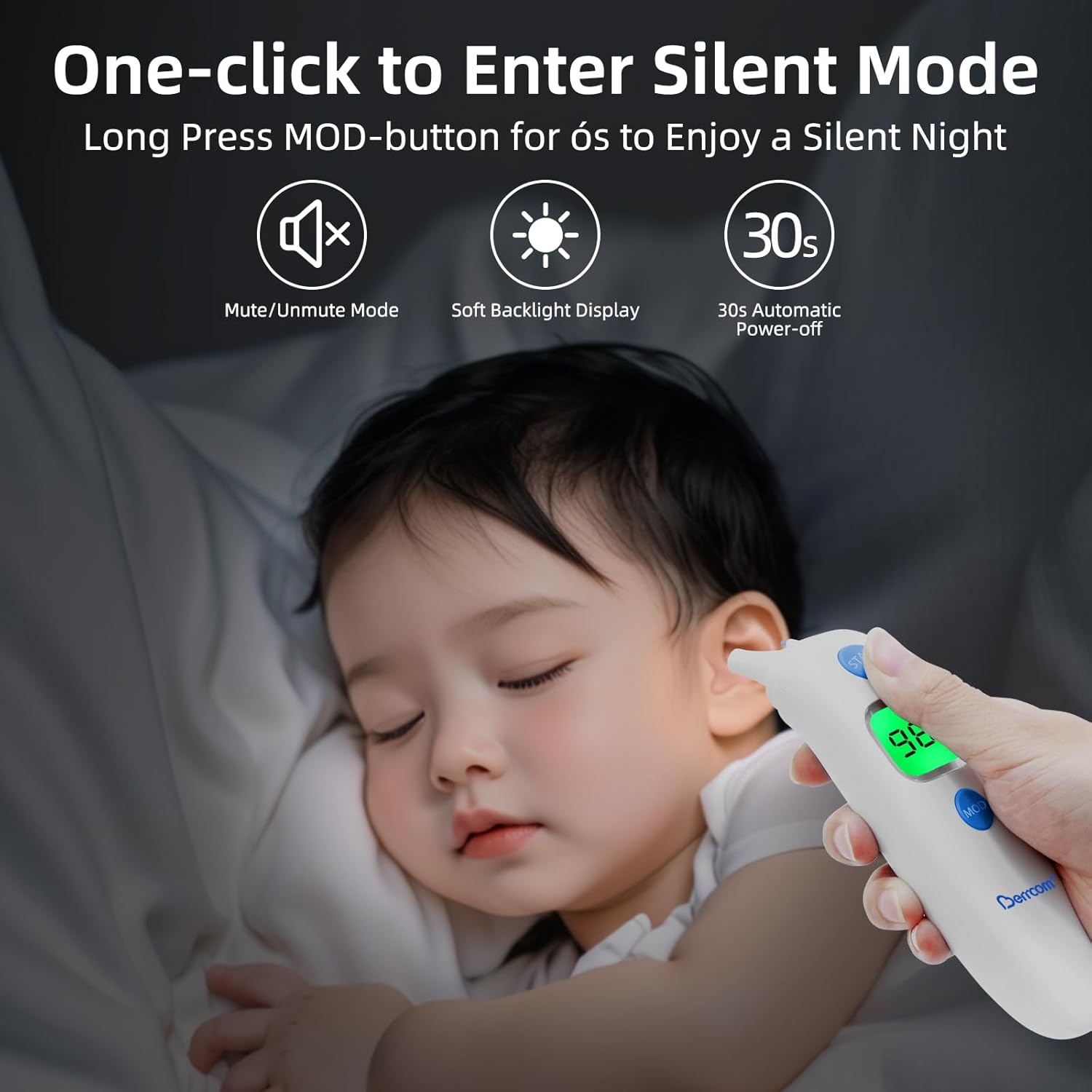
Figure 7: Using the thermometer in silent mode for undisturbed measurements.
5.6 ການເອີ້ນຄືນຄວາມຈຳ
The thermometer can store up to 20 previous readings. To access the memory:
- Press the "MEM" button (typically the rightmost button on the control panel).
- Each press will cycle through the stored readings, allowing you to track temperature changes over time.
5.7 ຫົວໜ່ວຍອຸນຫະພູມສະຫຼັບ (°C/°F)
ເພື່ອສະຫຼັບລະຫວ່າງເຊວຊຽດ (°C) ແລະຟາເຣນຮາຍ (°F):
- While the thermometer is on, press and hold the "MODE" button for a few seconds until the unit changes.
- Release the button once your desired unit is displayed.

Figure 8: Easily switch between Celsius and Fahrenheit temperature units.
6. ບໍາລຸງຮັກສາ
Proper maintenance ensures the longevity and accuracy of your Berrcom thermometer:
- ທໍາຄວາມສະອາດ: Wipe the thermometer clean with a soft, dry cloth after each use. For disinfection, use an alcohol swab or a cloth dampened with rubbing alcohol. Do not immerse the thermometer in water or any other liquid.
- ການເກັບຮັກສາ: Store the thermometer in a cool, dry place, away from direct sunlight, extreme temperatures, and humidity. Keep it out of reach of children.
- ການດູແລຫມໍ້ໄຟ: Remove batteries if the thermometer will not be used for an extended period to prevent battery leakage and damage to the device.
7. ການແກ້ໄຂບັນຫາ
If you encounter issues with your Berrcom thermometer, consider the following common troubleshooting steps:
- ບໍ່ມີບັນຫາກ່ຽວກັບຈໍສະແດງຜົນ/ພະລັງງານ:
- ກວດເບິ່ງວ່າໃສ່ແບັດເຕີລີ່ຖືກໃສ່ຢ່າງຖືກຕ້ອງກັບຂົ້ວທີ່ຖືກຕ້ອງຫຼືບໍ່.
- ປ່ຽນແບັດເກົ່າດ້ວຍແບັດ AA ໃໝ່.
- ການອ່ານທີ່ບໍ່ຖືກຕ້ອງ:
- Ensure the correct measurement mode (Body, Room, Object) is selected.
- Verify the distance from the forehead (1.2-2.0 inches) for non-contact measurements.
- Ensure the sensor lens is clean and free from dirt or debris.
- Allow the thermometer to acclimate to room temperature for at least 30 minutes if it has been in an environment with a significantly different temperature.
- Displaying "HI" or "LO":
- "HI" indicates the measured temperature is higher than the measurable range.
- "LO" indicates the measured temperature is lower than the measurable range.
- Ensure proper measurement technique and environmental conditions are within the specified operating range.
ຖ້າບັນຫາຍັງຄົງຢູ່, ກະລຸນາເບິ່ງທີ່ພາກສ່ວນການຮັບປະກັນ ແລະການຊ່ວຍເຫຼືອສຳລັບການຊ່ວຍເຫຼືອເພີ່ມເຕີມ.
8. ຂໍ້ມູນຈໍາເພາະ
| ຂໍ້ມູນຈໍາເພາະ | ມູນຄ່າ |
|---|---|
| ໝາຍເລກຕົວແບບ | ET003 |
| ຍີ່ຫໍ້ | ເບີຄອມ |
| ແຫຼ່ງພະລັງງານ | ສາກແບັດເຕີລີ່ (ຕ້ອງໃຊ້ແບັດ AA 2 ອັນ) |
| ປະເພດການສະແດງ | ດິຈິຕອລ |
| ຄຸນນະສົມບັດພິເສດ | Backlit, Alarm, Auto Off, High Accuracy |
| ຊ່ວງອາຍຸ (ລາຍລະອຽດ) | Adult, Kid, Infant, Baby, Toddler |
| ວັດສະດຸນອກ | ພາດສະຕິກ |
| ຄໍາແນະນໍາການດູແລຜະລິດຕະພັນ | ເຊັດສະອາດ |
| ຂະໜາດແພັກເກັດ | 7.36 x 2.99 x 2.4 ນິ້ວ |
| ນ້ໍາຫນັກລາຍການ | 5.47 ອອນ |
| ປະເທດຕົ້ນກໍາເນີດ | ຈີນ |
Note: The product specifications are subject to change without prior notice for product improvement.
9. ການຮັບປະກັນແລະການສະຫນັບສະຫນູນ
Your Berrcom 3-in-1 Digital Infrared Thermometer comes with a ຮັບປະກັນການທົດແທນ 12 ເດືອນ. For any product-related inquiries, technical assistance, or warranty claims, please contact Berrcom customer support. We offer 24/7 ສະຫນັບສະຫນູນລູກຄ້າເປັນມິດ ເພື່ອຮັບປະກັນຄວາມພໍໃຈຂອງທ່ານ.
ກະລຸນາເກັບໃບຮັບເງິນການຊື້ຂອງທ່ານໄວ້ເປັນຫຼັກຖານການຊື້ເພື່ອຈຸດປະສົງການຮັບປະກັນ.


