1. ບົດແນະນຳ
This manual provides essential information for setting up, operating, and maintaining your KOOSMILE Mini Laptop P8. The P8 is an 8-inch 2-in-1 convertible laptop featuring Windows 11 Pro, an Intel N150 processor, 12GB LPDDR5 RAM, and a 512GB SSD. Its compact design and versatile modes make it suitable for various tasks and environments.
2. ເນື້ອໃນຊຸດ
ກະລຸນາກວດເບິ່ງຊຸດສຳລັບລາຍການຕໍ່ໄປນີ້:
- KOOSMILE Mini Laptop P8 x1
- PD Adapter x1
- Active Stylus x1
- ສາຍ HDMI x1
- USB Hub x1
- ຄູ່ມືຜູ້ໃຊ້ x1
3. ຜະລິດຕະພັນເກີນview
Familiarize yourself with the physical components and ports of your KOOSMILE Mini Laptop P8.
3.1. ຄຸນນະສົມບັດທີ່ສໍາຄັນ
ຮູບພາບ: ຫຼາຍກວ່າview of the KOOSMILE P8 Mini Laptop highlighting its key features including Intel N150 CPU, 12GB LPDDR5 RAM, SSD storage, 0.78kg weight, 2MP camera, and 8-inch HD IPS screen.
3.2. ພອດ ແລະປຸ່ມຕ່າງໆ
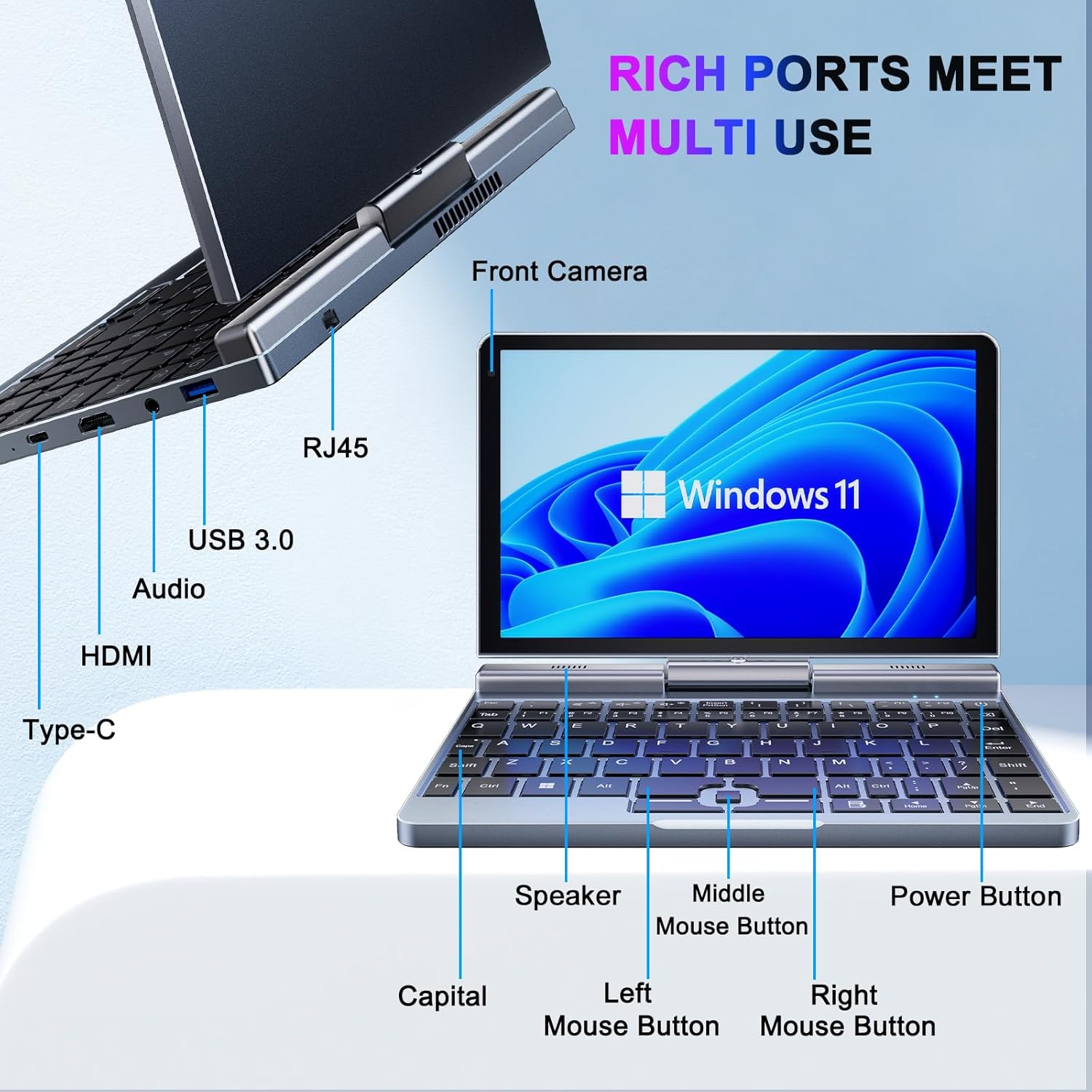
ຮູບພາບ: ລາຍລະອຽດ view of the KOOSMILE P8 Mini Laptop's side ports and keyboard layout, labeling the RJ45 Ethernet port, USB 3.0, Audio jack, HDMI, Type-C port, Front Camera, Speaker, Middle Mouse Button, Left Mouse Button, Right Mouse Button, Power Button, and Capital key.
- ພອດ USB 3.0: ສໍາລັບການເຊື່ອມຕໍ່ອຸປະກອນ USB.
- ພອດ USB Type-C: For data transfer, charging, and DisplayPort (DP) video output.
- HDMI Port: ສໍາລັບການເຊື່ອມຕໍ່ກັບຈໍສະແດງຜົນພາຍນອກ.
- Jack ສຽງ: ສໍາລັບຫູຟັງຫຼືລໍາໂພງພາຍນອກ.
- RJ45 Ethernet Port: ສໍາລັບການເຊື່ອມຕໍ່ເຄືອຂ່າຍມີສາຍ.
- ປຸ່ມເປີດປິດ: ເພື່ອເປີດ/ປິດອຸປະກອນ ຫຼື ເຮັດໃຫ້ມັນເຂົ້າສູ່ໂໝດນອນ.
- ກ້ອງໜ້າ: 2MP camera for video calls and conferencing.
4. ຕັ້ງຄ່າ
Follow these steps for initial setup of your KOOSMILE Mini Laptop P8.
- ສາກອຸປະກອນ: Connect the PD Adapter to the USB Type-C port on the laptop and plug it into a power outlet. Allow the device to charge fully before first use.
- ເປີດ: Press and hold the Power Button until the screen illuminates.
- ການຕິດຕັ້ງ Windows 11 Pro: ປະຕິບັດຕາມຄໍາແນະນໍາໃນຫນ້າຈໍເພື່ອເຮັດສໍາເລັດການຕິດຕັ້ງ Windows 11 Pro ເບື້ອງຕົ້ນ, ລວມທັງການເລືອກພາສາ, ການເຊື່ອມຕໍ່ເຄືອຂ່າຍ, ແລະການສ້າງບັນຊີຜູ້ໃຊ້.
- ເຊື່ອມຕໍ່ອຸປະກອນຕໍ່ພ່ວງ: If desired, connect the included USB Hub, external mouse, or other peripherals to the available USB ports.
5. ຄໍາແນະນໍາການດໍາເນີນງານ
This section covers basic operation and usage modes of your device.
5.1. ເປີດ/ປິດ ແລະໂໝດນອນ
- ເປີດ: ກົດປຸ່ມເປີດປິດ.
- ຮູບແບບການນອນ: Briefly press the Power Button while the device is on. Press again to wake.
- ປິດລົງ: From the Windows desktop, click the Start button, then Power, and select 'Shut down'.
- ຣີສະຕາດ: From the Windows desktop, click the Start button, then Power, and select 'Restart'.
5.2. 2-in-1 Convertible Modes
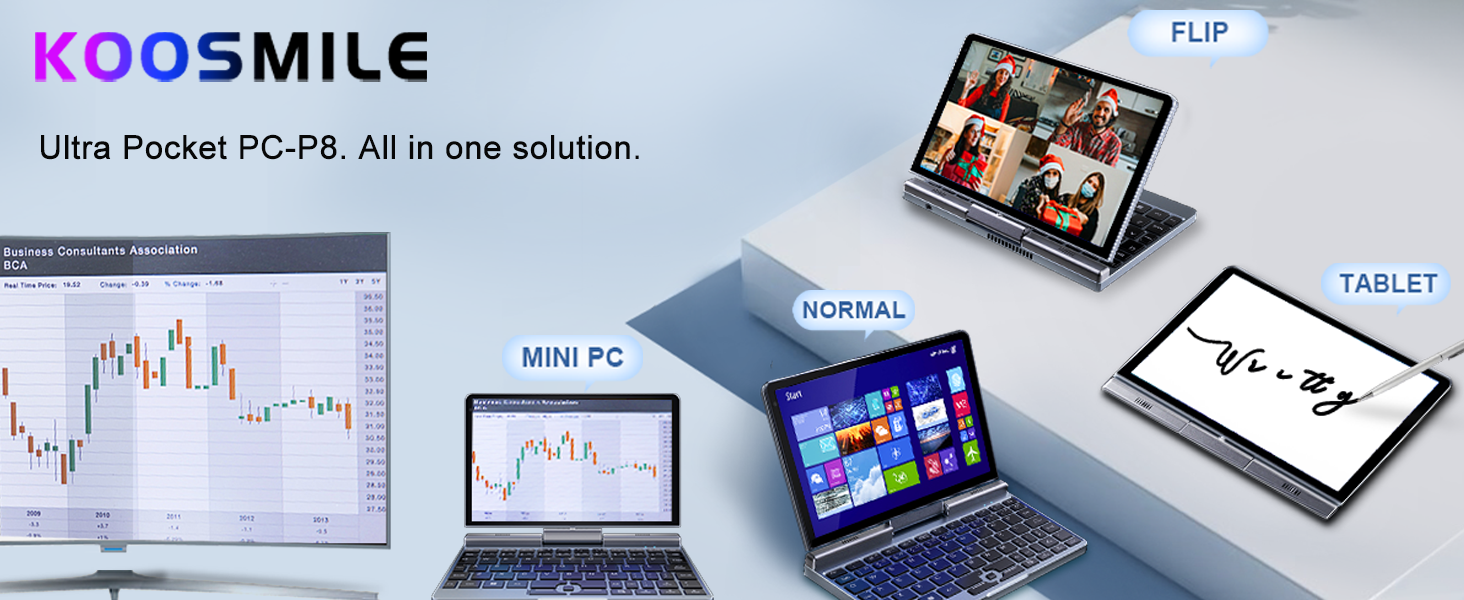
The KOOSMILE P8 features a 180° rotating screen, allowing it to transform into multiple modes:
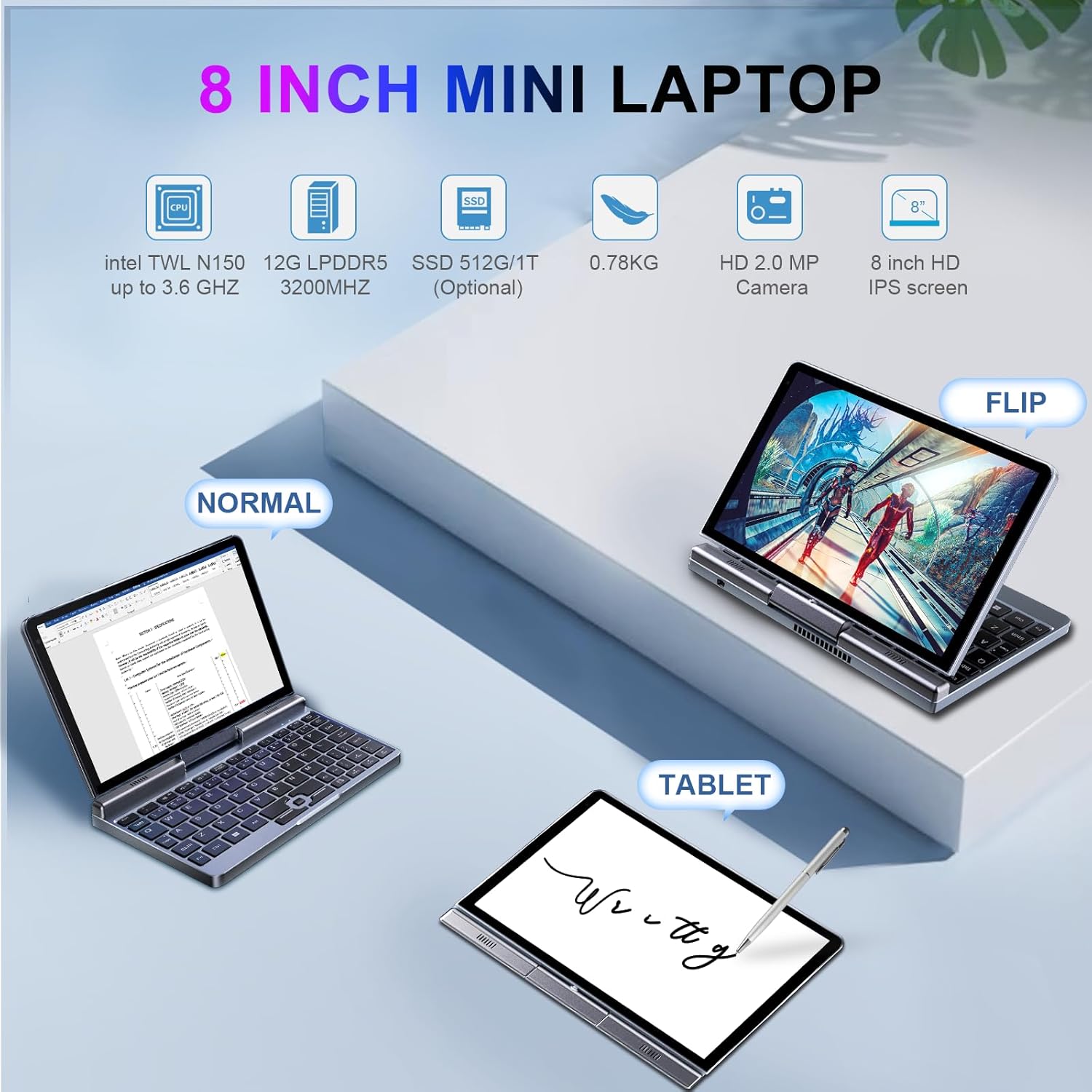
Image: The KOOSMILE P8 Mini Laptop shown in three different modes: Normal (laptop), Flip (tent/stand), and Tablet mode, demonstrating its 180-degree screen rotation capability.
- ໂໝດແລັບທັອບ: Standard configuration for typing and traditional computing.
- ໂໝດແທັບເລັດ: Rotate the screen 180° and fold it back against the keyboard for a full touchscreen experience. Windows will automatically switch to tablet interface.
- Tent/Stand Mode: Position the device in an inverted 'V' shape or with the keyboard facing down for media consumption or presentations.
5.3. Touchscreen and Stylus Use
The 8-inch HD touch screen supports multi-touch gestures and input from the included active stylus.
- ທ່າທາງສໍາຜັດ: Use standard Windows touch gestures for navigation, zooming, and scrolling.
- ປາກກາທີ່ໃຊ້ງານໄດ້: The stylus allows for precise input, drawing, and note-taking. Ensure the stylus is charged if it requires power.
5.4. External Display Connection
Connect your laptop to an external monitor or TV using the HDMI or USB Type-C (DisplayPort Alt Mode) ports.

Image: The KOOSMILE P8 Mini Laptop connected to an external monitor via HDMI, illustrating its Type-C DisplayPort (DP) out and HDMI DisplayPort (DP) out capabilities for extended display.
- HDMI: Use the included HDMI cable to connect to an HDMI-compatible display.
- USB Type-C: If your external display supports DisplayPort over USB-C, you can use a compatible USB-C to DisplayPort cable.
- ການຕັ້ງຄ່າການສະແດງຜົນ: After connecting, press Windows Key + P to select your preferred display mode (Duplicate, Extend, Second screen only).
6. ການເຊື່ອມຕໍ່
The KOOSMILE P8 offers various connectivity options.
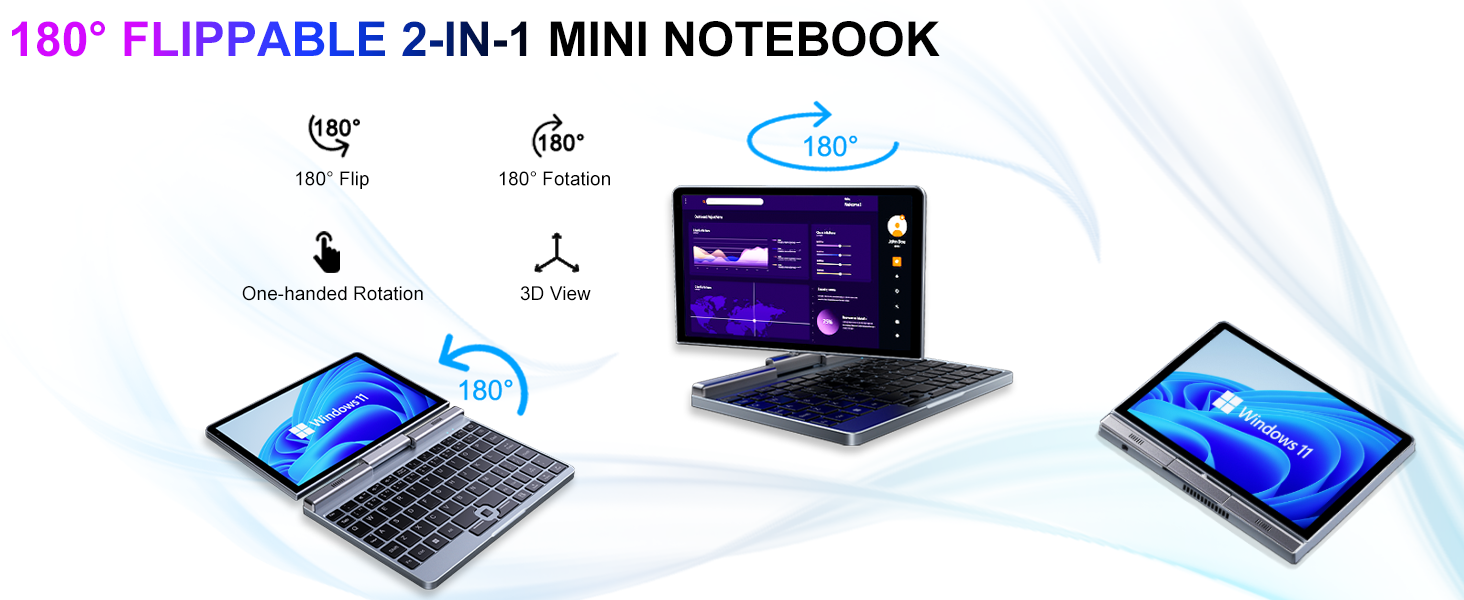
Image: Graphic illustrating the high-speed connectivity of the KOOSMILE P8 Mini Laptop, featuring Wi-Fi 6 and Bluetooth 5.2, with comparison bars showing improved speed, capacity, and reduced delay compared to Wi-Fi 5.
6.1. ການເຊື່ອມຕໍ່ Wi-Fi
- ຄລິກໄອຄອນ Wi-Fi ໃນແຖບໜ້າວຽກ.
- ເລືອກເຄືອຂ່າຍທີ່ຕ້ອງການຂອງທ່ານແລະໃສ່ລະຫັດຜ່ານຖ້າຖືກຖາມ.
- The device supports Wi-Fi 6 for faster and more stable wireless connections.
6.2. ການຈັບຄູ່ Bluetooth
- ໄປທີ່ Settings > Bluetooth & devices > Bluetooth.
- Turn on Bluetooth and select 'Add device'.
- Choose the device you wish to pair and follow the on-screen instructions.
- The device supports Bluetooth 5.2 for efficient wireless accessory connections.
6.3. Wired Ethernet
- Connect an Ethernet cable to the RJ45 port on the laptop for a stable wired network connection.
7. ບໍາລຸງຮັກສາ
ການດູແລທີ່ເຫມາະສົມຮັບປະກັນຄວາມທົນທານແລະປະສິດທິພາບຂອງອຸປະກອນຂອງທ່ານ.
- ທໍາຄວາມສະອາດ: ໃຊ້ຜ້າອ່ອນໆທີ່ບໍ່ມີຂົນເພື່ອທຳຄວາມສະອາດໜ້າຈໍ ແລະ ຕົວເຄື່ອງ. ສຳລັບຮອຍທີ່ຝັງແໜ້ນ, dampໃສ່ຜ້າເລັກນ້ອຍດ້ວຍນ້ໍາຫຼືເຄື່ອງເຮັດຄວາມສະອາດຫນ້າຈໍທີ່ປອດໄພ. ຫຼີກເວັ້ນການສານເຄມີທີ່ຮຸນແຮງ.
- ການລະບາຍອາກາດ: ໃຫ້ແນ່ໃຈວ່າບໍ່ປິດຊ່ອງລະບາຍອາກາດເພື່ອປ້ອງກັນຄວາມຮ້ອນເກີນໄປ.
- ການດູແລຫມໍ້ໄຟ: For optimal battery life, avoid fully discharging the battery frequently. Store the device in a cool, dry place if not used for extended periods.
- ອັບເດດຊອບແວ: Regularly update Windows and drivers to ensure system stability and security.
8. ການແກ້ໄຂບັນຫາ
ພາກສ່ວນນີ້ແກ້ໄຂບັນຫາທົ່ວໄປທີ່ທ່ານອາດຈະພົບ.
8.1. Screen Orientation Issues
- ໝຸນອັດຕະໂນມັດ: When switching between laptop and tablet modes, the screen should automatically adjust its orientation.
- ການຫມຸນດ້ວຍມື: If the screen does not rotate automatically or is stuck in an incorrect orientation, press Windows Key + A to open the Quick Settings panel. Look for the 'Rotation lock' tile and ensure it is off. You can also go to ການຕັ້ງຄ່າ > ລະບົບ > ຈໍສະແດງຜົນ and manually change the 'Display orientation'.
8.2. ອຸປະກອນບໍ່ເປີດ
- ກວດສອບພະລັງງານ: Ensure the PD adapter is securely connected to the laptop and a working power outlet.
- ລະດັບຫມໍ້ໄຟ: ຖ້າແບັດເຕີຣີໝົດແລ້ວ, ມັນອາດຈະໃຊ້ເວລາສາກໄຟສອງສາມນາທີກ່ອນທີ່ອຸປະກອນຈະສາມາດເປີດໄດ້.
- Hard Reset: Disconnect the charger, then press and hold the Power Button for 15-20 seconds. Reconnect the charger and attempt to power on again.
8.3. ບັນຫາການເຊື່ອມຕໍ່ Wi-Fi
- ສະຫຼັບ Wi-Fi: Turn Wi-Fi off and on again from the Quick Settings or Windows Settings.
- ຣີສະຕາດເຣົາເຕີ: ຣີສະຕາດເລົາເຕີ Wi-Fi ແລະໂມເດັມຂອງທ່ານ.
- ລືມເຄືອຂ່າຍ: In Windows Settings, forget the problematic Wi-Fi network and reconnect.
9. ຂໍ້ມູນຈໍາເພາະ
Detailed technical specifications for the KOOSMILE Mini Laptop P8.
| ຄຸນສົມບັດ | ຂໍ້ມູນຈໍາເພາະ |
|---|---|
| ໂຮງງານຜະລິດ | Intel N150 (4 Cores/4 Threads, up to 3.6 GHz) |
| RAM | 12GB LPDDR5 3200 MHz |
| ການເກັບຮັກສາ | 512GB SSD (ສາມາດເພີ່ມໄດ້ສູງສຸດ 2TB) |
| ຈໍສະແດງຜົນ | 8-inch HD Touch Screen, 1280x800 pixels |
| ລະບົບປະຕິບັດການ | Windows 11 Pro |
| ຮູບພາບ | Intel UHD Graphics (ປະສົມປະສານ) |
| ການເຊື່ອມຕໍ່ໄຮ້ສາຍ | Wi-Fi 6, Bluetooth 5.2 |
| ທ່າເຮືອ | 1x USB 3.0, 1x USB Type-C (DP Out), 1x HDMI (DP Out), 1x Headphone Jack, 1x RJ45 Ethernet |
| ກ້ອງຖ່າຍຮູບ | ກ້ອງໜ້າ 2MP |
| ນ້ຳໜັກ | 0.78 ກິໂລ (1.72 ປອນ) |
| ຂະໜາດ (LxWxH) | 7.87 x 5.51 x 0.79 ນິ້ວ |
| ແບັດເຕີຣີ | 36.5 WH, PD 30W Charging |
9.1. ປະສິດທິພາບເກີນview
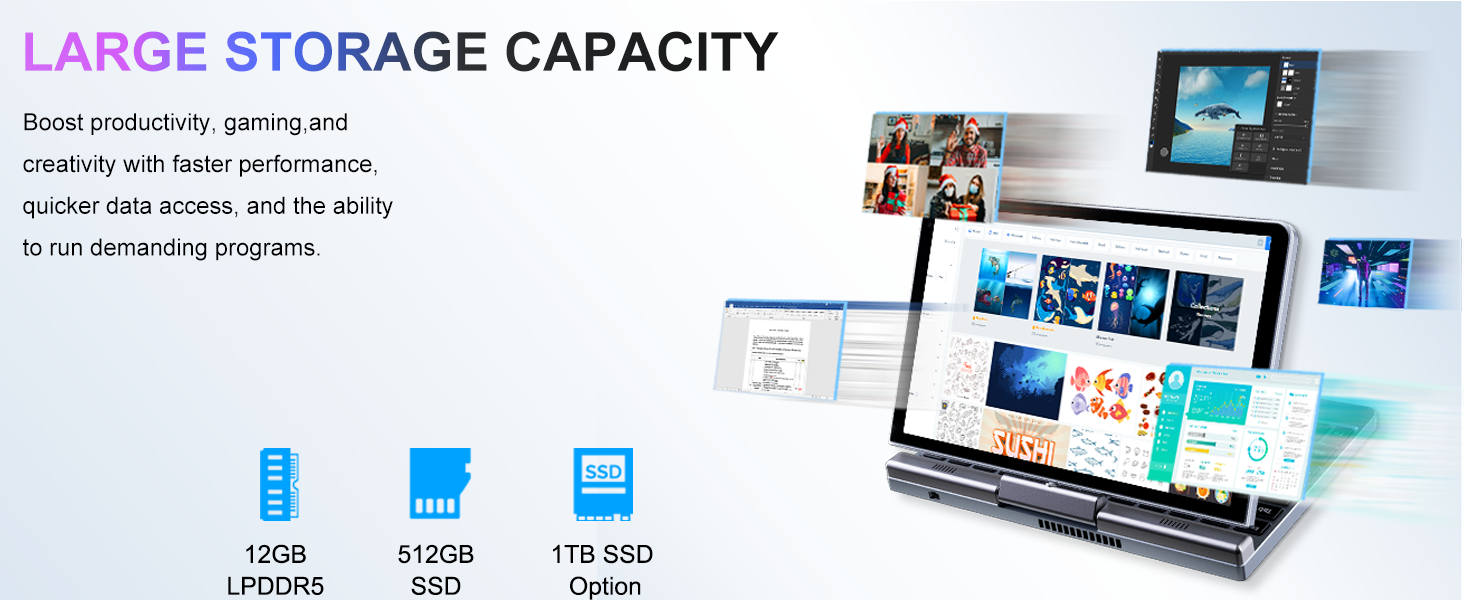
Image: Graphic detailing the performance aspects of the KOOSMILE P8 Mini Laptop, highlighting the Intel TwinLake N150 processor (4 cores, 4 threads, 3.6GHz turbo frequency, 10nm process) and Intel UHD Graphics for smooth content streaming and immersive experiences.
9.2. ຄວາມອາດສາມາດເກັບຮັກສາ
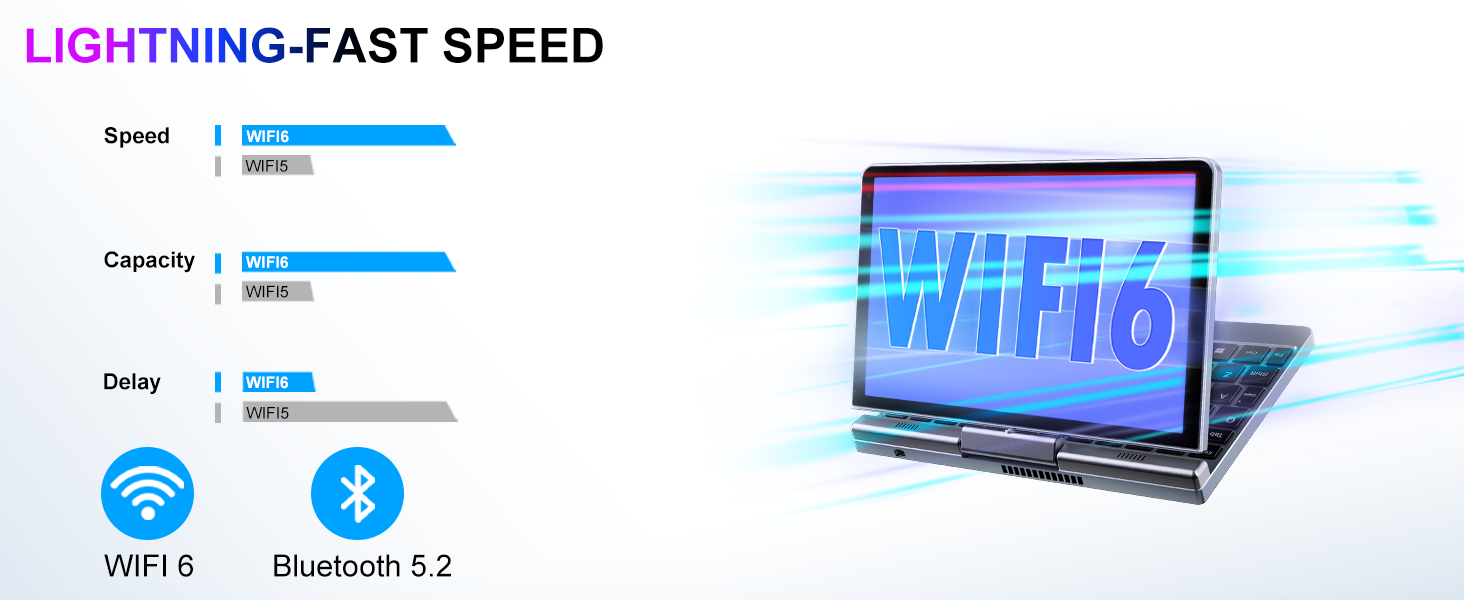
Image: Graphic illustrating the large storage capacity of the KOOSMILE P8 Mini Laptop, featuring 12GB LPDDR5 RAM, 512GB SSD, and an option for 1TB SSD, designed to boost productivity and handle demanding programs.
9.3. Compact Size and Weight
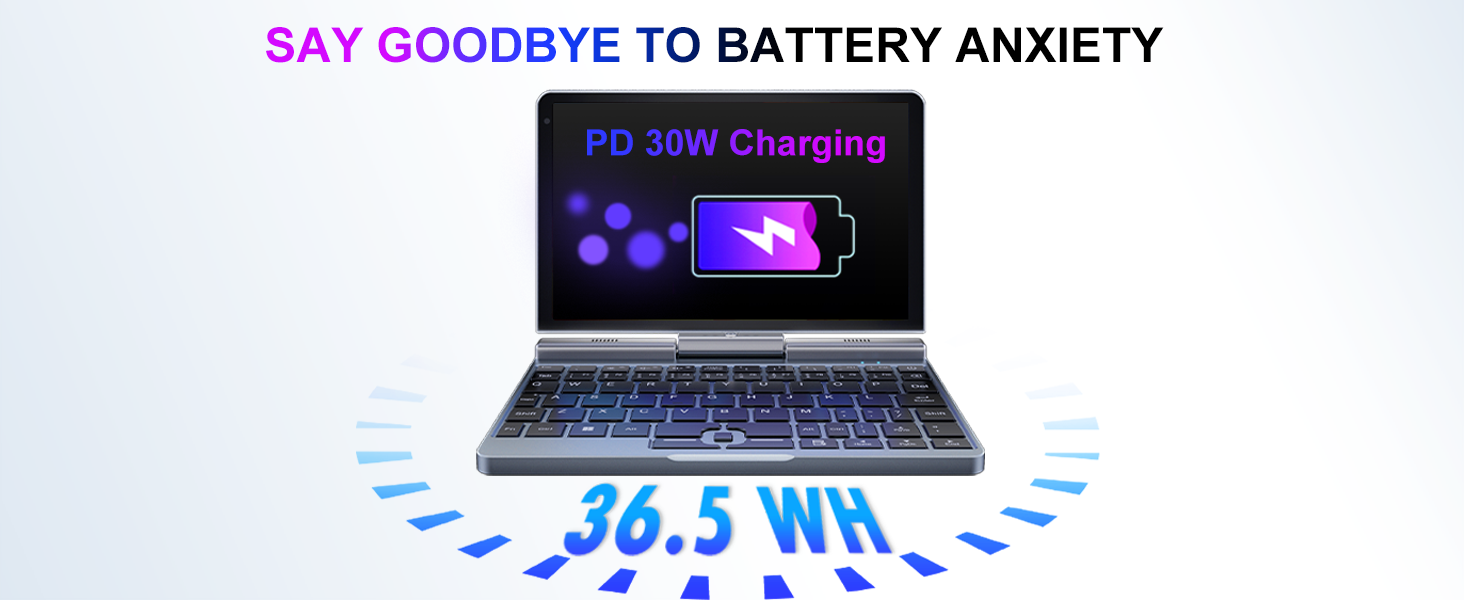
Image: Graphic demonstrating the ultra-compact size and light weight of the KOOSMILE P8 Mini Laptop, showing its 8.0-inch portable screen, 0.78-inch thin profile, and 0.78kg weight, compared to a smartphone for scale.
9.4. ຂໍ້ມູນຫມໍ້ໄຟ
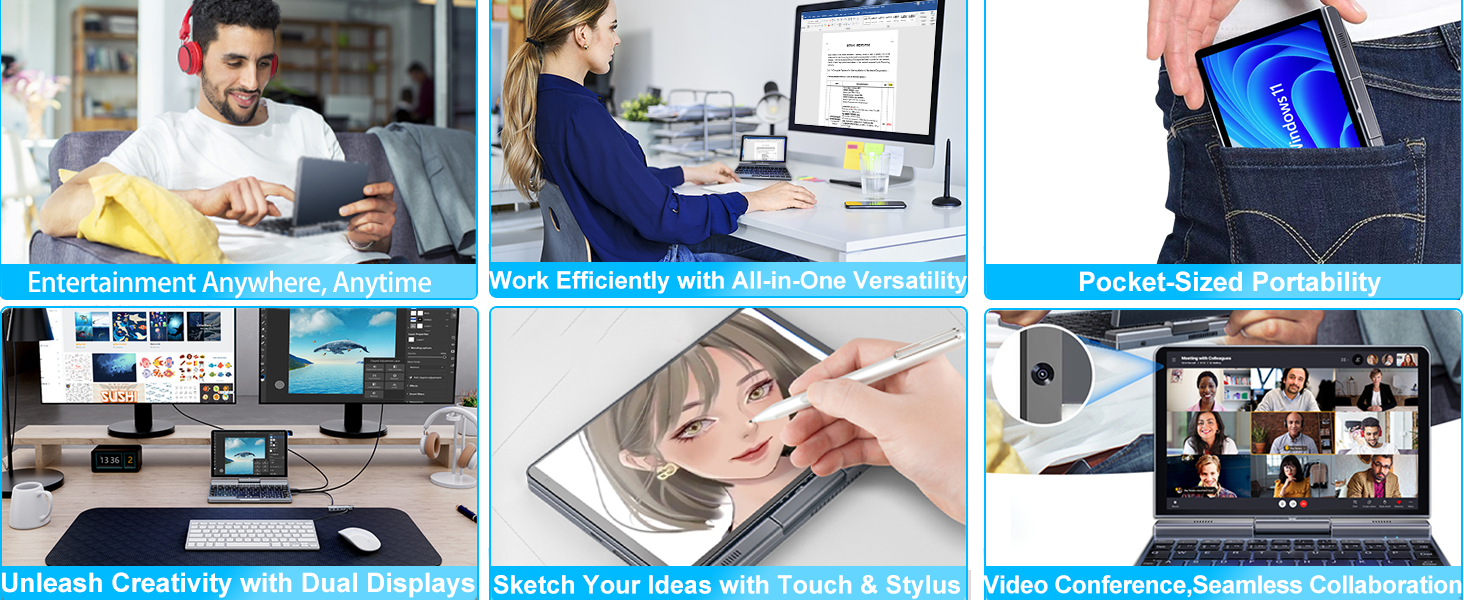
Image: Graphic highlighting the battery features of the KOOSMILE P8 Mini Laptop, indicating 36.5 WH battery capacity and PD 30W charging support to alleviate battery anxiety.
10. ການຮັບປະກັນແລະການສະຫນັບສະຫນູນ
Your KOOSMILE Mini Laptop P8 comes with a 1-year warranty. For technical assistance, troubleshooting, or warranty claims, please contact our customer support team. We provide 24-hour customer support to ensure a worry-free experience.
Please refer to the warranty card included in your package for detailed terms and conditions.


