ແນະນຳ
Thank you for choosing Bluedee Computer Speakers. These speakers are designed to provide clear, balanced audio for your desktop PC, laptop, or projector. Featuring 10W high-power drivers, they deliver crisp vocals and rich sound, enhancing your gaming, movie-watching, and music listening experiences. With a simple plug-and-play USB/Type-C connection and dynamic RGB lighting, these speakers offer both convenience and aesthetic appeal.
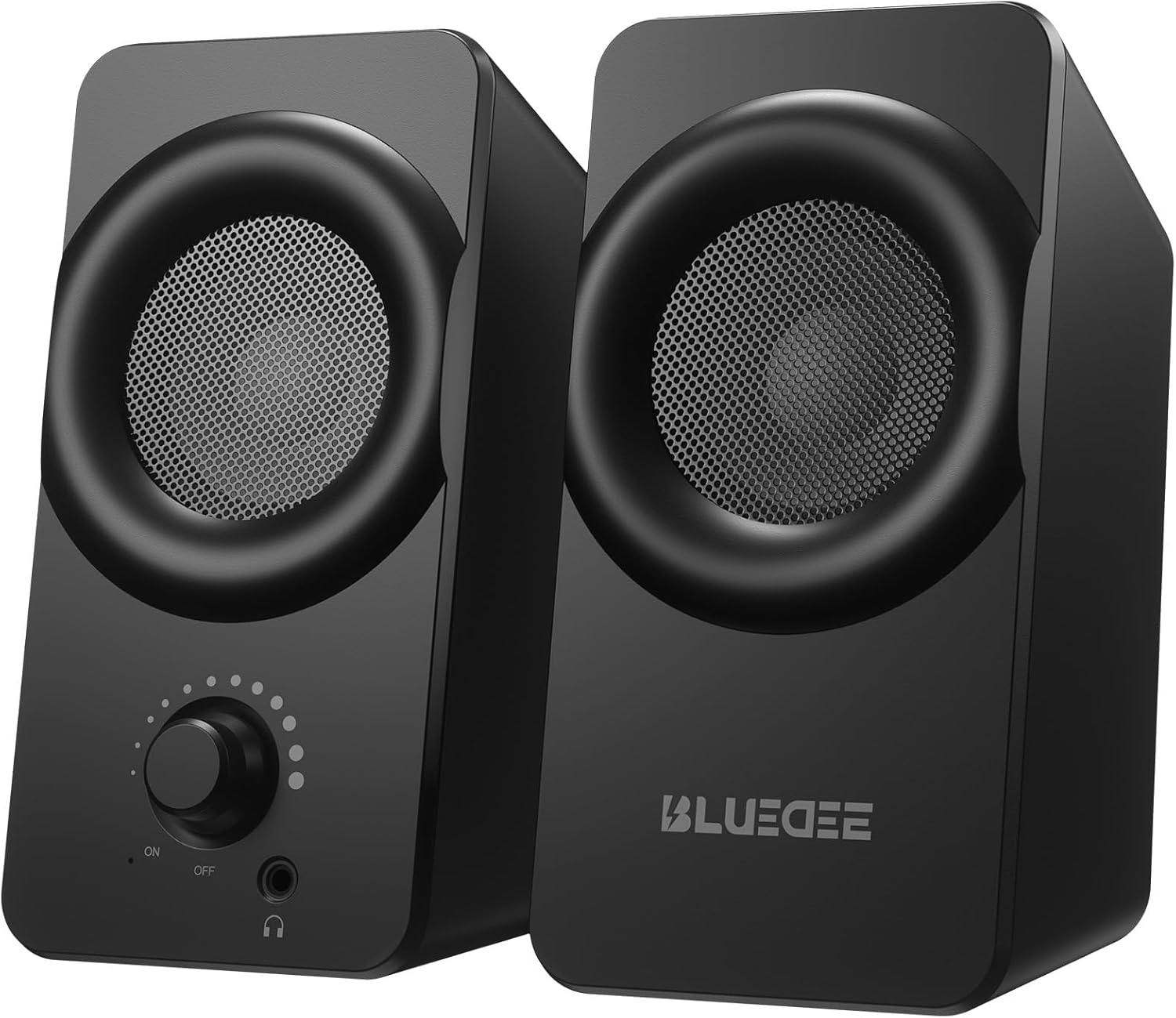
ຮູບພາບ: ທາງຫນ້າ view of the two Bluedee computer speakers, showcasing their compact black design with circular speaker grilles and a volume knob on the right speaker.
ແມ່ນຫຍັງຢູ່ໃນກ່ອງ
Upon opening your Bluedee Computer Speakers package, you will find the following items:
- Two (2) Bluedee Computer Speakers
- Integrated USB/Type-C Cable (Undetachable)
- ຄູ່ມືຜູ້ໃຊ້ (ເອກະສານນີ້)
Video: An unboxing and setup guide for the Bluedee computer speakers, demonstrating what's included in the package and how to connect the speakers.
ຕັ້ງຄ່າ
Setting up your Bluedee Computer Speakers is quick and straightforward, thanks to their plug-and-play design.
- ການຈັດວາງ: Position the two speakers on your desk or desired surface. Ensure they are stable and the non-slip pads on the bottom are making full contact to minimize vibrations.
- Connect to Power/Audio: The speakers are powered and receive audio via a single USB/Type-C cable.
- If your device has a USB-C port, connect the Type-C end of the cable directly.
- If your device has a standard USB-A port, use the included USB-A adapter to connect the cable.
- ເປີດ: Rotate the volume knob on the front of the right speaker clockwise until you hear a click to turn the speakers ON.

Image: A close-up of the USB/Type-C cable connecting to a laptop, illustrating the versatile connectivity options for the speakers.
For a visual guide on connecting your speakers, please refer to the "What's in the Box & How to Use" video in the previous section, specifically from the 0:18 mark.
ຄໍາແນະນໍາການດໍາເນີນງານ
Your Bluedee speakers are designed for intuitive control.
- ການຄວບຄຸມລະດັບສຽງ: The large knob on the front of the right speaker controls both power and volume.
- ໝຸນຕາມເຂັມໂມງເພື່ອເພີ່ມປະລິມານ.
- ໝຸນທວນເຂັມໂມງເພື່ອຫຼຸດລະດັບສຽງ.
- Rotate fully counter-clockwise until it clicks to turn the speakers OFF.
- ແສງ RGB: The speakers feature dynamic RGB lights that can be controlled with a touch-sensitive symbol on top of the right speaker.
- Tap the light symbol once to turn the RGB lights ON or OFF.
- The lights will pulse with your music or game audio, creating an immersive atmosphere.
- ຫູຟັງ Jack: A 3.5mm headphone jack is located on the front of the right speaker.
- Plug in your headphones for a private listening experience.
- Connecting headphones will automatically mute the speakers.

ຮູບພາບ: A ລາຍລະອຽດ view of the right speaker's controls, highlighting the volume knob, headphone jack, and the touch-sensitive RGB light control symbol.
For a demonstration of the controls, including power, volume, and RGB light operation, please refer to the "What's in the Box & How to Use" video from the 0:29 mark.
ບໍາລຸງຮັກສາ
To ensure the longevity and optimal performance of your Bluedee Computer Speakers, follow these simple maintenance guidelines:
- ທໍາຄວາມສະອາດ: ໃຊ້ຜ້າປຽກອ່ອນໆເຊັດບໍລິເວນລຳໂພງ. ຫຼີກເວັ້ນການໃຊ້ເຄື່ອງເຮັດຄວາມສະອາດຂັດ, ສານລະລາຍ, ຫຼືສານເຄມີທີ່ເຂັ້ມແຂງ, ເພາະວ່າສິ່ງເຫຼົ່ານີ້ສາມາດທໍາລາຍການສໍາເລັດຮູບ.
- ການກຳຈັດຂີ້ຝຸ່ນ: Gently brush away any dust from the speaker grilles using a soft brush or a can of compressed air.
- ການເກັບຮັກສາ: ເມື່ອບໍ່ໄດ້ໃຊ້ເປັນເວລາດົນ, ໃຫ້ເກັບຮັກສາລຳໂພງໄວ້ໃນບ່ອນເຢັນ, ແຫ້ງແລ້ງ ຫ່າງຈາກແສງແດດໂດຍກົງ ແລະ ອຸນຫະພູມທີ່ຮ້າຍກາດ.
- ຫຼີກລ້ຽງການຂອງແຫຼວ: Do not expose the speakers to water or other liquids. They are not waterproof.
ການແກ້ໄຂບັນຫາ
If you encounter any issues with your Bluedee Computer Speakers, please refer to the following troubleshooting steps:
| ບັນຫາ | ສາເຫດທີ່ເປັນໄປໄດ້ | ການແກ້ໄຂ |
|---|---|---|
| ບໍ່ມີສຽງຈາກ ລຳ ໂພງ |
|
|
| ສຽງບິດເບືອນຫຼືບໍ່ຈະແຈ້ງ |
|
|
| ໄຟ RGB ບໍ່ເຮັດວຽກ |
|
|
If the problem persists after trying these steps, please contact Bluedee Customer Support for further assistance.
ຂໍ້ມູນຈໍາເພາະ
Detailed specifications for your Bluedee Computer Speakers:
| ຄຸນສົມບັດ | ລາຍລະອຽດ |
|---|---|
| ຊື່ຕົວແບບ | BD-SK800 |
| ປະເພດລຳໂພງ | ລຳ ໂພງຄອມພິວເຕີ |
| ເຕັກໂນໂລຊີການເຊື່ອມຕໍ່ | USB (includes Type-C adapter) |
| ລຳໂພງກຳລັງຜົນຜະລິດສູງສຸດ | 10 ວັດ |
| ຂະໜາດສິນຄ້າ (L x W x H) | 3.74"D x 3.15"W x 6.11"H |
| ນ້ໍາຫນັກລາຍການ | 1.6 ປອນ |
| ວັດສະດຸ | ໂລຫະ, ພາດສະຕິກ |
| ວິທີການຄວບຄຸມ | Touch (for RGB lights) |
| ປະເພດການຄວບຄຸມ | Knob (for volume/power) |
| ຮູບແບບການອອກສຽງ | ສະເຕຣິໂອ |
| ແຫຼ່ງພະລັງງານ | ໄຟຟ້າສາຍ (ຜ່ານ USB) |
| UPC | 732133620731 |

Image: The two speakers shown with their dimensions (length, width, height) overlaid, emphasizing their compact size.
ການຮັບປະກັນແລະການສະຫນັບສະຫນູນ
Bluedee stands behind the quality of its products. Your Bluedee Computer Speakers are backed by an ຮັບປະກັນຄຸນນະພາບ 18 ເດືອນ.
If you encounter any issues or have questions regarding your product, please do not hesitate to contact Bluedee Customer Support. We are committed to resolving any concerns within 24 hours.
For support, please reach out to the seller, HanMeng Direct, through the platform where you made your purchase.
Additional protection plans may be available for purchase separately. Please refer to your purchase details for more information on extended warranty options.


