1. ບົດແນະນຳ
Thank you for choosing the GOBOULT Fluid X Bluetooth Wireless Headphones. This manual provides essential information for the safe and efficient use of your new headphones. Please read it carefully before use and retain it for future reference.
The GOBOULT Fluid X headphones offer a premium audio experience with features such as 60 hours of playtime, a Zen ENC microphone for clear calls, 40mm bass drivers, Combat™ Gaming Mode, and Bluetooth 5.4 connectivity.
2. ສິ່ງທີ່ຢູ່ໃນກ່ອງ
ກະລຸນາກວດສອບເນື້ອໃນຂອງຊຸດເພື່ອໃຫ້ແນ່ໃຈວ່າລາຍການທັງຫມົດມີຢູ່:
- GOBOULT Fluid X Headphones
- ສາຍໄຟແບບ Type-C
- ຄູ່ມືຜູ້ໃຊ້
- ເບາະຫູ (ຕິດຕັ້ງລ່ວງໜ້າ)
- ບັດຮັບປະກັນ
3. ຜະລິດຕະພັນເກີນview
Familiarize yourself with the components and controls of your GOBOULT Fluid X headphones.

Image: GOBOULT Fluid X Headphones, black color, showcasing the over-ear design and headband.
3.1 ການຄວບຄຸມແລະພອດ

Image: Close-up of the right earcup showing button controls for Voice Assistant, Volume Up, Volume Down, and Power.
- ປຸ່ມເປີດປິດ: Used for powering on/off and pairing.
- ປະລິມານຂຶ້ນ (+): ເພີ່ມລະດັບສຽງ.
- ປະລິມານລົງ (-): ຫຼຸດລະດັບສຽງ.
- ປຸ່ມຫຼາຍຟັງຊັນ (MFB): ຄວບຄຸມການຫຼິ້ນ, ໂທ, ແລະຜູ້ຊ່ວຍສຽງ.
- ຜອດສາກໄຟ Type-C: ສໍາລັບການສາກໄຟຫູຟັງ.
- Jack ສຽງ 3.5mm: For wired connection (if applicable).
3.2 ລັກສະນະການອອກແບບ

Image: Demonstrates the adjustable headband and foldable design of the GOBOULT Fluid X headphones for portability and comfort.
- ສາຍຫົວສາມາດປັບໄດ້: ສໍາລັບການເຫມາະທີ່ສະດວກສະບາຍແລະປອດໄພ.
- ການອອກແບບແບບພັບ: ອະນຸຍາດໃຫ້ມີການເກັບຮັກສາ ແລະ ການພົກພາທີ່ກະທັດຮັດ.
- Movable Earcups: Designed for maximum comfort during extended use.
- ໝອນຫູໂຟມໜ່ວຍຄວາມຈຳ: Provides enhanced comfort and passive noise isolation.
4. ຕັ້ງຄ່າ
4.1 ການສາກຫູຟັງ
Before first use, fully charge your GOBOULT Fluid X headphones.

Image: Highlights the 60-hour playtime and Type-C fast charging feature, showing 10 minutes of charge provides 3 hours of playtime.
- ເຊື່ອມຕໍ່ສາຍສາກໄຟ Type-C ເຂົ້າກັບພອດສາກໄຟໃນຫູຟັງ.
- ເຊື່ອມຕໍ່ອີກສົ້ນຂອງສາຍກັບອະແດັບເຕີໄຟ USB (ບໍ່ລວມ) ຫຼືພອດ USB ຂອງຄອມພິວເຕີ.
- ຕົວຊີ້ວັດ LED ຈະສະແດງສະຖານະການສາກໄຟ (ເຊັ່ນ: ສີແດງສໍາລັບການສາກໄຟ, ສີຟ້າ/ປິດສໍາລັບການສາກເຕັມ).
- A full charge provides up to 60 hours of playtime. Fast charging allows for 3 hours of playtime with just 10 minutes of charge.
4.2 ການຈັບຄູ່ Bluetooth
ຈັບຄູ່ຫູຟັງຂອງທ່ານກັບອຸປະກອນຂອງທ່ານເພື່ອສຽງໄຮ້ສາຍ.

Image: Illustrates the seamless Bluetooth 5.4 connectivity and fast pairing process with a smartphone.
- ກວດໃຫ້ແນ່ໃຈວ່າຫູຟັງຖືກສາກ ແລະປິດແລ້ວ.
- ກົດປຸ່ມເປີດປິດຄ້າງໄວ້ປະມານ 5-7 ວິນາທີ ຈົນກວ່າໄຟ LED ຈະກະພິບເປັນສີແດງ ແລະ ສີຟ້າສະຫຼັບກັນ, ເຊິ່ງເປັນຕົວຊີ້ບອກເຖິງໂໝດການຈັບຄູ່.
- ໃນອຸປະກອນຂອງທ່ານ (ໂທລະສັບສະຫຼາດ, ແທັບເລັດ, ແລັບທັອບ), ເປີດໃຊ້ Bluetooth ແລະຊອກຫາອຸປະກອນທີ່ມີຢູ່.
- Select "GOBOULT Fluid X" from the list of devices.
- ເມື່ອເຊື່ອມຕໍ່ແລ້ວ, ໄຟ LED ຈະປ່ຽນເປັນສີຟ້າເຂັ້ມ ຫຼື ກະພິບຊ້າໆ.
- ຫູຟັງຈະເຊື່ອມຕໍ່ໃໝ່ໂດຍອັດຕະໂນມັດກັບອຸປະກອນທີ່ຈັບຄູ່ສຸດທ້າຍເມື່ອເປີດເຄື່ອງ, ຖ້າຢູ່ໃນຂອບເຂດ.
5. ຄໍາແນະນໍາການດໍາເນີນງານ
5.1 ເປີດ/ປິດ
- ເປີດ: ກົດປຸ່ມເປີດປິດຄ້າງໄວ້ 3 ວິນາທີ.
- ປິດພະລັງງານ: ກົດປຸ່ມເປີດປິດຄ້າງໄວ້ 5 ວິນາທີ.
5.2 ການຫລີ້ນດົນຕີ
- ຫຼິ້ນ/ຢຸດ: ກົດ MFB ຫນຶ່ງຄັ້ງ.
- ເພງຕໍ່ໄປ: Press and hold Volume Up (+) for 2 seconds.
- ຕິດຕາມກ່ອນ ໜ້າ ນີ້: Press and hold Volume Down (-) for 2 seconds.
- ປະລິມານຂຶ້ນ: Short press Volume Up (+).
- ປະລິມານລົງ: Short press Volume Down (-).
5.3 ຟັງຊັນການໂທ

Image: Highlights the Zen ENC (Environmental Noise Cancellation) microphone for clear voice pickup and surround noise reduction during calls.
- ຮັບ/ສາຍໂທ: ກົດ MFB ຫນຶ່ງຄັ້ງ.
- ປະຕິເສດການໂທ: ກົດ MFB ຄ້າງໄວ້ 2 ວິນາທີ.
- ໂທຫາເບີສຸດທ້າຍ: ກົດສອງຄັ້ງ MFB.
5.4 Combat™ Gaming Mode
Activate Combat™ Gaming Mode for ultra-low latency audio, optimized for gaming.

Image: Shows the headphones with a graphic indicating 50ms ultra-low latency, optimized for mobile gaming with Combat™ Gaming Mode.
- Activate/Deactivate Gaming Mode: Refer to the specific button combination in your quick start guide or product packaging. Typically, this is a triple-press of the MFB or a dedicated button.
5.5 ຜູ້ຊ່ວຍສຽງ
Access your device's voice assistant (Siri, Google Assistant) directly from your headphones.
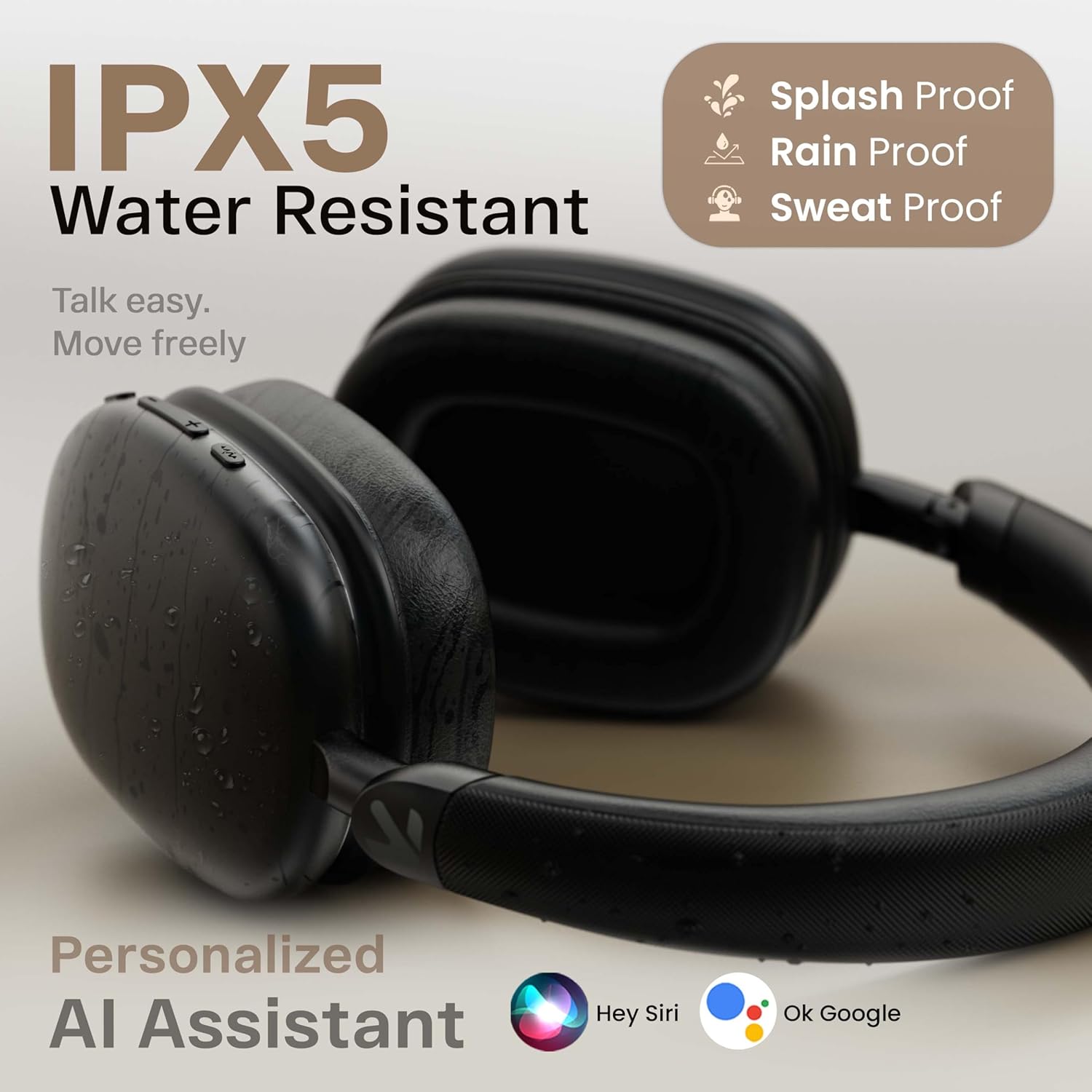
Image: Displays the headphones with icons for Hey Siri and Ok Google, indicating support for personalized AI assistants.
- ກະຕຸ້ນຜູ້ຊ່ວຍສຽງ: Short press the Voice Assistant button (if available) or double-press the MFB (refer to product specific controls).
5.6 ໂໝດສາຍ
For situations where Bluetooth is not available or preferred, you can use the headphones in wired mode.

Image: Shows the GOBOULT Fluid X headphones connected wirelessly to a phone and also with an optional wired connection, illustrating both modes of operation.
- Connect a 3.5mm audio cable (not included) from your device's audio output to the 3.5mm audio jack on the headphones.
- In wired mode, the headphones will function passively, and some electronic features (like ENC, Gaming Mode) may not be available.
6. ບໍາລຸງຮັກສາ
Proper care will extend the life of your GOBOULT Fluid X headphones.

Image: Details the refined ergonomic design, flexible headband, memory foam, exquisite twill fabric, and metallic hinge pivot of the headphones.
- ທໍາຄວາມສະອາດ: ເຊັດຫູຟັງດ້ວຍຜ້າອ່ອນ, ແຫ້ງ. ຢ່າໃຊ້ເຄື່ອງເຮັດຄວາມສະອາດຂັດຫຼືສານລະລາຍ.
- ການເກັບຮັກສາ: Store the headphones in a cool, dry place, away from direct sunlight and extreme temperatures. Use the foldable design for compact storage.
- ຄວາມຕ້ານທານນ້ໍາ: The headphones are IPX5 water resistant, meaning they can withstand splashes and sweat. Do not submerge them in water.
- ການດູແລຫມໍ້ໄຟ: ເພື່ອຮັກສາອາຍຸແບັດເຕີຣີ, ໃຫ້ສາກຫູຟັງເປັນປະຈຳ, ເຖິງແມ່ນວ່າບໍ່ໄດ້ໃຊ້ເລື້ອຍໆກໍຕາມ. ຫຼີກລ້ຽງການປະຈຸຫມໍ້ໄຟຢ່າງເຕັມທີ່ສໍາລັບໄລຍະເວລາຕໍ່ໄປ.
7. ການແກ້ໄຂບັນຫາ
ຖ້າທ່ານພົບບັນຫາກັບຫູຟັງຂອງທ່ານ, ໃຫ້ອ້າງອີງເຖິງບັນຫາທົ່ວໄປ ແລະວິທີແກ້ໄຂບັນຫາຕໍ່ໄປນີ້:
| ບັນຫາ | ສາເຫດທີ່ເປັນໄປໄດ້ | ການແກ້ໄຂ |
|---|---|---|
| ຫູຟັງບໍ່ເປີດ | ແບັດເຕີຣີຕໍ່າ | ສາກຫູຟັງໃຫ້ເຕັມ. |
| ບໍ່ສາມາດຈັບຄູ່ກັບອຸປະກອນໄດ້ | ຫູຟັງບໍ່ຢູ່ໃນໂໝດຈັບຄູ່; Bluetooth ປິດຢູ່ໃນອຸປະກອນ; ອຸປະກອນຢູ່ໄກເກີນໄປ | Ensure headphones are in pairing mode (flashing red/blue). Turn on Bluetooth on your device. Move device closer to headphones (within 10 meters). Forget previous pairings on your device and try again. |
| ບໍ່ມີສຽງຫລືປະລິມານຕ່ ຳ | ປະລິມານຕ່ໍາເກີນໄປ; ຫູຟັງບໍ່ໄດ້ເຊື່ອມຕໍ່; ເລືອກສຽງອອກບໍ່ຖືກຕ້ອງ | Increase volume on both headphones and device. Re-pair headphones. Check device's audio output settings. |
| ຄຸນນະພາບການໂທບໍ່ດີ | Environmental noise; weak signal | Ensure Zen ENC is active. Move to a quieter environment. Ensure strong Bluetooth connection. |
| ການເຊື່ອມຕໍ່ແບບບໍ່ຢຸດຢັ້ງ | ການແຊກແຊງ; ອຸປະກອນໄກເກີນໄປ; ແບັດເຕີຣີຕໍ່າ | Move away from other wireless devices. Ensure device is within 10 meters. Charge headphones. |
8. ຂໍ້ມູນຈໍາເພາະ
Detailed technical specifications for the GOBOULT Fluid X Headphones:
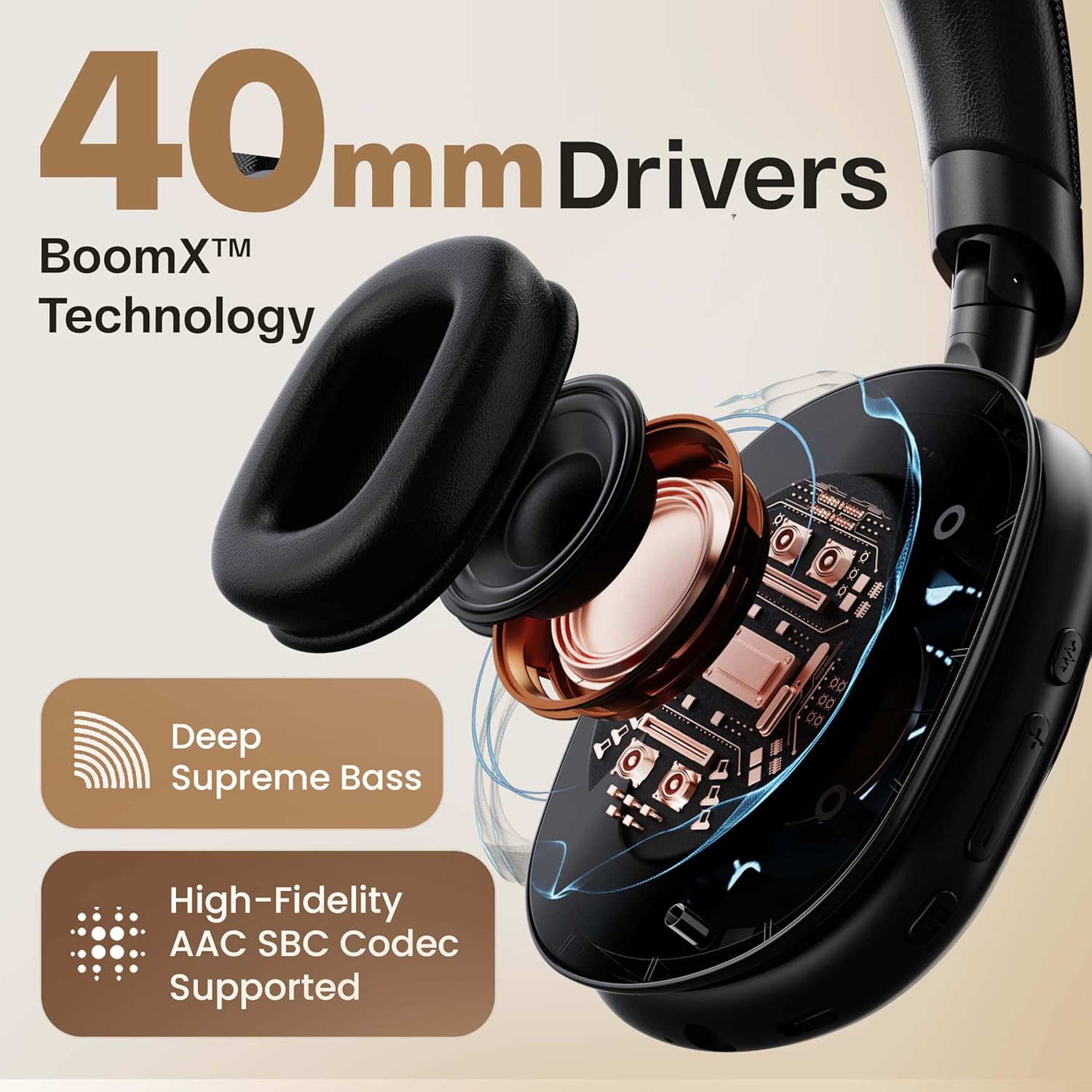
ຮູບພາບ: ຂ້າມ view highlighting the 40mm drivers and BoomX™ Technology for deep supreme bass and high-fidelity AAC SBC codec support.
- ຊື່ຕົວແບບ: Fluid X
- ເຕັກໂນໂລຍີການເຊື່ອມຕໍ່: Bluetooth, Wireless
- ເຕັກໂນໂລຊີການສື່ສານໄຮ້ສາຍ: Bluetooth 5.4
- ລະດັບ Bluetooth: 10 ແມັດ
- ຂະໜາດໄດເວີສຽງ: ຂະ ໜາດ 40 ມີລີແມັດ
- ປະເພດໄດເວີສຽງ: ໄດນາມິກໄດເວີ
- ການຕອບສະໜອງສຽງ: 60 Milliseconds (50ms in Combat™ Gaming Mode)
- ຊີວິດຫມໍ້ໄຟ: Up to 60 Hours (advertised), 40 Hours (specification)
- ຊ່ອງສາກໄຟ: ຊ່ອງສຽບສາກໄຟໄວ Type-C
- ການຄວບຄຸມສິ່ງລົບກວນ: Passive Noise Cancellation (Zen ENC for Mic)
- ຄວາມອ່ອນໄຫວ: 118 dB
- impedance: 32 ໂອມ
- ລະດັບຄວາມຕ້ານທານນ້ໍາ: IPX5 (ກັນນໍ້າ)
- ວິທີການຄວບຄຸມ: ປຸ່ມກົດ
- ນ້ໍາຫນັກລາຍການ: 205 ກຣາມ
- ຂະໜາດຜະລິດຕະພັນ: 22 x 20 x 83 cm
- ອົງປະກອບລວມ: Ear Cushions, Headphone, Type C Charging Cable, User Manual, Warranty Card
9. ການຮັບປະກັນແລະການສະຫນັບສະຫນູນ
Your GOBOULT Fluid X Headphones come with a manufacturer's warranty.
- ໄລຍະເວລາຮັບປະກັນ: ການຮັບປະກັນຜູ້ຜະລິດ 1 ປີ.
- ການຮັບປະກັນ: Covers manufacturing defects. Please refer to the included Warranty Card for full terms and conditions.
- ການຊ່ວຍເຫຼືອລູກຄ້າ: For technical assistance, warranty claims, or further inquiries, please visit the official GOBOULT website or contact their customer service as per the details on your Warranty Card.


