1. ບົດແນະນຳ
ຂອບໃຈສໍາລັບການຊື້asing the Gembird GMB Audio TWS-LCD-ANC-01-W Wireless In-Ear Headphones. These headphones are designed to provide a high-quality audio experience for music and calls, featuring Active Noise Cancellation (ANC) and an integrated microphone. This manual provides essential information for setting up, operating, maintaining, and troubleshooting your device.
2. ເນື້ອໃນຊຸດ
- 1x Pair of Gembird GMB Audio TWS-LCD-ANC-01-W Wireless In-Ear Headphones
- 1x ກ່ອງສາກ
- 1x ສາຍສາກ USB Type-C
3. ຜະລິດຕະພັນເກີນview
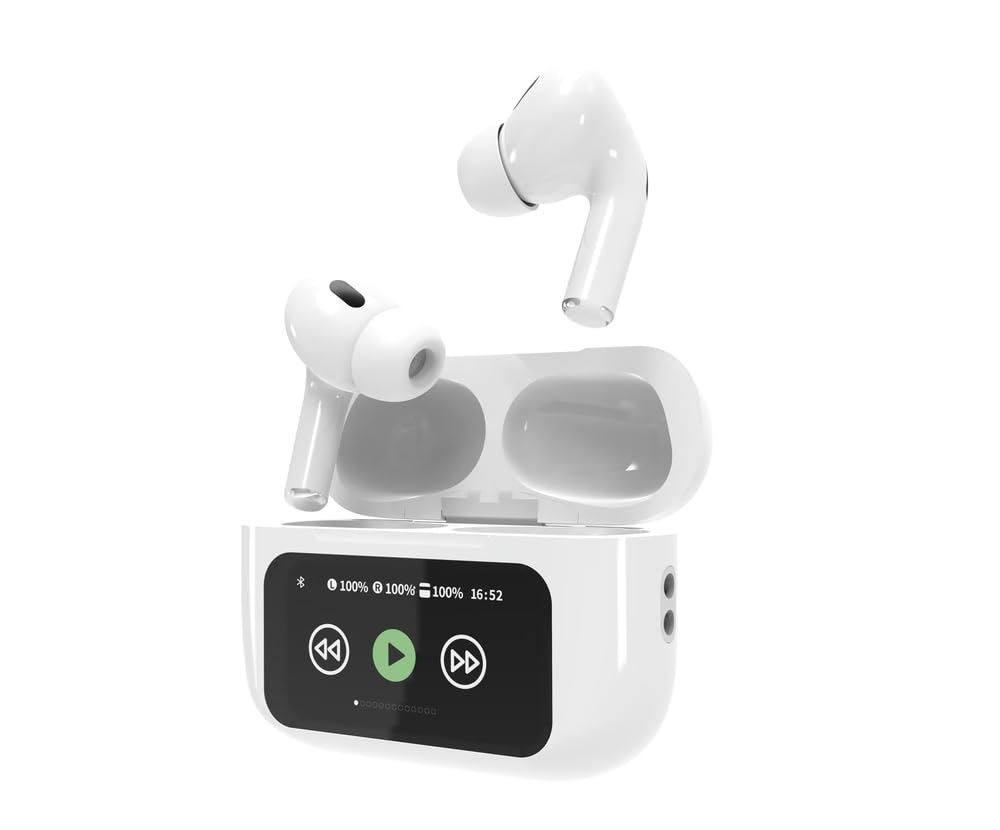
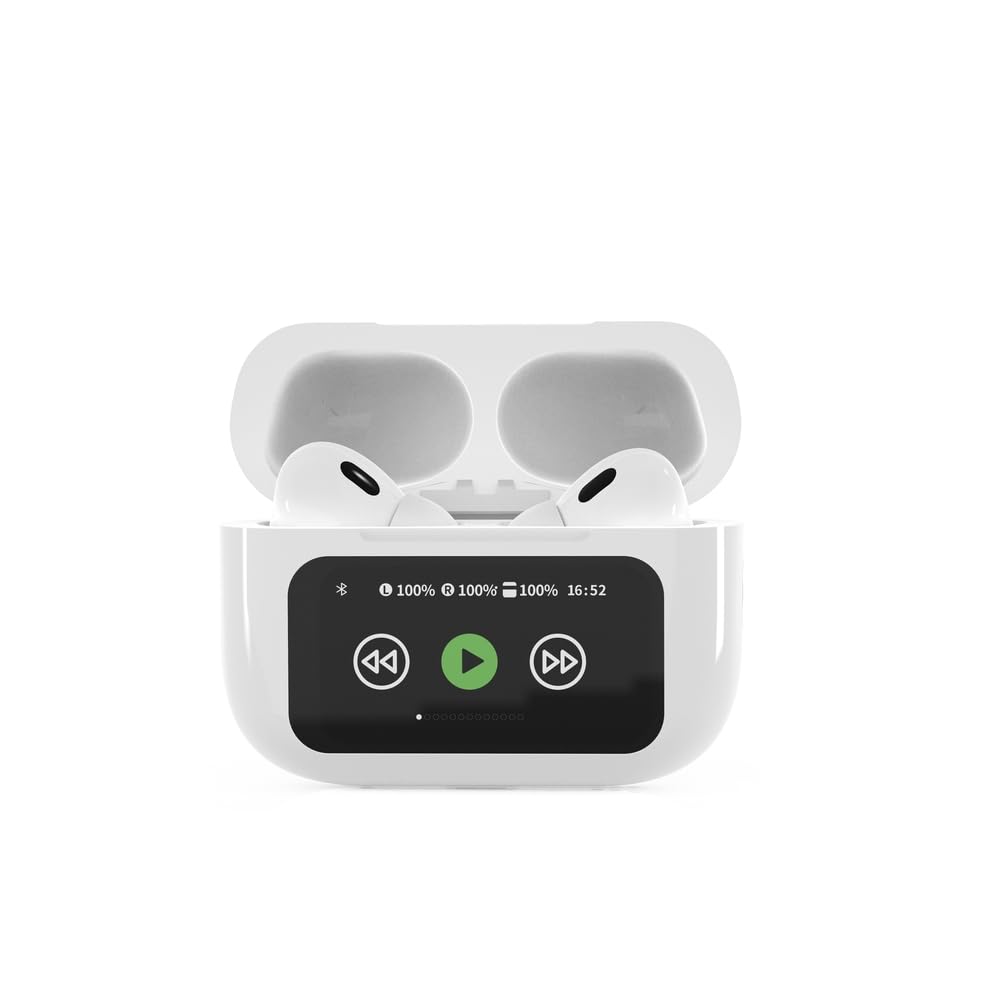

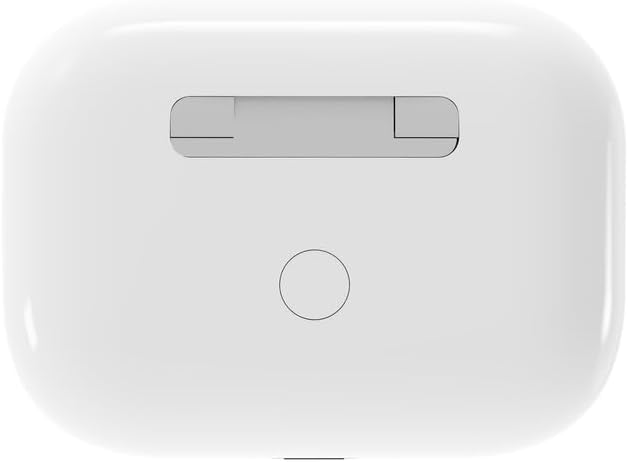

4. ຕັ້ງຄ່າ
4.1 ການສາກໄຟເບື້ອງຕົ້ນ
Before first use, fully charge the headphones and the charging case. Connect the supplied USB Type-C cable to the charging port on the case and plug the other end into a compatible USB power source (e.g., computer, wall adapter). The LED indicator on the case will show charging status. A full charge typically takes approximately 2 hours.
4.2 ການຈັບຄູ່ Bluetooth
- Ensure the headphones are in the charging case and the case is open. The headphones will automatically enter pairing mode.
- ໃນອຸປະກອນມືຖືຂອງທ່ານ (ໂທລະສັບສະຫຼາດ, ແທັບເລັດ, ແລັບທັອບ), ເປີດໃຊ້ Bluetooth.
- ຊອກຫາ available Bluetooth devices and select 'Gembird TWS-LCD-ANC-01-W' from the list.
- Once connected, the headphones will indicate successful pairing, and the device name will appear as 'Connected' on your mobile device.
5. ຄໍາແນະນໍາການດໍາເນີນງານ
5.1 ເປີດ/ປິດ
- ເປີດ: ຫູຟັງຈະເປີດໂດຍອັດຕະໂນມັດເມື່ອຖອດອອກຈາກກ່ອງສາກໄຟ.
- ປິດພະລັງງານ: The headphones automatically power off and begin charging when placed back into the charging case and the lid is closed.
5.2 ການຫລີ້ນດົນຕີ
Control music playback using the touch-sensitive areas on the earbuds or the display on the charging case.
- ຫຼິ້ນ/ຢຸດ: Single tap on either earbud or press the play/pause icon on the case display.
- ເພງຕໍ່ໄປ: Double tap on the right earbud or press the 'next' icon on the case display.
- ຕິດຕາມກ່ອນ ໜ້າ ນີ້: Double tap on the left earbud or press the 'previous' icon on the case display.
5.3 ການຄຸ້ມຄອງການໂທ
When an incoming call is received, music playback will automatically pause.
- ຮັບສາຍ: ແຕະເທື່ອດຽວໃສ່ຫູຟັງຫູຟັງ.
- ສິ້ນສຸດການໂທ: ແຕະເທື່ອດຽວໃສ່ຫູຟັງຫູຟັງທັງສອງຂ້າງໃນລະຫວ່າງການໂທ.
- ປະຕິເສດການໂທ: ກົດຫູຟັງອັນໃດອັນໜຶ່ງຄ້າງໄວ້ 2 ວິນາທີ.
5.4 Active Noise Cancellation (ANC)
Activate or deactivate the Active Noise Cancellation feature to reduce ambient noise.
- ສະຫຼັບ ANC: Press and hold the touch-sensitive area on the left earbud for 2 seconds, or use the dedicated ANC control on the charging case display.
5.5 ການຄວບຄຸມປະລິມານ
Adjust the volume directly from your connected device or through the touch controls on the earbuds (if supported by the specific model's firmware) or the charging case display.
6. ບໍາລຸງຮັກສາ
6.1 ການທໍາຄວາມສະອາດ
- ເຊັດຫູຟັງເອຍບັດ ແລະກະເປົ໋າສາກໄຟດ້ວຍຜ້າອ່ອນໆ, ແຫ້ງ, ບໍ່ມີສານຂັດ.
- ຢ່າໃຊ້ເຄື່ອງເຮັດຄວາມສະອາດຂັດ, ສານລະລາຍ, ຫຼືສານເຄມີທີ່ຮຸນແຮງ.
- ກວດໃຫ້ແນ່ໃຈວ່າລາຍຊື່ຜູ້ຕິດຕໍ່ທີ່ສາກໄຟຢູ່ທັງຫູຟັງເອຍບັດ ແລະເຄສແມ່ນສະອາດ ແລະແຫ້ງ.
6.2 ການເກັບຮັກສາ
- ເກັບຮັກສາຫູຟັງໄວ້ໃນກະເປົ໋າສາກໄຟທຸກຄັ້ງເມື່ອບໍ່ໄດ້ໃຊ້ເພື່ອປົກປ້ອງພວກມັນ ແລະ ຮັກສາມັນໄວ້.
- ເກັບຮັກສາໄວ້ໃນບ່ອນທີ່ເຢັນ, ແຫ້ງ, ຫ່າງຈາກແສງແດດໂດຍກົງແລະອຸນຫະພູມທີ່ສຸດ.
6.3 ການດູແລຫມໍ້ໄຟ
- ສາກອຸປະກອນເປັນປະຈຳ, ເຖິງແມ່ນວ່າບໍ່ໄດ້ໃຊ້ເລື້ອຍໆ, ເພື່ອຮັກສາສຸຂະພາບຂອງແບັດເຕີຣີ.
- ຫຼີກລ້ຽງການປະຈຸຫມໍ້ໄຟຢ່າງເຕັມທີ່ເລື້ອຍໆ.
7. ການແກ້ໄຂບັນຫາ
| ບັນຫາ | ສາເຫດທີ່ເປັນໄປໄດ້ | ການແກ້ໄຂ |
|---|---|---|
| ຫູຟັງບໍ່ເປີດ. | ສາກໄຟໜ້ອຍ ຫຼືບໍ່ມີແບັດເຕີຣີ. | Place headphones in the charging case and ensure the case is charged. Charge the case fully. |
| ບໍ່ມີສຽງຈາກຫູຟັງ. | Not connected via Bluetooth; volume too low; media paused. | Verify Bluetooth connection. Increase volume on both headphones and connected device. Check if media is playing. |
| ບໍ່ສາມາດຈັບຄູ່ກັບອຸປະກອນໄດ້. | Headphones not in pairing mode; device already connected to another Bluetooth device; interference. | Ensure headphones are in pairing mode (open case). Turn off Bluetooth on other nearby devices. Forget the device in your phone's Bluetooth settings and try re-pairing. |
| Active Noise Cancellation (ANC) is ineffective. | ANC not activated; improper earbud fit. | Ensure ANC is toggled on. Adjust earbud position for a secure and sealed fit in your ear canal. |
| ໄມໂຄຣໂຟນບໍ່ເຮັດວຽກໃນລະຫວ່າງການໂທ. | ໄມໂຄຣໂຟນຖືກບລັອກ; ການຕັ້ງຄ່າອຸປະກອນ. | Ensure the microphone port on the earbuds is not obstructed. Check your device's audio input settings to ensure the headphones are selected. |
8. ຂໍ້ມູນຈໍາເພາະ
- ຕົວແບບ: TWS-LCD-ANC-01-W
- ການເຊື່ອມຕໍ່: ໄຮ້ສາຍ, Bluetooth 5.3
- Bluetooth Profiles: A2DP, AVRCP, HPF, HSP
- ຊ່ອງສາກໄຟ: USB Type-C
- ຊ່ວງຄວາມຖີ່ສຽງ: 20 - 20000 Hz
- ໄມໂຄຣໂຟນ: ປະສົມປະສານ
- ປະເພດຫູຟັງ: In-ear, Binaural
- ວິທີການຄວບຄຸມ: ແຕະ
- ການຄວບຄຸມສິ່ງລົບກວນ: ການຍົກເລີກສິ່ງລົບກວນທີ່ໃຊ້ວຽກ (ANC)
- ປະເພດຫມໍ້ໄຟ: Integrated Lithium Polymer (LiPo)
- ຄວາມສາມາດສາກໄຟແບດເຕີລີ້ກໍລະນີ: 300 mAh
- ຄວາມອາດສາມາດຫມໍ້ໄຟ Earbud: 30 mAh (ແຕ່ລະອັນ)
- Continuous Audio Playback: ສູງສຸດ 8 ຊົ່ວໂມງ
- ເວລາສາກໄຟ: ປະມານ 2 ຊົ່ວໂມງ
- ນ້ຳໜັກສິນຄ້າ: 66 g
- Product Dimensions (Case): 40 mm (ກວ້າງ) x 60 mm (ເລິກ) x 25 mm (ສູງ)
- ອຸປະກອນທີ່ເຂົ້າກັນໄດ້: ແລັບທັອບ, ແທັບເລັດ, ໂທລະສັບມືຖື
- ຄວາມຕ້ານທານນ້ໍາ: ທົນທານຕໍ່ນ້ໍາ
- ການຢັ້ງຢືນ: RoHS
9. ການຮັບປະກັນແລະການສະຫນັບສະຫນູນ
9.1 ຂໍ້ມູນການຮັບປະກັນ
This product comes with a three-year warranty against manufacturing defects from the date of purchase. Please retain your proof of purchase for warranty claims. The warranty does not cover damage caused by misuse, accidents, unauthorized modifications, or normal wear and tear.
9.2 ສະຫນັບສະຫນູນລູກຄ້າ
For technical support, warranty claims, or further assistance, please contact your retailer or visit the official Gembird website. Contact information can typically be found on the product packaging or the Gembird corporate webເວັບໄຊ.


