1. ບົດແນະນຳ
Thank you for choosing the GOBOULT Flex On-Ear Bluetooth Headphones. This manual provides essential information for setting up, operating, and maintaining your headphones. Please read it carefully before use to ensure optimal performance and longevity of your device.

Image: GOBOULT Flex On-Ear Bluetooth Headphones in Jet Black, showcasing ການອອກແບບ sleek.
2. ສິ່ງທີ່ຢູ່ໃນກ່ອງ
ກວດສອບວ່າລາຍການທັງຫມົດແມ່ນມີຢູ່ໃນຊຸດຂອງທ່ານ:
- GOBOULT Flex On-Ear Bluetooth Headphones
- ສາຍສາກໄວ Type-C
- AUX Cable (for wired connection)
- ຄູ່ມືຜູ້ໃຊ້ (ເອກະສານນີ້)
- ບັດຮັບປະກັນ
3. ຜະລິດຕະພັນເກີນview
The GOBOULT Flex headphones feature an adjustable headband and soft earcups designed for comfort during extended use. Key components include:
- ສາຍຫົວສາມາດປັບໄດ້: For a customized fit.
- ຫູຟັງ: Padded for comfort, housing the 40mm audio drivers.
- ປຸ່ມຄວບຄຸມ: Power, Volume Up/Down, Multi-function Button.
- ຜອດສາກໄຟ Type-C: ສໍາລັບການ recharging ຫມໍ້ໄຟພາຍໃນ.
- ພອດ AUX: ສໍາລັບການເຊື່ອມຕໍ່ສຽງມີສາຍ.
- ໄມໂຄຣໂຟນ: Integrated Zen™ ENC mic for clear calls.

Image: Close-up of the GOBOULT Flex headphones highlighting the adjustable headband and earcups for comfortable wear.
4. ຕັ້ງຄ່າ
4.1 ການສາກຫູຟັງ
Before first use, fully charge your headphones. Connect the provided Type-C charging cable to the headphone's charging port and the other end to a USB power source (e.g., wall adapter, computer USB port).
- ການສາກເຕັມໃຊ້ເວລາປະມານ 60 ນາທີ.
- ການສາກໄຟ 10 ນາທີໃຫ້ເວລາຫຼິ້ນໄດ້ເຖິງ 5 ຊົ່ວໂມງ.
- ຕົວຊີ້ວັດ LED ຈະສະແດງສະຖານະການສາກໄຟ (ເຊັ່ນ: ສີແດງສໍາລັບການສາກໄຟ, ສີຟ້າສໍາລັບການສາກເຕັມ).
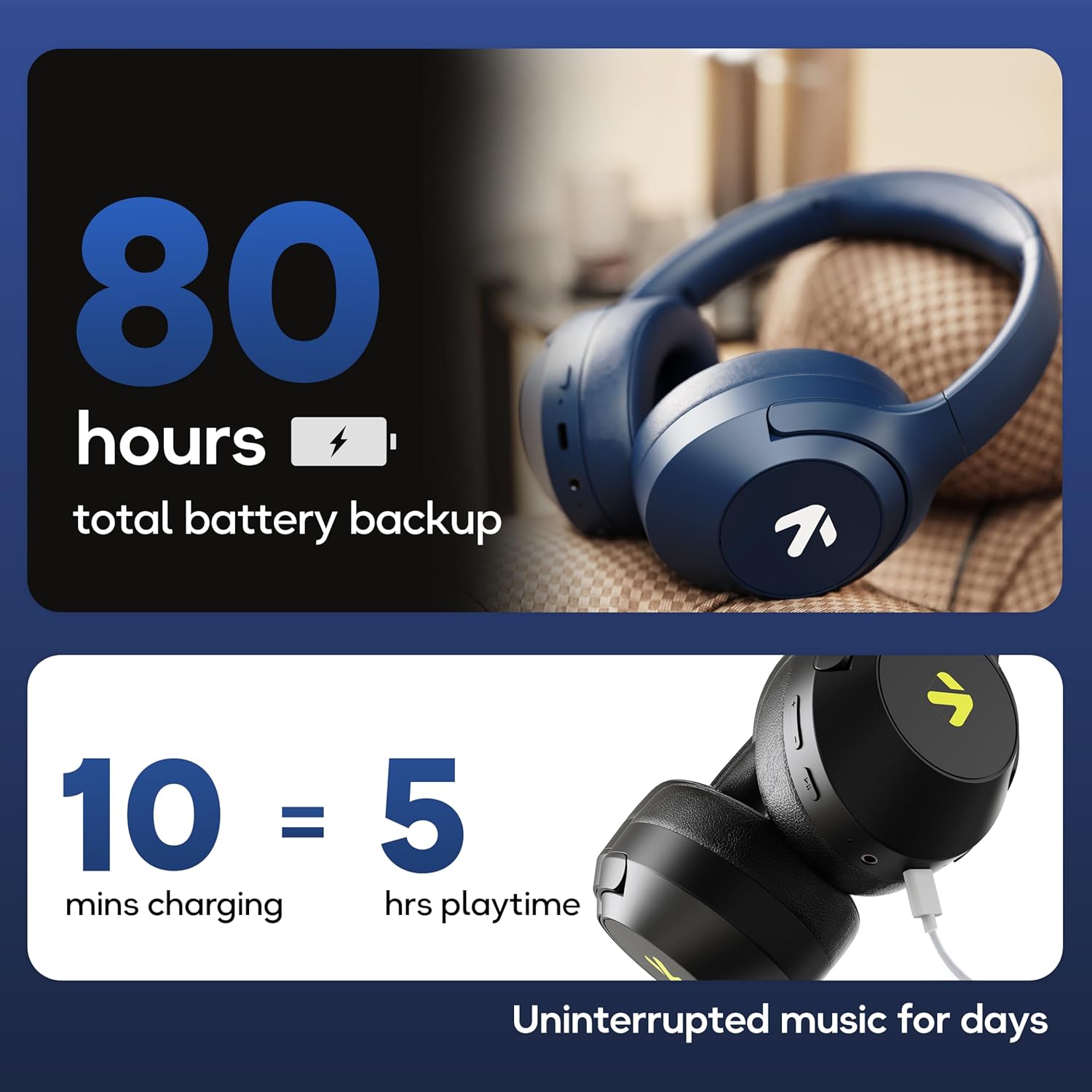
Image: Visual representation of the GOBOULT Flex headphones' battery life and fast charging capability.
4.2 ການເປີດ/ປິດ
- ເພື່ອເປີດເຄື່ອງ: Press and hold the Power button for 3 seconds. The LED indicator will flash.
- ປິດເຄື່ອງ: ກົດປຸ່ມເປີດປິດຄ້າງໄວ້ 5 ວິນາທີ. ຕົວຊີ້ວັດ LED ຈະປິດ.
4.3 ການຈັບຄູ່ Bluetooth
The GOBOULT Flex headphones utilize Bluetooth 5.4 for stable and fast connections.
- ກວດໃຫ້ແນ່ໃຈວ່າປິດຫູຟັງແລ້ວ.
- ກົດປຸ່ມເປີດປິດຄ້າງໄວ້ປະມານ 5-7 ວິນາທີ ຈົນກວ່າໄຟ LED ຈະກະພິບເປັນສີແດງ ແລະ ສີຟ້າສະຫຼັບກັນ, ເຊິ່ງເປັນຕົວຊີ້ບອກເຖິງໂໝດການຈັບຄູ່.
- ໃນອຸປະກອນຂອງທ່ານ (ໂທລະສັບສະຫຼາດ, ແທັບເລັດ, ແລັບທັອບ), ເປີດໃຊ້ Bluetooth ແລະຊອກຫາອຸປະກອນທີ່ມີຢູ່.
- Select "GOBOULT Flex" from the list of devices.
- ເມື່ອເຊື່ອມຕໍ່ແລ້ວ, ຕົວຊີ້ວັດ LED ຈະກະພິບເປັນສີຟ້າຊ້າ slowly.

Image: Illustration of the GOBOULT Flex headphones connecting via Bluetooth 5.4, highlighting the fast pairing feature.
4.4 ການເຊື່ອມຕໍ່ AUX
You can use the headphones with a wired connection when the battery is low or for devices without Bluetooth. Connect one end of the 3.5mm AUX cable to the headphone's AUX port and the other end to your audio source's 3.5mm jack.
5. ຄໍາແນະນໍາການດໍາເນີນງານ
5.1 ການຄວບຄຸມພື້ນຖານ
| ຟັງຊັນ | ການປະຕິບັດ |
|---|---|
| ຫຼິ້ນ/ຢຸດຊົ່ວຄາວ | ກົດປຸ່ມ Multi-function ຫນຶ່ງຄັ້ງ. |
| ປະລິມານຂຶ້ນ | ກົດປຸ່ມ Volume Up (+). |
| ປະລິມານລົງ | ກົດປຸ່ມ Volume Down (-). |
| ຕິດຕາມຕໍ່ໄປ | ກົດປຸ່ມເພີ່ມສຽງ (+) ຄ້າງໄວ້. |
| ເພງກ່ອນໜ້າ | ກົດປຸ່ມ Volume Down (-) ຄ້າງໄວ້. |
5.2 ການຄຸ້ມຄອງການໂທ
The integrated Zen™ ENC (Environmental Noise Cancellation) microphone ensures clear communication during calls.

ຮູບພາບ: ລາຍລະອຽດ view of the GOBOULT Flex headphones highlighting the Zen™ ENC mic for noise-reduced calls.
| ຟັງຊັນ | ການປະຕິບັດ |
|---|---|
| ຕອບ/ວາງສາຍ | ກົດປຸ່ມ Multi-function ຫນຶ່ງຄັ້ງ. |
| ປະຕິເສດການໂທ | ກົດປຸ່ມ Multi-function ຄ້າງໄວ້ເປັນເວລາ 2 ວິນາທີ. |
5.3 ຜູ້ຊ່ວຍສຽງ
Activate your device's voice assistant (e.g., Google Assistant, Siri) directly from your headphones.
- ກະຕຸ້ນຜູ້ຊ່ວຍສຽງ: ກົດປຸ່ມຫຼາຍຟັງຊັນສອງເທື່ອ.

Image: GOBOULT Flex headphones showing compatibility with voice assistants and IPX5 water resistance.
5.4 ໂໝດເກມ (ຄວາມໜ່ວງຊ້າຕ່ຳ)
For an optimized gaming experience, activate the 60ms ultra-low latency Combat™ Gaming Mode.
- ເປີດໃຊ້ໂໝດເກມ: Refer to your device's specific instructions or the product's quick start guide for the button combination to toggle gaming mode.

Image: GOBOULT Flex headphones illustrating the Combat™ Gaming Mode with 60ms ultra-low latency for mobile gaming.
5.5 ໂໝດ EQ
The headphones feature 4 EQ modes to customize your audio experience:
- ເບສ
- ຫີນ
- ປັອບ
- ສຽງຮ້ອງ
To switch between EQ modes, refer to the specific button press sequence in your quick start guide or product packaging. This functionality allows you to tailor the sound profile ຕາມຄວາມຕ້ອງການຂອງທ່ານ.

ຮູບພາບ: ຫຼາຍກວ່າview of GOBOULT Flex features, including the 4 EQ modes for sound customization.
6. ບໍາລຸງຮັກສາ
6.1 ການທໍາຄວາມສະອາດ
Wipe the headphones with a soft, dry cloth. Do not use abrasive cleaners or solvents. For earcups, gently wipe with a damp ຜ້າແລະອະນຸຍາດໃຫ້ອາກາດແຫ້ງຫມົດກ່ອນທີ່ຈະນໍາໃຊ້.
6.2 ການເກັບຮັກສາ
ເກັບຮັກສາຫູຟັງໄວ້ໃນບ່ອນທີ່ເຢັນ, ແຫ້ງ, ຫ່າງຈາກແສງແດດໂດຍກົງ ແລະອຸນຫະພູມທີ່ຮ້າຍກາດ. ການອອກແບບທີ່ສາມາດພັບໄດ້ຊ່ວຍໃຫ້ມີການເກັບຮັກສາທີ່ຫນາແຫນ້ນ.
6.3 ກັນນ້ຳ (IPX5)
The GOBOULT Flex headphones are rated IPX5, meaning they are resistant to sweat and light splashes of water. They are not designed for submersion in water. Avoid exposing them to heavy rain or showering.
7. ການແກ້ໄຂບັນຫາ
| ບັນຫາ | ການແກ້ໄຂທີ່ເປັນໄປໄດ້ |
|---|---|
| ຫູຟັງບໍ່ເປີດ. | Ensure the headphones are charged. Connect to a power source using the Type-C cable. |
| ບໍ່ສາມາດຈັບຄູ່ຜ່ານ Bluetooth ໄດ້. | Ensure headphones are in pairing mode (flashing red/blue). Turn off and on your device's Bluetooth. Move closer to the device. |
| ບໍ່ມີສຽງ. | ກວດສອບລະດັບສຽງໃນຫູຟັງທັງສອງ ແລະ ອຸປະກອນທີ່ເຊື່ອມຕໍ່. ໃຫ້ແນ່ໃຈວ່າຫູຟັງຖືກຈັບຄູ່ຢ່າງຖືກຕ້ອງ ຫຼື ສາຍ AUX ຖືກສຽບເຂົ້າກັນດີແລ້ວ. |
| ຄຸນນະພາບການໂທບໍ່ດີ. | Ensure the microphone is not obstructed. Move to a quieter environment. |
8. ຂໍ້ມູນຈໍາເພາະ
| ຄຸນສົມບັດ | ລາຍລະອຽດ |
|---|---|
| ຊື່ຕົວແບບ | Flex (ProBass) |
| ການເຊື່ອມຕໍ່ | Bluetooth 5.4, AUX |
| ຂະໜາດໄດເວີສຽງ | 40ມມ |
| ເວລາຫຼິ້ນ | ສູງສຸດ 80 ຊົ່ວໂມງ |
| ພອດສາກໄຟ | ປະເພດ-C |
| ເວລາສາກໄຟ | ປະມານ. 60 ນາທີ |
| ໄມໂຄຣໂຟນ | Zen™ ENC Mic |
| ໂໝດການຕອບສະໜອງຕໍ່າ | 60ms (ໂໝດເກມ Combat™) |
| ການຕໍ່ຕ້ານນ້ໍາ | IPX5 |
| ການຕອບສະໜອງຄວາມຖີ່ | 20 Hz |
| ຄວາມອ່ອນໄຫວ | 118 dB |
| impedance | 32 ໂອມ |
| ນ້ໍາຫນັກລາຍການ | 214 ກຣາມ |
9. ການຮັບປະກັນແລະການສະຫນັບສະຫນູນ
The GOBOULT Flex headphones come with a 1-year warranty. To avail of the extended warranty and for any support inquiries, please register your product on the official GOBOULT website. For technical assistance or customer service, refer to the contact information provided on your warranty card or the GOBOULT official webເວັບໄຊ.
Manufacturer: Exotic Mile Private Limited
ປະເທດຕົ້ນກໍາເນີດ: ຈີນ


