1. ຜະລິດຕະພັນເກີນview
The WVX Gaming Laptop R9-6900HX (Model A02) is a high-performance portable computer designed for demanding tasks such as gaming, content creation, and multitasking. It features an AMD Ryzen 9 6900HX processor, AMD Radeon 680M integrated graphics, and fast DDR5 memory.
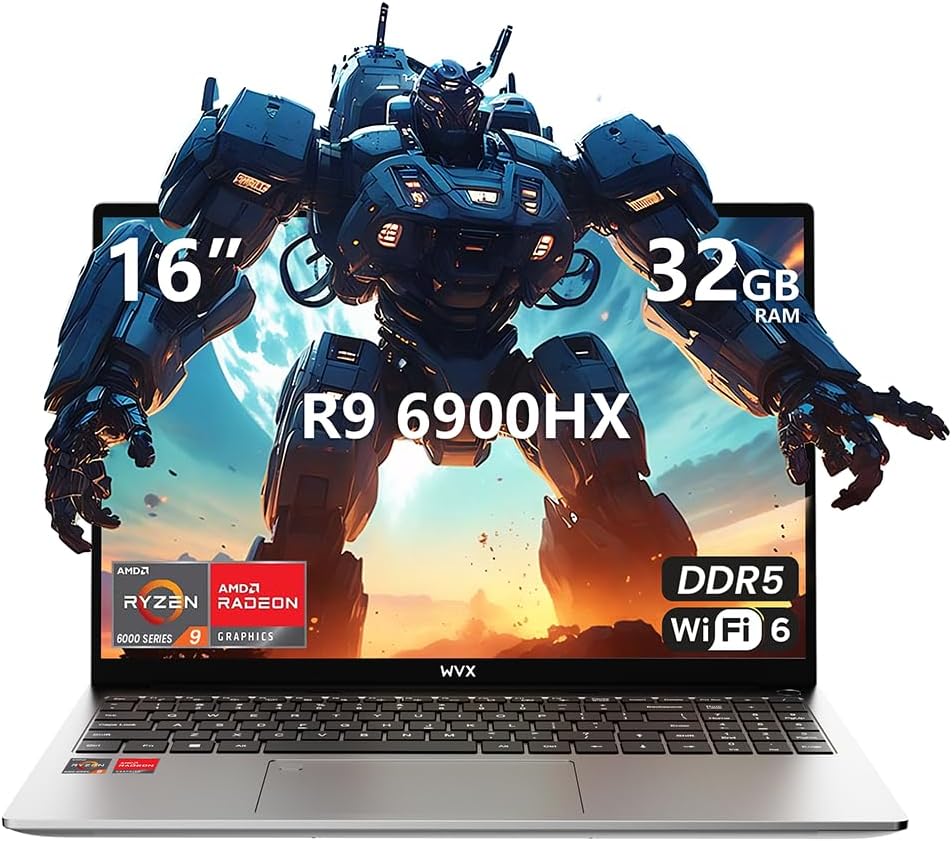
Image 1.1: WVX Gaming Laptop R9-6900HX
ຄຸນນະສົມບັດທີ່ສໍາຄັນ:
- CPU ປະສິດທິພາບສູງ: AMD Ryzen 9 6900HX with 8 cores and 16 threads, up to 4.9 GHz.
- ຮູບພາບປະສົມປະສານ: AMD Radeon 680M, delivering strong visual performance.
- ໜ່ວຍຄວາມຈຳໄວ: ແຣມ DDR5 32GB, ສາມາດເພີ່ມໄດ້ສູງສຸດ 64GB.
- Ampການເກັບຮັກສາ: 512GB SSD, expandable up to 2TB.
- ຈໍສະແດງຜົນທີ່ສົດໃສ: 16-inch Full HD (1920x1200) screen.
- ການເຊື່ອມຕໍ່ຂັ້ນສູງ: Wi-Fi 6 ແລະ Bluetooth 5.2.
- ລະບົບປະຕິບັດການ: ຕິດຕັ້ງໄວ້ລ່ວງໜ້າດ້ວຍ Windows 11 Pro.
2. ຕັ້ງຄ່າ
2.1 Unboxing ແລະ Initial Inspection
Carefully remove the laptop and its accessories from the packaging. Ensure all components listed in the 'What's in the Box' section are present and undamaged.
- R9-6900HX laptop
- PD100W adapter (charger)
2.2 ການເຊື່ອມຕໍ່ອະແດບເຕີໄຟຟ້າ
Connect the PD100W adapter to the laptop's power input port and then plug it into a power outlet. It is recommended to fully charge the laptop before its first use.
2.3 ການບູດເຄື່ອງຄັ້ງທຳອິດ ແລະ ການຕັ້ງຄ່າ Windows
Press the power button located on the laptop. The system will guide you through the initial Windows 11 Pro setup process. Follow the on-screen instructions to configure your language, region, network, and user account.
3. ຄໍາແນະນໍາການດໍາເນີນງານ
3.1 ແປ້ນພິມ ແລະ ແຜ່ນສໍາຜັດ
The laptop features a full-size keyboard with a numeric keypad and a responsive touchpad. The keyboard is backlit for comfortable use in low-light conditions. The touchpad supports multi-touch gestures for enhanced navigation.

Image 3.1: Laptop keyboard and touchpad layout.
3.2 ຈໍສະແດງຜົນ ແລະກາຟິກ
The 16-inch FHD display offers a resolution of 1920x1200 pixels, providing clear and vibrant visuals. The AMD Radeon 680M graphics processor handles demanding visual tasks efficiently.

Image 3.2: Display features including 300 nits brightness, IPS, and low blue light.
3.3 ພອດ ແລະການເຊື່ອມຕໍ່
The laptop is equipped with various ports for external devices and connectivity:
- 4x USB 3.0 ພອດ
- ພອດ HDMI
- Full-function Type-C Port (supports charging, data transfer, external 4K monitor)
- ຫູຟັງຂະ ໜາດ 3.5mm
- SD Card Reader
For wireless connectivity, the laptop supports Wi-Fi 6 for high-speed internet and Bluetooth 5.2 for connecting peripherals.
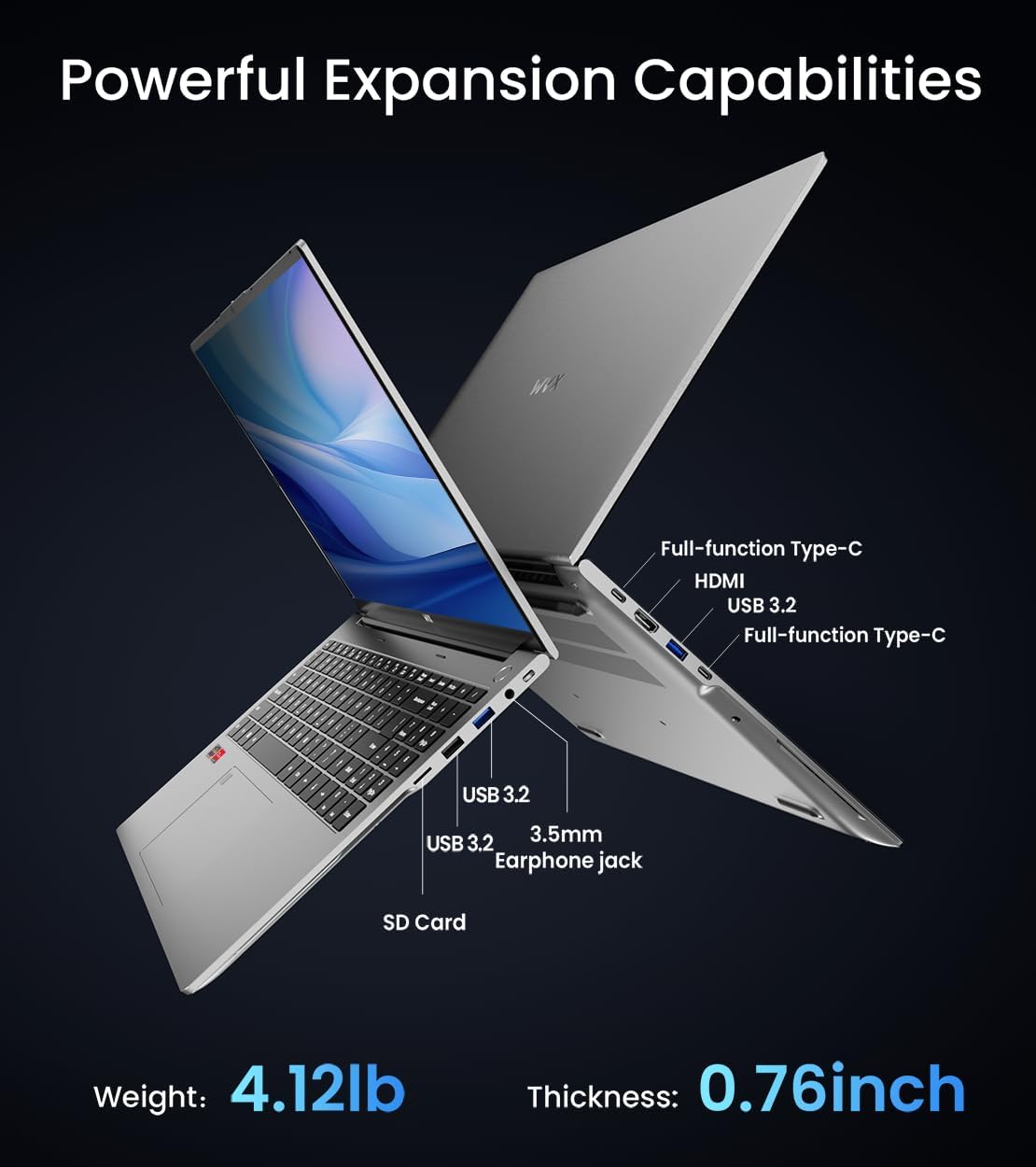
ຮູບພາບ 3.3: ຫຼາຍກວ່າview of available ports and physical dimensions.
4. ບໍາລຸງຮັກສາ
4.1 ການທໍາຄວາມສະອາດ
ເພື່ອຮັກສາປະສິດທິພາບ ແລະ ຮູບລັກສະນະທີ່ດີທີ່ສຸດ, ໃຫ້ທຳຄວາມສະອາດຄອມພິວເຕີໂນດບຸກຂອງທ່ານເປັນປະຈຳ. ໃຊ້ຜ້າອ່ອນໆທີ່ບໍ່ມີຂົນສຳລັບໜ້າຈໍ ແລະ ພາຍນອກ. ສຳລັບຮອຍເປື້ອນທີ່ຝັງແໜ້ນ, ໃຫ້ເຊັດອອກເລັກນ້ອຍ.ampened cloth with water or a specialized screen cleaner can be used. Avoid harsh chemicals.
4.2 ການປັບປຸງຊອບແວ
Regularly update your Windows operating system and drivers to ensure system stability, security, and optimal performance. Windows Update can be accessed through the Settings menu.
4.3 ການເກັບຮັກສາແລະການຍົກລະດັບຄວາມຈໍາ
The laptop's RAM can be upgraded to a maximum of 64GB, and the SSD storage can be expanded up to 2TB. Consult a qualified technician for hardware upgrades to avoid voiding your warranty.

Image 4.1: Illustration of memory and storage upgrade capabilities.
5. ການແກ້ໄຂບັນຫາ
5.1 ບັນຫາພະລັງງານ
- ແລັບທັອບບໍ່ເປີດ: ໃຫ້ແນ່ໃຈວ່າອະແດັບເຕີໄຟເຊື່ອມຕໍ່ຢ່າງປອດໄພ ແລະ ແບັດເຕີຣີມີຄ່າພຽງພໍ. ລອງປລັກສຽບໄຟອື່ນ.
- ແບັດເຕີຣີບໍ່ສາກໄຟ: Verify the power adapter is functioning correctly. Check the charging port for any obstructions.
5.2 ບັນຫາການສະແດງ
- ຫນ້າຈໍເປົ່າ: ເຊື່ອມຕໍ່ຈໍພາບພາຍນອກເພື່ອກວດສອບວ່າບັນຫາເກີດຂຶ້ນກັບຈໍພາບຂອງແລັບທັອບຫຼືບໍ່. ປິດເປີດແລັບທັອບຄືນໃໝ່.
- ໜ້າຈໍກະພິບ: ອັບເດດໄດເວີກຣາຟິກ. ປັບອັດຕາການໂຫຼດຫນ້າຈໍຄືນໃນການຕັ້ງຄ່າ Windows.
5.3 ບັນຫາການປະຕິບັດ
- ປະສິດທິພາບຊ້າ: Close unnecessary applications. Check for malware. Ensure sufficient free storage space.
- ຄວາມຮ້ອນເກີນ: Ensure ventilation vents are clear. Consider using a cooling pad.

Image 5.1: Illustration of the laptop's cooling system with pure copper heat pipes and fan speed.
6. ຂໍ້ມູນຈໍາເພາະ
| ຄຸນສົມບັດ | ຂໍ້ມູນຈໍາເພາະ |
|---|---|
| ຍີ່ຫໍ້ | WVX |
| ຊື່ຕົວແບບ | R9-6900HX (A02) |
| ໂຮງງານຜະລິດ | AMD Ryzen 9 6900HX (4.9 GHz, 8 Cores, 16 Threads) |
| Graphics Coprocessor | AMD Radeon 680M |
| RAM | 32 GB DDR5 (ສູງສຸດ 64GB) |
| ຮາດດິດ | 512 GB SSD (Max 2TB) |
| ຂະໜາດໜ້າຈໍ | 16 ນິ້ວ |
| ຄວາມລະອຽດໜ້າຈໍສູງສຸດ | 1920x1200 ພິກເຊລ |
| ລະບົບປະຕິບັດການ | Windows 11 Pro |
| ປະເພດໄຮ້ສາຍ | 802.11ax (Wi-Fi 6) |
| Bluetooth | 5.2 |
| ຈຳນວນຂອງ USB 3.0 Ports | 4 |
| ຂະໜາດສິນຄ້າ | 14 x 9.7 x 0.78 ນິ້ວ |
| ນ້ໍາຫນັກລາຍການ | 5.89 ປອນ |
| ແບັດເຕີຣີ | 58Wh |
| ຄຸນນະສົມບັດພິເສດ | Backlit Keyboard, Fingerprint Reader, HD Audio |
7. ການຮັບປະກັນແລະການສະຫນັບສະຫນູນ
WVX offers comprehensive support for your laptop:
- ສະຫນັບສະຫນູນດ້ານວິຊາການ: Enjoy unlimited technical support.
- ບໍລິການສ້ອມແປງ: 12 months of repair service for all customers.
- ເວລາຕອບສະໜອງ: Online connection within 24 hours for inquiries.
For any questions or concerns, please reach out to the WVX support team.

ຮູບພາບ 7.1: ຫຼາຍກວ່າview of WVX customer support services.
8. ວິດີໂອຜະລິດຕະພັນຢ່າງເປັນທາງການ
ວິດີໂອ 8.1: ການສະແດງວິດີໂອຢ່າງເປັນທາງການasing the WVX R9 6900HX Laptop, highlighting its features and design.


