1. ບົດແນະນຳ
Thank you for choosing the Hama Ultimate Pro Portable Bluetooth Speaker. This manual provides essential information for the safe and efficient use of your device. Please read it carefully before use and keep it for future reference.
ເນື້ອໃນຊຸດ:
- 1x Hama Ultimate Pro Portable Bluetooth Speaker
- 1x ສາຍສາກ USB-C
- ສາຍຫິ້ວ 1x
- 1x ຄູ່ມືຜູ້ໃຊ້
2. ຄໍາແນະນໍາຄວາມປອດໄພ
- Do not open the device. Incorrect assembly can lead to electric shock, fire, or damage.
- Keep the device away from extreme temperatures, direct sunlight, and humidity.
- This speaker is rated IPX6, meaning it is protected against strong continuous rain and splashing water. Do not submerge the speaker in water.
- ໃຊ້ພຽງແຕ່ສາຍ USB-C ທີ່ໃຫ້ມາສຳລັບການສາກໄຟ.
- ຢ່າໃຊ້ອຸປະກອນຖ້າມັນເສຍຫາຍຢ່າງເຫັນໄດ້ຊັດ.
- Protect the battery from overheating.
3. ຜະລິດຕະພັນເກີນview
Familiarize yourself with the speaker's features and connections.

The Hama Ultimate Pro speaker highlights its key features: 24-hour battery life, IPX6 waterproof rating, Bluetooth connectivity, and 120W sound output.
ກະດານຄວບຄຸມ:

ລະອຽດ view of the speaker's top control panel, showing buttons for power, volume adjustment, play/pause, mode selection, and equalizer settings.
- ປຸ່ມເປີດປິດ: Press and hold to turn on/off. Short press to check battery status.
- ປະລິມານລົງ (-): ຫຼຸດສຽງລົງ.
- ປຸ່ມຫຼິ້ນ/ຢຸດຊົ່ວຄາວ: ຫຼິ້ນ ຫຼືຢຸດສຽງ.
- ປະລິມານຂຶ້ນ (+): ເພີ່ມປະລິມານ.
- ປຸ່ມໂໝດ (M): ສະລັບລະຫວ່າງໂໝດການປ້ອນຂໍ້ມູນ (Bluetooth, AUX, USB).
- Equalizer Button (EQ): Cycle through equalizer presets (Bass Sound, Power Sound, Balanced Sound).
ພອດ ແລະການເຊື່ອມຕໍ່:

The speaker's rear port panel includes a USB-C charging port, a USB-A port for external devices, a reset button, and a 6.3mm jack input.
- ຜອດ USB-C: For charging the speaker and for Power Bank output.
- ພອດ USB-A: For playing music from USB storage devices or for Power Bank output.
- ຂາເຂົ້າ AUX (ແຈັກ 3.5 ມມ): ສໍາລັບການເຊື່ອມຕໍ່ອຸປະກອນສຽງພາຍນອກຜ່ານສາຍສຽງ 3.5mm.
- Microphone/Guitar Input (6.3mm Jack): ສໍາລັບການເຊື່ອມຕໍ່ໄມໂຄໂຟນຫຼືກີຕາ.
- ປຸ່ມຣີເຊັດ: Use a thin object to press and reset the speaker if needed.
4. ຕັ້ງຄ່າ
4.1 ກຳລັງສາກລຳໂພງ
- Connect the supplied USB-C charging cable to the USB-C port on the speaker.
- Connect the other end of the USB-C cable to a suitable USB power adapter (not included). A 30W charger is recommended for fast charging.
- The charging indicator will show the charging status. The speaker is fully charged in approximately 2.5 hours.
4.2 ການເປີດ/ປິດ
- To turn on: Press and hold the Power button for a few seconds until you hear an audible prompt.
- To turn off: Press and hold the Power button for a few seconds until you hear an audible prompt.
4.3 ການຈັບຄູ່ Bluetooth
- Ensure the speaker is powered on and in Bluetooth mode (indicated by a flashing blue LED). If not, press the Mode button (M) to switch to Bluetooth mode.
- ໃນອຸປະກອນຂອງທ່ານ (ໂທລະສັບສະຫຼາດ, ແທັບເລັດ, ແລັບທັອບ), ເປີດໃຊ້ Bluetooth ແລະຊອກຫາອຸປະກອນທີ່ມີຢູ່.
- Select "Hama Ultimate Pro" from the list of devices.
- ເມື່ອຈັບຄູ່ແລ້ວ, ຕົວຊີ້ວັດ LED ຈະປ່ຽນເປັນສີຟ້າແຂງ, ແລະທ່ານຈະໄດ້ຍິນສຽງຢືນຢັນ.
4.4 ການເຊື່ອມຕໍ່ຜ່ານອິນພຸດ AUX
- ເຊື່ອມຕໍ່ປາຍໜຶ່ງຂອງສາຍສຽງ 3.5 ມມ (ບໍ່ລວມ) ກັບຜອດອິນພຸດ AUX ຢູ່ລໍາໂພງ.
- ເຊື່ອມຕໍ່ປາຍອີກດ້ານໜຶ່ງເຂົ້າກັບສັນຍານສຽງອອກຂອງອຸປະກອນພາຍນອກຂອງທ່ານ.
- Press the Mode button (M) on the speaker to switch to AUX mode.
4.5 Connecting USB Storage
- ໃສ່ USB flash drive ທີ່ບັນຈຸສຽງ files into the USB-A port on the speaker.
- Press the Mode button (M) to switch to USB mode. The speaker will automatically begin playing audio from the USB drive.
4.6 Connecting Microphone or Guitar
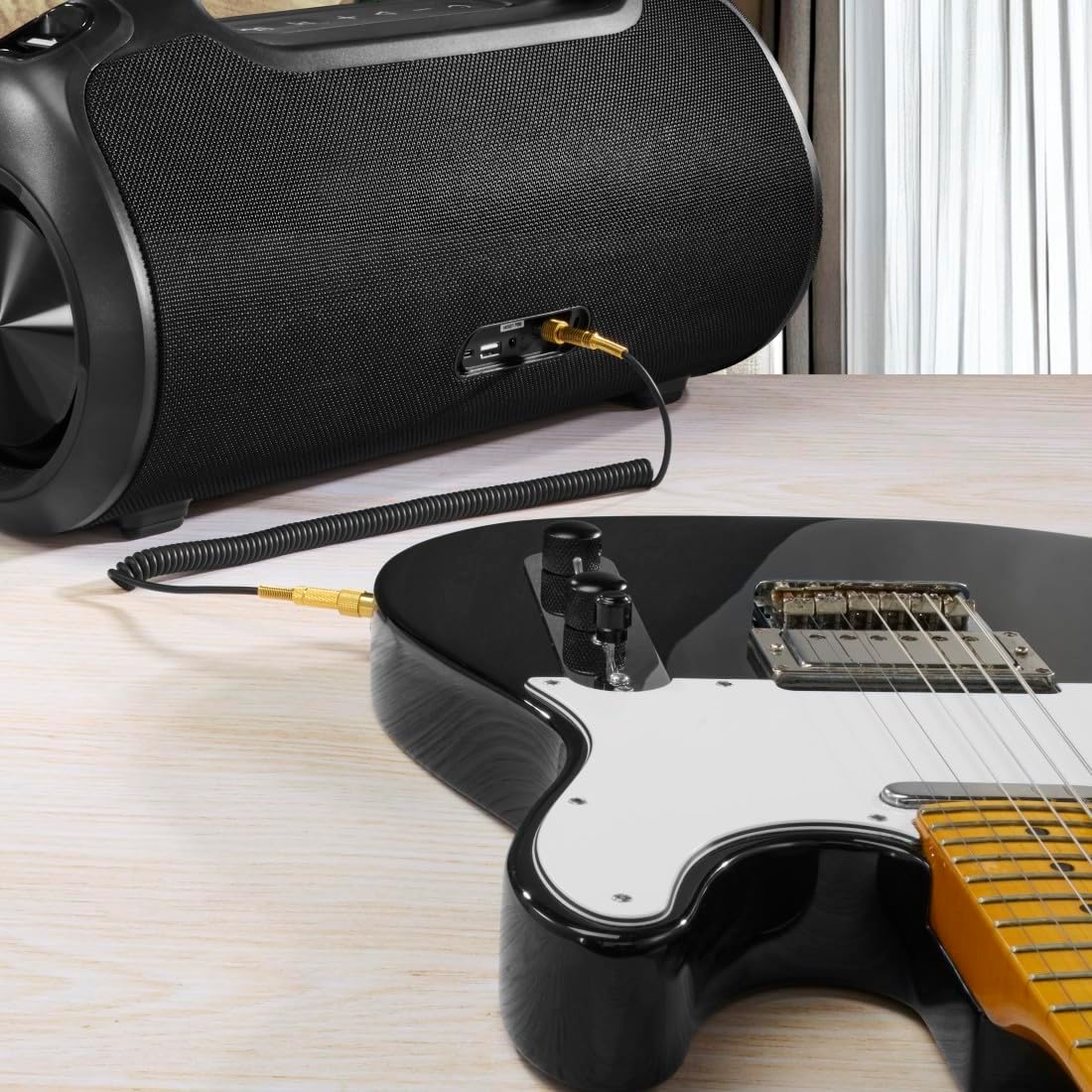
The speaker can be used as an amplifier by connecting an electric guitar via its 6.3mm jack input.
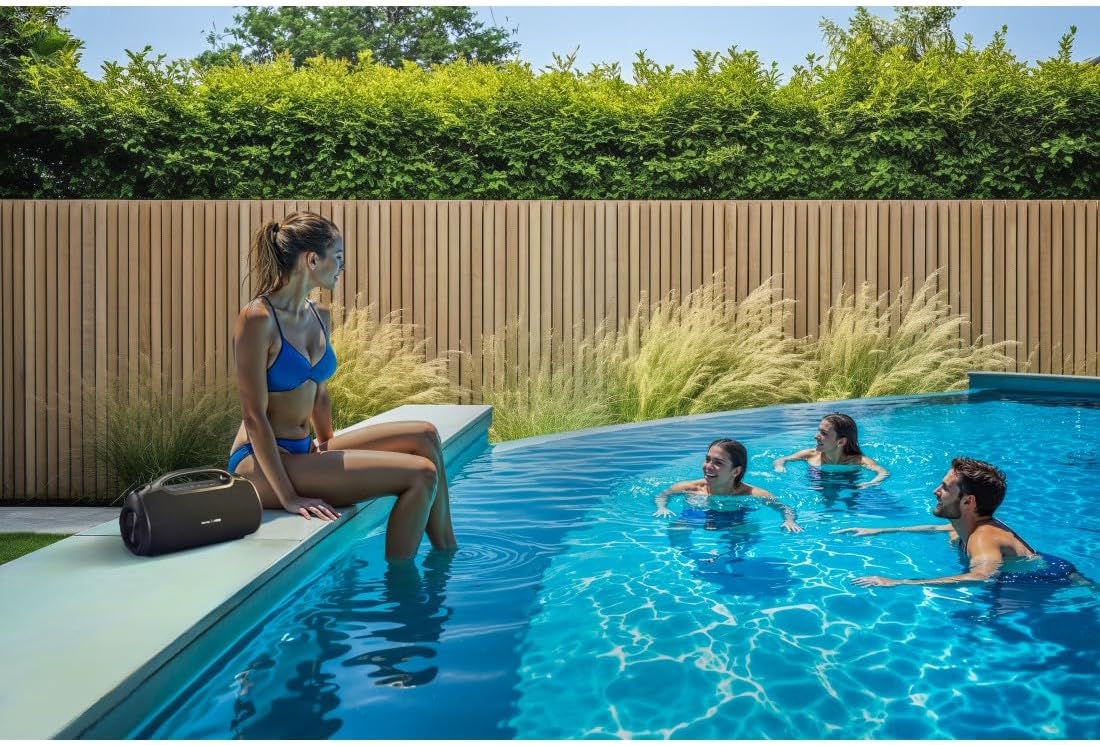
A microphone can be connected to the speaker's 6.3mm jack input for karaoke or public speaking.
- Connect your microphone or guitar to the 6.3mm jack input on the speaker.
- Adjust the volume on your connected device and the speaker as needed.
4.7 True Wireless Stereo (TWS) ການຈັບຄູ່
The Hama Ultimate Pro supports TWS for connecting two speakers for a stereo sound experience. Refer to the specific TWS pairing instructions in the full manual if available, as this feature typically involves pressing a dedicated TWS button on both speakers simultaneously.
5. ປະຕິບັດການລໍາໂພງ
5.1 ການຄວບຄຸມການຫຼິ້ນພື້ນຖານ
- ຫຼິ້ນ/ຢຸດ: ກົດປຸ່ມຫຼິ້ນ/ຢຸດຊົ່ວຄາວ.
- ປະລິມານຂຶ້ນ: ກົດປຸ່ມ Volume Up (+) ສັ້ນ.
- ປະລິມານລົງ: ກົດປຸ່ມຫຼຸດສຽງ (-) ກົດປຸ່ມສັ້ນ.
- ເພງຕໍ່ໄປ: ກົດປຸ່ມ Volume Up (+) ຄ້າງໄວ້.
- ຕິດຕາມກ່ອນ ໜ້າ ນີ້: ກົດປຸ່ມ Volume Down (-) ຄ້າງໄວ້.
5.2 ໂໝດ Equalizer
The speaker offers three distinct equalizer modes to optimize your listening experience:
- ສຽງເບດ: Enhances low frequencies for a deeper bass response.
- Power Sound: Provides a balanced, powerful sound profile.
- ສຽງທີ່ສົມດູນ: Offers a neutral and clear audio output.
To switch between modes, short press the EQ button on the control panel.
5.3 Hama Smart Home App Control

The Hama Smart Home app allows for convenient control and customization of the speaker, including battery status and sound settings.
Download the "Hama Smart Home" app from your device's app store to access additional features:
- Custom equalizer settings.
- Change the speaker's name.
- View precise battery status in percentage.
- Remote control of playback and settings.
5.4 ຟັງຊັນ Power Bank

The speaker's integrated power bank allows you to charge external devices like smartphones via its USB-C or USB-A ports.
The Hama Ultimate Pro speaker features an integrated power bank function, allowing you to charge other devices:
- Connect your smartphone, tablet, or other USB-powered device to the USB-C or USB-A port on the speaker using a compatible charging cable.
- ແບັດເຕີຣີພາຍໃນຂອງລຳໂພງຈະເລີ່ມສາກອຸປະກອນທີ່ເຊື່ອມຕໍ່ຂອງທ່ານ.
6. ບໍາລຸງຮັກສາ
6.1 ການທໍາຄວາມສະອາດ
The speaker has a resistant and washable surface. To clean:
- Ensure the speaker is turned off and all cables are disconnected.
- ໃຊ້ອ່ອນ, ງamp cloth to wipe the surface. Do not use harsh cleaning agents or solvents.
- ສໍາລັບຝຸ່ນ stubborn, ການແກ້ໄຂສະບູ່ອ່ອນໆສາມາດນໍາໃຊ້ໄດ້, ປະຕິບັດຕາມໂດຍການເຊັດໃຫ້ສະອາດ, damp ຜ້າ.
- Allow the speaker to dry completely before use.
6.2 ການເກັບຮັກສາ
- ເກັບຮັກສາລຳໂພງໄວ້ໃນບ່ອນທີ່ເຢັນ, ແຫ້ງ, ຫ່າງຈາກແສງແດດໂດຍກົງ ແລະ ອຸນຫະພູມທີ່ຮ້າຍກາດ.
- ຖ້າເກັບຮັກສາໄວ້ເປັນໄລຍະເວລາ, ສາກແບັດເຕີຣີໃຫ້ເຫຼືອປະມານ 50% ທຸກໆສອງສາມເດືອນເພື່ອຮັກສາສຸຂະພາບຂອງແບັດເຕີຣີ.
6.3 ການດູແລຫມໍ້ໄຟ
- ຫຼີກລ້ຽງການປະຈຸຫມໍ້ໄຟຢ່າງເຕັມທີ່ເລື້ອຍໆ.
- Do not expose the battery to heat sources or direct flame.
- ຖິ້ມແບດເຕີລີ່ຕາມກົດລະບຽບທ້ອງຖິ່ນ.
7. ການແກ້ໄຂບັນຫາ
ຖ້າທ່ານພົບບັນຫາກັບລໍາໂພງຂອງທ່ານ, ອ້າງອີງເຖິງວິທີແກ້ໄຂທົ່ວໄປຕໍ່ໄປນີ້:
- ບໍ່ມີພະລັງງານ: ໃຫ້ແນ່ໃຈວ່າລຳໂພງໄດ້ສາກໄຟແລ້ວ. ເຊື່ອມຕໍ່ມັນກັບແຫຼ່ງພະລັງງານໂດຍໃຊ້ສາຍ USB-C.
- ບໍ່ສາມາດຈັບຄູ່ຜ່ານ Bluetooth:
- ໃຫ້ແນ່ໃຈວ່າລຳໂພງຢູ່ໃນໂໝດຈັບຄູ່ Bluetooth (ໄຟ LED ສີຟ້າກະພິບ).
- ໃຫ້ແນ່ໃຈວ່າ Bluetooth ເປີດຢູ່ໃນອຸປະກອນຂອງທ່ານ ແລະມັນຢູ່ພາຍໃນ 10 ແມັດຂອງລໍາໂພງ.
- ລືມລຳໂພງຈາກລາຍຊື່ Bluetooth ຂອງອຸປະກອນຂອງທ່ານ ແລະລອງຈັບຄູ່ອີກຄັ້ງ.
- ຣີສະຕາດທັງລຳໂພງ ແລະອຸປະກອນຂອງທ່ານ.
- ບໍ່ມີສຽງ:
- ກວດເບິ່ງລະດັບສຽງໃນທັງລຳໂພງ ແລະອຸປະກອນທີ່ເຊື່ອມຕໍ່ຂອງທ່ານ.
- Ensure the correct input mode (Bluetooth, AUX, USB) is selected on the speaker.
- ຖ້າໃຊ້ AUX, ໃຫ້ແນ່ໃຈວ່າສຽບສາຍເຄເບີນແລ້ວ ແລະ ມີປະໂຫຍດ.
- ບັນຫາການສາກໄຟ:
- Verify the USB-C cable is not damaged and is properly connected.
- ລອງໃຊ້ອະແດບເຕີໄຟ USB ອື່ນ.
- ລຳໂພງບໍ່ຕອບສະໜອງ: If the speaker becomes unresponsive, use a thin object (like a paperclip) to press the Reset button located on the port panel.
8. ຂໍ້ມູນຈໍາເພາະ

Physical dimensions of the Hama Ultimate Pro speaker for reference.
| ໝາຍເລກຕົວແບບ | 00188232 |
| ຍີ່ຫໍ້ | ຮາມາ |
| ສີ | ດຳ |
| ເຕັກໂນໂລຊີການເຊື່ອມຕໍ່ | Bluetooth 5.3 |
| ຊ່ວງສູງສຸດ | 10 ແມັດ |
| ລະບົບສຽງ | ສະເຕຣິໂອ |
| Max Music Power | 120 ວ |
| ປະເພດຫມໍ້ໄຟ | Lithium-Ion ປະສົມປະສານ |
| ຄວາມອາດສາມາດຫມໍ້ໄຟ | 4500 mAh |
| ຫມໍ້ໄຟ Voltage | 11.4 ວ |
| ພະລັງງານຫມໍ້ໄຟ | 51.3 ວ |
| ອາຍຸແບັດເຕີຣີສູງສຸດ | 24 ຊົ່ວໂມງ |
| ເວລາສາກໄຟ | ປະມານ. 2.5 ຊົ່ວໂມງ |
| ຮອງຮັບ PD USB | ແມ່ນແລ້ວ |
| ການຈັດອັນດັບ IP | IPX6 (Protection against strong continuous rain) |
| ຂະໜາດ (L x W x H) | 46.5 x 19.2 x 25.4 cm |
| ນ້ຳໜັກ | 5200 g (5.2 ກິໂລ) |
| ອຸປະກອນທີ່ເຂົ້າກັນໄດ້ | MP3 Player, Personal Computer, Smartphone, Tablet, Television |
9. ການຮັບປະກັນ
Hama GmbH & Co KG provides a warranty for this product. Please refer to the warranty card included in your package or visit the official Hama webເວັບໄຊສໍາລັບເງື່ອນໄຂການຮັບປະກັນລາຍລະອຽດສະເພາະກັບພາກພື້ນຂອງທ່ານ.
10. ສະຫນັບສະຫນູນ
For technical support, troubleshooting assistance, or further inquiries, please contact Hama customer service. Contact details can typically be found on the official Hama webສະຖານທີ່ຫຼືຢູ່ໃນການຫຸ້ມຫໍ່ຜະລິດຕະພັນ.
You can also visit the Hama webເວັບໄຊທ໌ສຳລັບຄຳຖາມທີ່ຖືກຖາມເລື້ອຍໆ ແລະ ຂໍ້ມູນຜະລິດຕະພັນເພີ່ມເຕີມ: www.hama.com


