1. ບົດແນະນຳ
This manual provides detailed instructions for the installation, operation, and maintenance of your Olafus 2K QHD Outdoor Flood Light Camera. This device is designed to enhance your home security with advanced features including 2K QHD video, 360° panoramic view, motion detection alerts, two-way audio, and powerful adjustable floodlights. Please read this manual thoroughly before use and retain it for future reference.
2. ຂໍ້ມູນຄວາມປອດໄພ
- ໃຫ້ແນ່ໃຈວ່າແຫຼ່ງຈ່າຍໄຟໄດ້ຖືກຕັດການເຊື່ອມຕໍ່ກ່ອນການຕິດຕັ້ງ ຫຼື ການບຳລຸງຮັກສາເພື່ອປ້ອງກັນໄຟຟ້າຊັອດ.
- ການຕິດຕັ້ງຄວນໄດ້ຮັບການປະຕິບັດໂດຍຊ່າງໄຟຟ້າທີ່ມີຄຸນວຸດທິຫຼືສອດຄ່ອງກັບລະຫັດໄຟຟ້າທ້ອງຖິ່ນ.
- ຢ່າພະຍາຍາມຖອດປະກອບ ຫຼືແກ້ໄຂອຸປະກອນ. ອັນນີ້ອາດຈະເຮັດໃຫ້ການຮັບປະກັນເປັນໂມຄະ ແລະສ້າງຄວາມສ່ຽງດ້ານຄວາມປອດໄພ.
- ຮັກສາອຸປະກອນໃຫ້ຫ່າງຈາກວັດຖຸທີ່ໄວໄຟ ຫຼືລະເບີດ.
- ໃຊ້ອຸປະກອນພາຍໃນຂອບເຂດອຸນຫະພູມທີ່ລະບຸໄວ້ຕັ້ງແຕ່ -20°C ຫາ 50°C (-4°F ຫາ 122°F).
- This product is waterproof (IP65 rated) but should not be submerged in water.
3. ເນື້ອໃນຊຸດ
ກວດສອບວ່າອົງປະກອບທັງໝົດມີຢູ່ໃນຊຸດ:
- Olafus Flood Light Camera (Model 3-LBC65M)
- ວົງເລັບຕິດຕັ້ງ
- Machine Screws (various sizes)
- Screw ເຄື່ອງຍາວ
- Expansion Rubber Plugs
- ເສັ້ນລວດ
- Gasket ຊິລິໂຄນ
- ກະເປົ໋າ EVA
- ຄູ່ມືຜູ້ໃຊ້

Figure 3.1: Product dimensions and included accessories for installation.
4. ຜະລິດຕະພັນເກີນview
The Olafus Flood Light Camera combines a high-resolution security camera with powerful, adjustable floodlights. Key features include:
- ວິດີໂອ 2K QHD: ຈັບ foo ທີ່ຊັດເຈນແລະລາຍລະອຽດtage.
- 360° ພາໂນຣາມາ View: Offers a 340° horizontal and 120° vertical rotation range for comprehensive coverage.
- Smart Auto-Tracking: Automatically tracks moving subjects within its field of view.
- ວິໄສທັດກາງຄືນສີທີ່ດີຂຶ້ນ: Provides vivid images even in low-light conditions.
- ການກວດຫາການເຄື່ອນໄຫວຂັ້ນສູງ: 180° PIR motion sensor triggers instant mobile notifications.
- ສຽງສອງທາງ: ອະນຸຍາດໃຫ້ມີການສື່ສານແບບເວລາຈິງຜ່ານກ້ອງຖ່າຍຮູບ.
- 55W Adjustable Lighting: Three independently adjustable heads (5500 lumens) controlled via the app.
- ການເກັບຮັກສາແບບຍືດຫຍຸ່ນ: Supports secure cloud storage and local Micro SD card storage (up to 128GB).
- Dual Wi-Fi Connectivity: ເຂົ້າກັນໄດ້ກັບທັງເຄືອຂ່າຍ 2.4G ແລະ 5G Wi-Fi.
- ການອອກແບບກັນອາກາດ: IP65 rated for outdoor use in various weather conditions.

ຮູບ 4.1: ເກີນview of the Olafus 4MP Floodlight Camera's features.
5. ຕັ້ງຄ່າ
5.1 ການຕິດຕັ້ງ
The floodlight camera is designed for wall mounting. Refer to the 'Product Size' diagram in Section 3 for dimensions and wiring details. Professional installation is recommended for electrical wiring.
- Choose a suitable outdoor location for mounting, ensuring a stable surface and access to power.
- Secure the mounting bracket to the wall using the provided screws and expansion plugs.
- Connect the Live Wire (L), Neutral Wire (N), and Ground Wire (N) from your electrical supply to the camera's corresponding wires using the wire nuts. Ensure connections are secure and insulated.
- ຕິດຕັ້ງໜ່ວຍກ້ອງຖ່າຍຮູບເຂົ້າກັບຂາຕັ້ງ.

Figure 5.1: Installation steps for the floodlight camera.
5.2 ການດາວໂຫຼດແອັບ ແລະ ການເຊື່ອມຕໍ່
The Olafus Flood Light Camera operates with the Smart Life APP. Ensure your smartphone is connected to a 2.4GHz or 5GHz Wi-Fi network.
- Download the "Smart Life" APP from the App Store (iOS) or Google Play (Android), or scan the QR code provided in the product packaging.
- ລົງທະບຽນ ຫຼື ເຂົ້າສູ່ລະບົບບັນຊີ Smart Life ຂອງທ່ານ.
- Power on the floodlight camera.
- In the Smart Life APP, tap "Add Device" or the "+" icon.
- Follow the on-screen instructions to connect the camera to your Wi-Fi network. You may need to scan a QR code displayed on your phone with the camera.
- ເມື່ອເຊື່ອມຕໍ່ແລ້ວ, ກ້ອງຖ່າຍຮູບຈະປາກົດຢູ່ໃນລາຍການອຸປະກອນຂອງທ່ານ.
5.3 Smart Home Integration (Alexa/Google Assistant)
The camera can be integrated with Amazon Alexa and Google Assistant for voice control and live view ໃນອຸປະກອນທີ່ເຂົ້າກັນໄດ້.
Video 5.3.1: Instructions on how to connect the Smart Life camera with Amazon Alexa.
Video 5.3.2: Detailed guide on connecting the camera with Alexa for voice commands and live viewing.
To connect with Amazon Alexa:
- Ensure your Alexa device, phone, and floodlight camera are on the same Wi-Fi network.
- Open the Smart Life App, click "Me" (bottom right), then "Alexa" under "Third-Party Services".
- Click "Link to Amazon Alexa". This will redirect you to the Alexa App.
- In the Alexa App, click "Link" to enable the Smart Life skill.
- Once successfully linked, click "Done".
- Alternatively, open the Amazon Alexa App, click "More" (bottom right), then "Skills & Games".
- ຊອກຫາ "Smart Life" and click on it.
- Click "ENABLE TO USE". This will redirect you to the Smart Life App.
- After clicking "Agree and link," you will be redirected back to the Amazon Alexa app.
- Click "Next" to discover devices. Once found, select the connected device and click "Next" to complete the setup.
You can now use voice commands like: "Alexa, show me the Security Camera" or "Alexa, turn on/off the Security Camera."

Figure 5.3: Voice control with Amazon Alexa for live camera feed.
6. ຄໍາແນະນໍາການດໍາເນີນງານ
6.1 ດໍາລົງຊີວິດ View ແລະການບັນທຶກ
Access the live feed of your camera through the Smart Life APP. The camera provides 2K QHD resolution for clear images. You can switch between full-color night vision and infrared night vision modes.

Figure 6.1: Demonstrates 2K QHD Color Night Vision and Infrared Night Vision.

Figure 6.2: Illustrates the superior 2K QHD image quality.

Figure 6.3: Different night vision modes available.
6.2 ກວດຈັບການເຄື່ອນໄຫວ ແລະການແຈ້ງເຕືອນ
The camera features a 180° PIR motion sensor. When motion is detected, you will receive instant mobile notifications. The smart auto-tracking feature ensures that moving subjects remain in focus.
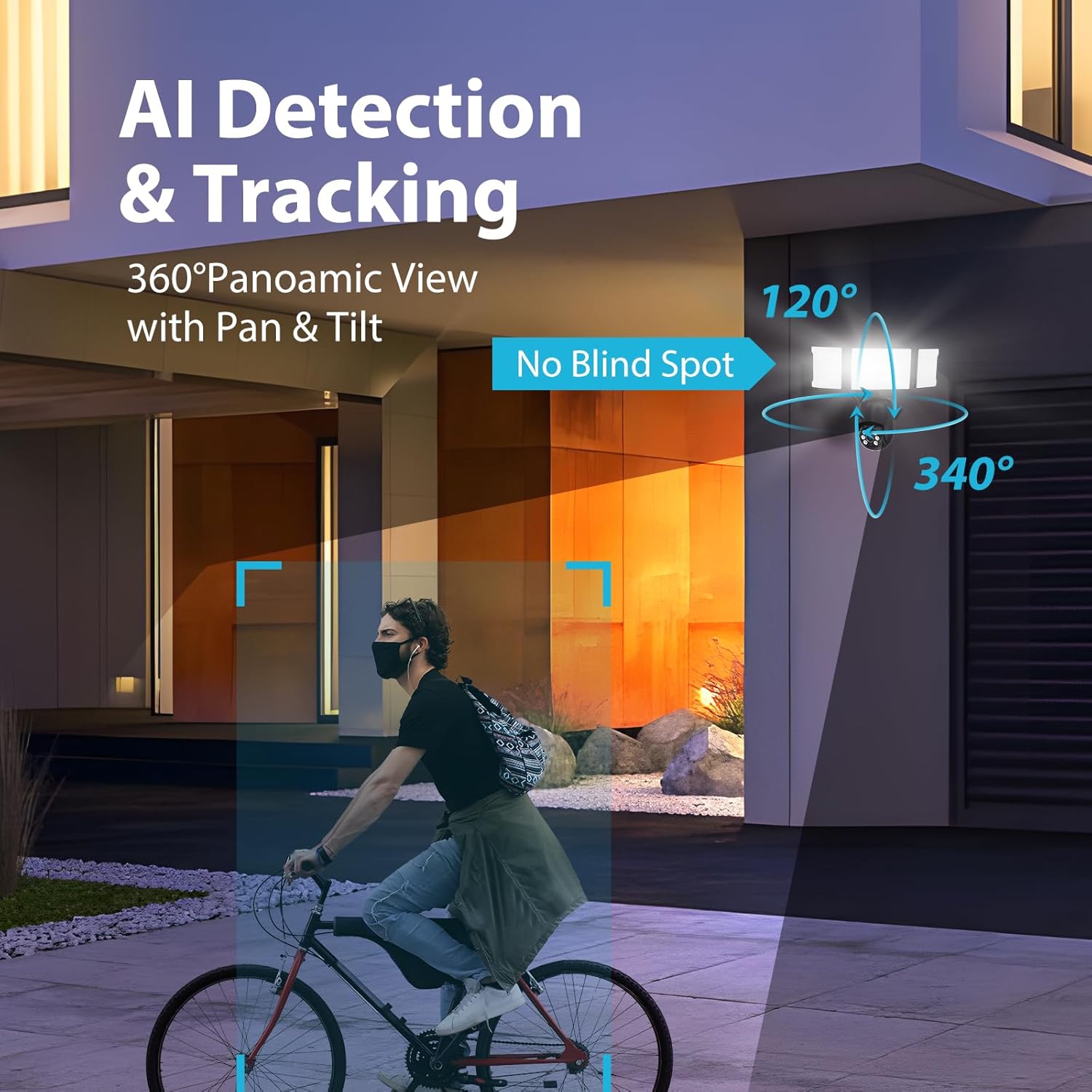
Figure 6.4: AI Detection & Tracking with panoramic view.

Figure 6.5: Motion detection alarm and mobile notification.

Figure 6.6: AI Lock and Tracking in action.

Figure 6.7: Motion detection triggering floodlights and notifications.
6.3 ສຽງສອງທາງ
Utilize the built-in microphone and speaker for two-way communication. This allows you to speak to visitors or deter unwanted guests directly through the app.

Figure 6.8: Two-way audio for communication and deterrence.

Figure 6.9: Real-time two-way audio communication.
6.4 ການຄວບຄຸມແສງສະຫວ່າງ
The 55W floodlights (5500 lumens) can be adjusted for brightness and scheduled via the Smart Life APP. The three light heads are independently adjustable.

Figure 6.10: Adjustable lighting features and coverage.

Figure 6.11: Scheduling options for floodlight activation.
6.5 Storage Options and Playback
The camera supports both cloud storage and local storage via a Micro SD card (up to 128GB, not included). You can review non-stop recordings or event-triggered recordings.

Figure 6.12: Video playback interface and storage options.

Figure 6.13: Cloud and Micro SD card storage for recorded footage.
7. ບໍາລຸງຮັກສາ
Regular maintenance ensures optimal performance and longevity of your floodlight camera.
- ທໍາຄວາມສະອາດ: Gently wipe the camera lens and floodlight surfaces with a soft, damp ຜ້າ. ຫຼີກລ້ຽງການເຮັດຄວາມສະອາດຂັດຫຼືສານລະລາຍ.
- ການອັບເດດເຟີມແວ: Periodically check the Smart Life APP for available firmware updates to ensure your device has the latest features and security enhancements.
- ເງື່ອນໄຂສິ່ງແວດລ້ອມ: The camera is IP65 waterproof, suitable for temperatures between -20°C and 50°C. Ensure proper drainage around the installation area to prevent water accumulation.

Figure 7.1: IP65 Waterproof rating and operating temperature range.
8. ການແກ້ໄຂບັນຫາ
If you encounter issues with your Olafus Flood Light Camera, refer to the following common problems and solutions:
- ກ້ອງຖ່າຍຮູບບໍ່ໄດ້ເຊື່ອມຕໍ່ກັບ Wi-Fi:
- ໃຫ້ແນ່ໃຈວ່າເຄືອຂ່າຍ Wi-Fi ຂອງທ່ານແມ່ນ 2.4GHz ຫຼື 5GHz ແລະມີຄວາມຫມັ້ນຄົງ.
- ກວດສອບລະຫັດຜ່ານ Wi-Fi ຖືກຕ້ອງ.
- Move the camera closer to the Wi-Fi router to improve signal strength.
- ຣີສະຕາດກ້ອງຖ່າຍຮູບ ແລະເຣົາເຕີຂອງທ່ານ.
- Lights not turning off automatically:
- Check the light schedule and motion detection settings in the Smart Life APP.
- Ensure the motion sensor is not obstructed and its sensitivity is set appropriately.
- ຄຸນນະພາບວິດີໂອບໍ່ດີ:
- ເຮັດຄວາມສະອາດເລນກ້ອງຖ່າຍຮູບ.
- Ensure a strong Wi-Fi connection for optimal streaming.
- Check the resolution settings in the Smart Life APP.
- ບໍ່ມີການແຈ້ງເຕືອນການເຄື່ອນໄຫວ:
- Verify motion detection is enabled in the Smart Life APP.
- Check the detection zone and sensitivity settings.
- ໃຫ້ແນ່ໃຈວ່າການແຈ້ງເຕືອນຂອງແອັບຖືກເປີດໃຊ້ງານຢູ່ໃນໂທລະສັບສະຫຼາດຂອງທ່ານ.
9. ຂໍ້ມູນຈໍາເພາະ
| ຄຸນສົມບັດ | ຂໍ້ມູນຈໍາເພາະ |
|---|---|
| ໝາຍເລກຕົວແບບ | 3-LBC65M |
| ການນຳໃຊ້ພາຍໃນ/ນອກ | ກາງແຈ້ງ |
| ຄວາມລະອຽດການຖ່າຍວິດີໂອ | 2K (4 MP Effective) |
| Viewໃນມຸມ | 360 Degrees (340° horizontal, 120° vertical) |
| ແຫຼ່ງພະລັງງານ | ໄຟຟ້າສາຍ |
| ອະນຸສັນຍາການເຊື່ອມຕໍ່ | Wi-Fi (2.4G & 5G compatible) |
| ປະເພດການຄວບຄຸມ | Amazon Alexa, ແອັບ |
| ປະເພດການຕິດຕັ້ງ | ຕິດຝາ |
| ວັດtage | 55 watts (5500 lumens) |
| ວັດສະດຸ | ອາລູມີນຽມ |
| ລະດັບຄວາມຕ້ານທານນ້ໍາ | ກັນນ້ ຳ (IP65) |
| ອຸນຫະພູມປະຕິບັດການ | -20°C ຫາ 50°C (-4°F ຫາ 122°F) |
| ປະເພດຫນ່ວຍຄວາມຈໍາ Flash | Micro SD (ສູງສຸດ 128GB) |
| ຂະໜາດສິນຄ້າ | 9.5 x 5.7 x 10.7 ນິ້ວ |
| ນ້ໍາຫນັກລາຍການ | 2.93 ປອນ |
10. ການຮັບປະກັນແລະການສະຫນັບສະຫນູນ
Olafus provides a standard manufacturer's warranty for this product. For specific warranty details, please refer to the warranty card included in your package or contact Olafus customer support. If you require technical assistance or have questions not covered in this manual, please visit the official Olafus webເວັບໄຊ ຫຼືຕິດຕໍ່ທີມງານບໍລິການລູກຄ້າຂອງເຂົາເຈົ້າ.
ຜູ້ຜະລິດ: ໂອລາຟູດ


