1. ບົດແນະນຳ
This manual provides detailed instructions for the installation, operation, and maintenance of your AOC 24B31H 24-inch Full HD Monitor. Please read this manual thoroughly before using the product to ensure proper setup and functionality. Keep this manual for future reference.
The AOC 24B31H monitor features a 24-inch Full HD (1920x1080) display with a 120Hz refresh rate and 1ms MPRT response time, designed for smooth visual performance. It incorporates Adaptive Sync technology to reduce screen tearing and stuttering, along with low blue light and flicker-free technologies for enhanced eye comfort during extended use. The monitor also boasts a 3-side frameless design for an immersive viewປະສົບການ.
2. ເນື້ອໃນຊຸດ
ກວດສອບວ່າລາຍການທັງຫມົດທີ່ລະບຸໄວ້ຂ້າງລຸ່ມນີ້ແມ່ນມີຢູ່ໃນຊຸດຜະລິດຕະພັນຂອງທ່ານ. ຖ້າລາຍການໃດຂາດຫາຍໄປ ຫຼືເສຍຫາຍ, ກະລຸນາຕິດຕໍ່ຜູ້ຄ້າປີກ ຫຼືຝ່າຍຊ່ວຍເຫຼືອລູກຄ້າ AOC.
- AOC 24B31H Monitor Display
- ຕິດຕາມສະຖານທີ່
- ຈໍຢືນຄໍ
- ສາຍໄຟ
- ສາຍ HDMI
- D-Sub (VGA) Cable
- ຄູ່ມືຜູ້ໃຊ້ (ເອກະສານນີ້)
- ບັດຮັບປະກັນ
3. ຄໍາແນະນໍາການຕິດຕັ້ງ
3.1 ການປະກອບ Monitor Stand
- ຄ່ອຍໆວາງໜ້າຈໍຈໍພາບໃຫ້ຫງາຍໜ້າລົງເທິງພື້ນຜິວທີ່ອ່ອນນຸ້ມແລະສະອາດເພື່ອປ້ອງກັນຮອຍຂີດຂ່ວນ.
- Attach the stand neck to the back of the monitor panel. Ensure it clicks securely into place or is fastened with screws if provided.
- Connect the stand base to the stand neck. Tighten the thumb screw or screws at the bottom of the base to secure it.
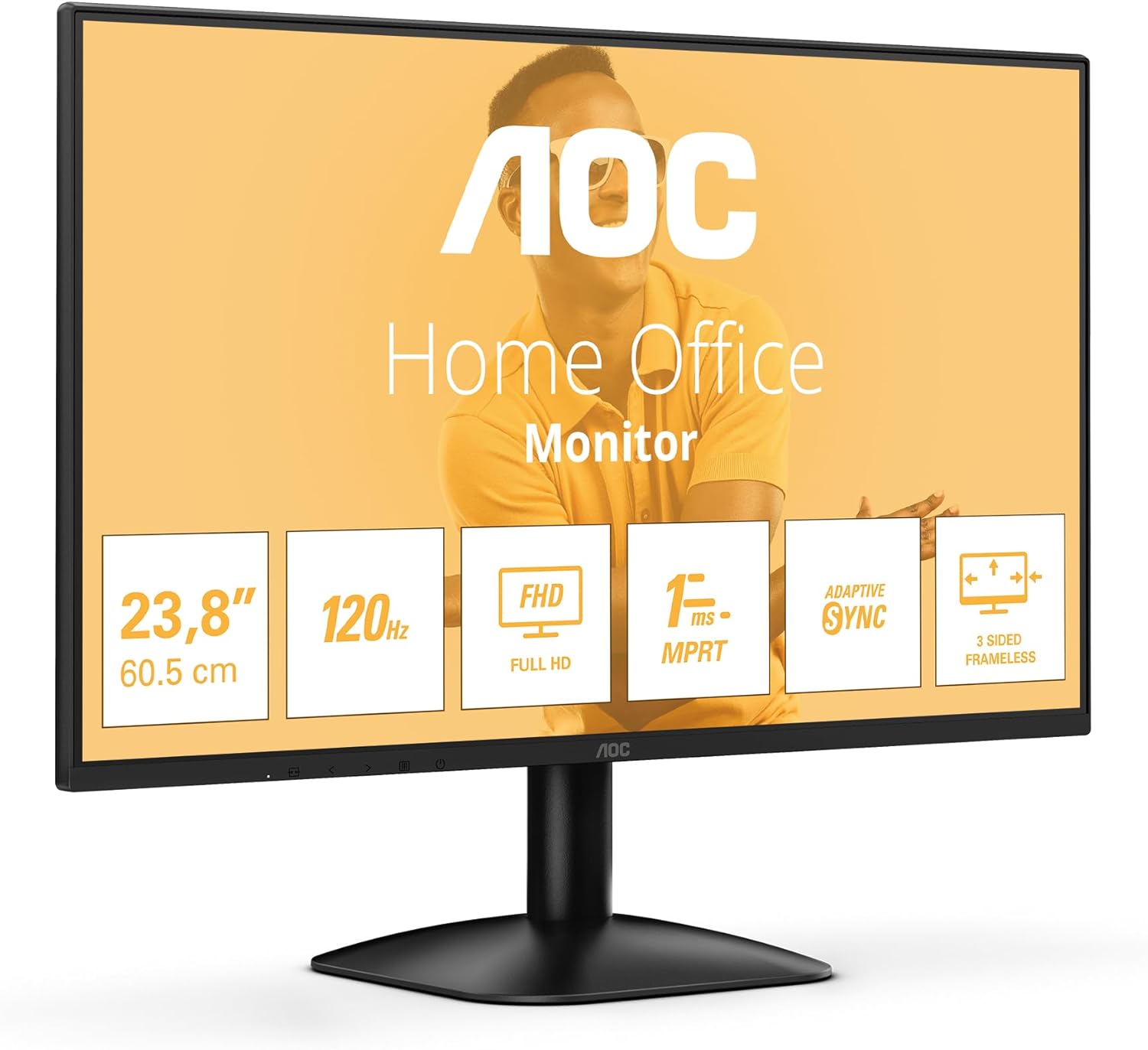
ຮູບ 3.1: ດ້ານຫນ້າ view of the AOC 24B31H monitor with its stand assembled. This image shows the display panel attached to the stand neck and base, ready for use.
3.2 ການເຊື່ອມຕໍ່ Monitor
- ການເຊື່ອມຕໍ່ພະລັງງານ: ເຊື່ອມຕໍ່ສາຍໄຟເຂົ້າກັບພອດປ້ອນຂໍ້ມູນຂອງຈໍພາບ ແລະ ຈາກນັ້ນເຂົ້າກັບປລັກໄຟ.
- ການເຊື່ອມຕໍ່ວິດີໂອ:
- For HDMI connection: Connect one end of the HDMI cable to the HDMI port on the monitor and the other end to the HDMI output port on your computer.
- For D-Sub (VGA) connection: Connect one end of the D-Sub cable to the D-Sub port on the monitor and the other end to the VGA output port on your computer.

ຮູບ 3.2: ດ້ານຫລັງ view of the AOC 24B31H monitor, highlighting the HDMI 1.4 and D-Sub input ports. This image illustrates where to connect the video cables from your computer to the monitor.

Figure 3.3: General rear view of the AOC 24B31H monitor, showing the location of all input ports and the power connection. This provides an overview ທາງເລືອກໃນການເຊື່ອມຕໍ່ຂອງຈໍສະແດງຜົນ.
4. ຄໍາແນະນໍາການດໍາເນີນງານ
4.1 ການເປີດ/ປິດ
Press the power button located on the bottom bezel of the monitor to turn it on or off. The power indicator light will illuminate when the monitor is on.
4.2 ການສະແດງຜົນເທິງໜ້າຈໍ (OSD) ເມນູນໍາທາງ
The OSD menu allows you to adjust various monitor settings. Use the control buttons, typically located on the bottom bezel or rear of the monitor, to navigate the menu.
- ປຸ່ມເມນູ: ເປີດເມນູ OSD.
- ປຸ່ມນຳທາງ: Used to move through menu options (up/down, left/right).
- ເລືອກ/ໃສ່ປຸ່ມ: ຢືນຢັນການເລືອກ ຫຼືໃສ່ເມນູຍ່ອຍ.
- ປຸ່ມອອກ: ອອກຈາກເມນູປະຈຸບັນ ຫຼື OSD.
4.3 ລັກສະນະທີ່ສໍາຄັນແລະການປັບຕົວ
- ຄວາມລະອຽດ: The monitor supports a maximum resolution of 1920x1080 (Full HD). Ensure your computer's display settings are configured to this resolution for optimal image quality.
- ອັດຕາການໂຫຼດຂໍ້ມູນຄືນໃໝ່: The monitor operates at a 120Hz refresh rate. Verify your graphics card settings are configured to 120Hz to experience smoother visuals.
- Adaptive Sync: This technology synchronizes the monitor's refresh rate with your graphics card's frame rate to eliminate screen tearing and stuttering. Enable this feature in your graphics card control panel if supported.
- ໂໝດແສງສີຟ້າຕ່ຳ: Reduces blue light emissions to minimize eye strain. This setting can typically be adjusted within the OSD menu.
- ເທັກໂນໂລຍີ Flicker-Free: This monitor is designed to reduce screen flickering, contributing to a more comfortable viewing experience during prolonged use. This is an inherent hardware feature and does not require user adjustment.
- ເວລາຕອບສະໜອງ (MPRT): With a 1ms Moving Picture Response Time, the monitor delivers crisp images and smooth motion, particularly beneficial for fast-paced content.
5. ບໍາລຸງຮັກສາ
5.1 ການທໍາຄວາມສະອາດ Monitor
- ຖອດສາຍຈໍຈາກປລັກສຽບໄຟອອກກ່ອນທຳຄວາມສະອາດທຸກຄັ້ງ.
- ໃຊ້ຜ້າແພທີ່ອ່ອນໆ ທີ່ບໍ່ມີເສັ້ນດ່າງ dampຜະສົມດ້ວຍນ້ໍາຫຼືເຄື່ອງເຮັດຄວາມສະອາດຫນ້າຈໍອ່ອນໆທີ່ບໍ່ມີການຂັດ.
- ຢ່າສີດນໍ້າສະອາດໃສ່ໜ້າຈໍໂດຍກົງ. ທາໃສ່ຜ້າກ່ອນ.
- Avoid using benzene, thinner, ammonia-based cleaners, or abrasive cleaning agents, as these can damage the screen or casing.
5.2 ການເກັບຮັກສາ
If storing the monitor for an extended period, ensure it is powered off, unplugged, and stored in a cool, dry place away from direct sunlight and extreme temperatures. It is recommended to use the original packaging for protection.
6. ການແກ້ໄຂບັນຫາ
| ບັນຫາ | ສາເຫດທີ່ເປັນໄປໄດ້ | ການແກ້ໄຂ |
|---|---|---|
| ບໍ່ມີຮູບພາບໃນ ໜ້າ ຈໍ |
|
|
| ຮູບພາບມົວຫຼືບິດເບືອນ |
|
|
| ໜ້າຈໍກະພິບ |
|
|
| No sound from monitor / Cannot connect headphones |
|
|
7. ຂໍ້ມູນຈໍາເພາະ
| ຄຸນສົມບັດ | ລາຍລະອຽດ |
|---|---|
| ຊື່ຕົວແບບ | AOC 24B31H |
| ຂະໜາດໜ້າຈໍ | 23.8 ນິ້ວ |
| ຄວາມລະອຽດ | 1920 x 1080 (Full HD) |
| ອັດຕາການໂຫຼດຂໍ້ມູນຄືນໃໝ່ | 120 Hz |
| ເວລາຕອບສະຫນອງ | 1ms MPRT |
| ອັດຕາສ່ວນ | 16:9 |
| Adaptive Sync | ສະຫນັບສະຫນູນ |
| ວິດີໂອປ້ອນຂໍ້ມູນ | 1x HDMI 1.4, 1x D-Sub (VGA) |
| ສີ | ດຳ |
| ຂະໜາດ (LxWxH) | 7.32 x 21.35 x 16.14 ນິ້ວ (ມີຂາຕັ້ງ) |
| ນ້ຳໜັກ | 6.6 ປອນ (ມີຂາຕັ້ງ) |
| ຄຸນນະສົມບັດພິເສດ | Low Blue Light, Flicker-Free, 3-Side Frameless Design |
8. ການຮັບປະກັນແລະການສະຫນັບສະຫນູນ
8.1 ຂໍ້ມູນການຮັບປະກັນ
Your AOC 24B31H monitor is covered by a limited warranty. Please refer to the warranty card included in your package for specific terms, conditions, and duration of coverage. Retain your proof of purchase for warranty claims.
For detailed warranty information, please visit the official AOC website or contact AOC customer support.
8.2 ສະຫນັບສະຫນູນລູກຄ້າ
If you encounter any issues not covered in the troubleshooting section or require further assistance, please contact AOC customer support. Contact details can typically be found on the AOC official webສະຖານທີ່ຫຼືຢູ່ໃນບັດຮັບປະກັນ.
When contacting support, please have your monitor model number (24B31H) and serial number ready.


