ແນະນຳ
Thank you for choosing the RESTMO Smart Sprinkler Timer with Flow Meter. This device is designed to automate your garden and lawn irrigation, providing precise water management through an intuitive mobile application. Featuring a durable brass inlet and outlet, this timer connects to your 2.4GHz WiFi network via an RF Hub for remote control and monitoring. This manual provides detailed instructions for installation, operation, maintenance, and troubleshooting to ensure optimal performance of your smart watering system.
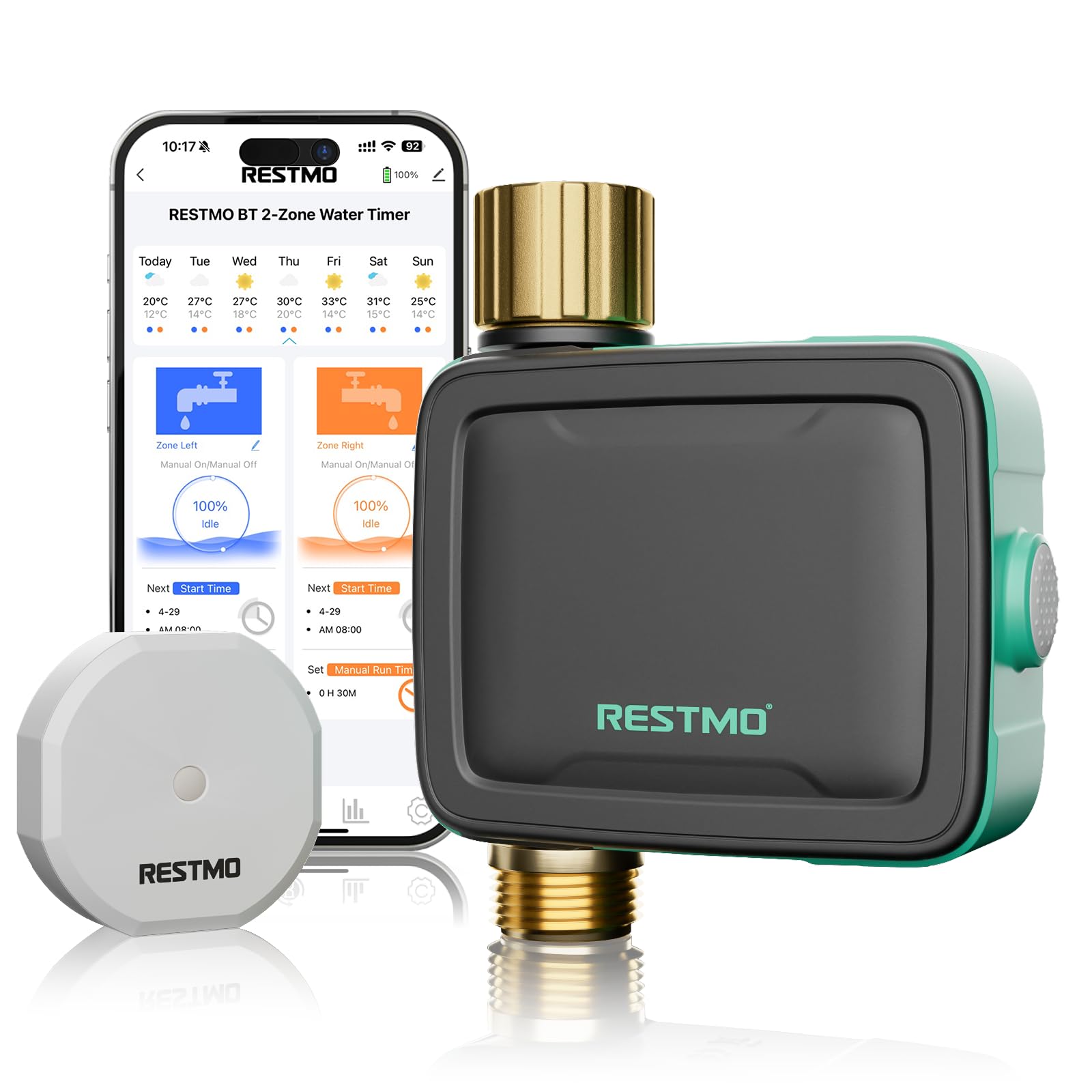
The RESTMO Smart Sprinkler Timer, ready for installation.
ຄຸນສົມບັດຜະລິດຕະພັນ
- RF Hub + WiFi Control: Remote management via a smart app when connected to a 2.4GHz WiFi network through the RF Hub.
- Precise Water Volume Control: Set exact water usage and frequency, track real-time consumption data, and view daily/weekly/monthly/yearly reports.
- Customizable Watering Plans: Choose from 4 flexible modes: Interval (1hr-7day frequency), Weekly, Odd Day, or Even Day. Set up to 8 independent schedules per zone with precise start times and durations (1min-24hrs).
- Durable Heavy-Duty Construction: Features a pure brass inlet/outlet for superior corrosion resistance and leak-proof performance. Includes a metal filter to prevent dirt buildup.
- Smart Manual Control: Activate manual watering (1–24 hrs) via the app or a one-touch button.
- ການອອກແບບທີ່ທົນທານຕໍ່ສະພາບອາກາດ: IP55 waterproof protection and durable construction for outdoor conditions.
- Rain Delay Feature: Pause irrigation for 24/48/72 hours during wet weather.

The RESTMO Smart Sprinkler Timer offers multiple solutions for various watering needs.
ຄູ່ມືການຕິດຕັ້ງ
1. Unboxing ແລະການກວດສອບອົງປະກອບ
Carefully remove all components from the packaging. Ensure you have the Smart Sprinkler Timer, RF Hub, and any included accessories.
2. ຕິດຕັ້ງແບັດເຕີລີ
Open the battery compartment on the sprinkler timer and insert the required batteries (typically AA or AAA, refer to packaging for exact type and quantity). Ensure correct polarity.
3. ການຕິດຕັ້ງທາງດ້ານຮ່າງກາຍ
- ເຊື່ອມຕໍ່ກັບ Faucet: Screw the brass inlet of the sprinkler timer onto your outdoor faucet. Ensure the connection is tight to prevent leaks. The 360° swivel brass inlet allows for easy positioning.
- ທໍ່ເຊື່ອມຕໍ່: Attach your garden hose to the brass outlet of the sprinkler timer.

Securely connect the timer to your outdoor faucet.
4. RF Hub Setup and App Connection
- Power the RF Hub: Plug the RF Hub into a power outlet indoors, within range of your 2.4GHz WiFi router and the sprinkler timer.
- ດາວໂຫລດແອັບ:: Download the dedicated smart app (e.g., 'Smart Life' or 'Tuya Smart' as indicated in product packaging) from your mobile device's app store.
- Pair RF Hub: Follow the in-app instructions to add and pair the RF Hub to your 2.4GHz WiFi network. ໝາຍເຫດ: 5GHz WiFi networks are not supported. Ensure your router is configured to use 2.4GHz or temporarily disable 5GHz during setup if you encounter issues.
- Pair Sprinkler Timer: Once the RF Hub is connected, use the app to add the sprinkler timer. The app will guide you through the pairing process, typically involving a button press on the timer.

The RF Hub facilitates WiFi connectivity for your smart sprinkler timer.
ຄໍາແນະນໍາການດໍາເນີນງານ
1. ການວາງແຜນການຫົດນ້ຳ
The app allows you to create and manage watering schedules. You can set up to 8 independent schedules per zone.
- ເລືອກໂໝດ: Choose from Interval (e.g., every 2 days), Weekly (specific days), Odd Day, or Even Day.
- ຕັ້ງເວລາເລີ່ມຕົ້ນ: Define the exact time for watering to begin.
- ກຳນົດໄລຍະເວລາ: Specify the watering duration from 1 minute to 24 hours.

Personalize your watering schedule with various frequency options.
2. Water Volume Mode
For precise water usage, switch to Water Volume Mode in the app. This allows you to set a specific volume of water to be dispensed per watering cycle. The integrated flow meter will track the volume and stop watering once the set amount is reached. You can monitor consumption reports (daily, weekly, monthly, yearly) within the app.

Set exact water volumes for efficient irrigation.
3. ການຫົດນໍ້າດ້ວຍມື
You can initiate watering manually without affecting your programmed schedules.
- ຜ່ານ App: Use the app to start manual watering and set a duration (1-24 hours).
- ຜ່ານອຸປະກອນ: Press the one-touch button on the timer itself to start or stop watering.

Manual watering can be activated directly on the device or through the app.
4. ຝົນລ່າຊ້າ
To conserve water and prevent overwatering during wet weather, activate the rain delay feature through the app. You can pause irrigation for 24, 48, or 72 hours.

Utilize the rain delay feature to pause watering during wet conditions.
ບໍາລຸງຮັກສາ
1. Cleaning the Metal Filter
The timer includes a metal filter at the inlet to prevent debris from entering the system. Periodically inspect and clean this filter to ensure consistent water flow and prevent blockages. Unscrew the timer from the faucet, remove the filter, rinse it under running water, and reinsert it before reattaching the timer.

The pure brass inlet and outlet are designed for durability and easy maintenance.
2. ການທົດແທນຫມໍ້ໄຟ
When the battery indicator in the app shows low power, or if the device stops responding, replace the batteries promptly. Use new, high-quality batteries of the specified type.
3. ລະດູໜາວ
Before the first frost, disconnect the sprinkler timer from the faucet and hose. Drain any remaining water from the unit and store it indoors in a dry, frost-free location. Remove batteries if storing for an extended period.
ການແກ້ໄຂບັນຫາ
- Timer shuts off after 3 minutes / Flow meter not detecting water: This can occur if the water pressure is too low or the flow is insufficient to activate the internal flow meter. This safety feature prevents continuous operation without detected flow. This timer is not recommended for soaker hoses, which operate at very low pressures. Ensure adequate water pressure for proper operation.
- ບໍ່ສາມາດເຊື່ອມຕໍ່ກັບ WiFi: Ensure your RF Hub is connected to a 2.4GHz WiFi network. This device does not support 5GHz WiFi. If your router broadcasts both, try temporarily disabling the 5GHz band during setup, or ensure your phone is connected to the 2.4GHz band.
- App not responding / Device offline: Check the RF Hub's power and WiFi connection. Ensure the sprinkler timer's batteries are not depleted. Try restarting the app and the RF Hub.
- ນ້ໍາຮົ່ວຈາກການເຊື່ອມຕໍ່: Ensure all connections (faucet to timer, timer to hose) are tightened securely. Check for damaged washers and replace if necessary.
- ບໍ່ມີນ້ໍາໄຫຼ: Check if the faucet is fully open. Ensure the metal filter is clean and not blocked. Verify that the timer is scheduled to open or is manually activated.
ຂໍ້ມູນຈໍາເພາະ
| ຄຸນສົມບັດ | ຂໍ້ມູນຈໍາເພາະ |
|---|---|
| ຍີ່ຫໍ້ | Restmo |
| ໝາຍເລກຕົວແບບ | O-HT-2A-RFWF |
| ການເຊື່ອມຕໍ່ | RF Hub + 2.4GHz WiFi |
| ວັດສະດຸ | Brass (Inlet/Outlet) |
| ເຂດນ້ຳ | 1 ເຂດ |
| ໄລຍະເວລາການຫົດນໍ້າ | 1 minute - 24 hours |
| ຄວາມຖີ່ຂອງການຫົດນໍ້າ | Interval (1hr-7day), Weekly, Odd Day, Even Day |
| Schedules per Zone | ເຖິງ 8 |
| ການຕໍ່ຕ້ານນ້ໍາ | IP55 |
| ຂະໜາດສິນຄ້າ | 5"D x 3"W x 5"H |
| ນ້ໍາຫນັກລາຍການ | 0.38 ກິໂລກຣາມ (13.4 ອອນສ໌) |
ການຮັບປະກັນແລະການສະຫນັບສະຫນູນ
RESTMO products are designed for reliability and performance. For specific warranty details, please refer to the warranty card included with your product or visit the official RESTMO website. If you encounter any issues or require technical assistance, please contact RESTMO customer support through the contact information provided on the product packaging or the official brand store.
ຢ້ຽມຢາມ Restmo Store ສໍາລັບຂໍ້ມູນເພີ່ມເຕີມແລະຊັບພະຍາກອນສະຫນັບສະຫນູນ.


