1. ບົດແນະນຳ
The HOUSBAY TS9 is an all-in-one sleep and wake solution designed to enhance your sleep-wake cycle. It combines a sunrise alarm, sound machine, and nightlight to help you wind down, sleep deeply, and wake up naturally refreshed. This device promotes screen-free sleep support, minimizing digital distractions in your bedroom.

Figure 1: HOUSBAY TS9 highlighting its core functionalities.
2. ຜະລິດຕະພັນເກີນview
2.1 ລັກສະນະທີ່ສໍາຄັນ
- ການຈຳລອງຕາເວັນຂຶ້ນ: Gradually brightens to mimic natural sunrise for a gentle wake-up.
- 20 Soothing Sleep Aids: Includes white noise, nature sounds, lullabies, and meditation music.
- ຟັງຊັນແສງກາງຄືນ: Offers 12 different color options for ambient lighting.
- ຈໍສະແດງຜົນ Dimmable: Adjustable clock display brightness to suit your preference.
- Screen-Free Design: Promotes a calm bedroom environment without digital distractions.
2.2 ອົງປະກອບ
The HOUSBAY TS9 features intuitive controls located on its top surface and rear. The top surface includes buttons for light, music, volume adjustment, and timer settings. The rear panel houses the power input and additional controls for display dimming.

ຮູບທີ 2: ທາງເທິງ view of the device with control buttons.
3. ຕັ້ງຄ່າ
To begin using your HOUSBAY TS9, connect the provided power adapter to the device's power input port and then plug it into a standard electrical outlet. The clock display will illuminate upon successful connection.
For detailed initial setup, including time and alarm configuration, refer to the quick user guide included in the packaging or scan the QR code provided for an instructional video.
ວິດີໂອ 1: ຫຼາຍກວ່າview of the HOUSBAY TS9, including unboxing and initial setup instructions.
4. ຄໍາແນະນໍາການດໍາເນີນງານ
4.1 ການ ກຳ ນົດເວລາ
Use the designated time setting buttons (typically located on the top or side) to adjust the hour and minute. The clock display brightness can be dimmed or brightened to your preference using the controls on the device's rear.
4.2 ການຈຳລອງສັນຍານເຕືອນແສງຕາເວັນຂຶ້ນ
To set a sunrise alarm, select your desired wake-up time. The device's light will gradually increase in brightness over a period of 5 to 120 minutes before your set alarm time, simulating a natural sunrise. You can pair this with gentle alarm sounds such as birdsong or ocean waves for a calm awakening.
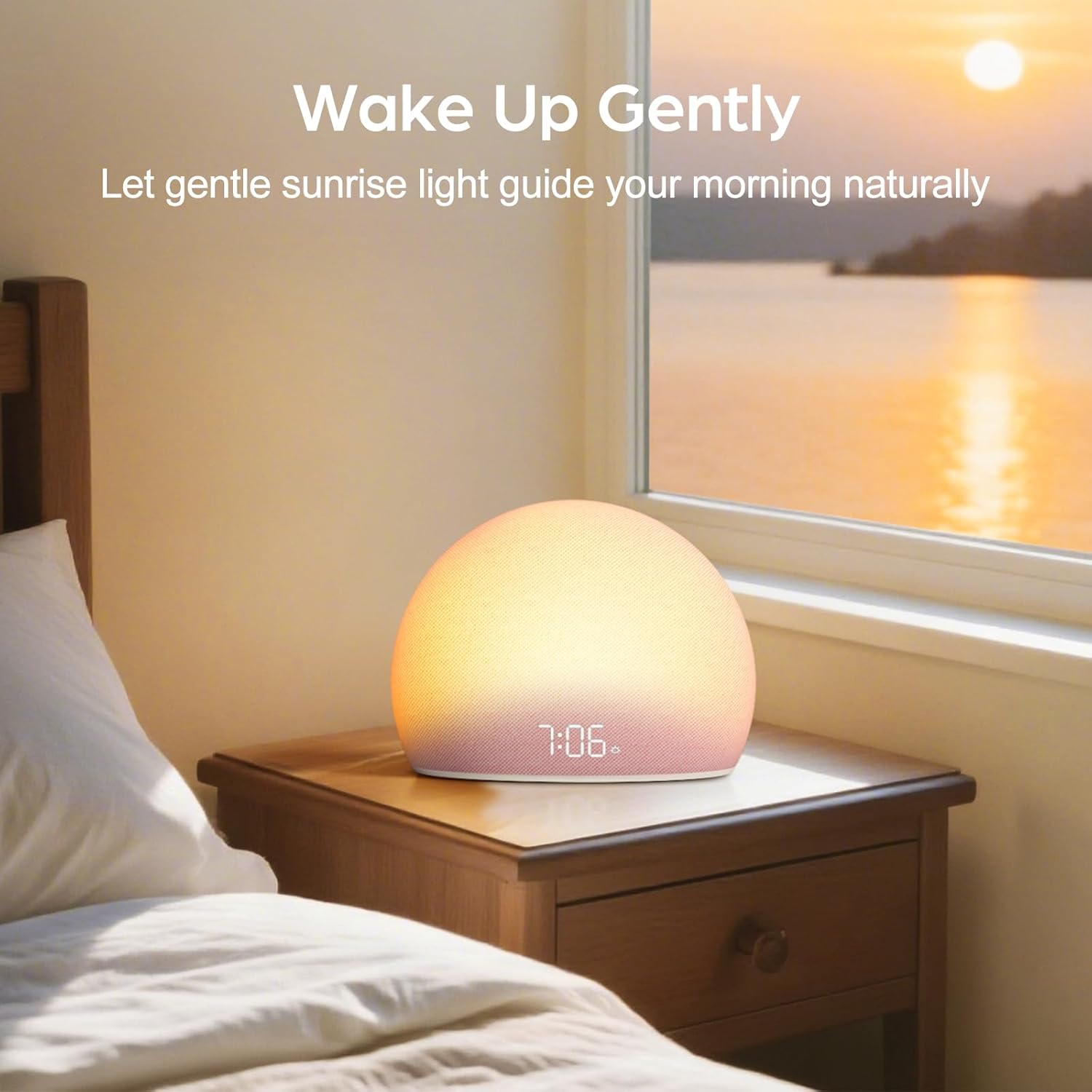
Figure 3: Gentle wake-up with sunrise light simulation.

Figure 4: Visual representation of the gradual sunrise light.
4.3 Sound Machine
The HOUSBAY TS9 includes 20 built-in soothing sounds to aid relaxation and sleep. These include various white noise options, nature sounds like rain, campfire, and ocean waves, as well as heartbeat and meditation music. Adjust the volume to your preference using the dedicated controls.

Figure 5: Deep sleep facilitated by soothing sounds and light.

Figure 6: Selection of peaceful sounds for sleep.
Video 2: Demonstration of the HOUSBAY TS9's gentle wake-up and white noise options.
4.4 ແສງກາງຄືນ
Activate the night light feature to choose from 12 different color tones, allowing you to create a personalized and calming ambiance in your room. The light can be adjusted in brightness to serve as a subtle night light or a brighter reading light.

Figure 7: Night light function with multiple color options.
4.5 Screen-Free Design
The HOUSBAY TS9 is designed to be screen-free, meaning it does not require a smartphone app for operation. This minimalist approach helps reduce digital distractions, promoting a more peaceful and restful sleep environment.

Figure 8: The screen-free design for undisturbed sleep.
ວິດີໂອທີ 3: ກ່ຽວກັບview highlighting the benefits of the HOUSBAY TS9's screen-free routine.
5. ບໍາລຸງຮັກສາ
To maintain your HOUSBAY TS9, ensure the device is unplugged from the power outlet before cleaning. Use a soft, dry cloth to wipe down the exterior. Avoid using liquid cleaners, aerosols, or abrasive materials, as these can damage the device.
6. ການແກ້ໄຂບັນຫາ
If you encounter any issues with your HOUSBAY TS9, please consider the following:
- ບໍ່ມີພະລັງງານ / ຈໍສະແດງຜົນ: ໃຫ້ແນ່ໃຈວ່າອະແດັບເຕີໄຟເຊື່ອມຕໍ່ຢ່າງປອດໄພກັບທັງອຸປະກອນ ແລະປລັກສຽບໄຟຟ້າທີ່ເຮັດວຽກ.
- ໂມງປຸກບໍ່ມີສຽງ: Verify that the alarm is set correctly and the volume is not muted or too low.
- Light Malfunction: Check light settings and ensure no obstructions are blocking the light panel.
- ບັນຫາຄຸນນະພາບສຽງ: Ensure the device is placed on a stable surface and not covered.
For further assistance, refer to the comprehensive user manual or contact HOUSBAY customer support.
7. ຂໍ້ມູນຈໍາເພາະ
| ຄຸນສົມບັດ | ລາຍລະອຽດ |
|---|---|
| ຍີ່ຫໍ້ | HOUSBAY |
| ໝາຍເລກຕົວແບບ | TS9 |
| ປະເພດການສະແດງ | ດິຈິຕອລ |
| ແບບ | ທັນສະໄຫມ |
| ຄຸນນະສົມບັດພິເສດ | 20 Soothing Sounds, Alarm, Night Mode, Sleep Timer, Snooze, Sunrise Simulation |
| ແຫຼ່ງພະລັງງານ | Adapter Powered (Note: Product specifications may list 'Battery Powered' but device typically operates via power adapter) |
| ວັດສະດຸກອບ | ພາດສະຕິກ |
8. ການຮັບປະກັນແລະການສະຫນັບສະຫນູນ
The HOUSBAY TS9 Sunrise Alarm Clock is covered by a 1-year warranty. If you encounter any manufacturing defects or issues during this period, please contact HOUSBAY customer support for assistance.
For product support, inquiries, or warranty claims, please visit the official HOUSBAY website ຫຼືຕິດຕໍ່ພະແນກບໍລິການລູກຄ້າຂອງເຂົາເຈົ້າໂດຍກົງ.


