1. ບົດແນະນຳ
Thank you for choosing the Happybuy SL288 Thermal Laminator Machine. This portable laminator is designed for hot lamination of documents up to A4 size, providing a protective, durable finish. It features a quick warm-up time, efficient lamination speed, and an ABS anti-jam function for reliable operation. This manual provides essential information for safe and effective use of your laminator.
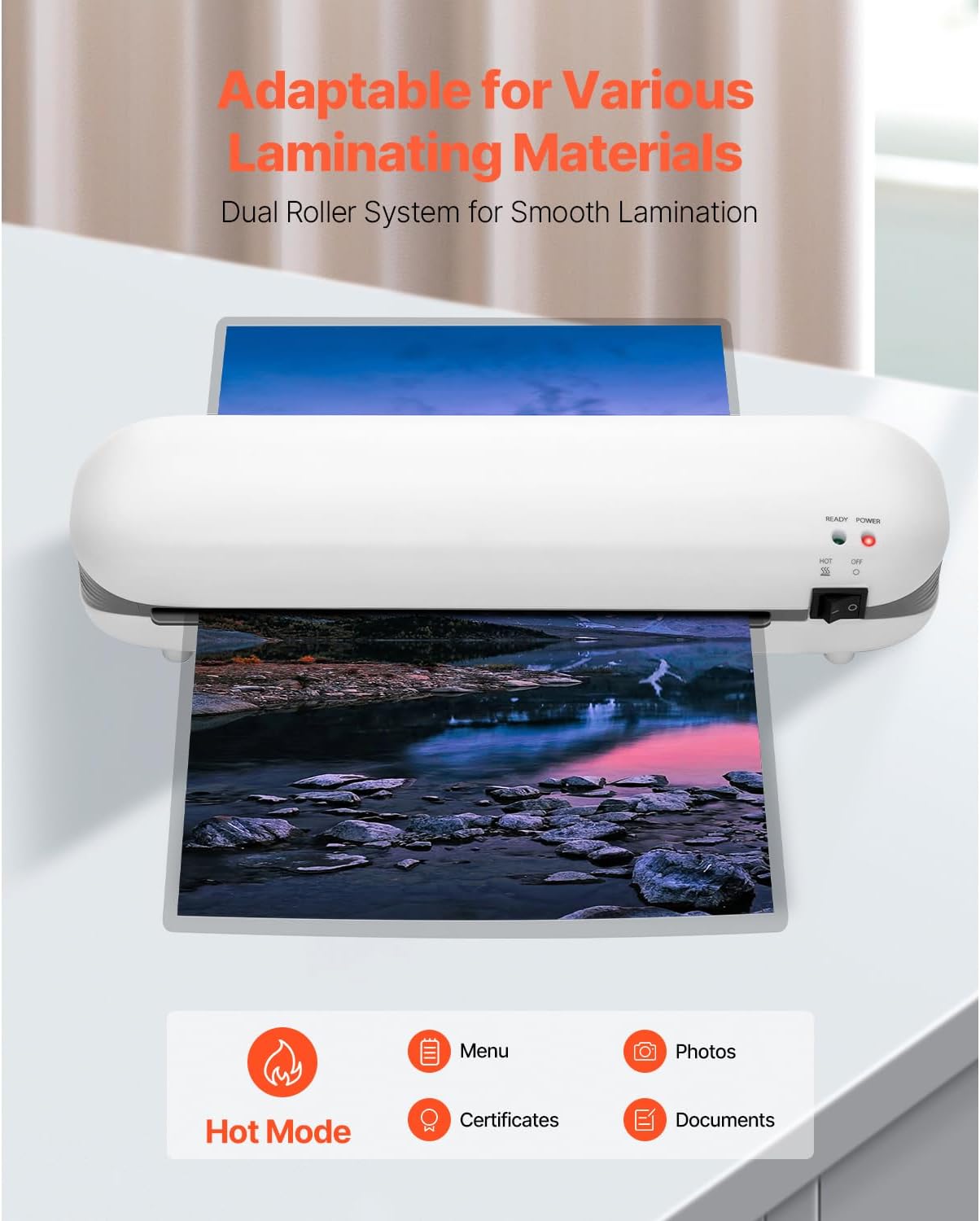
Image 1.1: The Happybuy SL288 laminator is adaptable for various laminating materials, including photos, certificates, and documents, using its dual roller system for smooth lamination.
2. ຄໍາແນະນໍາຄວາມປອດໄພ
- ອ່ານຄໍາແນະນໍາທັງໝົດກ່ອນທີ່ຈະໃຊ້ເຄື່ອງເຄືອບ.
- ຢ່າໃຊ້ເຄື່ອງເຄືອບຖ້າສາຍໄຟ ຫຼື ປລັກໄຟເສຍຫາຍ.
- ຮັກສາເຄື່ອງເຄືອບໃຫ້ຫ່າງຈາກນໍ້າ ຫຼື ຂອງແຫຼວອື່ນໆ.
- Do not touch the heated parts of the machine during or immediately after use.
- Ensure proper ventilation around the laminator during operation.
- ຖອດປລັກເຄື່ອງເຄືອບເງົາເມື່ອບໍ່ໄດ້ໃຊ້ ຫຼືກ່ອນທຳຄວາມສະອາດ.
- ເຄື່ອງໃຊ້ນີ້ບໍ່ໄດ້ມີຈຸດປະສົງເພື່ອໃຊ້ໂດຍບຸກຄົນ (ລວມທັງເດັກນ້ອຍ) ທີ່ມີຄວາມສາມາດທາງຮ່າງກາຍ, ຄວາມຮູ້ສຶກ ຫຼືຈິດໃຈທີ່ຫຼຸດລົງ, ຫຼືຂາດປະສົບການ ແລະຄວາມຮູ້, ເວັ້ນເສຍແຕ່ວ່າພວກເຂົາໄດ້ຮັບການຊີ້ນໍາ ຫຼືຄໍາແນະນໍາກ່ຽວກັບການນໍາໃຊ້ເຄື່ອງໃຊ້ໂດຍບຸກຄົນທີ່ຮັບຜິດຊອບຄວາມປອດໄພຂອງເຂົາເຈົ້າ.
3. ຜະລິດຕະພັນເກີນview
3.1 ການກໍານົດຊິ້ນສ່ວນ
Familiarize yourself with the components of your Happybuy SL288 laminator:
- ສັບປ່ຽນພະລັງງານ: Turns the laminator ON/OFF.
- ແສງສະຫວ່າງຕົວຊີ້ວັດພະລັງງານ: Illuminates when the laminator is powered on.
- ແສງຕົວຊີ້ວັດພ້ອມ: Illuminates when the laminator has reached optimal operating temperature.
- ຊ່ອງເຂົ້າຮູບເງົາ: Where the lamination pouch with the document is inserted.
- ຊ່ອງອອກຟິມ: Where the laminated document exits the machine.
- ABS Button: ໃຊ້ເພື່ອປ່ອຍເອກະສານທີ່ຕິດຂັດ.
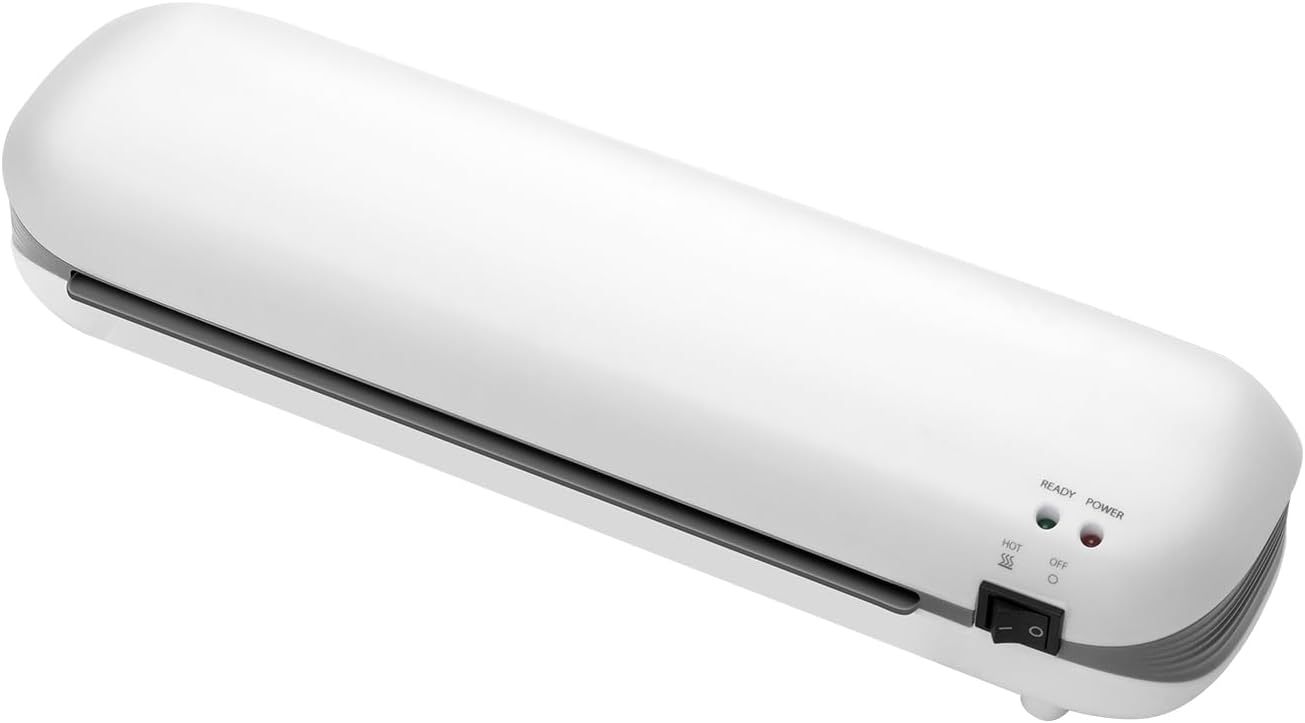
ຮູບພາບ 3.1: ດ້ານຫນ້າ view of the Happybuy SL288 laminator, highlighting the power switch, power indicator, and ready indicator lights.
4. ຕັ້ງຄ່າ
- ການຈັດວາງ: Place the laminator on a flat, stable surface with adequate space around it for proper ventilation and for documents to pass through.
- ການເຊື່ອມຕໍ່ພະລັງງານ: ສຽບສາຍໄຟເຂົ້າກັບປລັກໄຟຟ້າມາດຕະຖານ 120Vac, 60Hz.
- ເປີດ: Turn the power switch to the 'ON' position. The Power indicator light will illuminate.
- Preheat: Allow the laminator to preheat for approximately 3-4 minutes. The Ready indicator light will illuminate when the machine has reached its optimal operating temperature and is ready for use.

Image 4.1: The laminator features a quick preheat time of 3-4 minutes and a laminating speed of 13.4 inches per minute for efficient performance.
5. ຄໍາແນະນໍາການດໍາເນີນງານ
5.1 Preparing for Lamination
- Ensure the laminator is preheated and the Ready light is on.
- Select a lamination pouch appropriate for your document size (up to A4) and thickness (3-5 mil).
- Place your document neatly inside the lamination pouch, ensuring it is centered and there is a small margin around the edges.

Image 5.1: The Happybuy SL288 laminator supports A4 and smaller paper sizes, with a maximum lamination width of 9 inches and film thickness of 3-5 mil.
5.2 Lamination Process
- Carefully insert the sealed edge of the lamination pouch into the Film Entry Slot.
- The laminator will automatically feed the pouch through. Do not pull or push the document.
- Once the laminated document exits the Film Exit Slot, place it on a flat surface to cool and harden.
5.3 Using the ABS Anti-Jam Function
In the event of a paper jam or misfeed:
- Press and hold the ABS button located on the side of the laminator.
- While holding the button, gently pull the jammed pouch out of the Film Entry Slot.
- Release the ABS button. Allow the machine to cool if it was overheated, then re-attempt lamination with a new pouch if necessary.

Image 5.2: The one-touch ABS button allows for quick removal of jammed documents, protecting your valuable items.
6. ບໍາລຸງຮັກສາ
6.1 ການທໍາຄວາມສະອາດ
- ໃຫ້ແນ່ໃຈວ່າເຄື່ອງເຄືອບໄດ້ຖືກຖອດປລັກອອກ ແລະ ເຢັນລົງໝົດກ່ອນເຮັດຄວາມສະອາດ.
- ເຊັດດ້ານນອກຂອງເຄື່ອງດ້ວຍຜ້າອ່ອນແລະແຫ້ງ. ຢ່າໃຊ້ນໍ້າຢາທໍາຄວາມສະອາດທີ່ມີສານຂັດ ຫຼື ຕົວລະລາຍ.
- To clean the rollers, run a folded piece of paper through the laminator to pick up any adhesive residue.
6.2 ການເກັບຮັກສາ
When not in use, store the laminator in a dry, dust-free environment. Its compact design allows for easy storage.

Image 6.1: The compact design of the Happybuy SL288 laminator makes it easy to store on a desk or in a small space.
7. ການແກ້ໄຂບັນຫາ
| ບັນຫາ | ສາເຫດທີ່ເປັນໄປໄດ້ | ການແກ້ໄຂ |
|---|---|---|
| ເຄື່ອງເຄືອບບໍ່ເປີດ | No power, power switch off | Check power cord connection, ensure switch is ON. |
| Document jammed | Pouch inserted incorrectly, too thick, or misaligned | Press and hold the ABS button to release the pouch. Re-insert correctly. |
| ຄຸນນະພາບການເຄືອບບໍ່ດີ (ຟອງອາກາດ, ຮອຍຫຍັບ) | Laminator not fully preheated, incorrect pouch thickness, or old pouches | Wait for Ready light. Ensure pouch thickness is 3-5 mil. Use fresh pouches. |
| Laminator is slow | Normal operation, or machine not fully warmed up | Ensure Ready light is on. The laminating speed is 13.4 in/min. |
8. ຂໍ້ມູນຈໍາເພາະ
Detailed technical specifications for the Happybuy SL288 Thermal Laminator:
- ໝາຍເລກຕົວແບບ: SL288
- ນ້ຳໜັກສຸດທິ: 2 lbs / 0.95 kg
- ຂະໜາດຜະລິດຕະພັນ: 13.4 x 4 x 2.8 ໃນ / 340 x 103 x 71 ມມ
- ໜ້າທີ່ການເຄືອບ: Lamination ຮ້ອນ
- ABS ຕ້ານການຕິດຂັດ: ແມ່ນແລ້ວ
- ຄວາມໄວ: 13.4 ນິ້ວ/ນາທີ (340 ມມ/ນາທີ)
- Rollers: ລະບົບ 2 ລູກກິ້ງ
- ເວລາ preheat: 3-4 ນາທີ
- ຄວາມໜາຂອງຟິມເຄືອບ: 3-5 ລ້ານ
- ຄວາມກວ້າງຂອງຟິມ: Maximum A4 (up to 9 inches wide)
- ການບໍລິໂພກພະລັງງານສູງສຸດ: 300W
- ສະບັບtage & ຄວາມຖີ່: 120Vac, 60Hz

Image 8.1: Visual representation of the Happybuy SL288 laminator with its dimensions and a summary of key specifications.
9. ການຮັບປະກັນແລະການສະຫນັບສະຫນູນ
For warranty information, product support, or to purchase accessories, please refer to the official Happybuy website or contact Happybuy customer service directly. Keep your purchase receipt as proof of purchase for any warranty claims.
Happybuy Customer Service: Please visit the Happybuy official webເວັບໄຊທ໌ສຳລັບລາຍລະອຽດການຕິດຕໍ່ ແລະ ຊັບພະຍາກອນສະໜັບສະໜູນ.


