1. ບົດແນະນຳ
This manual provides essential instructions for setting up, operating, and maintaining your PEJE Smartwatch. Please read this manual thoroughly before using the device to ensure proper function and longevity.
2. ສິ່ງທີ່ຢູ່ໃນກ່ອງ
Upon unboxing your PEJE Smartwatch, verify that all components are present:
- 1x PEJE Smartwatch
- ສາຍສາກໄຟແມ່ເຫຼັກ 1x
- 1x ຄູ່ມືຜູ້ໃຊ້ (ເອກະສານນີ້)

Image: Contents of the PEJE Smartwatch packaging.
3. ຜະລິດຕະພັນເກີນview ແລະຂະຫນາດ
The PEJE Smartwatch features a 1.45-inch HD TFT display. Understanding its dimensions can help with comfortable wear and accessory selection.

Image: PEJE Smartwatch dimensions.
4. ຕັ້ງຄ່າ
4.1 ການສາກ Smartwatch
Before initial use, fully charge your smartwatch. Connect the magnetic charging cable to the charging points on the back of the watch and plug the USB end into a power source.
- A full charge typically takes 2-2.5 ຊົ່ວໂມງ.
- The 180mAh polymer battery provides approximately 4-6 days of normal use ແລະ 8-12 ມື້ໃນສະແຕນບາຍ.

Image: Smartwatch charging and battery life indication.
4.2 ການຈັບຄູ່ກັບໂທລະສັບສະຫຼາດຂອງທ່ານ
To unlock the full functionality of your PEJE Smartwatch, pair it with your smartphone via the dedicated app.
- ດາວໂຫລດ App ໄດ້: ຊອກຫາ the official PEJE Smartwatch app on your smartphone's app store (compatible with Android 5.0+ and iOS 9.0+).
- ເປີດໃຊ້ Bluetooth: ໃຫ້ແນ່ໃຈວ່າ Bluetooth ຖືກເປີດໃຊ້ຢູ່ໃນໂທລະສັບສະຫຼາດຂອງທ່ານ.
- ເປີດ App ໄດ້: Launch the PEJE Smartwatch app and follow the on-screen instructions to add a new device.
- ເລືອກອຸປະກອນຂອງທ່ານ: The app will scan for available devices. Select your PEJE Smartwatch from the list.
- ຢືນຢັນການຈັບຄູ່: ຢືນຢັນຄຳຮ້ອງຂໍການຈັບຄູ່ໃນສະມາດໂຟນ ແລະ smartwatch ຂອງທ່ານ.
5. ຄໍາແນະນໍາການດໍາເນີນງານ
5.1 ການນໍາທາງພື້ນຖານ
The smartwatch features a 1.45-inch HD TFT full touchscreen display. Swipe left, right, up, or down to navigate through menus and functions. Tap to select items.
5.2 ການໂທ ແລະການແຈ້ງເຕືອນ Bluetooth
With Bluetooth 5.2, your smartwatch allows you to manage calls and receive notifications directly on your wrist.
- ໂທອອກ/ຮັບສາຍ: Use the built-in microphone and speaker to answer or make calls. Access call lists and sync over 100 contacts via the app.
- ການແຈ້ງເຕືອນຂໍ້ຄວາມ: Receive real-time notifications for SMS, WhatsApp, and other applications.
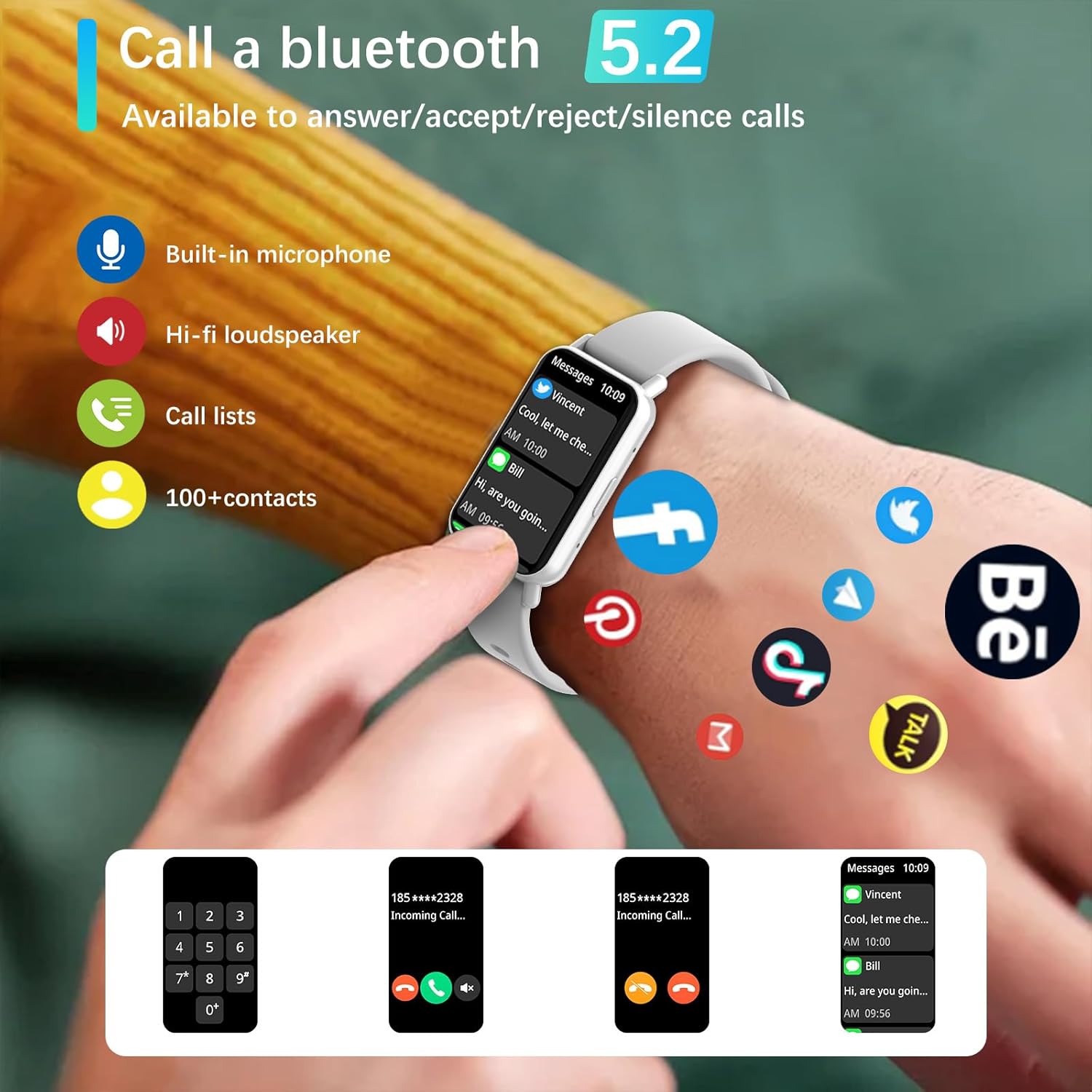
Image: Bluetooth 5.2 calling and message notifications.
5.3 ການຕິດຕາມສຸຂະພາບ
The smartwatch is equipped with advanced sensors for comprehensive health tracking:
- ການກວດສອບອັດຕາການເຕັ້ນຫົວໃຈ: ຕິດຕາມອັດຕາການເຕັ້ນຂອງຫົວໃຈຢ່າງຕໍ່ເນື່ອງ 24/7.
- Blood Pressure & Blood Oxygen (SpO2) Monitoring: Measure your blood pressure and blood oxygen levels.
- ການຕິດຕາມການນອນ: Monitors sleep patterns from 10 PM to 8 AM.
- ການຝຶກອົບຮົມການຫາຍໃຈ: ການຝຶກຫາຍໃຈແບບມີການແນະນຳເພື່ອການຜ່ອນຄາຍ.
- ເຕືອນປະຈຳຕົວ: ການແຈ້ງເຕືອນເພື່ອກະຕຸ້ນການເຄື່ອນໄຫວຫຼັງຈາກໄລຍະເວລາທີ່ບໍ່ມີການເຄື່ອນໄຫວ.
5.4 Sports Modes and Fitness Tracking
Engage in various physical activities with 123 built-in sports modes, including walking, running, cycling, and swimming. The watch tracks essential data:
- ຂັ້ນຕອນທີ່ປະຕິບັດແລ້ວ
- ປົກຄຸມໄລຍະທາງ
- ເຜົາຜານແຄລໍລີ່
- ອັດຕາການເຕັ້ນຂອງຫົວໃຈໃນລະຫວ່າງການອອກກໍາລັງກາຍ
- GPS routes (via smartphone)
Receive goal achievement notifications and reminders to drink water.
5.5 ໜ້າໂມງແບບກຳນົດເອງ
Personalize your smartwatch display:
- Choose from 5 default watch face designs.
- Create custom watch faces using your favorite photos via the app.
- Download additional watch faces from the watch face market within the PEJE app.
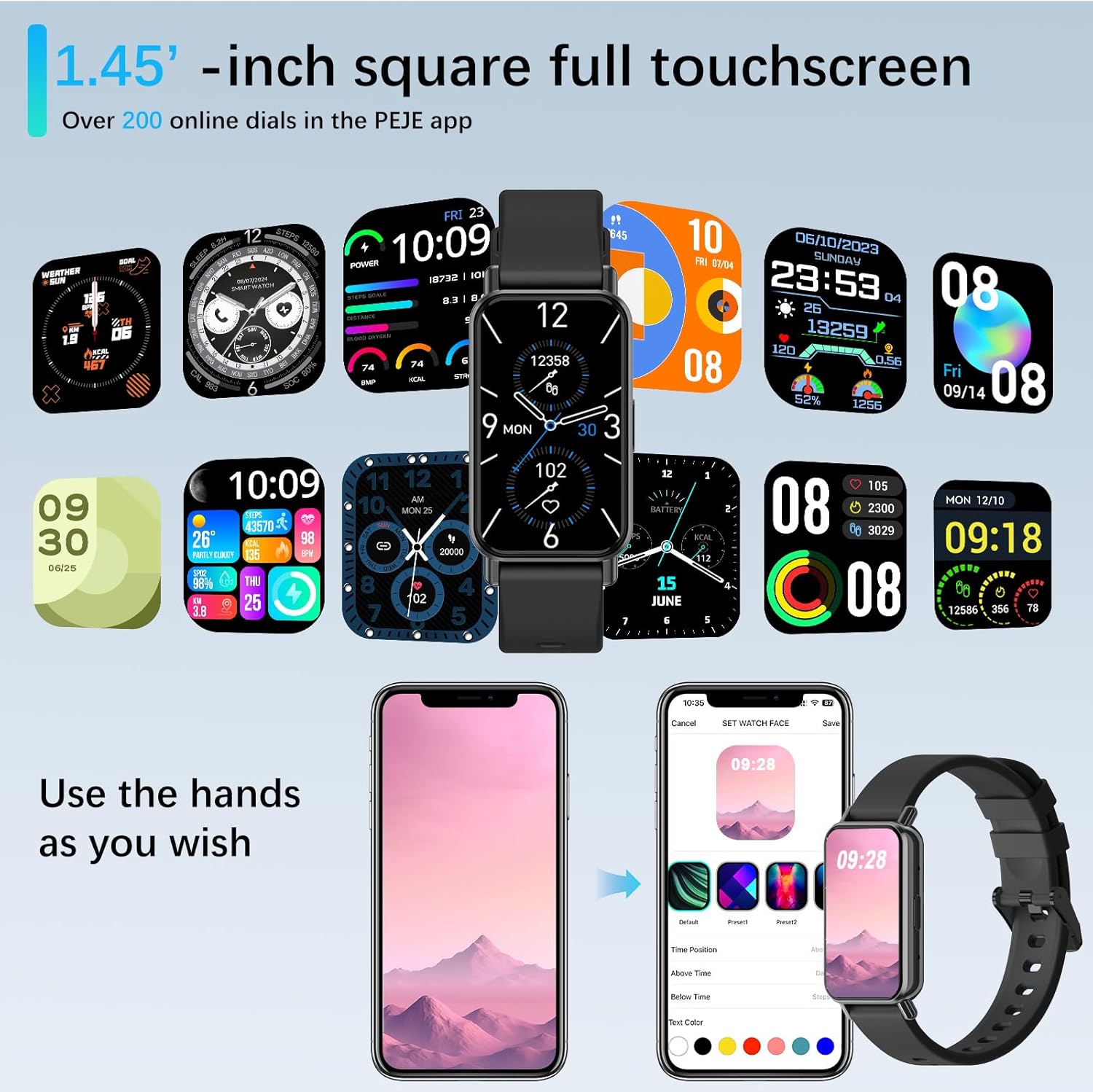
Image: Customizing watch faces through the PEJE app.
5.6 ຄຸນສົມບັດເພີ່ມເຕີມ
- ການຄວບຄຸມກ້ອງຖ່າຍຮູບທາງໄກ: Shake your wrist or tap the watch to remotely trigger your smartphone's camera.
- ການຄວບຄຸມດົນຕີ: Manage music playback (play, pause, skip) directly from your wrist.
- ອັບເດດສະພາບອາກາດ: View current weather conditions and 5-day forecasts.
- Find My Phone & Watch: Locate your paired smartphone or smartwatch using the app.
- ເຄື່ອງມື: Access a stopwatch, calculator, and 4 built-in games.
- ໂໝດຫ້າມລົບກວນ: ປິດສຽງການແຈ້ງເຕືອນໃນຊ່ວງເວລາສະເພາະ.
- ດ່ວນ-View: Raise your wrist to automatically wake the screen.
- Muslim Prayer Reminders: Receive timely reminders for prayer.
- Tasbih Reminder: Set reminders for Tasbih practice.
- ທິດທາງຂອງ Qibla: Displays Qibla angle and device's angle to Qibla.

Image: Qibla Direction and Tasbih Reminder features.
6. ບໍາລຸງຮັກສາ
6.1 ການຕໍ່ຕ້ານນ້ໍາ
The PEJE Smartwatch has an ລະດັບກັນນໍ້າ IP68, making it resistant to splashes, rain, and sweat. It is suitable for daily use and light water exposure.
Note: The device is not suitable for prolonged immersion in water, hot water, or diving. Avoid exposure to high-pressure water streams.
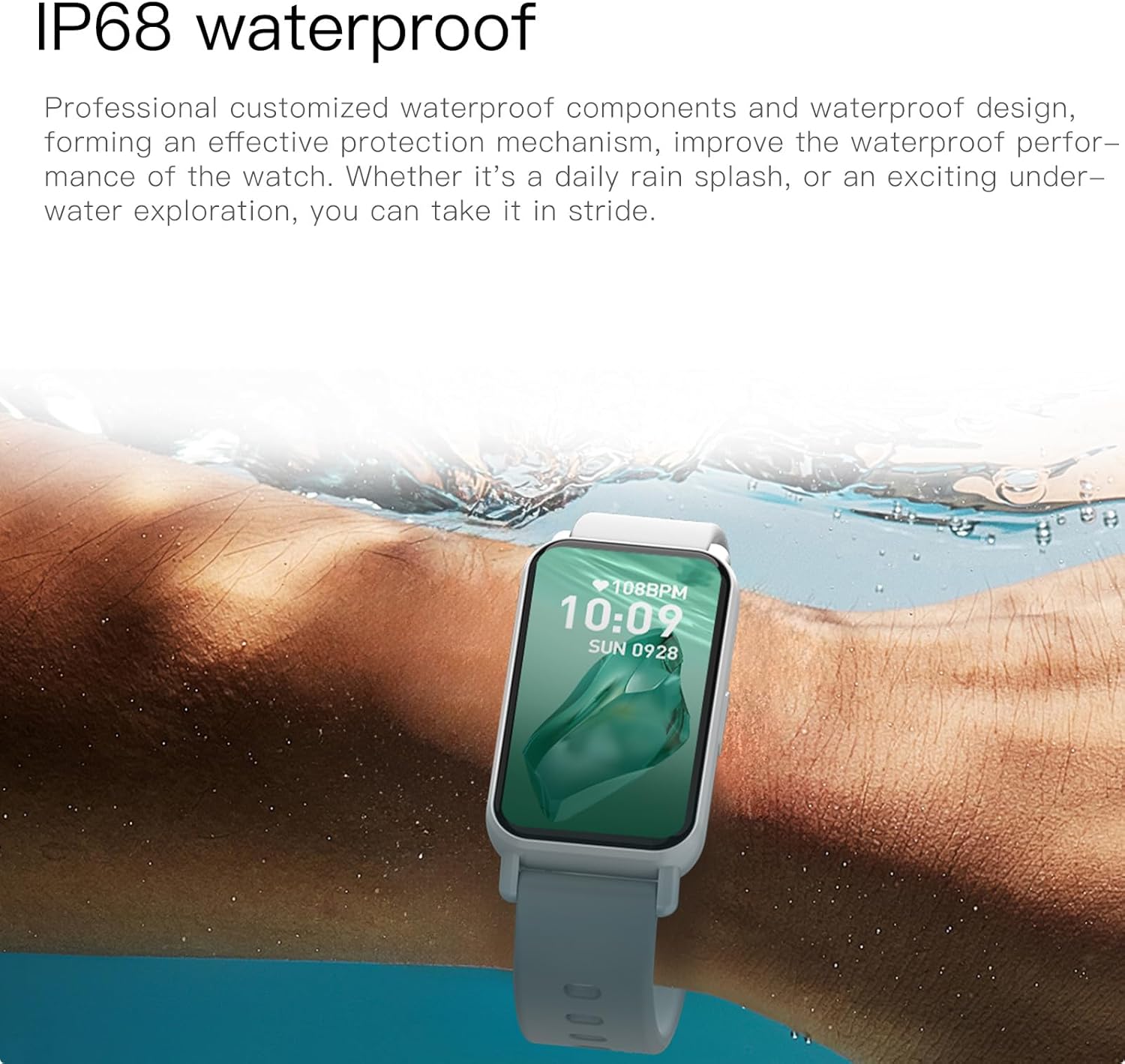
Image: PEJE Smartwatch demonstrating IP68 water resistance.
6.2 ທໍາຄວາມສະອາດແລະດູແລ
- ເຊັດໂມງແລະສາຍເປັນປະຈໍາດ້ວຍຜ້າອ່ອນ, ແຫ້ງ.
- ຫຼີກເວັ້ນການນໍາໃຊ້ສານເຄມີທີ່ຮຸນແຮງຫຼືວັດສະດຸຂັດ.
- ກວດໃຫ້ແນ່ໃຈວ່າບ່ອນຕິດຕໍ່ສາກໄຟສະອາດ ແລະແຫ້ງກ່ອນການສາກໄຟ.
7. ການແກ້ໄຂບັນຫາ
If you encounter issues with your PEJE Smartwatch, try the following steps:
- ອຸປະກອນບໍ່ເປີດ: ກວດໃຫ້ແນ່ໃຈວ່າໂມງຖືກສາກເຕັມແລ້ວ. ເຊື່ອມຕໍ່ມັນກັບເຄື່ອງສາກຢ່າງໜ້ອຍ 30 ນາທີ.
- ບໍ່ສາມາດຈັບຄູ່ກັບໂທລະສັບໄດ້:
- ກວດໃຫ້ແນ່ໃຈວ່າ Bluetooth ເປີດຢູ່ໃນໂທລະສັບ ແລະໂມງຂອງທ່ານ.
- ໃຫ້ແນ່ໃຈວ່າໂມງຢູ່ໃນຂອບເຂດຂອງໂທລະສັບຂອງທ່ານ.
- ຣີສະຕາດທັງໂທລະສັບຂອງທ່ານ ແລະ smartwatch.
- ລຶບລ້າງແຄສຂອງແອັບຯ ຫຼືຕິດຕັ້ງແອັບຯຄືນໃໝ່.
- ການແຈ້ງເຕືອນບໍ່ປາກົດ:
- ກວດເບິ່ງການອະນຸຍາດການແຈ້ງເຕືອນແອັບຢູ່ໃນໂທລະສັບຂອງທ່ານ.
- Ensure Do-Not-Disturb mode is not active on the watch.
- Verify the watch is properly connected to the app.
- ຂໍ້ມູນສຸຂະພາບບໍ່ຖືກຕ້ອງ: ໃຫ້ແນ່ໃຈວ່າໂມງຖືກໃສ່ຢູ່ໃນຂໍ້ມືຂອງເຈົ້າຢ່າງສະບາຍ, ບໍ່ແຫນ້ນເກີນໄປຫຼືວ່າງເກີນໄປ. ເຮັດຄວາມສະອາດພື້ນທີ່ເຊັນເຊີເປັນປົກກະຕິ.
8. ຂໍ້ມູນຈໍາເພາະ
| ຄຸນສົມບັດ | ຂໍ້ມູນຈໍາເພາະ |
|---|---|
| ຍີ່ຫໍ້ | PEJE |
| ຕົວແບບ | PEJE Smartwatch |
| ຂະໜາດໜ້າຈໍ | 1.45 ນິ້ວ |
| ປະເພດການສະແດງ | HD TFT |
| ເຕັກໂນໂລຊີການເຊື່ອມຕໍ່ | Bluetooth 5.2 |
| ມາດຕະຖານການສື່ສານໄຮ້ສາຍ | Bluetooth |
| ຄວາມອາດສາມາດຫມໍ້ໄຟ | 180 ລ້ານamp ຊົ່ວໂມງ |
| ອົງປະກອບຂອງຈຸລັງຫມໍ້ໄຟ | ລີໂທມໂພລີເມີ |
| ການຕໍ່ຕ້ານນ້ໍາ | IP68 |
| GPS | GPS ຜ່ານໂທລະສັບສະຫຼາດ |
| ຄວາມເຂົ້າກັນໄດ້ | Android 5.0+ / iOS 9.0+ |
| ຄຸນນະສົມບັດພິເສດ | Notifications, Health Monitoring, 123 Sport Modes, Bluetooth Calling |
| ຂະໜາດແພັກເກັດ | 16.2 x 10.4 x 3.4 cm |
| ນ້ໍາຫນັກລາຍການ | 110 g |
| ປະເທດຕົ້ນກໍາເນີດ | ຈີນ |
9. ການຮັບປະກັນແລະການສະຫນັບສະຫນູນ
9.1 ຂໍ້ມູນການຮັບປະກັນ
Warranty details for your PEJE Smartwatch are typically provided with your purchase documentation or can be found on the official PEJE webເວັບໄຊ. ກະລຸນາຮັກສາຫຼັກຖານການຊື້ຂອງທ່ານສໍາລັບການຮຽກຮ້ອງການຮັບປະກັນ.
9.2 ສະຫນັບສະຫນູນລູກຄ້າ
For further assistance, technical support, or inquiries not covered in this manual, please visit the official PEJE Store or contact PEJE customer service through their website. You can find the PEJE Store at https://www.amazon.sa/-/en/stores/StaySmartStayStylish/page/70BC458D-9595-4688-8DEF-D60BE431932F.


